
-
Posts
62 -
Joined
-
Days Won
1
Content Type
Profiles
Warranty Claims
Downloads
Forums
Store
Services
Downloads Plus Support
DOWNLOADS EXTRA
Reels
Everything posted by jawad
-
Changed Status from Pending to Fixed
-
Changed Status from Pending to Closed
-
Hi jtausch, don't worry, this is just a known visual glitch inside RustEdit itself! The editor sometimes shows loot spawners floating in the air. However, once you load the map onto a live Rust server, the game's actual spawn system will automatically snap all barrels and crates perfectly to the ground and surfaces. Please test it on your server, and everything will look perfectly fine. Let me know if you need anything else
-
Version 1.0.0
1 download
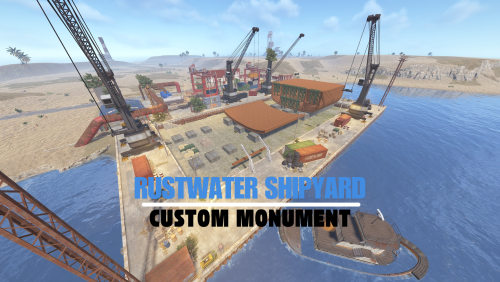
An abandoned maritime industrial zone, perfect for mid-to-high tier loot. "Rustwater Shipyard" offers a fierce close-quarters combat experience, strategic verticality, and unique custom structural designs. Features: Optimized Performance: Carefully designed with a calculated prefab count to ensure smooth server performance without sacrificing visual quality. Balanced Loot Economy: Includes a fair distribution of Green and Blue keycard puzzles, basic crates, and hidden high-tier loot to reward players for exploration. Strategic Combat Zones: Features tight corridors, open container yards, and excellent sniper vantage points atop rusted cranes. Seamless Integration: Built using vanilla game elements and custom designs, ensuring it blends naturally into any procedural or custom map. Custom Puzzles: A fun and engaging Blue Card Puzzle cleverly integrated inside the main warehouse. Please rate️️️️️ the prefabs Thank you Easy to install, fully functional, and a perfect enhancement for any Rust server.$8.00 -
.thumb.png.24b2872db09415c0fc65daa4469cac4a.png)
Version 1.0.0
45 downloads
A flooded, ramshackle settlement rising from the waters. "Drowned Village" is a unique aquatic monument offering a mix of boat access, vertical exploration, and hidden loot amidst a decaying wooden maze. Unique Aquatic Combat: Designed entirely over water, offering a fresh combat dynamic where players must navigate narrow docks and submerged areas. Vertical Exploration: Features tall observation towers and interconnected rooftops, perfect for scouting or sniping. Balanced Loot Economy: Contains a healthy mix of basic crates and hidden mid-tier loot, making it an excellent early-to-mid game point of interest. Optimized & Lightweight: Built using standard wooden vanilla prefabs, ensuring extremely low performance impact on servers. Atmospheric Design: The chaotic, driftwood-style architecture perfectly captures the gritty, survival atmosphere of Rustز Please rate️️️️️ the prefabs Thank you Easy to install, fully functional, and a perfect enhancement for any Rust server.Free -
 The map includes a railway. However, the Armoured Train (and Convoy, if applicable) plugin is not included. You'll need to purchase the plugin separately and install it on your own server.
 -
Version 4.0.0
27 downloads
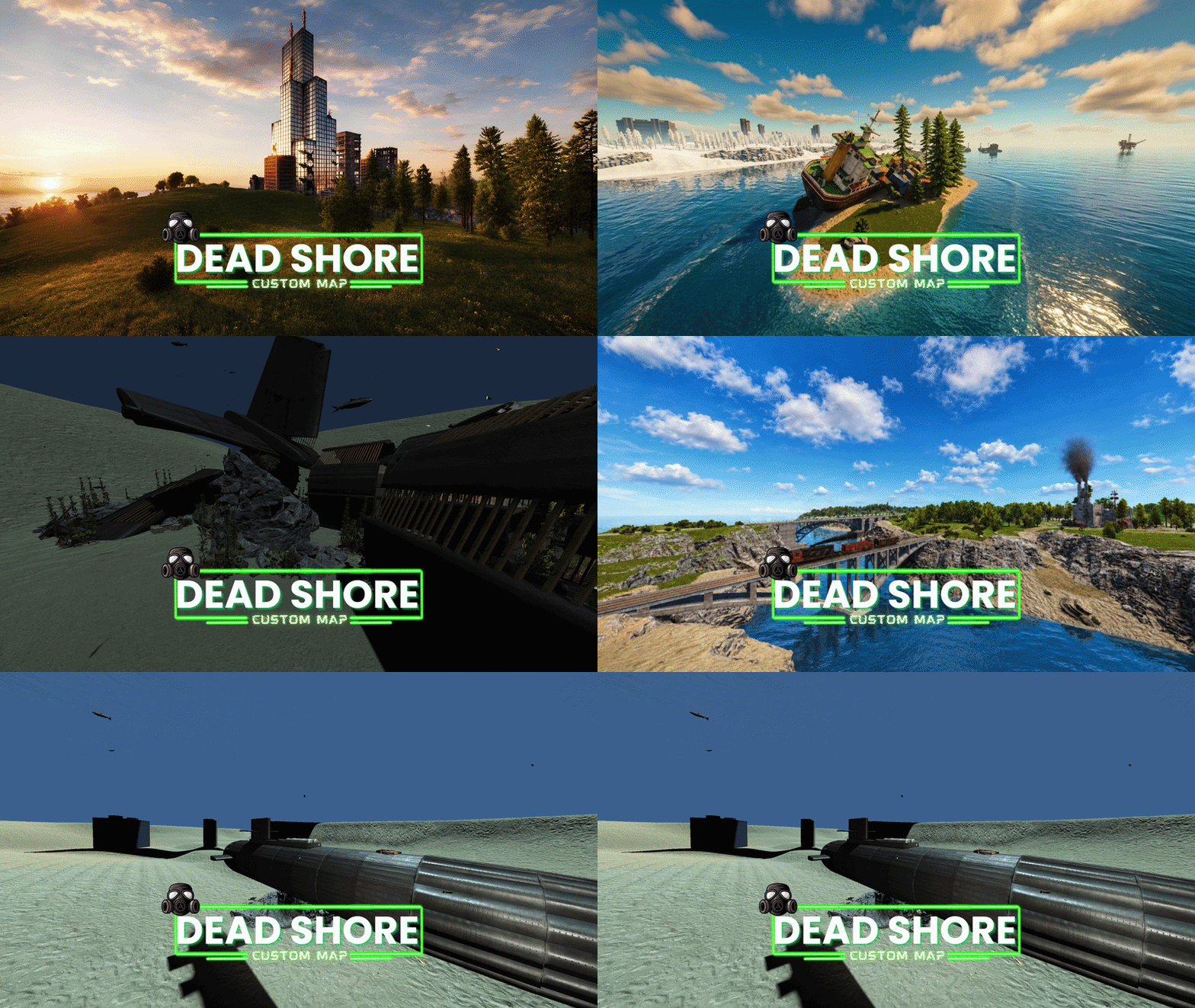
Welcome to “Dead Shore”, a custom island map for the game Rust, crafted to deliver an immersive and balanced survival experience for every type of server. With a map size of 3500 and over 40,480 prefabs, Dead Shore combines rich environmental detail with optimized performance, creating a world that feels both alive and unforgiving. Set across a dangerous and mysterious island, the map features a vast network of abandoned locations, custom monuments, coastal routes, underground infrastructure, and strategic travel systems designed to encourage exploration, combat, and player interaction. Whether you're a solo survivor, a clan leader, or part of a roleplay community, Dead Shore offers endless opportunities for adventure, domination, and base building. The island includes a fully connected metro system with underground railway access, alongside a functional surface train network for fast travel across the map. Players can navigate through massive bridge connections, isolated roads, hidden pathways, and dangerous territories while uncovering unique custom locations spread throughout the island. Builders will discover specially designed building areas perfect for creating secure and creative bases, while explorers can dive deep into dangerous underwater laboratories and uncover hidden loot beneath the ocean surface. Carefully placed safe zones allow players to trade, regroup, and socialize without breaking the immersive survival atmosphere. Dead Shore is designed for all server types — from hardcore PvP and vanilla survival to modded communities and roleplay servers — offering a balanced monument layout, optimized FPS performance, and engaging terrain across the entire island. Features: • Map size: 3500 • Prefabs count: 40,480 • Custom island environment • Underground railway system • Surface train network • Multiple custom monuments • Strategic bridge connections • Safe zones • Underwater laboratories • Custom building locations • Balanced monument distribution • Optimized for smooth gameplay • Suitable for all server types • Exploration-focused design • Immersive survival atmosphere Monuments: • Harbor x2 • Bandit Camp • Outpost • Military Tunnel • Mining Outpost • Abandoned Supermarket • Power Plant • Ferry Terminal • Oxum’s Gas Station • Lighthouse x2 • HQM Quarry • Stone Quarry • Sulfur Quarry • Radtown • Launch Site • Large Fishing Village x2 • Underwater Lab • Giant Excavator Pit • Abandoned Military Base • Arctic Research Base • Missile Silo Custom Monuments: • Dead Shore City • Submarine • Rust Dock • Capsize Cargo • Drowned Village • Aircraft Wreckage • Ranch+ • Abandoned Camp • Scrap X • The Dead Site City Please rate ️️️️️ the map Thank you “Dead Shore” is more than just a map — it’s a hostile island where every tunnel, coastline, and abandoned structure tells a story of survival, conflict, and discovery.$35.00 -
Hi, did you place the file in the correct directory as mentioned on the download page? Also, did you update Oxide after adding the file and restart/update the server? Let me know so I can help you further
-
Hi, please make sure to add this extension to your server files: https://www.rustedit.io/threads/rustedit-oxide-umod-extension.695/ Also, kindly ensure you're using the latest version of Oxide to avoid any issues. Let me know if you need any help
-
Version 1.2.0
11 downloads
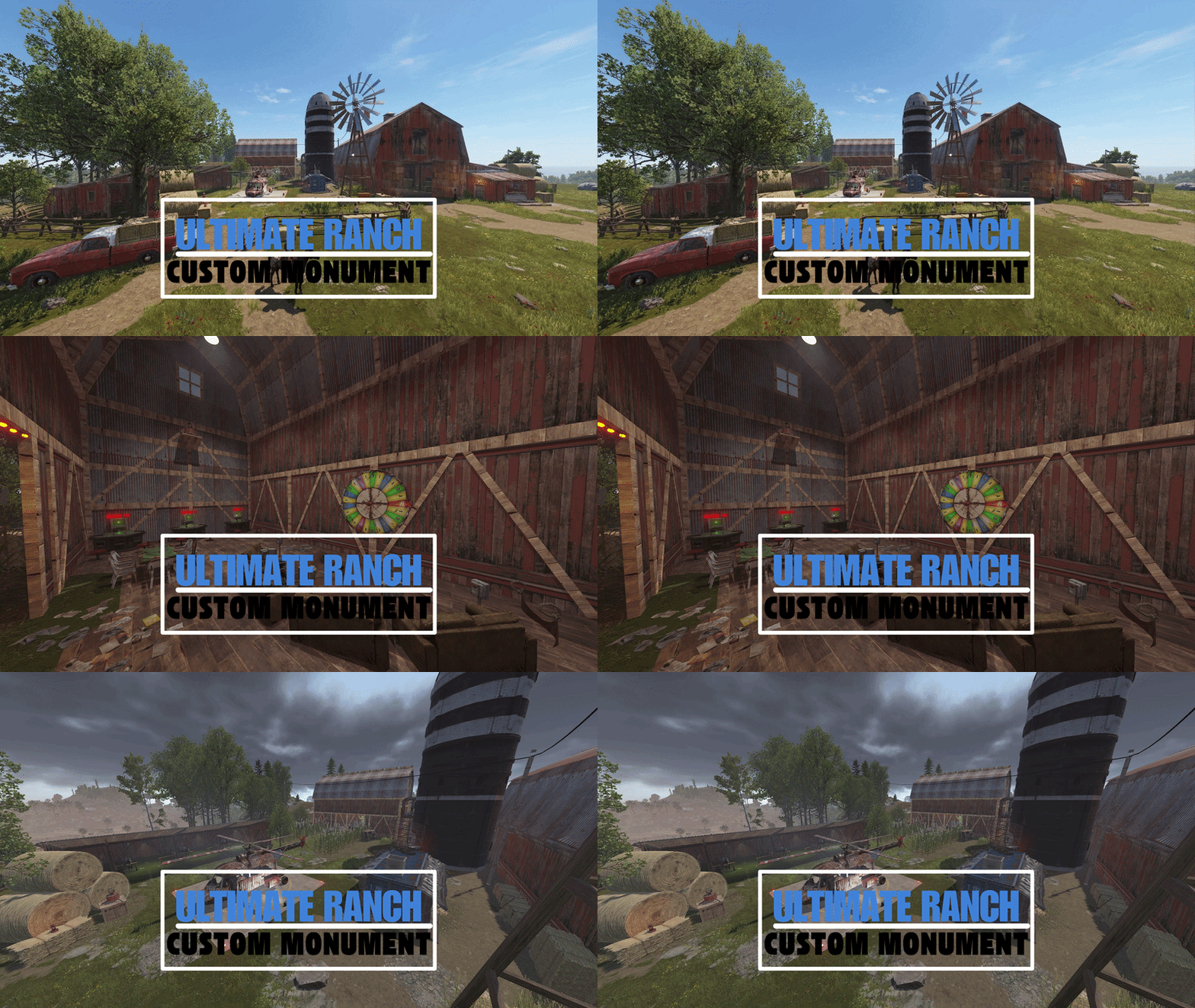
The Ultimate Ranch Hub is a heavily modified and enhanced version of the vanilla Ranch. This prefab transforms the standard horse outpost into a high-tier Service & Entertainment Center, perfectly blending utility with an immersive rustic aesthetic. Designed to be the heart of any map, it combines essential survival utilities with endgame transport and gambling systems. ⸻ Key Features: Airwolf Helicopter Vendor – Now you can purchase Scrapyard Helicopters and Minicopters directly from the Ranch. Integrated Small Casino – Featuring fully functional Slot Machines and Big Wheel gambling to keep players entertained. Drone Marketplace – Includes a Drone Terminal for convenient remote shopping across the map. Merged Utility Zone – Access to a Recycler, Workbench Level 1, and Research Table in one safe location. Enhanced Visual Aesthetics – Custom-placed props, improved vegetation, and atmospheric detailing for a "premium" feel. Strategic Lighting – Professionally placed lights and lanterns for perfect night-time visibility and "Safe Zone" vibes. Horse & Tack Shop – Original Ranch functionality preserved with all horse-related vendors and hitches. Optimized Collision & Topology – Ready-to-use layers (Alpha, Topology, and Height) for seamless map integration. ⸻ Performance & Compatibility: Vanilla Friendly: Works on any server without requiring extra plugins. FPS Optimized: Custom detailing with low entity overhead to maintain server performance. Perfect for 2x/3x Servers: A great addition to fast-paced servers where players need quick access to transport and recycling. ⸻ Quick Installation Guide: Extract the ZIP file into your RustEdit installation folder. Launch RustEdit. Click on "Prefabs” in the top menu and open the Prefab List. Locate the prefab under the Custom category. Double-click the prefab file to spawn it into your map. Move it to the desired location. Apply the Height Mask, Topology Mask, and Splat Mask for proper terrain blending. ⸻ Please rate️️️️️ the prefabs Thank you Easy to install, fully functional, and a valuable upgrade for any Rust server.$8.99 -
Changed Status from Pending to Fixed
-
Not Loading Deployables/NPCs/Vending Machines
jawad replied to dustyhansen's Support Report in Support
Changed Status from Pending to Fixed -
The issue has been resolved and a new updated file has been uploaded. Please make sure your server is running the latest version of Oxide. Also ensure that Oxide.Ext.RustEdit.dll is properly installed. I hope you enjoy it!
-
Not Loading Deployables/NPCs/Vending Machines
jawad replied to dustyhansen's Support Report in Support
Hi! If it works fine on your other servers, then it’s most likely a plugin conflict on the main server. I’d suggest checking plugins that modify NPCs, vendors, monuments, or use Harmony hooks. Also make sure the Oxide/uMod version and the Rust server build are fully up to date. You can try temporarily disabling plugins one by one to identify which one is causing the issue -
Not Loading Deployables/NPCs/Vending Machines
jawad replied to dustyhansen's Support Report in Support
Hey! I checked the file again and everything is working fine for me. Just make sure you’re using the latest version of RustEdit — sometimes older versions don’t load everything correctly. If anything still doesn’t work, feel free to tell me and I’ll help you out! -
Version 1.0.0
7 downloads
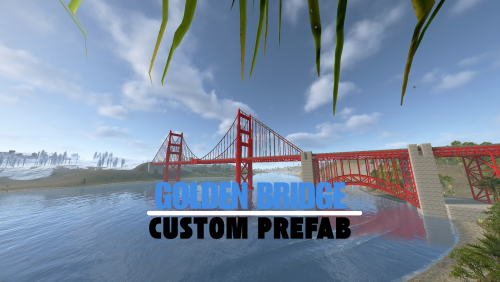
Golden Bridge Take your Rust map to the next level with the breathtaking Golden Bridge! This meticulously crafted bridge, inspired by the iconic Golden Gate Bridge, brings realism and beauty to your map while maintaining smooth in-game performance. ⸻ Details: • Inspired by the legendary Golden Gate Bridge design. • Fully customizable to integrate seamlessly with any map. • Optimized for smooth performance across all servers. ⸻ What you’ll get: • The map file (Prefab/Bundle) ready for immediate use. Don’t miss out on the opportunity to elevate your Rust map with this stunning addition. Make your creation stand out with the Golden Bridge today! ⸻ Quick Installation Guide: Extract the ZIP file into your RustEdit installation folder. Launch RustEdit. Click on "Prefabs” in the top menu and open the Prefab List. Locate the prefab under the "Custom” category. Double-click the prefab file to spawn it into your map. Position it wherever you want on your map. ⸻ Easy to install, fully functional, and a perfect enhancement for any Rust server.$6.99 -
Changed Status from Pending to Closed
-
Quick Installation Guide: Extract the ZIP file into your RustEdit installation folder. Launch RustEdit. Click on "Prefabs” in the top menu and open the Prefab List. Locate the prefab under the "Custom” category. Double-click the prefab file to spawn it into your map. Position it wherever you want on your map.
-
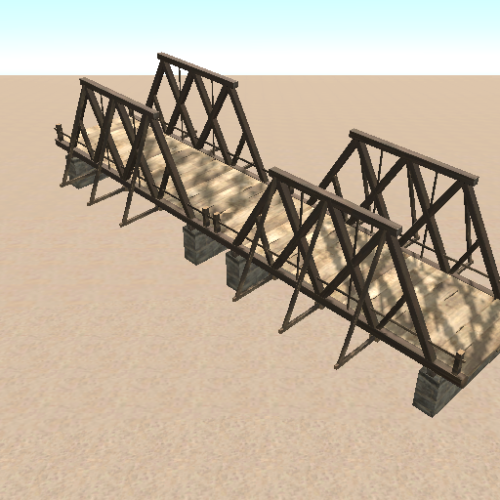 the file has been repaired
 -
.thumb.gif.3075bf2fa70a26820799d7bad9f5a40b.gif)
Version 4.0.0
55 downloads
The Merged Outpost with Bandit Camp is a high-quality, pre-built Prefab that seamlessly combines the functionality of both the Outpost and Bandit Camp into a single, well-integrated location. Designed for both Vanilla and Modded Rust servers, this monument provides a safe trading zone, multiple NPC vendors, and an immersive environment that enhances player interactions. ⸻ Key Features: Integrated NPC Shops – Buy and sell resources easily with fully functional vendors. Airwolf Helicopter Vendor – Instantly purchase helicopters from the Airwolf NPC. Recycler – Recycle unwanted items into useful materials. Workbench Level 1 – Craft essential items and tools. Research Table – Unlock and learn new blueprints. Vending Machines – Enable player-to-player trading. Water Collectors – Gather fresh water efficiently. Small Casino – Try your luck with slot machines and win resources. Improved Lighting – Enhanced visibility for safer nighttime interactions. Seating & Rest Areas – Social zones to relax and interact with other players. ⸻ Quick Installation Guide: Extract the ZIP file into your RustEdit installation folder. Launch RustEdit. Click on "Prefabs” in the top menu and open the Prefab List. Locate the prefab under the "Custom” category. Double-click the prefab file to spawn it into your map. Position it wherever you want on your map. ⸻ Please rate️️️️️ the prefabs Thank you Easy to install, fully functional, and a perfect enhancement for any Rust server.$9.99- 1 review
-
- 2
-

-

-
- #merged outpost
- #merged compound
- (and 7 more)
-
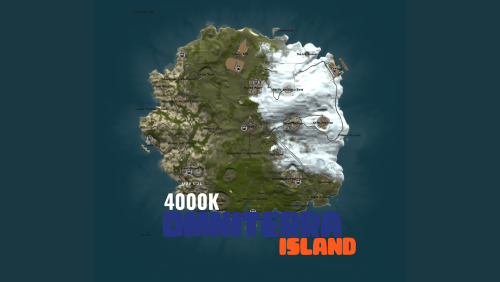
Version 2.0.0
50 downloads
Omniterra Island 4K Procedural Map | Full Monument Set | Underground Trains | Road Tunnels | Build-Friendly Terrain Welcome to Omniterra, a massive and diverse map that blends smart design with rich environmental variety. While snowy peaks and desert zones are present, the landscape is largely dominated by lush grassy areas — offering the perfect balance for exploration and large-scale base building. Explore a fully connected underground train system, road tunnels, and wide open spaces perfect for builders who like to go big. Whether you’re navigating the depths or claiming the heights, Omniterra delivers a fully immersive experience. ⸻ Monument Layout Includes: All default monuments, strategically placed for optimal underground and surface-level gameplay: • Major Monuments: Launch Site, Arctic Research Base, Missile Silo • Resource & Utility: Satellite Dish, Harbor, Ranch • Outposts & Shops: Fishing Villages, Merged Bandit Camp+Outpost, Abandoned Supermarket • Special Features: Oil Rig Access, Underwater Labs Additional Infrastructure: • Full Road Ring • Complete Rail Network • Integrated Deep Tunnel System ⸻ Omniterra isn’t just a map — it’s a full experience. Dive in and build your legacy.$9.99 -
Currently, I don’t have a dedicated Discord server, but I am working on creating one to provide you with the best service. In the meantime, you can message me directly on my personal account at: F-17#f186757. I’ll be happy to communicate with you and help resolve any issues you may face!