-
Posts
43 -
Joined
-
Last visited
Content Type
Profiles
Warranty Claims
Downloads
Forums
Store
Services
Downloads Plus Support
DOWNLOADS EXTRA
Reels
Everything posted by GTx
-
Changed Status from Pending to Closed
-
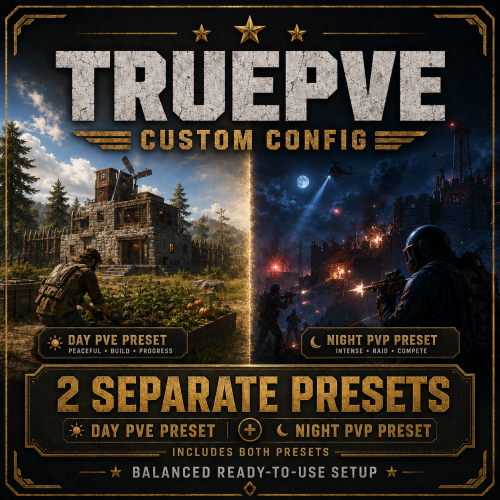
Version 1.0.1
4 downloads
TruePVE Configuration Pack – 3 Ready-to-Use Presets Get a complete TruePVE configuration package with 3 separate ready-to-use presets, allowing you to choose exactly how PvE and PvP should work on your Rust server. Whether you want a completely peaceful PvE server, PvP only during the night, or full nighttime raids with a Purge-style system, this pack gives you a preconfigured solution for each scenario. Preset 1 — Full PvE A classic 24/7 PvE configuration focused on peaceful progression, building, farming, monuments, and PvE content. Players cannot damage each other or raid other players' bases. Vehicles, storage, corpses, sleeping players, backpacks, farms, and Tool Cupboards are protected from other players. Advanced anti-grief protection also prevents many alternative ways of damaging or interfering with another player's property. PvE threats remain active, including Bradley APC, Patrol Helicopter, Scientists, Cargo Ship, wildlife, monument traps, and other NPC content, so the server still provides plenty of combat and progression. Best for: traditional PvE servers where players want maximum protection and peaceful progression. Preset 2 — Day PvE / Night PvP This preset automatically switches between peaceful PvE during the day and server-wide PvP during the night. Day — 08:00–20:00 Full PvE Player damage disabled Safe farming, building, and progression PvE NPCs and monuments remain active Player loot is protected Night — 20:00–08:00 PvP automatically enabled Players can fight, ambush, and compete for valuable loot Raiding remains disabled Bases, storage, vehicles, and other protected property stay safe Automatic chat notifications announce PvE/PvP mode changes This is a great option for servers that want regular PvP action without forcing players to risk losing their entire bases. Preset 3 — Day PvE / Night PvP + Raiding The most hardcore preset in the package. During the day, the server operates as a protected PvE environment. At night, it automatically switches into a Purge-style PvP mode with raiding enabled. Day — 08:00–20:00 Full PvE protection No player damage No raiding Safe farming and building Loot protection enabled Night — 20:00–08:00 Full PvP enabled Raiding enabled Explosives can damage enemy bases Enemy corpses and raid loot can be taken Clan wars, raids, ambushes, and high-risk PvP become possible When daytime returns, PvE protection is automatically restored Additional protection remains active against unwanted NPC and fire-based griefing, helping keep the system challenging without making it unfair. DynamicLoot Plugin Included The two dynamic PvP presets include DynamicLoot, a plugin developed specifically for these configurations. DynamicLoot automatically changes looting permissions for: Player corpses Dropped backpacks Sleeping players The permissions automatically follow the configured Day PvE / Night PvP schedule. During protected PvE periods, player loot is protected; when the PvP rules allow looting, the restrictions are automatically changed accordingly. This allows the entire PvE/PvP system to work automatically without requiring administrators to manually change permissions every day and night. What You Receive 1) Full PvE preset 2) Day PvE / Night PvP preset 3) Day PvE / Night PvP + Raiding preset 4) DynamicLoot plugin for the dynamic PvP configurations Ready-to-use configuration files Choose the preset that matches your server concept, install the required files, and customize further if necessary. One package — three different gameplay styles.$12.00 -
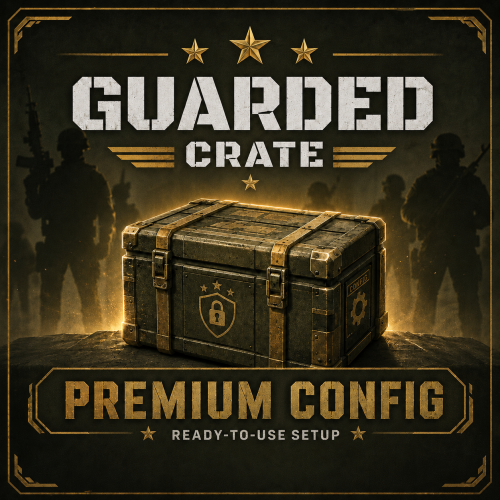
Version 1.0.0
6 downloads
This config adds 4 carefully balanced difficulty tiers for the Guarded Crate event. Each tier offers a balanced combination of NPC difficulty and reward value. Core mechanics: Automatic crate hacking: Once all NPCs are killed, the crate automatically starts the hacking process. Reduced hack time: From 60 to 120 seconds. Full-clear requirement: The crate can only be looted after all NPCs have been eliminated. Map markers: Each tier has its own unique marker color for easier navigation. Automatic event start: Configured to automatically launch once every hour. Difficulty Levels (Tiers) P.S. The loot is similar to what you would normally find in a standard Locked Crate. However, the loot table is customized, with different items and quantities. 1. EASY 6 NPCs (120 HP, reduced NPC damage). Items per crate: 8–12 items. Loot: SMGs (MP5, Thompson), Pump Shotguns, basic armor (Road Sign gear / Coffee Can Helmet), Satchel Charges, basic ammunition, Scrap, components, etc. 2. MEDIUM 10 NPCs (170 HP, medium damage). Items per crate: 10–13 items. Loot: Mid- and high-tier firearms (AK, HMLMG, M39, SPAS-12, Rocket Launcher), ballistic armor, metal armor pieces, more explosives, components, etc. 3. HARD 12 NPCs (200 HP, damage close to standard). Items per crate: 12–16 items. Loot: Sniper rifles (Bolt Action Rifle, L96), C4 (Timed Explosive Charge), regular rockets, Heavy Plate armor, high-tier explosives, components, ammunition, etc. 4. ELITE 20 NPCs (200 HP, full 100% damage). Items per crate: 12–17 items. Loot: No junk items — only high-tier weapons (AK, L96, HMLMG), High Velocity Rockets, C4, tactical and heavy armor, weapon modules, resources, components, ammunition, etc. You receive a fully ready-to-install configuration, with both NPC HP/damage and the loot economy carefully balanced. Simply upload the file to your server, and the events are ready to run!$6.00 -
Version 1.0.0
4 downloads
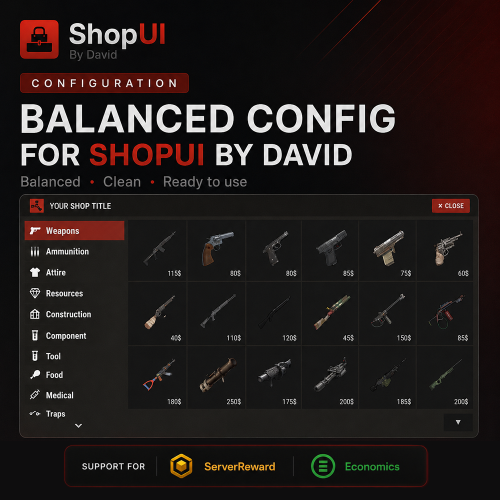
Balanced Config for ShopUI by David Ready to use balanced shop configuration with support for Economics and ServerRewards. Includes: x1 price presets x2 price presets Item sell-back is disabled. Players can only purchase items from the shop. Price Recommendations: x1 Configuration - Balanced for servers where players can typically earn around: 1000–2500 currency within 7 days of a wipe x2 Configuration - Recommended for servers where economy currency is easier and faster to obtain.$10.00 -
Hi, In the current implementation, the command cannot be changed through the config. However, you can set the command you need directly in the code. It should be used in the following format: /jump on and /jump off. The relevant lines are 794 and 795 in the code. For example: cmd.AddChatCommand("jump off", this, CmdToggleOff); cmd.AddChatCommand("jump on", this, CmdToggleOn); You can replace "jump off" and "jump on" with the commands you want to use.
-
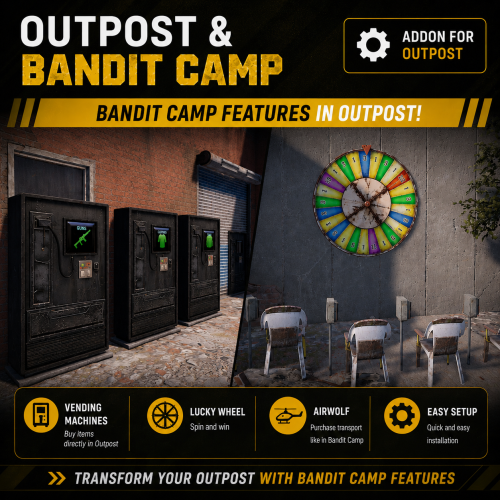
Version 1.0.0
16 downloads
Transform the Outpost monument into a fully functional Bandit Camp experience. This data configuration for the MonumentAddons plugin adds several Bandit Camp features into Outpost. Required Plugins: MonumentAddons MonumentFinder CustomVendingSetup Included Features: Custom Vending Machines Gambling Wheel Airwolf Transport Vendor Please make sure to read the included installation instructions inside the archive before setup.$5.00 -
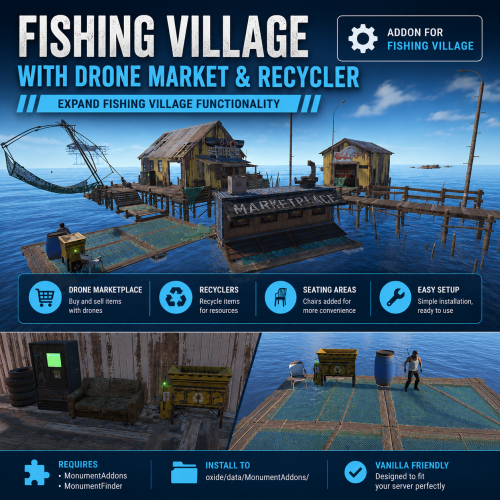
Version 1.0.0
7 downloads
Upgrade the Fishing Village monument with additional useful features. This configuration adds a Drone Marketplace prefab, Recyclers, and seating areas to Fishing Village monuments, making them more functional and convenient for players. Works with all three Fishing Village monument variants. Included Features: Drone Marketplace Recyclers Seating/chair near recyclers Required Plugins: MonumentAddons MonumentFinder$4.00 -
 Hi, I can add this function.
 -
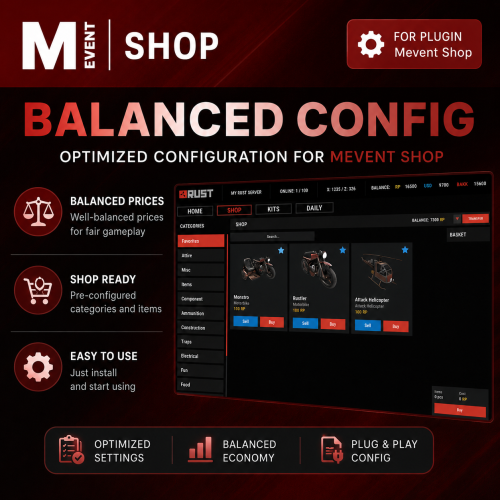
Version 1.0.0
12 downloads
Balanced Config for Mevent Shop A ready-to-use balanced configuration for the Mevent Shop plugin with carefully adjusted economy settings, item prices, and multiple setup options for different Rust server types. This configuration is suitable for both classic servers and servers with faster economy progression. Included Configuration Options: Configuration with player-to-player currency transfer Configuration without currency transfer Support for: Economics & ServerRewards Combined configuration for servers using both economy systems simultaneously When using both economy plugins together, players will be able to choose which currency to use when purchasing items. Inside the Shop Items folder, you can choose: Version with item sell-back enabled Version without sell-back Price presets: x1 prices & x2 prices Economy Balance The ability to sell items back to the server is intentionally not enabled for every item. Sell-back is mainly available for: High-tier weapons Some resources Certain valuable items This helps maintain a balanced in-game economy and prevents players from generating currency too quickly. Price Recommendations: x1 Configuration - Balanced for servers where players can typically earn around: 1000–2000 currency within 7 days of a wipe x2 Configuration - Recommended for servers where economy currency is easier and faster to obtain. You can preview the full item list and x1 pricing configuration on the test server: connect 65.109.110.74:20540$10.00 -
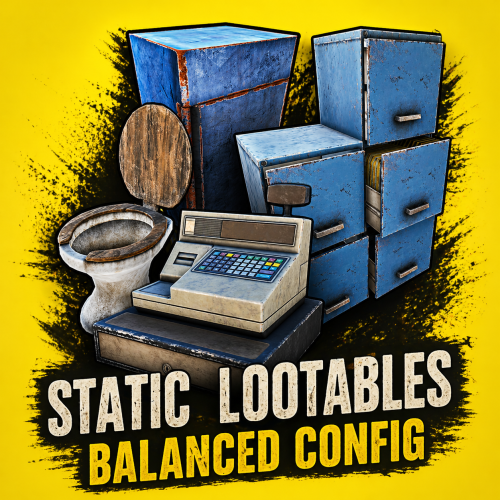 The configuration includes standard Lootable Objects, but their loot tables have been reworked: * Supermarket Cash Register * Toilets * Cardboard Boxes * Lockers * File Cabinets * Desks * Kitchen Fridges * Electrical Boxes * Washing Machines * Trash Bags * Gas Pumps * Toolboxes * Plant Pots * Typewriters * Kitchen Cookers * Pickup Truck (Rusty), Sedan A (Junkyard), Compact Car C * Barge Coal * Metal Crate (B) * Pallet Stacks (A–C) * Bin * Vodka Bottle
- 2 comments
-
- 1
-

-
- #lootables
- #static lootables
- (and 4 more)
-
Changed Status from Pending to Closed
-
Hi, there is no option to reset the chances to default in the plugin. If you want to restore the default settings, you can delete the config file and reload the plugin. A default config will then be generated.
-
Version 1.0.0
11 downloads
The configuration includes a wide variety of loot, ranging from basic resources (wood, ore, scrap, various food, and seeds) to clothing, vehicle parts, and electrical components. At the same time, the balance is carefully designed so that, in addition to common items, containers can also contain valuable loot such as weapons, keycards, and high-tier tools (jackhammers, chainsaws, etc.). However, these items are rare and have a significantly lower drop chance. This configuration is intended only for the Static Lootables plugin. The configuration includes 176 unique items (excluding duplicates). How to install the configuration: The installation process is very simple 1) Go to the folder where your plugin configs are stored (oxide\config or carbon\config) 2) Delete the old StaticLootables.json configuration file 3) Upload the new StaticLootables.json config file 4) Restart the plugin$4.00 -

Version 1.0.0
2 downloads
Create stunning server rank icons with our template! With your purchase, you will receive both the editable template and ready-to-use images. Easy text editing, flexible customization options, and high-resolution designs make it perfect for personal projects. Bright and high-quality effects will make your products stand out among other projects. Enjoy creating with ease! To edit the text correctly, you need to install the fonts located in the FONT folder. You are free to use these templates in any of your personal projects. Looking for a unique design? Feel free to message us!$10.00 -
![More information about "[PSD] Rust Industrial / Banner & Logo"](https://codefling.com/uploads/monthly_2026_03/-2.thumb.png.ffff0d008eb22c8d745ad2da204e8b63.png)
Version 1.0.0
2 downloads
This industrial style template is perfect for Rust servers. Banner resolution: 1024×512 (server banner) Logo resolution: 500×500. To edit the text correctly, you will need to install the fonts located in the FONT folder. You can freely use these templates in any of your personal projects. The template includes some customization options: 2 different background options This allows you to easily adjust the banner to match your style or project. We hope you enjoy using this template! Looking for a unique design? Feel free to message us!$5.99 -
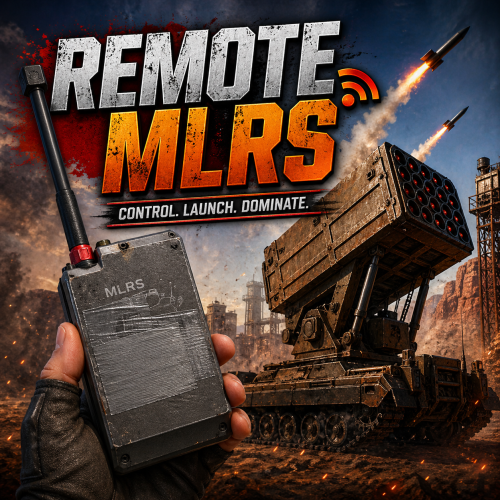 Hi, I’ll release an update in the coming days. I’ll add the ability to set how many times the RF transmitter can be used. I’ll also check compatibility with the MLRS tracker. At the moment, the plugin does not work with the MLRS tracker.
 -
![More information about "[PSD] Summer Vibes / Banner & Logo"](https://codefling.com/uploads/monthly_2026_03/PREV.thumb.png.a86050514e75a580152fa5b519dbecce.png)
Version 1.0.0
2 downloads
Create stunning server banners and logos with our template! Easy text editing, customization options, and high-resolution designs make it perfect for personal projects. Enjoy creating with ease! Banner resolution: 1024×512 (server banner) Logo resolution: 500×500. To edit the text correctly, you will need to install the fonts located in the FONT folder. You can freely use these templates in any of your personal projects. The template includes some customization options: 2 different text options (in front of the wave and one behind the wave) This allows you to easily adjust the banner to match your style or project. We hope you enjoy using this template! Looking for a unique design? Feel free to message us!$6.00-
- 1
-

-
- #design
- #rust design
- (and 6 more)
-
![More information about "[PSD] Modern / Banner & Logo"](https://codefling.com/uploads/monthly_2026_03/PREV1.thumb.png.577430ae1ae5d9d85987f0616acf7fae.png)
Version 1.0.0
2 downloads
This modern style banner template is perfect for Rust servers. Banner resolution: 1024×512 (server banner) Logo resolution: 500×500. To edit the text correctly, you will need to install the fonts located in the FONT folder. You can freely use these templates in any of your personal projects. We hope you enjoy using this template! Looking for a unique design? Feel free to message us!$6.00-
- 1
-
-
- #design
- #rust design
- (and 6 more)
-
![More information about "[PSD] The Last Path / Banner & Logo"](https://codefling.com/uploads/monthly_2026_03/prevmain.thumb.png.7783e0e8c4f39ae28f02d44c9465a55f.png)
Version 1.0.0
2 downloads
This survival style banner template is perfect for Rust servers. Banner resolution: 1024×512 (server banner) Logo resolution: 500×500. To edit the text correctly, you will need to install the fonts located in the FONT folder. You can freely use these templates in any of your personal projects. Additionally, the template includes several customization options: • 2 different background options (Darker or Lighter) • Ability to disable the linear light effect on the character This allows you to easily adjust the banner to match your style or project. We hope you enjoy using this template! Looking for a unique design? Feel free to message us!$6.00 -
![More information about "[PSD] Rust Adventure / Banner & Logo"](https://codefling.com/uploads/monthly_2026_03/PREV.thumb.png.9ee8b4d868482ad74ea07c879210ce65.png)
Version 1.0.0
4 downloads
This art style template is perfect for Rust servers. Banner resolution: 1024×512 (server banner) Logo resolution: 500×500. To edit the text correctly, you will need to install the fonts located in the FONT folder. You can freely use these templates in any of your personal projects. The template includes some customization options: 2 different background options (Blur or without blur) This allows you to easily adjust the banner to match your style or project. We hope you enjoy using this template! Looking for a unique design? Feel free to message us!$6.00 -
Done
-
I replied to you in private messages.
-
Changed Status from Pending to Closed