
Jump to content

Mat993hew

Creator
  • Posts

    114
  • Joined

  • Last visited

Everything posted by Mat993hew

  1. Mat993hew

    Economics/Scrap/SR

    I cant seam to get my version to do the same issue your having, im thinking that sometimes your Economics is loading after TotalControl which would make TotalControl think that there is no Economics causing it to get disabled ill keep trying but if you could next time it happens would you be able to send me your server log for me to check. Your welcome to send me a private message on Discord anytime.
  2. Mat993hew

    Economics/Scrap/SR

    Does the Eco turn back off after each restart? or is eco not being rewarded after each restart and having to press Apply? Ill look into this, I'm hoping to release a new update I've been working on for a while now some time in the next week or 2 ill make sure to check this out before i release.
  3. Did you upgrade from version 1.4.0 or from 1.3.x version if updating from a earlier version than 1.4.0 you will need to remove TotalControl.cs from plugins folder then remove the TotalControl data folder and then add the new version of TotalControl. The issue is the old data files are not compatible with the newer version of TotalControl. Hope that helps.
  4. Yes currently the Raid Protection and PvE/PvP mode timers are only for the in-game time i have been working on a update that will allow being able to set timers for any date/time either in-game or real time but i still need to do some testing and find some more people to help beta test if you are interested feel free to join my Discord and send me a message there link is in description
  5. are the settings you described not working the way you said? I just set my settings the same and i am able to raid between 11pm and 6pm then between the hours 6pm and 11 pm Raid Protection is enabled and working and if i try shot another persons base after 11pm a message is displayed on screen. If you are Authed on the Tool Cupboard you will be able to raid your own base no mater if Raid Protection is on or not Raid Protection is only for Raiding other players bases that way if raid protection is on and you want to knock down a wall in your own base you can still do so. Ill look into the instant pickup plugins conflicting thanks for letting me know.
  6. Unfortunately I have not found a way to change the Sunrise and Sunset times in Rust. Start of Day and End of Day are settings used for the skip night system either auto-skip or vote to skip. For example voting will start at the End of Day time and if the vote is successful the time will skip to the next day at the set Start of Day time. The Set Day/Night Length settings just control how long the day or night cycle lasts. For example if you set day to 120 and night to 5 then night will start at sunset (as defined by Rust) and run for 5 minutes and the day will run for 2 hours. Unfortunately when each cycle starts and finishes is controlled by Rust and the actual sunrise/sunset times can vary slightly from day to day. So to use SOD or EOD they need to be used with auto skip night or the vote command and SOD also gets used with freeze time. I hope all that makes sense.
  7. I will look into this. When i set up start and end of day i didn't have day and night length settings in TC that was added later start and end of day wore initial added for skipping night so there could be an issue with the day/night lengths thanks for letting me know ill try get this sort as soon as i can for you.
  8. Hi devnull Yes TC should work fine with server,pve false i havnt had any issues with this myself but if you do find any issue with it don't hesitate to let me know and i will sort it asap. Thanks
  9. Hi, It is possible to change the position of the date/time, but there’s no in-game setting for it you will need to modify the code inside the plugin. Look around line 4194, or search for "Hud", "DateTime" in the code. You’ll find something like: "0.002 0.95", "0.085 0.998" these are the min and max anchors that control the position and size. If you're familiar with how anchors work, you should be fine to tweak those values and save it. If not, just let me know and I’ll help you position the date/time where you want it.
  10. sorry i miss read your message currently the Raid Protection setting only works with server time not real time
  11. i am working on a schedule system for TotalControl that will allow settings for real time and server time but it is still a long way off at this stage.
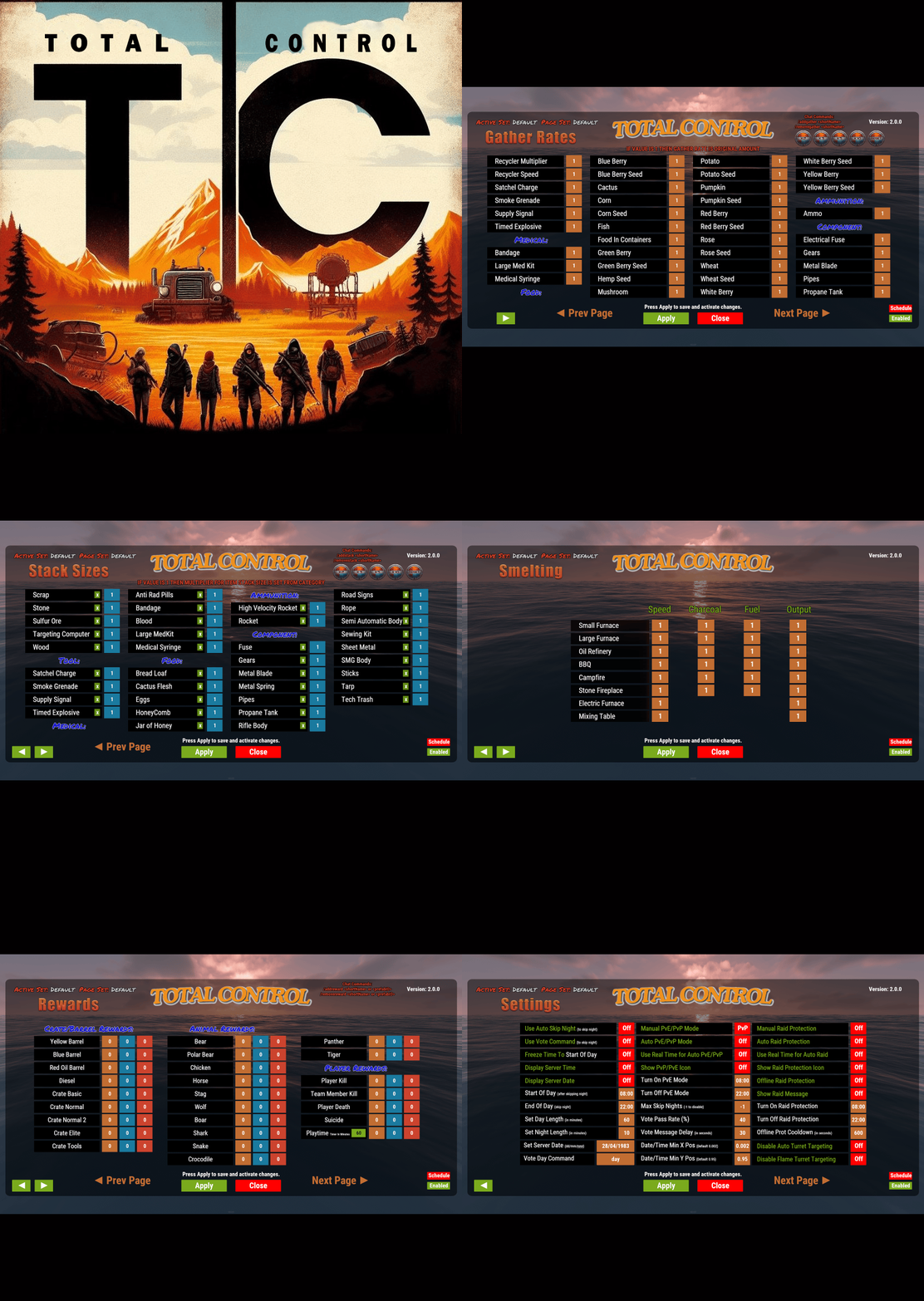
  12. yes you can disable any page you want if you dont want to use the stack size page simple just press the button that says enabled and it will change to disabled
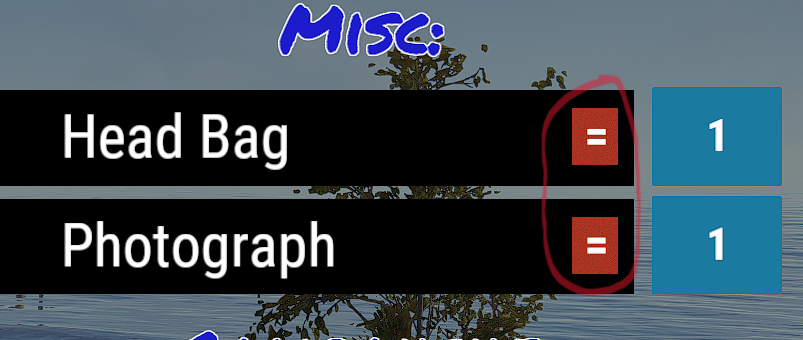
  13. The x is multipler for example if you set stone to 2 with the x then you can stack to 2000 but if you change the x to the = then stack size will be 2 the = allows for more exact stack sizes. Hope this helps and im glad you enjoy TotalControl, if you could leave a review it would be greatly appreciated and help me out alot thanks
  14. Mat993hew

    Profiler

    Hi @estrella @DanaCM I have got StackModifier on my test server now but im not getting the errors you are could you let me know what your doing when you receive the error and if possible let me know your settings for stackmodifer so i can set mine the same
  15. Mat993hew

    Profiler

    Thanks for letting me know I'll look into this later today
  16. Mat993hew

    Profiler

    Hi estrella the error you have received is due to the new update not be compatible with the old data/config files you will need to remove the old data folder and also remove the old config file then add the new version of Profiler if the new version is already installed before removing data/config files you may need to reload the plugin c.reload Profiler or if oxide o.reload Profiler I hope this helps and i hope you like the new version. Thanks
  17. Thanks so much for your kind words about TotalControl, I’m thrilled you’re enjoying the plugin! I’ll definitely consider adding a JSON language file for chat messages in a future update to make translations easier. Thanks for the suggestion!
  18. Version 1.0.1

    13 downloads

    Control Center is designed to make managing your base easier and more efficient by providing you with a user-friendly interface for interacting with key base elements such as Tool Cupboards, Code Locks, and Auto Turrets. 1. Tool Cupboard Management: Authorize Players Easily: With Control Center, you can easily authorize or deauthorize players from Tool Cupboard. Simply use the GUI to manage access in a few clicks. View Owners and Resources: You can check who currently has access to your Tool Cupboard and even view a detailed breakdown of the upkeep costs for your base. This helps you stay on top of your resource needs and ensure that your base remains protected from decay. The Owner is the first person to gain auth on Tool Cupboard and will have control over who can have full access to control center for that TC area if players have limited access the can view Control Center but not make any changes. 2. Code Lock Management: Authorize Friends: No need to give your friends the code for your Code Locks and have them go all over to find every lock, just add them to the lock you want them to access from inside the GUI. Lock and Unlock with Ease: Players can lock or unlock any Code Locks directly through the Control Center interface, which makes it faster to manage secure doors and boxes in your base. Set Custom Names: You can set custom names for each Code Lock, making it easier to identify which lock belongs to which part of your base. 3. Auto Turret Management: Authorize Friends: Easily add your team to every Auto Turret inside your base without the need of shutting you turrets down and going around each one. Switch Modes Quickly: Control your Auto Turrets through the GUI. You can easily switch between hostile and passive modes. Assign Custom Names: Similar to Code Locks, you can assign custom names to your turrets for easier management and identification. Control Center adds an easy-to-use interface that allows you to manage all these elements from one central location. You can open the interface to see a clear overview of your Tool Cupboards, Code Locks, and Auto Turrets. The GUI also allows you to add or remove friends or other players from these entities with just a few clicks, instead of having to manually interact with each one. If enabled, the plugin integrates with Steam to display your friends directly in the management interface, making it simple to add them to your base’s Tool Cupboards, Code Locks, or Turrets. With Control Center players have a powerful tool at their fingertips to better manage base security, access, and upkeep—providing a smoother and more convenient Rust experience. Chat Commands: /cc Opens Control Center. /name Used near a Code Lock or Auto Turret to add a name. Permissions controlcenter.useGui To allow players to use /cc command. controlcenter.useName To allow players to use /name command. Supported Language: English, French, German, Polish, Russian and Spanish Feel free to join my Discord! Stay up to date with the latest updates, report bugs, share suggestions, and get support for my plugins. You can also promote your Rust server or just hang out and chat! Join here: https://discord.gg/AkwHUs8Qma ControlCenter.json
    $15.00
  19. Yes this works with Carbon. If you encounter any issue using TotalControl with carbon please let me know and i will do my best to sort the issue asap Thanks
  20. Mat993hew

    Profiler

    The Url should be stored in the PlayerInfo.json for each player
  21. Thats strange its giving me points for server rewards could you send through copy of your rewards.json file from TotalControl data folder
    I am extremely impressed with the Skinner plugin! It is, without a doubt, the best skinning plugin available for Rust. The performance is outstanding, with everything loading incredibly fast. The functionality is vast and versatile, catering to all skinning needs and more. The developer has done an excellent job, and I couldn't be happier with it. Highly recommended for anyone looking to enhance their Rust experience with a top-tier skinning plugin!
  22. Hi at this stage I'm not going to add ServerRewards I'm working on a few other things at the moment I will look at adding this in the future. I hope you are finding TotalControl helpful and easy to use. Thanks
2.3m

Downloads

Total number of downloads.

10.6k

Customers

Total customers served.

153.6k

Files Sold

Total number of files sold.

3.3m

Payments Processed

Total payments processed.

×
×
  • Create New...

Important Information

We have placed cookies on your device to help make this website better. You can adjust your cookie settings, otherwise we'll assume you're okay to continue.