

-
Posts
450 -
Joined
-
Last visited
-
Days Won
26
Content Type
Profiles
Warranty Claims
Downloads
Forums
Store
Services
Downloads Plus Support
DOWNLOADS EXTRA
Everything posted by UserLeftRust
-
Update has been pushed 0.2.8 hopefully this will solve any issues.
-
 Yeah its because the new helis spawn with 20% of your stack size of lowgrade.... Stupid decision on FP's side but meh.. Glad its helping!
 -
Version 1.1.1
1,734 downloads
Rusty Bangers is a UI for Vehicle Licence. STOP... I HAVE REWRITTEN THE PLUGIN TO MAKE SPACE FOR ANY OTHER VEHICLES COMING TO RUST. I HAVE ALSO ADDED THE ABILITY TO CUSTOMISE THE VEHICLE IMAGES. IF YOU USE THE DEFAULT CONFIG AND MY VEHICLE LICENSE CONFIG (PASTE BIN LINK BELOW) IT SHOULD WORK STRAIGHT OUT OF THE BOX (MINUS NEEDING SOME PRICE AND POSSIBLE COOL DOWN CHANGES TO MATCH YOUR SERVER) Check out updates below Permissions Rusty Bangers now requires vehiclelicence.use permission to be opened AND NOW Players can now only see options for vehicles that they have been granted permissions to spawn. Command /rusty << opens the UI Configuration { "Genericsettings": { "Command List": [ "mini", "tcop", "hab", "ch47", "rhib", "row", "sedan", "horse", "smallchassis", "mediumchassis", "largechassis", "smallcar", "mediumcar", "largecar", "workcart", "magnetcrane", "subsolo", "subduo" ] }, "Page1Settings": { "Slot 1 Permission": "vehiclelicence.minicopter", "Slot 1 Image": "https://i.imgur.com/1eCWmxC.png", "Slot 2 Permission": "vehiclelicence.transportcopter", "Slot 2 Image": "https://i.imgur.com/KMXvIiC.png", "Slot 3 Permission": "vehiclelicence.hotairballoon", "Slot 3 Image": "https://i.imgur.com/huK1pU3.png", "Slot 4 Permission": "vehiclelicence.chinook", "Slot 4 Image": "https://i.imgur.com/MQRcEcv.png", "Slot 5 Permission": "vehiclelicence.rhib", "Slot 5 Image": "https://i.imgur.com/jXf4fNl.png", "Slot 6 Permission": "vehiclelicence.rowboat", "Slot 6 Image": "https://i.imgur.com/SlE8lLs.png", "Slot 7 Permission": "vehiclelicence.sedan", "Slot 7 Image": "https://i.imgur.com/aNUvab6.png", "Slot 8 Permission": "vehiclelicence.ridablehorse", "Slot 8 Image": "https://i.imgur.com/eZvi0n2.png" }, "Page2Settings": { "Slot 1 Permission": "vehiclelicence.smallchassis", "Slot 1 Image": "https://i.imgur.com/Nlgsj4h.png", "Slot 2 Permission": "vehiclelicence.mediumchassis", "Slot 2 Image": "https://i.imgur.com/WX0iPUB.png", "Slot 3 Permission": "vehiclelicence.largechassis", "Slot 3 Image": "https://i.imgur.com/0JSrdCy.png", "Slot 4 Permission": "vehiclelicence.smallmodularcar", "Slot 4 Image": "https://i.imgur.com/7QsY72X.png", "Slot 5 Permission": "vehiclelicence.mediummodularcar", "Slot 5 Image": "https://i.imgur.com/65VPddU.png", "Slot 6 Permission": "vehiclelicence.largemodularcar", "Slot 6 Image": "https://i.imgur.com/zkmYF9d.png", "Slot 7 Permission": "vehiclelicence.workcart", "Slot 7 Image": "https://i.imgur.com/TU0DD1v.png", "Slot 8 Permission": "vehiclelicence.magnetcrane", "Slot 8 Image": "https://i.imgur.com/sXMrzuq.png" }, "Page3Settings": { "Slot 1 Permission": "vehiclelicence.submarinesolo", "Slot 1 Image": "https://i.imgur.com/bu3vBjM.png", "Slot 2 Permission": "vehiclelicence.submarineduo", "Slot 2 Image": "https://i.imgur.com/To7tiMp.png", "Slot 3 Permission": "", "Slot 3 Image": "https://i.imgur.com/6RjWdNd.png", "Slot 4 Permission": "", "Slot 4 Image": "https://i.imgur.com/6RjWdNd.png", "Slot 5 Permission": "", "Slot 5 Image": "https://i.imgur.com/6RjWdNd.png", "Slot 6 Permission": "", "Slot 6 Image": "https://i.imgur.com/6RjWdNd.png", "Slot 7 Permission": "", "Slot 7 Image": "https://i.imgur.com/6RjWdNd.png", "Slot 8 Permission": "", "Slot 8 Image": "https://i.imgur.com/6RjWdNd.png" }, "PageSettings": { "Home Icon Image": "https://i.imgur.com/ZTNqNQM.png", "Page 2 active": true, "Page 2 Icon Image": "https://i.imgur.com/W9Kr4jB.png", "Page 3 active": true, "Page 3 Icon Image": "https://i.imgur.com/qi5kX0c.png" }, "ButtonSettings": { "Buy Button Color": "1 0 0 1", "Deliver Button Color": "0 1 0 1", "Recall Button Color": "0 0 1 1", "Kill Button Color": "0.5 0.5 0.5 1" } } Set your config Variables to the same details displayed in your Vehicle Licence Config. Command List are the spawn commands from the Vehicle License config. e.g. In the Vehicle licence config "Commands": [ "car", "sedan" ], So in the list for RustyBangers we add either car or sedan. The order of the command list the must be the order of your icons and perms. The link below is a blank image. if you are not using the section I would suggest using this image. https://i.imgur.com/6RjWdNd.png Button Color Configuration is done in the RGBA format with values between 0 and 1. Examples at bottom. Vehicle licence config Here is a pastebin link for the config I use.. if your missing cars and chassis this contains them as you have to manually create them now. (Set prices and cool downs to your requirements mine maybe weird because it's for testing) https://pastebin.com/N5LKf6EJ Color Examples blackSolid black. RGBA is (0 0 0 1). blueSolid blue. RGBA is (0 0 1 1). clearCompletely transparent. RGBA is (0 0 0 0). cyanCyan. RGBA is (0 1 1 1). grayGray. RGBA is (0.5 0.5 0.5 1). greenSolid green. RGBA is (0 1 0 1). greyEnglish spelling for grey. RGBA is the same (0.5 0.5 0.5 1). magentaMagenta. RGBA is (1 0 1 1). redSolid red. RGBA is (1 0 0 1). whiteSolid white. RGBA is (1 1 1 1). The Last digit dictates Alpha channel... so for an opaque appearance select a value below 1 E.g. 0.7 UPDATE V1.1.0 Rewritten to allow users to make images that reflect their VL settings and include Subs, WorkCart and Crane. V1.0.4 Global configuration section removed thanks to Arainrr exposing fields in VehicleLicence for the RustyBangers project.Free- 60 comments
- 2 reviews
-
- 3
-

-

-
- #vehicle licence
- #ui
- (and 7 more)
-
What completely no damage? as In nothing... natta.. zilch? With a permission? or toggle?
-
Having a hard time recreating the error... Was there anything in particular that was happening when the error came up?
-
yes 2.0.9 is todays update
-
Are you using Clean up plugins? Anything that deletes "Planners"?
-
Personally I've not had any issues with the plugin. However that said.. if you have posted the issue in the umod help section.... LaserHydra seems to be an active member again.. am sure he can address the issues without the need for a rewrite.
-
Don't you just need to add the prefab to the config on "No vehicle Fuel"?
-
Personally I'd suggest manually re creating the spawn points to suit you as Kierox should not be distributing BotSpawn. But that's just me.... You will have a better understanding of how BotSpawn works and it will be easier for you to make changes in the future. I have some rough videos on setting up BS as well on le youtube that might help in future. Quick Setup Custom Spawns Have Fun
-
Version 1.3.2
1,336 downloads
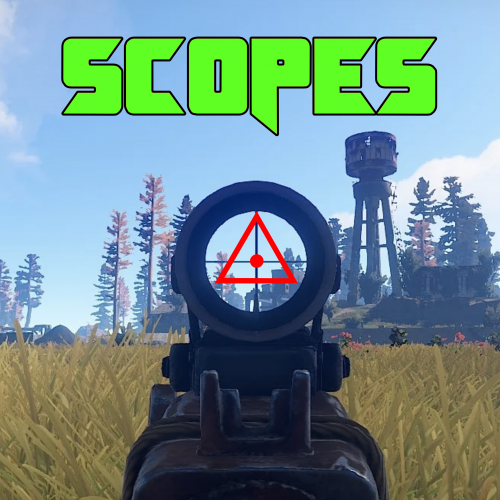
Scopes is an on screen crosshair solution for all your rusty shooting needs. Features Selection of 6 Scopes that are customisable via the config. Permissions Scopes.Toggle << Required to use Scopes. Commands /Scope << Tells players to use the following: /Scope 1 << Scope1 (Default is 「」 /Scope 2 <<Scope2 (Default is + /Scope 3 <<Scope3 (Default is ◊ /Scope 4 <<Scope4 (Default is ◬ /Scope 5 <<Scope5 (Default is ・ /Scope 6 <<Scope6 (Default is Ⓧ /NoScope <<Disables the Scope. Configuration The settings and options for this plugin can be configured in the Scopes.json file under the oxide/config directory. The use of a JSON editor or validation site such as jsonlint.com is recommended to avoid formatting issues and syntax errors. { "symbols": [ "「」", "+", "◊", "◬", "・", "Ⓧ" ], "Colour": "1 0 0 1" } SPECIAL CAUTION NEEDS TO BE TAKEN WHEN EDITING THE CONFIG. USE NOTEPAD++ OR VSC. SOME PLAIN TEXT EDITORS (Like the one built into WinSCP) CANNOT LOAD THE SYMBOLS AND REPLACES THEM WITH GARBAGE! Variables As you can see to change a symbol you just type in your favourite character Within Rusts abilities (Some symbols are not supported as they are not included in Rusts Language packs... can be a little bit trial and error) Symbol Color is in the RGBA format Examples below.. Color Examples blackSolid black. RGBA is (0 0 0 1). blueSolid blue. RGBA is (0 0 1 1). clearCompletely transparent. RGBA is (0 0 0 0). cyanCyan. RGBA is (0 1 1 1). grayGray. RGBA is (0.5 0.5 0.5 1). greenSolid green. RGBA is (0 1 0 1). greyEnglish spelling for grey. RGBA is the same (0.5 0.5 0.5 1). magentaMagenta. RGBA is (1 0 1 1). redSolid red. RGBA is (1 0 0 1). whiteSolid white. RGBA is (1 1 1 1). The Last digit dictates Alpha channel... so for an opaque appearance select a value below 1 E.g. 0.7Free -
Ufff... there's always one ay?! If it becomes a constant issue I'd add the server name to the map file or similar.... until a rewrite comes around
-
Also if you increment the map name you wont get the mismatch error.... If i had CFv1.map and CFv1.save and I update the map and save it as CFv2.map and rename the save to CFv2.save Everything will be perfect....
-
Would need to be a rewrite as plugin has no licence
-

Examples of How/Additions to SET this up...Please!
UserLeftRust replied to TheEye's question in Support
Is this for Custom loot? -
can u guys update this plugin turret manager
UserLeftRust replied to thuder_4455's topic in Requests
Whats wrong with it... is maintained and working... if you have an issue or suggestion you need to discuss that with the author via umod. -
Default has taken over the plugin recently.... he did say however "I am behind on my plugin updates however, so it may be a little bit." Looks like you just gotta sit tight and wait my friend.... maybe send the guy some coffee
-
Problem is licensing. Absolut Mail is unlicensed. Unless the original author gives specific permission or an MIT licence appears, the code cannot be modified or redistributed. However if you feel like you can create your own plugin with the same functionality.
-
Email notifications for Questions posted to followed projects
UserLeftRust replied to quietconundrum's topic in Site Support
A few early teething issues that we are working through to make this the best experience for all... I've poked the site developer and we will see what can be sorted. -
I'll make sure RFC gets a poke and repoke about the template error.
-
What plugin and what is the issue? I can point it on our end.
-
Known issue on list of fixes ... Support appears once you have downloaded the plugin however.
-
I poked Developers.. Hopefully someone can help
-
Version 3.0.7
1,293 downloads
Finder is a small plugin for admins to search for various things quickly and easily Features Find all players with partial names Find all sleeping bags owned by a specific player Find all Tool Cupboards with partial names Find all buildings with partial names Find items Find Teleport locations Permissions finder.find << Required to use chat commands Players with Auth level 1 or 2 should not require special permissions. Chat Commands /find player PLAYERNAME/STEAMID /find cupboard PLAYERNAME/STEAMID /find bag PLAYERNAME/STEAMID /find building PLAYERNAME/STEAMID /find item ITEMNAME MINAMOUNT /find tp FINDID Item names may need to be enclosed in quotations eg /find item "Timed Explosive Charge" 1 => Special thanks to Steenamaroo the code whisperer for helping me keep what little sanity I had left!Free- 6 comments
- 1 review
-
- 3
-
-
- #admin tools
- #admin
- (and 1 more)