Depends on
Required for this file to work correctly.

Works with
Optional integrations and compatible files.


About ItemX
ITEMX
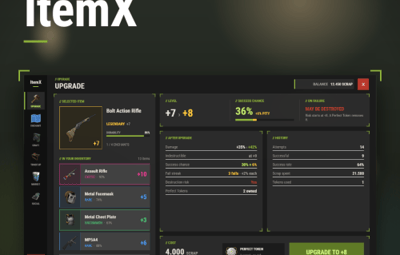
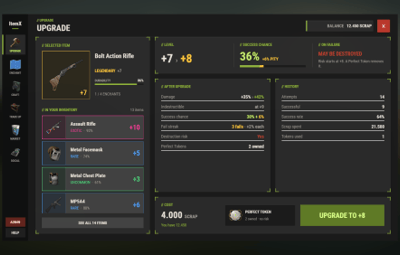
ItemX is an RPG-style gear progression plugin for Rust. Players upgrade weapons and armor level by level, roll enchantments, complete armor sets, craft tokens, salvage old gear into shards, trade up unwanted items and sell their best pieces on a player market. Levels run from +1 to +10 by default, and you can raise the cap as high as +100 or lock it lower, per item or server-wide.
Everything players touch lives in one modern, tabbed UI. Most of the setup is done in-game from the Admin Dashboard, with no config editing needed; the deeper systems (set bonuses, salvage, announcements, Discord, VIP, wipes) are clean, documented config sections. Works on Oxide and Carbon with no required dependencies.
In-Game Admin Dashboard
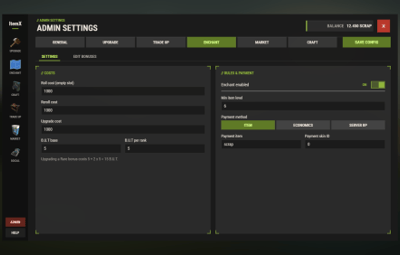
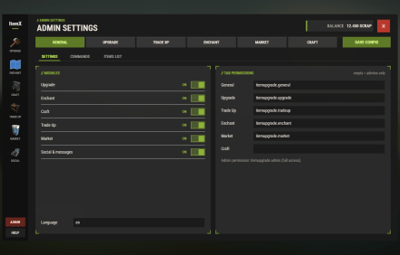
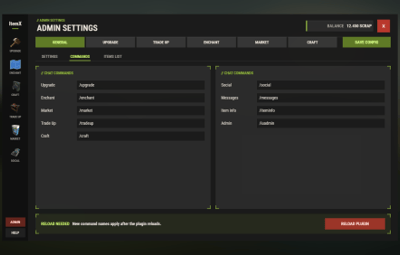
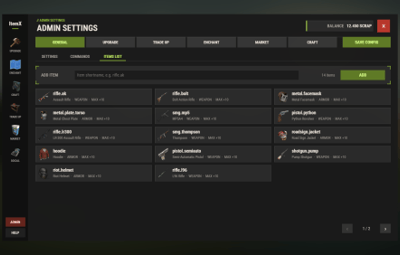
Manage the progression system from an in-game UI (/iu_admin, permission itemx.admin):
- Modules: turn Upgrade, Enchant, Crafting, Trade Up, Market and Social on or off, and set the plugin language.
- Tab permissions: choose which permission opens each tab.
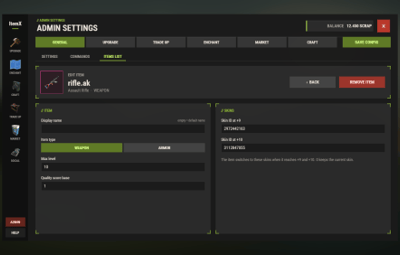
- Items: add an item by typing its shortname, remove items, and set display name, type (weapon/armor), max level, quality score and skin IDs for +9 and +10.
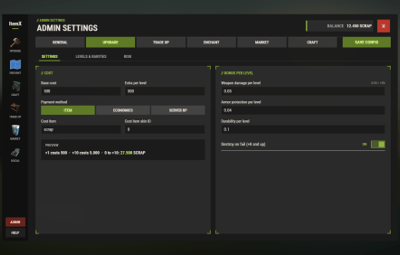
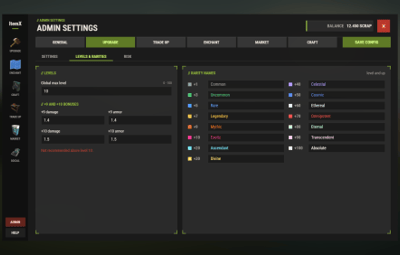
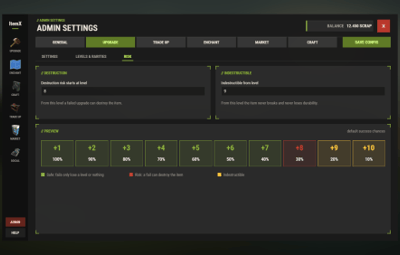
- Upgrade: base cost, cost per level, payment method, success chance per level, rarity names per level, destruction and indestructible thresholds, with a live preview of the odds.
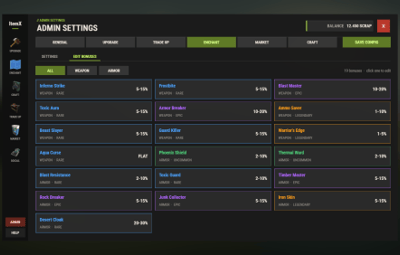
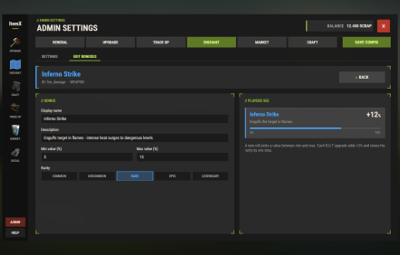
- Enchants: costs, payment, minimum level, and every bonus (name, description, value range, rarity, allowed item types).
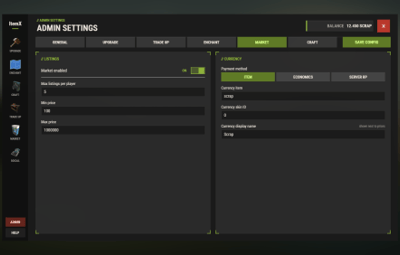
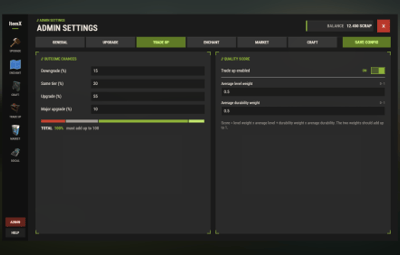
- Trade Up and Market: chances, weights, listing limits, price range, currency.
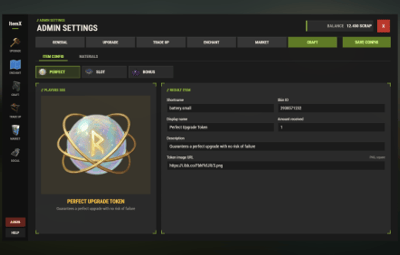
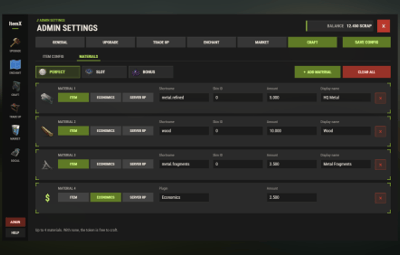
- Crafting: the three tokens (item, skin, display name, description, amount) and their recipes.
- Commands: rename every chat command.
Modular Permission System
Every tab has its own permission (itemx.upgrade, itemx.enchant, itemx.craft, itemx.tradeup, itemx.market, itemx.general), so you decide exactly who gets which feature. A tab with an empty permission is admin only. VIP perks come from separate permissions you define.
— Core Features —
Item Upgrade System
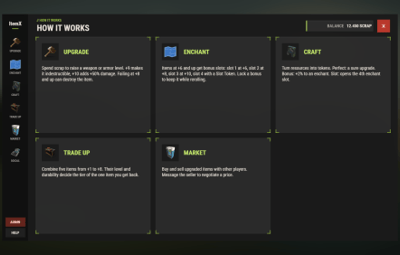
- +1 to +10 by default; Global Max Level and per-item Max Level go up to +100.
- Success chance per level, scrap cost that grows per level.
- Pay with any item (scrap by default), Economics or ServerRewards.
- Pity: every failed attempt adds a bonus to that item's next try (2% per fail, up to 20% by default), reset on success.
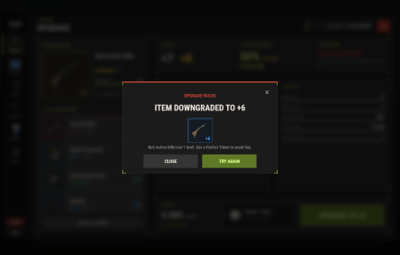
- Risk you control: from +8 a failed upgrade can destroy the item; +9 and up are indestructible; other fails cost 1-2 levels, low levels keep theirs. The UI always shows which rule the roll will use.
- +9 and +10 multipliers (1.5x and 2.0x damage/protection by default) and their own skin IDs.
- Upgraded armor reduces combat damage (capped, 60% by default); upgraded gear loses durability slower and never breaks from the indestructible level.
- Weapon levels boost damage to players and NPCs only, unless you allow building damage.
- Level rarity names (Common, Uncommon, Rare, Legendary, Mythic, Exotic ... Absolute at +100), shown in the item's name.
Weapon & Armor Roster
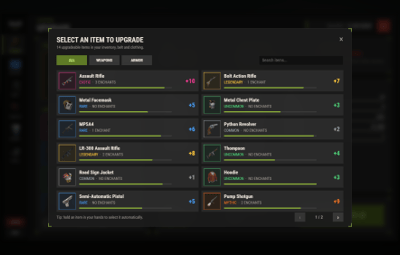
- 56 items out of the box: 47 weapons (rifles, SMGs, shotguns, pistols, bows and crossbows, rocket launchers, M249, HMLMG, minigun, flamethrower, grenade and homing launchers, blowpipe, speargun, salvaged sword and more) and 9 armor pieces (metal facemask and chest plate, road sign jacket and kilt, riot, coffee can and bucket helmets, wood armor).
- Add any other item by shortname from the Admin Dashboard.
- Every listed item works with Upgrade, Enchant, Salvage, Trade Up and the Market.
Enchantment System
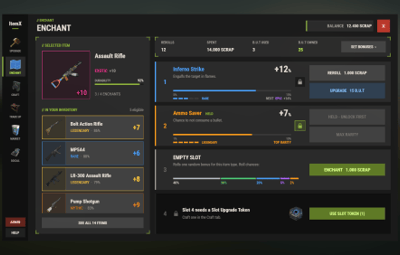
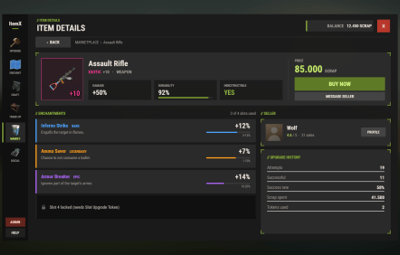
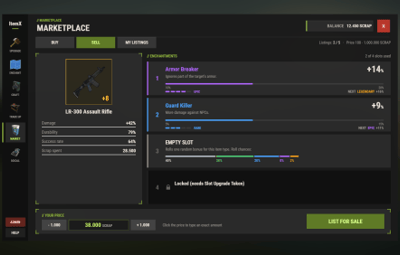
- Enchant slots open at +6, +8 and +10; a 4th slot is unlocked with a Slot Token.
- 5 rarity tiers: Common, Uncommon, Rare, Epic, Legendary, with configurable roll weights.
- Lock a bonus to keep it, reroll the rest, and upgrade a bonus to the next rarity with Bonus Tokens.
- Weapon enchants: Inferno Strike (burn), Frostbite (freeze), Toxic Aura (radiation), Blast Master (explosion damage), Armor Breaker, Beast Slayer (animals), Guard Killer (NPCs), Warrior's Edge (players), Ammo Saver, Aqua Curse (soaks the target).
- Armor enchants: Phoenix Shield, Thermal Ward, Blast Resistance, Toxic Guard, Iron Skin, Desert Cloak, Timber Master (wood), Rock Breaker (stone and ore), Junk Collector (scrap).
- Damage-over-time effects are dealt by the real attacker, so TruePVE and zone plugins still apply.
- Every bonus is editable: name, description, value range, rarity, allowed item types.
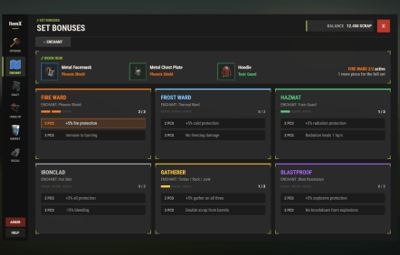
Set Bonuses
- Wear 2 or 3 armor pieces with enchants from the same family for extra effects.
- 6 default sets: Fire Ward, Frost Ward, Hazmat, Ironclad, Gatherer, Blastproof.
- Effects include protection, damage immunity, gather bonus, bleeding reduction, radiation regen, double barrel scrap and an explosion "last stand".
- Fully configurable: build your own sets from these effects.
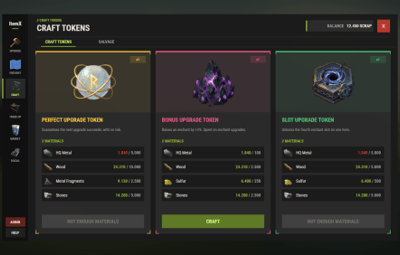
Crafting Tokens
- Perfect Token: a guaranteed upgrade (used only when the chance is below 100%, and only when the player turns it on).
- Bonus Token: raises an enchant's rarity.
- Slot Token: unlocks the 4th enchant slot.
- Custom recipes per token: items, Economics or ServerRewards points.
- Tokens are skinned items with your own skin, name, description and image.
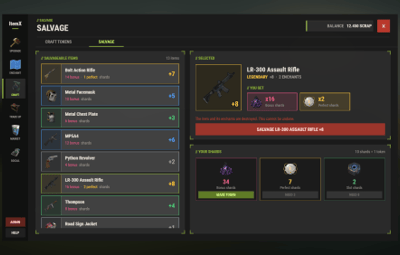
Salvage
- Salvage upgraded items into Bonus, Perfect and Slot shards based on their level.
- 10 shards craft 1 token (configurable).
- Confirmation step, and safe against double clicks.
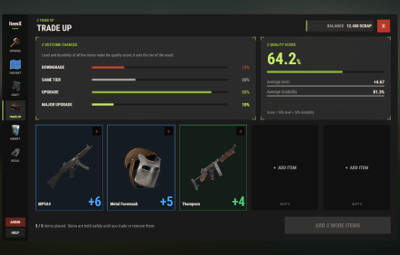
Trade Up
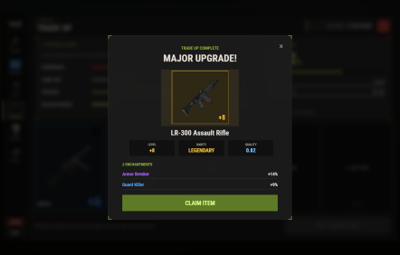
- Combine five +1 to +8 items into one new item.
- Result level comes from the average level and item quality (Quality Score x durability), then rolls Worse / Same / Better / Much Better (15/20/55/10% by default).
- The result gets enchants based on its level.
- Deposited items and unclaimed results are saved and survive reloads, restarts and crashes.
Marketplace & Social
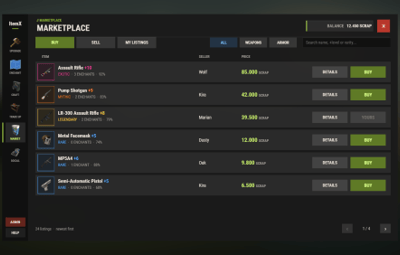
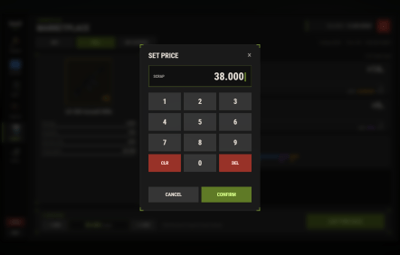
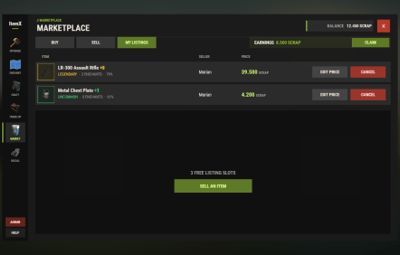
- Sell upgraded items to other players for scrap, any item, Economics or ServerRewards.
- Search by name, level or rarity, filters and pages.
- Per-player listing limit and min/max price; sellers claim their earnings in the UI.
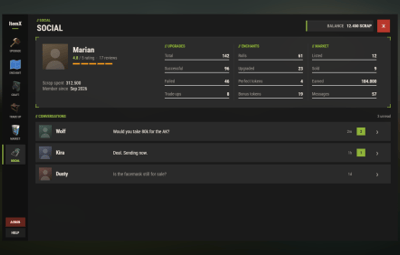
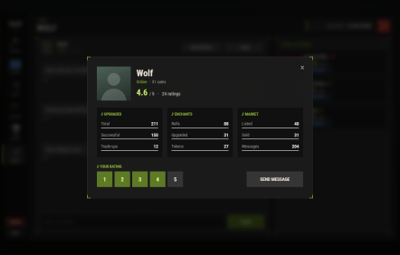
- Player profiles with sales stats and 1-5 star ratings.
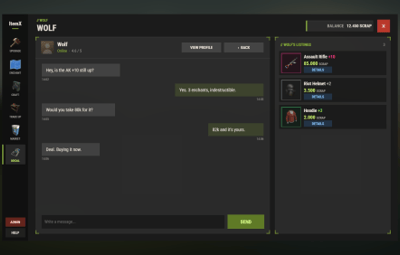
- Direct messages between players.
Announcements & Discord
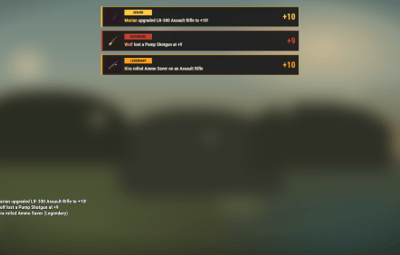
- Big upgrades, destroyed items and Legendary enchants can show a toast to everyone, post a chat line and play an effect.
- Each player reads announcements in their own language.
- Discord webhook posts for the same events, plus optional admin command logging.
VIP Profiles
- Any number of VIP permissions, each with an upgrade chance bonus, cost multiplier and extra market listings.
- Default itemx.vip: +5% chance, 10% cheaper, +2 listings.
Wipes & Data Safety
- Map wipes are detected automatically, even if they happened while ItemX was unloaded.
- Choose what happens to item levels and enchants: keep, wipe, or pay players shards for them.
- Separate options for market listings, unclaimed money and shards.
- 3 rolling daily backups of the data file; a broken data file is never overwritten.
- Saves are debounced (30 s, 2 s after item hand-overs) and always run on server save and unload.
— What you can change in the config —
(oxide/config/ItemX.json; new keys are added automatically on update)
General
- Plugin Language: "auto" (each player's own language) or a fixed language code.
- Debug Logging.
Upgrade Settings
- Base Upgrade Cost, Cost Increase Per Level, Payment Method, Cost Item Shortname, Cost Item Skin ID.
- Success Chance Per Level (0.0 - 1.0).
- Destroy Item On Fail From Level 8+, Destruction Risk Threshold Level, Indestructible Bonus Threshold Level.
- Weapon Damage / Armor Protection Multiplier Per Level, Level 9 / Level 10 Damage and Protection Multiplier, Durability Multiplier Per Level.
- Global Max Level, Level Rarity Mapping.
- Pity Bonus Per Failed Attempt (%), Pity Max Bonus (%).
- Max Armor Damage Reduction (%), Upgraded Weapons Affect Building And Deployable Damage.
Upgradeable Items
- Per item: Display Name, Item Type (weapon/armor), Max Level, Skin ID Level 9, Skin ID Level 10, Item Quality Score.
Enchant Settings
- Roll Cost, Reroll Cost, Payment Method, Payment Item, Min Level for Enchant.
- Available Bonuses (Type, Name, Description, MinValue, MaxValue, Rarity, AllowedItemTypes), Rarity Weights.
- Max Elemental Protection (%), Damage Over Time Ticks, Damage Over Time Per Tick, Max Damage Over Time Effects (server-wide).
- Bonus / Slot token item, skin, name, description, amount, image URLs, Bonus Upgrade Token Base Cost and Cost Per Rank, craft materials for each token.
Perfect Upgrade Item Settings
- Token item, skin, display name, description, amount per craft.
Enchant Sets
- Name, Color, Enchant Types, 2 Pieces and 3 Pieces effects (Effect, Target, Value, Text).
Salvage Settings
- Enabled, Min Item Level, Bonus Shards Per Level, Perfect / Slot Shards From Level, Shards Per Token.
TradeUp Settings
- Worse / Same / Better / Much Better Level Chance (%), Min Enchantments per level band, Average Level Weight, Average Quality Weight.
Marketplace Settings
- Max Listings Per Player, Max / Min Listing Price, Payment Method, Currency Item Shortname, Currency Item Skin ID, Currency Display Name.
Announcements
- Announce Upgrade Success From Level, Announce Upgrade Success / Destroyed Items / Legendary Enchants, Show Toast To Everyone, Show Chat Line To Everyone, Toast Seconds, effect prefab lists per event.
Discord
- Webhook URL, Post Upgrade Success / Destroyed Items / Legendary Enchants / Admin Commands.
Wipe Settings
- Item Levels And Enchants On Map Wipe (keep / wipe / tokens), Wipe Market Listings, Wipe Unclaimed Market Currency, Wipe Shards.
VIP Profiles
- Permission -> Upgrade Chance Bonus (%), Cost Multiplier, Extra Market Listings.
Access
- Tab Permissions, Command Settings (every chat command name), and an Enabled switch for each module.
— Languages —
10 languages included, and each player sees ItemX in their own game language:
English, Romanian, German, Spanish, French, Italian, Japanese, Brazilian Portuguese, Russian, Simplified Chinese.
— Commands —
Chat (default names, all renameable):
/itemx - help in chat
/upgrade - Upgrade
/enchant - Enchant
/craft - Craft tokens and salvage
/tradeup - Trade Up
/market - Market
/social or /messages - profiles and messages
/iteminfo - item inspector
/iu_admin - Admin Dashboard
/itemx price <amount> - set your sell price
Admin console (server console, RCON, or F1 with itemx.admin; every use is logged):
itemx.give <player> <shortname> <level> [enchants] - give an upgraded item, optionally with chosen enchants
itemx.setlevel <player> <level> - set the level of the held item
itemx.givetoken <player> <perfect/bonus/slot> [amount] - give tokens
itemx.giveshards <player or steamid> <bonus/perfect/slot> <amount> - add or remove shards, works offline
itemx.wipe <items/market/all> - manual reset
Bindable: itemx.openupgrade, itemx.openenchant, itemx.opencraft, itemx.opentradeup, itemx.marketplace, itemx.backtomessages, itemx.openinfo.
— Permissions —
itemx.admin - Admin Dashboard, admin commands, every tab
itemx.upgrade - Upgrade tab
itemx.enchant - Enchant tab and Set Bonuses
itemx.craft - Craft tab (tokens and salvage)
itemx.tradeup - Trade Up tab
itemx.market - Market tab
itemx.general - Social tab
itemx.vip - default VIP profile
— API for Developers —
Call with ItemX.Call("Name", args). Getters never create data.
By item:
int API_GetLevel(Item item)
bool API_IsUpgradeable(Item item)
Dictionary<string, object> API_GetUpgradeData(Item item)
CurrentLevel, UpgradeAttempts, SuccessfulUpgrades, FailedUpgrades, FailStreak, TotalScrapUsed (null = none)
Dictionary<string, object> API_GetEnchantData(Item item)
ActiveSlots, Bonuses (SlotIndex, BonusType, DisplayName, Value, Rarity, IsLocked, IsActive) (null = none)
bool API_SetLevel(Item item, int level)
Shards (type = bonus / perfect / slot):
int API_GetShards(ulong playerId, string type)
bool API_AddShards(ulong playerId, string type, int amount)
By item UID (searches online and sleeping players):
bool IsItemUpgradeable(ulong itemUID)
int GetItemUpgradeLevel(ulong itemUID)
Dictionary<string, object> GetItemUpgradeData(ulong itemUID)
Dictionary<string, object> GetItemEnchantData(ulong itemUID)
bool SetItemUpgradeLevel(ulong itemUID, int level)
— Hooks —
object CanItemXUpgrade(BasePlayer player, Item item, int from, int to) - return non-null to cancel, before anything is paid
void OnItemXUpgrade(BasePlayer player, Item item, int from, int to, bool success) - to = -1 when the item was destroyed
void OnItemXEnchant(BasePlayer player, Item item, int slot, string type, string rarity, float value)
object CanItemXSalvage(BasePlayer player, Item item) - return non-null to cancel
void OnItemXSalvage(BasePlayer player, Item item, int level, int bonusShards, int perfectShards, int slotShards)
void OnItemXTradeUp(BasePlayer player, string shortname, int level)