
About Building Stability
 Building Stability
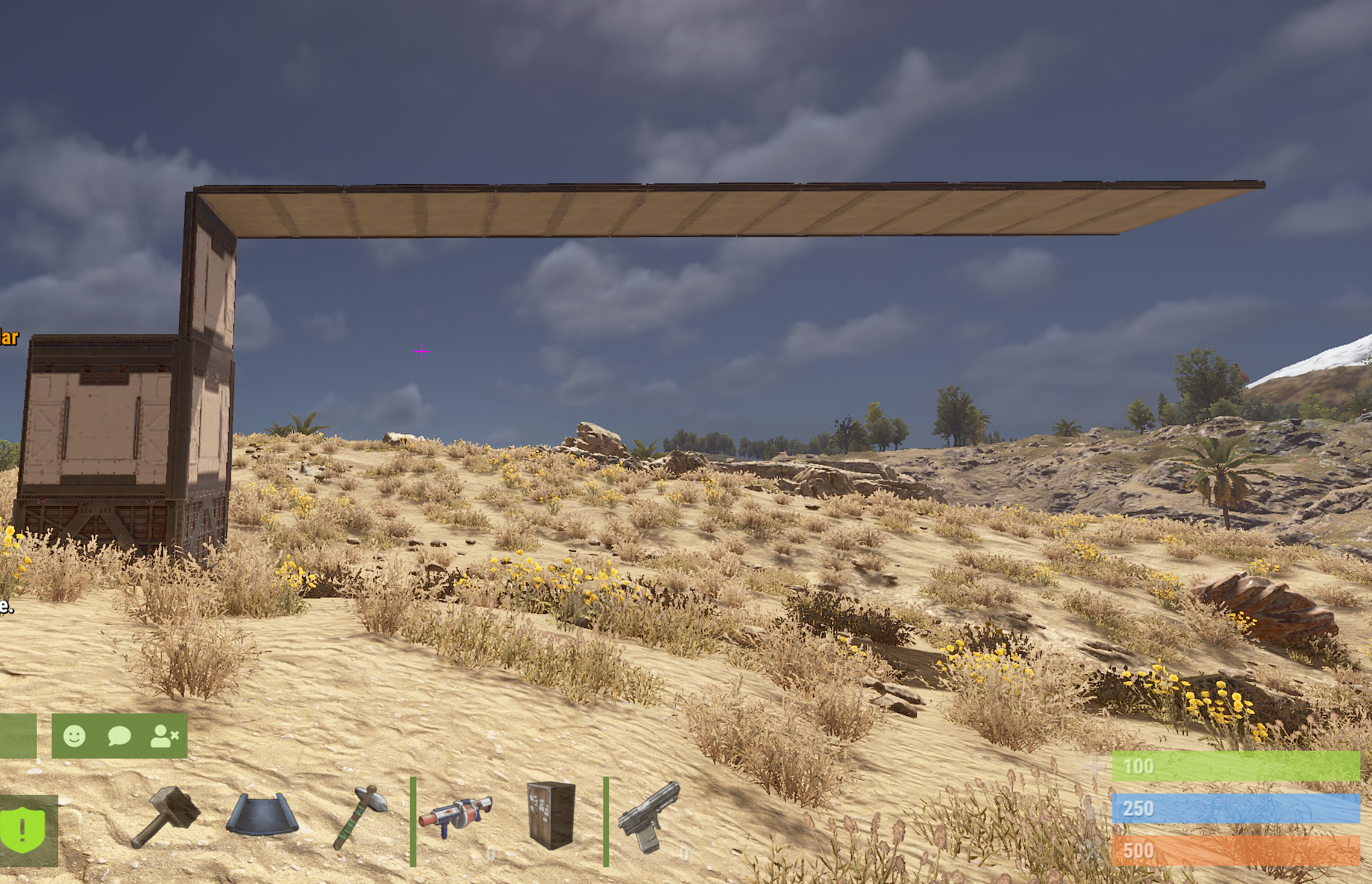
Control stability of buildings — disable stability on placed blocks, remove/restore stability on entire structures, and monitor your stability status with a configurable HUD indicator.
 Features
- Toggle stability per player (blocks placed will float)
- Remove stability from an entire building by looking at it
- Restore stability on an entire building with a confirmation warning
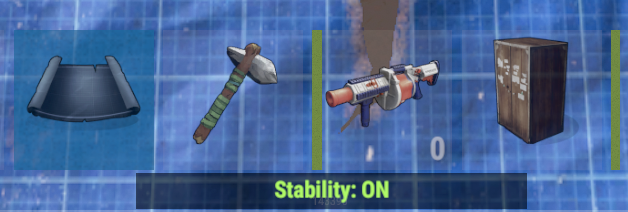
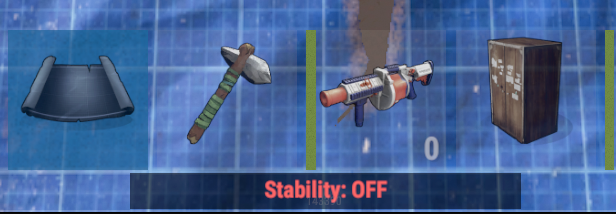
- HUD status bar (Stability: ON / Stability: OFF) when holding building planner
- Global HUD toggle in config + per-user /bshud preference
- Raycast-based building targeting — affects only the specific building you're looking at
- Foundations are always excluded from stability changes
- All commands are fully configurable via config file
- Data persistence across server restarts
- Per-player stability toggle — automatically remove stability from blocks as you place them
- Per-building stability control — look at a building to remove or restore stability for the entire structure
- GUI confirmation popup when restoring stability to warn about potential collapse
- HUD indicator when holding building planner showing current stability status
- Configurable commands with support for multiple aliases
- Temporary stability disable during server startup to prevent collapse before plugin processes entities
- Per-user HUD preference and HUD positioning with toggle command
- Optimized for performance with batched startup processing and cached HUD eligibility
 Permissions
• buildingstability.use — Required for /bs (toggle stability) and /bshud (toggle HUD)
• buildingstability.admin — Required (along with .use) for /bsremove and /bsrestore
 Chat Commands
- /bs or /stability — Toggle stability on placed blocks (player toggle)
- /bsremove — Remove stability from the building you're looking at (requires admin + TC auth)
- /bsrestore — Restore stability on the building you're looking at with confirmation popup (requires admin + TC auth)
- /bshud — Toggle HUD indicator on/off for yourself
- /bshud pos — Open the HUD position menu with 8 pre-define positions.

 Configuration
{
  "Temporary disable stability while startup": true,
  "Player toggle commands (auto-disable stability on placed blocks)": [
    "bs",
    "stability"
  ],
  "Building remove stability commands (look at building)": [
    "bsremove"
  ],
  "Building restore stability commands (look at building)": [
    "bsrestore"
  ],
  "HUD toggle commands": [
    "bshud"
  ],
  "Enable HUD status when holding building planner (global)": true
}
 Localization
{
  "No Building": "<color=#ffc34d>BuildingStability</color>: Look at a building block and try again!",
  "Not Authorized": "<color=#ffc34d>BuildingStability</color>: You are not building authorized!",
  "Stability On": "<color=#ffc34d>BuildingStability</color>: You have <color=#b0fa66>enabled</color> building stability.",
  "Stability Off": "<color=#ffc34d>BuildingStability</color>: You have <color=#ff6666>disabled</color> building stability.",
  "Permission": "You don't have permission to use that!",
  "Cancelled": "<color=#ffc34d>BuildingStability</color>: Action cancelled.",
  "StabilityAll On": "<color=#ffc34d>BuildingStability</color>: Stability was <color=#b0fa66>enabled</color> for the entire building.",
  "StabilityAll Off": "<color=#ffc34d>BuildingStability</color>: Stability was <color=#ff6666>disabled</color> for the entire building.",
  "Hud On": "<color=#ffc34d>BuildingStability</color>: HUD indicator <color=#b0fa66>enabled</color>.",
  "Hud Off": "<color=#ffc34d>BuildingStability</color>: HUD indicator <color=#ff6666>disabled</color>.",
  "Hud Disabled": "<color=#ffc34d>BuildingStability</color>: HUD is globally disabled by the server.",
  "Hud Moved": "<color=#ffc34d>BuildingStability</color>: HUD position updated."
}
 Data File (BuildingStability/Players)
{
  "76561198022184876": {
    "enabled": false,
    "hudEnabled": true,
    "hudAnchorMin": "0.005 0.96",
    "hudAnchorMax": "0.135 0.98"
  },
• enabled — true = stability is on (normal), false = stability removed from placed blocks
• hudEnabled — true = HUD indicator visible, false = hidden for this player
 Caveats
- Restoring stability on a building will cause any unsupported pieces to collapse immediately — a confirmation popup is shown before proceeding.
- Server Stability ConVar must be enabled on the server globally for this plugin to work properly. By default this is set to true | server.stability: "True"
-
Players must be building authorized (TC auth) to use /bsremove and /bsrestore.
 Support
Chat us for all your stability needs, unless it's mental stability. Dark Side Development Discord
 Ko-Fi
Ko-Fi
Like what we do? Support us over at Ko-Fi
 Legal
Legal
Copyright © 2026 Lincoln
This plugin, Building Stability, is the intellectual property of Lincoln. The plugin may not be copied, modified, merged, published, or redistributed without the explicit permission of the creator, Lincoln.
Permission is granted solely for personal use on a Rust server that you own or manage. Commercial use, sharing with third parties, or distribution on multiple servers is strictly prohibited without prior consent from the creator.
Disclaimer of Warranty and Liability:
This plugin is provided "as is" without any express or implied warranties. The creator disclaims any liability for damages, including but not limited to server malfunctions, data loss, or other issues arising from the use of this software. Use of the plugin is at your own risk.





.thumb.png.004cf43ff02f9b581d47466f055e4ef4.png)




.thumb.png.eb55448673a74111f4a1e2df19a8bb8a.png)