
Leaderboard



Popular Content
Showing content with the highest reputation since 03/05/2026 in Files
-
Version 1.0.0
3 downloads
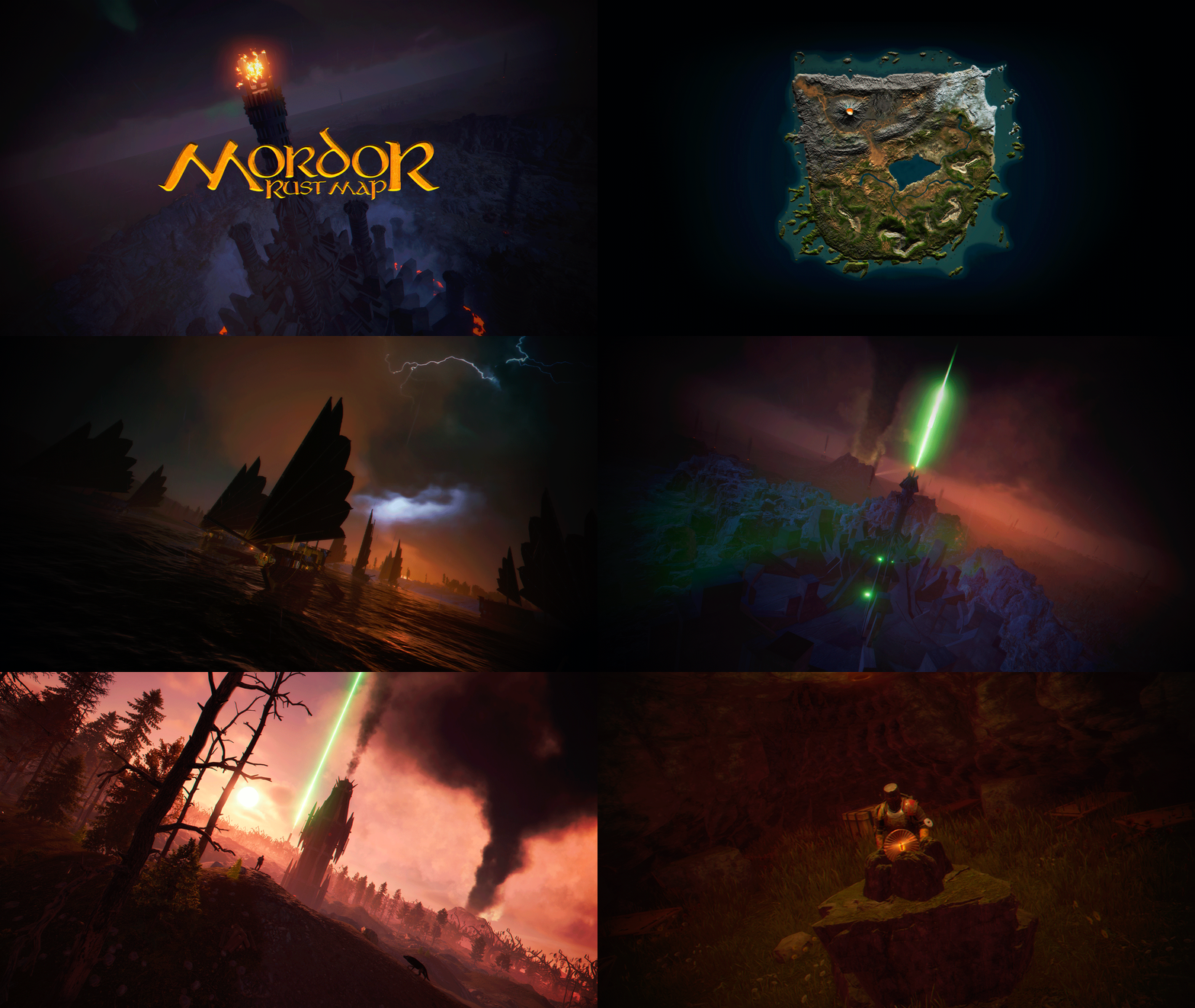
MORDOR is a medieval world designed and based on The Lord of the Rings saga. It features rocky and volcanic terrain, as well as flat areas for building. The Mordor map contains large custom-built construction zones, including a massive fortress with a vast flat area. This fortress is situated atop a cliff, which is guarded and surrounded by multiple flat construction zones for players. Two enormous flat areas have been provided for the Raidable Bases plugin; construction in these areas is blocked for players. FEATURES Size: 4000. Objects: 107076. Map protection plugin included. The map can be edited: Yes. PLAYER RESPAWN Players spawn in towers; these towers are scattered throughout the map and contain custom recyclers, workbenches, furnaces, a refinery, and a chimney. If you want players to spawn in the classic beach areas, you can edit the Mordor map using Rustedit by removing the “Spawn Point” volume. THE LOOT On the Mordor map, we’ve decided to set up the loot system a bit differently. We’ve created two loot tables: one is based on all the primitive-medieval items provided by Rust, while the second table contains resources and weapons. These chests feature a wooden design, and we’ve also included the classic medicine and food chests. The Loot table files have been provided so you can edit them to suit your needs. ELECTRICITY AND PUZZLES Mordor is a map for players seeking a medieval style; there is no electricity on this map, nor does it include any puzzles involving electricity or security cards (Green Card, Blue Card, Red Card). This map contains location-based puzzles and parkour-style puzzles with traps and drops into the void. In Mordor, there are no markers for monument locations; Mordor is designed so that players explore and discover on their own places that will remind them of The Lord of the Rings saga. THE NPCS The NPC spawning system consists of two free plugins. One plugin spawns the NPCs, while the other plugin provides them with clothing, loot, and weapons. You can edit or modify the appearance or content of the NPCs to suit your needs. THE MONUMENTS Players must explore the map to find each Monument; Monuments are located both on the surface and beneath the map. List of Monuments: Towers. Dock. Black Ships. Lumberjack Huts. Orc Fortresses. Allied Fortress with a construction zone. Multiple construction zones. Orc Camps. Orc Villages. Caves. Caves with construction zones. Maze. Giant Arena Zone: This zone is designed for two events: “Death Match” and “Last Man Standing”. It is fully configured and ready for use; the Mordor map contains the configuration files for all necessary plugins. Torrech Ungol, the lair of the spider Shelob. Morgul Mines, stronghold of the Witch-King. The Black Gate. Barad-dûr, the great tower of the Eye of Sauron. Orodruin, Mount Doom, the volcano where Sauron’s Ring was destroyed. Secret locations. OFFICIAL MONUMENTS - Does not contain any Official Monuments. IMAGES FOR FLAGS • Flags of Gondor and Mordor included. TIPS • Set your server to Primitive mode. • Use a plugin to control the weather and create a spooky atmosphere with clouds, thunder, and a dark sky. • Have fun SUPPORT: https://discord.badgyver.com$49.905 points -
Version 1.0.0
8 downloads
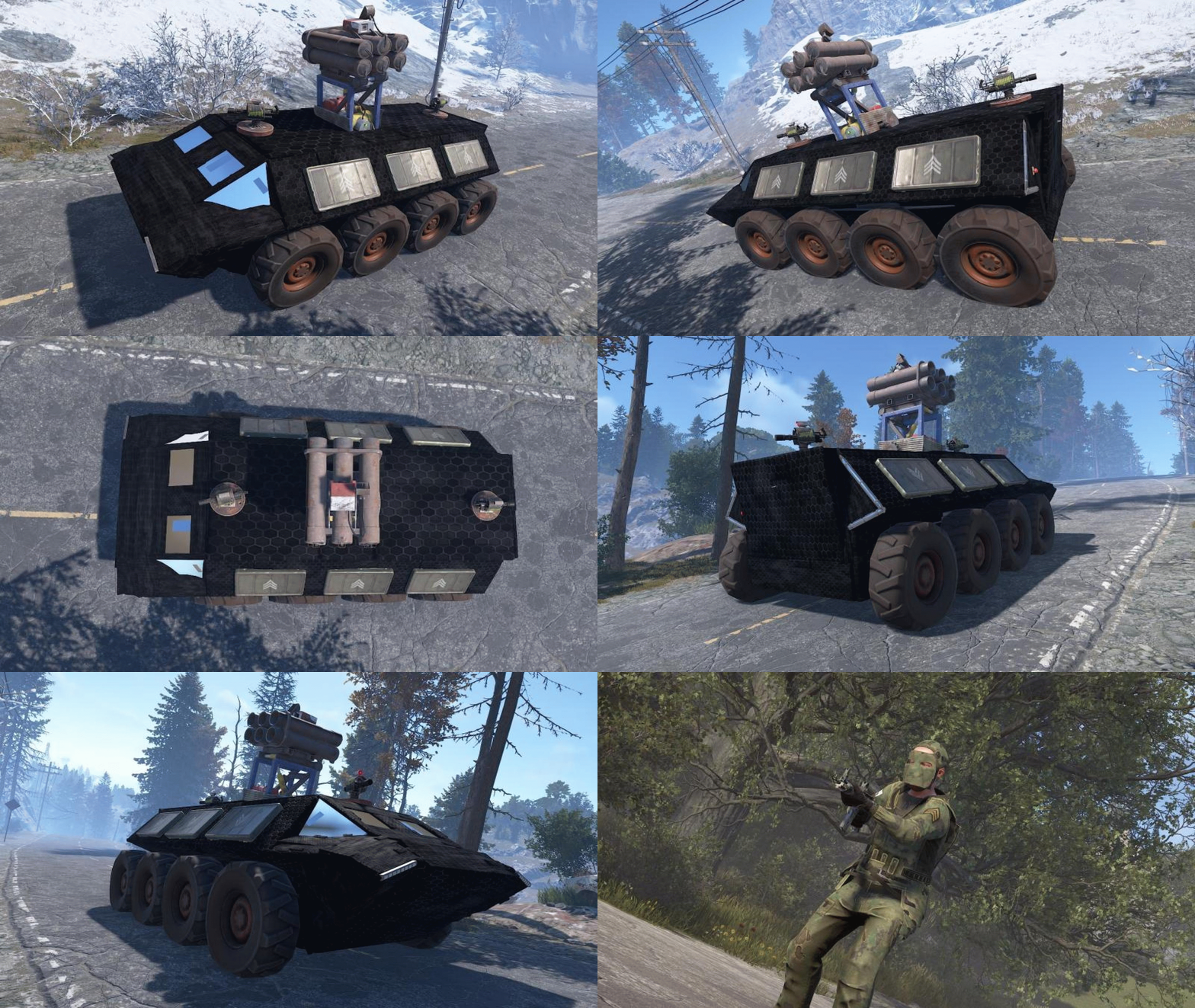
First off all, thank you for getting to this page. I wanted to create some cool configs for convoy using the Karuza Vehicles, so i did. If you dont have the Karuza part of things you can still enjoy my NPC and Crate Presets! And now to the important part What's included: Custom Sam Site config Custom Turret config Custom NPC config Custom Crate presets Vehicle settings you need to adjust on your Dashboard Vehicle implementation for convoy Config for the Ares T comes with 2 Turrets, 1 Sam Site, 6 Elite Crates and 12 NPC's. Installation instructions are included in the ZIP file.Free3 points -

Version 1.0.0
9 downloads
VOLCANO ISLAND – 4500K CREATIVE RUST MAP Volcano Island is a visually beautiful and fun to explore, builder-friendly 4500k Rust map loaded with every major monument and 50+ custom build spots marked with an "X". Designed for smooth performance, focusing on extreme low entity counts for a lag free experience, creative freedom, and competitive gameplay. Your players will NEVER run out of places to build on this Map! What Makes It Special 50+ Custom Build Zones marked with an "X" on the Map!!! The most buildable location for any Map of mine yet! Fully connected train tracks + underground rails for fast travel and tactical control Endless Custom Buildable areas/Caves/Rock Formations that players will love! Beautiful Volcano Mountains and Valleys players can Build on Diverse terrain: forests, deserts, coasts, cliffs, valleys & plateaus Perfect for solos, clans, builders, and high-pop servers. Low-prefab, FPS-friendly buildables: Custom caves Underwater Locations to build a base Hidden structures Unique build pockets Works with all Popular Events Plugins like Convoy, ArmoredTrain, Raidable Bases, Sputnik, Airfield Event and many more! All Facepunch Monuments Included Launch Site • Military Tunnels • Military Base • Silo • Airfield • Power Plant • Water Treatment • Trainyard • Harbors • Outpost • Excavator • Large Oil Rig • Small Oil Rig • Arctic Base • Junkyard • Sphere Tank • Satellite Dish • Ferry Terminal • Sewer Branch • Abandoned Supermarket • Oxum's Gas Station • Mining Outpost • Lighthouse • Bandit Camp • Fishing Village • Large Barn • Underwater Labs • Stone Quarry • Sulfur Quarry • HQM Quarry • Underwater Labs • Abandoned Cabins • Jungle Ziggurat • Jungle Ruins • Caves • Ranch — and more. Map Info Size: 4500k Prefabs: ~10,281 Support Discord: Dymize_$29.993 points -
Version 1.0.0
15 downloads
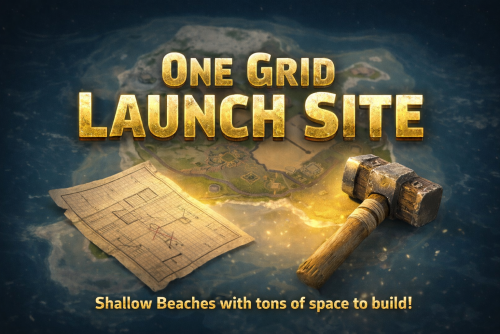
One Grid Launch Site – 1400K LAUNCH SITE MONUMENT FOCUSED SMALL ONE GRID RUST MAP! One Grid Launch Site is a compact, fast-paced 1400k fantasy Rust map. Even at its small size it was important to me to make the beach waters extremely shallow with endless space to build! The problem with most other One Grid Maps is there is never anywhere flat or interesting to build a base for players. I feature huge, open, perfectly flat build zones that let players design bases of any size for a Solo or a Zerg. I even utilized the ocean areas by placing "7" Total Underwater Buildable Bunker Bases for players to hide from the chaos. The terrain also has many other unique “X” build areas and I even have brought back the classic Bus Stops you could build in with my own style of Giant Bus Stop bases to build a base inside, arch-rock hideaway caves, scattered flat peninsulas, custom homes, military-inspired structures, and much more. The center of the island is rich with monuments and loot routes where players can battle it out, while the ocean sides are built for pure creativity with base builders in mind, offering nonstop base-building potential. One Grid Launch Site blends exploration, freedom, and intense Rust gameplay into one tightly crafted map. What Sets It Apart: • Creative selection of flat “X” building zones created for maximum freedom. • The Beach Ocean is extremely shallow and massively flat for endless base building! • Built for smooth performance with a very low entity count whether you’re solo, in a team, or running high-pop servers. • Includes a Custom Map Route for the Convoy Plugin Custom Build Zones: Low-prefab, FPS-friendly buildables: 7 Underwater Bunker Bases Arch Rock Caves to build Hidden structures Unique build pockets Custom Buildings Custom Bus Stops Many Facepunch Monuments Included • Launch Site • Dome Sphere Tank • Missile Silo • Large Oil Rig • Small Oil Rig • SuperMarket • RadTown • Warehouse • Gas Station • 2x Lighthouse • HQM Quarry • Sulfur Quarry • Stone Quarry • Jungle Ziggurat Ruins • Several Power SubStations • Several Waterwells • Fishing Village/Outpost/BanditCamp/Ranch Combined — and more. Map Info: Size: 1400K Prefabs: ~2204 Support: Discord: DarkoRust$19.993 points -
Version 1.0.0
8 downloads
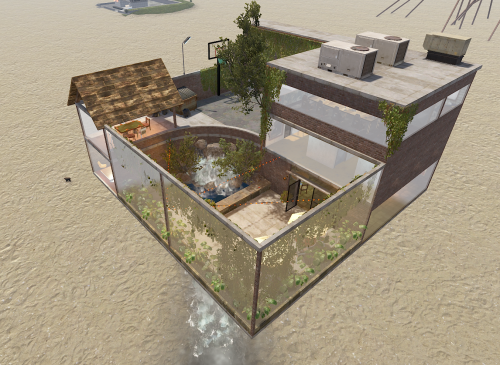
Large Mod/Staff Room The Ultimate Under-Map Sanctuary for Server Administration Provide your staff team with the security and luxury they deserve. The Large Mod/Staff Room is a comprehensive, high-detail prefab designed specifically for server administrators, moderators, and staff members. Built with a focus on both functionality and aesthetic appeal, this "under-the-map" facility serves as a secure logout zone, a private meeting hub, and a recreational space away from the prying eyes of players. ️ Security & Utility Designed to be placed beneath the map terrain, this prefab ensures that staff bodies remain 100% safe from player interaction or raiding during offline hours. It provides a centralized, "off-grid" location for your team to coordinate without interference. Key Features Administrative Wing: Staff Meeting Room: A formal space for team briefings and policy discussions. 2 Secure Holding Cells: Perfect for temporary player containment or roleplay scenarios. Interrogation Room: A dedicated, atmospheric space for staff inquiries. Living & Comfort: 8 Private Bedrooms: Individualized spaces for team members to safely log off. Large Modern Bar & Kitchen: A fully detailed social hub for staff relaxation. Full Bathroom: High-quality interior detailing to complete the "home base" feel. Recreation & Esthetics: Basketball Court Private Courtyard For any Assistance or questions Please contact me on Discord @ https://discord.gg/HNhPTPZVmd$7.993 points -
Version 1.0.0
2 downloads
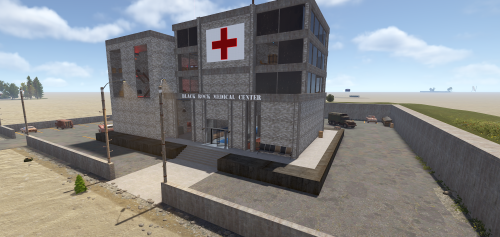
Black Rock Medical Center Step into the decaying halls of Black Rock Medical, a medium-to-large scale monument designed to be the crown jewel of your Rust map. Whether you run a hardcore PvP environment or a custom PvE survival world, this abandoned hospital offers the perfect blend of atmospheric storytelling and high-stakes gameplay. Once a state-of-the-art facility, Black Rock now stands as a hollowed-out labyrinth of rusted gurneys and shattered glass—yet, it remains heavily stocked with the supplies players crave. Key Features Dual-Tier Logic Puzzle: Navigate a complex security system featuring two separate Red Keycard rooms. Getting through the first door is only the beginning; players will need to solve a secondary environmental puzzle to access the deepest, most lucrative vaults. Dynamic Combat Layout: Designed with verticality and tight corridors, the hospital provides intense "close quarters combat" (CQC) opportunities while offering plenty of flanking routes for tactical squads. High-Tier Loot Progression: From medical supplies in the wards to elite crates in the secure wings, the rewards are scaled to match the monument’s difficulty. Atmospheric Detail: Immersive lighting and custom prefab work ensure this monument feels like a lived-in part of the Rust world. The "Mad Doctor" Mystery Legend has it the facility wasn't entirely abandoned. As players delve deeper into the basement levels, they must stay alert to avoid becoming the Mad Doctor’s final patient. WARNING: A mysterious button is located within the facility. Its purpose is unknown, and the consequences of pressing it are... unpredictable. Use at your own risk. For any Assistance or questions Please contact me on Discord @ https://discord.gg/HNhPTPZVmd$9.993 points -
Version 1.0.0
4 downloads
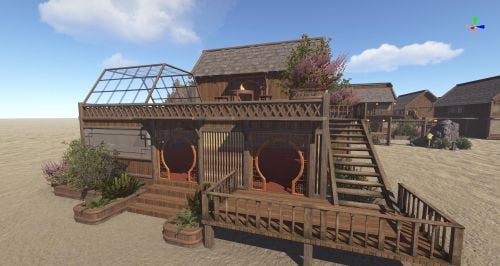
古代风格的建筑允许玩家建造并居住,功能多样。如果你有任何问题,欢迎随时联系我,我会协助你。$5.903 points -

Version 1.0.0
69 downloads
An automated ocean tide system with adjustable settings, optional chat messages, and developer API for easy integration. Control tides with console and chat commands for a seamless experience. Features : Automated ocean tide system. Adjustable tide interval, step size, and hold duration Optional tide milestone chat messages Developer API included for plugin integration Support for chat and console overrides and settings. Permissions : tides.admin : Allows use of the tide commands. Commands : Console and Chat tide pause tide resume tide set <value> tide clear tide max <value> tide step <value> tide interval <seconds> tide hold <seconds> tide rising tide falling Configuration : { "Tides Enabled": true, "Update Interval Seconds": 1.0, "Increment Amount Per Tick": 0.005, "Maximum Tide Level": 1.15, "Time Between Tides Seconds": 600.0, "Send Tide Milestone Messages": false, "Debug": false, "Plugin Version (Do not edit)": "1.0.0" } Language : { "Prefix": "[Tides]", "NoPermission": "You don't have permission to use this command.", "Usage": "Usage: tide pause | resume | set <value> | clear | max <value> | step <value> | interval <seconds> | hold <seconds> | rising | falling", "TidesPaused": "Tides paused.", "TidesResumed": "Tides resumed.", "ManualSet": "Manual ocean level override enabled: {0:0.###}.", "ManualCleared": "Manual override cleared. Incremental tides resumed.", "MaxSet": "Maximum tide level set to {0:0.###}.", "StepSet": "Increment amount per tick set to {0:0.###}.", "IntervalSet": "Update interval set to {0:0.###} seconds.", "HoldSet": "Time between tides set to {0:0.###} seconds.", "DirectionRising": "Tide direction set to rising.", "DirectionFalling": "Tide direction set to falling.", "InvalidValue": "Invalid value.", "ReachedHigh": "High tide reached. Ocean level: {0:0.0}", "ReachedLow": "Low tide reached. Ocean level: {0:0.0}" } Developer API : object GetTideState() // Returns the current tide state. // Possible values: Rising, HighTide, Falling, LowTide object GetTideStateIndex() //Returns the tide state index. // 0 = Rising // 1 = HighTide // 2 = Falling // 3 = LowTide object GetCurrentTideLevel() //Returns the current ocean level. object TideIsRising() //Returns true if the tide is currently rising. object TideIsFalling() //Returns true if the tide is currently falling. object TideIsHigh() //Returns true if the tide is currently at high tide. object TideIsLow() //Returns true if the tide is currently at low tide. object GetTimeUntilNextStateChange() //Returns the seconds until the next tide state change. object GetTimeUntilRising() //Returns the seconds until the tide begins rising. object GetTimeUntilFalling() //Returns the seconds until the tide begins falling. object GetTimeUntilHighTide() //Returns the seconds until the next high tide. object GetTimeUntilLowTide() //Returns the seconds until the next low tide. object GetHoldRemaining() //Returns the remaining hold time during high or low tide.Free3 points -
Version 1.0.1
3 downloads
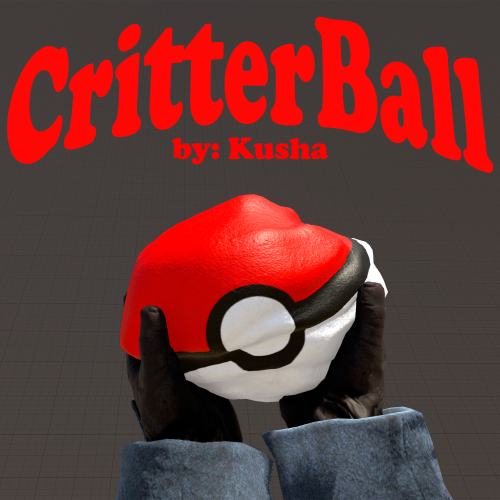
Strike an animal or NPC with the Critterball to capture it. Drop the Critterball to release it. It's like that one Japanese game OVERVIEW -------- CritterBall lets players capture wild animals and NPCs by striking them with a CritterBall (a specially skinned rock). The captured creature is stored inside the ball and can be released anywhere by dropping it on the ground. HOW TO USE -------------------- 1. Obtain a CritterBall. For admins, with auth level 2, do /critterball or use the oxide permission. 2. Hold the CritterBall in your hand and hit an animal with a melee strike to capture it. - The animal disappears and the ball is renamed to show what is inside, e.g. "Rock [Bear]". - The ball drops at the capture spot — go pick it up. 3. To release the creature, drop the CritterBall on the ground. The animal spawns at the landing spot. One ball holds one creature at a time. Hitting an already- loaded ball does nothing — drop it first to release.$12.993 points -
Version 1.0.0
4 downloads
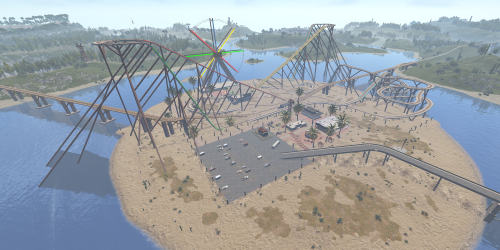
Welcome to ThemePark Island An expansive and meticulously crafted custom map for Rust, brought to you by the combined efforts of Silent Creations and Explosive Shart. This map blends high-octane thrill-seeking with gritty, urban survival. Whether you’re riding a functional coaster or navigating the trap-filled halls of a medical center, ThemePark Island offers a fresh gameplay loop for PVP and PVE servers alike. Featured Custom Monuments The Theme Park The crown jewel of the island. This isn't just a static monument—it features a fully functional, custom-coded rollercoaster. Scale the heights for a view of the island before diving into the chaos below. Loot: High-density loot spawns throughout the park. Puzzles: Includes both Green and Blue keycard puzzle rooms. The 2 Gorges Dam A massive, custom-built architectural marvel. The dam dominates the landscape, offering scenic vistas and deep, dark secrets. Underground Puzzles: Navigate multiple puzzle rooms hidden deep within the structure. Tactical Depth: Perfect for long-range engagements or sneaky subterranean looting. Black Rock City A sprawling urban center that feels like a lived-in wasteland. Black Rock Medical Center: Enter at your own risk. This landmark is rigged with traps, multiple puzzles, and enough loot to supply an entire clan. Custom Car Dealership: A unique urban addition for those looking to secure high-tier parts. Pine Bluff A smaller, dense city center for quick skirmishes and essential supplies. Interiors: Explore a replica McDonald’s and a completely custom Supermarket. Puzzles: Features multiple puzzles and heavy loot concentrations. Mills Trailer Park An eerie, abandoned residential area. Puzzles: Features 2x Green Card puzzles and 1x Blue Card puzzle, making it a high-value stop for progression. Additional Points of Interest 7-Eleven: That’s right—a faithful replica of the iconic convenience store for all your raiding snack needs. Fuel Depot: An abandoned facility located in the snow biome, featuring a working Pumpjack and a Green Card puzzle. Rose Hill Development: An unfinished construction site offering unique verticality and parkour opportunities. Green Houses: Small botanical structures perfect for picking up plants and quick loot. Map Size 4500 Prefab Count #39057 Facepunch Monuments ThemePark Island includes a full suite of classic monuments to ensure a balanced Rust experience: Tier 3: Launch Site, Arctic Research, Large Oil Rig, Small Oil Rig, Military Tunnel, Giant Excavator. Tier 2: Airfield, Trainyard, Ferry Terminal, Rad Town, Jungle Ziggurat, Large/Small Harbor. Tier 1: & Utilities: Bandit Camp, 3x Mining Outpost, 3x Oxums, Lighthouse, Supermarket, Large Barn, Ranch, Abandoned Cabins, Fishing Villages, 3x Water Well. Resources: Stone, HQM, and Sulfur Quarries. Acknowledgements A massive thank you to those who helped bring this project to life: Substrata: For the incredible work on the custom rollercoaster plugin. Milky: For the stellar work on the promotional video. MrLiquid & the Luffy Map Testing Team: For their dedication to polishing and balancing the map. For any Assistance or questions Please contact me on Discord @ https://discord.gg/HNhPTPZVmd$49.902 points -
Version 1.1.2
238 downloads
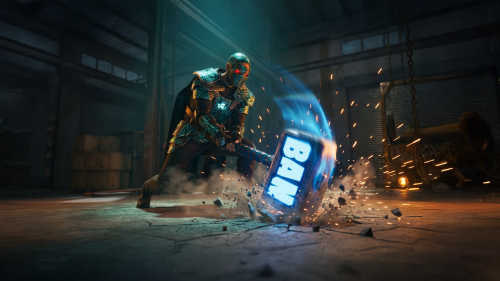
Galium — Anti-Cheat & Moderation Platform for Rust Organizations Detection, intelligence, and enforcement — unified in one organizational dashboard. Galium is a production anti-cheat service operating since 2022, built for Rust server organizations that need structured moderation at scale — across multiple servers, multiple staff teams, and high player volume. Not a single plugin. Operational infrastructure for Rust organizations. Request Access Join Discord Your browser does not support the video tag. What Galium is Galium is an anti-cheat at its core — designed to detect behavioral abuse through live production signals, risk modeling, and enforcement workflows. Ahead of public launch, that proven detection foundation expanded into a full moderation and management platform — giving organizations one place to run their entire operational stack: ✓ Anti-cheat detection & risk scoring ✓ Teaming violation detection ✓ Toxicity and chat moderation ✓ Mute & ban management (history, reasons, evidence, traceability) ✓ Staff management & role-based permissions ✓ Organization & server management ✓ Automation rules and operational tooling ✓ Integrations (BattleMetrics + ecosystem-ready) Galium doesn't replace "one feature." It replaces fragmentation — plugins, spreadsheets, Discord-only logging, and inconsistent enforcement across servers. Reputation and production history Galium has been running in real competitive Rust environments since 2022 — refined through actual enforcement scenarios, edge cases, and the operational realities of moderating at scale. Over years of production usage, Galium has: ✓ Processed millions of behavioral signals ✓ Evolved risk weighting through real-world outcomes ✓ Prioritized explainability and auditability, not black-box actions ✓ Maintained enforcement consistency across wipes, servers, and staff teams This launch is not a new experiment — it's the public release of infrastructure that's already been proven in production. Built for organizations, not single servers Most "anti-cheat plugins" operate per server. Galium operates at the organization level. That means: ✓ One player identity across your entire org ✓ Risk follows the player, not the server they join ✓ Behavioral profiles persist beyond wipe cycles ✓ Policies and enforcement stay consistent across your infrastructure ✓ Staff actions and decisions are fully traceable across teams No silos. No per-server blind spots. One structured organizational view. Unified moderation control center Galium centralizes your moderation stack into one dashboard — so your team can move fast without losing control. Threat & moderation tools Behavioral analytics and risk overview Teaming detection and investigative context Prioritized cases based on severity, frequency, and recency Enforcement & logging Ban history, mute history, and action timelines Evidence linkage and structured reasons Full audit trails across staff actions Organization operations Server management and org configuration Staff roles, permissions, and governance Subscription and infrastructure controls Automation & integrations Automation rules for repeatable enforcement Sharing agreements and org-level controls BattleMetrics integration + integration-ready architecture Performance and infrastructure mindset Galium is designed for high-population, high-activity environments. ✓ Detection and analysis are designed to avoid server-side performance degradation ✓ Signal processing and intelligence are built to scale with organizational concurrency ✓ Operational clarity is maintained even under peak load ✓ Performance integrity stays preserved — while visibility and enforcement improves. Structured moderation at scale starts here If you operate multiple Rust servers and require centralized visibility, cross-server risk intelligence, and controlled enforcement — Galium provides the infrastructure to support it. Request Access Join Discord Production anti-cheat since 2022 • Built for Rust server organizationsFree2 points -
Version 1.0.0
15 downloads
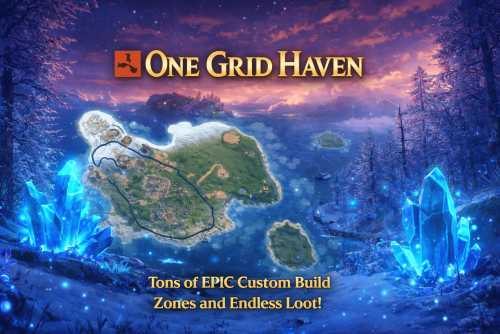
ONE GRID HAVEN – 1250K CREATIVE SMALL ONE GRID RUST MAP One Grid Haven is a small, fast-paced, 1250k fantasy Rust map infused with glowing blue crystals and magical atmosphere. Unlike most one-grid maps that suffer from cramped terrain and barely any spots to build, this handcrafted island is loaded with tons of massive flat build areas, giving players endless room to create bases of all shapes and sizes. The map features tons of custom “X” build zones, from enchanted clearings to hidden arch rocks, several increased size iceberg plateaus, crystal-lit forests, islands, houses, military-style installations, and more. One half of the island focuses heavily on monuments and rich loot, while the other half is dedicated to creative freedom with endless building locations. With vibrant fantasy visuals, unique glowing-crystal hotspots, and smooth performance, One Grid Haven delivers an exciting blend of exploration, creativity, and competitive gameplay on a compact scale. What Makes It Special: Endless Custom Buildable areas that players will love! Marked with an "X". Diverse terrain: forests, jungles, deserts, coasts, cliffs, valleys & plateaus. Perfect for solos, clans, builders, and high-pop servers that want top notch performance. Custom Build Zones: Low-prefab, FPS-friendly buildables: Several Increased size Icebergs to build Arch Rocks to build Hidden structures Unique build pockets Custom Buildings Custom Bus Stops Many Facepunch Monuments Included Military Base • Missile Silo • Outpost • Large Oil Rig • Small Oil Rig • Arctic Research Base • Sphere Tank • SuperMarket • Warehouse • Gas Station • Lighthouse • HQM Quarry • Sulfur Quarry • Stone Quarry • Jungle Ziggurat • Fishing Village/Outpost/BanditCamp/Ranch Combined — and more. Map Info: Size: 1250K Prefabs: ~712 Support: Discord: DarkoRust$24.992 points -
Version 1.0.0
13 downloads
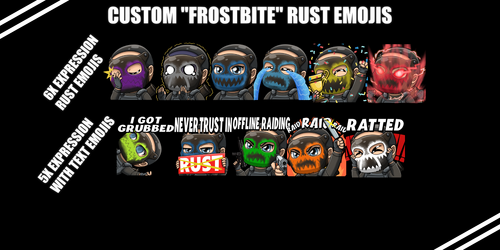
Make your discord stand out with custom Rust Emojis! (Frostbite Mask) Easy upload, just unzip the folder. Head to discord - settings - emojis - upload emoji and CTRL click all the emojis in the folder you would like uploaded! Custom made for you to enjoy!$8.492 points -
Version 2.9.94
16,709 downloads
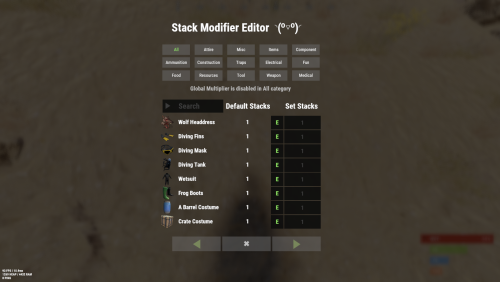
Stack Modifier is a performance-focused plugin that enhances and refines item stacking behavior in Rust. Includes a built in GUI Editor for quick and easy setup of stack sizes! This plugin uses harmony for the best performance! Features Includes GUI Editor - Blocks Player movements while using GUI Editor Including Keybinds! Adds NEW Stacking Support for the following. STACKING TAG support, crafted, spawned, picked-up, etc. Repair Bench, broken item stacks, spam repair! Melee Weapon throwing! Item Condition Merging! Stacks of Items not breaking one 1 in the stack breaks. liquids ( like bota bags etc ) Stacking of Fuel Containers (hats, tools, etc.) Stacking of Guns Weapon Attachments Stacking of Skins Works with SkinBox plugins Supports stacking armor slot armors Supports Genetic Stacking Supports Food Spoil stacking Stacking of Custom Items Stacking of Custom Items with Custom Display Names Stacking of Key Cards without losing the stack when swiping Stacking Candy Cane Club without losing the stack while lick Support for modified presents for unwrapping Limits wearable clothing items to stack sizes of 1! ( on the player wear container only ) Limits weapon attachments to stack sizes of 1! ( On the weapon its self! so you can have bigger stacks! ) The largest possible value in C# is 2,147,483,647 Which means anything over this stack-size will break the plugin Patches All Industrial Conveyor stack issues! ( Yes custom items no problems! ) -- THIS IS NOW IT"S OWN PLUGIN AS AN ADDON. 4-2-2025 Patches Stacks being lost when stacked items break! Like mining! Etc Patches Stacks being lost when Melee weapons are thrown! Like spear! Etc STACK MODIFIER INDUSTRIAL ADDON: Known Conflicts RoadBradley & HeliSignals Are doing item creations wrong and setting the item.name field as vanilla item display names thus breaking stack support. ( don't set a vanilla display name only set them if its custom names as the fix ) Conveyor Stacks Not needed & conflicts, stack-modifier already does this & has config settings for it. Davids Shop UI ( recently changed how his default data files are createdfor items ) ( you need to generate a new Items.json file and re-do custom items / pricing inside it to fix stack bugs with old data files ) Magic Coin uses some of the same hooks set up config in it correctly to not conflict Custom Skin Stack Fix not needed this handles it properly Stack Size Controller cannot have 2 of the same plugins basically Extra Loot causes a stacking bug when a reboot occurs with skinned items preventing old skinned items from stacking with new skinned items IndustrialCustomSkinsFix not needed stack-modifier has the same patch in it. IQAlcoholFarm by BadMandarin/Mercury is not supported & will cause stack bugs / problems ( could be supported with an author update, but current version is not supported ) ItemPerks by imthenewguy Causes stack bugs/problems just by having this plugin on your server due to harmony patching done inside it + repair logic is bugged. Item creation is also not handled properly resulting in duplication issues with Conveyor movements nothing can be done about that. ( plugin requires a full rewrite for proper support & repairs. ) Custom Item Definitions causes stack bugs/problems and I am not going to support a plugin that heavily modifies vanilla game items in that way its simply far too much work to try and support. I'd have to import almost half of that plugins code just for mine to accurately handle stack logic for it & for plugins that use that plugin. Plugins that do not handle Item Creation Correctly: ( Which break stacks ) Custom Item Drops by Machine ( Always sets the vanilla display name when its supposed to be null for vanilla items ) XP System by fastburst ( Always sets the vanilla display name when its supposed to be null for vanilla items ) Copy Paste ( Items created by copy paste its self will not stack since item creation is not handled properly ) This list will be constantly updated as devs fix their code accordingly & new ones are discovered to be flawed. Getting Started - Click Either Link to play video Video One Video Two Permissions stackmodifier.admin - Allows players access to the UI Editor. Chat Commands /stackmodifier -- Opens Editor UI, Must enable config option "Enable UI Editor": true /stackmodifier.reset ( is also console cmd ) -- Requires stackmodifier.admin perm ( resets stack-sizes ) /resetvenders -- Requires being an admin, only resets facepunches messed-up vendors, not all /stackmodifiercolor <inputpanel|inputtext|text|transparent> <color> <alpha|ex, 0.98> Example /stackmodifiercolor inputpanel #207086 0.25 UI Editor Commands set 8 -- Inside a categories Search Bar, type set and a value and it will apply it to the whole category, reset -- Inside a categories Search Bar type reset hit the enter key or click out of the field and it resets it. multiply -- Inside a categorie use the Search Bar & type multiply and a value and it will apply it to the whole category. if you reset or set, re-click the Category Tab to refresh it before making more changes! Otherwise you will have to do your first edit twice for it to start working again UI Editor Without Images? * At the top of the config you will see the following setting set to true save and reload. "Disable Images for UI Editor": false, < Disables images and allows full use Having Problems? * Warning this plugin is not compatible with custom-skins-stacks-fix plugin since this already handles everything. * If you already have a plugin that modifies the rust stack sizes you will first need to remove that plugin. * Then you simply load Stack Modifier onto your server open the config and start editing the Modified values to your new stack-size amounts! * When you are done simply save and reload the plugin! ( oxide. reload StackModifier ) * Alternatively you can utilize the built-in UI Editor and not ever need to touch the config! * Admins - Auth level 2 will always be ignored. * This plugin is not compatible with BetterVanish, I only support Vanish from umod. How to revert to vanilla? * Run the reset command while having the stackmodifier.admin perm or Unload Stack Modifier, delete the config, and restart your server. * It will reset the config back to vanilla settings allowing you to start over. API Hooks Interface.CallHook("OnStackSizeUpdated"); //called after the plugin updates the stack sizes on server reboots & when reloading the plugin. //It's also still called right after the UI editor is closed from modifying. //Inside the oxide hook I use called OnItemAddedToContainer theirs a hook of mine, if called mine will not touch it or fix the stacks. if (Interface.CallHook("OnIgnoreStackSize", player, item) != null) return; ## Configuration { "Disable Industrial Conveyor Patch (true = disabled)": false, "Industrial Conveyor Max Stack Size Per Move Default = 60": 130, "Industrial Conveyor Move Frequency Default = 5 (Lower = faster moving)": 3, "Disable Weapon Attachment stack fix (Unsubscribes from both OnWeaponModChange & CanMoveItem)": false, "Disable Wearable Clothes fix (Unsubscribes from OnItemAddedToContainer)": false, "Disable Ammo/Fuel duplication fix (Recommended false)": false, "Disable Candy Cane Club Lick fix & unwrap fix (Unsubscribes from OnItemAction)": false, "Disable OnCardSwipe fix (Unsubscribes from OnCardSwipe)": false, "Enable VendingMachine Ammo Fix (Recommended)": true, "Enable UI Editor": true, "Disable Images / Toggles off Images for UI Editor": false, "Sets editor command": "stackmodifier", "Sets reset command for both console & chat": "stackmodifier.reset", "Sets editor color command": "stackmodifiercolor", "Sets Default Category to open": "All", "Stack Modifier UI Title": "Stack Modifier Editor ◝(⁰■¿⁰)◞", "UI - Stack Size Label": "Default Stacks", "UI - Set Stack Label": "Set Stacks", "UI - Search Bar Label": "Search", "UI - Back Button Text": "◀", "UI - Forward Button Text": "▶", "UI - Close Label": "✖", "Colors": { "InputPanel": { "Hex": "#0E0E10", "Rgb": "0.0549019607843137 0.0549019607843137 0.0627450980392157 0.98" }, "InputText": { "Hex": "#FFE24B", "Rgb": "1 0.886274509803922 0.294117647058824 0.15" }, "TextColor": { "Hex": "#FFFFFF", "Rgb": "1 1 1 1" }, "Transparency": { "Hex": "#", "Rgb": "0 0 0 0.95" } }, "Category Stack Multipliers": { "Attire": 1, "Misc": 1, "Items": 1, "Ammunition": 1, "Construction": 1, "Component": 1, "Traps": 1, "Electrical": 1, "Fun": 1, "Food": 1, "Resources": 1, "Tool": 1, "Weapon": 1, "Medical": 1 }, "Stack Categories": { "Attire": { "hat.wolf": { "DisplayName": "Wolf Headdress", "Modified": 10 }, "horse.shoes.basic": { "DisplayName": "Basic Horse Shoes", "Modified": 10 } }, "Misc": { "fogmachine": { "DisplayName": "Fogger-3000", "Modified": 10 }, "sickle": { "DisplayName": "Sickle", "Modified": 10 } }, "Items": { "kayak": { "DisplayName": "Kayak", "Modified": 10 }, "map": { "DisplayName": "Paper Map", "Modified": 10 } }, "Ammunition": { "ammo.grenadelauncher.buckshot": { "DisplayName": "40mm Shotgun Round", "Modified": 20 }, "ammo.rocket.sam": { "DisplayName": "SAM Ammo", "Modified": 10 } }, "Construction": { "door.double.hinged.metal": { "DisplayName": "Sheet Metal Double Door", "Modified": 10 }, "building.planner": { "DisplayName": "Building Plan", "Modified": 10 } }, "Component": { "bleach": { "DisplayName": "Bleach", "Modified": 2 }, "vehicle.module": { "DisplayName": "Generic vehicle module", "Modified": 10 } }, "Traps": { "trap.bear": { "DisplayName": "Snap Trap", "Modified": 30 }, "samsite": { "DisplayName": "SAM Site", "Modified": 10 } }, "Electrical": { "ceilinglight": { "DisplayName": "Ceiling Light", "Modified": 10 }, "wiretool": { "DisplayName": "Wire Tool", "Modified": 100 } }, "Fun": { "firework.boomer.blue": { "DisplayName": "Blue Boomer", "Modified": 200 }, "telephone": { "DisplayName": "Telephone", "Modified": 10 } }, "Food": { "apple": { "DisplayName": "Apple", "Modified": 100 }, "woodtea.pure": { "DisplayName": "Pure Wood Tea", "Modified": 100 } }, "Resources": { "skull.human": { "DisplayName": "Human Skull", "Modified": 10 }, "wood": { "DisplayName": "Wood", "Modified": 10 } }, "Tool": { "tool.instant_camera": { "DisplayName": "Instant Camera", "Modified": 10 }, "bucket.water": { "DisplayName": "Water Bucket", "Modified": 10 } }, "Weapon": { "gun.water": { "DisplayName": "Water Gun", "Modified": 10 }, "spear.wooden": { "DisplayName": "Wooden Spear", "Modified": 10 } }, "Medical": { "blood": { "DisplayName": "Blood", "Modified": 100 }, "bandage": { "DisplayName": "Bandage", "Modified": 30 } } } }$24.992 points -
Version 1.0.0
12 downloads
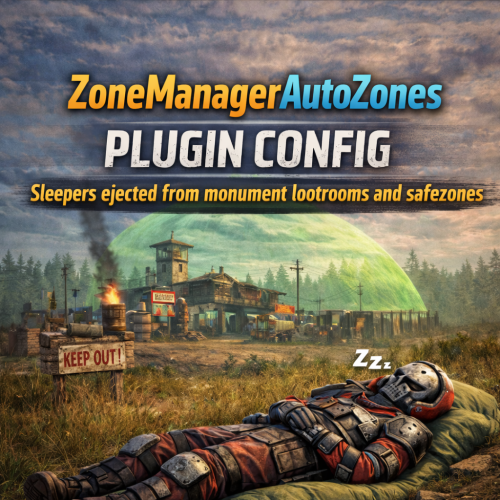
The Ultimate Sleeper-Cleanup & Anti-Exploiting Solution for Your Rust Server Take full control of your server’s safezones and monuments with this powerful, plug-and-play ZoneManagerAutoZones Config. Designed for performance, fairness, and monument stability, this config automatically ejects all sleepers from protected areas, eliminating exploits and ensuring loot respawns correctly. What This Config Does: Ejects Sleepers From EVERY Safezone Outpost Bandit Camp Large Barn Ranch Fishing Villages Players can no longer: Hide with their loot inside safezones Log out safely in protected areas Abuse safezone terrain or hidden corners Your safezones stay clean, fair, and clutter-free. Monument Sleeper Removal (Fully Automated) All monuments are included! When a player logs out inside a monument or loot area, they are instantly ejected a correct distance away. 100s of hours spent getting the perfect distances to eject sleepers outside of all monuments. This config has been tested on 12+ of my own servers for a few years now so I know it works wonders! This prevents: Lootroom blockage Respawn delays Hidden sleeper stash spots Players “living” inside high-value locations Loot respawns fast, monuments stay active, and farming loops become fair for everyone. Custom Warning Messages (Entering + Leaving Zones) Players receive special safezone warnings: Entering Zone: Example Message - Message is better in the actual config when purchased: “You are entering a NO-SLEEPING ZONE. Logging out here will eject your body!” Leaving Zone: “You are leaving a protected area.” This ensures there is no confusion and players always know the rules. Why This Config Is a Must-Have Without sleeper ejection, Rust safezones and monuments fill up with: Dead bodies AFK sleepers Hidden loot hoarders Clutter that slows loot respawn With this config: Loot cycles stay active Monuments stay clean Safezones remain functional Players cannot hide or exploit “permanent safety spots” Your server becomes faster, cleaner, and more competitive. Completely Automated Just drop the config into your server and reload! Everything runs automatically using ZoneManager + AutoZones. We suggest unloading ZoneManager.cs and ZoneManagerAutoZones.cs then deleting the ZoneManager data file before loading up our config so you have a fresh install! No complicated setup. No manual editing. No zone-by-zone tweaking. Simply install and enjoy. Perfect For Servers Who Want Fair loot flow Active monuments Anti-AFK & anti-exploiting protection Clean safezones Preventing sleeper stash abuse A balanced PvP environment$9.992 points -
Version 1.0.0
15 downloads
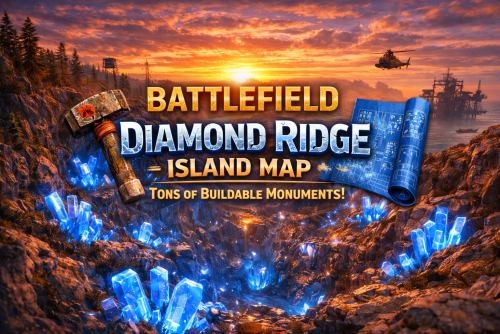
BATTLEFIELD DIAMOND RIDGE ISLAND – 3050K CREATIVE RUST MAP! Battlefield Diamond Ridge Island is a beautifully crafted 3050k custom Rust map built for high-pop servers, builders, clans, and creative players who want something completely unique. Every inch of this island is shaped for smooth performance, insane build freedom, and competitive gameplay—without unnecessary clutter dragging FPS down. This map features shallow beaches, allowing players to build closer to the shoreline than most Rust maps ever allow, opening massive new opportunities for ocean-edge bases and clan compounds. What Makes It Special Diamond Ridge Canyon! A massive valley filled with glowing diamonds, vibrant grass, crystal formations, and a unique canyon layout with a glass roof perfect for large bases, clan builds, and creative setups. One of the most visually striking buildable zones in Rust. 25+ Custom “X” Monuments! Hand-crafted, FPS-friendly, fully buildable monuments that give your players endless fresh places to claim and fight over. Do players complain about never having enough interesting spots to build? Now you NEVER have to worry about that again! With 25+ Custom Buildable Monuments and dozens of caves/arch rocks etc. you'll NEVER have to worry about this issue again. These include custom UnderWater Cave structures, Buildable Extra Dome, Custom Cave Bunkers, Glass Roof Arch Rocks, Custom Buildable Rock Formations, HUGE bus Stop Base, Cobalt Military bunker and creative buildings scattered all across the island. Tons of Buildable Caves Designed with smooth layouts, extended space, and clean performance. Each cave offers unique strategic options for solos, duos, and clans. Beautifully Crafted Terrain Expect: Diamond-filled valleys Glowing blue “energy grass” fields Canyons & cliffs Lakes, rivers, and plateaus Optimized forests Smooth desert transitions Clean terrain sculpting with no unnecessary clutter Everything is crafted by hand to play well and look amazing. Fully Connected Rails Above-ground and underground rails wrap the island for easy transport, strategic movement, and train-based PvP. Shallow Flat Extended Beach Zones These work amazing for those players who complain about not enough flat spaces for a base! Now they will have endless flat locations to build those huge compounds! Perfect for: Zerg Bases Wall Stacked Builds Ocean Base PvP Creative boat compounds Wider building zones than standard Rust maps All Major Facepunch Monuments Included (Except Arctic Research Base) ✔ Launch Site ✔ Airfield ✔ Military Tunnels ✔ Missile Silo ✔ Trainyard ✔ Water Treatment ✔ Power Plant ✔ Large and Small Harbors ✔ Junkyard ✔ Dome Sphere Tank ✔ Satellite Dish ✔ Ferry Terminal ✔ Outpost ✔ Bandit Camp ✔ Ranch ✔ Fishing Villages ✔ Excavator ✔ Large & Small Oil Rig ✔ Sewer Branch ✔ Desert Military Base ✔ RadTown ✔ Roadside Monuments ✔ Underwater Labs ✔ And all core vanilla monuments you'd expect (Only Arctic Research Base is excluded for performance and theme.) Map Info Size: 3050k Entities: ~4,615 Custom Monuments: 25+ Buildable Cave Systems: Many Theme: Diamonds • Canyons • Glowing Grass • Shallow Beaches • Performance-Optimized Support Discord: DarkoRust$24.992 points -
Version 4.5.1
77 downloads
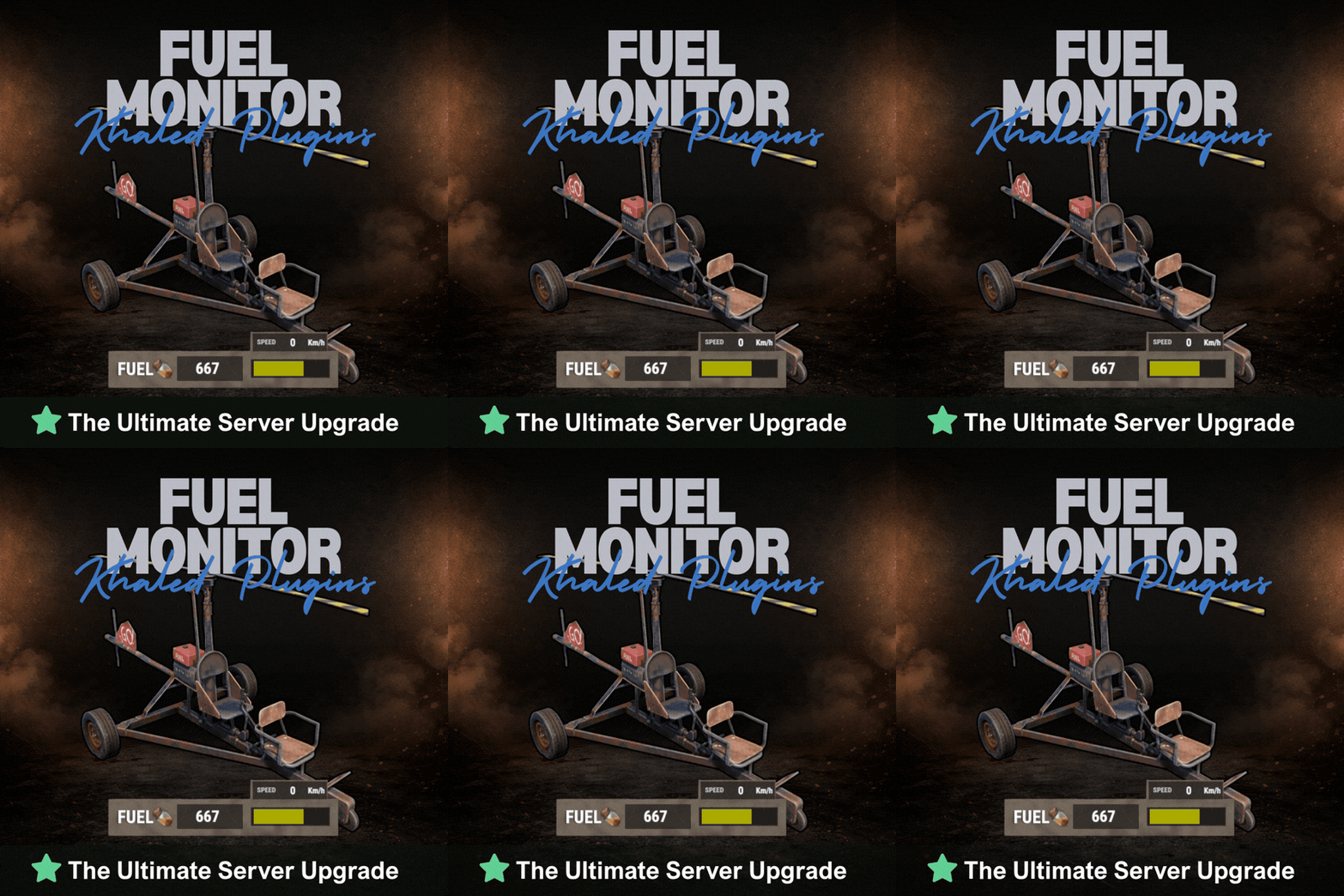
FuelMonitor is a lightweight and fully customizable Rust plugin that displays a clean, modern fuel HUD while driving fuel-powered vehicles. The plugin features a real-time updating fuel bar, low fuel popup notifications, sound alerts when fuel is running low, and a clear OUT OF FUEL warning when the tank is empty. FuelMonitor now also includes a built-in speedometer, allowing players to view their current speed directly from the HUD, with support for both Km/h and MPH display modes. An in-game Admin Settings UI is included, allowing server owners to manage the plugin directly in-game through a clean and safe workflow. With the settings panel, admins can: - Preview changes live before applying them - Adjust the Global Max Fuel value - Reposition the main Fuel UI using Move Mode - Reposition popup warning notifications using Warning Move Mode - Customize all UI colors - Enable or disable the speedometer - Switch speed units between Km/h and MPH FuelMonitor also includes a dedicated Vehicles tab inside the Admin Settings UI, allowing full per-vehicle customization. Server owners can create and manage vehicle-specific profiles for all supported vehicles, including: - Enable or disable the HUD per vehicle - Enable or disable warning sounds per vehicle - Set a custom max fuel value per vehicle - Choose whether low fuel warnings use Amount or Percent mode - Configure custom low fuel warning thresholds - Configure custom fuel bar gradient thresholds - Preview each vehicle profile live before applying changes - Reset a single vehicle profile or apply one vehicle profile to all vehicles All changes are handled through a safe pending workflow with Apply / Cancel controls, ensuring nothing is pushed live until the admin confirms it. Once applied, changes affect all players server-wide. #Admin Commands : /fui FuelMonitor works automatically in the background, is performance-friendly, and requires no player commands. Need Support?$8.992 points -
Version 1.14.1
194 downloads
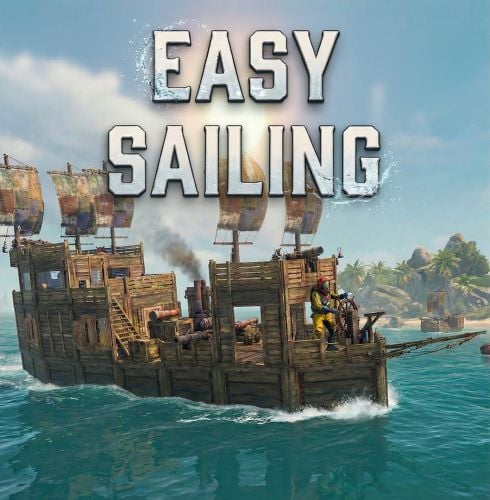
Easy Sailing gives you full control of the sails, engines, and anchors directly from the steering wheel. Take full command of the seas without ever leaving the wheel. Easy Sailing is the essential quality-of-life plugin for the Rust Naval Update. It overhauls the default boat controls, allowing captains to manage sails, engines, and anchors directly from the steering wheel. Whether you are a solo player trying to manage a large vessel or a clan captain needing immediate reaction times, Easy Sailing puts the control back in your hands. KEY FEATURES No more running around the deck to manually adjust sails or engines. Do it all from the pilot's seat. Smart Cycling: Intuitive forward and reverse throttle controls that intelligently manage your propulsion methods. Solo Friendly: Makes operating larger player-made boats viable for solo players or small groups. Hybrid Propulsion: Seamlessly blends sail power and engine power for maximum fuel efficiency or maximum speed. Adds tighter turn radius with Ctrl similar to the Tugboat. Optionally allow engines to run without the need for Low Grade Fuel. HOW IT WORKS Easy Sailing maps the boat's complex mechanics to your standard movement keys `Forward`, `Backward` and `Reload` (Anchor Control) key while mounted at the steering wheel. THE SPEED CYCLE Pressing `Forward` (W) and `Backward (S)` cycles through five distinct states: Idle (default), Sailing, Full Speed, Reverse, Full Reverse. Idle: All propulsion is cut. Sails are raised and engines are turned off. FORWARD THROTTLE: Sailing Mode: Sails are lowered to catch the wind. Engines remain off for silent, fuel-free cruising. Full Speed Mode: Sails remain lowered, and all available engines ignite for maximum thrust. REVERSE THROTTLE: Reverse Mode: Sails are lowered and reversed, engines are cut. Full Reverse Mode: Sails are lowered and reversed, and all available engines ignite in reverse for maximum backward thrust. Holding Ctrl while turning can allow for a tighter turn radius similar to the Tugboat. ANCHOR CONTROL Pressing `Reload` (R) while at the steering wheel will raise or lower the anchor. PERMISSIONS easysailing.use: Required for players to use Easy Sailing. easysailing.freefuel: Bypasses the need for low grade fuel in boat engines. CONFIGURATION Show Vital Info (Shows boat info in vitals): Shows your current direction (Reverse, Idle, Sailing, Full Speed) and speed in a Custom Vital. Show Vital Info Only: Does not enable sail and engine controls, but shows the current direction and speed in a Custom Vital. Enable Drift Mode (Hold Ctrl for tight turns): Holding Ctrl while turning the wheel, allows for tighter turn radius. Enable Free Fuel (Boats consume no fuel): Bypasses the need for low grade fuel in boat engines. DEFAULT CONFIGURATION { "Show Vital Info (Shows boat info in vitals)": true, "Show Vital Info Only": false, "Enable Drift Mode (Hold Ctrl for tight turns)": true, "Enable Free Fuel (Boats consume no fuel)": false }$9.002 points -
Version 1.0.6
23 downloads
Recycler Station adds a deployable recycling station that allows players to recycle items directly from their base The station uses a simple system with two containers: INPUT - where players place recyclable items OUTPUT - where all recycled resources are automatically moved Items placed in the INPUT box are processed automatically by the recycler, creating a smooth and hands-free recycling workflow The system is designed to feel natural in Rust while improving convenience for players and server owners - Features - Dedicated INPUT and OUTPUT boxes - Safe pause handling when OUTPUT is blocked or full - Protected station parts - Tool Cupboard range and authorization checks - Purchase support for Resources, Economics, or ServerRewards - EN and RU language support - Permissions - recyclerstation.use - Commands - /rs buy - /rs help - Admin Commands - /rs give <player> [amount] - /rs remove - Config { "Debug": false, "UseVanillaSpeed": true, "CustomSpeedMultiplier": 1.0, "OutputResumeDelaySeconds": 8.0, "Purchase": { "Enabled": true, "UseResources": true, "UseEconomics": false, "UseServerRewards": false, "MaxPurchasesPerPlayer": 100, "ResourcesCost": [ { "Shortname": "scrap", "Amount": 500 }, { "Shortname": "metal.fragments", "Amount": 5000 }, { "Shortname": "metal.refined", "Amount": 50 }, { "Shortname": "gears", "Amount": 10 } ], "EconomicsCost": 2500.0, "ServerRewardsCost": 800 } } Need Support :$19.992 points -
Version 1.0.0
5 downloads
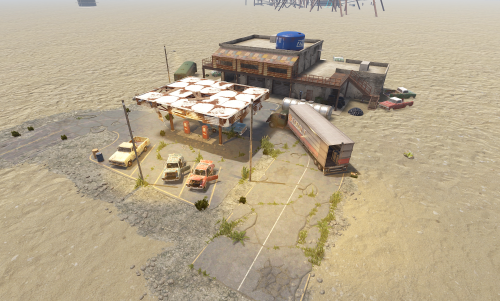
The Auto Shop | Mid-Tier Monument The Auto Shop is a meticulously designed mid-tier monument for Rust, blending classic "Facepunch-style" aesthetics with engaging gameplay loops. Designed as an abandoned, weathered repair station, this monument fits seamlessly into the post-apocalyptic landscape while offering players a rewarding progression challenge. ### Key Features Progressive Card Puzzle: Features a dual-layered Green and Blue card puzzle system, providing a balanced challenge for mid-game players. High-Density Loot: The facility is packed with loot spawns, ranging from basic crates in the garage bays to high-tier rewards within the locked security office. Tactical PVE: Defended by a small detachment of Scientists, forcing players to approach with caution rather than simply sprinting through. Authentic "Rust" Atmosphere: Utilizing high-quality textures and professional lighting, the monument captures the grit of an abandoned roadside shop, complete with rusted lifts, scattered tools, and overgrown debris. ### Technical Specifications Size: Mid-sized footprint, ideal for filling roadside gaps or coastline areas. Optimization: Highly optimized prefab count to ensure minimal impact on server performance and FPS. Compatibility: Fully compatible with standard proc-gen maps and custom builds. The Auto Shop is the perfect addition for server owners looking to bridge the gap between basic roadside monuments and major industrial hubs. For any Assistance or questions Please contact me on Discord @ https://discord.gg/HNhPTPZVmd$5.002 points -
Version 1.0.0
5 downloads
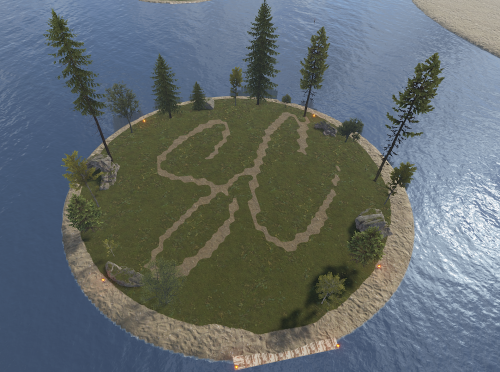
Mini Raid Island 5 Pack Enhance your server's gameplay with this collection of 5 uniquely designed Mini Raid Islands. These compact, high-performance prefabs are designed specifically for Rust server owners looking to provide engaging PvP and PvE raiding experiences without sacrificing server performance. Each island in this pack offers a distinct layout, providing variety for your players and ensuring that no two raids feel the same. When used as automated raid bases, these islands are optimized for seamless integration. ### Key Features High Performance: Optimized with a low prefab count to ensure zero impact on server FPS. Compact Design: Small footprints allow for easy placement in ocean biomes or along coastlines. Diverse Layouts: Five distinct variations including industrial, rocky, and fortified themes. For any Assistance or questions Please contact me on Discord @ https://discord.gg/HNhPTPZVmd$5.002 points -
Version 1.0.1
2 downloads
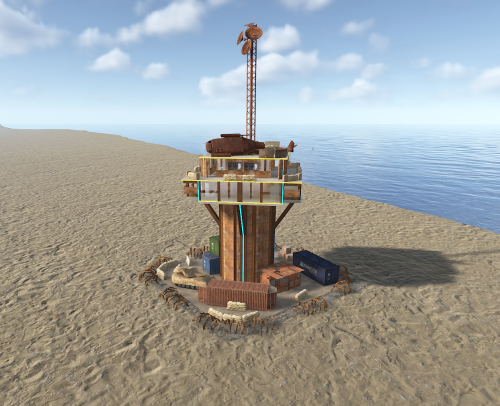
Silents Heli Tower V2 – The Ultimate Aerial Defense Take your server's combat to the next level with the Silents Heli Tower V2. Engineered for both aesthetics and tactical superiority, this prefab is the perfect addition for PVP and PVE servers looking for a high-quality, ready-to-use monument. Key Features Tactical Design: Multi-level floors designed specifically for helicopter engagement and defense. Plug & Play: Fully optimized and ready to be dropped into any map via RustEdit. Optimized Performance: Low prefab count to ensure zero FPS drops for your players. For any Assistance or questions Please contact me on Discord @ https://discord.gg/HNhPTPZVmd$5.992 points -

Version 1.0.0
20 downloads
Bring the iconic "Clue Scroll" experience from Old School RuneScape directly into Rust! Treasure Trails adds a dynamic, multi-stage reward system that encourages players to explore the map, engage in diverse activities, and hunt for high-tier loot through a series of challenging tasks. How It Works Discovery: Players find Clue Scrolls as rare drops from loot sources (barrels & crates), and can effortlessly be added to shops, custom loot plugins etc. The Hunt: Each scroll contains a specific task. Upon completion, the player is granted the next "step" in the trail. The Reward: After completing a set number of steps, the player receives a Reward Casket. Opening a casket grants customizable loot and can even trigger server commands. Key Features Fully Customizable Steps: Server owners have total control. Design unique tasks for every step of the trail to fit your server's theme. Dynamic Loot Tables: Reward your players with rare items, blueprints, or currency. Command Integration: Caskets aren't just for items—run any console command upon opening (e.g., granting VIP ranks, economic rewards, server rewards, item perk rewards etc). Immersive Experience: Keeps players moving across the map and interacting with the world in ways they normally wouldn't. Every trail is a unique journey. Players will encounter several distinct types of challenges, each requiring a different set of skills to overcome. Players are given a list of specific clothing or armor pieces they must equip. Once dressed correctly, they must locate and speak to a specific NPC to receive their next step. The scroll displays a static image of a location or a hand-drawn style map with a red X. These clues only appear if the corresponding monument or landmark exists on your current map seed. Navigate to the exact spot marked on the image to progress. A scrambled name or phrase appears on the scroll. Solve the anagram to figure out which NPC the clue is referring to, then find and speak with them. A direct question regarding Rust lore, game mechanics, or server-specific trivia. Input or provide the correct answer through the clue interface to unlock the next stage. A cryptic poem or mysterious description of an NPC. Use logic and map knowledge to deduce who the riddle describes and track them down. The clue provides a specific set of world coordinates or grid references. Players must use their map and compass to reach the exact location. These commands require the treasuretrails.admin permission to be assigned. Type: Console Command: tt.giveclue <target> Description: Gives a clue scroll to the specified target. Type: Chat Command: tt.next Description: Skips the current clue step. Type: Chat Command: tt.rewards Description: Generates a reward cache. Type: Chat Command: tt.showcoordinates Description: Shows nearby coordinates that the coordinate clues can use. Type: Chat Command: tt.addnpc <profile> Description: Adds an Npc with the specified profile at the player's current location (case sensitive). Type: Chat Command: tt.addmonumentnpc <profile> Description: Adds an Npc with the specified profile at the player's location, and register their position to the closest monument. These Npcs will automatically spawn at this monument at the same relative position if it exists on the map. Type: Chat Command: tt.map.pos Description: Prints the closes monument, the player's local position to that monument, and the monument's custom name (if it's a custom monument). Type: Chat Command: tt.shownpcs Description: Shows all Treasure Trail registered Npcs on the map. Permissions - treasuretrail.admin - required to run administrative commands. - treasuretrail.loot - required to find treasure trail clues from loot sources such as crates, barrels etc.$24.992 points -
Version 1.0.4
13 downloads
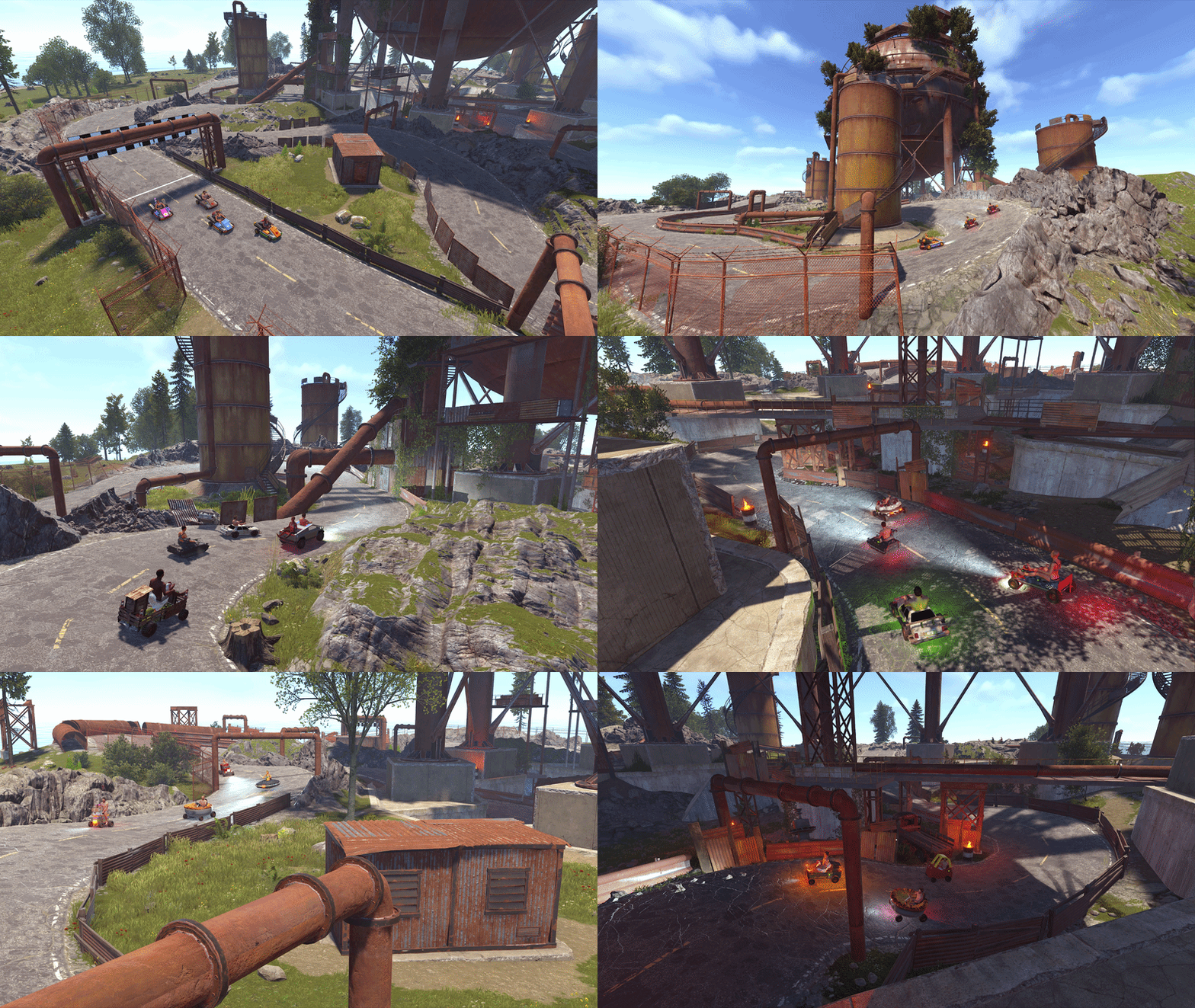
Dome with a carefully crafted Racetrack going around and under it. Steep banked curves let you hit the corners faster and barriers and rocks help contain you on the track for any race events. There are 13 pipe themed checkpoint markers, including a large finish line checkpoint. Perfect for Motorbikes, Pedalbikes, Karzua's Custom Vehicles and you might even sqeeze some modular cars in. Only 700 prefabs total, all layer masks included except biome - be sure to double check the splat lines up and reapply the height mask again after any adjustments if it doesnt. Also includes the .map file it was built on, if you wanted to save your own prefab from it. Come and try it out on our test server: connect kpc.karuza.dev$15.002 points -
Version 2.5.0
302 downloads
Rust CUI Editor Visual Interface Designer for Rust Stop writing UI code blindly. Design your CUI interfaces visually and export ready-to-use code in seconds. What is this? Rust CUI Editor is a desktop application for creating Rust game UI (CUI) interfaces using a visual drag-and-drop editor. Instead of writing dozens of lines of CuiHelper code and constantly reloading your plugin to see the result, you design everything visually and get clean, working code instantly. Video demonstration Elements Panel Image (URL/sprite) Label (with outline) Button InputField ScrollView Countdown Draggable Slot NeedsCursor / NeedsKeyboard Layout Horizontal Layout Group Vertical Layout Group Grid Layout Group Content Size Fitter LayoutElement Visual Drag elements on canvas Resize with 8 handles Multi-selection Marquee select Anchor/offset system Element rotation Inline text editing Element locking Alignment Left / Center / Right Top / Middle / Bottom Stretch to parent Match Width/Height Distribute evenly Find & Replace Search and replace element properties across the entire project at once. No need to click through each element manually. ► Search by text content, color value, sprite, or material ► Filter results by element type ► Replace single matches or all at once ► Full undo support for bulk replacements Inspect Element Dedicated inspection window for any selected element. Shows all properties in structured form alongside the raw CUI JSON output. ► All component properties in one place ► Raw CUI JSON with one-click copy ► Useful for debugging and quick exports ► Opens with shortcut or right-click menu Snapshots Save named project states at any point and restore them without losing your current work. Snapshots are completely separate from undo history. ► Create named snapshots before risky changes ► Restore any snapshot at any time — current work is preserved ► Stored in a .snapshots folder next to the project file ► Independent from undo/redo stack Wrap in Parent You've built a header with a label and a close button, then realize you forgot to add a background panel behind them. Select all elements, right-click, Wrap in Parent — done. Nothing moves. ► Works with any selection of elements ► New parent is sized to the bounding box of the selection ► All anchors recalculate automatically ► Wrap into Panel, Button, Image, or ScrollView Themes Dark Theme Default dark interface. Easy on the eyes during long sessions. Light Theme Full light mode across all panels, dialogs, and overlays. Toggle in settings. Plugin Import Load CUI elements directly from an existing .cs plugin source file. The parser reconstructs the full element tree for visual editing. ► Parses CuiHelper and CuiElementContainer patterns ► Resolves local variables and string constants ► Handles loops and repeated element generation ► Substitutes lang message references with preview text ► Works on any Oxide/Carbon plugin file Built-in Reference A built-in help system with searchable articles covering the entire CUI system. No need to leave the editor to look something up. ► Articles for every element type and property ► Covers layers, ScrollView, blur materials, anchors, offsets, fonts ► Shortcut reference with all editor hotkeys ► Live demo canvas inside each article ► One-click "Add to project" from any example Performance Rewrite Canvas GPU rendering Scene bitmap cache Static layer cache SKPicture cache SKPaint pooling (50+ allocs/frame saved) Text layout cache Typeface cache Pan without full re-render Element Tree Debounced rebuild on rapid changes Bulk update batching Fast flat selection cache O(n) ThumbnailBrush cache Detach() memory leak fixed Color Picker Real-time updates while dragging Only the affected element redraws No full scene invalidation Live Preview See your UI exactly as it appears in-game, right inside the editor. Every element is fully rendered with correct Rust scaling, colors, sprites, and fonts. No need to reload your plugin to check the result. Rendering Panels & Images Labels with fonts Rich Text support Sprite tinting FadeIn / FadeOut Interactive Button hover & press ScrollView with inertia Elastic bounce Auto-hiding scrollbars Live Countdown Drag & Drop Draggable elements Slot filter matching MoveToAnchor snap Element swapping KeepOnTop z-order Tools Element Inspector Grid overlay Outlines view Auto-sync with editor Screenshot to PNG All CuiDraggableComponent properties are supported in preview: LimitToParent, MaxDistance, AllowSwapping, DropAnywhere, DragAlpha, ParentPadding, ParentLimitIndex, AnchorOffset, and more. ► Pick up Draggable elements and drop them into Slots ► Filter matching ensures only compatible elements snap ► Swap elements between occupied slots ► Inspector overlay shows element info on hover (shortcut: I) ► Grid and outline overlays for layout debugging (G / O) ► Background selector: dark, light, or any game screenshot ► Auto-sync keeps preview updated as you edit ► Export preview as PNG screenshot (S) Smart Hook Generation When your project uses Draggable or Slot elements, the export automatically generates ready-to-use hook methods with proper logic: ► OnCuiDraggableDrag with if/switch blocks for each draggable ► OnCuiDraggableDropped with switch by slot name ► Comments with accepted elements and filter values ► Works in both Snippet and Plugin export modes Developer Tools Professional plugin development toolkit with four dedicated tabs: Plugin Settings Author & version Chat/console commands Auto-show hooks Permissions list Plugin references Generate Unload Lang System Multi-language support Visual translation table Per-element lang keys lang.GetMessage() export Canvas preview ImageLibrary Image key/URL table Per-element ImageLib key GetImage() helper Auto OnServerInitialized Auto plugin reference Templates Reusable code templates Custom method generation Placeholder system Per-project settings Localization System Full multi-language support for your plugins. Assign lang keys to any text element, manage translations visually, and export with automatic lang.GetMessage() calls. ► Add unlimited languages (en, ru, de, fr, etc.) ► Visual translation table - edit all strings in one place ► Toggle between raw text and lang key per element ► Canvas shows resolved translations in real-time ► Exported code includes full LoadDefaultMessages with all languages ImageLibrary Integration Manage image assets directly in the editor. Define image keys and URLs, assign them to elements, and get clean export code with automatic ImageLibrary loading. ► Image key/URL table in Dev Tools ► ImageLib Key property on Image elements ► Export generates GetImage() helper method ► Plugin export auto-adds OnServerInitialized with image loading ► Automatic [PluginReference] ImageLibrary in export Syntax Highlighting ► C# syntax highlighting in Export window ► JSON syntax highlighting in Export window ► Color-coded keywords, strings, numbers, comments ► Optimized for large code blocks SVG Design Import Import your designs directly from professional design tools: Figma export to SVG and import Illustrator Adobe AI/SVG support Inkscape free vector editor Any SVG standard format ► Automatic source detection optimizes parsing for each tool ► Smart layer hierarchy preservation ► Automatic element type detection (btn_, lbl_, img_, panel_) ► Correct parent-child coordinate conversion Figma Plugin & Tools New "Tools" folder included with the editor: ► CuiHelper Plugin for Figma - export designs directly to C# code ► Sample SVG designs - ready-to-import examples for testing and learning ► Documentation - setup guide for Figma plugin Smart Resize Mode Default Mode Resize by changing Anchor values Perfect for responsive layouts that scale with screen size Shift + Resize Resize by changing Offset values Perfect for pixel-perfect positioning Orange handles indicate active mode Inline Text Editing ► Double-click any text element to edit it directly on canvas ► No need to switch to the property panel, just click and type ► Press Enter or click outside to confirm changes Guides, Grid & Smart Snapping ► Draggable guides from rulers ► Customizable grid with snap ► Smart guides - auto-snap to edges ► Distance indicators while dragging Multiple Backgrounds Preview your UI on actual game screenshots: Game view Inventory Loot container Crafting Map Transparent Export Formats Generate ready-to-use code in three formats: C# (CuiHelper) container.Add(new CuiPanel { RectTransform = { AnchorMin = "0.3 0.3", AnchorMax = "0.7 0.7" }, Image = { Color = "0.1 0.1 0.1 0.9" } }, "Overlay", "MyPanel"); JSON [{ "name":"MyPanel", "parent":"Overlay", "components":[...] }] Full Plugin Complete .cs file with: • using statements • class definition • commands & permissions • Lang & ImageLib integration • all UI code Import Existing Code Already have CUI code? Import it! ► Paste JSON array ► Paste C# CuiHelper code ► Import from PSD files ► Import from SVG files (Figma, Illustrator, Inkscape) ► Import from .cs plugin source files The editor parses your code and recreates all elements for visual editing. Project Management ► Save/Load project files ► Multiple tabs for different projects ► Recent projects with thumbnails ► Per-project settings ► Close confirmation for unsaved changes Property Editor Full control over every element property: ► Position (anchors + offsets) ► Colors with Rust format (0-1 RGBA) ► Fonts and text alignment ► Sprite/material selection ► Outline settings ► Fade in/out animations ► Button commands ► Input field parameters ► ScrollView settings ► Rotation and pivot point Element Hierarchy ► Layer-based structure (Overlay, Hud, HudMenu) ► Parent-child relationships ► Drag & drop reordering ► Visibility toggle ► Lock elements to prevent accidental edits ► Rename with double-click ► Hover a tree node to highlight it on canvas Additional Tools Measure Tool measure distances on canvas Style Picker copy style between elements Sprite Library browse Rust sprites Color Picker Rust format preview Quality of Life ► Unlimited undo/redo ► Copy/paste/duplicate elements ► Copy/paste style ► Keyboard shortcuts for everything ► Multiple preset resolutions ► Smooth multiplicative zoom ► Auto-fit canvas to window ► Dark and light themes ► English & Russian localization ► Automatic update notifications System Requirements ► Windows 10/11 ► .NET 8.0 Runtime (bundled) Installation 1. Download and extract the archive 2. Run RustCUIEditor.exe 3. Start creating! Questions or support issues? Contact me via CodeFling messages.$39.992 points -
Version 1.1.0
6 downloads
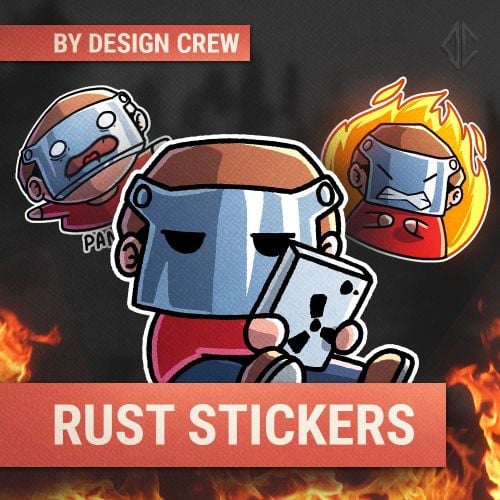
We decided to create stickerS. you can use in your project. You can use them on social media, Discord, Telegram, or on the server. It's all up to you!$5.002 points -
Version 2.0.1
2 downloads
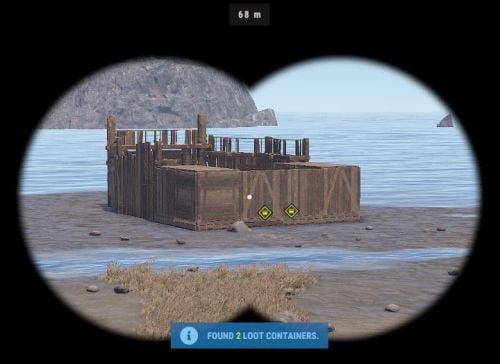
Base Insight provides players with the ability to ping loot containers and tool cupboards inside buildings. This allows players to quickly identify valuable loot containers and strategic tool cupboards within a specified radius. Features • Loot Container Pinging – Ping supported storage containers inside a base including large wooden boxes, coffins, barrels, fridges, lockers, vending machines, wall cabinets, drop boxes, and weapon racks. • Tool Cupboard Pinging – Locate Tool Cupboards inside a scanned base. • Allowed Container List – Choose exactly which storage containers can be pinged using the allowed container list in the config. • Loot-Only Pinging – Optionally only ping supported containers that currently contain loot. • Raidable Bases Only Option – Optionally restrict the scanner so it can only be used on **Raidable Bases**. • Customizable Scanner Settings – Adjust scan radius, max distance, ping delay, ping duration, scanner skin, scanner display name, ping types, and more. • Permission-Based Cooldowns – Set a default scan cooldown and override it with permission-based cooldowns. • Chat and Console Distribution – Give the scanner to players through chat command aliases or via console command. • Loot Support – Optionally add the scanner item into supported loot containers with configurable chances and min/max amounts. Permissions • baseinsight.use – Required to use the Base Insight scanner. • baseinsight.give – Required to use the chat command to receive a scanner. Commands Chat Commands • /bis – Gives the Base Insight scanner item to the player. Console Commands • bis [SteamID] – Gives the Base Insight scanner item to the target player. • bi_wipe – Manually wipe the cooldown data file *(automatically wipes on new wipes)*. Configuration Options Scanner Settings • Scanner Display Name – Display name of the Base Insight scanner item. • Scanner Skin ID – Skin ID used for the scanner item. • Enable Storage Containers – Enable or disable storage container pinging. • Enable Tool Cupboard – Enable or disable tool cupboard pinging. • Only Use On RaidableBases – Restrict scanner use to Raidable Bases only. • Only Ping Containers with Loot – Only ping supported containers that currently contain loot. • Destroy Scanner After Use – Destroy the scanner item after one successful use. • Max Distance from Base – Maximum distance the player can be from the base they are scanning. • Scan Radius – Radius around the targeted base used for scanning. • Ping Delay – How long the player must hold before the scan completes. • Ping Duration – How long pings remain visible. • Ping Type – Loot Containers – Ping type used for storage containers. • Ping Type – Tool Cupboard – Ping type used for tool cupboards. • Ping Types – List of available ping types included in the config for reference. Allowed Storage Containers Settings • Allowed Storage Container List – List of storage container prefab names that the scanner is allowed to ping. Permissions & Cooldown Settings • Chat Command Cooldown – Cooldown for receiving a scanner via chat command. • Default Scan Cooldown – Default cooldown between scans. • Scan Cooldowns By Permission – Permission-based scan cooldown overrides. Chat Command Settings • Chat Command Aliases – List of chat commands that give the scanner item. Loot Settings • Add Scanner To Loot Containers – Enable or disable adding the scanner item into loot containers. • Min Scanners Per Container – Minimum number of scanners that can be added. • Max Scanners Per Container – Maximum number of scanners that can be added. • Loot Containers List – Loot container prefab names and the chance for the scanner to be added. Default Configuration { "Scanner Settings": { "Scanner Display Name": "Base Insight Scanner", "Scanner Skin ID": 3242988854, "Enable Storage Containers": true, "Enable Tool Cupboard": true, "Only Use On RaidableBases": false, "Only Ping Containers with Loot": true, "Destroy Scanner After Use": false, "Max Distance from Base": 100, "Scan Radius": 50, "Ping Delay": 5, "Ping Duration": 20, "Ping Type - Loot Containers": 3, "Ping Type - Tool Cupboard": 2, "Ping Types": { "Hostile": 0, "GoTo": 1, "Dollar": 2, "Loot": 3, "Node": 4, "Gun": 5, "Build": 6 } }, "Allowed Storage Containers Settings": { "Allowed Storage Container List": [ "abyss_barrel_horizontal", "abyss_barrel_vertical", "bamboo_barrel", "box.wooden.large", "coffinstorage", "component.box.ammo.large", "component.box.armor.large", "component.box.charcoal.large", "component.box.clothing.large", "component.box.comps.large", "component.box.explosives.large", "component.box.food.large", "component.box.guns.large", "component.box.meds.large", "component.box.metal.large", "component.box.ore.large", "component.box.scrap.large", "component.box.stone.large", "component.box.sulfur.large", "component.box.tools.large", "component.box.wood.large", "dropbox.deployed", "electric.wallcabinet.deployed", "fridge.deployed", "krieg_storage_horizontal", "krieg_storage_vertical", "locker.deployed", "medieval.box.wooden.large", "minifridge.deployed", "pilot_hazmat_woodbox_deployed", "storage_barrel_b", "storage_barrel_c", "twitch_dropbox.deployed", "vendingmachine.deployed", "weaponrack_horizontal.deployed", "weaponrack_single1.deployed", "weaponrack_single2.deployed", "weaponrack_single3.deployed", "weaponrack_stand.deployed", "weaponrack_tall.deployed", "weaponrack_wide.deployed", "wicker_barrel", "woodbox_deployed" ] }, "Permissions & Cooldown Settings": { "Chat Command Cooldown": 3600, "Default Scan Cooldown": 60, "Scan Cooldowns By Permission": { "baseinsight.vip": 30, "baseinsight.elite": 10 } }, "Chat Command Settings": { "Chat Command Aliases": [ "bis", "givebis" ] }, "Loot Settings": { "Add Scanner To Loot Containers": false, "Min Scanners Per Container": 1, "Max Scanners Per Container": 1, "Loot Containers List": { "crate_elite": 0.2, "heli_crate": 0.8, "bradley_crate": 0.8, "codelockedhackablecrate": 0.5, "codelockedhackablecrate_oilrig": 0.5 } }, "Version": { "Major": 2, "Minor": 0, "Patch": 1 } } Language { "Cooldown": "Scan cooldown. Please wait {0} seconds.", "ChatCooldown": "You need to wait {0} seconds to use this command!", "ScanResult": "Found {0} loot containers and {1} Tool Cupboards.", "ScanResultLootOnly": "Found {0} loot containers.", "ScanResultTCOnly": "Found {0} Tool Cupboards.", "NoPerm": "You do not have permission for this command!", "RaidableBasesOnly": "Only Usable On RaidableBases!", "ItemReceived": "You Received A {0}", "NoPermission": "You Don't Have Permission To Use {0}", "TooFar": "Too far away from base! Max distance is {0}m.", "Error": "ERROR: No scannable targets are enabled in the config." }$5.002 points -
Version 0.1.1
31 downloads
Bring your Rust server to life with Courier NPCs — AI bots that travel across the map carrying valuable loot. Hunt them down for rewards, but be careful — they may not go down without a fight. Features: Traveling Couriers • NPCs spawn with random loot from your config and start travel to point. • At destination, couriers either despawn or dropping a stash. • Setup health, damage rates, spawn frequency, and other. • Configure spawn loadouts — weapons, clothes, and loot for delivery. • Each courier can carry a backpack with its own separate loot. Dynamic Combat • Configurable combat behaviour: Friendly (doesn't attack, continues to run) Defensive (defends if attacked) Aggressive (attacks first) • Uses ranged and melee weapons in fights. • Couriers can deploy mines, bear traps, and other traps while traveling. • Couriers heal themselves during and outside of combat using configurable health thresholds. Flexible Spawn System • Multiple spawn modes available — random map position, road/beach position, or SpawnsDatabase points. • Spawn and destination modes can be mixed for varied and unpredictable routes. • Couriers can prefer road-based pathfinding or take off-road routes. See It in Action! Watch The Video Commands ("couriernpcs.admin" permission): /cnpc vis - shows all couriers on server /cnpc killall - kills all couriers /cnpc tp - teleports all couriers to you Configuration: { "Bots settings": [ { "Enable bot?": true, "How many of these bots can be spawned?": 1, "Bot name (leave empty for random)": "Leon", "Respawn timer (min 3 seconds)": { "Min": 600.0, "Max": 1800.0 }, "Configure the position of the courier's birth. (configure several modes for random selection)": { "Random map position mode": { "Enable this mode?": false }, "Random road position mode": { "Enable this mode?": true }, "Random spawn position mode": { "Enable this mode?": false }, "Mode of selection of a position from the Spawns.cs plugin": { "Enable this mode?": false, "File name with positions": "" } }, "Configure the position of the courier's final path. (configure several modes for random selection)": { "Random map position mode": { "Enable this mode?": false }, "Random road position mode": { "Enable this mode?": true }, "Random spawn position mode": { "Enable this mode?": false }, "Mode of selection of a position from the Spawns.cs plugin": { "Enable this mode?": false, "File name with positions": "" } }, "Maximum health": 500.0, "What spawns on death (PlayerCorpse, NpcCorpse, Backpack)": "PlayerCorpse", "How many items will be destroyed when Backpack is selected (0 - 100%)": 0.0, "Backpack setup": { "Should I give out a backpack?": true, "Backpack item": { "Item shortname or ID": "largebackpack", "Item skin": 0 }, "Lock container? (true - after death loot won't drop)": false, "List of items": [ { "Chance (% 0 - 100)": 10.0, "Item settings": { "Item shortname or ID": "rifle.sks", "Item skin": 0 }, "Random amount": { "Min": 1.0, "Max": 1.0 }, "Attachments": [ { "Item settings": { "Item shortname or ID": "weapon.mod.silencer", "Item skin": 0 }, "Random amount": { "Min": 1.0, "Max": 1.0 }, "Attachments": null } ] }, { "Chance (% 0 - 100)": 5.0, "Item settings": { "Item shortname or ID": "minigun", "Item skin": 0 }, "Random amount": { "Min": 1.0, "Max": 1.0 }, "Attachments": [] }, { "Chance (% 0 - 100)": 20.0, "Item settings": { "Item shortname or ID": "ammo.shotgun.slug", "Item skin": 0 }, "Random amount": { "Min": 100.0, "Max": 500.0 }, "Attachments": [] }, { "Chance (% 0 - 100)": 5.0, "Item settings": { "Item shortname or ID": "explosives", "Item skin": 0 }, "Random amount": { "Min": 100.0, "Max": 500.0 }, "Attachments": [] }, { "Chance (% 0 - 100)": 90.0, "Item settings": { "Item shortname or ID": "wood", "Item skin": 0 }, "Random amount": { "Min": 2000.0, "Max": 5000.0 }, "Attachments": [] }, { "Chance (% 0 - 100)": 80.0, "Item settings": { "Item shortname or ID": "stones", "Item skin": 0 }, "Random amount": { "Min": 1000.0, "Max": 2000.0 }, "Attachments": [] }, { "Chance (% 0 - 100)": 80.0, "Item settings": { "Item shortname or ID": "metal.fragments", "Item skin": 0 }, "Random amount": { "Min": 500.0, "Max": 1000.0 }, "Attachments": [] }, { "Chance (% 0 - 100)": 70.0, "Item settings": { "Item shortname or ID": "sulfur", "Item skin": 0 }, "Random amount": { "Min": 200.0, "Max": 500.0 }, "Attachments": [] }, { "Chance (% 0 - 100)": 60.0, "Item settings": { "Item shortname or ID": "scrap", "Item skin": 0 }, "Random amount": { "Min": 100.0, "Max": 200.0 }, "Attachments": [] }, { "Chance (% 0 - 100)": 50.0, "Item settings": { "Item shortname or ID": "metal.refined", "Item skin": 0 }, "Random amount": { "Min": 50.0, "Max": 100.0 }, "Attachments": [] } ] }, "Wear settings": { "Lock container? (true - after death loot won't drop)": true, "List of items": [ { "Item settings": { "Item shortname or ID": "hazmatsuit.kick", "Item skin": 0 }, "Random amount": { "Min": 1.0, "Max": 1.0 }, "Attachments": [] } ] }, "Belt customization (add weapons, ammo, medicine, traps that the bot can use here)": { "Lock container? (true - after death loot won't drop)": true, "List of items": [ { "Item settings": { "Item shortname or ID": "smg.mp5", "Item skin": 0 }, "Random amount": { "Min": 1.0, "Max": 1.0 }, "Attachments": [ { "Item settings": { "Item shortname or ID": "weapon.mod.silencer", "Item skin": 0 }, "Random amount": { "Min": 1.0, "Max": 1.0 }, "Attachments": null } ] }, { "Item settings": { "Item shortname or ID": "ammo.pistol", "Item skin": 0 }, "Random amount": { "Min": 500.0, "Max": 1000.0 }, "Attachments": [] }, { "Item settings": { "Item shortname or ID": "legacy bow", "Item skin": 0 }, "Random amount": { "Min": 1.0, "Max": 1.0 }, "Attachments": [] }, { "Item settings": { "Item shortname or ID": "arrow.wooden", "Item skin": 0 }, "Random amount": { "Min": 200.0, "Max": 300.0 }, "Attachments": [] }, { "Item settings": { "Item shortname or ID": "salvaged.cleaver", "Item skin": 0 }, "Random amount": { "Min": 1.0, "Max": 1.0 }, "Attachments": [] }, { "Item settings": { "Item shortname or ID": "syringe.medical", "Item skin": 0 }, "Random amount": { "Min": 300.0, "Max": 300.0 }, "Attachments": [] } ] }, "Inventory settings": { "Lock container? (true - after death loot won't drop)": false, "List of items": [ { "Chance (% 0 - 100)": 10.0, "Item settings": { "Item shortname or ID": "rifle.sks", "Item skin": 0 }, "Random amount": { "Min": 1.0, "Max": 1.0 }, "Attachments": [ { "Item settings": { "Item shortname or ID": "weapon.mod.silencer", "Item skin": 0 }, "Random amount": { "Min": 1.0, "Max": 1.0 }, "Attachments": null } ] }, { "Chance (% 0 - 100)": 5.0, "Item settings": { "Item shortname or ID": "minigun", "Item skin": 0 }, "Random amount": { "Min": 1.0, "Max": 1.0 }, "Attachments": [] }, { "Chance (% 0 - 100)": 20.0, "Item settings": { "Item shortname or ID": "ammo.shotgun.slug", "Item skin": 0 }, "Random amount": { "Min": 100.0, "Max": 500.0 }, "Attachments": [] }, { "Chance (% 0 - 100)": 5.0, "Item settings": { "Item shortname or ID": "explosives", "Item skin": 0 }, "Random amount": { "Min": 100.0, "Max": 500.0 }, "Attachments": [] }, { "Chance (% 0 - 100)": 90.0, "Item settings": { "Item shortname or ID": "wood", "Item skin": 0 }, "Random amount": { "Min": 2000.0, "Max": 5000.0 }, "Attachments": [] }, { "Chance (% 0 - 100)": 80.0, "Item settings": { "Item shortname or ID": "stones", "Item skin": 0 }, "Random amount": { "Min": 1000.0, "Max": 2000.0 }, "Attachments": [] }, { "Chance (% 0 - 100)": 80.0, "Item settings": { "Item shortname or ID": "metal.fragments", "Item skin": 0 }, "Random amount": { "Min": 500.0, "Max": 1000.0 }, "Attachments": [] }, { "Chance (% 0 - 100)": 70.0, "Item settings": { "Item shortname or ID": "sulfur", "Item skin": 0 }, "Random amount": { "Min": 200.0, "Max": 500.0 }, "Attachments": [] }, { "Chance (% 0 - 100)": 60.0, "Item settings": { "Item shortname or ID": "scrap", "Item skin": 0 }, "Random amount": { "Min": 100.0, "Max": 200.0 }, "Attachments": [] }, { "Chance (% 0 - 100)": 50.0, "Item settings": { "Item shortname or ID": "metal.refined", "Item skin": 0 }, "Random amount": { "Min": 50.0, "Max": 100.0 }, "Attachments": [] } ] }, "List of items that won't drop on death (applies if the inventory is not locked)": [ { "Item shortname or ID": "smg.mp5", "Item skin": 0 } ], "Courier behavior settings": { "Time for a brain tick (0.01 - 1)": 0.1, "Combat setup (weapons, ammunition, should be given in the belt inventory)": { "Use ammunition from equipment?": true, "The bot's character when meeting players - Aggressive, Friendly, Defensive": "Aggressive", "The bot's character when meeting npc - Aggressive, Friendly, Defensive": "Defensive", "The bot's character when meeting animal - Aggressive, Friendly, Defensive": "Defensive", "Damage settings": { "Damage multiplier for players": 1.0, "NPC damage multiplier": 1.0, "Damage multiplier for animals": 1.0, "Courier damage multiplier from players": 1.0, "Courier damage multiplier from NPCs": 1.0, "Animal damage multiplier for the courier": 1.0 } }, "Treatment settings (medications should be issued in the belt inventory)": { "Percentage of health to enter the healing state (% 50 - 90)": 75.0, "Percentage of health to enter healing state during combat (% 1 - 50)": 30.0, "Use the medicines from the equipment?": true }, "Setting up traps (mines and traps should be given in the belt inventory)": { "Enable this setting?": true, "Use mines and traps from equipment?": false, "Trap usage check timer (min 60 sec.)": { "Min": 300.0, "Max": 300.0 }, "Chance of using a trap (% 0 - 100)": { "Min": 50.0, "Max": 50.0 }, "Life time (0 - will exist until restart)": 3600.0 }, "Setting up movement to the finishing position": { "Allow searching for routes by roads first?": true, "Speed of movement to the finish (Slowest, Slow, Normal, Fast)": "Fast" }, "Setting up behavior when reaching the finish position": { "Use stash mode?": true, "Use suicide mode?": true, "Movement speed while searching for a hiding place (Slowest, Slow, Normal, Fast)": "Fast", "Setting up a stash": { "Stash setup (bot will put items in the stash)": { "Enable?": true, "Hide stash?": true, "Life time (0 - will exist until restart)": 3600.0 }, "Box setup (bot will put items in the box)": { "Enable?": false, "Use small box?": true, "Box skin": 0, "Life time (0 - will exist until restart or until it dies)": 3600.0, "Another container prefab (you can leave it empty)": "" } } } }, "Controller settings": { "Time for a controller tick (0.01 - 0.2)": 0.05, "Allow turrets to attack the courier?": true } }, { "Enable bot?": true, "How many of these bots can be spawned?": 1, "Bot name (leave empty for random)": "Denis", "Respawn timer (min 3 seconds)": { "Min": 600.0, "Max": 1800.0 }, "Configure the position of the courier's birth. (configure several modes for random selection)": { "Random map position mode": { "Enable this mode?": true }, "Random road position mode": { "Enable this mode?": true }, "Random spawn position mode": { "Enable this mode?": true }, "Mode of selection of a position from the Spawns.cs plugin": { "Enable this mode?": false, "File name with positions": "" } }, "Configure the position of the courier's final path. (configure several modes for random selection)": { "Random map position mode": { "Enable this mode?": true }, "Random road position mode": { "Enable this mode?": true }, "Random spawn position mode": { "Enable this mode?": true }, "Mode of selection of a position from the Spawns.cs plugin": { "Enable this mode?": false, "File name with positions": "" } }, "Maximum health": 150.0, "What spawns on death (PlayerCorpse, NpcCorpse, Backpack)": "PlayerCorpse", "How many items will be destroyed when Backpack is selected (0 - 100%)": 0.0, "Backpack setup": { "Should I give out a backpack?": true, "Backpack item": { "Item shortname or ID": "smallbackpack", "Item skin": 0 }, "Lock container? (true - after death loot won't drop)": false, "List of items": [ { "Chance (% 0 - 100)": 10.0, "Item settings": { "Item shortname or ID": "rifle.sks", "Item skin": 0 }, "Random amount": { "Min": 1.0, "Max": 1.0 }, "Attachments": [ { "Item settings": { "Item shortname or ID": "weapon.mod.silencer", "Item skin": 0 }, "Random amount": { "Min": 1.0, "Max": 1.0 }, "Attachments": null } ] }, { "Chance (% 0 - 100)": 5.0, "Item settings": { "Item shortname or ID": "minigun", "Item skin": 0 }, "Random amount": { "Min": 1.0, "Max": 1.0 }, "Attachments": [] }, { "Chance (% 0 - 100)": 20.0, "Item settings": { "Item shortname or ID": "ammo.shotgun.slug", "Item skin": 0 }, "Random amount": { "Min": 100.0, "Max": 500.0 }, "Attachments": [] }, { "Chance (% 0 - 100)": 5.0, "Item settings": { "Item shortname or ID": "explosives", "Item skin": 0 }, "Random amount": { "Min": 100.0, "Max": 500.0 }, "Attachments": [] }, { "Chance (% 0 - 100)": 90.0, "Item settings": { "Item shortname or ID": "wood", "Item skin": 0 }, "Random amount": { "Min": 2000.0, "Max": 5000.0 }, "Attachments": [] }, { "Chance (% 0 - 100)": 80.0, "Item settings": { "Item shortname or ID": "stones", "Item skin": 0 }, "Random amount": { "Min": 1000.0, "Max": 2000.0 }, "Attachments": [] }, { "Chance (% 0 - 100)": 80.0, "Item settings": { "Item shortname or ID": "metal.fragments", "Item skin": 0 }, "Random amount": { "Min": 500.0, "Max": 1000.0 }, "Attachments": [] }, { "Chance (% 0 - 100)": 70.0, "Item settings": { "Item shortname or ID": "sulfur", "Item skin": 0 }, "Random amount": { "Min": 200.0, "Max": 500.0 }, "Attachments": [] }, { "Chance (% 0 - 100)": 60.0, "Item settings": { "Item shortname or ID": "scrap", "Item skin": 0 }, "Random amount": { "Min": 100.0, "Max": 200.0 }, "Attachments": [] }, { "Chance (% 0 - 100)": 50.0, "Item settings": { "Item shortname or ID": "metal.refined", "Item skin": 0 }, "Random amount": { "Min": 50.0, "Max": 100.0 }, "Attachments": [] } ] }, "Wear settings": { "Lock container? (true - after death loot won't drop)": true, "List of items": [ { "Item settings": { "Item shortname or ID": "hazmatsuit.pilot", "Item skin": 0 }, "Random amount": { "Min": 1.0, "Max": 1.0 }, "Attachments": [] } ] }, "Belt customization (add weapons, ammo, medicine, traps that the bot can use here)": { "Lock container? (true - after death loot won't drop)": true, "List of items": [ { "Item settings": { "Item shortname or ID": "rifle.m39", "Item skin": 0 }, "Random amount": { "Min": 1.0, "Max": 1.0 }, "Attachments": [ { "Item settings": { "Item shortname or ID": "weapon.mod.silencer", "Item skin": 0 }, "Random amount": { "Min": 1.0, "Max": 1.0 }, "Attachments": null } ] }, { "Item settings": { "Item shortname or ID": "ammo.rifle", "Item skin": 0 }, "Random amount": { "Min": 100.0, "Max": 300.0 }, "Attachments": [] }, { "Item settings": { "Item shortname or ID": "trap.bear", "Item skin": 0 }, "Random amount": { "Min": 5.0, "Max": 10.0 }, "Attachments": [] }, { "Item settings": { "Item shortname or ID": "trap.landmine", "Item skin": 0 }, "Random amount": { "Min": 5.0, "Max": 10.0 }, "Attachments": [] }, { "Item settings": { "Item shortname or ID": "syringe.medical", "Item skin": 0 }, "Random amount": { "Min": 300.0, "Max": 300.0 }, "Attachments": [] }, { "Item settings": { "Item shortname or ID": "largemedkit", "Item skin": 0 }, "Random amount": { "Min": 1.0, "Max": 1.0 }, "Attachments": [] } ] }, "Inventory settings": { "Lock container? (true - after death loot won't drop)": false, "List of items": [ { "Chance (% 0 - 100)": 10.0, "Item settings": { "Item shortname or ID": "rifle.sks", "Item skin": 0 }, "Random amount": { "Min": 1.0, "Max": 1.0 }, "Attachments": [ { "Item settings": { "Item shortname or ID": "weapon.mod.silencer", "Item skin": 0 }, "Random amount": { "Min": 1.0, "Max": 1.0 }, "Attachments": null } ] }, { "Chance (% 0 - 100)": 5.0, "Item settings": { "Item shortname or ID": "minigun", "Item skin": 0 }, "Random amount": { "Min": 1.0, "Max": 1.0 }, "Attachments": [] }, { "Chance (% 0 - 100)": 20.0, "Item settings": { "Item shortname or ID": "ammo.shotgun.slug", "Item skin": 0 }, "Random amount": { "Min": 100.0, "Max": 500.0 }, "Attachments": [] }, { "Chance (% 0 - 100)": 5.0, "Item settings": { "Item shortname or ID": "explosives", "Item skin": 0 }, "Random amount": { "Min": 100.0, "Max": 500.0 }, "Attachments": [] }, { "Chance (% 0 - 100)": 90.0, "Item settings": { "Item shortname or ID": "wood", "Item skin": 0 }, "Random amount": { "Min": 2000.0, "Max": 5000.0 }, "Attachments": [] }, { "Chance (% 0 - 100)": 80.0, "Item settings": { "Item shortname or ID": "stones", "Item skin": 0 }, "Random amount": { "Min": 1000.0, "Max": 2000.0 }, "Attachments": [] }, { "Chance (% 0 - 100)": 80.0, "Item settings": { "Item shortname or ID": "metal.fragments", "Item skin": 0 }, "Random amount": { "Min": 500.0, "Max": 1000.0 }, "Attachments": [] }, { "Chance (% 0 - 100)": 70.0, "Item settings": { "Item shortname or ID": "sulfur", "Item skin": 0 }, "Random amount": { "Min": 200.0, "Max": 500.0 }, "Attachments": [] }, { "Chance (% 0 - 100)": 60.0, "Item settings": { "Item shortname or ID": "scrap", "Item skin": 0 }, "Random amount": { "Min": 100.0, "Max": 200.0 }, "Attachments": [] }, { "Chance (% 0 - 100)": 50.0, "Item settings": { "Item shortname or ID": "metal.refined", "Item skin": 0 }, "Random amount": { "Min": 50.0, "Max": 100.0 }, "Attachments": [] } ] }, "List of items that won't drop on death (applies if the inventory is not locked)": [ { "Item shortname or ID": "rifle.m39", "Item skin": 0 } ], "Courier behavior settings": { "Time for a brain tick (0.01 - 1)": 0.1, "Combat setup (weapons, ammunition, should be given in the belt inventory)": { "Use ammunition from equipment?": true, "The bot's character when meeting players - Aggressive, Friendly, Defensive": "Defensive", "The bot's character when meeting npc - Aggressive, Friendly, Defensive": "Defensive", "The bot's character when meeting animal - Aggressive, Friendly, Defensive": "Defensive", "Damage settings": { "Damage multiplier for players": 1.0, "NPC damage multiplier": 1.0, "Damage multiplier for animals": 1.0, "Courier damage multiplier from players": 1.0, "Courier damage multiplier from NPCs": 1.0, "Animal damage multiplier for the courier": 1.0 } }, "Treatment settings (medications should be issued in the belt inventory)": { "Percentage of health to enter the healing state (% 50 - 90)": 75.0, "Percentage of health to enter healing state during combat (% 1 - 50)": 30.0, "Use the medicines from the equipment?": true }, "Setting up traps (mines and traps should be given in the belt inventory)": { "Enable this setting?": true, "Use mines and traps from equipment?": true, "Trap usage check timer (min 60 sec.)": { "Min": 300.0, "Max": 300.0 }, "Chance of using a trap (% 0 - 100)": { "Min": 50.0, "Max": 50.0 }, "Life time (0 - will exist until restart)": 3600.0 }, "Setting up movement to the finishing position": { "Allow searching for routes by roads first?": false, "Speed of movement to the finish (Slowest, Slow, Normal, Fast)": "Fast" }, "Setting up behavior when reaching the finish position": { "Use stash mode?": true, "Use suicide mode?": true, "Movement speed while searching for a hiding place (Slowest, Slow, Normal, Fast)": "Fast", "Setting up a stash": { "Stash setup (bot will put items in the stash)": { "Enable?": true, "Hide stash?": true, "Life time (0 - will exist until restart)": 3600.0 }, "Box setup (bot will put items in the box)": { "Enable?": false, "Use small box?": true, "Box skin": 0, "Life time (0 - will exist until restart or until it dies)": 3600.0, "Another container prefab (you can leave it empty)": "" } } } }, "Controller settings": { "Time for a controller tick (0.01 - 0.2)": 0.1, "Allow turrets to attack the courier?": true } }, { "Enable bot?": true, "How many of these bots can be spawned?": 1, "Bot name (leave empty for random)": "Paul", "Respawn timer (min 3 seconds)": { "Min": 600.0, "Max": 1800.0 }, "Configure the position of the courier's birth. (configure several modes for random selection)": { "Random map position mode": { "Enable this mode?": true }, "Random road position mode": { "Enable this mode?": true }, "Random spawn position mode": { "Enable this mode?": true }, "Mode of selection of a position from the Spawns.cs plugin": { "Enable this mode?": false, "File name with positions": "" } }, "Configure the position of the courier's final path. (configure several modes for random selection)": { "Random map position mode": { "Enable this mode?": true }, "Random road position mode": { "Enable this mode?": true }, "Random spawn position mode": { "Enable this mode?": true }, "Mode of selection of a position from the Spawns.cs plugin": { "Enable this mode?": false, "File name with positions": "" } }, "Maximum health": 150.0, "What spawns on death (PlayerCorpse, NpcCorpse, Backpack)": "PlayerCorpse", "How many items will be destroyed when Backpack is selected (0 - 100%)": 0.0, "Backpack setup": { "Should I give out a backpack?": true, "Backpack item": { "Item shortname or ID": "smallbackpack", "Item skin": 0 }, "Lock container? (true - after death loot won't drop)": false, "List of items": [ { "Chance (% 0 - 100)": 10.0, "Item settings": { "Item shortname or ID": "rifle.sks", "Item skin": 0 }, "Random amount": { "Min": 1.0, "Max": 1.0 }, "Attachments": [ { "Item settings": { "Item shortname or ID": "weapon.mod.silencer", "Item skin": 0 }, "Random amount": { "Min": 1.0, "Max": 1.0 }, "Attachments": null } ] }, { "Chance (% 0 - 100)": 5.0, "Item settings": { "Item shortname or ID": "minigun", "Item skin": 0 }, "Random amount": { "Min": 1.0, "Max": 1.0 }, "Attachments": [] }, { "Chance (% 0 - 100)": 20.0, "Item settings": { "Item shortname or ID": "ammo.shotgun.slug", "Item skin": 0 }, "Random amount": { "Min": 100.0, "Max": 500.0 }, "Attachments": [] }, { "Chance (% 0 - 100)": 5.0, "Item settings": { "Item shortname or ID": "explosives", "Item skin": 0 }, "Random amount": { "Min": 100.0, "Max": 500.0 }, "Attachments": [] }, { "Chance (% 0 - 100)": 90.0, "Item settings": { "Item shortname or ID": "wood", "Item skin": 0 }, "Random amount": { "Min": 2000.0, "Max": 5000.0 }, "Attachments": [] }, { "Chance (% 0 - 100)": 80.0, "Item settings": { "Item shortname or ID": "stones", "Item skin": 0 }, "Random amount": { "Min": 1000.0, "Max": 2000.0 }, "Attachments": [] }, { "Chance (% 0 - 100)": 80.0, "Item settings": { "Item shortname or ID": "metal.fragments", "Item skin": 0 }, "Random amount": { "Min": 500.0, "Max": 1000.0 }, "Attachments": [] }, { "Chance (% 0 - 100)": 70.0, "Item settings": { "Item shortname or ID": "sulfur", "Item skin": 0 }, "Random amount": { "Min": 200.0, "Max": 500.0 }, "Attachments": [] }, { "Chance (% 0 - 100)": 60.0, "Item settings": { "Item shortname or ID": "scrap", "Item skin": 0 }, "Random amount": { "Min": 100.0, "Max": 200.0 }, "Attachments": [] }, { "Chance (% 0 - 100)": 50.0, "Item settings": { "Item shortname or ID": "metal.refined", "Item skin": 0 }, "Random amount": { "Min": 50.0, "Max": 100.0 }, "Attachments": [] } ] }, "Wear settings": { "Lock container? (true - after death loot won't drop)": true, "List of items": [ { "Item settings": { "Item shortname or ID": "hazmatsuit.diver", "Item skin": 0 }, "Random amount": { "Min": 1.0, "Max": 1.0 }, "Attachments": [] } ] }, "Belt customization (add weapons, ammo, medicine, traps that the bot can use here)": { "Lock container? (true - after death loot won't drop)": true, "List of items": [ { "Item settings": { "Item shortname or ID": "rifle.lr300.space", "Item skin": 0 }, "Random amount": { "Min": 1.0, "Max": 1.0 }, "Attachments": [] }, { "Item settings": { "Item shortname or ID": "ammo.rifle", "Item skin": 0 }, "Random amount": { "Min": 100.0, "Max": 300.0 }, "Attachments": [] }, { "Item settings": { "Item shortname or ID": "trap.bear", "Item skin": 0 }, "Random amount": { "Min": 5.0, "Max": 10.0 }, "Attachments": [] }, { "Item settings": { "Item shortname or ID": "trap.landmine", "Item skin": 0 }, "Random amount": { "Min": 5.0, "Max": 10.0 }, "Attachments": [] }, { "Item settings": { "Item shortname or ID": "syringe.medical", "Item skin": 0 }, "Random amount": { "Min": 300.0, "Max": 300.0 }, "Attachments": [] }, { "Item settings": { "Item shortname or ID": "largemedkit", "Item skin": 0 }, "Random amount": { "Min": 1.0, "Max": 1.0 }, "Attachments": [] } ] }, "Inventory settings": { "Lock container? (true - after death loot won't drop)": false, "List of items": [ { "Chance (% 0 - 100)": 10.0, "Item settings": { "Item shortname or ID": "rifle.sks", "Item skin": 0 }, "Random amount": { "Min": 1.0, "Max": 1.0 }, "Attachments": [ { "Item settings": { "Item shortname or ID": "weapon.mod.silencer", "Item skin": 0 }, "Random amount": { "Min": 1.0, "Max": 1.0 }, "Attachments": null } ] }, { "Chance (% 0 - 100)": 5.0, "Item settings": { "Item shortname or ID": "minigun", "Item skin": 0 }, "Random amount": { "Min": 1.0, "Max": 1.0 }, "Attachments": [] }, { "Chance (% 0 - 100)": 20.0, "Item settings": { "Item shortname or ID": "ammo.shotgun.slug", "Item skin": 0 }, "Random amount": { "Min": 100.0, "Max": 500.0 }, "Attachments": [] }, { "Chance (% 0 - 100)": 5.0, "Item settings": { "Item shortname or ID": "explosives", "Item skin": 0 }, "Random amount": { "Min": 100.0, "Max": 500.0 }, "Attachments": [] }, { "Chance (% 0 - 100)": 90.0, "Item settings": { "Item shortname or ID": "wood", "Item skin": 0 }, "Random amount": { "Min": 2000.0, "Max": 5000.0 }, "Attachments": [] }, { "Chance (% 0 - 100)": 80.0, "Item settings": { "Item shortname or ID": "stones", "Item skin": 0 }, "Random amount": { "Min": 1000.0, "Max": 2000.0 }, "Attachments": [] }, { "Chance (% 0 - 100)": 80.0, "Item settings": { "Item shortname or ID": "metal.fragments", "Item skin": 0 }, "Random amount": { "Min": 500.0, "Max": 1000.0 }, "Attachments": [] }, { "Chance (% 0 - 100)": 70.0, "Item settings": { "Item shortname or ID": "sulfur", "Item skin": 0 }, "Random amount": { "Min": 200.0, "Max": 500.0 }, "Attachments": [] }, { "Chance (% 0 - 100)": 60.0, "Item settings": { "Item shortname or ID": "scrap", "Item skin": 0 }, "Random amount": { "Min": 100.0, "Max": 200.0 }, "Attachments": [] }, { "Chance (% 0 - 100)": 50.0, "Item settings": { "Item shortname or ID": "metal.refined", "Item skin": 0 }, "Random amount": { "Min": 50.0, "Max": 100.0 }, "Attachments": [] } ] }, "List of items that won't drop on death (applies if the inventory is not locked)": [ { "Item shortname or ID": "rifle.lr300.space", "Item skin": 0 } ], "Courier behavior settings": { "Time for a brain tick (0.01 - 1)": 0.1, "Combat setup (weapons, ammunition, should be given in the belt inventory)": { "Use ammunition from equipment?": false, "The bot's character when meeting players - Aggressive, Friendly, Defensive": "Defensive", "The bot's character when meeting npc - Aggressive, Friendly, Defensive": "Defensive", "The bot's character when meeting animal - Aggressive, Friendly, Defensive": "Defensive", "Damage settings": { "Damage multiplier for players": 1.0, "NPC damage multiplier": 1.0, "Damage multiplier for animals": 1.0, "Courier damage multiplier from players": 1.0, "Courier damage multiplier from NPCs": 1.0, "Animal damage multiplier for the courier": 1.0 } }, "Treatment settings (medications should be issued in the belt inventory)": { "Percentage of health to enter the healing state (% 50 - 90)": 75.0, "Percentage of health to enter healing state during combat (% 1 - 50)": 30.0, "Use the medicines from the equipment?": true }, "Setting up traps (mines and traps should be given in the belt inventory)": { "Enable this setting?": true, "Use mines and traps from equipment?": true, "Trap usage check timer (min 60 sec.)": { "Min": 300.0, "Max": 300.0 }, "Chance of using a trap (% 0 - 100)": { "Min": 50.0, "Max": 50.0 }, "Life time (0 - will exist until restart)": 3600.0 }, "Setting up movement to the finishing position": { "Allow searching for routes by roads first?": false, "Speed of movement to the finish (Slowest, Slow, Normal, Fast)": "Fast" }, "Setting up behavior when reaching the finish position": { "Use stash mode?": true, "Use suicide mode?": true, "Movement speed while searching for a hiding place (Slowest, Slow, Normal, Fast)": "Fast", "Setting up a stash": { "Stash setup (bot will put items in the stash)": { "Enable?": true, "Hide stash?": true, "Life time (0 - will exist until restart)": 3600.0 }, "Box setup (bot will put items in the box)": { "Enable?": false, "Use small box?": true, "Box skin": 0, "Life time (0 - will exist until restart or until it dies)": 3600.0, "Another container prefab (you can leave it empty)": "" } } } }, "Controller settings": { "Time for a controller tick (0.01 - 0.2)": 0.1, "Allow turrets to attack the courier?": true } }, { "Enable bot?": true, "How many of these bots can be spawned?": 1, "Bot name (leave empty for random)": "Mike", "Respawn timer (min 3 seconds)": { "Min": 600.0, "Max": 1800.0 }, "Configure the position of the courier's birth. (configure several modes for random selection)": { "Random map position mode": { "Enable this mode?": false }, "Random road position mode": { "Enable this mode?": false }, "Random spawn position mode": { "Enable this mode?": true }, "Mode of selection of a position from the Spawns.cs plugin": { "Enable this mode?": false, "File name with positions": "" } }, "Configure the position of the courier's final path. (configure several modes for random selection)": { "Random map position mode": { "Enable this mode?": true }, "Random road position mode": { "Enable this mode?": false }, "Random spawn position mode": { "Enable this mode?": false }, "Mode of selection of a position from the Spawns.cs plugin": { "Enable this mode?": false, "File name with positions": "" } }, "Maximum health": 500.0, "What spawns on death (PlayerCorpse, NpcCorpse, Backpack)": "PlayerCorpse", "How many items will be destroyed when Backpack is selected (0 - 100%)": 0.0, "Backpack setup": { "Should I give out a backpack?": true, "Backpack item": { "Item shortname or ID": "kriegbackpack", "Item skin": 0 }, "Lock container? (true - after death loot won't drop)": false, "List of items": [ { "Chance (% 0 - 100)": 10.0, "Item settings": { "Item shortname or ID": "rifle.sks", "Item skin": 0 }, "Random amount": { "Min": 1.0, "Max": 1.0 }, "Attachments": [ { "Item settings": { "Item shortname or ID": "weapon.mod.silencer", "Item skin": 0 }, "Random amount": { "Min": 1.0, "Max": 1.0 }, "Attachments": null } ] }, { "Chance (% 0 - 100)": 5.0, "Item settings": { "Item shortname or ID": "minigun", "Item skin": 0 }, "Random amount": { "Min": 1.0, "Max": 1.0 }, "Attachments": null }, { "Chance (% 0 - 100)": 20.0, "Item settings": { "Item shortname or ID": "ammo.shotgun.slug", "Item skin": 0 }, "Random amount": { "Min": 100.0, "Max": 500.0 }, "Attachments": null }, { "Chance (% 0 - 100)": 5.0, "Item settings": { "Item shortname or ID": "explosives", "Item skin": 0 }, "Random amount": { "Min": 100.0, "Max": 500.0 }, "Attachments": null }, { "Chance (% 0 - 100)": 90.0, "Item settings": { "Item shortname or ID": "wood", "Item skin": 0 }, "Random amount": { "Min": 2000.0, "Max": 5000.0 }, "Attachments": null }, { "Chance (% 0 - 100)": 80.0, "Item settings": { "Item shortname or ID": "stones", "Item skin": 0 }, "Random amount": { "Min": 1000.0, "Max": 2000.0 }, "Attachments": null }, { "Chance (% 0 - 100)": 80.0, "Item settings": { "Item shortname or ID": "metal.fragments", "Item skin": 0 }, "Random amount": { "Min": 500.0, "Max": 1000.0 }, "Attachments": null }, { "Chance (% 0 - 100)": 70.0, "Item settings": { "Item shortname or ID": "sulfur", "Item skin": 0 }, "Random amount": { "Min": 200.0, "Max": 500.0 }, "Attachments": null }, { "Chance (% 0 - 100)": 60.0, "Item settings": { "Item shortname or ID": "scrap", "Item skin": 0 }, "Random amount": { "Min": 100.0, "Max": 200.0 }, "Attachments": null }, { "Chance (% 0 - 100)": 50.0, "Item settings": { "Item shortname or ID": "metal.refined", "Item skin": 0 }, "Random amount": { "Min": 50.0, "Max": 100.0 }, "Attachments": null } ] }, "Wear settings": { "Lock container? (true - after death loot won't drop)": true, "List of items": [ { "Item settings": { "Item shortname or ID": "hazmatsuit.arcticsuit", "Item skin": 0 }, "Random amount": { "Min": 1.0, "Max": 1.0 }, "Attachments": null } ] }, "Belt customization (add weapons, ammo, medicine, traps that the bot can use here)": { "Lock container? (true - after death loot won't drop)": true, "List of items": [ { "Item settings": { "Item shortname or ID": "rifle.ak.ice", "Item skin": 0 }, "Random amount": { "Min": 1.0, "Max": 1.0 }, "Attachments": [] }, { "Item settings": { "Item shortname or ID": "knife.combat", "Item skin": 0 }, "Random amount": { "Min": 1.0, "Max": 1.0 }, "Attachments": [] }, { "Item settings": { "Item shortname or ID": "largemedkit", "Item skin": 0 }, "Random amount": { "Min": 300.0, "Max": 300.0 }, "Attachments": [] } ] }, "Inventory settings": { "Lock container? (true - after death loot won't drop)": false, "List of items": [ { "Chance (% 0 - 100)": 10.0, "Item settings": { "Item shortname or ID": "rifle.sks", "Item skin": 0 }, "Random amount": { "Min": 1.0, "Max": 1.0 }, "Attachments": [ { "Item settings": { "Item shortname or ID": "weapon.mod.silencer", "Item skin": 0 }, "Random amount": { "Min": 1.0, "Max": 1.0 }, "Attachments": null } ] }, { "Chance (% 0 - 100)": 5.0, "Item settings": { "Item shortname or ID": "minigun", "Item skin": 0 }, "Random amount": { "Min": 1.0, "Max": 1.0 }, "Attachments": null }, { "Chance (% 0 - 100)": 20.0, "Item settings": { "Item shortname or ID": "ammo.shotgun.slug", "Item skin": 0 }, "Random amount": { "Min": 100.0, "Max": 500.0 }, "Attachments": null }, { "Chance (% 0 - 100)": 5.0, "Item settings": { "Item shortname or ID": "explosives", "Item skin": 0 }, "Random amount": { "Min": 100.0, "Max": 500.0 }, "Attachments": null }, { "Chance (% 0 - 100)": 90.0, "Item settings": { "Item shortname or ID": "wood", "Item skin": 0 }, "Random amount": { "Min": 2000.0, "Max": 5000.0 }, "Attachments": null }, { "Chance (% 0 - 100)": 80.0, "Item settings": { "Item shortname or ID": "stones", "Item skin": 0 }, "Random amount": { "Min": 1000.0, "Max": 2000.0 }, "Attachments": null }, { "Chance (% 0 - 100)": 80.0, "Item settings": { "Item shortname or ID": "metal.fragments", "Item skin": 0 }, "Random amount": { "Min": 500.0, "Max": 1000.0 }, "Attachments": null }, { "Chance (% 0 - 100)": 70.0, "Item settings": { "Item shortname or ID": "sulfur", "Item skin": 0 }, "Random amount": { "Min": 200.0, "Max": 500.0 }, "Attachments": null }, { "Chance (% 0 - 100)": 60.0, "Item settings": { "Item shortname or ID": "scrap", "Item skin": 0 }, "Random amount": { "Min": 100.0, "Max": 200.0 }, "Attachments": null }, { "Chance (% 0 - 100)": 50.0, "Item settings": { "Item shortname or ID": "metal.refined", "Item skin": 0 }, "Random amount": { "Min": 50.0, "Max": 100.0 }, "Attachments": null } ] }, "List of items that won't drop on death (applies if the inventory is not locked)": [ { "Item shortname or ID": "rifle.ak.ice", "Item skin": 0 } ], "Courier behavior settings": { "Time for a brain tick (0.01 - 1)": 0.1, "Combat setup (weapons, ammunition, should be given in the belt inventory)": { "Use ammunition from equipment?": false, "The bot's character when meeting players - Aggressive, Friendly, Defensive": "Aggressive", "The bot's character when meeting npc - Aggressive, Friendly, Defensive": "Aggressive", "The bot's character when meeting animal - Aggressive, Friendly, Defensive": "Defensive", "Damage settings": { "Damage multiplier for players": 1.0, "NPC damage multiplier": 1.0, "Damage multiplier for animals": 1.0, "Courier damage multiplier from players": 1.0, "Courier damage multiplier from NPCs": 1.0, "Animal damage multiplier for the courier": 1.0 } }, "Treatment settings (medications should be issued in the belt inventory)": { "Percentage of health to enter the healing state (% 50 - 90)": 75.0, "Percentage of health to enter healing state during combat (% 1 - 50)": 30.0, "Use the medicines from the equipment?": true }, "Setting up traps (mines and traps should be given in the belt inventory)": { "Enable this setting?": true, "Use mines and traps from equipment?": false, "Trap usage check timer (min 60 sec.)": { "Min": 300.0, "Max": 300.0 }, "Chance of using a trap (% 0 - 100)": { "Min": 50.0, "Max": 50.0 }, "Life time (0 - will exist until restart)": 3600.0 }, "Setting up movement to the finishing position": { "Allow searching for routes by roads first?": true, "Speed of movement to the finish (Slowest, Slow, Normal, Fast)": "Fast" }, "Setting up behavior when reaching the finish position": { "Use stash mode?": true, "Use suicide mode?": true, "Movement speed while searching for a hiding place (Slowest, Slow, Normal, Fast)": "Fast", "Setting up a stash": { "Stash setup (bot will put items in the stash)": { "Enable?": true, "Hide stash?": true, "Life time (0 - will exist until restart)": 3600.0 }, "Box setup (bot will put items in the box)": { "Enable?": true, "Use small box?": true, "Box skin": 0, "Life time (0 - will exist until restart or until it dies)": 3600.0, "Another container prefab (you can leave it empty)": "" } } } }, "Controller settings": { "Time for a controller tick (0.01 - 0.2)": 0.05, "Allow turrets to attack the courier?": true } } ] }$19.902 points -

Version 1.0.2
17 downloads
The ultimate, modern, and highly-customizable announcement system for your Rust server. Keep your players informed with sleek, intuitive UI popups and real-time Discord webhooks. Whether it's a server wipe, an upcoming event, a rule change, or a massive update, NewsBroadcaster delivers your message with style. Forget editing clunky JSON files and wrestling with config reloads. NewsBroadcaster features a fully functional in-game Admin Editor UI, allowing you to create, edit, theme, and broadcast announcements directly from your Rust server! Key Features: Modern UI: Features smooth UI components and a premium, non-intrusive aesthetic. In-Game Admin Editor: Create, edit, and delete announcements seamlessly without ever leaving the game or touching a configuration file. Instant Discord Webhooks: Automatically broadcast your in-game announcements straight to your Discord server with beautifully formatted rich embeds. Supports custom role mentions (@everyone, <@&RoleID>). Dynamic Theme Engine: Switch between gorgeous pre-made color schemes (Default, Dark, Ocean, Rust) instantly via the in-game Admin menu, or create your own custom themes in the configuration. Smart Notifications: Send smaller toast-style notifications (with sound!) or full-screen popups depending on the urgency. Supports native UI or the popular Notify plugin. Player Archive & History: Players can easily view past announcements they might have missed using the clean, paginated archive menu. Engagement Tracking: Players can "Like" () announcements, letting you gauge community interest in events or updates! Image Support: Full integration with ImageLibrary to showcase banners or screenshots alongside your text to make your news pop. Commands Player Commands: /news - Opens the Announcement Archive and History UI. Admin / Console Commands: Requires newsbroadcaster.admin permission. news.admin — Opens the In-Game Admin Control Center (Create, Edit, Delete, change Themes). news.show "Title" "ImageURL" "Text" [Type] — Quick-broadcast an announcement from console/RCON. Use - for ImageURL if you don't want an image. Types: Info, Warning, Alert, Event, Update news.delete <index> — Delete a specific announcement via console. news.trigger <SteamID/Name> [index] — Force-open an announcement popup for a specific player. Great for rules screens or welcome messages! Configuration NewsBroadcaster is designed to be plug-and-play, but offers deep customization for server owners who want everything perfect. { "General": { "AutoCloseSeconds": 15, "EnableAutoClose": true, "ShowNewsOnConnect": true, "ServerName": "SERVER NEWS", "AnnouncementsPerPage": 5, "MaxStoredAnnouncements": 50 }, "Notification": { "Enabled": true, "UseNotifyPlugin": false, "NotifyType": 0, "Position": "Right", "Duration": 8, "NotificationSound": "assets/bundled/prefabs/fx/notice/loot.drag.fx.prefab" }, "Discord": { "Enabled": false, "WebhookUrl": "YOUR_DISCORD_WEBHOOK_URL_HERE", "BotName": "Server News", "RoleMention": "@everyone" }, "SelectedTheme": "Default", "Themes": { "Default": { "..." : "..." }, "Dark": { "..." : "..." }, "Ocean": { "..." : "..." }, "Rust": { "..." : "..." } } } Permissions newsbroadcaster.view — Required to use /news and see popups. Grant to the default group so all players can see announcements. newsbroadcaster.admin — Required to access the Admin Editor UI and all console commands.$5.002 points -

Version 1.9.0
90 downloads
ChickenLover (Oxide / Carbon) ChickenLover adds a simple quality-of-life button to the Chicken Coop UI that instantly takes care of your chickens in one click — no more clicking each chicken one-by-one. When a player with permission opens a Chicken Coop, a Chicken Lover button appears near the top-right of the coop UI. Pressing it will: Satisfy all chickens’ needs (food/water/love/light-style stats depending on your server build) Heal all chickens in that coop to full health Features Oxide + Carbon compatible Permission-gated Permission: chickenlover.use Button appears only when opening a Chicken Coop UI One-click care for all chickens in the opened coop: Fills need/status bars (food/water/etc) Heals chickens to full health Once per UI session Close and reopen the coop UI to use again UI is on top and does not block normal coop interaction Configurable UI: Button text + “done” text Colors (before/after press) Font size Position/anchors Optional backdrop panel Highlights Fast & clean: one press, coop handled. Non-intrusive UI: button only exists while you’re in the coop UI. Also restores health so chickens don’t keep draining after using it. Permissions Grant permission to a player/group: oxide.grant user <steamid> chickenlover.use oxide.grant group <group> chickenlover.useFree2 points -

Version 1.0.5
38 downloads
Black Market Rotating NPC Black Market Trader Bring a High Stake, black market trader to your server. A mysterious NPC trader spawns and broadcasts their arrival and vanishes after a configurable amount of time. Players interact with a modern CUI shop to buy limited Stock, and players can get top teir items by completing delivery style contracts to the Black market ai. Why should you buy this? Works on PVP, PVE, Vanilla+, Modded and RP Servers Fully Configurable Stock, Missions, Cooldowns, spawn settings, marker, warnings, bodyguards, messages and sounds. Clean UI with pagination, cooldown indicators, affordability states and a live balance display Features Trader System Random Spawns with configurable interval + lifetime of NPC Base Safe Spawning (avoids construction + deployed entities so it wont appear inside bases) Flat ground checking (extra slops checks to reduce awkward spawns) Trader is non-lootable and cannot be damaged Contracts/Missions Players accept jobs and turn in required items to unlock higher-tiered purchases Active contracts shown in a dedicated UI section Admins can reset players progress Map Marker + Countdown Warnings Optional map marker for trader location Optional departure warnings (configurable warning times) Bodyguards (Optional) Enable guards, set count/health/prefab/radius Hostile or passive behaviour toggle in config Permissions blackmarketai.use (optional gate, config controlled) blackmarketai.admin blackmarketai.vip (reduced cooldowns) blackmarketai.nocooldown (bypass all cooldowns) Commands player /bm info - trader status /bm missions - view active missions Admin (blackmarketai.admin) /bm spawn - force spawn trader /bm despawn - remove all black market traders /bm tp - teleport to trader /bm reset [Name] - reset a player (or all players if no name is included) /bm stats - Npc trader stats Developer Hooks (for integration) CanBlackMarketTrade(player, position) OnBlackMarketPurchase(player, itemShortname, quantity, costAmount) OnBlackMarketPurchaseComplete(player, itemShortname, quantity) OnBlackMarketMissionAccepted(player, missionId) OnBlackMarketMissionCompleted(player, missionId) OnBlackMarketTraderSpawned(position, grid) OnBlackMarketTraderDespawned(position)$6.992 points -
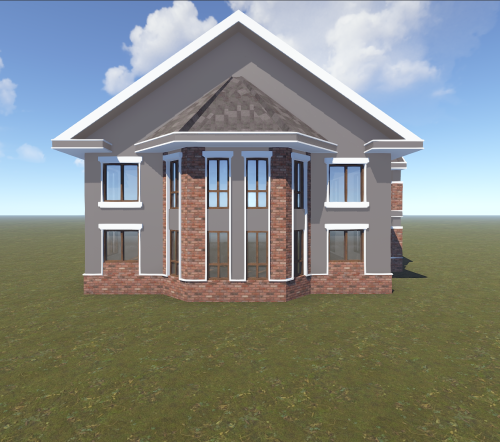
Version 1.0.0
3 downloads
Modern Luxury House is a detailed and stylish prefab designed for Rust servers that want to add realistic residential areas or high-quality custom locations to their maps. The house features a modern architectural style combined with classic brick accents, creating a clean and premium look.$7.002 points -

Version 2.5.2
177 downloads
Launched in 2024, RustApp.io is a SaaS web-panel for RUST server moderation and management. The service collects detailed player information, helps identify rule-breakers, and automates routine staff tasks through a single, user-friendly web interface. By 2026, the platform handles up to 33,000 concurrent players across 170+ projects during peak periods. Key Features of RustApp Player Profile Detailed player information: SteamID64, IP, country, city, and ISP. Steam account analysis: VAC/game bans, profile visibility, account creation date, total RUST hours, last known RUST hours (if the profile is now hidden but was previously scanned), and hours played in the last two weeks. Team and nickname history across all sessions. Real-time statistics: K/D ratio, combat logs, kills & death history. Custom tags and fields for deep integration with your own plugins. Enforcement & Moderation Advanced ban system: Global or server-specific bans, IP bans, mass team bans, building removal, and support for proof or comment attachments. Automated moderation: Auto-kick for VPN users, restricted Steam profiles, low playtime and that’s not all. Shared ban lists: Access and subscribe to public ban lists from other projects. Custom moderation actions: execute your own server commands through the panel. Player Drawing System: View all active drawings on your servers, with the ability to delete them or add them to favorites to save your players' most creative or funny artwork. Sleeping Bag Tracking: Comprehensive history of sleeping bag transfers between players, including coordinates and server data, with fully customizable filtering. Communication & Inspection Full chat monitoring: History of global, team, and private messages. Unified report system: Aggregated reports from F7, RustApp UI or custom plugins. Inspection workflow: Dedicated tools to initiate and manage player checks. Analytics & Logs Audit logs: Full transparency of all administrative actions. Staff performance: Detailed tracking of moderator activity and effectiveness. Server metrics: Real-time monitoring of online count, unique players, and geography. Integrations & Alerts External integrations: Seamless connection with RustCheatCheck (RCC) and Discord. Real-time alerts: Notifications for suspicious players, VPNs, blacklisted accounts, and much more, including your own custom alerts. Developer API: Full access for building custom tools and external integrations. Web Panel Screenshots RustApp Plugin The server connects to the website via a plugin with fully open-source code. It is available on GitHub, where you can also suggest improvements. This ensures complete transparency: you always know exactly what is installed on your server and how the code operates. Usefull Links — Website: rustapp.io — Support: t.me/rustapp_help — Documentation: docs.rustapp.ioFree2 points -
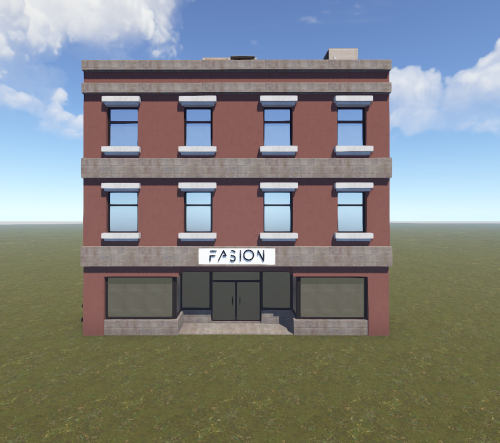
Version 1.0.0
1 download
Decorative Fashion Building A decorative fashion store building designed to enhance the visual appearance of your map. This structure is purely ornamental and cannot be entered, making it perfect for background city environments, shopping districts, or roleplay areas. The building features a classic multi-story storefront design with large display windows and a fashion shop sign, giving your server a more realistic urban atmosphere. Details: 260 prefabs 3-story decorative building Not enterable Purely ornamental / visual prop Ideal for city areas, shopping streets, or RP environments Perfect for server owners who want to add extra detail and realism to their map without affecting gameplay.$4.002 points -
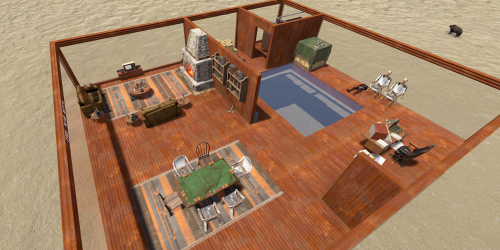
Version 1.0.0
37 downloads
Small Mod/Staff Room A Secure, Out-of-Sight Haven for Your Server Team Ensure your administrative team has a dedicated, secure space with the Small Mod/Staff Room. This prefab is specifically engineered for server owners who prioritize staff security and streamlined management. Designed with a compact footprint, this room is intended for under-map placement, providing a completely "invisible" zone that is inaccessible to regular players. Whether your staff needs a safe location to log off without risking their character's safety or a private lounge to discuss server matters, this prefab offers the perfect solution. Key Features Optimal Security: Designed for under-terrain placement to ensure 100% player-side invisibility and prevent unauthorized access. Safe Log-Off Zone: Provides a protected environment for moderators and admins to sleep/log off without the risk of being killed or looted. Staff Lounge: A functional, private area for staff members to congregate or wait while handling tickets and administrative duties. Performance Friendly: Low-poly and highly optimized to ensure no impact on server performance or client FPS. Plug-and-Play: Easily integrated into any map via RustEdit. For any Assistance or questions Please contact me on Discord @ https://discord.gg/HNhPTPZVmdFree2 points -

Version 0.4.6
2,129 downloads
Bring your Rust server to life with Roaming NPCs — AI bots that act just like real players. They gather, loot, and fight, making your server feel active and alive. Features: Realistic AI Behavior • NPCs roam the map and simulate player-like behavior. • Customizable behaviour: friendly, aggressive, defensive • Spawn bots on beaches or random points around the map. • Random or custom names and appearances. Resource Farming • Bots harvest wood, stone, metal, and sulfur using tools like rocks, hatchets, or pickaxes. • Automatically pick up nearby dropped resources, food, and more. • Loot crates and barrels found across the map. • Automatically equip better gear found during looting. Dynamic Combat • Bots attack wild animals like wolves, bears, and boars. • Uses ranged and melee weapons – from bows to rifle ak. Spawn Loadouts • Configure bot spawn kits – tools, weapons, clothes, and other. • Choose whether bots spawn with kit or start with rock and torch. Customization • Setup health, damage rates, respawn timers and other. • Record your own voice phrases that bot will replay on some actions using voice chat. • Define bot's behavior: - Friendly (doesn't attack, runs away) - Defensive (defends if attacked) - Aggressive (attacks first) See It in Action! Watch the Video Don't forget to download data files that include default voice phrases for bots. You can find them here (put this folder in oxide/data) Commands (roamingnpcs.admin permission): /rnpc vis - shows all RoamingNPC's bots /rnpc stashvis - shows all RoamingNPC's stashes /rnpc killall - kills all RoamingNPC's bots /rnpc tp - teleports all RoamingNPC's bots to you /rnpc totp - teleports you to closest RoamingNPC bot /rnpc init - clears all data and respawns bot (needs to be done after editing config) /rnpc recvoice start - start recording /rnpc recvoice stop - stop recording /rnpc recvoice replay - listen to current recording (recording will be stopped) /rnpc recvoice save <file name> - save current recording /rnpc recvoice replay <file name> - listen to the recording from file /rnpc recvoice clear - clear current recording Configuration: { "Specify the ID of the bot generator (8 - 15)": 9, "Bots settings": { "bob_resources_farmer": { "Enable bot?": true, "Bot appearance (Use the id in the range of the specified number of digits for the bot ID generator or leave 0 for random appearance)": 100000000, "Bot name (leave empty for random)": "Bob", "Respawn timer (3 - 60 seconds)": 300.0, "Use for respawn a random place on the map? (false - will respawn on the beach)": false, "Maximum health": 100.0, "What spawns on death (PlayerCorpse, NpcCorpse, Backpack)": "PlayerCorpse", "How many items will be destroyed when Backpack is selected (0 - 100%)": 50.0, "Bot behaviour - Aggressive, Friendly, Defensive": "Friendly", "Controller setup": { "Brain timer tick (0.01 - 1)": 0.1, "Controls timer tick (0.01 - 1)": 0.5, "Accuracy of fire (lower is better)": 10.0, "Find entities radius": 30.0, "Movement speed (1 - 4)": 4, "Movement speed in water (1 - 4)": 2, "Suicide timer if the bot does not reach the destination point (0 - disables the timer)": 600.0, "Timer attempt to avoid obstacle if the bot does not reach the target route": 3.0, "Damage rate from water": 1.0, "Allowed distance to teleport if the bot does not reach the destination point within this distance (-1 - allowed for any distance)": 0.0, "Damage rate to NPC targets": 2.0, "Damage rate to animals": 2.0, "Damage rate to players": 0.8, "Damage rate from NPCs": 0.2, "Damage rate from animals": 0.2, "Damage rate from players": 0.8 }, "Wear items (on respawn)": { "Lock container? (true - after death loot won't drop)": true, "Allow bot to wear found clothes?": false, "List of items": [ { "Item shortname or ID": "hazmatsuit.lumberjack", "Item skin": 0 } ] }, "Resource collection": { "Allow to gather wood?": true, "Allow to use fuel for chainsaw?": false, "Allow to mine ore?": true, "Allow to loot barrels?": false, "Allow to loot road signs?": false, "Allow to pickup resources?": true, "Allow to pickup dropped items?": false, "Allow to loot containers?": false, "Allow to loot corpses?": false, "Allow to harvest corpses?": false, "List of prefabs of corpses to harvest": [ "assets/rust.ai/agents/boar/boar.corpse.prefab", "polarbear.corpse", "bear.corpse", "stag.corpse", "wolf.corpse", "crocodile.corpse", "panther.corpse", "tiger.corpse", "chicken.corpse" ], "List of prefabs blocked for mining": [ "assets/bundled/prefabs/autospawn/resource/vine_swinging/vineswingingtree03.prefab", "assets/bundled/prefabs/autospawn/resource/vine_swinging/vineswingingtreeprefab.prefab", "assets/bundled/prefabs/autospawn/resource/vine_swinging/vineswingingtree02.prefab" ] }, "Fights with NPCs and players": { "Maximum distance for attack from weapon": 30.0, "Maximum distance for attack from melee": 1.0 }, "Animal hunting": { "Allow to hunt? (true - will attack animals even if they are not attacking)": false, "Make melee weapons preferred for hunting?": true, "Maximum distance for attack from weapon": 30.0, "Maximum distance for attack from melee": 2.0, "List of prefabs of animals to block hunting them": [] }, "Inventory overflow": { "Stash setup (bot will put items in the stash)": { "Enable?": true, "Hide stash?": true, "Life time (0 - will exist until restart)": 3600.0, "Maximum amount to use (0 - without limit)": 10 }, "Box setup (bot will put items in the box)": { "Enable?": true, "Use small box?": true, "Box skin": 0, "Life time (0 - will exist until restart or until it dies)": 3600.0, "Maximum amount to use (0 - without limit)": 5, "Another container prefab (you can leave it empty)": "" } }, "Monuments visit setup": { "Amount of random positions to visit on monument": 5, "List of monument prefabs blocked for visiting": [] }, "Items for ore mining": { "List of items (in priority order)": [ { "Allow to create item if it is not in inventory?": false, "Allow to give item when respawning?": false, "Item": { "Item shortname or ID": "jackhammer", "Item skin": 0 } }, { "Allow to create item if it is not in inventory?": false, "Allow to give item when respawning?": false, "Item": { "Item shortname or ID": "lumberjack.pickaxe", "Item skin": 0 } }, { "Allow to create item if it is not in inventory?": false, "Allow to give item when respawning?": false, "Item": { "Item shortname or ID": "diverpickaxe", "Item skin": 0 } }, { "Allow to create item if it is not in inventory?": true, "Allow to give item when respawning?": true, "Item": { "Item shortname or ID": "pickaxe", "Item skin": 0 } }, { "Allow to create item if it is not in inventory?": false, "Allow to give item when respawning?": false, "Item": { "Item shortname or ID": "stone.pickaxe", "Item skin": 0 } }, { "Allow to create item if it is not in inventory?": false, "Allow to give item when respawning?": false, "Item": { "Item shortname or ID": "rock", "Item skin": 0 } } ] }, "Items for tree gathering": { "List of items (in priority order)": [ { "Allow to create item if it is not in inventory?": false, "Allow to give item when respawning?": false, "Item": { "Item shortname or ID": "chainsaw", "Item skin": 0 } }, { "Allow to create item if it is not in inventory?": false, "Allow to give item when respawning?": false, "Item": { "Item shortname or ID": "lumberjack.hatchet", "Item skin": 0 } }, { "Allow to create item if it is not in inventory?": false, "Allow to give item when respawning?": false, "Item": { "Item shortname or ID": "frontier_hatchet", "Item skin": 0 } }, { "Allow to create item if it is not in inventory?": true, "Allow to give item when respawning?": true, "Item": { "Item shortname or ID": "hatchet", "Item skin": 0 } }, { "Allow to create item if it is not in inventory?": false, "Allow to give item when respawning?": false, "Item": { "Item shortname or ID": "stonehatchet", "Item skin": 0 } }, { "Allow to create item if it is not in inventory?": false, "Allow to give item when respawning?": false, "Item": { "Item shortname or ID": "rock", "Item skin": 0 } } ] }, "Items for fights": { "Use ammo?": false, "List of items (in priority order)": [ { "Allow to create item if it is not in inventory?": true, "Allow to give item when respawning?": true, "Item": { "Item shortname or ID": "bow.hunting", "Item skin": 0 } }, { "Allow to create item if it is not in inventory?": false, "Allow to give item when respawning?": false, "Item": { "Item shortname or ID": "1965232394", "Item skin": 0 } }, { "Allow to create item if it is not in inventory?": false, "Allow to give item when respawning?": false, "Item": { "Item shortname or ID": "salvaged.cleaver", "Item skin": 0 } } ], "Amount of ammo to give for weapon if respawning is allowed": 128 }, "Items for harvesting animals": { "List of items (in priority order)": [ { "Allow to create item if it is not in inventory?": true, "Allow to give item when respawning?": false, "Item": { "Item shortname or ID": "knife.skinning", "Item skin": 0 } } ] }, "Items for healing": { "List of items (in priority order)": [ { "Allow to create item if it is not in inventory?": false, "Allow to give item when respawning?": true, "Item": { "Item shortname or ID": "syringe.medical", "Item skin": 0 }, "Amount of items to give when respawning": 5 }, { "Allow to create item if it is not in inventory?": true, "Allow to give item when respawning?": false, "Item": { "Item shortname or ID": "bandage", "Item skin": 0 }, "Amount of items to give when respawning": 1 } ] }, "Voice phrases for different actions": { "Use voice phrases?": true, "Phrases for the Miner state": { "Phrases when picking up resources": { "Phrases": [ "uinston/miner/pickup_collectable/1" ], "Chance of using phrases (% 0 - 100)": 30.0 }, "Phrases when picking up items": { "Phrases": [ "uinston/miner/pickup_collectable/1" ], "Chance of using phrases (% 0 - 100)": 30.0 }, "Phrases when gathering trees": { "Phrases": [ "uinston/miner/mining_tree/1" ], "Chance of using phrases (% 0 - 100)": 30.0 }, "Phrases when mining ore": { "Phrases": [ "uinston/miner/mining_ore/1" ], "Chance of using phrases (% 0 - 100)": 30.0 }, "Phrases when looting containers": { "Phrases": [ "uinston/miner/looting/1" ], "Chance of using phrases (% 0 - 100)": 30.0 }, "Phrases when breaking containers (barrels, signs and etc.)": { "Phrases": [ "uinston/miner/breaking/1" ], "Chance of using phrases (% 0 - 100)": 30.0 }, "Phrases when looting corpses": { "Phrases": [ "uinston/miner/looting/1" ], "Chance of using phrases (% 0 - 100)": 30.0 }, "Phrases when harvesting corpses": { "Phrases": [ "uinston/miner/butcher_corpse/1" ], "Chance of using phrases (% 0 - 100)": 30.0 } }, "Phrases for the Hunter state": { "Phrases before starting to attack": { "Phrases": [ "uinston/hunter/start_attack/1", "uinston/hunter/start_attack/2" ], "Chance of using phrases (% 0 - 100)": 30.0 } }, "Phrases for the Fight state": { "Phrases before starting to attack": { "Phrases": [ "uinston/attacker/start_attack/1" ], "Chance of using phrases (% 0 - 100)": 30.0 }, "Phrases when the bot does not see the target": { "Phrases": [ "uinston/attacker/not_visible/1", "uinston/attacker/not_visible/2", "uinston/attacker/not_visible/3" ], "Chance of using phrases (% 0 - 100)": 30.0 }, "Phrases when the bot runs away from the attacker": { "Phrases": [ "uinston/attacker/run_away/1", "uinston/attacker/run_away/2", "uinston/attacker/run_away/3" ], "Chance of using phrases (% 0 - 100)": 30.0 } }, "Phrases for the Researcher state": { "Phrases before starting to move to the monument point": { "Phrases": [ "uinston/researcher/before_move/1" ], "Chance of using phrases (% 0 - 100)": 30.0 }, "Phrases when reaching the destination": { "Phrases": [ "uinston/researcher/after_move/1" ], "Chance of using phrases (% 0 - 100)": 30.0 } }, "Phrases when creating a container with resources": { "Phrases": [ "uinston/full_state/1", "uinston/full_state/2" ], "Chance of using phrases (% 0 - 100)": 30.0 }, "Phrases when healing": { "Phrases": [ "uinston/medical_state/1", "uinston/medical_state/2", "uinston/medical_state/3" ], "Chance of using phrases (% 0 - 100)": 30.0 } } }, "john_looter": { "Enable bot?": true, "Bot appearance (Use the id in the range of the specified number of digits for the bot ID generator or leave 0 for random appearance)": 0, "Bot name (leave empty for random)": "John", "Respawn timer (3 - 60 seconds)": 300.0, "Use for respawn a random place on the map? (false - will respawn on the beach)": false, "Maximum health": 120.0, "What spawns on death (PlayerCorpse, NpcCorpse, Backpack)": "PlayerCorpse", "How many items will be destroyed when Backpack is selected (0 - 100%)": 50.0, "Bot behaviour - Aggressive, Friendly, Defensive": "Defensive", "Controller setup": { "Brain timer tick (0.01 - 1)": 0.1, "Controls timer tick (0.01 - 1)": 0.5, "Accuracy of fire (lower is better)": 10.0, "Find entities radius": 30.0, "Movement speed (1 - 4)": 4, "Movement speed in water (1 - 4)": 2, "Suicide timer if the bot does not reach the destination point (0 - disables the timer)": 600.0, "Timer attempt to avoid obstacle if the bot does not reach the target route": 3.0, "Damage rate from water": 1.0, "Allowed distance to teleport if the bot does not reach the destination point within this distance (-1 - allowed for any distance)": 0.0, "Damage rate to NPC targets": 2.0, "Damage rate to animals": 2.0, "Damage rate to players": 0.8, "Damage rate from NPCs": 0.2, "Damage rate from animals": 0.2, "Damage rate from players": 0.8 }, "Wear items (on respawn)": { "Lock container? (true - after death loot won't drop)": true, "Allow bot to wear found clothes?": false, "List of items": [ { "Item shortname or ID": "hazmatsuit.nomadsuit", "Item skin": 0 } ] }, "Resource collection": { "Allow to gather wood?": false, "Allow to use fuel for chainsaw?": false, "Allow to mine ore?": false, "Allow to loot barrels?": true, "Allow to loot road signs?": true, "Allow to pickup resources?": true, "Allow to pickup dropped items?": true, "Allow to loot containers?": true, "Allow to loot corpses?": true, "Allow to harvest corpses?": false, "List of prefabs of corpses to harvest": [ "assets/rust.ai/agents/boar/boar.corpse.prefab", "polarbear.corpse", "bear.corpse", "stag.corpse", "wolf.corpse", "crocodile.corpse", "panther.corpse", "tiger.corpse", "chicken.corpse" ], "List of prefabs blocked for mining": [ "assets/bundled/prefabs/autospawn/resource/vine_swinging/vineswingingtree03.prefab", "assets/bundled/prefabs/autospawn/resource/vine_swinging/vineswingingtreeprefab.prefab", "assets/bundled/prefabs/autospawn/resource/vine_swinging/vineswingingtree02.prefab" ] }, "Fights with NPCs and players": { "Maximum distance for attack from weapon": 30.0, "Maximum distance for attack from melee": 1.0 }, "Animal hunting": { "Allow to hunt? (true - will attack animals even if they are not attacking)": false, "Make melee weapons preferred for hunting?": true, "Maximum distance for attack from weapon": 30.0, "Maximum distance for attack from melee": 2.0, "List of prefabs of animals to block hunting them": [] }, "Inventory overflow": { "Stash setup (bot will put items in the stash)": { "Enable?": true, "Hide stash?": true, "Life time (0 - will exist until restart)": 3600.0, "Maximum amount to use (0 - without limit)": 10 }, "Box setup (bot will put items in the box)": { "Enable?": true, "Use small box?": true, "Box skin": 0, "Life time (0 - will exist until restart or until it dies)": 3600.0, "Maximum amount to use (0 - without limit)": 5, "Another container prefab (you can leave it empty)": "" } }, "Monuments visit setup": { "Amount of random positions to visit on monument": 5, "List of monument prefabs blocked for visiting": [] }, "Items for ore mining": { "List of items (in priority order)": [ { "Allow to create item if it is not in inventory?": false, "Allow to give item when respawning?": false, "Item": { "Item shortname or ID": "jackhammer", "Item skin": 0 } }, { "Allow to create item if it is not in inventory?": false, "Allow to give item when respawning?": false, "Item": { "Item shortname or ID": "lumberjack.pickaxe", "Item skin": 0 } }, { "Allow to create item if it is not in inventory?": false, "Allow to give item when respawning?": false, "Item": { "Item shortname or ID": "diverpickaxe", "Item skin": 0 } }, { "Allow to create item if it is not in inventory?": true, "Allow to give item when respawning?": true, "Item": { "Item shortname or ID": "pickaxe", "Item skin": 0 } }, { "Allow to create item if it is not in inventory?": false, "Allow to give item when respawning?": false, "Item": { "Item shortname or ID": "stone.pickaxe", "Item skin": 0 } }, { "Allow to create item if it is not in inventory?": false, "Allow to give item when respawning?": false, "Item": { "Item shortname or ID": "rock", "Item skin": 0 } } ] }, "Items for tree gathering": { "List of items (in priority order)": [ { "Allow to create item if it is not in inventory?": false, "Allow to give item when respawning?": false, "Item": { "Item shortname or ID": "chainsaw", "Item skin": 0 } }, { "Allow to create item if it is not in inventory?": false, "Allow to give item when respawning?": false, "Item": { "Item shortname or ID": "lumberjack.hatchet", "Item skin": 0 } }, { "Allow to create item if it is not in inventory?": false, "Allow to give item when respawning?": false, "Item": { "Item shortname or ID": "frontier_hatchet", "Item skin": 0 } }, { "Allow to create item if it is not in inventory?": true, "Allow to give item when respawning?": true, "Item": { "Item shortname or ID": "hatchet", "Item skin": 0 } }, { "Allow to create item if it is not in inventory?": false, "Allow to give item when respawning?": false, "Item": { "Item shortname or ID": "stonehatchet", "Item skin": 0 } }, { "Allow to create item if it is not in inventory?": false, "Allow to give item when respawning?": false, "Item": { "Item shortname or ID": "rock", "Item skin": 0 } } ] }, "Items for fights": { "Use ammo?": true, "List of items (in priority order)": [ { "Allow to create item if it is not in inventory?": false, "Allow to give item when respawning?": true, "Item": { "Item shortname or ID": "rifle.ak.diver", "Item skin": 0 } }, { "Allow to create item if it is not in inventory?": true, "Allow to give item when respawning?": true, "Item": { "Item shortname or ID": "bow.hunting", "Item skin": 0 } }, { "Allow to create item if it is not in inventory?": true, "Allow to give item when respawning?": false, "Item": { "Item shortname or ID": "1965232394", "Item skin": 0 } }, { "Allow to create item if it is not in inventory?": true, "Allow to give item when respawning?": false, "Item": { "Item shortname or ID": "salvaged.cleaver", "Item skin": 0 } } ], "Amount of ammo to give for weapon if respawning is allowed": 300 }, "Items for harvesting animals": { "List of items (in priority order)": [ { "Allow to create item if it is not in inventory?": true, "Allow to give item when respawning?": false, "Item": { "Item shortname or ID": "knife.skinning", "Item skin": 0 } } ] }, "Items for healing": { "List of items (in priority order)": [ { "Allow to create item if it is not in inventory?": false, "Allow to give item when respawning?": true, "Item": { "Item shortname or ID": "syringe.medical", "Item skin": 0 }, "Amount of items to give when respawning": 5 }, { "Allow to create item if it is not in inventory?": true, "Allow to give item when respawning?": false, "Item": { "Item shortname or ID": "bandage", "Item skin": 0 }, "Amount of items to give when respawning": 1 } ] }, "Voice phrases for different actions": { "Use voice phrases?": true, "Phrases for the Miner state": { "Phrases when picking up resources": { "Phrases": [ "uinston/miner/pickup_collectable/1" ], "Chance of using phrases (% 0 - 100)": 30.0 }, "Phrases when picking up items": { "Phrases": [ "uinston/miner/pickup_collectable/1" ], "Chance of using phrases (% 0 - 100)": 30.0 }, "Phrases when gathering trees": { "Phrases": [ "uinston/miner/mining_tree/1" ], "Chance of using phrases (% 0 - 100)": 30.0 }, "Phrases when mining ore": { "Phrases": [ "uinston/miner/mining_ore/1" ], "Chance of using phrases (% 0 - 100)": 30.0 }, "Phrases when looting containers": { "Phrases": [ "uinston/miner/looting/1" ], "Chance of using phrases (% 0 - 100)": 30.0 }, "Phrases when breaking containers (barrels, signs and etc.)": { "Phrases": [ "uinston/miner/breaking/1" ], "Chance of using phrases (% 0 - 100)": 30.0 }, "Phrases when looting corpses": { "Phrases": [ "uinston/miner/looting/1" ], "Chance of using phrases (% 0 - 100)": 30.0 }, "Phrases when harvesting corpses": { "Phrases": [ "uinston/miner/butcher_corpse/1" ], "Chance of using phrases (% 0 - 100)": 30.0 } }, "Phrases for the Hunter state": { "Phrases before starting to attack": { "Phrases": [ "uinston/hunter/start_attack/1", "uinston/hunter/start_attack/2" ], "Chance of using phrases (% 0 - 100)": 30.0 } }, "Phrases for the Fight state": { "Phrases before starting to attack": { "Phrases": [ "uinston/attacker/start_attack/1" ], "Chance of using phrases (% 0 - 100)": 30.0 }, "Phrases when the bot does not see the target": { "Phrases": [ "uinston/attacker/not_visible/1", "uinston/attacker/not_visible/2", "uinston/attacker/not_visible/3" ], "Chance of using phrases (% 0 - 100)": 30.0 }, "Phrases when the bot runs away from the attacker": { "Phrases": [ "uinston/attacker/run_away/1", "uinston/attacker/run_away/2", "uinston/attacker/run_away/3" ], "Chance of using phrases (% 0 - 100)": 30.0 } }, "Phrases for the Researcher state": { "Phrases before starting to move to the monument point": { "Phrases": [ "uinston/researcher/before_move/1" ], "Chance of using phrases (% 0 - 100)": 30.0 }, "Phrases when reaching the destination": { "Phrases": [ "uinston/researcher/after_move/1" ], "Chance of using phrases (% 0 - 100)": 30.0 } }, "Phrases when creating a container with resources": { "Phrases": [ "uinston/full_state/1", "uinston/full_state/2" ], "Chance of using phrases (% 0 - 100)": 30.0 }, "Phrases when healing": { "Phrases": [ "uinston/medical_state/1", "uinston/medical_state/2", "uinston/medical_state/3" ], "Chance of using phrases (% 0 - 100)": 30.0 } } }, "alfred_hunter": { "Enable bot?": true, "Bot appearance (Use the id in the range of the specified number of digits for the bot ID generator or leave 0 for random appearance)": 0, "Bot name (leave empty for random)": "Alfred", "Respawn timer (3 - 60 seconds)": 300.0, "Use for respawn a random place on the map? (false - will respawn on the beach)": false, "Maximum health": 100.0, "What spawns on death (PlayerCorpse, NpcCorpse, Backpack)": "PlayerCorpse", "How many items will be destroyed when Backpack is selected (0 - 100%)": 50.0, "Bot behaviour - Aggressive, Friendly, Defensive": "Defensive", "Controller setup": { "Brain timer tick (0.01 - 1)": 0.1, "Controls timer tick (0.01 - 1)": 0.5, "Accuracy of fire (lower is better)": 10.0, "Find entities radius": 30.0, "Movement speed (1 - 4)": 4, "Movement speed in water (1 - 4)": 2, "Suicide timer if the bot does not reach the destination point (0 - disables the timer)": 600.0, "Timer attempt to avoid obstacle if the bot does not reach the target route": 3.0, "Damage rate from water": 1.0, "Allowed distance to teleport if the bot does not reach the destination point within this distance (-1 - allowed for any distance)": 0.0, "Damage rate to NPC targets": 2.0, "Damage rate to animals": 2.0, "Damage rate to players": 0.8, "Damage rate from NPCs": 0.2, "Damage rate from animals": 0.2, "Damage rate from players": 0.8 }, "Wear items (on respawn)": { "Lock container? (true - after death loot won't drop)": true, "Allow bot to wear found clothes?": false, "List of items": [ { "Item shortname or ID": "hazmatsuit.frontier", "Item skin": 0 } ] }, "Resource collection": { "Allow to gather wood?": false, "Allow to use fuel for chainsaw?": false, "Allow to mine ore?": false, "Allow to loot barrels?": false, "Allow to loot road signs?": false, "Allow to pickup resources?": false, "Allow to pickup dropped items?": true, "Allow to loot containers?": false, "Allow to loot corpses?": false, "Allow to harvest corpses?": true, "List of prefabs of corpses to harvest": [ "assets/rust.ai/agents/boar/boar.corpse.prefab", "polarbear.corpse", "bear.corpse", "stag.corpse", "wolf.corpse", "crocodile.corpse", "panther.corpse", "tiger.corpse", "chicken.corpse" ], "List of prefabs blocked for mining": [ "assets/bundled/prefabs/autospawn/resource/vine_swinging/vineswingingtree03.prefab", "assets/bundled/prefabs/autospawn/resource/vine_swinging/vineswingingtreeprefab.prefab", "assets/bundled/prefabs/autospawn/resource/vine_swinging/vineswingingtree02.prefab" ] }, "Fights with NPCs and players": { "Maximum distance for attack from weapon": 30.0, "Maximum distance for attack from melee": 1.0 }, "Animal hunting": { "Allow to hunt? (true - will attack animals even if they are not attacking)": true, "Make melee weapons preferred for hunting?": false, "Maximum distance for attack from weapon": 25.0, "Maximum distance for attack from melee": 2.0, "List of prefabs of animals to block hunting them": [] }, "Inventory overflow": { "Stash setup (bot will put items in the stash)": { "Enable?": true, "Hide stash?": true, "Life time (0 - will exist until restart)": 3600.0, "Maximum amount to use (0 - without limit)": 10 }, "Box setup (bot will put items in the box)": { "Enable?": true, "Use small box?": true, "Box skin": 0, "Life time (0 - will exist until restart or until it dies)": 3600.0, "Maximum amount to use (0 - without limit)": 5, "Another container prefab (you can leave it empty)": "" } }, "Monuments visit setup": { "Amount of random positions to visit on monument": 5, "List of monument prefabs blocked for visiting": [] }, "Items for ore mining": { "List of items (in priority order)": [ { "Allow to create item if it is not in inventory?": false, "Allow to give item when respawning?": false, "Item": { "Item shortname or ID": "jackhammer", "Item skin": 0 } }, { "Allow to create item if it is not in inventory?": false, "Allow to give item when respawning?": false, "Item": { "Item shortname or ID": "lumberjack.pickaxe", "Item skin": 0 } }, { "Allow to create item if it is not in inventory?": false, "Allow to give item when respawning?": false, "Item": { "Item shortname or ID": "diverpickaxe", "Item skin": 0 } }, { "Allow to create item if it is not in inventory?": true, "Allow to give item when respawning?": true, "Item": { "Item shortname or ID": "pickaxe", "Item skin": 0 } }, { "Allow to create item if it is not in inventory?": false, "Allow to give item when respawning?": false, "Item": { "Item shortname or ID": "stone.pickaxe", "Item skin": 0 } }, { "Allow to create item if it is not in inventory?": false, "Allow to give item when respawning?": false, "Item": { "Item shortname or ID": "rock", "Item skin": 0 } } ] }, "Items for tree gathering": { "List of items (in priority order)": [ { "Allow to create item if it is not in inventory?": false, "Allow to give item when respawning?": false, "Item": { "Item shortname or ID": "chainsaw", "Item skin": 0 } }, { "Allow to create item if it is not in inventory?": false, "Allow to give item when respawning?": false, "Item": { "Item shortname or ID": "lumberjack.hatchet", "Item skin": 0 } }, { "Allow to create item if it is not in inventory?": false, "Allow to give item when respawning?": false, "Item": { "Item shortname or ID": "frontier_hatchet", "Item skin": 0 } }, { "Allow to create item if it is not in inventory?": true, "Allow to give item when respawning?": true, "Item": { "Item shortname or ID": "hatchet", "Item skin": 0 } }, { "Allow to create item if it is not in inventory?": false, "Allow to give item when respawning?": false, "Item": { "Item shortname or ID": "stonehatchet", "Item skin": 0 } }, { "Allow to create item if it is not in inventory?": false, "Allow to give item when respawning?": false, "Item": { "Item shortname or ID": "rock", "Item skin": 0 } } ] }, "Items for fights": { "Use ammo?": false, "List of items (in priority order)": [ { "Allow to create item if it is not in inventory?": false, "Allow to give item when respawning?": true, "Item": { "Item shortname or ID": "shotgun.spas12", "Item skin": 0 } }, { "Allow to create item if it is not in inventory?": true, "Allow to give item when respawning?": false, "Item": { "Item shortname or ID": "bow.hunting", "Item skin": 0 } }, { "Allow to create item if it is not in inventory?": true, "Allow to give item when respawning?": false, "Item": { "Item shortname or ID": "1965232394", "Item skin": 0 } }, { "Allow to create item if it is not in inventory?": true, "Allow to give item when respawning?": false, "Item": { "Item shortname or ID": "salvaged.cleaver", "Item skin": 0 } } ], "Amount of ammo to give for weapon if respawning is allowed": 300 }, "Items for harvesting animals": { "List of items (in priority order)": [ { "Allow to create item if it is not in inventory?": true, "Allow to give item when respawning?": false, "Item": { "Item shortname or ID": "knife.skinning", "Item skin": 0 } } ] }, "Items for healing": { "List of items (in priority order)": [ { "Allow to create item if it is not in inventory?": false, "Allow to give item when respawning?": true, "Item": { "Item shortname or ID": "syringe.medical", "Item skin": 0 }, "Amount of items to give when respawning": 5 }, { "Allow to create item if it is not in inventory?": true, "Allow to give item when respawning?": false, "Item": { "Item shortname or ID": "bandage", "Item skin": 0 }, "Amount of items to give when respawning": 1 } ] }, "Voice phrases for different actions": { "Use voice phrases?": true, "Phrases for the Miner state": { "Phrases when picking up resources": { "Phrases": [ "uinston/miner/pickup_collectable/1" ], "Chance of using phrases (% 0 - 100)": 30.0 }, "Phrases when picking up items": { "Phrases": [ "uinston/miner/pickup_collectable/1" ], "Chance of using phrases (% 0 - 100)": 30.0 }, "Phrases when gathering trees": { "Phrases": [ "uinston/miner/mining_tree/1" ], "Chance of using phrases (% 0 - 100)": 30.0 }, "Phrases when mining ore": { "Phrases": [ "uinston/miner/mining_ore/1" ], "Chance of using phrases (% 0 - 100)": 30.0 }, "Phrases when looting containers": { "Phrases": [ "uinston/miner/looting/1" ], "Chance of using phrases (% 0 - 100)": 30.0 }, "Phrases when breaking containers (barrels, signs and etc.)": { "Phrases": [ "uinston/miner/breaking/1" ], "Chance of using phrases (% 0 - 100)": 30.0 }, "Phrases when looting corpses": { "Phrases": [ "uinston/miner/looting/1" ], "Chance of using phrases (% 0 - 100)": 30.0 }, "Phrases when harvesting corpses": { "Phrases": [ "uinston/miner/butcher_corpse/1" ], "Chance of using phrases (% 0 - 100)": 30.0 } }, "Phrases for the Hunter state": { "Phrases before starting to attack": { "Phrases": [ "uinston/hunter/start_attack/1", "uinston/hunter/start_attack/2" ], "Chance of using phrases (% 0 - 100)": 30.0 } }, "Phrases for the Fight state": { "Phrases before starting to attack": { "Phrases": [ "uinston/attacker/start_attack/1" ], "Chance of using phrases (% 0 - 100)": 30.0 }, "Phrases when the bot does not see the target": { "Phrases": [ "uinston/attacker/not_visible/1", "uinston/attacker/not_visible/2", "uinston/attacker/not_visible/3" ], "Chance of using phrases (% 0 - 100)": 30.0 }, "Phrases when the bot runs away from the attacker": { "Phrases": [ "uinston/attacker/run_away/1", "uinston/attacker/run_away/2", "uinston/attacker/run_away/3" ], "Chance of using phrases (% 0 - 100)": 30.0 } }, "Phrases for the Researcher state": { "Phrases before starting to move to the monument point": { "Phrases": [ "uinston/researcher/before_move/1" ], "Chance of using phrases (% 0 - 100)": 30.0 }, "Phrases when reaching the destination": { "Phrases": [ "uinston/researcher/after_move/1" ], "Chance of using phrases (% 0 - 100)": 30.0 } }, "Phrases when creating a container with resources": { "Phrases": [ "uinston/full_state/1", "uinston/full_state/2" ], "Chance of using phrases (% 0 - 100)": 30.0 }, "Phrases when healing": { "Phrases": [ "uinston/medical_state/1", "uinston/medical_state/2", "uinston/medical_state/3" ], "Chance of using phrases (% 0 - 100)": 30.0 } } }, "austin_fighter": { "Enable bot?": true, "Bot appearance (Use the id in the range of the specified number of digits for the bot ID generator or leave 0 for random appearance)": 0, "Bot name (leave empty for random)": "Austin", "Respawn timer (3 - 60 seconds)": 300.0, "Use for respawn a random place on the map? (false - will respawn on the beach)": false, "Maximum health": 120.0, "What spawns on death (PlayerCorpse, NpcCorpse, Backpack)": "PlayerCorpse", "How many items will be destroyed when Backpack is selected (0 - 100%)": 0.0, "Bot behaviour - Aggressive, Friendly, Defensive": "Aggressive", "Controller setup": { "Brain timer tick (0.01 - 1)": 0.1, "Controls timer tick (0.01 - 1)": 0.5, "Accuracy of fire (lower is better)": 3.0, "Find entities radius": 30.0, "Movement speed (1 - 4)": 4, "Movement speed in water (1 - 4)": 2, "Suicide timer if the bot does not reach the destination point (0 - disables the timer)": 600.0, "Timer attempt to avoid obstacle if the bot does not reach the target route": 3.0, "Damage rate from water": 0.0, "Allowed distance to teleport if the bot does not reach the destination point within this distance (-1 - allowed for any distance)": 0.0, "Damage rate to NPC targets": 2.0, "Damage rate to animals": 2.0, "Damage rate to players": 0.8, "Damage rate from NPCs": 0.2, "Damage rate from animals": 0.2, "Damage rate from players": 0.8 }, "Wear items (on respawn)": { "Lock container? (true - after death loot won't drop)": true, "Allow bot to wear found clothes?": false, "List of items": [ { "Item shortname or ID": "hazmat.krieg", "Item skin": 0 } ] }, "Resource collection": { "Allow to gather wood?": false, "Allow to use fuel for chainsaw?": false, "Allow to mine ore?": false, "Allow to loot barrels?": true, "Allow to loot road signs?": false, "Allow to pickup resources?": false, "Allow to pickup dropped items?": true, "Allow to loot containers?": true, "Allow to loot corpses?": true, "Allow to harvest corpses?": false, "List of prefabs of corpses to harvest": [ "assets/rust.ai/agents/boar/boar.corpse.prefab", "polarbear.corpse", "bear.corpse", "stag.corpse", "wolf.corpse", "crocodile.corpse", "panther.corpse", "tiger.corpse", "chicken.corpse" ], "List of prefabs blocked for mining": [ "assets/bundled/prefabs/autospawn/resource/vine_swinging/vineswingingtree03.prefab", "assets/bundled/prefabs/autospawn/resource/vine_swinging/vineswingingtreeprefab.prefab", "assets/bundled/prefabs/autospawn/resource/vine_swinging/vineswingingtree02.prefab" ] }, "Fights with NPCs and players": { "Maximum distance for attack from weapon": 30.0, "Maximum distance for attack from melee": 1.0 }, "Animal hunting": { "Allow to hunt? (true - will attack animals even if they are not attacking)": false, "Make melee weapons preferred for hunting?": false, "Maximum distance for attack from weapon": 30.0, "Maximum distance for attack from melee": 2.0, "List of prefabs of animals to block hunting them": [] }, "Inventory overflow": { "Stash setup (bot will put items in the stash)": { "Enable?": true, "Hide stash?": true, "Life time (0 - will exist until restart)": 3600.0, "Maximum amount to use (0 - without limit)": 10 }, "Box setup (bot will put items in the box)": { "Enable?": true, "Use small box?": true, "Box skin": 0, "Life time (0 - will exist until restart or until it dies)": 3600.0, "Maximum amount to use (0 - without limit)": 5, "Another container prefab (you can leave it empty)": "" } }, "Monuments visit setup": { "Amount of random positions to visit on monument": 5, "List of monument prefabs blocked for visiting": [] }, "Items for ore mining": { "List of items (in priority order)": [ { "Allow to create item if it is not in inventory?": false, "Allow to give item when respawning?": false, "Item": { "Item shortname or ID": "jackhammer", "Item skin": 0 } }, { "Allow to create item if it is not in inventory?": false, "Allow to give item when respawning?": false, "Item": { "Item shortname or ID": "lumberjack.pickaxe", "Item skin": 0 } }, { "Allow to create item if it is not in inventory?": false, "Allow to give item when respawning?": false, "Item": { "Item shortname or ID": "diverpickaxe", "Item skin": 0 } }, { "Allow to create item if it is not in inventory?": true, "Allow to give item when respawning?": true, "Item": { "Item shortname or ID": "pickaxe", "Item skin": 0 } }, { "Allow to create item if it is not in inventory?": false, "Allow to give item when respawning?": false, "Item": { "Item shortname or ID": "stone.pickaxe", "Item skin": 0 } }, { "Allow to create item if it is not in inventory?": false, "Allow to give item when respawning?": false, "Item": { "Item shortname or ID": "rock", "Item skin": 0 } } ] }, "Items for tree gathering": { "List of items (in priority order)": [ { "Allow to create item if it is not in inventory?": false, "Allow to give item when respawning?": false, "Item": { "Item shortname or ID": "chainsaw", "Item skin": 0 } }, { "Allow to create item if it is not in inventory?": false, "Allow to give item when respawning?": false, "Item": { "Item shortname or ID": "lumberjack.hatchet", "Item skin": 0 } }, { "Allow to create item if it is not in inventory?": false, "Allow to give item when respawning?": false, "Item": { "Item shortname or ID": "frontier_hatchet", "Item skin": 0 } }, { "Allow to create item if it is not in inventory?": true, "Allow to give item when respawning?": true, "Item": { "Item shortname or ID": "hatchet", "Item skin": 0 } }, { "Allow to create item if it is not in inventory?": false, "Allow to give item when respawning?": false, "Item": { "Item shortname or ID": "stonehatchet", "Item skin": 0 } }, { "Allow to create item if it is not in inventory?": false, "Allow to give item when respawning?": false, "Item": { "Item shortname or ID": "rock", "Item skin": 0 } } ] }, "Items for fights": { "Use ammo?": false, "List of items (in priority order)": [ { "Allow to create item if it is not in inventory?": false, "Allow to give item when respawning?": true, "Item": { "Item shortname or ID": "krieg.shotgun", "Item skin": 0 } }, { "Allow to create item if it is not in inventory?": true, "Allow to give item when respawning?": false, "Item": { "Item shortname or ID": "krieg.chainsword", "Item skin": 0 } } ], "Amount of ammo to give for weapon if respawning is allowed": 300 }, "Items for harvesting animals": { "List of items (in priority order)": [ { "Allow to create item if it is not in inventory?": true, "Allow to give item when respawning?": false, "Item": { "Item shortname or ID": "knife.skinning", "Item skin": 0 } } ] }, "Items for healing": { "List of items (in priority order)": [ { "Allow to create item if it is not in inventory?": true, "Allow to give item when respawning?": false, "Item": { "Item shortname or ID": "syringe.medical", "Item skin": 0 }, "Amount of items to give when respawning": 5 } ] }, "Voice phrases for different actions": { "Use voice phrases?": true, "Phrases for the Miner state": { "Phrases when picking up resources": { "Phrases": [ "uinston/miner/pickup_collectable/1" ], "Chance of using phrases (% 0 - 100)": 30.0 }, "Phrases when picking up items": { "Phrases": [ "uinston/miner/pickup_collectable/1" ], "Chance of using phrases (% 0 - 100)": 30.0 }, "Phrases when gathering trees": { "Phrases": [ "uinston/miner/mining_tree/1" ], "Chance of using phrases (% 0 - 100)": 30.0 }, "Phrases when mining ore": { "Phrases": [ "uinston/miner/mining_ore/1" ], "Chance of using phrases (% 0 - 100)": 30.0 }, "Phrases when looting containers": { "Phrases": [ "uinston/miner/looting/1" ], "Chance of using phrases (% 0 - 100)": 30.0 }, "Phrases when breaking containers (barrels, signs and etc.)": { "Phrases": [ "uinston/miner/breaking/1" ], "Chance of using phrases (% 0 - 100)": 30.0 }, "Phrases when looting corpses": { "Phrases": [ "uinston/miner/looting/1" ], "Chance of using phrases (% 0 - 100)": 30.0 }, "Phrases when harvesting corpses": { "Phrases": [ "uinston/miner/butcher_corpse/1" ], "Chance of using phrases (% 0 - 100)": 30.0 } }, "Phrases for the Hunter state": { "Phrases before starting to attack": { "Phrases": [ "uinston/hunter/start_attack/1", "uinston/hunter/start_attack/2" ], "Chance of using phrases (% 0 - 100)": 30.0 } }, "Phrases for the Fight state": { "Phrases before starting to attack": { "Phrases": [ "uinston/attacker/start_attack/1" ], "Chance of using phrases (% 0 - 100)": 30.0 }, "Phrases when the bot does not see the target": { "Phrases": [ "uinston/attacker/not_visible/1", "uinston/attacker/not_visible/2", "uinston/attacker/not_visible/3" ], "Chance of using phrases (% 0 - 100)": 30.0 }, "Phrases when the bot runs away from the attacker": { "Phrases": [ "uinston/attacker/run_away/1", "uinston/attacker/run_away/2", "uinston/attacker/run_away/3" ], "Chance of using phrases (% 0 - 100)": 30.0 } }, "Phrases for the Researcher state": { "Phrases before starting to move to the monument point": { "Phrases": [ "uinston/researcher/before_move/1" ], "Chance of using phrases (% 0 - 100)": 30.0 }, "Phrases when reaching the destination": { "Phrases": [ "uinston/researcher/after_move/1" ], "Chance of using phrases (% 0 - 100)": 30.0 } }, "Phrases when creating a container with resources": { "Phrases": [ "uinston/full_state/1", "uinston/full_state/2" ], "Chance of using phrases (% 0 - 100)": 30.0 }, "Phrases when healing": { "Phrases": [ "uinston/medical_state/1", "uinston/medical_state/2", "uinston/medical_state/3" ], "Chance of using phrases (% 0 - 100)": 30.0 } } } } }$29.901 point -
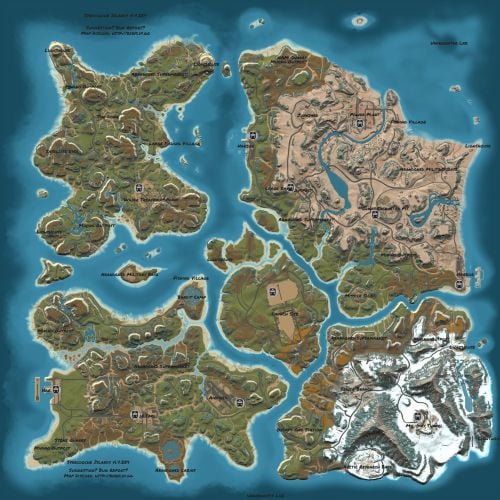
Version 2.3.0
332 downloads
Welcome to SYNECDOCHE! Synecdoche (noun) Sin-eck-doh-key: A figure of speech in which a part is made to represent the whole. Crafted over the course of years, this map offers something extraordinarily rare in this community. Custom monuments are amazing and fun to explore! I've seen so much hard work go into them and people have made some really cool stuff. However, custom monuments are only a small part of the level design in Rust. A Map Focused on Detail, no matter where you are: But who would be insane enough to do such a thing? And how would it be possible? A 4k Rust map is 16 square kilometers. To make this feel like a real place, and give each space the attention to detail it needs demands thousands of hours working with consistent standards. This is why almost all of the maps aside from a handful on these sites will choose to use some form of procedural generation, and what makes synecdoche so uncommon. Every square meter was hand crafted with care, to make a place that feels alive and fantastical. it's what makes the map feel so beautiful. Still Not Convinced? Well, here's some of the feedback we've gotten from the community! Where Reality Meets Fantasy Each and every spot on the map was precisely manicured to feel unique and significant. Every rock has its purpose, and every nook and cranny was deliberately sculpted to inspire exploration. There are no locations on the map that were forgotten or left behind. Each location plays its part to represent the world as a whole. Information and Specifics: This map includes only vanilla monuments and can be run under the community tab. It does not require any 3rd party dependencies, not even the RustEdit Oxide DLL. However, you will need to place the included Harmony mod in you harmony folder to prevent Cargoship from leaving the map while it docks at the northern harbor. Size: 4096 x 4096 Entity Count: ~68,000 Prefab Count: ~16,000 Can Edit: True Required Plugins: Block CargoShip Egress (Included with Map Download) Monuments Junkyard Trainyard Outpost Bandit Camp Fishing Village (X3) Missile Silo Arctic Research Base Military Base (X2) Airfield Water Treatment Plant Sewer Branch (X2) Satellite Dish The Dome Harbor (X3) Military Tunnel Launch Site Power Plant Mining outpost (X7) Oxum's Gas Station Supermarket (X3) Lighthouse (X5) Abandoned Cabins Oil Rigs (large and small) Caves Underground train system Aboveground train system Underwater Labs (X2) Featured Videos:$69.691 point -

Version 2.0.0
25 downloads
Discover the ULTIMATE RUST ONE GRID MAP, featuring a breathtaking mountainous landscape perfect for high-FPS and fast-paced PVP. The dynamic terrain utilizes a large mountain for players to summit and winding roads to minimizes sight lines making the Map feel much larger. While having custom underwater caves offers strategic building and hiding spots. At the center, the iconic Dome dominates, surrounded by HQM and Sulfur Quarries to entice players to the middle of the map to fight over loot and ore. Map offering unparalleled fun and creativity for players who LOVE TO BUILD. Explore unique buildable monuments marked with "X" on the map, each providing more unique base-building opportunities. This map promises thrilling PVP action and immersive gameplay, making it the BEST One Grid Rust Server Map ever created! FEATURES: • Size: 1500 • Prefab Count: 1199 • Map Optimized for Performance! • Map Password Included. • EPIC Custom Buildable Monuments! • Designated Building Zones (marked X on the minimap) • Majestic Underwater Buildable Cave Bunkers! • Monuments crafted for peak performance with minimal entities! • The terrain features a massive mountain with a road leading to the top to reduce sight lines, making the smaller map feel much larger! • Everything crafted with One Grid players in mind to have lots of loot and many places to build! • Underground and Above Ground Railway. Not connected but accessible by Tunnel Entrances. • Full Outpost and Bandit Camp • Fishing Village CUSTOM BUILDABLE MONUMENTS: • 9 Total • 4 Buildable Underwater Bunkers • Large Custom Buildable Cave • Custom Large Size Bus Stop Base • Epic Buildable Sphere Tank players will love! • Buildable Bunker Building • Buildable Warehouse Facepunch Monuments: Dome Satellite Dish 1x Lighthouse Supermarket Oxum's Gas Station 2x Mining Outpost HQM Quarry Sulfur Quarry Bandit Town Outpost Fishing Village Ranch Stables Underwater Labs 5x Large Power Substations 4x Small Power Substations Help Discord: @DarkoRust$14.991 point -
Version 1.2.7
255 downloads
Complete Build System / Sandbox System 1.2.5 A premium all-in-one creative sandbox system for Rust build servers. Personal and VIP build plots for monetization and tiered access Built-in save/load system with share codes and native BuildSaves backend Guest system with permissions for collaborative building Basic symmetry tools, modern UI, and optimized build workflow Designed for serious build servers, practice servers, and creative communities Live Test: client.connect 46.224.9.69:25015 Core Features - Personal build plots with automatic plot assignment - Normal and VIP plots with separate radius and entity limits - Plot categories and biome-based plot layouts - Central lobby with teleport flow and optional respawn handling - Optional randomized plot allocation - Plot domes, map markers, radius control, and sound isolation - Custom build kits for every player plot - Included functional custom build map for a ready-to-run creative environment Save / Load / Share System - Native `BuildSaves` backend built directly for BuildSystem - No longer relies on CopyPaste as the active save/load dependency - Save unlimited builds per player - Load saved builds directly into your plot - Rename and delete saves - Category-aware last save loading for better biome/category continuity - Share code generation and importing - Guest restrictions enforced during save/load actions - Faster load validation through stored entity metadata - Safer queued save handling - Improved shutdown and unload protection so plots save more reliably - Legacy CopyPaste saves can be migrated with: `buildsaves.migrate` Guest & Collaboration System - Invite players to your plot - Request access to another player's plot - Accept or decline requests - Granular guest permissions: - Build - Remove - Demolish - Craft - Save copy - Guests can be moved cleanly back to lobby when needed - Better synchronization with `/leave`, disconnect cleanup, and plot ownership flow Creative Build Environment - Full creative building workflow - Free building and repairing - Blueprint unlock support - Noclip / fly support - God mode support - Optional off-plot restrictions - Blacklisted item support - Vehicle spawn whitelisting - Per-player vehicle limits - Built-in hammer remove support - Auto-upgrade support - Mass-upgrade support - One-click power on/off support for IO entities - Virtual item refresh support for reliable creative inventories - Safe spawn logic and improved off-plot behavior Limits, Protection & Automation - Separate normal and VIP entity limits - Live entity counting - Optional entity limit HUD - Build cost calculation - Upkeep calculation - Plot radius damage restriction - Auto-save interval support - Spawned entity auto-cleanup in lobby, plots, and outside managed areas - Player-owned and server/plugin-owned cleanup controls - Improved restart and disconnect cleanup behavior Plot Symmetry / Mirror Building - Optional symmetry building system via `BuildMirror` - Plot-based symmetry with hammer-selected pivot points - Multiple symmetry modes - Visual guide rendering - Limit-aware mirrored placement - Safer placement rejection when mirrored placement is invalid - Designed for faster, cleaner base prototyping Modern UI - Full Nexus-style graphical interface - Lobby UI and build menu workflow - Save/load/share management through UI - Guest management through UI - Tools and server info tabs - Keyboard shortcut support - Localized text system - Optional middle-click menu opening - Configurable footer text and layout Included Custom Build Map Includes a functional custom build map designed specifically for creative build servers. What the map provides: - Organized plot layout - Central lobby area - Space for normal and VIP plots - Cleaner server launch experience - Ready-to-use build-focused environment - Better structure for high-pop creative or practice servers Included Modules - `BuildConfig.cs` - central configuration provider - `BuildCore.cs` - player flow, plot lifecycle, connect/leave handling - `BuildPlots.cs` - lobby, plots, domes, markers, categories, teleport handling - `BuildIO.cs` - save/load/share orchestration - `BuildSaves.cs` - native save/load backend and legacy migration - `BuildGuests.cs` - guest requests, invites, permissions, guest flow - `BuildOptions.cs` - creative perks, restrictions, upgrades, god/fly, spawn controls - `BuildCosts.cs` - build and upkeep calculations - `BuildMirror.cs` - symmetry / mirror building - `BuildUI.cs` - graphical interface - `BuildLang.cs` - localization system Permissions - `buildcore.vip` - VIP plot size and VIP entity limit access - `buildplots.freeroam` - allows freer off-plot movement behavior - `buildplots.lobbyexit` - allows using the build menu flow from outside normal managed areas Migration Older installations that used CopyPaste-based saves can migrate to the new built-in save system with: `buildsaves.migrate` This makes upgrading older servers much easier while moving to the new native BuildSaves backend. Player Chat Commands - `/build` Open the lobby UI or build menu depending on where the player is. - `/leave` Leave the current plot. - Guests return to lobby - Plot owners save, clear, delete their active plot session, then return to lobby - `/invite <player>` Invite another player to join your plot as a guest. - `/request <player>` Request to join another player's plot. - `/accept <player>` Accept a pending request or invite. - `/decline <player>` Decline a pending request or invite. - `/noclip` - `/fly` - `/f` Toggle noclip/fly, depending on plot/off-plot restrictions. - `/god` - `/g` Toggle god mode, depending on plot/off-plot restrictions. Player Console Commands - `build` Console version of `/build`. - `leave` Console version of `/leave`. - `request <player>` Console version of `/request`. - `buildcost` Console version of `/buildcost`. - `fly` Console version of noclip/fly toggle. - `god` Console version of god mode toggle. Server Owner / Admin Command - `buildsaves.migrate [overwrite] [deleteOld]` Migrate legacy CopyPaste save files into the new BuildSaves format. - `overwrite` = optional true/false - `deleteOld` = optional true/false Example: `buildsaves.migrate` Config Explanation - `Server Settings - Name` Server name field in config. Currently mostly informational and not a major gameplay switch. - `Lobby Settings - Spawn Position` The world position for the lobby center and where players are teleported when sent to lobby. - `Lobby Settings - Radius` The size of the lobby area. Also affects lobby zone checks, dome size, and marker area. - `Plot Settings - Default Radius` Radius used for normal player plots. - `Plot Settings - VIP Radius` Radius used for VIP plots. - `Plot Settings - Randomize Plot Location` If true, players get a random free plot slot instead of the first available slot. - `CoolDown Settings - Share Code (Minutes)` How long a player must wait before generating another share code. - `Links - Discord` Discord link shown in the UI/server info section. - `Links - Website` Website link shown in the UI/server info section. - `Off Plot Settings - Allow F1 Spawn` Controls whether players can use allowed spawn/give behavior outside their own plots. - `Off Plot Settings - Force NoClip` Controls whether noclip/fly is allowed outside plots unless freer permissions apply. - `Off Plot Settings - Force GodMode` Controls whether god mode is allowed outside plots unless freer permissions apply. - `Lobby Settings - Force Teleport on Connect` If true, players are automatically sent to the lobby when they connect. - `Lobby Settings - Clear Inventory on Spawn` If true, inventory is cleared when players are placed into the lobby. - `Lobby Settings - Respawn in Lobby without Plot` If true, players without a valid active/guest plot respawn in the lobby. - `Map Markers - Enable` Enables map markers for lobby/plots. - `Plot Settings - Custom Kit Items` Items automatically given to players when entering a plot. In your example, players receive: - planner in belt slot 5 - hammer in belt slot 4 - `Allowed Entities - F1 Spawn` Whitelist of prefabs allowed through the plugin's F1/entity spawn behavior. Anything not listed is blocked. - `Item Settings - Blacklisted Items` Items blocked from the creative build environment. In your example: - `supply.signal` - `grenade.smoke` - `Vehicle Settings - Max per Player` Maximum number of spawned vehicles each player can own through the system. - `Plot Settings - Limit Damage to Radius` Restricts damage interactions to the plot radius so players cannot affect things outside their area. - `Entity Limits - Normal Max Entities` Max entity count for normal players. - `Entity Limits - VIP Max Entities` Max entity count for VIP players. - `Dome Settings - Lobby Color` Visual dome color for the lobby. - `Dome Settings - Lobby Intensity` Number/intensity of dome visuals in lobby. Higher values create a stronger effect. - `Dome Settings - Plot Color` Visual dome color for plots. - `Dome Settings - Plot Intensity` Number/intensity of dome visuals for plots. - `Plot Settings - Sound Isolation` Helps isolate plot audio/effects so players mainly receive sounds from the relevant managed area. - `UI Settings - Show Limit HUD` Shows or hides the HUD that displays entity/vehicle limits. - `UI Settings - Enable Middle Click` Lets players open the menu with middle mouse click. - `Compatibility - Disable Grade Control (for BuildTools compatibility)` Disables the plugin's built-in grade control features so it does not conflict with BuildTools or similar systems. - `Compatibility - Enable Built-in Hammer Remove (R)` Enables the built-in hammer reload/remove behavior. - `Plot Settings - Hammer Remove Distance` Max distance for hammer-based removal checks. - `Plot Settings - Auto-Save Interval Seconds (min time between auto-saves per player)` Minimum delay between automatic saves for a player's dirty plot. - `UI Settings - Footer Text Align` Screen alignment for footer text. - `UI Settings - Footer Anchor Min` Lower anchor position for the footer UI panel. - `UI Settings - Footer Anchor Max` Upper anchor position for the footer UI panel. - `UI Settings - Footer Text Color (R G B A)` Footer text color and transparency. - `UI Settings - Footer Font Size` Footer text size. - `Spawned Entities - Auto-Remove In Lobby` Enables cleanup of eligible spawned entities in the lobby. - `Spawned Entities - Auto-Remove Inside Plots` Enables cleanup of eligible spawned entities inside plots. - `Spawned Entities - Auto-Remove Outside Plots` Enables cleanup of eligible spawned entities outside managed zones. - `Spawned Entities - Apply Auto-Remove To Player-Owned` Apply cleanup rules to player-owned spawned entities. - `Spawned Entities - Apply Auto-Remove To Server/Plugin-Owned` Apply cleanup rules to server/plugin-owned entities too. - `Plot Symmetry - Enabled` Master switch for the symmetry / mirror building system. - `Plugin Version` Internal config version entry used for config migration/bookkeeping. Developer hooks for compatibility - `CanBuildSystemKillEntity` Lets other plugins prevent BuildSystem from deleting or killing a specific entity during cleanup, removal, or plot clearing actions. - `CanBuildSystemHammerRemoveEntity` Lets other plugins block the built-in hammer remove system before an entity is removed. Example: object CanBuildSystemKillEntity(BaseEntity entity) { if (entity == null) return null; if (entity.ShortPrefabName == "autoturret_deployed") return false; // block BuildSystem from removing it return null; // allow normal BuildSystem behavior } object CanBuildSystemHammerRemoveEntity(BaseEntity entity) { if (entity == null) return null; if (entity.ShortPrefabName == "wall.frame.shopfront") return false; // prevent hammer remove for this entity return null; // allow normal BuildSystem behavior }$99.991 point -
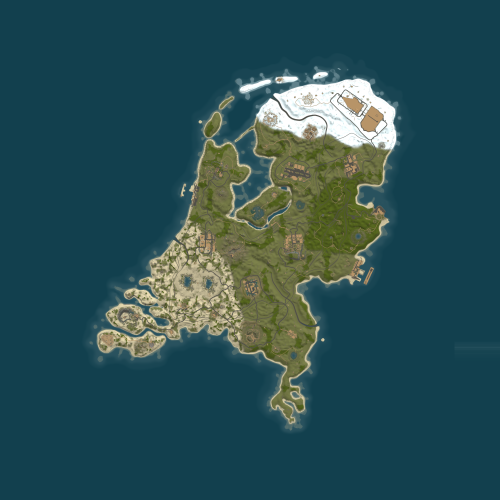
Version 1.3.7
694 downloads
This is a map of the Netherlands I was working on while learning how to use rustedit, it is 4500 in size and has all default monuments including two custom monuments that I have made so far (Cobalt Bunker & Radiation Research Camp), plus one small custom monument made exclusively for this map (Klompenmakerij). **This map contains custom placed blueprint fragments that don't respawn after being picked up the first time until a server restart, you may want to find a plug-in that respawns them if there is one.**Free1 point -
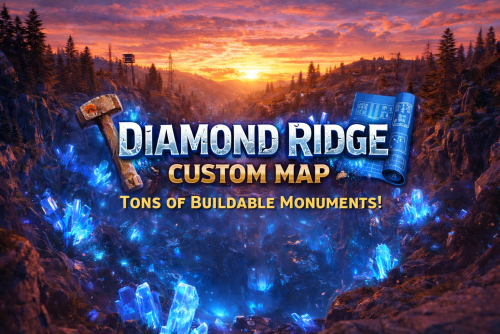
Version 3.0.0
44 downloads
DIAMOND RIDGE – 4096K CREATIVE RUST MAP Diamond Ridge is a well designed 4096k Rust map loaded with every major monument and a ton of custom build spots. Focused on beautifully crafted terrain, canyons, lakes, rivers and rock formations. Designed for smooth performance, creative freedom, and competitive gameplay. What Makes It Special: Diamond Canyon! A canyon filled with Crystal Diamonds, a glass roof and tons of space for creative building! Experience Truly Unique Buildable Cave Monuments Vanilla maps get stale fast! That’s why my custom maps go way beyond the basics. I hand-craft creative, build-friendly cave systems designed for players who want something fresh, fun, and full of possibilities. With over 30,000 hours in Rust, I know exactly what players love to build in, and every cave is shaped to deliver that perfect mix of strategy, creativity, and excitement. Fully connected train tracks + underground rails for fast travel and tactical control Endless Custom Buildable areas that players will love! Diverse terrain: forests, deserts, coasts, cliffs, valleys & plateaus Perfect for solos, clans, builders, and high-pop servers. Tons of Custom Build Zones Low-prefab, FPS-friendly buildables: Custom caves Hidden structures Unique build pockets All Facepunch Monuments Included: Launch Site • Military Tunnels • Military Base • Silo • Airfield • Power Plant • Water Treatment • Trainyard • Harbors • Outpost • Excavator • Oil Rigs • Arctic Base • Junkyard • Sphere Tank • Satellite Dish • Ferry Terminal • Sewer Branch — and more. Map Info: Size: 4096k Prefabs: ~6947 Support: Discord: DarkoRust$24.991 point -
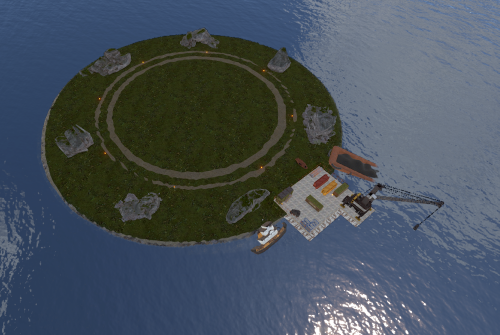
Version 1.0.0
27 downloads
Clean & Simple Raid Islands (2 Pack) Need more space for high-action events on your Rust server? This pack gives you two low-entity-count islands that offer a clean, simple, and isolated space perfect for spawning your raidable bases. Optimized Performance: Low entity count ensures minimal impact on your server's performance. Easy Building: Provides a flat, uncluttered area for players to construct their raidable bases. Seamless Addition: A simple, drop-in addition to expand the build space on your map. A perfect and simple addition to your server, giving your players more room to build and raid! sFor any help or support, please contact me on Discord @ https://discord.gg/HNhPTPZVmd$4.991 point -
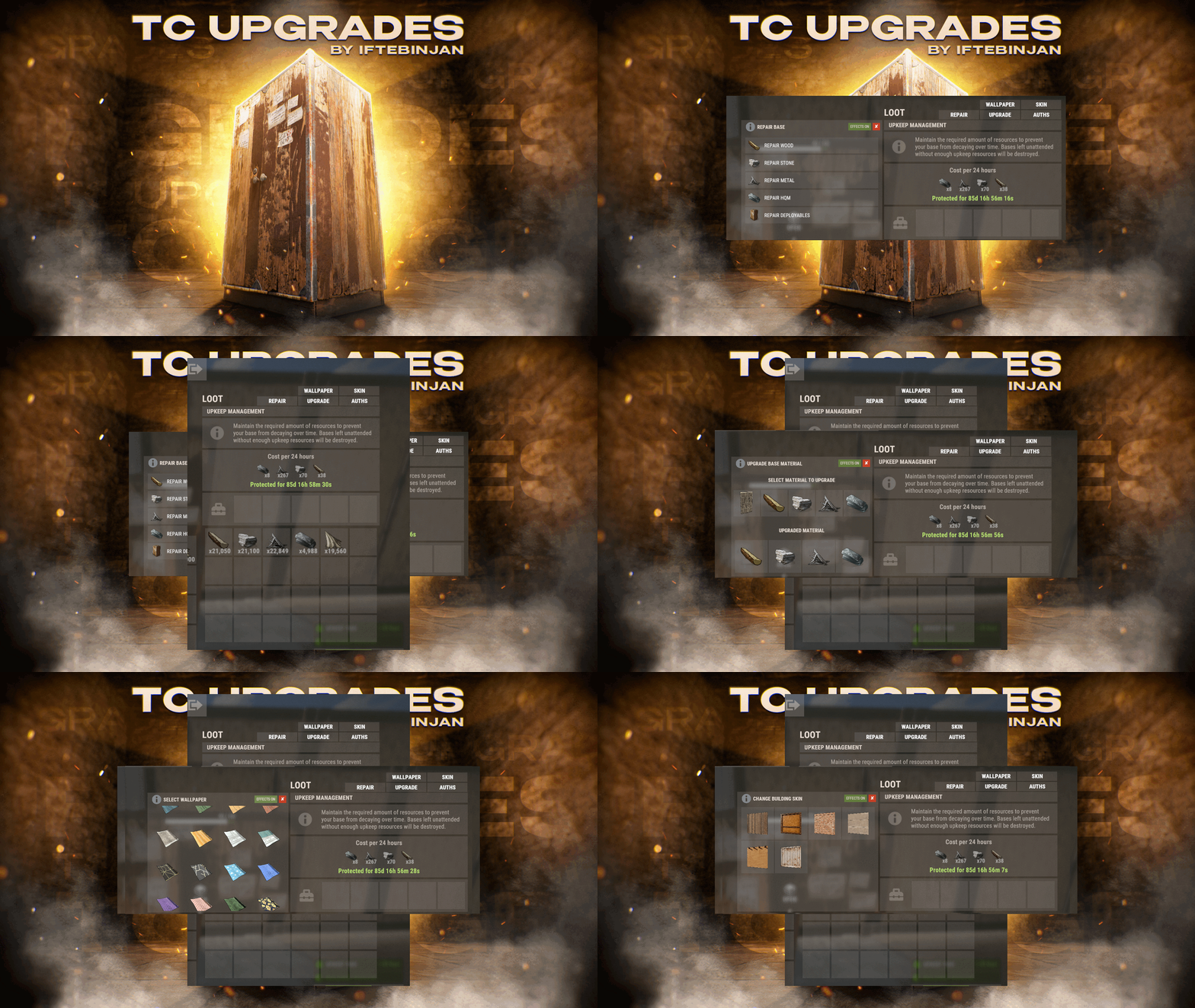
Version 1.1.11
2,025 downloads
TC Upgrades provides an efficient and optimized way to enhance your base directly from the Tool Cupboard. With this plugin, you can easily change building grades, switch building skins, repair structures or deployables, and even set up wallpapers on your base, streamlining your base management process. Key Features Multi-TC Support Authorization List on Tool Cupboard Upgrade Building Grades Change Building Skins Repair Structures and Deployables Apply Wallpapers Detailed Permissions VIP Features User-Friendly UI Video Showcase Permissions TCUpgrades.admin- Shows a UI Change button when in admin mode (command: /tcuadmin) TCUpgrades.authlist - Shows Authorization list button on TC TCUpgrades.upgrade - Shows upgrade button on TC TCUpgrades.repair - Shows repair button on TC TCUpgrades.skin - Shows skin button on TC TCUpgrades.wallpaper - Shows wallpaper button on TC TCUpgrades.upgrade.nocost - Allows player to use no resources when upgrading TCUpgrades.repair.nocost - Allows player to use no resources when repairing TCUpgrades.reskin.nocost - Allows player to use no resources when reskining TCUpgrades.wallpaper.nocost - Allows player to use no resources when setting wallpaper TCUpgrades.default - Allows player to use (wood, stone, metal, hqm & deploy) TCUpgrades.wood TCUpgrades.stone TCUpgrades.metal TCUpgrades.hqm TCUpgrades.deploy Configurations Support$14.991 point -
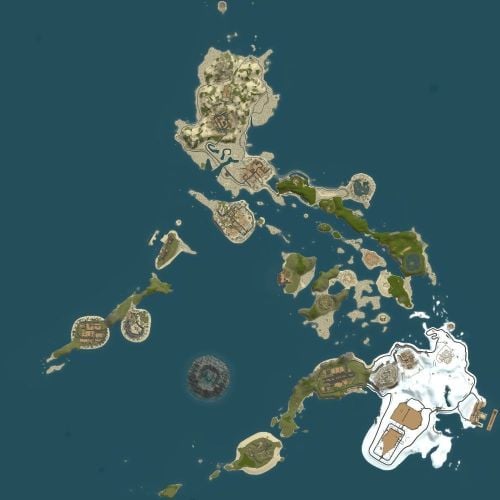
Version 1.0.6
82 downloads
I have used the footprint of the Philippines and the made it RUST not a 1:1 remake of the country, but I have made this map with the naval update in mind, this means less land and more water for shipping on, though there is still land on which to build on, all little island have been flattened and are primed for building on as well as unique build spot in the middle of the map. A glitch in the R.U.S.T system has occurred and a volcano has formed on the map, it may be a little hot but you can build there in multiple places. It has all default monuments plus two of my own custom monuments (Cobalt Bunker & Radiation Research Camp), the ring road and train tracks have been placed in such a way they are accessible for boats (this is for the servers that use road and/or train convoy event mods) meaning you can build bases on land next to them or sail close in your ships. **This map may have errors and things out of place when it loaded on a server, please do report any issues and I will fix them. This map contains a rotated giant excavator that may glitch into itself, as far as I know it still works fine but you may need a plugin to fix its position. It also contains custom placed blueprint fragments that don't respawn after being picked up the first time until a server restart, you may want to get a plugin that respawns them.**Free1 point -

Version 1.1.7
479 downloads
Drop Cleaner is a super easy-to-use plugin that doesn’t take up much server performance! Drop Cleaner removes all dropped items on a simple timer for the whole server at once. Just upload the file to your Oxide directory, then go to your console and type o.load DropCleaner, and you're all set! It’s really that simple. If you want to change how often items get cleared, just update the seconds below. You can also turn warnings on/off or set keeper item shortnames for items you dont want going bye bye. { "IntervalSeconds": 600.0, "ShowWarnings": true, "WarnAtSeconds": [ 30, 15, 10, 5 ], "KeepShortnames": [ "fish.anchovy" ] } IF YOU NEED SUPPORT WITH THE PLUGIN, OPEN A TICKET IN THE DISCORD LINKED BELOW AND I’LL DO MY BEST TO HELP ASAP!Free1 point -
Version 1.0.5
5 downloads
TCLocator – Find Your Tool Cupboards (Without Cheating) - Added TC Limits - Stash location as well. Ever forget where you put your Tool Cupboard? TCLocator lets players temporarily reveal their authorized TCs on the map with a simple command — then quietly removes the markers so gameplay stays fair. Players only see their own cupboards, admins can see everything, and markers auto-despawn after a configurable time or instantly with /tc off. No permanent map clutter. Just quick, clean information when you need it. Features Players see only TCs they’re authorized on Admins can view all TCs Per-player map markers (no global spam) Markers auto-hide after X seconds (configurable) Marker labels show who placed the TC TC Limits by permission Supports shop marker or crate marker Lightweight, no data files, wipe-safe Commands /tc → Show your authorized TCs /tc all → (Admin) Show all TCs /tc.stash → Show player stash Permissions tclocator.use tclocator.admin tclocator.limit.1 tclocator.limit.2 tclocator.limit.3 tclocator.limit.4$4.991 point -
Version 1.0.0
6 downloads
NoEscape – Custom RAIDBLOCK Configuration by SLAYERS.GG A fully-optimized NoEscape config designed to deliver fair, fast, and abuse-proof raiding. Built and perfected on the SLAYERS.GG network for high-pop, high-intensity Rust servers. What This Config Delivers Balanced RaidBlock & Combat Timers Tuned for smooth PvP flow without letting players cheat the system. Anti-Escape Protections Blocks TP, /home, vehicles, logging out, and all common raid-dodging exploits. Clean, Professional Messages Polished alerts that fit Rust’s style and make RaidBlock states easy to understand. Compatible with NoEscape Plugin from Umod: https://umod.org/plugins/no-escape Perfect For Servers That Want: Fair, competitive raiding Zero escape abuse Clear, simple raid rules A polished system trusted by thousands Includes: Full NoEscape JSON config Upgraded notifications Easy-to-edit formatting$4.991 point -
Version 1.0.0
8 downloads
I've prepared a small tower pack to land the combat helicopter. In the future, I'll be creating more towers to land the heli. This pack can be used on both PVE and PVP servers since its function is designed for the helicopter, so it doesn't break the gameplay. Add more variety to your server with these towers. You can place a different tower on each wipe so that people can enjoy its facilities when hosting the helicopter event. Prefab: Tower 1 - 915 Prefab: Tower 2 - 476 For any questions, please contact us via Discord: zeroabsoluto_273$5.001 point -
.thumb.png.f82bb7c39a29bb22bea87b11e2d79d5b.png)
Version 1.0.3
133 downloads
70 zombie / horror kits Data file all kits have been put on hide. Weapons include bloody clothes to scare the players, the kits are different from each other. Can be used with Zombie Horde BotReSpawn horde addloadout "1" "2" "3" "4" "5" "6" "7" "8" "9" "10" "11" "12" "13" "14" "15" "16" "17" "18" "19" "20" "21" "22" "23" "24" "25" "26" "27" "28" "29" "30" "31" "32" "33" "3" "35" "36" "37" "38" "39" "40" "41" "42" "43" "44" "45" "46" "47" "48" "49" "50" "51" "52" "53" "54" "55" "56" "57" "58" "59" "60" "61" "62" "63" "64" "65" "66" "67" "68" "69" "70" "71" "72" "73" "74" "75" "76" "77" "78" "79" "80" "81" "82" "83" "84" "85" "86" "87" "88" "89" "90" "91" "92" "93" "94" "95" "96" "97" "98" "99" "100"$11.981 point -

Version 1.0.0
10 downloads
This pack contain all the planes from Helheim Island, asked many times to be available separatly. It's now there ! Those are the most realistic planes ever made in the map making scene at this date, and some of them have electricity puzzles. This include the airbus crash site, it's full non crashed version, a airforce military plane with tier 3 puzzle inside, spain plane and british planes. They all have a version with objects/decor inside and players can enter, and a empty-closed version. My website : https://rust-keiroxcustommaps.com Discord : https://discord.gg/GXz2v7K3FJ$21.901 point


.thumb.jpg.f2f378cbb4943d7036c8a674f8a23b40.jpg)


