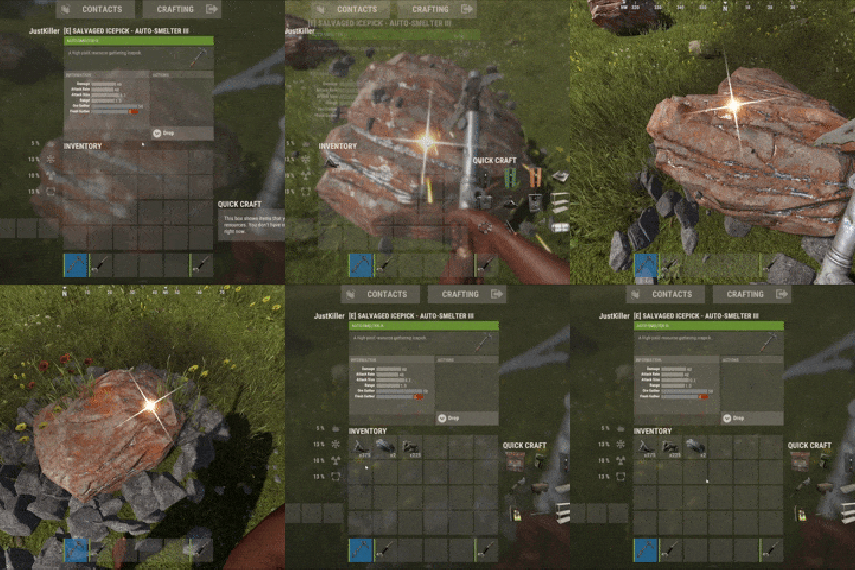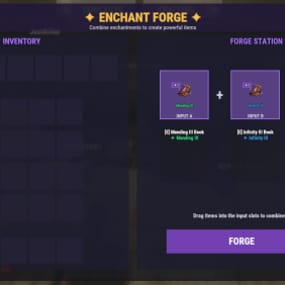

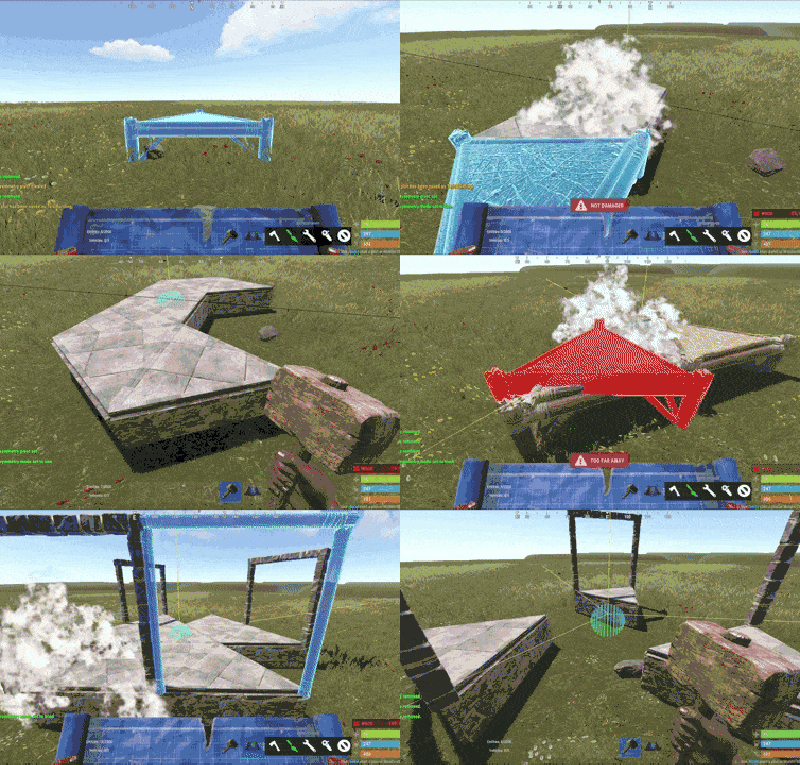
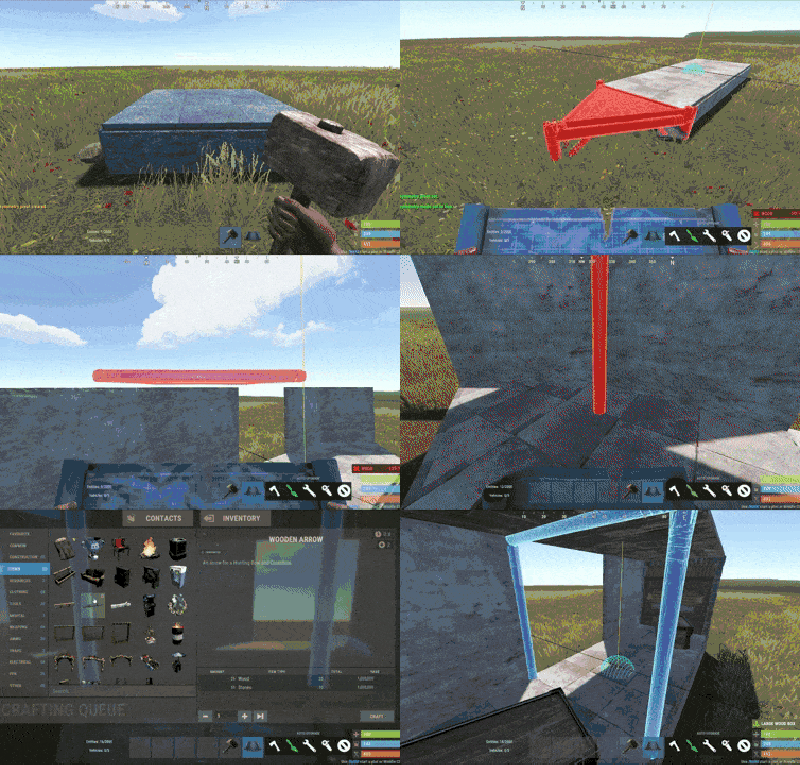
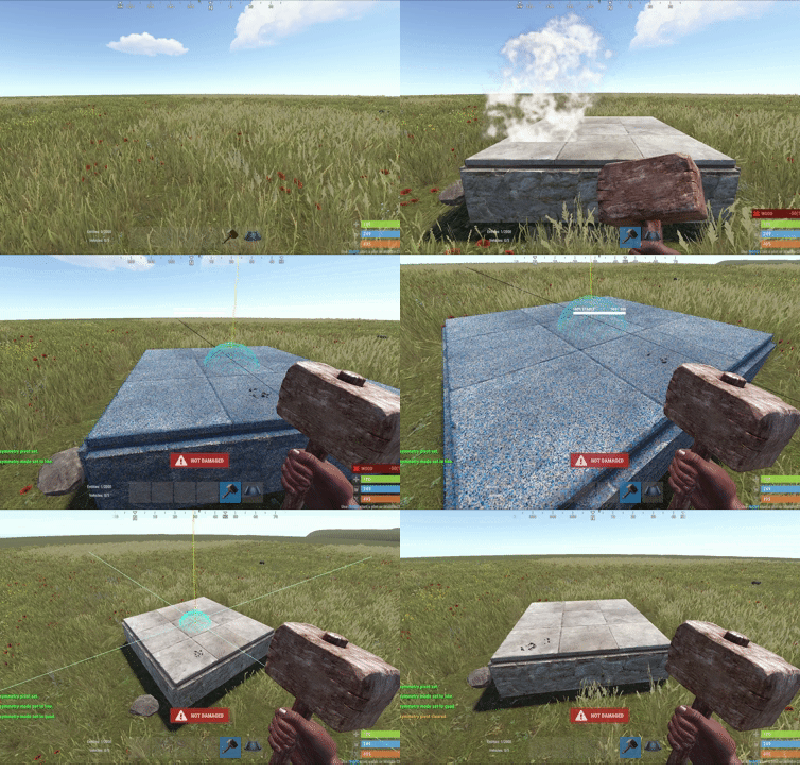
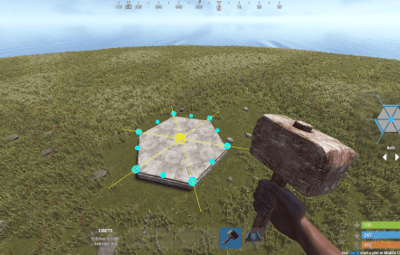

BuildSystem is a creative building and sandbox system for Rust servers.
Players get their own plot (or claim one anywhere on the map), build for free with god mode and noclip, save and reload their bases, share them with the community, and invite friends to build with them. As the server owner you get configurable ranks and limits, an in-game admin panel, and a ready-to-use map with 160 plots.
Tip
Try it live: client.connect 23.81.34.186:25015
Jump to: Features · What's included · Ranks · Permissions · Commands · Configuration · Developers
Features
Plots and claims
-
Three build modes: fixed plots, procedural claims (players roam the map and
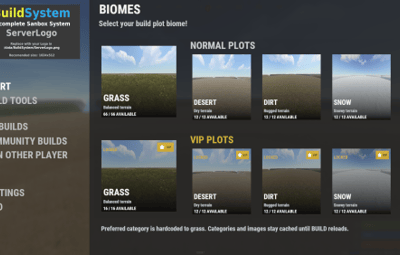
/claimany spot), or both - Normal and VIP plot categories, each split into grass, desert, dirt, and snow biomes
- Players pick a biome from the start menu, and plots are handed out in order or at random
- Central lobby with spawn, respawn, dome, and teleport handling
- Map markers, coloured domes, and boundary protection for every plot
- Sound isolation, so players only hear what happens inside their own plot
- Damage outside the plot radius is blocked
Creative building
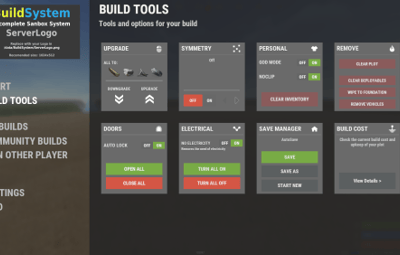
- Free building and repairing, all blueprints unlocked, crafting without workbenches
- God mode and noclip, with separate rules for the lobby, plots, and roaming
- Auto-upgrade to any grade as you place, and upgrade or downgrade the whole plot in one click
- Auto-lock for doors and boxes, open or close all doors at once
- Turn all electrics on or off, or use No Electricity mode to power everything without wiring
- A stability toggle: switch it off and nothing collapses while you build
- Built-in hammer remove (hold R)
- Remove deployables, remove vehicles, wipe to foundation, or clear the whole plot
- Vehicles from the F1 spawn menu (configurable list)
- Build cost calculator with total cost and 24h upkeep
- Entity and vehicle limits per rank, shown on a live HUD
Symmetry building
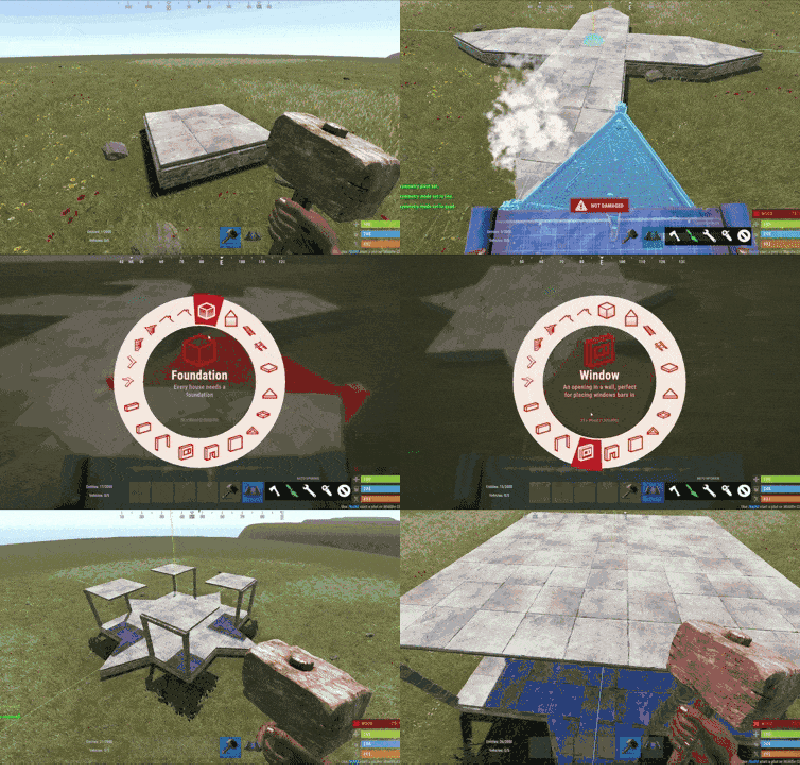
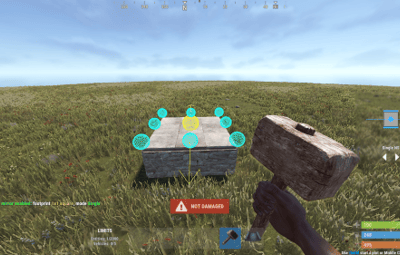
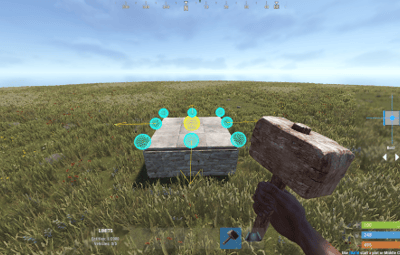
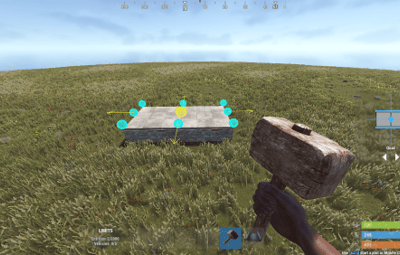
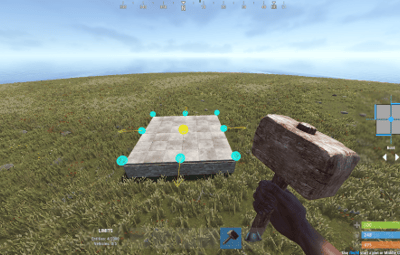
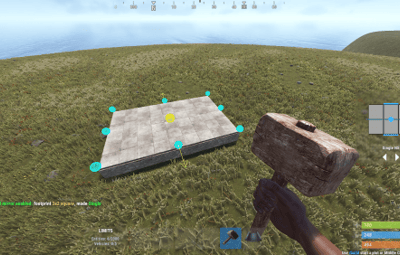
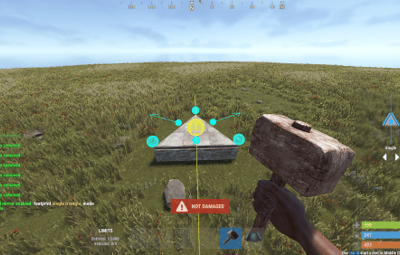
- Hit a foundation with the hammer to set the centre, and every piece you place, upgrade, rotate, or remove is mirrored
- Square, triangle, and hexagon layouts
- Single, Quad, Rot2, Rot3, Rot4, and Rot6 modes
- Visual guides, plus pause, resume, cycle, and disable controls
- Mirrored copies count toward the player's entity limit
Saving and loading
BuildSystem has its own save system, so CopyPaste is not required.
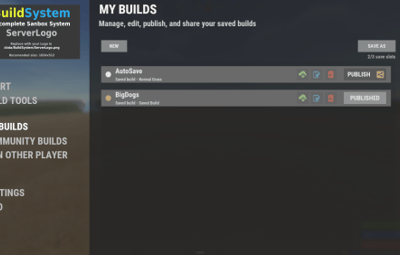
- Save, load, rename, and delete builds from the My Builds menu
- Plots auto-save when the owner leaves or disconnects, and when the server saves or shuts down
- Restores entities, inventories, locks, authorisations, signs, vehicles, and electrical/IO wiring
- Saves and loads run one at a time in a queue, with a timeout
- Unlimited saves by default, or per-rank save limits
- Every save file is backed up, and a console command restores it
- Migrates old CopyPaste saves
Community builds
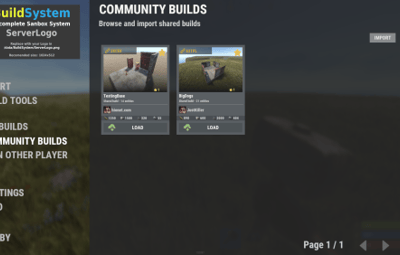
- Publish a build to the in-game community gallery, with or without a Rust camera photo
- Browse builds as cards, or load one with a share code
- Each build has a title, description, author, photo, and star rating
- Preview an imported build before saving your own copy
- Admins can hide, edit, re-photo, or remove any published build
Building with friends
- Invite a player, or ask to join their plot, from chat or from the player list in the menu
- Accept, decline, or cancel requests
- Guests are authorised on the plot's cupboards and turrets automatically
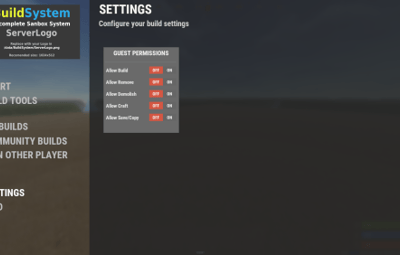
- The owner chooses what guests can do: build, remove, demolish, craft, and save/copy. All of these start off.
- Guests are sent back safely when the owner leaves
Export and import (optional)
This is off by default. When you turn it on, players can move builds in and out of the server in CopyPaste format, for example to test a base in Fortify, build bases for Raidable Bases, or move bases between servers.
- Export a plot to a link on bases.hionet.com, to a file on the server, or both
-
Import from a link, or from files you approve in
data/copypaste/approvedfiles - Allowed per rank, with a cooldown
Note
Export and import is the only feature that needs the CopyPaste plugin. Everything else works without it.
Player menu
Players open it with /build or the middle mouse button. It has these tabs:
- Start: pick a plot biome, or go exploring to claim your own spot
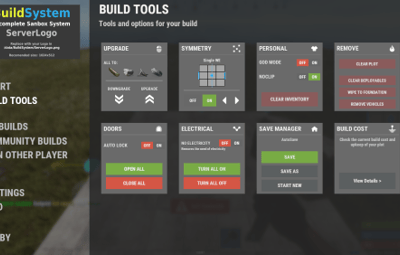
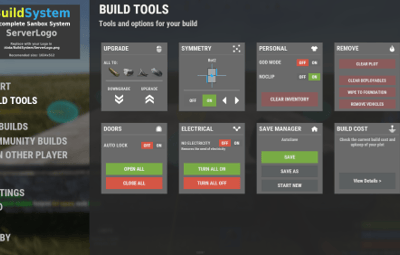
- Build Tools: the Upgrade, Symmetry, Personal, Remove, Doors, Electrical, Save Manager, Build Cost, and Plot Manager cards
- My Builds: saved builds, save slots, and publishing
- Community Builds: the shared build gallery
- Join Other Player: the online player list and join requests
- Settings: what guests can do on your plot
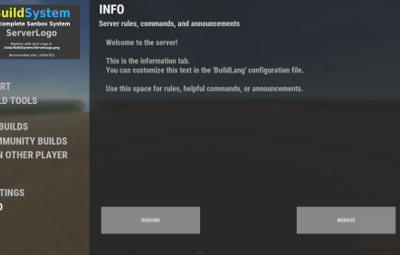
- Info: your server's Discord and website links
You can hide any Build Tools card or button from the config or the admin panel, and the remaining cards close up the gap.
Admin panel
Admins open it with /badmin. It has these tabs:
- Dashboard: server overview
- Categories: create, rename, and remove plot categories
- Slots: add, remove, teleport to, and identify plot slots
- Plots: active plots and their players; teleport, delete, or send to the lobby
- Community: manage published builds and their photos
- Maintenance: reload categories, refresh markers and UI, create or recreate the lobby, run plot cleanups
- Permissions: a quick reference for BuildSystem permissions
- Settings: search and edit config values in game; changes apply immediately
Destructive actions ask for confirmation, back up what they change, and are logged.
What's included
- 12 plugins: BuildAdmin, BuildConfig, BuildCore, BuildCosts, BuildGuests, BuildIO, BuildLang, BuildMirror, BuildOptions, BuildPlots, BuildSaves, BuildUI
- 5 build maps with the same lobby and plot layout, so you can pick the one you like
- Plot data for 160 plots: 124 normal and 36 VIP, across grass, desert, dirt, and snow
- An install guide, server startup arguments, and upgrade notes
Procedural and combined modes also work on your own custom or procedural maps.
BuildSystem runs on both Oxide and Carbon.
Ranks
Every limit a player has comes from a rank in BuildConfig.json. A rank is one block in the Ranks list:
{
  "Permission": "buildcore.vip",
  "Max entities": 6000,
  "Max vehicles": 8,
  "Plot radius (meters)": 120.0,
  "Claim radius (meters)": 120.0,
  "Max saved builds": 6,
  "Plot types they can use": [ "normal", "vip" ],
  "Allow export and import": true,
  "Allow symmetry": true
}
| Setting | What it does |
|---|---|
Permission
|
The permission that gives this rank. Leave it empty for the rank every player gets |
Max entities
|
How many entities the player can have in their plot |
Max vehicles
|
How many vehicles the player can have |
Plot radius (meters)
|
Size of the plot they get from the start menu |
Claim radius (meters)
|
Size of the area they get with /claim
|
Max saved builds
|
Number of save slots. Only applies when Limit how many builds each player can save (in the Saving section) is true
|
Plot types they can use
|
Which plot categories they can pick, e.g. normal, vip, or your own
|
Allow export and import
|
Can use CopyPaste export/import (when the feature is on) |
Allow symmetry
|
Can use symmetry building |
Default ranks
| Rank | Permission | Entities | Vehicles | Plot / claim radius | Saved builds | Plot types |
|---|---|---|---|---|---|---|
| Everyone | (empty) | 2000 | 5 | 60 m | 3 | normal |
| VIP |
buildcore.vip
|
6000 | 8 | 120 m | 6 | normal, vip |
| VIP Max |
buildcore.vipmax
|
10000 | 12 | 120 m | 10 | normal, vip |
Adding your own rank
-
Open
oxide/config/BuildConfig.json(Carbon:carbon/configs/BuildConfig.json). -
Copy one block in the
Rankslist, paste it below, and change the permission, for example tobuildcore.elite. - Change the limits you want.
-
Reload the config with
oxide.reload BuildConfig(Carbon:c.reload BuildConfig). The new permission registers itself. -
Grant it with
oxide.grant group elite buildcore.elite(Carbon:c.grant group elite buildcore.elite).
How ranks combine:
- The rank with the empty permission is the base for every player, so don't delete it.
- A player with several ranks gets the best value of each setting, so the order in the list doesn't matter.
- Any rank can unlock any plot type. Nothing is hardcoded to "VIP".
-
Start custom permissions with
buildcore., otherwise Oxide logs a warning for each one.
Permissions
| Permission | What it gives |
|---|---|
buildcore.vip
|
The default VIP rank |
buildcore.vipmax
|
The default top rank |
buildcore.<anything>
|
Any rank you add to the Ranks list
|
buildplots.explore
|
Leave your plot to visit other players' plots. No building, removing, demolishing, damaging, or upgrading outside your own plot |
buildplots.lobbyexit
|
Leave the lobby without being pulled back (for servers using other teleport plugins), and open the menu from outside managed areas |
buildadmin.use
|
Open the admin panel (/badmin) and run the buildsaves.* console commands
|
Note
Symmetry and export/import are set per rank with Allow symmetry and Allow export and import, not with permissions.
If you are upgrading from an older version, these permissions are no longer used:
-
buildcore.normal: the rank with the empty permission covers every player -
buildmirror.use: useAllow symmetryon a rank -
buildio.copypaste: useAllow export and importon a rank -
buildsaves.admin: usebuildadmin.use -
buildplots.freeroam: renamed tobuildplots.explore
Server admins (ownerid) have full admin access without any permission.
Commands
Player commands
| Command | What it does |
|---|---|
/build
|
Open the BuildSystem menu (or press the middle mouse button) |
/leave
|
Leave your plot or stop roaming |
/myplot
|
Go back to your plot |
/claim
|
Claim the spot you are standing on (procedural mode) |
/fly, /f, /noclip
|
Toggle noclip |
/god, /g
|
Toggle god mode |
/buildcost
|
Show your plot's build cost and 24h upkeep |
/invite <player>
|
Invite a player to your plot |
/request <player>
|
Ask to join a player's plot |
/accept <player>
|
Accept a request or invitation |
/decline <player>
|
Decline a request or invitation |
/guestperm <option> <true|false>
|
Set what your guests can do: build, remove, demolish, craft, savecopy
|
/listguestperms
|
Show your current guest permissions |
/bm shape <auto|single|triangle|hexagon>
|
Pick the triangle layout for symmetry building |
/showui, /hideui
|
Open or close the BuildSystem menu |
You can rename /build and /claim or add more names for them in the config. For example, add b to Chat commands in the Build menu section to get /b.
Admin commands
| Command | Who | What it does |
|---|---|---|
/badmin
|
buildadmin.use
|
Open the admin panel |
/cleanupslot <category> <slot>
|
Admin | Clear the builds in one plot slot |
Most admin work is done from the /badmin panel. These console commands cover the jobs the panel doesn't. Run them from the server console, RCON, or F1 as an admin.
| Command | What it does |
|---|---|
buildio.cleanupslot <category> <slot>
|
Clear the builds in one plot slot |
buildio.rebuildindex
|
Rebuild the saved-builds index |
buildsaves.restore <filename>
|
Restore a save from its backup |
buildsaves.sanitizeall
|
Check and repair all save files |
buildsaves.migrate
|
Import old CopyPaste saves |
Configuration
All settings are in one file, BuildConfig.json, and the setting names are plain English. You can also change most of them in game from the Settings tab in /badmin.
| Section | What you can set |
|---|---|
Server
|
Chat icon, Discord and website links shown in the menu |
Lobby
|
Spawn position, radius, teleport on connect, clear inventory, respawn, noclip/god/F1 rules, dome colour |
Plots
|
Build mode (plots, procedural, both), random plot location, map markers, sound isolation, damage limit, dome colour, starting kit
|
Claiming (procedural mode)
|
Chat commands, minimum distance between claims, claiming in water |
Roaming the map
|
Noclip, god mode, and F1 rules outside plots, noclip for explorers |
Building
|
Hammer remove and its distance, symmetry on/off |
Saving
|
Auto-save and its interval, per-rank save limits on/off |
Export and import builds
|
On/off, cooldown, export and import as link, local, or both
|
Share codes
|
Cooldown between share codes |
Community builds
|
Allow publishing auto-saves |
Build menu
|
Chat commands, open on connect, limits HUD, middle-click menu |
Build Tools menu
|
Show or hide every card and button |
Auto-remove
|
Clean up corpses, dropped items, and loot bags in the lobby, inside plots, and outside plots |
Advanced
|
Console commands run on startup (creative convars, no animals, time of day, weather), free item refresh, BuildTools compatibility |
Ranks
|
See Ranks |
Blocked items (shortnames)
|
Items players can't use |
Vehicles allowed in the F1 menu (shortnames)
|
Which vehicles can be spawned |
All 500+ player messages are in the BuildLang language file, so you can translate or reword them.
Developers
Hooks
| Hook | When it's called |
|---|---|
object CanBuildSystemKillEntity(BaseEntity entity)
|
Before BuildSystem removes an entity during cleanup or clear actions. Return non-null to keep it |
object CanBuildSystemHammerRemoveEntity(BaseEntity entity)
|
Before hammer remove (hold R) deletes an entity or a sleeping player. Return non-null to block it |
void OnBuildZoneEnter(BasePlayer player, string zoneName)
|
Player enters the lobby or a plot |
void OnBuildZoneExit(BasePlayer player, string zoneName)
|
Player leaves the lobby or a plot |
API calls you can use from your own plugin:
// Which zone a player is in: "lobby", "plot_...", or null
string zone = BuildPlots?.Call<string>("GetPlayerZoneName", player);
string zoneAt = BuildPlots?.Call<string>("GetZoneNameAtPosition", position);

// The player's combined rank values
var rank = BuildConfig?.Call("ResolvePlayerTier", player) as Dictionary<string, object>;

// Guests
object ownerId = BuildGuests?.Call("API_IsGuest", player);  // owner's ulong, or null
bool canBuild = BuildGuests?.Call<bool>("API_CanGuestBuild", player) ?? false;

// Limits
int used = BuildOptions?.Call<int>("GetPlotEntityCount", zone) ?? 0;
int max = BuildOptions?.Call<int>("GetMaxEntitiesForPlayer", player) ?? 0;
If you need another hook or more detail on any of these, contact me.