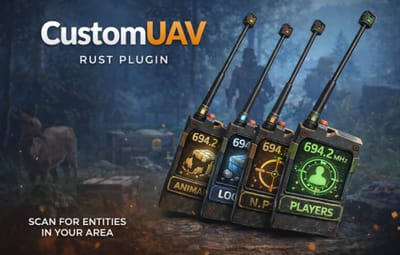
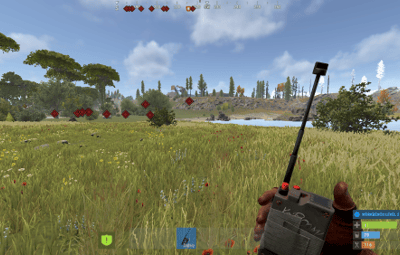
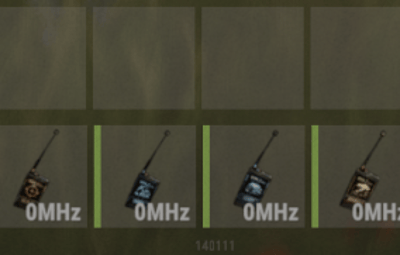
About CustomUAV
CustomUAV allows you to turn specific RF Transmitters into configurable scanning UAV. By applying a specific Skin ID to an RF Transmitter, it becomes a specialized scanner that can detect players, NPCs, ores, or loot.
Features
Custom Scanners: Create unlimited unique UAVs defined by their Skin ID.
Visual Feedback: Optional F15 jet flyovers and UI ping markers (Crosshair, Loot box, etc.).
Configurable Targets: Scan for any entity by its "Short Prefab Name" (e.g., player, boar, sulfur-ore, item_drop).
Cooldowns & Limits: Set usage cooldowns or make items "consumable" (destroy after use).
Commands
/giveuav - Prints a list of all available UAVs defined in your config.
/giveuav <player> <uav name> - Gives the target player the specific RF Transmitter item required to trigger that UAV.
Permissions
customuav.give — Required to use the admin give command.
customuav.use — Required to use any UAV.
Custom Permissions: You can define specific permissions for each UAV in the config (e.g., customuav.vip).
Configuration
The configuration is handled in CustomUAV.json. Each entry in the Transmitters list creates a new UAV. The plugin identifies them using the SkinId.
Global Settings:
Debug: Enables console logs to see what the UAV is detecting.
ChatFeedback: Toggles chat messages for the user.
UAV Settings:
SkinId: The Workshop Skin ID of the RF Transmitter item.
EntityPrefabs: A list of short prefab names to scan for.
PingType: The icon style (Hostile, Loot, Dollar, GoTo).
SpawnJet: Toggle the visual jet flyover.
Configuration Example
{
  "Debug": false,
  "ChatFeedback": true,
  "Broadcasters": [
    {
      "Name": "Loot UAV",
      "SkinId": 3635869496,
      "Description": "Scans for dropped loot",
      "Permission": "customuav.loot",
      "SpawnJet": false,
      "PingType": "Loot",
      "DestroyAfterUse": false,
      "ScanRadius": 300.0,
      "PingDuration": 8.0,
      "CooldownSeconds": 30.0,
      "EntityPrefabs": [
        "item_drop",
        "player_backpack",
        "corpse"
      ]
    }
  ]
}