
Zilch's Wishlist
-
$17.99
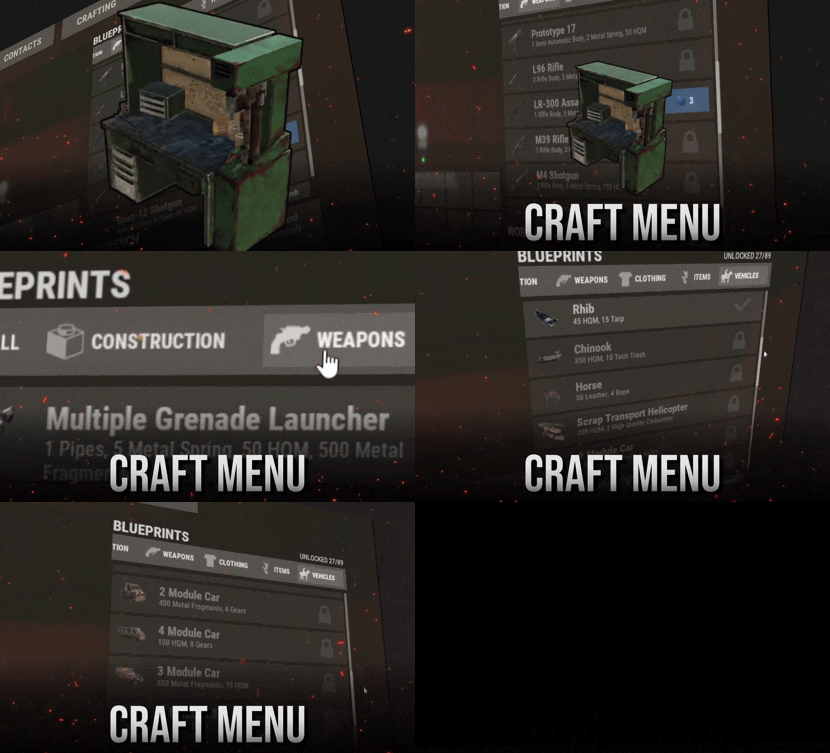
Craft Menu
Craft custom items directly from the workbench. Feature Overview Fully Customizable Customize everything to fit your server — items, icons, names, workbench requirements, research costs, crafting costs, crafting times, and more. Easy Setup No need to deal with complicated JSON files. CraftMenu includes a full UI editor that lets you create and edit blueprints directly. Native UX Designed to feel like a natural part of Rust's existing interface. No chat commands to remember — players can use CraftMenu just like the native crafting UI. Compatibility Using plugins like "Portable Vehicles" or "Place Anything"? CraftMenu can import items created by compatible plugins and add them directly to your workbench. Commands Note The following commands are admin-only and require auth level 2 (ownerid). Command Description /craftmenu import
CHAT ONLY Opens a menu for importing items from compatible plugins. craftmenu config <import code> Imports a configuration using an import code, without having to edit the config file manually. craftmenu_admin wipeall Removes all unlocked blueprints from every player. craftmenu_admin wipe <steamid> Removes all unlocked blueprints from the specified player. craftmenu_admin unlock <steamid> Unlocks all blueprints for the specified player. Frequently Asked Questions Does CraftMenu come preconfigured with items? Yes. When you install the plugin, the config is already populated with Rust items that are normally uncraftable. How do I access the interface for editing the plugin configuration? Use the web editor at tools.rustplugins.net/craftmenu. How do I add a custom icon to an item? Custom item icons are handled through skin IDs. Upload your image to the Steam Workshop, then use the generated skin ID for your custom item. To upload an image as a usable skin, you will need SkinUploader.zip. I have custom items on my server. How do I use them as crafting reagents? Use the item's skin ID instead of a shortname in the blueprint resources. CraftMenu will recognize it and only accept items with that specific skin ID as a crafting resource. Can I set a custom crafting time for items? Yes. Each item can have its own crafting time. Items with a crafting time set are added to a custom crafting queue that works similarly to Rust's native crafting queue. Help Have more questions?
Reach out to us on Discord if you need support or have a custom request. -

$9.99
Consumable Effects
Consumable Effects let you to modify metabolism values received after consuming specific item. Same goes for using medical items like
med kit, bandages and syringes. You can modify initial effect as well as add overtime effects with custom durations adding things like comfort,
oxygen, temperature, tea buffs . This includes also simple visual effects and sound/camera effects (only from ingame assets).
This plugin was developed to work with my Custom Mixing Table however you can use it with
combination of any craft panel or shop plugin as long as it supports custom item names.
List of values which can be modified
Calories Hydratation Health Pending Health Bleeding Poison Radiation Dirty (overdose value) All tea boosts Oxygen Temperature Comfort Wetness Onscreen ui effect (from game assets) Prefab sound effect (from game assets)
If you have any questions regarding to functionality and options, do not hesitate send
me message or for faster response reach out on my discord.gg/rustplugins
For more detailed documentation visit this link.
-
$14.99
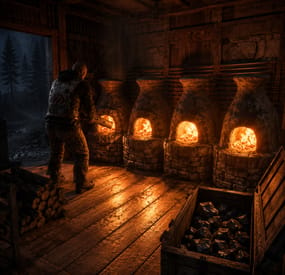
Setup Furnaces
Smelting & cooking control Quick smelt as a rank, not a server setting Speed, output and fuel burn are set per permission and per cooker — a large furnace behaves one way for your default group and another for VIP, and the furnaces standing in monuments get a tier of their own. Grant a rank and the ovens that player already placed change on the spot, still burning. Everything is edited from an in-game menu.
8 Cookers supported out of the box 9 Settings per cooker, per rank 3 Tiers preconfigured, unlimited more 0 Dependencies ✓ Speed, output and fuel burn — three independent multipliers per cooker ✓ Ranks apply instantly — existing ovens switch tier the moment the permission lands ✓ Cooking with no fuel at all — including electric furnaces with no power ✓ A separate tier for ownerless ovens — monument furnaces don't inherit anyone's rank ✓ One-click reorganize button inside the oven — load it, fuel it exactly, empty it ✓ A live line telling you when it's done — and whether the fuel or the output space runs out first ✓ Ovens that feed themselves — wood in from the boxes next to them, metal out into the same boxes 01 — Tiers A furnace that knows who placed it Every oven is matched to its owner's permission when it spawns, so the same building looks identical and behaves differently depending on who built it.
Per rank, per cooker Not one blanket smelt rate. A rank sets its own numbers for the small furnace, the large furnace, the electric furnace, the refinery, campfires, the BBQ, the hobo barrel and the fireplace — eight cookers, nine settings each, per tier. Grant a rank, the ovens change immediately Permissions and groups are watched live. Sell VIP at 2am and the furnaces that player left burning speed up right then — no relog, no re-placing, no server restart. Revoke it and they drop back just as fast. Ownerless ovens get their own tier Furnaces and campfires that came with the map or with an event have no owner and therefore no rank. A dedicated static tier covers exactly those, so a monument furnace can stay at 1x while your players' ovens run at 4x — or the other way around. 02 — The dials Three multipliers that don't overlap Speed, yield and fuel are separate problems, so they're separate numbers. Combine them into anything from a slightly generous furnace to one that never needs wood.
Quick smelt Scales how fast the oven ticks. At 4x an ore stack finishes in a quarter of the time — and everything else about the oven, including charcoal, stays proportional. Output, with fractions that aren't thrown away More metal out of the same ore. Set 1.5x and the leftover halves are carried over and paid out as whole items later, so a fractional multiplier really is 1.5x over a stack instead of quietly rounding down to 1x on every tick. Fuel burn Make wood last twice as long, or twice as short. Independent of speed, so a fast furnace doesn't have to be a hungry one. Or no fuel at all One toggle and the oven runs empty — put ore in, take metal out, no wood involved. Electric furnaces get the same treatment and cook without being wired to anything, which is the version people actually ask for. And a multiplier for one resource High quality ore can smelt at half speed while everything else runs at four times, or give double metal without touching the rest of the economy. Any shortname goes into Multipliers for a single raw item with its own speed and yield, multiplied on top of the tier. 03 — Reorganize One button instead of thirty drag-and-drops A small icon appears inside the oven interface for ranks you enable it for. Pressing it does the whole loading routine at once.
Fills, fuels and empties in one press Ore goes from your inventory into the oven, finished output comes back out to you, and the wood is trimmed to exactly what this batch needs — the surplus is handed straight back rather than sitting there burning. The fuel maths accounts for your rank The amount of wood it leaves is calculated from that oven's real smelting speed and temperature, so a VIP furnace running at 4x isn't loaded with four times the wood it will actually burn. 04 — Hands off Ovens that run themselves Three switches per rank, per cooker. Turn them on for VIP and their base stops being a queue of furnaces waiting to be poked.
A line that says when it's done Open an oven and it tells you the time left in green. It turns yellow and counts down to the moment the wood runs out, or to the moment the output slots fill up, whichever comes first. If the oven is already stuck it says so in red instead of pretending it's working. Wood in, metal out, without the player An oven out of fuel takes what it needs from a box standing next to it, and finished bars and charcoal go back into a box instead of clogging the output. It only touches boxes belonging to the same owner, only what the current batch needs, and only inside the radius you set. Off when there's nothing left to smelt The last ore turns into metal and the furnace shuts down instead of burning through the rest of the stack. Pull the ore out mid-batch and it stops the same second. 05 — Setup Configured by looking at things Three chat commands and a menu. The config file exists, but you shouldn't need to open it.
Menu: rank, then cooker, then numbers Pick a permission, pick a cooker, set three values and six toggles. Every change is saved and pushed to every matching oven on the map right away — including the ones currently burning. Any cooker, including modded ones Look at an oven that isn't in the list and add it with a command — it appears under every tier with its in-game name, ready to configure. Custom furnaces from other plugins work the same way, as long as they're built on the game's own oven type. Reliability Built to be left alone ✓ No dependencies — nothing to install alongside it ✓ Unloads back to vanilla without a restart — burning ovens are restarted on plain game rules and carry on cooking ✓ Charcoal and byproducts behave exactly as vanilla — the game's own byproduct rules are kept, including the charcoal rate of each oven ✓ Other plugins keep working — the standard fuel-consumption hooks are still called, so anything listening to them isn't cut out ✓ Multipliers can't be set to zero — a typo can't freeze every furnace on the server ✓ Destroyed ovens are forgotten immediately — no growing table of dead entities Commands & permissions Three admin commands, none for players All three require setupfurnaces.use; admins have access anyway. Players never type anything.
/fsetup Open the setup menu /fadd Look at a cooker to add it to every tier /fremove Look at a cooker to drop it from the list setupfurnaces.use Access to the setup menu and commands setupfurnaces.static The tier for ovens with no owner. Never grant this one to a player setupfurnaces.default Vanilla speed, with the reorganize button and no-fuel cooking on setupfurnaces.vip 4x smelt speed on every cooker. Rename it, retune it, or add more tiers Questions Before you buy Does a player have to re-place their furnaces after getting VIP? No. Granting or revoking a permission, and adding or removing someone from a group, re-applies the tier to every oven that player owns, right then. What about furnaces in monuments and event ovens? They have no owner, so they use the static tier, which you configure separately. Don't grant that permission to anyone — it exists to describe ownerless ovens, not people. A player has two tiers. Which one applies? The one further down the config list, so keep your tiers in ascending order and the top rank last. Is 1.5x output actually 1.5x, or does it round down? It's actually 1.5x. Fractions left over from each tick are carried and paid out once they add up to a whole item, so fractional multipliers aren't silently lost. Which boxes will an oven pull fuel from? Only boxes with the same owner as the oven, only inside the radius you set in the config, and only the amount the current batch actually needs. Someone else's box next door is never touched. Can an electric furnace run without electricity? Yes, with the no-fuel toggle on for that tier and that cooker. What happens to ovens if I unload the plugin? Everything burning is restarted on vanilla rules and keeps cooking. No restart needed, nothing stuck on. Will it conflict with another smelting plugin? Two plugins both rewriting smelting will fight, as always — run one. Plugins that only listen to fuel consumption are fine: those hooks are still fired.- #furnace
- #quick smelt
- (and 17 more)
-

$11.99
Plex Tickets | Discord Ticket Bot
An advanced ticket bot made with simplicity it brings to users both in use within discord and installation, The bot runs on the latest version of Discord.js and is fully customizable with 50+ features and no watermarks!
Elevate your server's support experience with our professional and advanced ticket system. Your users can seamlessly create tailored support tickets from a variety of categories, while you enjoy the ease of managing their needs through our feature-rich and user-friendly bot. Simplify support, elevate satisfaction
Features:
- Buttons, Modals, Menus - Custom Emojis - Multiple Categories - Logs of everything - Notify if ticket creators leave - Support roles for each category - Pin Tickets - Custom channel names - Claiming System - Auto responses - Web dashboard (addon) - Ticket Review System - Archive Tickets - Questions System (per category) - Setup working hours - Fully Customizable - Self Hosted - Paypal/stripe/crypto invoices - Easily translatable - Advanced suggestions - MongoDB - Custom Commands - Addons System - Rename Tickets - Statistics - Blacklist users/roles - 1-8 Categories - Discord Timestamps - Discord Modals - Ticket Required Roles - Transcripts (HTML, TXT) - View Transcripts online
Discord Server:
https://discord.gg/plexdev
-
$9.95
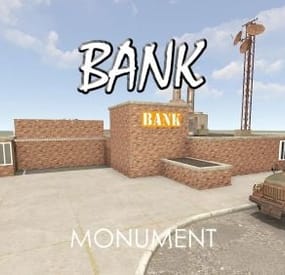
Bank
Bank is a roadside monument and as always its got one hell of a complex puzzle.
Totally re-designed but still having the same puzzle aspect.