
Thump1t's Wishlist
-

$19.99
Gun Game
By imthenewguy in Plugins
Gun Game is a high-intensity PvP game mode where players compete to be the first to reach the final weapon by earning kills. Each kill advances the player to the next weapon in a fully customizable progression list, keeping the action fresh and engaging.
The plugin creates a dedicated arena high in the sky, completely separated from the main map, to host the event.
When players join the event, they are teleported from their current location to the event lobby, with all of their items, modifiers and metabolism stats stored safely by the plugin.
Server owners can create any number of weapon profiles for players to progress through. The plugin will choose randomly between each profile at the beginning of each round.
The plugin ships with 2 default profiles:
Standard - Starts with revolver, ends with m249 and is 21 weapons long. Reverse - Starts with m249, ends with a sword and is 23 weapons long.
This plugin works with most PVE plugins.
Spawns an arena when the game begins and removes it when the game ends (no Rust-Edit required). Saves players inventory, metabolism and modifiers when they enter, and restores them when they leave. Configurable amount of kills per weapon to progress to the next weapon in the track. Supports refilling of ammo, and healing when a player gets a kill (configurable). Multiple respawn methods. Customizable clothing for players, with the option to have separate clothing for the leader. Supports custom item, server rewards and economic rewards for winners, as well as participants (based on a configurable threshold). Global scoreboard tracking wins, kills and deaths.
Command: ggstart <arena name>
Description: Starts the gun game event using the specified arena.
Permission: gungame.admin
Command: ggend
Description: Ends the active gun game event.
Permission: gungame.admin
Command: ggsetcentrepoint <arena name>
Description: Sets the spawn location for the specified arena.
Permission: gungame.admin
There are a number of commands that can be changed in the config that handle:
Joining an event [default: ggjoin] Leaving an event [default: ggleave] Restoring items from a previous event [default: ggrestore] Accessing the scoreboard [default: ggscore]
// Returns if the player is enrolled in the event. public bool IsEventPlayer(BasePlayer player); // Called when the arena has spawned and the lobby is about to start. void OnGunGameStart(); // Called when the game is ending. void OnGunGameEnd(); // Called when a player leaves an event. void OnEventLeave(BasePlayer player, string eventName); // Called when a player is attempting to join the event. Return non-null to prevent. object OnEventJoin(BasePlayer player, string eventName); // Called after a player has successfully joined the event, had their weapons stripped and has been teleported to the lobby. void OnEventJoined(BasePlayer player, string eventName);
Very special thanks to Nobody and the guys and girls on Aussie Outpost PVE for their help with testing and feedback!
-
$32.99
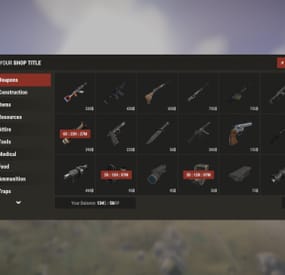
Shop UI
Well rounded shop, with various features. It's standalone plugin which is compatible with WelcomePanel, HumanNpc.
This plugin also supports selling commands, wipe block, no escape, sales, permission access.
Multi-currency support
Use different currencies for different items. Economics and ServerRewards (RP) is supported as well as scrap or any other ingame item.
Restrictions
Combat, raid, spawn and building block supported alongside with basic cooldowns and wipe block. NoEscape is required for combat and raid block.
Appearance
Simple and clean design to ensure smooth user experience for your players. Additionally Shop can be inserted into WelcomePanel to achieve "all in" server panel.
Customization
Widely customizable and feature rich Shop which will fit all needs of your community.
Field Tested
Plugin made by experienced developer, tested by hundreds of server owners and used by some big organizations.
Discord
Customer support available on discord,
Installation
- unzip downloaded package and place Shop.cs file into your plugin folder.
- after succesfuly loading the plugin, data folder oxide/data/Shop will be generated
- take data files provided in plugin package and drop them into your Shop data folder
After finishing these steps your shop is ready to used.
Server Currency
If you don't wish to use ingame items as currency make sure you use either Economics or ServerRewards as you currency management as only those two plugins are compatible with Shop. Default currency setting is Economics ("eco"), if you wish to change it navigate to "oxide/data/Shop/Items.json", open this file in some text editor (VSC recommended) and simply select "eco" and mass replace for desired value. (video here)
"eco" for Economics
"rp" for ServerRewards
"scrap" or any other ingame item
Shop Categories
To remove, change or add new categories open "oxide/data/Shop/Categories.json" file. There you will find all categories alongside with items lists. If you wish to remove certain items from category, just head over to item list and delete from there.
Items
Changing prices
In "oxide/data/Shop/Items.json" you will find every item with their properties, to quick search for specific items press "CTRL + F". By leaving BuyPrice or SellPrice at 0 you will disable selling or buying of said item. Due to multi-currency support prices can be set only in whole numbers, no decimals. To offset for this, you can set minimal amount requirement. For example instead of selling one piece of wood for 0.01$ you can set minimal amount of 100x wood for 1$.
Removing items
If you wish to remove some items from Shop, you can do that directly in "data/Shop/Categories.json" file. Removing items from "Items.json" is not needed as they have no effect unless they are listed in some category.
Adding new items
To add new item you must first head over to "Items.json" data file and create new entry by copy pasting some of the existing ones. Once done with that you can add the item into category. To add multiple versions of same item can be created by simply adding unique tag behind shortname, for example "rifle.ak{1}", "rifle.ak{2}", etc...
Commands
Adding new commands
Commands can be create at "data/Shop/Commands.json". Plugin can only run server side console commands and then parse steam id or player name with tags {steamid} and {playername}. There are two examples shown in default data file. Server side console commands are common thing and almost all plugins utilize them.
Listing commands in categories
Simply type in one of your command names into category item list like this "cmd/yourCommandName". Slash cmd in front of command name is there to make difference between ingame item and command.
Cooldowns
These are very basic, cooldown is triggered when buy/sell action is triggered. By using minimal amount requirement for items you can manage how much player buy and how often. Cooldowns are managed in "data/Shop/Cooldowns.json". Default data file contains two example of cooldowns but it's simply shortname and amount of seconds.
Restrictions
Raid and Combat Block
Managed by NoEscape plugin, option to enable these two block can be found in config file.
Building Block
Prevents players from using shop while they are building block, option can be found in config file.
Spawn Block
Prevents players from using shop after they respawn, amount of seconds can be set in config file, 0 = disabled.
Wipe Block
Prevents players from buying specific items after wipe. Settings are located in "data/Shop/ItemsWipeBlock.json", similar as cooldowns.
Sales
By Permission (config file)
Discount on every item in the shop assigned by permission, multiple permission can be created with their own discount values.
By Category (categories data file)
Discount for every item within specified category.
By Item
Discount for specific item in the shop. If item is already in discounted category, higher discount will be applied.
WelcomePanel integration
To integrate this plugin into WelcomePanel simply use one of the four configs included in download package. These config were premade for each WelcomePanel template (goes from 1 to 4). In case you have own highly customized layout for WelcomePanel you will have to adjust "Layout Container" in Shop config file by yourself.
-
$25.00
Power Plant Event
It’s an Event in the Power Plant location
Description
The event begins with a chat warning: soon CH47 will get new crates with items for scientists to the Power Plant location.
When the time is up, the NPCs guarding this location will appear in the Power Plant zone. Then a water barrel will appear on the top of the central building. A CH47 will fly to this location to get new crates with items.
When the CH47 arrives in the Event zone, it will fail to control and crash in a cooling tower of the power plant. All the crates from the CH47 will be on the top of the cooling tower. But they will be in the fire. You need put out the fire to get access to the crates.
It is necessary to activate a fire system to put out the fire. A fire system is on the top of the central building. So a Workcart will arrive to the Event area to bring a barrel of water. You need move this water from the Workcart to the empty barrel on the top of the central building. As soon as you do this, you will be able to start the fire system by pressing a button.
When the fire system has activated, the fire in the cooling tower will be out. You will be able to access the crates in the cooling tower.
There is a camera in the location for viewing the event.
When an event appears, a marker will display on the map (it can set up in the configuration file).
All players in the event area have a timer with countdown to the end of the event
Dependencies Required
NpcSpawn
Dependencies (optional, not required)
True PVE PveMode GUI Announcements Notify Discord Messages AlphaLoot CustomLoot NTeleportation Economics Server Rewards IQEconomic Kits
Chat commands (only for administrators)
/ppstart - start the event
/ppstop - end the event
/pppos - determining the position and rotation coordinates for changing the location of NPCs and crates. It should write in the configuration (Attention! The event must be started, the current position of the administrator in relation to the Power Plant is read)
Console commands (RCON only)
ppstart - start the event
ppstop - end the event
Plugin Config
en - example of plugin configuration in English ru - example of plugin configuration in Russian
Hooks
void OnPowerPlantEventStart() – called when the event starts
void OnPowerPlantEventEnd() – called when the event ends
void OnPowerPlantEventWinner(ulong winnerId) – called at the end of the event, where the winnerId is the player who did more actions to complete the event
My Discord: KpucTaJl#8923
Join the Mad Mappers Discord here!
Check out more of my work here!
-
$9.99
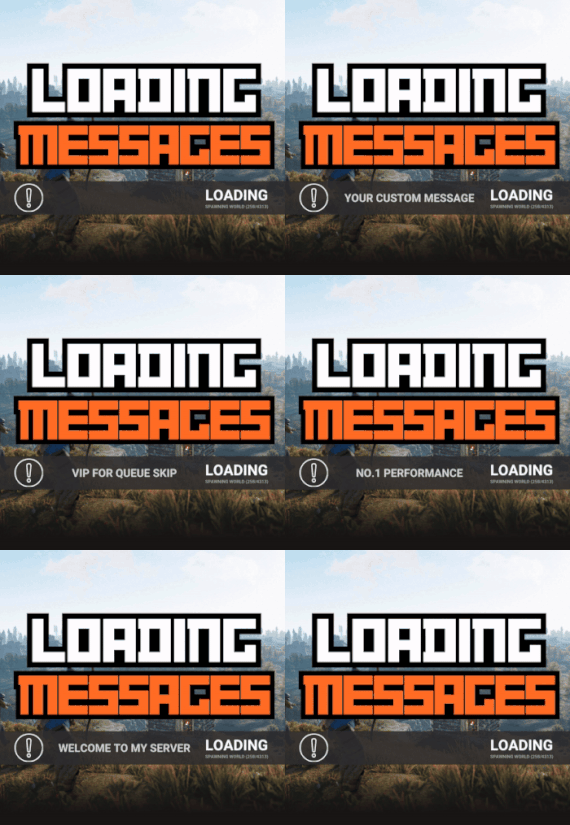
Loading Messages
By Whispers88 in Plugins
Loading Messages is a high-performance plugin that features customizable loading panel messages with adjustable display times and icons.
Custom Messages for Queued and Loading Players Language Support - Display messages in local languages Loading Messages on Respawn and Teleport Loading Screens Configurable Display Time per Message High Performance Plugin!
Loading Messages has three main message types:
Queued - When a player is in the server queue Joining - When a player is joining the server Loading - The loading screen displayed when a player is teleporting or in a pending gamemode state Each custom type allows for options including icon ID, next message display time & message content.
You can also use the placeholder {{PLAYERNAME}} in any message to display the player name inside a loading message.
New Lines - if you want to have text displayed over two lines the only way to achieve this is by using a lot of spaces to split a single line in two.
Loading Messages can use the following rich text tags - color, b, u, and i
To display local languages set: "Use Language Support": true in you configuration. Custom languages will only be displayed after the first time a user connects to the server.
Add multiple languages in the configuration listing:
"Lang Messages": { "es-ES": { "Queue Messages": [ { "iconID": "0", "NextMessageTime": 5.0, "Message": "Estás en la cola" }, { "iconID": "0", "NextMessageTime": 5.0, "Message": "Por favor espera" }, { "iconID": "0", "NextMessageTime": 5.0, "Message": "Reporta tramposos usando f7" } ] } }
You can see a list of most of the icons by going to https://fontawesome.com/icons.
- #loading messages
- #loading
- (and 15 more)
-
$15.00
BoatControl
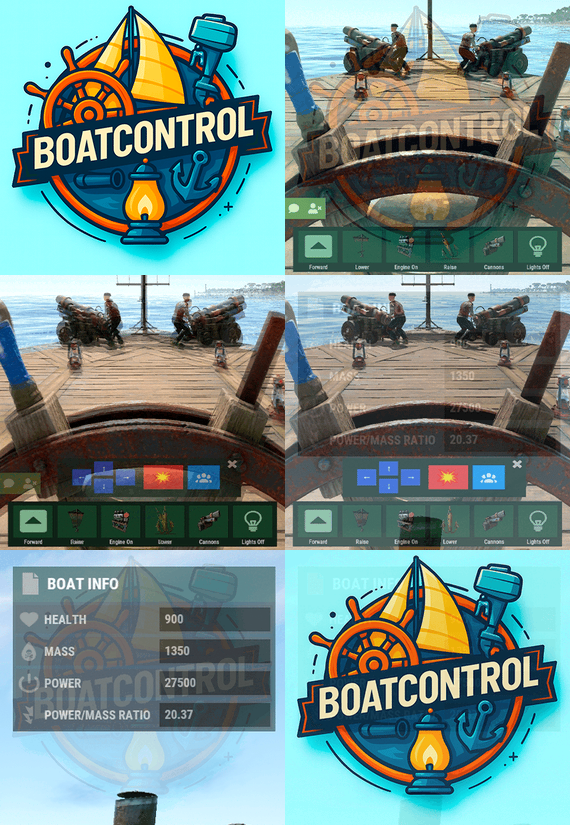
BoatControl is a Rust server plugin that completely enhances boat handling. When taking the helm, a user-friendly CUI interface appears, allowing players to raise/lower sails and anchors, start/stop engines, and switch navigation direction forward or backward.
The plugin also supports automatic reloading when the player has ammunition, cannon firing with configurable cooldown (or bypass via permission), and toggling all torches and lanterns without fuel consumption. Additionally, players can control navigation using W/S and fire cannons with the left mouse click.
Want to try it before you buy it?
You can try it by accessing the Staging server: connect staging.rustspain.com (provided the server is online, as it's my test server).
Video Update 1.0.0
Features
Displays a CUI interface when taking the helm that allows you to:
Raise / lower sails. Raise / lower anchors. Turn engines on / off. Change the navigation direction forward / backward (engines and sails reverse accordingly). Reload (if the player has ammunition in their inventory, with a permission to bypass this). Fire cannons with a cooldown (or without it if you have the bypass permission).
Turn all torches and lamps on/off (In the settings you can decide whether you want them to consume fuel or not).
Allows enabling boat editing anywhere.
Blocks edit mode within safe zones.
Blocks the ability to activate the anchor within safe zones.
Allows you to view the list of authorized players (similar to BetterTC).
Sail Configuration System: Displays a window similar to the config menu showing all sails placed on the boat. Each sail shows its health amount below it. Added a button that allows upgrading sails by levels (thrust power). Everything is configurable, including upgrade costs (in-game resources, RP, or Economy). This allows admins to add as many levels as they want in the config.
Engine Configuration System: Displays a window similar to the config menu showing all engines placed on the boat. Each engine shows its fuel amount and health below it. Added the ability to refuel engines using fuel from the player’s inventory. Added another button that allows upgrading engines by levels (fuel efficiency and engine power). Everything is configurable, including upgrade costs (in-game resources, RP, or Economy). This allows admins to add as many levels as they want in the config. Important: There is a maximum speed limit in the game. I have been testing ways to increase the speed, but I still need to continue researching and testing to find the best way to increase it.
Automatic repair system: If damage is received during repair, it will stop. If the player runs out of materials in their inventory, it will stop. If the player disconnects, it will also stop. Note: The boat health system is unusual and does not work like a normal building, so the system simulates repairs at different points on the boat depending on the percentage of health lost. That is why you will not hear the actual damaged entity being repaired.
BetterTC Integration: If you have BetterTC installed with version 1.6.2 or higher, the automatic Wallpaper placement system will be enabled. Facepunch will add wallpaper support for Boats starting in March; you can test it meanwhile on staging.
You can also change the navigation direction using the W and S keys, and fire the cannons with the left mouse click.
I'm open to further improving this plugin over time. If you'd like to see any features integrated, please mention them in the discussion section.
Ideas I've tried but haven't been able to implement:
Modifying the build area (net size) to make it larger. It doesn't seem possible to change this. Making the engines work without fuel consumption. I managed to do this in an initial test, but then FacePunch changed something and it's no longer possible. I'll try to see if I can adjust fuel consumption to make it more economical. The maximum number of engines and sails cannot be increased. Or at least not easily; it could be done with commands and strange contraptions, but it wouldn't be entirely convenient.
Permissions
boatcontrol.use – Enables the functionality for the player when mounting the boat’s helm. boatcontrol.bypassammo – Allows you to fire cannons without using real ammunition from your inventory. Free ammo! (not recommended to give to regular players) boatcontrol.bypasscannoncooldown – Allows you to fire cannons with no cooldown. Maximum bombardment! boatcontrol.edit allows enabling boat editing anywhere. boatcontrol.cannonuse If the player doesn’t have it enabled, the option to control cannons won’t appear in the interface. Not having this permission will not block manual/vanilla use. boatcontrol.authlist Shows the list of players authorized to the Boat, similar to BetterTC. boatcontrol.deleteauth Allows authorized players to remove player permissions individually. boatcontrol.sailconfig Allows players to open and manage the Sail Configuration menu for boats. boatcontrol.sailupgrade Allows players to upgrade sails (thrust power) according to the configured upgrade levels. boatcontrol.engineconfig Allows players to open and manage the Engine Configuration menu for boats. boatcontrol.engineupgrade Allows players to upgrade engines (fuel efficiency and engine power) according to the configured upgrade levels. boatcontrol.wallpaper Allows players to use the wallpaper placement system on boats. (Requires BetterTC version 1.6.2 or higher.) boatcontrol.repair Allows players to use the automatic boat repair system. boatcontrol.repair.nocost Allows players to repair boats without consuming materials Dynamic repair permissions (speed adjustment) Allows admins to grant specific permissions defined in the config to adjust boat speed limits.
Commands
It currently has no chat or console commands.
Configuration
DEFAULT CONFIGURATION
{ "Enable WASD Direction": true, "Enable Cannon Fire Key (Left Mouse Button)": true, "Cannon Aim Step (degrees per click)": 5.0, "Cannon Fire Cooldown": 5.0, "Cannon Crew": { "Enable": true, "Names": [ "Seaman", "Deckhand", "Bosun", "Gunner", "Quartermaster", "Navigator", "Sailor", "Crewman", "Mate", "Boatswain", "Cannoneer", "Buccaneer", "Mariner", "Sea Dog", "Old Salt" ], "Health": 100.0, "MaxCannons": 0, "Wear": { "burlap.shirt": 1380044819, "burlap.trousers": 1380047706, "burlap.shoes": 2215057317, "hat.boonie": 965553937 }, "RequireOperate": true, "ToggleCrewCooldown": 30.0, "NoCorpse": true }, "Lights": { "Enable Light Toggle Key (R)": true, "Light Toggle Cooldown": 1.0, "Require Fuel For Lights": false, "Light Items (shortnames)": [ "tunalight", "lantern", "torchholder", "largecandles", "smallcandles", "jackolantern.angry", "jackolantern.happy", "chineselantern", "chineselanternwhite" ] }, "Impact Force Physics": { "Enable Impact Physics": true, "Impact Force (default: 100, range: 50-500)": 100.0, "Enable Debug Logging": false }, "Alert Chat": true, "Alert Notify Plugin": false, "Notify: select what notification type to be used": { "error": 0, "info": 0 }, "Color Prefix Chat": "#f74d31", "GUI": { "GUI Windows Belt": { "BG Color Primary": "0.10 0.15 0.10 1", "BG Color Secundary": "0.2 0.30 0.2 0.80", "Button Active Color": "0.2 0.6 0.2 0.80", "Button Inactive Color": "0.2 0.30 0.2 0.80", "OffsetMin": "-200 15", "OffsetMax": "181 79", "AnchorMin": "0.5 0", "AnchorMax": "0.5 0" }, "GUI Windows Info": { "BG Color Primary": "0.10 0.10 0.10 0.8", "BG Color Secundary": "0.2 0.30 0.2 0.80", "Button Active Color": "0.2 0.6 0.2 0.80", "Button Inactive Color": "0.2 0.30 0.2 0.80", "OffsetMin": "-115 -100", "OffsetMax": "115 100", "AnchorMin": "0.902 0.8104", "AnchorMax": "0.902 0.8104" }, "GUI Windows Cannons Menu": { "BG Color Primary": "0.10 0.15 0.10 1", "BG Color Secundary": "0.2 0.30 0.2 0.80", "Button Active Color": "0.2 0.6 0.2 0.80", "Button Inactive Color": "0.2 0.30 0.2 0.80", "OffsetMin": "-140 85", "OffsetMax": "140 185", "AnchorMin": "0.5 0", "AnchorMax": "0.5 0" } }, "Show Info Window": true, "Boat Edit Damage Cooldown (seconds)": 30.0, "Block Anchor in Safe Zone": true, "Block Boat Edit in Safe Zone": true, "Config Version": "1.2.0", "Repair Cooldown After Recent Damage (seconds)": 30.0, "Cooldown Frequency Repair (larger number is slower)": { "boatcontrol.use": 2.0, "boatcontrol.vip": 1.0 }, "Repair Costs (ItemShortName: Amount per block/component)": { "lowgradefuel": 4, "wood": 75 }, "Engine Upgrades": { "Enable Engine Upgrades": true, "Upgrade Levels": [ { "Level": 1, "Display Name": "Tier 1", "Fuel Efficiency Multiplier (1.0 = normal, 0.5 = half fuel consumption)": 0.9, "Power Multiplier (1.0 = normal, 2.0 = double power)": 2.0, "Upgrade Cost": { "Resource Costs (ItemShortName: Amount)": { "scrap": 100, "lowgradefuel": 50 }, "ServerRewards Points": 0, "Economics Money": 0.0 } }, { "Level": 2, "Display Name": "Tier 2", "Fuel Efficiency Multiplier (1.0 = normal, 0.5 = half fuel consumption)": 0.8, "Power Multiplier (1.0 = normal, 2.0 = double power)": 4.0, "Upgrade Cost": { "Resource Costs (ItemShortName: Amount)": { "scrap": 250, "lowgradefuel": 100, "metal.fragments": 300 }, "ServerRewards Points": 0, "Economics Money": 0.0 } }, { "Level": 3, "Display Name": "Tier 3", "Fuel Efficiency Multiplier (1.0 = normal, 0.5 = half fuel consumption)": 0.65, "Power Multiplier (1.0 = normal, 2.0 = double power)": 8.0, "Upgrade Cost": { "Resource Costs (ItemShortName: Amount)": { "scrap": 500, "lowgradefuel": 200, "metal.fragments": 500, "metal.refined": 25 }, "ServerRewards Points": 0, "Economics Money": 0.0 } }, { "Level": 4, "Display Name": "Tier 4", "Fuel Efficiency Multiplier (1.0 = normal, 0.5 = half fuel consumption)": 0.65, "Power Multiplier (1.0 = normal, 2.0 = double power)": 16.0, "Upgrade Cost": { "Resource Costs (ItemShortName: Amount)": { "scrap": 1000, "lowgradefuel": 300, "metal.fragments": 1500, "metal.refined": 100 }, "ServerRewards Points": 0, "Economics Money": 0.0 } } ], "Currency Type (Resources, ServerRewards, Economics)": "Resources" }, "Sail Upgrades": { "Enable Sail Upgrades": true, "Upgrade Levels": [ { "Level": 1, "Display Name": "Tier 1", "Thrust Multiplier (1.0 = normal, 2.0 = double thrust)": 1.5, "Upgrade Cost": { "Resource Costs (ItemShortName: Amount)": { "scrap": 75, "cloth": 100 }, "ServerRewards Points": 10, "Economics Money": 0.0 } }, { "Level": 2, "Display Name": "Tier 2", "Thrust Multiplier (1.0 = normal, 2.0 = double thrust)": 2.0, "Upgrade Cost": { "Resource Costs (ItemShortName: Amount)": { "scrap": 150, "cloth": 200, "leather": 50 }, "ServerRewards Points": 15, "Economics Money": 0.0 } }, { "Level": 3, "Display Name": "Tier 3", "Thrust Multiplier (1.0 = normal, 2.0 = double thrust)": 2.5, "Upgrade Cost": { "Resource Costs (ItemShortName: Amount)": { "scrap": 300, "cloth": 300, "leather": 100, "metal.fragments": 200 }, "ServerRewards Points": 20, "Economics Money": 0.0 } }, { "Level": 4, "Display Name": "Tier 4", "Thrust Multiplier (1.0 = normal, 2.0 = double thrust)": 3.0, "Upgrade Cost": { "Resource Costs (ItemShortName: Amount)": { "scrap": 600, "cloth": 500, "leather": 200, "metal.fragments": 500 }, "ServerRewards Points": 30, "Economics Money": 0.0 } } ], "Currency Type (Resources, ServerRewards, Economics)": "ServerRewards" } } For any problem, doubt, suggestion or assistance do not hesitate to contact me by Discord ninco90
- #boat
- #controller
- (and 8 more)