
frizzo420's Wishlist
-

$4.99
Vehicle Lights Pack
If there's one thing Rust lacks, in my opinion, it's atmosphere with their vehicles. As is currently, vehicles serve only as mediocre decoration and maybe a platform to hold loot, they're very static feeling. I feel like the vehicles can be much more than that. The vehicles in this pack breathe new life into maps and add a dynamic atmosphere to help improve the immersion in your server.
In this pack I have included the following vehicles:
Black Sedan Blue Sedan Green Sedan Red Sedan White Sedan Dump Truck Level - with two variations of lights Dump Truck Tilted - with two variations of lights Forklift Tractor Trailer Flatbed Truck and Camper Gooseneck Truck Gooseneck Truck & Trailer Combo Truck Flatbed
These vehicles are ready to go and are a great addition to any map they are used with.
A KB-Edits Collaboration.
- #vehicles
- #custom prefab
- (and 4 more)
-

$25.00
Simple Link - Discord & Steam Linking System
PLEASE READ
Discord Invite: https://discord.gg/HN2ZNTYxYJ
Announcement Link: https://discord.com/channels/1244882881034321984/1244888483886006282/1274437770948902953
For anyone having issues with missing icons on Simple Link index page, it seems the generic Font Awesome kit I used has hit it's views or something. I recommend you to get your own.
Signup and get your own kit here: https://fontawesome.com/start And then replace the below code with the code they give you:
<script src="https://kit.fontawesome.com/9e14982b30.js" crossorigin="anonymous"></script>
Simple Link the first and best verification system!
Why my system?
More information will be detailed below, but to put it in a basic sense: I provide a solid product delivered by someone who has been developing software and doing back end work for over 10 years, and it is also my professional field. I have had zero complaints about the way the system works, or about it causing any server-sided or performance issues, and that is with 175+ happy customers to date. All of my previous customers have been through word of mouth, simply because people wanted a better product and knew I could provide it. I've had no complaints thus far, I've spent a lot of time developing, maintaining, and updating the system, and I believe in the quality of work, not the quantity of price. Ryz0r's verification system, Simple Link, has been delivered too and used on over 175 servers at this point. I strive to provide the best support, quickest updates, and quick installs. If you need any support, I'm only a message away, and my customers can attest to this! There may be some competitors out there, but no one will beat the quality support I provide, the easy installation and the free updates. I'm usually on Discord all the time, and if not my phone is always next to me for quick and easy replies. My system has proven time and time again to provide great results with no effects to server performance!
Requirements/Dependencies
Web Server with MySQL, PHP Server/Bot Container with NodeJS 12 Rust Server Suggested Setup
Hetzner VPS ($3-4/month) - This will run the web server, MySQL, PHP, PHPMyAdmin & NodeJS. Rust Server - Shared or dedicated does not matter! Setting Up Database w/ PHPMyAdmin
Setup Instructions - Detailed Instructions Provided with Product Delivery
Create A New Discord Bot - Discord Dev Portal Set Bot Redirect & OAuth2 in OAuth2 Section to https://yourdomain.com/discord Move down to scopes and select bot, and a new section named "Bot Permissions" should show up. Choose View Channels, Manage Server, Manage Roles. Then, click the save button and invite the bot to your guild. Upon inviting the bot, there should be a role name created that is exactly the name of your bot. Please move this role to the very top or else it won't properly give out your verified role. Upload all files from the website folder to your web server where the website will be hosted from, and then open main.conf.php for editing. There are quite a few fields in here, so read the detailed setup instructions for information on what each item does. Modify SteamAuth/SteamConfig.php and fill in your Steam API Key found here, and also your domain in the spots where it says YOUR DOMAIN HERE. Open the file called api.php and replace $$SECRET$$ with a secret identifier of your choice. Any string is okay here. Upload the plugin to your Rust server, modify Oxide/Config/UniversalLink.json. The most important part will be the API URL as: https://yourdomain.com/api.php?action=steamChecks&id={id(s)}&secret=yourapikey. For more detailed instructions reference the guide in the product file. The last step will be setting the bot up. Upload this to your web server, or a bot container and then edit the file. All fields to modify are at the top and you are told what to modify. Then, install the following three NPM packages: (steamapi, node-fetch, discord.js), and then run it using NodeJS 12. Product Features
Web-Based Discord & Steam Login Verification Rewards - Reward players for linking their Discord & Steam together. Steam Group Rewards - Reward players instantly for joining your Steam Group. Nitro Boost Rewards - Reward players in-game that Nitro Boost your Discord. Discord Bot - A provided Discord bot allows you to search all verified players given a Discord ID or Steam ID. This can help to quickly identify players in your Discord or In Game. Custom API - A custom API is provided that allows you to develop your own things around the system. Some customers have made ticket bots that only allow verified users to open a ticket, and displays their Steam Information upon making a ticket. Website - The website is designed and ready to go after a few configuration steps. It is designed in HTML & CSS so it is easy to adjust and change as some customers have already done. No Discord Extension! - This plugin does not rely on the Discord Extension.. which means random crashes, and bots timing out are no longer a thing. I made the system and plugin with performance in mind, so the plugin uses a queuing system to hand out rewards, or allows for use of a command to do it. Oxide -> Discord Role Sync - Roles are synced from Oxide to Discord. All roles you configure will be synced after the plugin is loaded. Existing roles will not be, but all roles going forward will be. Demonstrations & Examples
Discord Invite - You may join my Discord to chat with existing customers or read their testimonials. Rust Reborn Linking - https://rustreborn.link/ Rust Mania - https://rustmania.net Perfect Aim Train - https://perfect-rust.com/link/ Rusty Nation - https://verify.rustynation.io Spicy Rust - https://www.spicyrust.net/link/ Templar Gaming - https://link.templargaming.net EURustClans - https://eurustclans.com/steam Wasteland.gg - https://verification.wasteland.gg/ Viking Republic - https://verify.vikingrepublic.ca theBRIDGE - http://link.thebridge.games/ GetChad - https://link.getchad.org/ Lone Wolf - https://link.lonewolfrust.com Trust Your Skill - https://link.trustyourskill.com Best Rust Servers - https://bestrustservers.link Exiled.gg - https://link.exiled.gg BattleZone - https://link.battlezone.gg The list goes on and on. If you need more examples or have any questions feel free to contact me at any time on Discord: ryz0r.
-
$24.00
Halloween
By The_Kiiiing in Plugins
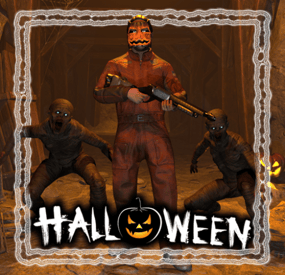
Get your server ready for Halloween! This plugin adds several options to make your server more spooky, including jumpscares when looting a crate, customizable NPC clothing and graveyards with zombies that spawn at night.
Features:
Graveyards with loot guarded by zombies Play spooky sound effects at night Jumpscares when looting a crate Custom NPC clothing Junk pile decorations
New with version 1.4.0: Pumpkin Launcher & Zombie Grenade
Pumpkin rockets are only visual and do not affect rocket damage. In order to fire pumpkin rockets, players need the permission
halloween.pumpkinlauncher
The zombie grenade is a regular smoke grenade that spawns zombies inside the smoke circle when deployed. The smoke duration and zombie count can be adjusted in the config file. To obtain a zombie grenade, use the command halloween.give grenade <optional amount> <optional player> with permission halloween.give . The skin id of the zombie grenade is 3578690997
New with version 1.3.0: Random jumpscares
An NPC will randomly appear behind a player and make noises to get the players attention. When the player turns around, a configurable sound is played. The NPC will follow the player until it gets killed or destroyed by a timer.
Video: https://imgur.com/a/1IsYXKV
Command to manually scare players:
jumpscare <playerNameOrSteamId?> Permission:
halloween.scare - Required to use the jumpscare command
Graveyards:
The plugin comes with one graveyard built-in, you can also create custom grave yards. Graveyards spawn at night and are guarded by zombies. Inside you can find coffins with loot. They will burn down as soon as the sun rises.
To create a custom graveyard you first have to build one. Any deployable in the game can be added to a graveyard with some serving a special purpose:
Snowman: Placing a snowman in the graveyard will create a zombie spawn point at that position Coffin: Every coffin will be filled with loot when the graveyard spawns. The loot can be changed in the config To save a graveyard, go to the center of your graveyard and type /gy new . Now hit every object you want to include in your graveyard with a hammer. When you are done use /gy save <name> to save the graveyard. To spawn the graveyard at night you have to add the name to the config field "Grave yard configurations to spawn".
Junkpiles:
Every junk pile can be customized with decorations. Out of the box the plugin comes with a default configuration for each junk pile.
To edit the decorations of a junk pile, use the command /jp <type> where type is a letter from a to j each representing a different junk pile. A junk pile will spawn at your current position. To add objects to the junk pile just hit them with a hammer and use /jp save when you are done.
Custom jumpscare sounds:
There are 2 default sounds for jumpscares: _scream and _laugh, you can also record custom sounds. To record a custom sound using the in-game voice chat, type /hrec to start the recording and /hrec again to stop the recording.
You can check you current recording by using the command /hrec test. A ghost will spawn next to you and play the sound you just recorded.
To save your recording use /hrec save <name>. Now you can add the name of the recording to the config field "Jumpscare sounds".
Permissions:
halloween.edit - Required to edit junk piles and graveyards halloween.record - Reqired for recording new sounds
Configuration:
{ "Enable lightnings at night": true, "Enable fog at night": true, "Enable junk pile decorations": true, "Max decorations per junk pile": 2, "Max total junk pile decorations (set lower to reduce performance impact)": 2000, "Enable grave yards": true, "Enable fire when grave yards despawn (impacts performance)": false, "Show graveyards on the map (requires https://codefling.com/plugins/marker-api)": true, "Map marker settings": { "Name": "A Graveyard", "Radius": 0.2, "Color (hex format)": "#FFFF00" }, "Spawn graveyards during this time": { "start": 19, "end": 7 }, "Grave yard zombie health": 120.0, "Grave yard population at night": 20, "Allow grave yards on roads": true, "Grave yard despawn time (seconds)": 40.0, "Minimum distance between grave yards": 50.0, "Grave yard configurations to spawn": [ "_default" ], "Grave yard loot table": // Removed for readability "Grave yard zombie configuration": { "Npc name": "Zombie", "Health": 150.0, "Attack range multiplier": 1.0, "Sense range (m)": 50.0, "Vision cone (degrees)": 135.0, "Damage scale (1 = 100%)": 1.0, "Memory duration (seconds)": 60.0, "Roam range (m)": 30.0, "Chase range (m)": 50.0, "Remove corpse on death and drop bag": false, "Kit (requires Kits plugin)": "", "Clothing items": // Removed for readability }, "Enable sound effects at night": true, "Minimum time between sound effects (per player, in minutes)": 5.0, "List of sound effects": [ "assets/bundled/prefabs/fx/player/beartrap_scream.prefab", "assets/bundled/prefabs/fx/player/howl.prefab" ], "Custom NPC Clothing": { "stables_shopkeeper": [ { "Item shortname": "pumpkin", "Skin id": 0 }, { "Item shortname": "gloweyes", "Skin id": 0 } ] // Removed for readability }, "Custom NPC clothing ignored NPC skins": [ 11162132011012 ], "Loot jumpscare configuration": { "Enabled": true, "Jumpscare NPC name": "Ghost", "Jumpscare chance (%)": 5.0, "Minimum time between jumpscares (per player, in minutes)": 30, "Jumpscare sounds - played when the player is looking at the npc": [ "_scream" ] }, "Random jumpscare configuration": { "Enabled": true, "Jumpscare NPC name": "Ghost", "Jumpscare chance (%)": 5.0, "Minimum time between jumpscares (per player, in minutes)": 30, "Jumpscare sounds - played when the player is looking at the npc": [ "_laugh", "_scream" ], "Attention sound effects - played when the player is not looking at the npc": [ "assets/prefabs/deployable/reactive target/effects/snd_knockdown.prefab", "assets/prefabs/clothes/halloween.scarecrow/effects/soul_release_effect.prefab", "assets/bundled/prefabs/fx/item_break.prefab", "assets/prefabs/building/door.hinged/effects/door-wood-knock.prefab", "assets/prefabs/weapons/cleaver big/effects/hit.prefab", "assets/prefabs/weapons/sword big/effects/hit.prefab", "assets/bundled/prefabs/fx/player/gutshot_scream.prefab" ] }, "Recording command name": "hrec", "Grave yard command name": "gy", "Junk pile decoration command name": "jp", "Jumpscare command name": "jumpscare" }
- #halloween
- #zombie
- (and 8 more)
-
.thumb.jpg.00ac3809fdd0a11c5c97d3d72f3289bd.jpg)
$4.49
Spooky Sky
Halloween is here early!
Spooky Sky turns your server into an eerie blood-red paradise - featuring intensity & cloud coverage options, you can tweak the sky to your liking and give your players a hauntingly unique experience!
Perfect for zombie, roleplay & survival servers or just your yearly Halloween event! It even affects water reflections in case you're brave enough to swim in it 👻
Config:
{ "AtmosphereBrightness": 0.3, // higher = brighter "AtmosphereContrast": 1.5, // higher = more contrast - can be used to darken sky more "CloudBrightness": 0.1, // higher = brighter clouds "CloudCoverage": 0.2, // higher = more clouds "FogLevel": 0.2, // higher = more fog "MieIntensity": 1.0, // slightly affects colour, won't do much "RayleighMultiplier": 10.0, // higher = more intensity on sky effect/colour "SkyDarkening": 0.1, // lower = darker sky "StormClouds": true, "Thunder": true }
- #halloween
- #spooky
- (and 4 more)
-
$17.00
Missile Silo Event
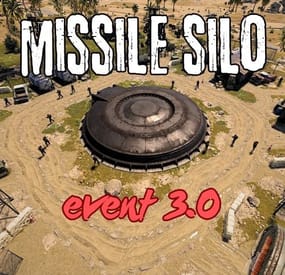
This plugin spawns a tank, lots of turrets, lots of NPCs, and locked crates on the Missile Silo monument
Supports the PveMode plugin!
Chat and console commands:
- siloeventstart
- siloeventstop
Before you upgrade from 2.1.5 to 3.0, delete the old config file!!
Contact:
Discord: https://discord.gg/C5CehdJMdK
Test Rust server: 213.181.206.21:27194
Hooks:
void OnMissileSiloEventStart();
void OnMissileSiloEventStop();
Config:
{ "Version": { "Major": 3, "Minor": 0, "Patch": 0 }, "Automatic event start": true, "Minimum time for event start": 3600.0, "Maximum time for event start": 7200.0, "Duration of the event": 2800.0, "Warning messages before event start": 300.0, "Warning messages before event end": 300.0, "Chat icon": 0, "Locked crate hack time": 900.0, "Disable BetterNpc plugin npc's for the duration of the event?": false, "Spawn NpcSpawn Scientist?(Required: NpcSpawn plugin!)": true, "Spawn BotReSpawn Scientist?(Required: BotReSpawn plugin!)": false, "BotReSpawn profil name:": "", "BotReSpawn Npc's number": 10, "Spawn the helicopter?": true, "Messages setting": { "Message before the event starts.": "Everyone be careful, the <color=#ff0000>Missile Silo Event</color> is about to start.", "Warning message before the event stop.": "The <color=#ff0000>Missile Silo Event</color> will end soon!!", "Message when someone event owner": "Someone has become the owner of <color=#ff0000>Missile Silo Event</color>.", "Start message": "<color=#ff0000>Missile Silo Event</color> has started!!", "Stop message": "<color=#ff0000>Missile Silo Event</color> end!", "Map marker name": "Missile Silo Event", "Map marker radius": 0.6, "Color": { "r": 1.0, "g": 0.0, "b": 0.0 } }, "Bradley setting": { "Bradley health": 1000.0, "Number of crate to spawn when the bradley dies": 3, "Number of Npc spawning from Bradely": 3 }, "AutoTurret setting": { "Health": 300.0, "Weapon ShortName": "rifle.ak", "Ammo ShortName": "ammo.rifle", "Number of ammo": 5000 }, "List of lootable crates": [ { "Prefab": "assets/bundled/prefabs/radtown/crate_elite.prefab", "Position": "(-18.234, 0.775, -17.476)", "Rotation": "(0, 0, 0)", "Use custom loot?": false, "CustomLoot": { "Minimum items": 1, "Maximum items": 1, "Use minimum - maxium?": false, "List of items": [ { "ShortName": "xmas.present.small", "Minimum": 3, "Maximum": 6, "Chance": 100.0, "Give blueprint?": false, "SkinID": 0, "Displayname": "" } ] } }, { "Prefab": "assets/prefabs/npc/patrol helicopter/heli_crate.prefab", "Position": "(-21.696, 0.775, -17.690)", "Rotation": "(0, 90, 0)", "Use custom loot?": false, "CustomLoot": { "Minimum items": 1, "Maximum items": 1, "Use minimum - maxium?": false, "List of items": [ { "ShortName": "xmas.present.small", "Minimum": 3, "Maximum": 6, "Chance": 100.0, "Give blueprint?": false, "SkinID": 0, "Displayname": "" } ] } }, { "Prefab": "assets/prefabs/npc/m2bradley/bradley_crate.prefab", "Position": "(13.769, 0.775, 24.758)", "Rotation": "(0, 90, 0)", "Use custom loot?": false, "CustomLoot": { "Minimum items": 1, "Maximum items": 1, "Use minimum - maxium?": false, "List of items": [ { "ShortName": "xmas.present.small", "Minimum": 3, "Maximum": 6, "Chance": 100.0, "Give blueprint?": false, "SkinID": 0, "Displayname": "" } ] } }, { "Prefab": "assets/bundled/prefabs/radtown/crate_elite.prefab", "Position": "(10.544, 0.775, 33.744)", "Rotation": "(0, 0, 0)", "Use custom loot?": false, "CustomLoot": { "Minimum items": 1, "Maximum items": 1, "Use minimum - maxium?": false, "List of items": [ { "ShortName": "xmas.present.small", "Minimum": 3, "Maximum": 6, "Chance": 100.0, "Give blueprint?": false, "SkinID": 0, "Displayname": "" } ] } }, { "Prefab": "assets/prefabs/deployable/chinooklockedcrate/codelockedhackablecrate.prefab", "Position": "(-19.577, 0.775, -24.315)", "Rotation": "(0, 0, 0)", "Use custom loot?": false, "CustomLoot": { "Minimum items": 1, "Maximum items": 1, "Use minimum - maxium?": false, "List of items": [ { "ShortName": "xmas.present.small", "Minimum": 3, "Maximum": 6, "Chance": 100.0, "Give blueprint?": false, "SkinID": 0, "Displayname": "" } ] } }, { "Prefab": "assets/prefabs/deployable/chinooklockedcrate/codelockedhackablecrate.prefab", "Position": "(11.290, 0.775, 27.339)", "Rotation": "(0, 180, 0)", "Use custom loot?": false, "CustomLoot": { "Minimum items": 1, "Maximum items": 1, "Use minimum - maxium?": false, "List of items": [ { "ShortName": "xmas.present.small", "Minimum": 3, "Maximum": 6, "Chance": 100.0, "Give blueprint?": false, "SkinID": 0, "Displayname": "" } ] } }, { "Prefab": "assets/prefabs/deployable/chinooklockedcrate/codelockedhackablecrate.prefab", "Position": "(-23.975, 0.775, -26.082)", "Rotation": "(0, 270, 0)", "Use custom loot?": false, "CustomLoot": { "Minimum items": 1, "Maximum items": 1, "Use minimum - maxium?": false, "List of items": [ { "ShortName": "xmas.present.small", "Minimum": 3, "Maximum": 6, "Chance": 100.0, "Give blueprint?": false, "SkinID": 0, "Displayname": "" } ] } }, { "Prefab": "assets/prefabs/deployable/chinooklockedcrate/codelockedhackablecrate.prefab", "Position": "(16.124, 0.775, 33.195)", "Rotation": "(0, 270, 0)", "Use custom loot?": false, "CustomLoot": { "Minimum items": 1, "Maximum items": 1, "Use minimum - maxium?": false, "List of items": [ { "ShortName": "xmas.present.small", "Minimum": 3, "Maximum": 6, "Chance": 100.0, "Give blueprint?": false, "SkinID": 0, "Displayname": "" } ] } } ], "Ground Npcs settings outside": { "Minimum": 12, "Maximum": 15, "List of position": [ "(-12.489, 0.355, 6.207)", "(-13.954, 0.355, -5.113)", "(-11.014, 0.355, -12.386)", "(6.459, 0.252, -13.555)", "(16.419, 0.355, -4.378)", "(14.382, 0.264, 7.947)", "(4.066, 0.355, 14.653)" ], "NPCs setting": { "Name": "Silo Guard", "Health": 250.0, "Roam Range": 30.0, "Chase Range": 30.0, "Attack Range Multiplier": 1.5, "Sense Range": 60.0, "Target Memory Duration [sec.]": 60.0, "Scale damage": 0.8, "Aim Cone Scale": 1.5, "Detect the target only in the NPC's viewing vision cone? [true/false]": false, "Vision Cone": 135.0, "Speed": 7.5, "Disable radio effects? [true/false]": false, "Is this a stationary NPC? [true/false]": false, "Use custom loot?": false, "CustomLoot": { "Minimum items": 1, "Maximum items": 1, "Use minimum - maxium?": false, "List of items": [ { "ShortName": "xmas.present.small", "Minimum": 3, "Maximum": 6, "Chance": 100.0, "Give blueprint?": false, "SkinID": 0, "Displayname": "" } ] }, "Wear items": [ { "ShortName": "hazmatsuit_scientist_nvgm", "SkinID (0 - default)": 0 } ], "Belt items": [ { "ShortName": "rifle.lr300", "Amount": 1, "SkinID (0 - default)": 0, "Mods": [ "weapon.mod.flashlight" ], "Ammo": "" }, { "ShortName": "syringe.medical", "Amount": 2, "SkinID (0 - default)": 0, "Mods": [], "Ammo": "" } ] } }, "PVE Mode Setting (only for users PveMode plugin)": { "Use PveMode plugin?": false, "Required damage to the event owner": 500.0, "The event is a right of ownership, to obtain it you need damage multiplier.": { "Npc": 1.0, "Bradley": 1.0 }, "Non owner can loot the crates?": false, "Non owner can loot the Npc's?": false, "Non owner can damage Npc's?": false, "Non owner can be attacked by Npc's?": false, "Non owner, can you enter the event zone?": false, "Allow a player who has an active cooldown of the Event Owner to enter the event zone?": true, "The time that the Event Owner may not be inside the event zone.": 300, "The time until the event owner can return to the event zone.": 60, "Block the RestoreUponDeath plugin in the event zone.": true, "After all this time, an event owner can be an event owner again.": 86400.0, "Darkening the sphere.": 15 } }