
frizzo420's Wishlist
-
$16.99
Welcome Panel
Site
In case you having issues with plugin feel free to open support ticket on site here. I will usually respond within 24 hours not including weekends.
Discord
I'm also available at my discord server where I provide support for my customers. You can also find small community here and get answers for your questions. Invite link here.
Documentation
To find out what can be customized within config file please refer to full plugin documentation here. Any questions prior to purchasing forward into DM here or into ticket at my discord.
Default configs available as template with plugin.
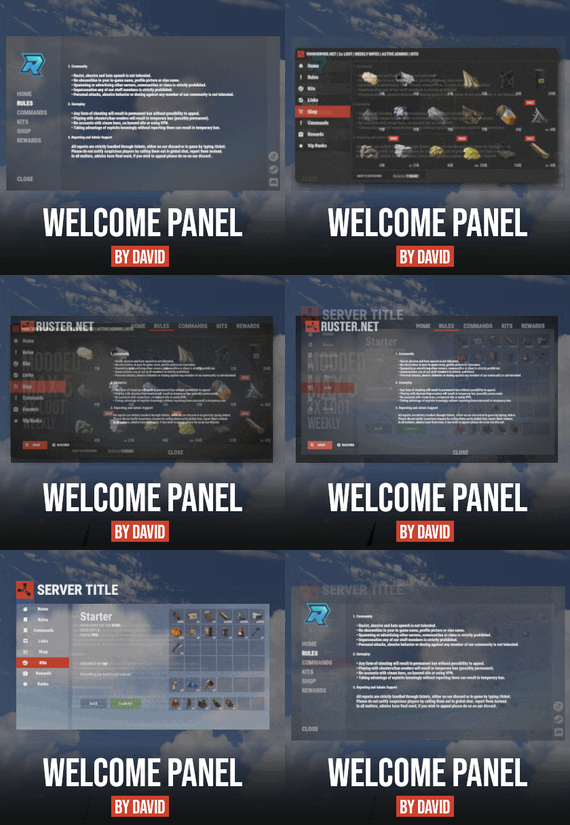
Screenshots bellow showcasing configurations created by customers. These are not available with the plugin but I decided to post them here since it's good demonstration of how customizable this plugin is.
BOOBLEJ
Tide
Neighigh
Paul
Leunal17
BOOBLEJ
How to start using plugin? Simply drop WelcomePanelLite.cs file into your plugin folder. After successfully loading plugin you can use default command /info in game. Configuration is handled in config file (oxide/config/WelcomePanelLite.json).
How hard is to get this plugin all set up? It's fairly simple. Plugin comes with default configuration which showcases everything you need to know regarding text, styling and changing images.
How hard it is to customize your own layout?
When it comes to changing color or images it's simple, any inexperienced user can do it however if you want to customize positions of UI or add extra tab buttons, it requires understanding of "ui anchors". Anchors are not that complicated but it takes hour or two to fully understand it. For more info check documentation.
Can I add multiple pages into WelcomePanel?
Yes, you can add unlimited amount of pages.
Can I add images into WelcomePanel?
Yes, you can add image to any panel and you can set background for each tab
What image sizes I should use?
This is different for each panel across different templates. Basically images parented to any panel are stretched to its size. Best approach is to take screenshot of the panel and try to fit image size into that prior to uploading it.
How to add addons?
Each text tab has addon option at bottom, just type in plugin name. List of available addons can be found at the top of the plugin description, listed as "Works with".
-

$59.90
The Earth Apocalypse : Remastered
This is The Earth Apocalypse, the most known custom map in Rust history, now available on Codefling ! This map has been showcased and played by Facepunch themselves, along with many youtubers such as Frost, hJune and more who made movies/livestreams and videos on it ! The map constantly receive new updates to keep in line with new rust contents.
NEW UPDATE, Version R1365 : MAJOR MAP OVERHAUL : CLIFF, ROCKS, LAKES, JUNGLE !
The Earth – Apocalypse by Keirox. The craziest rust custom map ever made. Years of hardwork. This map features a post-apocalyptic city, many unique monuments, crazy electricity puzzles, custom caves, and much more… So many places to explore and great things to experience. When this map released it was an huge earthquake to the custom map world thanks to it’s endless amount of content and awesome builts, and it inspirated a lot of people. This map has also been showcased by Facepunch and multiple youtubers.
https://youtu.be/ZHHAceDvsGk
– Map Size : 5800 (Ocean) Terrain equal to 3500km
– Monuments : Launch Site, Harbor, The Dome, Super Market, Compound, Giant Excavator, Large Oil Rig, Submarine Labs, Fishing Villages, Farm, Missile Outpost, Nuclear Silo, Ferry, Oil Rig, Radtown
– Custom : Installation 07, AC-130 Hangar, The Golden Gate Bridge, AC-130 Crash Site, Apocalyptic City, Infected Scientist Bunker, Mariana Trench, Abandonned Outpost, Custom Caves, Sea Safezone, and more.
Performance is on point and everything is setup for vanila gameplay. BotRespawn and Kits data included for optimal experience.
Prefabs count : 72,500
Keirox Custom Maps Discord : https://discord.gg/GXz2v7K3FJ
Keirox Custom Maps Website : https://rust-keiroxcustommaps.com/
-

$24.99
Drug Business
Looking for some business, eh?
Overview
Introduces a drug farming system to the server to enhance the gameplay
Give the role players a motive to live.
Commands
/db.vpn (Works for both chat & console) - Spawns a vpn which must be held in the belt and is required to access the black market through a computer station. (Admin only) /process - Opens the drug processing and packaging menu, must be entered while looking at a workbench level 3 for marijuana and mixing table for cocaine /spawndealer (optional parameter for name) - Spawns a dealer which can be further customized in the data file for example, regular spawning time, unique clothing to each dealer, etc (Admin only) /deletedealer ("perma" optional parameter) - Use this command while looking at the dealer, this will make them disappear for a while until the next time they're supposed to spawn, use "perma" as a optional parameter this will permanently clear them and never spawn back. (Admin only)
Flow
Players are required to find a vpn (custom item) in order to access the black market. Accessing a Computer Station with a VPN in the belt will access the Black Market, from here they'll be able to order weed or coca seeds. A drone will deliver it to them shortly, they're supposed to plant the seeds, grow the plant and harvest it on time Once done, they can now proceed further and process/package the material gotten off the plant, this can be done by standing near a workbench level 3 for weed and mixing table for coca and using the command /process (configurable) Packaged bricks can be sold to dealers available across the map, they're forced to spawn in a specific time (configurable) and they spawn randomly also configurable
Configuration
{ "Basic Settings": { "Hours From The Dealers Will Be Available": 0.0, "Hours Till The Dealers Will Be Available": 24.0, "Loading Screen Update Rate (Seconds) [Don't make it too small]": 0.035, "Loading Screen Anchor Shifting [Left - Right]": 0.001 }, "VPN Settings": { "Item Info": { "Display Name": "VPN Flash Drive", "Skin ID": 2645299478, "Require In Belt": true, "Spawn Command": "db.vpn" } }, "Drug Settings": { "Use (Economics / Server Rewards / Scraps)": "economics", "Currency Symbol": "$", "Marijuana Seeds": { "Cost per seed": 40.0 }, "Peruvian Coca Seeds": { "Cost per seed": 40.0 } }, "Drone Settings": { "Drone Spawn Distance (Default: 210)": 210, "Drone Spawn Height (Default: 78)": 78, "Drone Delivery Height (Default: 40)": 40 }, "Crafting Settings": { "Cocaine Leaves Required": 5, "Cocaine Powder Required": 10, "Cannabis Required": 5, "Marijuana Required": 10 }, "Dealer Settings": { "Maximum Dealers at a time (will pick random from the data)": 3, "Dealer Name": "Dealer", "Default Outfit": [ { "Item": "tshirt", "Skin": 838212999 }, { "Item": "pants", "Skin": 866948432 }, { "Item": "hat.beenie", "Skin": 814355387 }, { "Item": "shoes.boots", "Skin": 1889769313 }, { "Item": "mask.bandana", "Skin": 2312147084 } ], "Weed Brick": { "Bricks Sell Quantity": 1, "Time Taken For Single Trade (Seconds)": 30, "Brick Selling Price": 120 }, "Cocaine Brick": { "Bricks Sell Quantity": 1, "Time Taken For Single Trade (Seconds)": 30, "Brick Selling Price": 160 } } }
-
$34.99
XPrison
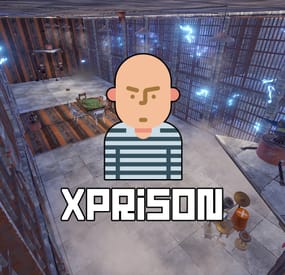
XPrison - prison for your server.
- Optimization of the interface for different monitor resolutions.
- Storing player data in - oxide/data/XDataSystem/XPrison
- There is a lang ru/en/uk/es.
- Sound effects when interacting with the menu.
- Ability to create a prison using the CopyPaste plugin or a custom prefab created in RustEdit.
[ To use a prefab as a prison, you need to specify its coordinates in the config ]
[ The prison is protected from any kind of damage. ]
- Adjustment of attires for the prisoner.
- Setting nicknames for prisoners. [ Random prefix with nickname in chat ]
- Setting allowed console and chat commands. [ The rest will be blocked ]
- Radio tuning for prisoners. [Detailed settings in the spoiler]
- The ability to send the player to life or temporary imprisonment.
- Two options for serving a temporary sentence:
Online. [ The player needs to spend his entire term online in prison ] By date (offline). [ The player will be released after the specified time. He can go offline and wait offline for the end of the term ] - The ability to add prisoners even if they have never been on the server or on the date. [ A file with the prisoner's data will be automatically created ]
- The ability to block slots with clothes. [ To prevent the prisoner from taking off his uniform ]
- Automatic release of prisoners at the end of the term.
- Block damage to prisoners.
- As spawners for prisoners, the - "Tesla Coil" is used. [ If there are no spawners, then the prisoners will spawn around the map, but will not be able to farm and deal damage. There will be appropriate warnings in the server console ]
- As a spawner for admins is used - "Press Plate".
- "Igniter" is used as spawners for visitors.
- Various chat notifications. [ Sending to the prisonand release. The duration of the term. ]
- An admin or a player with a permit is not subject to various prison restrictions.
- The ability to teleport a prisoner to prison (clear his inventory).
[ Or kill the prisoner and he will respawn in prison ]
- Ability to teleport prisoner from prison to Outpost or Bandit Camp (clear his inventory)
[ Or kill the prisoner and he will respawn on the beach ]
- If a prisoner is teleported to and from prison, without clearing his inventory, then you can arrange a quest for them: If you survive in prison, you can save your loot, as well as the loot that you got from other prisoners in prison. 😃
- Mini game. The prisoner can press buttons and reduce his time of detention.
[ Useful for prisoners who are serving time online ]
- Mini game 2. The prisoner can recycle items inside the zone and reduce his time of imprisonment.
- Ability to automatically spawn entities(stone, barrels, etc.) inside the prison. [ When the player breaks them, they will appear automatically after N seconds. ]
- Ability to link a prison to a monument. [ Just set it up once and it's automatic from there! ]
Important! There must already be a building on the monument! And also all elements of the prison OwnerID must be 100001. You can spawn buildings on monuments with the plugin - MonumentAddons
You can get the prison file for the CopyPaste plugin from the developer after purchase.
-> Overview - YouTube <-
Permissions
xprison.admin - access to admin functionality. [ Not required for admin player ] xprison.visitor - access to visiting the prison for ordinary players. xprison.prisonposset - access to the /prisonposset command. Commands
/zonaloc - find out your coordinates and the coordinates of the prison. /zonaloc1 - get coordinates relative to the monument. [ To link the prison to the monument. ] /tpzona - teleport to the prison. [ For Administrators/Visitors ] /zona - check the length of the term. /zonamenu - open the prisoner management menu. /prisonposset false/true - change the prison coordinates in the configuration. ( The player current coordinates are used. false/true - reload the plugin after changing the coordinates. ) /entspawn cfg-key sec - spawn an entity inside the prison with an appearance interval. /entkill - delete a custom entity. [ You have to look at it. ] cmd_prisoner add <SteamID [ 76561100000000000 ]> <Life imprisonment [ True / False ]> <Term duration [ 3600 ]> <Option to serve time [ True - online / False - by date (possibly offline.) ]> - send to the player's zone. ( Regardless of online player or offline ) cmd_prisoner remove <SteamID [ 76561100000000000 ]> false 0 - release the prisoner. ( Regardless of online player or offline ) [ You can, for example, give the opportunity to redeem yourself through the store ] API
bool API_IsOnlinePrisoner(ulong userID) - return TRUE/FALSE if the online player is a prisoner. void API_AddOnlinePrisoner(BasePlayer prisoner, bool life - Life imprisonment [ True / False ], int duration - Term duration [ 3600 ]) - send an online player to the zone. void API_RemoveOnlinePrisoner(BasePlayer prisoner) - free online prisoner. bool API_IsOfflinePrisoner(ulong userID) - return TRUE/FALSE if the offline player is a prisoner. void API_AddOfflinePrisoner(BasePlayer prisoner, bool life - Life imprisonment [ True / False ], int duration - Term duration [ 3600 ]) - send an offline player to the zone. void API_RemoveOfflinePrisoner(ulong userID) - free offline prisoner. string API_GetOnlinePrisonerPrefix(BasePlayer player) - return the prisoner's online prefix. Config
{ "General settings": { "Profile SteamID for custom avatar": 0, "List of allowed console commands on the prison": [ "global.respawn" ], "List of allowed chat commands in the prison": [ "zona" ] }, "Settings prison": { "Prison location coordinates": { "x": 1000.0, "y": 700.0, "z": 0.0 }, "Prison file name for the CopyPaste plugin": "zona606", "Diameter from the point you specify to search for prison structures, spawners, and more": 35.0, "Automatically turn on the boombox after the prison spawns": true, "Use the CopyPaste plugin for the prison [ True - CopyPaste | False - the prison location point you specified, you can use a custom prefab or build the prison manually ]": true, "Allow regular players to visit the prison": false, "Allow ordinary players to visit the prison only with an empty inventory": true }, "Prisoner settings": { "Lock the clothing slots": true, "Lock the slots on the belt": false, "Lock inventory slots": false, "Lock clothing items - [ Player will not be able to discard them ]": true, "Use a nickname prefix for the prisoner - [ Set to False if the prefix should be disabled or the prefix is used by a third party chat plugin ]": true, "Link to prisoner lock screen image": "https://i.imgur.com/SZoYTLt.png", "Layer UI lock screen image - [ Overlay | Hud ]": "Hud", "Use screen lock": false, "Do not kill the prisoner when he enters the prison, but simply teleporting": false, "When a prisoner is teleported to prison, clear his inventory": false, "Do not kill the prisoner when he is released from prison, but simply teleporting to the Outpost or Bandit Camp": false, "When a prisoner teleports out of prison, clear his inventory": false, "[ Mini-game ] Allow prisoners to shorten their time by pressing buttons inside the prison": true, "[ Mini-game ] For pressing one button, how many seconds to reduce the term of imprisonment": 1, "[ Mini-game 2 ] Allow inmates to reduce their incarceration time by recycling items inside the prison": true, "[ Mini-game 2 ] List of items and number of seconds": { "rock": 1 }, "List of prisoner's attires [ Shortname - SkinID ]": { "burlap.headwrap": 2655848185, "burlap.shirt": 2655843517, "burlap.trousers": 2655838948 }, "List of prisoner nicknames": [ "Schellen", "Schilten", "Espadas", "Bastos", "Oros", "Denari", "Rosen", "Copas", "Herz", "Eichel", "Kule", "Laub", "Zelený", "Grün" ] } } -

$10.00
Advance Vehicles
AdvanceVehicles adds some much needed info to all vehicles . and some perks
Perks
SpeedBoost -- we added a fuel that can be added via stores or vending machines . ( lowgrade fuel : Skin : 3020053068)
-- will increase vehicle speed depending of Config setup
-- Console command highfuel <Player name/ PlayerID> <amount> to give with other plugins
Permissions
AdvanceVehicle.use - players to see UI AdvanceVehicle.unstuck - allows players to get unstuck button AdvanceVehicle.Fuelwarndisabled - Disables all Low Fuel Warnings for the player
KeyBinds
Sprint + Use - disables / activates UI when mounted (ex. Shift + E) Reload - Enable / Disable Low Fuel Warnings (resets to enable on dismount)
Config
{ "1. Use MPH (false will make it KMH) ": false, "2. Speed Boosts ": { "HelicopterSpeeds": 2.5, "BoatSpeeds": 2.0, "SubMarineSpeeds": 2.0, "CarSpeeds": 2.0, "SnowMobileSpeeds": 1.5 }, "3. UI Config Settings ": { "DayTime Text Color (Must be in the RGBA format ex. 0 1 0 1)": "0.8 0.35 0.1 1", "NightTime Text Color (Must be in the RGBA format ex. 0 1 0 1)": "1 1 1 1", "ColdTextColor": "#258BC9", "HotTextColor": "red", "LowFuelTextColor": "red", "LowFuelAmount": 50, "Use ImageLibrary to display FuelType on Hud": true, "Hud use": { "helicopterUI": true, "carUI": true, "boatUI": true, "trainUI": true, "subUI": true, "bikeUI": true, "snowmobileUI": true, "horseUI": true } }, "4. Spawn HighGrade fuel in World": true, "5. Fuel Name": "High Grade Fuel", "6. Drop Settings": [ { "Object Short prefab name": "oil_barrel", "Minimum item to drop": 10, "Maximum item to drop": 25, "Item Drop Chance": 30.0 }, { "Object Short prefab name": "crate_normal_2", "Minimum item to drop": 50, "Maximum item to drop": 75, "Item Drop Chance": 30.0 } ], "7. Use ImageLibrary direct load?": true, "8. Fuel Settings ": { "UseAudioWaring": true, "HeliFuelAmount": 30, "CarFuelAmount": 20, "BikeFuelAmount": 30, "TrainFuelAmount": 30, "BoatFuelAmount": 30, "SubMarineAmount": 30, "SnowMobileAmount": 30 }, "9 Image URLs": { "low": "https://noobhub.co.za/lg.png", "high": "https://noobhub.co.za/hf.png", "horse": "http://www.noobhub.co.za/HUDHelihorse.png", "full": "http://www.noobhub.co.za/HUDHeliFull.png", "half": "http://www.noobhub.co.za/HUDHeliHalf.png", "seconditem": "https://noobhub.co.za/gp.png" }, "A Craft Settings": { "UseCrafting": true, "secondItemFullName": "Gunpowder", "secondItemShortName": "gunpowder", "secondItemAmountRequirement": 2, "secondItemImageURL": "https://noobhub.co.za/gp.png", "LowgradeAmountRequirement": 20, "HighgradeCraftAmount": 10 }, "B Fuel Pump Settings": { "UseFuelpumps": true, "ScrapPerLowGrade": 1 } }
Lang File
{ "KMHDisplay": "KMH", "MPHDisplay": "MPH", "OverLandLabel": "OverLand" }
Credits
We would like to thank MEINRUST Community (@MeinRust) for help with testing , input and UI design and icon for fuel . without you guys this will not have been possible🥰
- #vehicles
- #helicopters
- (and 2 more)