
CoreSnap's Wishlist
-
$15.00
BoatControl
Rust / Server Plugins
BoatControl
Modular Boat ManagementRust Plugin
Take the helm. Control the ship. Command the cannons.
Bring navigation, cannons, lighting and boat management together in a clear interface at the helm. Manage sails and engines, upgrade performance, repair the boat and customize its setup with permission-controlled features.
Helm controls
Navigation, anchors and lighting
Cannon crew
Aim, reload and fire from the helm
Boat progression
Upgrades, repairs and customization
01 / Video demos
See BoatControl in action
Video demo
Watch on YouTube
Video Update 1.0.0
Watch on YouTube
02 / Helm & navigation
One interface for the whole boat
The control interface appears when a player with boatcontrol.use mounts a modular boat’s steering wheel.
BoatControl helm control bar
Raise or lower the sails and anchors. Start or stop the engines. Switch between forward and reverse navigation; engines and sails adjust accordingly. Use W and S to change direction when keyboard direction control is enabled. Hold R to open the boat’s radial menu when enabled, and release it to close the menu. Live boat information
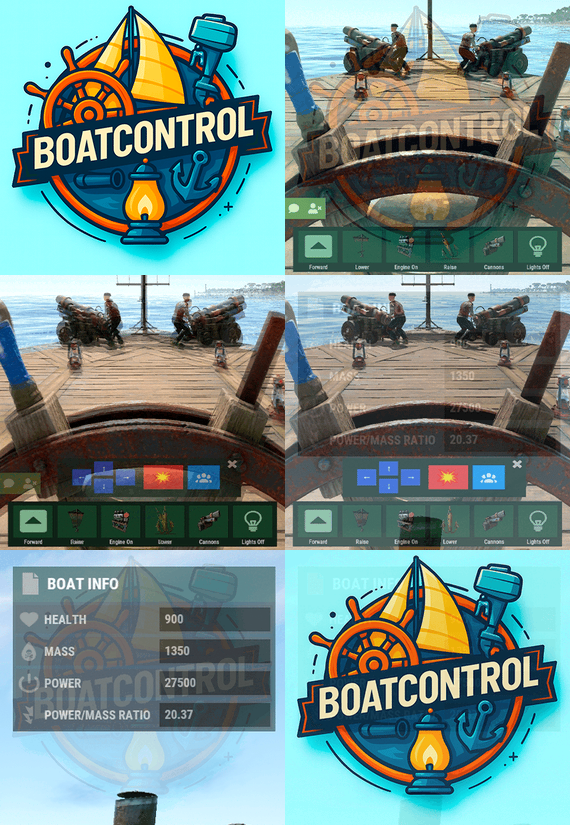
Display boat health, mass, power, power-to-mass ratio and speed in knots. Players can unlock and move the information window; its saved position is retained. Administrators can configure window colors, dimensions and placement, or disable the information window.
Boat information and controls while steering
03 / Cannons & crew
Coordinate your fire from the helm
Reload cannons using cannon ammunition from the player’s inventory. A separate permission bypasses ammunition costs. Fire through the interface or left mouse click when enabled. Configure the firing cooldown, or bypass it through a permission. Aim cannons in configurable angle steps and select numbered crew groups to control which crew-operated cannons are targeted. Assign or remove NPC cannon crew through the interface. Configure crew names, health, outfits and skins, maximum crewed cannons, toggle cooldown and whether corpses are created. Configure whether cannons need a mounted operator before remote aiming and firing. Cannon control and crew interface
boatcontrol.cannonuse controls access to BoatControl’s cannon interface. It does not disable manual, vanilla cannon use. Assign ammunition and cooldown bypasses carefully. 04 / Lighting
Switch the boat’s lights together
Toggle configured torches, lanterns, candle sets, jack-o’-lanterns and Chinese lanterns together from the boat controls. Configure supported item shortnames, the toggle cooldown and whether lights require fuel.
Boat lighting controlled from the helm
Optional fuel-free lighting applies to supported lights. It does not make boat engines operate without fuel. 05 / Boat editing
Edit away from a fixed boat-building area
Grant boatcontrol.edit to access boat editing from the controls. Configure a damage cooldown before editing and block editing inside safe zones when desired. Editing also requires a Boat Building Station item in the player inventory, a boat moving at no more than 2 m/s, and no other active station owned by that player.
Boat editing through BoatControl
Safe-zone restriction for boat editing
Larger building stations
Major update — new features in 1.2.0, with station resizing available from 1.2.3.
Scale the boat-building station created by the edit option with Building Station Scale. This supports a larger construction area for custom boat builds.
Expanded boat-building station
For larger ships, adjust the game block-count limit separately if needed. Set a limit of 500 blocks with the following server variable:
playerboat.maxblockcount 500 Safe-zone anchor protection
Optionally prevent anchor activation inside safe zones.
Anchor restriction inside safe zones
Safe-zone anchor protection example
06 / Authorization
See who can access the boat
Open the list of authorized players from the helm. Grant the separate deleteauth permission to allow authorized users to revoke individual authorizations.
Boat authorized-player list
07 / Sail configuration
Upgrade thrust and customize sail size
View all sails installed on the boat, including their health. Use configurable upgrade levels to change thrust. Starting with version 1.2.3, sail upgrades can also increase or decrease sail size according to your configured scale multiplier.
Sail configuration and health
Sail upgrade levels and costs
Additional sail upgrade interface example
Sails with different configured size multipliers
Define the number of upgrade levels, display names and costs. Select resources, ServerRewards points or Economics money as the upgrade currency. 08 / Engine configuration
Manage fuel, health and engine upgrades
View installed engines with their health and current fuel. Refuel them from the player’s inventory through the refueling menu. Configure upgrade levels that improve engine power and reduce fuel consumption through an efficiency multiplier.
Engine configuration and refueling
Engine upgrade levels and costs
Choose resources, ServerRewards points or Economics money for upgrade costs. Engine and sail upgrade levels are saved in the plugin’s data, and boatcontrol.upgrade.nocost can waive upgrade charges.
Upgrades modify power and thrust, and the plugin adjusts boat drag for upgraded propulsion. Final speed still depends on the game’s boat physics; power multipliers do not guarantee an equal multiplier to maximum speed. 09 / Automatic repairs
Repair using materials from the player’s inventory
Configure repair costs per block/component and a cooldown after recent damage. Set repair frequency through permission profiles; a larger interval repairs more slowly. Repairs stop if new damage is received, the player runs out of materials or the player disconnects. Grant boatcontrol.repair.nocost to waive repair materials. Automatic boat repair system
Boat health differs from ordinary building health. The repair system simulates repair points according to lost health, so the repair sound may come from a different point than the damaged component.
10 / Wallpaper & impact physics
Customize the interior and naval combat
BetterTC wallpapers
With BetterTC 1.6.2 or later installed, BoatControl provides access to its automatic boat wallpaper placement interface. Grant boatcontrol.wallpaper to make this feature available.
Automatic boat wallpaper placement through BetterTC
Cannon impact physics
Enable configurable force on boats hit by cannon damage. Adjust the impact force and enable diagnostic logging when needed.
11 / Permissions & access
Choose what each player can control
Permission Purpose boatcontrol.use Enable BoatControl when mounting the helm. boatcontrol.edit Access boat editing away from a fixed building area, subject to configured restrictions. boatcontrol.bypassAmmo Bypass cannon ammunition consumption. boatcontrol.bypasscannoncooldown Fire cannons without the configured cooldown. boatcontrol.cannonuse Access the cannon control interface; manual vanilla use remains available. boatcontrol.authlist View authorized players. boatcontrol.deleteauth Revoke individual boat authorizations. boatcontrol.sailconfig Open the sail configuration menu. boatcontrol.sailupgrade Upgrade sails using the configured levels. boatcontrol.engineconfig Open the engine configuration and refueling menus. boatcontrol.engineupgrade Upgrade engines using the configured levels. boatcontrol.upgrade.nocost Waive engine and sail upgrade costs. boatcontrol.wallpaper Access boat wallpapers through BetterTC 1.6.2 or later. boatcontrol.repair Access automatic boat repairs. boatcontrol.repair.nocost Repair without consuming materials. boatcontrol.vip Example profile in the repair-frequency configuration; configurable, not a boat speed-limit permission. Additional repair-frequency profile names are registered from the configuration. They adjust repair intervals, not the boat’s maximum speed.
Normal use is through the CUI and keyboard controls; no chat command is required. The plugin also registers console actions used by its interface.
Utility console action Purpose boatcontrol.resetuiposition Player console: reset your saved information-window position. boatcontrol.clearorphancrew Console: remove orphaned cannon crew. 12 / Requirements & configuration
Configure the controls for your server
Rust server using Oxide or Carbon. On Oxide, install ImageLibrary; Carbon uses its built-in Image Module. Install BetterTC 1.6.2 or later for automatic wallpapers. Install ServerRewards or Economics only when using their upgrade currencies. Optional Notify or UINotify integration supplies configured notifications; chat alerts are also configurable. Configure keyboard controls, cannon aiming and cooldowns, crew behavior, supported lights, impact physics, GUI, safe-zone restrictions, repairs, station scale and upgrade levels. The example below uses the supplied costs and profiles, with current keys and sail-scale options from BoatControl 1.2.5. It is an example, not a replacement for the configuration generated by your installed version. 13 / Configuration example
Controls, costs and upgrade profiles
{ "Enable WASD Direction": true, "Enable Cannon Fire Key (Left Mouse Button)": true, "Cannon Aim Step (degrees per click)": 5.0, "Cannon Fire Cooldown": 5.0, "Cannon Crew": { "Enable": true, "Names": [ "Seaman", "Deckhand", "Bosun", "Gunner", "Quartermaster", "Navigator", "Sailor", "Crewman", "Mate", "Boatswain", "Cannoneer", "Buccaneer", "Mariner", "Sea Dog", "Old Salt" ], "Health": 100.0, "MaxCannons": 0, "Wear": { "burlap.shirt": 1380044819, "burlap.trousers": 1380047706, "burlap.shoes": 2215057317, "hat.boonie": 965553937 }, "RequireOperate": true, "ToggleCrewCooldown": 30.0, "NoCorpse": true }, "Lights": { "Light Toggle Cooldown": 1.0, "Require Fuel For Lights": false, "Light Items (shortnames)": [ "tunalight", "lantern", "torchholder", "largecandles", "smallcandles", "jackolantern.angry", "jackolantern.happy", "chineselantern", "chineselanternwhite" ] }, "Impact Force Physics": { "Enable Impact Physics": true, "Impact Force (default: 100, range: 50-500)": 100.0, "Enable Debug Logging": false }, "Alert Chat": true, "Alert Notify Plugin": false, "Notify: select what notification type to be used": { "error": 0, "info": 0 }, "Color Prefix Chat": "#f74d31", "GUI": { "GUI Windows Belt": { "BG Color Primary": "0.10 0.15 0.10 1", "BG Color Secundary": "0.2 0.30 0.2 0.80", "Button Active Color": "0.2 0.6 0.2 0.80", "Button Inactive Color": "0.2 0.30 0.2 0.80", "OffsetMin": "-200 15", "OffsetMax": "181 79", "AnchorMin": "0.5 0", "AnchorMax": "0.5 0" }, "GUI Windows Info": { "BG Color Primary": "0.10 0.10 0.10 0.8", "BG Color Secundary": "0.2 0.30 0.2 0.80", "Button Active Color": "0.2 0.6 0.2 0.80", "Button Inactive Color": "0.2 0.30 0.2 0.80", "OffsetMin": "-115 -100", "OffsetMax": "115 100", "AnchorMin": "0.902 0.8104", "AnchorMax": "0.902 0.8104" }, "GUI Windows Cannons Menu": { "BG Color Primary": "0.10 0.15 0.10 1", "BG Color Secundary": "0.2 0.30 0.2 0.80", "Button Active Color": "0.2 0.6 0.2 0.80", "Button Inactive Color": "0.2 0.30 0.2 0.80", "OffsetMin": "-140 85", "OffsetMax": "140 185", "AnchorMin": "0.5 0", "AnchorMax": "0.5 0" } }, "Show Info Window": true, "Boat Edit Damage Cooldown (seconds)": 30.0, "Block Anchor in Safe Zone": true, "Block Boat Edit in Safe Zone": true, "Config Version": "1.2.5", "Repair Cooldown After Recent Damage (seconds)": 30.0, "Cooldown Frequency Repair (larger number is slower)": { "boatcontrol.use": 2.0, "boatcontrol.vip": 1.0 }, "Repair Costs (ItemShortName: Amount per block/component)": { "lowgradefuel": 4, "wood": 75 }, "Engine Upgrades": { "Enable Engine Upgrades": true, "Upgrade Levels": [ { "Level": 1, "Display Name": "Tier 1", "Fuel Efficiency Multiplier (1.0 = normal, 0.5 = half fuel consumption)": 0.9, "Power Multiplier (1.0 = normal, 2.0 = double power)": 2.0, "Upgrade Cost": { "Resource Costs (ItemShortName: Amount)": { "scrap": 100, "lowgradefuel": 50 }, "ServerRewards Points": 0, "Economics Money": 0.0 } }, { "Level": 2, "Display Name": "Tier 2", "Fuel Efficiency Multiplier (1.0 = normal, 0.5 = half fuel consumption)": 0.8, "Power Multiplier (1.0 = normal, 2.0 = double power)": 4.0, "Upgrade Cost": { "Resource Costs (ItemShortName: Amount)": { "scrap": 250, "lowgradefuel": 100, "metal.fragments": 300 }, "ServerRewards Points": 0, "Economics Money": 0.0 } }, { "Level": 3, "Display Name": "Tier 3", "Fuel Efficiency Multiplier (1.0 = normal, 0.5 = half fuel consumption)": 0.65, "Power Multiplier (1.0 = normal, 2.0 = double power)": 8.0, "Upgrade Cost": { "Resource Costs (ItemShortName: Amount)": { "scrap": 500, "lowgradefuel": 200, "metal.fragments": 500, "metal.refined": 25 }, "ServerRewards Points": 0, "Economics Money": 0.0 } }, { "Level": 4, "Display Name": "Tier 4", "Fuel Efficiency Multiplier (1.0 = normal, 0.5 = half fuel consumption)": 0.65, "Power Multiplier (1.0 = normal, 2.0 = double power)": 16.0, "Upgrade Cost": { "Resource Costs (ItemShortName: Amount)": { "scrap": 1000, "lowgradefuel": 300, "metal.fragments": 1500, "metal.refined": 100 }, "ServerRewards Points": 0, "Economics Money": 0.0 } } ], "Currency Type (Resources, ServerRewards, Economics)": "Resources" }, "Sail Upgrades": { "Enable Sail Upgrades": true, "Upgrade Levels": [ { "Level": 1, "Display Name": "Tier 1", "Thrust Multiplier (1.0 = normal, 2.0 = double thrust)": 1.5, "Upgrade Cost": { "Resource Costs (ItemShortName: Amount)": { "scrap": 75, "cloth": 100 }, "ServerRewards Points": 10, "Economics Money": 0.0 }, "Scale Multiplier (1.0 = normal size, 1.5 = 50% bigger)": 1.2 }, { "Level": 2, "Display Name": "Tier 2", "Thrust Multiplier (1.0 = normal, 2.0 = double thrust)": 2.0, "Upgrade Cost": { "Resource Costs (ItemShortName: Amount)": { "scrap": 150, "cloth": 200, "leather": 50 }, "ServerRewards Points": 15, "Economics Money": 0.0 }, "Scale Multiplier (1.0 = normal size, 1.5 = 50% bigger)": 1.4 }, { "Level": 3, "Display Name": "Tier 3", "Thrust Multiplier (1.0 = normal, 2.0 = double thrust)": 2.5, "Upgrade Cost": { "Resource Costs (ItemShortName: Amount)": { "scrap": 300, "cloth": 300, "leather": 100, "metal.fragments": 200 }, "ServerRewards Points": 20, "Economics Money": 0.0 }, "Scale Multiplier (1.0 = normal size, 1.5 = 50% bigger)": 1.6 }, { "Level": 4, "Display Name": "Tier 4", "Thrust Multiplier (1.0 = normal, 2.0 = double thrust)": 3.0, "Upgrade Cost": { "Resource Costs (ItemShortName: Amount)": { "scrap": 600, "cloth": 500, "leather": 200, "metal.fragments": 500 }, "ServerRewards Points": 30, "Economics Money": 0.0 }, "Scale Multiplier (1.0 = normal size, 1.5 = 50% bigger)": 1.8 } ], "Currency Type (Resources, ServerRewards, Economics)": "ServerRewards" }, "Enable Boat Pie Menu Key (R)": true, "Building Station Scale (1.0 = normal, 2.0 = double size)": 1.0 } 14 / Current limitations
Plan your boat setup around the game
Engine efficiency is configurable; engines still require fuel. The plugin does not provide a supported increase to the maximum number of engines or sails. Larger construction stations are supported; the game’s separate block-count setting still applies. Final speed depends on boat physics and the installed game version. 15 / Try it & support
Try the setup and share your ideas
You can try the plugin on the RustSpain Staging test server when it is online. It is a test server, so availability is not guaranteed.
connect staging.rustspain.com For questions, suggestions or assistance, contact ninco90 on Discord. Feature suggestions are also welcome in the product discussion.
- #boat
- #controller
- (and 8 more)