
Chill Roleplay's Wishlist
-
$20.00
Z Automated Teleport Gates
ZAutomatedTeleportGates - Detailed Plugin Description
The ZAutomatedTeleportGates is a versatile Rust plugin that adds a new dimension to server navigation and travel. It enables players to move quickly and efficiently across the map using predefined teleport gates (or a modern UI), employing various cost models. Whether you're looking for fast travel between monuments or connections between custom locations, this plugin provides the solution.
Key Features:
Flexible Operation Modes:
- Physical Gates: Place actual, interactive gates in the world through which players can enter the teleportation system. Ideal for servers with a unique atmosphere.
- UI-based Teleportation: If you prefer not to use physical gates, players can simply type a chat command to access an intuitive user interface to select their destination.
Customizable Cost System:
Selectable Currencies:
- Scrap: The default setting, a cornerstone of the Rust economy.
- ServerRewards (RP): Compatible with the popular ServerRewards plugin, allowing players to use in-game points.
- Economics ($): Integration with the Economics plugin if your server uses a more realistic monetary system.
- Distance-Based Pricing: You can configure the teleportation cost to increase proportionally with the distance traveled (e.g., X Scrap per 100 meters).
Easy Administration and Management:
- Simple Gate Addition: Admins can easily place new gates on the map, assigning a name and cost to them.
- Overwrite/Update Gates: If a gate name already exists, the admin command automatically updates its data (primarily the cost), eliminating the need for manual configuration editing.
- Full Reset: With a single command, all placed (or configured) gates can be deleted and regenerated based on the default monument settings.
- Individual Gate Removal: Specific gates can be removed by their index.
Automatic Monument Support:
The plugin can be pre-configured to provide default teleport gates for popular Rust monuments, with custom enabling and cost settings.
Installation and Setup:
Place the ZAutomatedTeleportGates.cs file into your /oxide/plugins folder.
Restart your server or load the plugin (o.load ZAutomatedTeleportGates). This will generate the ZAutomatedTeleportGates.json configuration file in the /oxide/config folder.
Edit the configuration file according to your needs (e.g., Mode, Cost Settings, TeleportDistance).
Grant permissions to players as required (see below).
Commands:
/gate - Configurable -> Description: Opens the teleportation user interface.
Permission: ZAutomatedTeleportGates.Use (or admin privileges)
Example: /gate
/addteleportgate {Name} {Cost}
Description: Adds a new teleport gate at the current admin's position. If the Name already exists in the configuration, its data (primarily the Cost) will be updated.
Permission: ZAutomatedTeleportGates.Admin
Example: /addteleportgate "MyCustomTeleport" 250
Important: If the name contains spaces, enclose it in quotes (e.g., /addteleportgate "Secret Base" 100).
/resetteleportgates
Description: Deletes all placed (or configured) gates and regenerates them based on the monument settings defined in the configuration.
Permission: ZAutomatedTeleportGates.Admin
Example: /resetteleportgates
ZAutomatedTeleportGatesAdminRemove {index} (Console command)
Description: Removes a specific gate based on its index. The index is typically shown when listing gates.
Permission: No permission required when run from console; player requires admin privileges.
Example: ZAutomatedTeleportGatesAdminRemove 5 (removes the gate with index 5)
Permissions:
ZAutomatedTeleportGates.Admin: Required to use the /addteleportgate, /resetteleportgates, and ZAutomatedTeleportGatesAdminRemove commands.
Granting: oxide.grant user <steamid> ZAutomatedTeleportGates.Admin
ZAutomatedTeleportGates.Use: Required to use the /gate command and to teleport through physical gates.
Granting: oxide.grant user <steamid> ZAutomatedTeleportGates.Use
ZAutomatedTeleportGates.FreeUse: Players with this permission can teleport for free, with no cost deducted.
Granting: oxide.grant user <steamid> ZAutomatedTeleportGates.FreeUse
Configuration (ZAutomatedTeleportGates.json):
{ "Mode": false, // true = UI only (chat command), false = physical gates also spawn "Player Teleport Height (next to gate)": 2.0, "2 Way Player Teleport? (Both Side?)": false, "Chat Command": "gate", // The chat command that opens the UI "Cost Settings": { "CostType": 0, // 0 = Custom Item, 1 = ServerRewards, 2 = Economics "Custom Item Shortname": "scrap" // Only relevant if Custom Item (CostType: 0) is selected }, "TeleportDistance": 0, // If > 0, cost will be distance-based (X cost / 100m) "AutomatedGates": { // Settings for monuments and custom gates "Abandoned Military Base": { "Enabled": true, "Cost": 100 }, "Abandoned Supermarket": { "Enabled": true, "Cost": 50 }, // ... additional monuments and custom gates (added via /addteleportgate command) "MyCustomTeleport": { "Enabled": true, "Cost": 250 } } }
I guarantee the functionality of the plugin as described. However, I cannot take responsibility for conflicts or issues arising from incompatibility with third-party plugins or themes. Please take this into account before purchasing. I will list all known compatibility details in the product description.
-

$11.99
Skill Tree Items: Pro
By imthenewguy in Plugins
The Ultimate Expansion for Skill Tree Progression
Skill Tree Items: Pro is a powerful DLC plugin for the Skill Tree system that breathes new life into your server's loot tables. Instead of players just earning XP through grinding, they can now discover unique, consumable items that boost their progression, provide instant rewards, or grant temporary buffs directly from Skill Tree.
Whether it’s a rare XP injection found on a Scientist or a biome-specific gathering boost hidden in an Arctic crate, this plugin adds a layer of excitement and strategy to every lootable object on your map.
Advanced Consumable Types
This plugin introduces four distinct item categories, each fully customizable to fit your server's economy:
XP Boosters: Provide temporary XP multipliers. Go granular with filters for specific gather types, time-of-day restrictions (e.g., "Night Owl" boosts), or biome-specific requirements. XP Injections: Instant gratification. Set up various "vials" or "manuals" that grant a flat or randomized range of XP upon consumption. SP Injections: Extremely rare rewards that grant Skill Points directly, bypass the grind, and give players a reason to hunt for high-tier loot. Temporary Buffs: Grant any buff from the Skill Tree—including Ultimates—for a limited time. These stack with existing skills, allowing players to feel the power of high-level perks early on.
Dynamic Loot Distribution
The core of Skill Tree Items: Pro is its highly sophisticated loot engine. You aren't limited to just crates and barrels; you can inject these items into almost every interaction in Rust.
See a comprehensive list of supported LootSources below.
Granular Configuration
For the power users, the LootProfile system allows for surgical precision. You don't just set "Crates"; you can target specific prefab names, specific NPC profiles, or even the tier of a Raidable Base.
Key Profile Features:
Identifier System: Target specific entities (e.g., only "Elite" crates or a specific Boss from BossMonster). Skin ID Filtering: Require specific skin IDs for the source to trigger. Blacklisting: Exclude specific items or entities from dropping loot. Modifier Integration: Toggle whether player "ItemPerk" modifiers should influence the drop rates. Weight-Based Tables: Use a weighted dictionary system to determine exactly which items drop and how often.
Command: stip.give <target> <profile>
Tyoe: Console
Permission required: skilltreeitemspro.admin
Action: Gives the target player the specified item.
Command: stip.giveall
Tyoe: Chat
Permission required: skilltreeitemspro.admin
Action: Gives the user all items in the config.
Command: stip.moveicon
Tyoe: Chat
Permission required: skilltreeitemspro.admin
Action: Moves the active boost icon for all players.
This is a comprehensive list of loot sources that can be used to setup loot profiles.
Crate: Triggered when a player opens a crate for the first time. Barrel: Triggered when a player breaks a barrel. BossMonster: Triggered when a boss monster is killed by a player. Event: Triggered when an event is completed (Convoy, SurvivalArena, Armored train, Powerplant etc). ScientistNPC: Triggered when a scientist NPC is killed. HumanNPC: Triggered when a human npc, such as a tunner dweller, is killed. BetterNPC: Triggered when a NpcSpawn npc is killed. Woodcutting: Triggered when a tree is fully cut down. Mining: Triggered when a node is fully mined out. Skinning: Triggered when an animal is fully skinned. Foraging: Triggered when the player collects a map collectible (hemp, pumpkins, diesel barrels etc). Farming: Triggered when the player collects a player-grown collectible. Fishing: Triggered when the player catches a fish. Crafting: Triggered when an item is successfully crated. BotReSpawn: Triggered when an BotReSpawn npc is killed. NpcRaider: Triggered when an npc from NpcRaider is killed. RaidableBase: Triggered when a Raidable Base is spawned.
The effect types dictate how the item will behave. You can have any number of effect types attached to an item. For example, you can create an item that gives the player 1000xp with the XPInjection type, gives them a temporary boost with the XPBoost type, and gives them access to the Raiding Ultimate from Skill Tree with the TemporaryBuff type.
XPInjection: Provides the player with an injection of xp when consumed. SPInjection: Provides the player with an injection of skill points when consumed. TemporaryBuff: Provides the player with temporary access to any Skill Tree buff (including ultimates). XPBoost: Provides the player with a temporary xp boost when consumed. XP Source can be set so only the specified xp source provides the bonus. Timeframe can be set, so the player can only get xp during the specified time of day (ie 6pm to 6pm etc). Multiple Biomes can be added to restrict the xp bonus to sources inside of those biome types (ie a player can only gain xp while in the Arctic or Jungle). Biomes: Any, Arid, Temperate, Tundra, Arctic, Jungle.
Here is a list of Skill Tree XP Sources that can be used with the XPBoost effect.
All NodeHit NodeHitFinal TreeHit TreeHitFinal SkinHit SkinHitFinal CollectWildPlant CollectGrownPlant BuildingBlockDeployed FishCaught CatchOrangeRoughy CatchSalmon CatchSmallShark CatchSmallTrout CatchYellowPerch CatchAnchovy CatchHerring CatchSardine CatchTrash Crafting ScientistNormal TunnelDweller UnderwaterDweller ScientistHeavy SmallAnimal MediumAnimal LargeAnimal RoadSign Barrel Scarecrow Mission BradleyAPC LootHackedCrate LootHeliCrate LootBradleyCrate CookingMealXP RaidableBaseCompletion_Easy RaidableBaseCompletion_Medium RaidableBaseCompletion_Hard RaidableBaseCompletion_Expert RaidableBaseCompletion_Nightmare Win_HungerGames Win_ScubaArena Win_Skirmish Gut_Fish default_botrespawn crate_basic crate_elite crate_mine crate_normal crate_normal_2 crate_normal_2_food crate_normal_2_medical crate_tools crate_underwater_advanced crate_underwater_basic crate_ammunition crate_food_1 crate_food_2 crate_fuel crate_medical supply_drop detect_diggable Harbor_Event_Winner Junkyard_Event_Winner PowerPlant_Event_Winner Satellite_Event_Winner Water_Event_Winner Air_Event_Winner Armored_Train_Winner Convoy_Winner SurvivalArena_Winner swipe_card_level_1 swipe_card_level_2 swipe_card_level_3 boss_monster Zombie Raider JetPilot ArcticBaseEvent_Winner GasStationEvent_Winner SputnikEvent_Winner ShipWreckEvent_Winner Triangulation_Winner Caravan_Winner SupermarketEvent_Winner GingerbreadNPC PVP AutoTurret
You can get a list of Skill Tree Buffs from the Skill Tree plugin page.
- #skilltree
- #skill
- (and 10 more)
-
$9.99$8.00Custom Item Manager
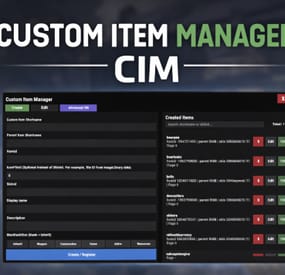
Custom Item Manager is an in-game admin UI for creating true custom Rust items by registering brand-new ItemDefinitions, leveraging the CustomItemDefinitions* framework. Unlike traditional “skinned item” approaches, this plugin adds items directly into the game’s item manifest, allowing them to be spawned, stored, traded, and in many cases interacted with exactly like vanilla items.
Because these items exist as real ItemDefinitions, they can have their own unique itemID, shortname, display names, meaningful descriptions, icons, categories, flags, and blueprint rules**. This solves one of the biggest limitations of skin-based custom items: skinned items can only reuse the original item’s shortname, description and behavior, while CustomItemManager allows you to define entirely new identity and metadata for each item.
All item creation and editing is done through an in-game UI. Items can be created, edited, unregistered, and re-registered instantly without editing code or restarting the server. Created items are stored persistently and automatically re-registered on server start. A searchable list andone-click give buttons makes testing fast and convenient.
In short, CustomItemManager provides a clean workflow for adding more vanilla-like custom items to Rust servers, not just reskinned vanilla items.
Why use this instead of skinned existing items?
Skinned vanilla items:
Share the original item’s behavior Cannot change the description meaningfully Are limited to cosmetic differences Custom Item Manager items:
Exist as unique ItemDefinitions Have their own display name and custom description, in place of the ownership label, as well as additional customizable labels. Can have different rules, eg can/can't be dropped, configurable category (e.g. for sorting). Integrate cleanly with most Rust plugins that give or require specific item shortnames. RECYCLABLE - setting the Craftable value to True, and setting Blueprint Ingredients, will allow the item to be recycled. CRAFTABLE- by giving players a blueprint for the custom item, it can be crafted using the industrial workbench
If you want items to feel like true, purpose-built content instead of cosmetic overrides, this plugin is the better approach, and will save you a lot of time chasing down skinIDs when configuring other plugins.
Data and Persistence
All created items are stored in the plugin data file
Items are automatically re-registered on server start and plugin reload
It is safe to reload the plugin without losing definitions
On unload, all existing items will appear as a fallback item, and be restored to their original condition upon plugin load.
Permissions
customitemmanager.admin - required to use the utility
Commands
/cim - opens the CIM UI
Recommendations
Ensure you have the latest version of Custom Item Definitions framework
For non-usable items (eg custom craft components, quest items), use RHIB as the parent item. It has a blank description to avoid confusion.
When using the items in other plugins, you do not need to specify the SkinID again, only the shortname (skinID should be 0)
If the items are already in player containers, prefer editing and re-registering over deleting.
Text of the first, Green label on the item is configured in the lang file for Custom Item Definitions.
All Display Names and Descriptions will be available in the lang file for Custom Item Manager, allowing you to easily translate the items.
Custom Labels Example:
The green label text is configured in the Custom Item Definitions lang file. The text when hovering over it, is the item description configured via my plugin.
The blue and orange labels, can also be created via my plugin, with or without additional text when hovering over it.
SPECIAL ITEM=|QUEST ITEM=
After = you would enter the text you wish to display when hovering over the additional label. It's up to you to experiment and adapt it for your own needs.
* This plugin is a UI utility to easily create and manage custom items, based on the required dependency - Custom Item Definitions framework developed by 0xF
** The plugin allows specifying whether the item can have a blueprint as well as the required components to craft, which allows the custom item to be recycled. The blueprint itself can be given to players and learned, however it will not appear in the vanilla crafting menu. It can however be crafted with an industrial crafter,
-
$20.00
Capture The Flag
Overview
Capture The Flag is a competitive event plugin for Rust servers that transforms team-based gameplay into an intense, objective-driven experience. The plugin features randomly spawned flags that must be captured and extracted to a designated monument-based extraction zone. With full clan integration, real-time progress tracking, and customizable rewards, CTF creates high-stakes moments where every second counts and teamwork determines victory.
When a flag is successfully extracted to the capture zone and held for the required time, the carrying clan claims victory and receives substantial rewards. The dynamic capture mechanic includes contested zone penalties, ally-based capture rate bonuses, and real-time progress UI to keep players engaged throughout the event.
Preview: https://youtu.be/etyPaY0AKP0
Key Features
Flag & Extraction System: Flags spawn at random locations far from extraction zones, requiring teams to transport them across the map while defending against enemies
Monument-Based Extraction Zones: Dynamically created extraction zones at configurable Rust monuments with radius-based detection
Dynamic Capture Mechanics:
Configurable capture time requirements (default: 300 seconds) Base capture rate with bonuses for team size (up to configurable maximum) Contested zone detection - capture progress decays when enemies are present Real-time capture progress tracking and UI display Clan Integration: Full support for the Clans plugin with clan-based capture completion and win detection
Comprehensive Reward System:
Item-based rewards Economics plugin integration for currency rewards ServerRewards points distribution Multiple reward types can be enabled Visual & Audio Feedback:
Live tracking map markers for flag and extraction zone locations Visual sphere indicators for extraction zone boundaries Real-time capture progress UI with percentage and time remaining Customizable colored markers with configurable alpha and radius Gameplay Restrictions: Block specific commands (teleport, home, shop) while flag is being carried to prevent exploit usage
Admin Controls: Commands to start/stop events, retrieve monument offsets, and manage active sessions
Example Configuration
{ "Gameplay Settings": { "Use Clans Plugin": true, "Blocked Commands While Carrying Flag": [ "home", "tp", "tpr", "clanhome", "outpost", "trade", "shop" ], "Mark Flag Carrier as hostile (Prevents walking into Safe Zones)": true, "Drop Flag On Disconnect": true, "Drop Flag On Death": true, "Block Mounting While Carrying Flag": true }, "Capture Settings": { "Capture Check Interval (seconds)": 1.0, "Required Capture Time (seconds)": 300.0, "Base Capture Rate Per Second": 1.0, "Additional Rate Per Extra Team Member": 0.5, "Maximum Capture Rate Multiplier": 3.0, "Decay Rate When Contested (per second)": 2.0, "Show Progress UI": true, "Progress UI Update Interval (seconds)": 2.0 }, "Flag Settings": { "Display Name": "Capture The Flag", "Item Shortname": "twitchrivalsflag", "Skin ID": 0, "Use Custom Flag Spots": false, "Custom Flag Spots": [ { "x": 106.16, "y": 9.12, "z": -46.94 } ] }, "Extraction Zone Settings": { "Zone Radius": 25.0, "Use Custom Extraction Spots": false, "Custom Extraction Spots": [ { "x": 157.48, "y": 13.42, "z": 46.42 } ], "Allowed Monuments": [ "xlarge/launch_site_1.prefab", "medium/nuclear_missile_silo.prefab", "large/military_tunnel_1.prefab", "large/airfield_1.prefab", "small/sphere_tank.prefab", "assets/bundled/prefabs/autospawn/monument/military_bases/desert_military_base_d.prefab", "assets/bundled/prefabs/autospawn/monument/small/satellite_dish.prefab" ], "Show Zone Marker": true, "Show Visual Sphere": true, "Monument Spawn Offsets": { "xlarge/launch_site_1.prefab": { "x": 86.53, "y": 3.03, "z": 0.07 }, "medium/nuclear_missile_silo.prefab": { "x": 53.3, "y": -13.2, "z": 1.1 }, "large/military_tunnel_1.prefab": { "x": -0.5, "y": 18.35, "z": 25.0 }, "large/airfield_1.prefab": { "x": 20.0, "y": 0.5, "z": -27.5 }, "small/sphere_tank.prefab": { "x": 0.18, "y": 71.8, "z": -0.39 }, "assets/bundled/prefabs/autospawn/monument/military_bases/desert_military_base_d.prefab": { "x": -44.77, "y": 0.64, "z": 25.46 }, "assets/bundled/prefabs/autospawn/monument/small/satellite_dish.prefab": { "x": -30.53, "y": 0.15, "z": 16.04 } } }, "Marker Settings": { "Update Interval (seconds)": 5.0, "Flag Marker": { "Alpha": 0.85, "Color1": "#00FFFF", "Color2": "#0000FF", "Radius": 0.4 }, "Extraction Zone Marker": { "Alpha": 0.75, "Color1": "#00FF00", "Color2": "#FFFF00", "Radius": 0.3 } }, "Reward Settings": { "Enable Rewards": true, "Use Items": true, "Use Economics": false, "Use ServerRewards": false, "Item Rewards": [ { "Shortname": "ammo.rocket.hv", "Amount": 1, "SkinID": 0 }, { "Shortname": "explosive.timed", "Amount": 1, "SkinID": 0 }, { "Shortname": "explosive.satchel", "Amount": 1, "SkinID": 0 } ], "Economics Amount": 5000.0, "ServerRewards Points": 1000 }, "Announcement Settings": { "Message Prefix": "<color=#00FFFF>[CTF]</color>", "Global progress announcements every (percent) % (0 to disable)": 10 } } Commands
Admin Commands
/ctf start - Launch a new Capture The Flag event with random flag spawn and extraction zone /ctf stop or /ctf end - Immediately end the active event /ctf offset - Get the monument offset at your current position (useful for configuration)
Requirements
Clans Plugin (Optional) - Recommended for clan-based gameplay; plugin will say player names instead of clans if not loaded. Economics Plugin (Optional) - Required only if using economics-based rewards ServerRewards Plugin (Optional) - Required only if using ServerRewards points
Permissions
ctf.admin - Required to execute admin commands and manage events
Support & Customization
For support, feature requests, custom modifications, or help with advanced setup, feel free to contact via private message.
- #capture the flag
- #pvp
- (and 1 more)
-

$9.99$7.49Hidden Egg
Fill this Egg with Rare Items and get your players moving again.
Spawn Info
You can select to auto spawn or command spawn the egg on your position.
Eggs spawned can notify on interval, players will be notified that the egg is still active if your config is set to do so.
Top Finders
Hidden Egg features a Finder leaderboard that broadcasts to chat, and to discord if needed.
Egg Customization
Egg Size can be set via config. Make it tiny or huge.
When the egg is found, the egg will pop and loot will fly out from its position, setup a loot table and on collect, the loot will roll and appear in the world.
Commands
/hideegg Manually spawns and hides the egg at the admin’s current position. This command only works when AutoSpawn is disabled and will fail if an egg already exists. /findegg Teleports the admin to the current hidden egg and places a map ping on its location. Intended for testing, debugging or cheating. /TopFinders Immediately broadcasts the current top egg finders leaderboard to the server. /wipeHiddenEggstats Clears all stored leaderboard data and resets player find counts. All commands require - HiddenEgg.Admin
Config
{ "Enable AutoSpawn? (This disables Command Spawn)": false, "Wipe Top Finders On Wipe?": false, "Log Top Finders to Discord?": false, "How Often To Announce Top in Minutes": 180, "Announce Still Hiding Messages?": false, "How Often To Announce Still Hiding in Minutes": 30, "Egg Scale": 5, "Send a Sound Effect at Egg Position?": false, "How Often To Send An Effect in Minutes": 60, "Effect Pool": [ "assets/prefabs/misc/easter/painted eggs/effects/eggpickup.prefab" ], "Respawn Egg After Find? (AutoSpawn Only)": false, "Respawn Delay in Minutes (AutoSpawn Only)": 60, "Discord Webhook": "", "Min amount of Items to Drop": 1, "Max amount of Items to Drop": 2, "Loot Table": [ { "Item ShortName": "supply.signal", "Item Custom Name": "Hidden Egg Signal", "Item SkinSkinID": 0, "Min Amount": 1, "Max Amount": 3, "Drop Probability": 50 }, { "Item ShortName": "rifle.ak", "Item Custom Name": "Hidden Egg AK", "Item SkinSkinID": 3628759737, "Min Amount": 1, "Max Amount": 1, "Drop Probability": 50 } ] }
Thanks to @aRandumDude for the Logo and Providing the Hidden Egg AK Skin.