

-
Posts
126 -
Joined
-
Last visited
Content Type
Profiles
Warranty Claims
Downloads
Forums
Store
Services
Downloads Plus Support
DOWNLOADS EXTRA
Reels
Everything posted by Reboot
-

Possibility of having a Cave or two added?
Reboot replied to FiDDL3 STiCKS's Support Report in Support
Changed Status from Work in Progress to Closed -
Changed Status from Pending to Closed
-
Thanks you, I'm busy with a update and everything will be fix.
-
Possibility of having a Cave or two added?
Reboot replied to FiDDL3 STiCKS's Support Report in Support
Changed Status from Pending to Work in Progress -
Possibility of having a Cave or two added?
Reboot replied to FiDDL3 STiCKS's Support Report in Support
Sorry here is the correct file. please let me know if there is any problems -
Possibility of having a Cave or two added?
Reboot replied to FiDDL3 STiCKS's Support Report in Support
hey, can i sent you the update of the map with the caves on it so you can test and see if you like it. The map will be V2.3.1 in the folder. -
Possibility of having a Cave or two added?
Reboot replied to FiDDL3 STiCKS's Support Report in Support
Thank you ill get started on adding the caves to the map and have it ready soon. -
Possibility of having a Cave or two added?
Reboot replied to FiDDL3 STiCKS's Support Report in Support
Hey, Sure I can add a couple of caves to the map. What caves do you recommend I add to the map?. Screen will be highly appreciated. -
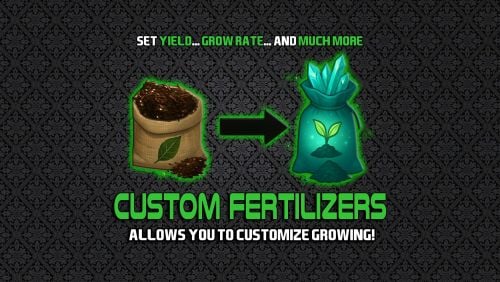
Version 2.0.6
149 downloads
This plugin lets you create and manage custom-skinned fertilizers, each with its own growth rate, yield, and special effects. Whether you want to reward your players with rare ultra-fertilizers or balance your server’s economy with new farming mechanics, Custom Fertilizer gives you full control. Key Features Custom Skinned Fertilizers: Easily define new fertilizer types with unique skins, names, and in-game effects. Growth & Yield Multipliers: Adjust plant growth speed and harvest yield for each fertilizer type. Permission-Based Access: Restrict powerful fertilizers to certain player groups or VIPs. Composter Integration: Set custom drop chances for fertilizers produced in composters, with full permission checks. Keep Plants Alive: Optionally prevent plants from dying when using special fertilizers. Custom Drops: Reward players with bonus items when harvesting crops grown with premium fertilizers. Easy Commands: Intuitive chat and console commands for giving fertilizers and viewing help. Debug Tools: Built-in debugging and tracking for admins to monitor plant and fertilizer usage. Spawn Commands /basicfert <number> - Adds a specific number of Basic Fertilizer. /superfert <number> - Adds a specific number of Super Fertilizers. /ultrafert <number> - Adds a sprecific number of Ultra Fertilizers. Permissions: customfertilizer.basic - Allows players to use Basic Fertilizer. customfertilizer.super - Allows players to use Super Fertilizer. customfertilizer.ultra - Allows players to use Ultra Fertilizer. customfertilizer.admin - Add to Admins in order to debug plugin etc. How to Add into your Loottable If you want to add these into your loottable you can do so by adding a custom item for each level - you should use "fertilizer" as the item with the below skinID: Basic Skin ID: 3506428010 Super Skin ID: 3506428291 Ultra Skin ID: 3506428536 Join My Discord You can join my official marketplace discord: https://rebootrust.com/market Example Configuration: CustomFertilizer.json$6.00 -
Changed Status from Work in Progress to Fixed Changed Fixed In to 2.3.0
-
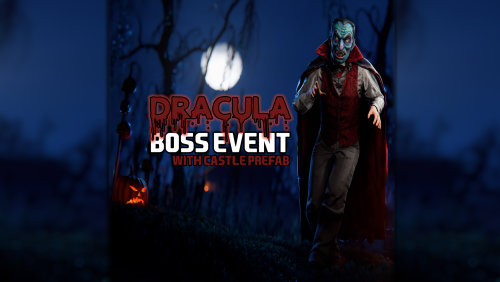
Version 2.3.0
174 downloads
Dracula – Ritual Boss Event (Castle Mode & Auto-Run) Dracula is a cinematic, multi-phase PvE boss event for Rust that brings a dark ritual to your server. Players must defeat Dracula’s guards, offer sacrifices, and survive a climactic boss fight to claim powerful rewards. The plugin is designed to be stable, predictable, and low-maintenance, with support for manual events, fully automated auto-run, and an optional Castle Mode for fixed, story-driven locations. How the Event Works (Player Experience) The Ritual Begins A dark presence stirs. Gravestones appear and Dracula’s guards rise to protect the ritual site. An island-wide announcement alerts players. Guard Phase Players must defeat all of Dracula’s guards to progress the ritual. Offering Phase A coffin emerges. Players must work together to deposit the required sacrifice items (configured per difficulty tier). The Awakening Once the sacrifice is complete, the coffin seals shut and Dracula awakens. Night falls, and the final battle begins. Victory & Rewards When Dracula is defeated: Top players are announced based on damage dealt Rewards are distributed automatically The event cleans itself up safely Key Features Multi-Phase Boss Event A clear, story-driven flow: Guards → Sacrifice → Boss No random behavior No stuck states Fully automated cleanup Castle Mode (Optional) Castle Mode allows Dracula to always awaken at a fixed location, such as a custom castle, dungeon, or arena. Admin sets the ritual location once by looking at a coffin The coffin is removed and used only as a marker All future events (manual or auto-run) happen at that location Fully persistent across restarts No terrain snapping or underground spawns Castle Mode turns Dracula into a true world boss with a permanent lair. ⏱ Auto-Run System When enabled, Dracula events can start automatically: Configurable time windows Random or restricted difficulty tiers Respects Castle Mode if enabled Never interrupts an active event Built-in failsafe to prevent stuck events Admins can let the event run hands-off or still control it manually at any time. Leaderboards & Rewards Tracks player damage to Dracula Tracks guard kills Announces the top contributors Rewards: Final blow bonus Top 3 player rewards Participation rewards All rewards are configurable per difficulty tier. Commands All admin commands require: dracula.admin /dracula start <tier> Manually starts a Dracula event. Examples: /dracula start easy /dracula start medium /dracula start hard Uses Castle Mode location if enabled Otherwise starts at the admin’s position /dracula stop Immediately stops the current event. Cleans up all spawned entities Restores time of day Safe to use in any phase Does nothing if no event is active /dracula status Displays the current state of the plugin. Shows: Current event state Active tier Auto-Run status Castle Mode status Whether a castle anchor is set Grid location of the anchor (if set) Useful for diagnosing why an event isn’t starting. /dracula coffin here Sets the Castle Mode ritual location. How it works: Look directly at a coffin Run the command The coffin is removed Its position and rotation are saved All future events will use this location. /dracula coffin clear Clears the Castle Mode ritual location. Does not stop an active event Prevents new castle events from starting Allows the ritual to be moved elsewhere Typical workflow: /dracula coffin clear /go to new location /dracula coffin here Permissions PermissionDescription dracula.adminAllows use of all admin commands Dependencies NpcSpawn (required) Used for spawning guards and Dracula. Make sure it is installed and up to date. 🛠 Support For support, updates, or feedback, join the Discord: https://rebootrust.com/market$25.00 -
Version 1.0.1
38 downloads
This plugin allows you to easily change the duration of time a player is wounded, and the chances of them standing up. Great for new players, and for creating a challenge for existing players. Easy to use. Simply edit the config and the plugin is ready to go. For questions, concerns, or to request features or custom plugins please visit my Discord.$5.00 -
Changed Status from Pending to Work in Progress
-
Hey thank you ill fix ASAP.
-
Hey yes I'll be adding the jungle boime by end of today.
-
Please sent a link for the plugin I just want to see the instructions.
-
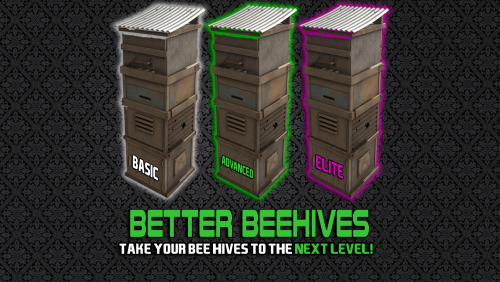
Version 1.0.4
71 downloads
Introducing BetterBeehive, the comprehensive beehive plugin! Features Tiered Beehive System Three Distinct Tiers: Basic, Advanced, and Elite beehives, each with unique skins and progressively better capabilities Customizable Progression: Server admins can fully configure each tier's properties Enhanced Production Increased Production Rates: Up to 4x faster honey production with higher-tier beehives Configurable Output: Set minimum and maximum honeycomb production for each tier Boosted XP: Higher XP gains for bee nucleus with each tier Quality of Life Improvements Indoor Functionality: Elite beehives can function inside bases, eliminating the need for outdoor placement Environmental Adaptability: Higher tiers can ignore temperature and humidity constraints Bee Sting Protection: Advanced and Elite beehives eliminate bee damage to nearby players Permission-Based System Tiered Permissions: Control access to each beehive tier through permissions Simple Upgrading: Players can upgrade regular beehives to custom tiers with a simple chat command Customization Options Fully Configurable: Admins can adjust production rates, indoor functionality, and environmental constraints Production Parameters: Fine-tune minimum/maximum honeycomb production and XP gains Update Intervals: Customize how frequently beehives update and produce resources Commands /bees [tier] - Converts a regular beehive in your inventory to the specified tier (or highest tier you have permission for) Permissions betterbeehive.use - Allows use of the plugin's commands betterbeehive.tier1 - Access to Basic tier beehives betterbeehive.tier2 - Access to Advanced tier beehives betterbeehive.tier3 - Access to Elite tier beehives$10.00 -
What error is the server giving when it starts up
-
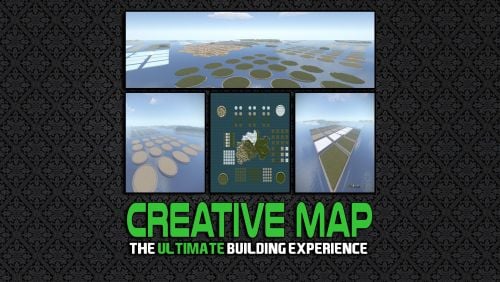 hey, Are you using pterodactyl as a host.
 -

Version 1.0.0
15 downloads
Finally, a plugin that makes your teammates useful at raiding. By using them as ammo! This plugin allows players fired from catapults to do damage to player buildings when colliding with them. Simply set the damage amount done in the config, load a player into a catapult, and start raiding. Note: For PVE, you will only be able to destroy structures you own/have built.$3.00 -
Im running this map on my server and had no complains from my players yet but I'll look into it and sort out any problems I find. Thanks
-
Hey please let me know what you ffound wrong with the map.
-
Hey I'm using this is free and easy to setup https://umod.org/plugins/auto-broadcast
-
Changed Status from Pending to Closed
-
no problem let me know if you run into any other problems


