


About Wireless Power
Wireless Power
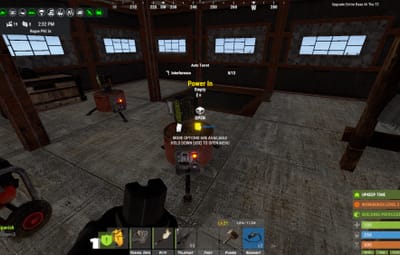
Automatic wireless power distribution - no wires needed!
Tired of running wires everywhere? Wireless Power automatically distributes electricity from your power sources to all electrical devices within your Tool Cupboard's range. Just place your solar panels, wind turbines, and batteries - everything powers up automatically!
---
Features
 Automatic Power Distribution
- All electrical devices within TC range are automatically powered
- No wires, no root combiners, no hassle
- Power sources (solar, wind, generators, batteries) feed into a shared grid
- Supports ALL vanilla electrical devices
 In-Game UI Panel
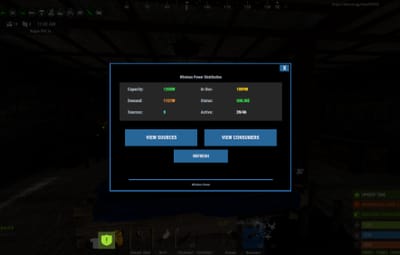
- Type /power to open the power management interface
- View total power capacity, current usage, and available power
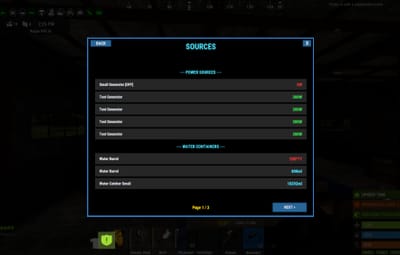
- See all power sources with their current output
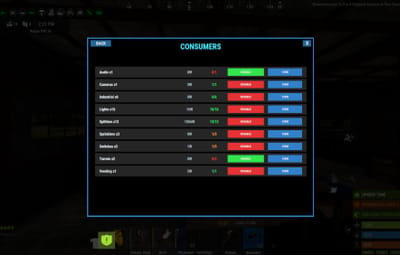
- Browse devices by category (Turrets, Lights, Doors, Storage, etc.)
- Toggle individual devices or entire categories on/off
- Paginated lists for bases with many devices
 Turret Control
- Optional physical switches on turrets (configurable)
- Toggle turrets via UI without needing switches
- Turret offline notifications when power is lost
- Turrets respect power priority settings
- **Remove switches** by right-clicking with a hammer
 Wireless Sprinklers
- Sprinklers work wirelessly with nearby water sources
- Automatically drains water from barrels, water catchers, and tanks
- Configurable drain rate and interval
- No pumps or fluid switches needed
 Smart Power Management
- Consumer priority system - choose which devices get power first when supply is limited
- Power reserve percentage - keep a buffer for critical devices
- Low power warnings when capacity drops below threshold
- Power loss notifications when grid goes offline
 Notification System
- Integrates with Notify plugin for clean on-screen alerts
- Configurable cooldowns to prevent spam
- Notifications for:
- Low power warnings
- Complete power loss
- Turrets going offline
 Integration & Compatibility
- RaidableBases support - plugin ignores raidable base areas
- Permission-based access control
- Blacklist specific prefabs from being managed
- Works alongside vanilla wiring if needed
---
Permissions
- wirelesspower.use- Required to use wireless power features. Only Tool Cupboards owned by players with this permission will have wireless power. Players without permission must use vanilla wiring.
---
Commands
/power Toggles the power management UI
---
Configuration
{
  "Default Turret State (true = on when placed)": true,
  "Enable Turret Switches (physical switch on turrets)": true,
  "Update Interval (seconds)": 1.0,
  "Require TC Authorization for Switches": true,
  "Enable Wireless Sprinklers": true,
  "Sprinkler Drain Amount (ml per tick)": 2,
  "Sprinkler Drain Interval (seconds)": 5.0,
  "Max TC Range (meters)": 60.0,
  "Power Reserve Percentage (0-100, keep this % in reserve)": 0,
  "Use Notify Plugin (if installed)": true,
  "Notify Type (from Notify plugin config)": 0,
  "Notification Cooldown (seconds, prevents spam)": 60.0,
  "Low Power Warning Threshold (percentage)": 20,
  "Enable Low Power Warning": true,
  "Enable Power Loss Notification": true,
  "Enable Turret Offline Notification": true,
  "Blacklisted Prefabs (will not be managed)": [],
  "Consumer Priority (lower = higher priority)": {}
}
Configuration Options Explained
- Default Turret State: Whether turrets start ON or OFF when placed
- Enable Turret Switches: Spawn physical switches on turrets for manual control
- Update Interval: How often power is recalculated (lower = more responsive but more CPU)
- Require TC Authorization for Switches: Players must be authed on TC to use switches
- Enable Wireless Sprinklers: Allow sprinklers to work without fluid connections
- Sprinkler Drain Amount/Interval: How much and how often sprinklers consume water
- Max TC Range: Maximum distance from TC for devices to be included in grid
- Power Reserve Percentage: Keep this percentage of power in reserve
- Notification Settings: Control alerts for low power, power loss, and turret status
- Blacklisted Prefabs: List of prefab paths that won't be wirelessly powered
- Consumer Priority: Set priority for device types (lower number = higher priority)
---
Supported Power Sources
- Solar Panels (small and large)
- Wind Turbines
- Fuel Generators (small)
- Electric Batteries (small, medium, large)
- Test Generators
- And more!
Supported Consumers
- Auto Turrets
- SAM Sites
- Search Lights
- Ceiling Lights
- Siren Lights
- Flasher Lights
- Powered Water Purifiers
- Electric Furnaces
- Electric Heaters
- Door Controllers
- Storage Adaptors
- Sprinklers
- Igniters
- Snow Machines
- Foggers
- Laser Detectors
- HBHF Sensors
- Smart Switches & Alarms
- Conveyor Systems
- Elevator Systems
- And ALL other electrical devices!
---
How It Works
1. Grant players the `wirelesspower.use` permission
2. Place a Tool Cupboard (must be owned by a player with permission)
3. Place power sources (solar panels, wind turbines, batteries, etc.)
4. Place electrical devices anywhere within TC range
5. Everything powers up automatically!
The plugin scans for all power sources and consumers within each TC's building privilege range. Power is distributed based on priority settings, with the UI showing real-time power status.
Note: Players without permission will need to use vanilla wiring - their TCs are not affected by this plugin.
---