
Jump to content

6 Screenshots

  • 36
  • 3
  • 104.71 kB
  • Update details
    v1.0.0
    Released
    Download size 104.71 kB
    Total versions 1
    Freshness Updated today

About Pumpkin Drones

Halloween monument event
Pumpkin drones take over your monuments

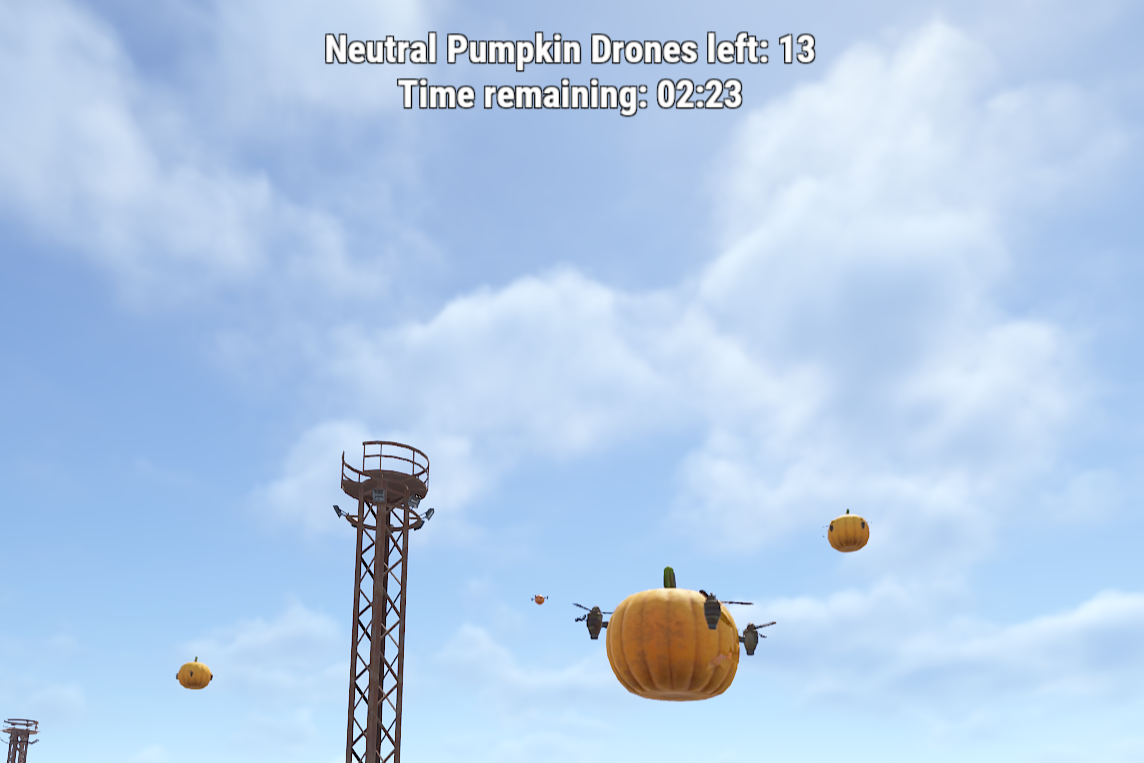
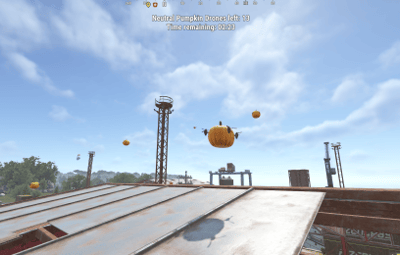
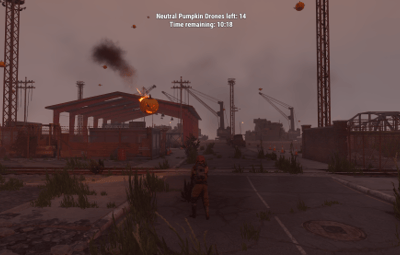
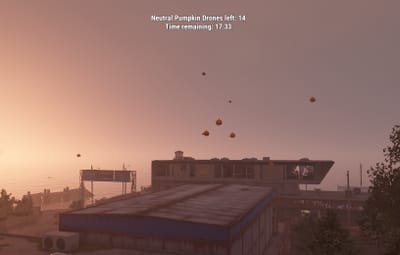
A swarm of drones, each carrying a glowing jack o' lantern, settles over a random monument and patrols it until the timer runs out. Shoot them down and every drone drops a bag of Halloween loot. Not every swarm is peaceful though — some only fight back when attacked, others fire pumpkin rockets at anyone who comes near. Every event is announced, marked on the map and shown on screen, and nothing else needs to be installed.
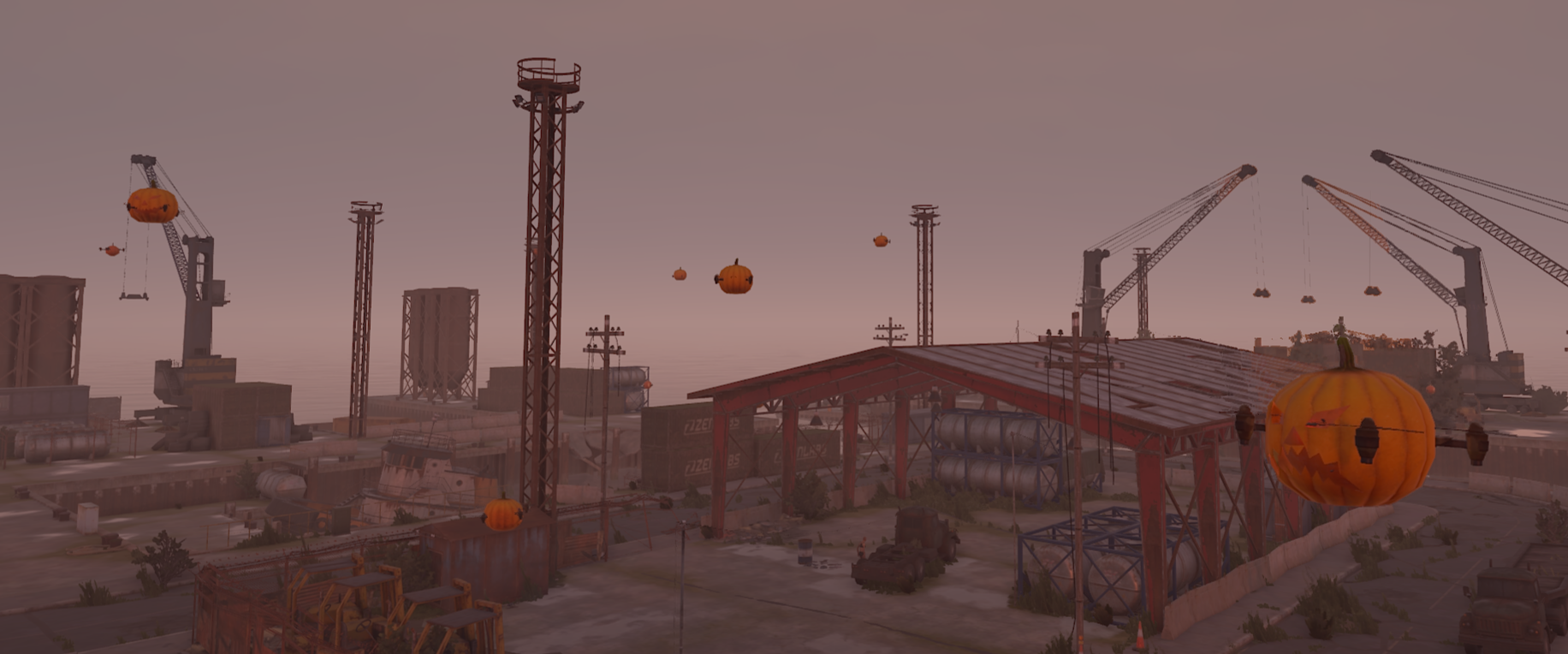
Pumpkin drone swarm over a monument
23
Monuments preconfigured
3
Swarm modes, from harmless to hostile
6
Optional plugin integrations
0
Required dependencies
✓ A different monument every event — 23 preconfigured, your own positions on top
✓ Friendly, neutral or hostile — every swarm rolls a mode, weighted the way you want
✓ Pumpkin rockets — dangerous, but never more than three drones on one player
✓ A loot bag from every drone — Halloween loot out of the box, your own table or a Loottable preset
✓ Impossible to miss — announced in chat, as a toast or through Notify, and marked on the map
 
Features
A Halloween event that runs itself

Install it and the swarms start showing up on their own. Everything that shapes the event for your players can be changed in the config.
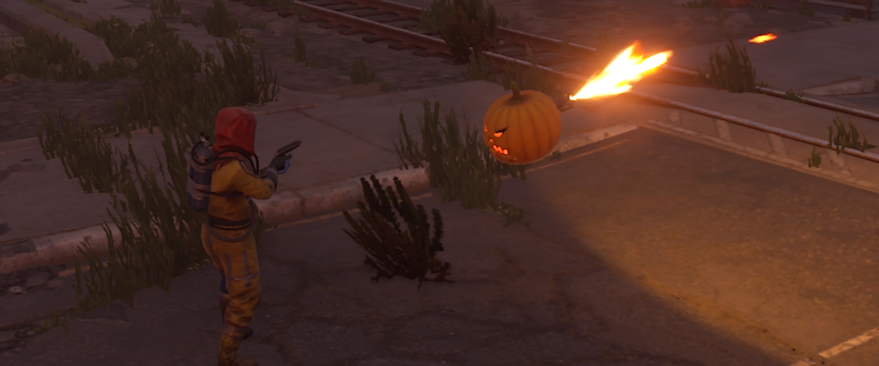
Friendly, neutral or hostile
Every swarm rolls a mode. Friendly drones never attack, neutral drones only shoot back at players who attack them, and hostile drones fire at everyone in the zone. You decide how often each mode shows up — and the mode is part of every announcement, so nobody walks in unprepared.
Hard, but fair
Attacking drones fire pumpkin rockets that burst into flames on impact. No more than three drones target the same player, and drones need a clear shot, so cover works. Rocket damage, range and fire rate are yours to tune.
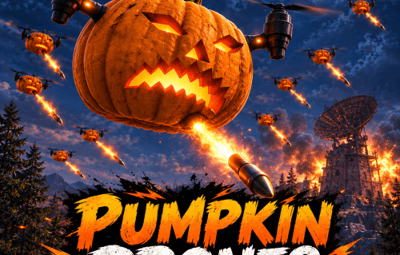
Drone firing a pumpkin rocket
23 monuments, ready to go
From Launch Site with 40 drones down to a gas station with 10, every monument comes sized and configured. Switch off the ones you don't want and add your own locations — custom monuments, arenas, event islands — by position.
Everyone knows where to go
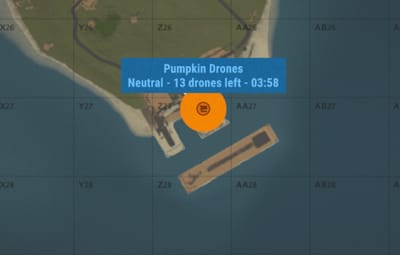
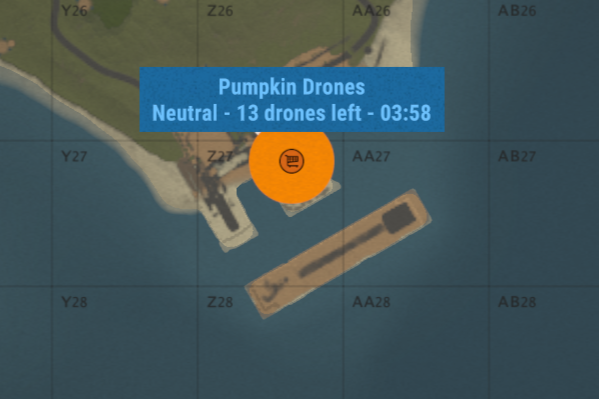
Each swarm is announced with its monument and grid square — in chat, as a toast or through Notify. A map marker and an on-screen counter show the swarm's mode, the drones left and the time remaining.
Set it and forget it
Choose how often swarms appear, how long they stay and how many players need to be online. Or switch the schedule off and start swarms by command only — at a monument of your choice and in the mode you want.
Pumpkin Drones map marker Event zone status
 
Compatibility
Plays well with the rest of your server
✓ No required dependencies — every integration below is optional
✓ TruePVE — players can shoot the drones and pumpkin rockets can hit players on PvE servers
✓ EventOwner — drones and loot bags are registered, its ownership rules apply to every hit
✓ Loottable, Notify, Economics and ServerRewards — loot presets, notifications and kill rewards
✓ Nothing left behind — drones are never saved, and unloading the plugin removes the swarm instantly
✓ Drones and pumpkins can't be picked up or looted — the only loot is the bag they drop
✓ No cost between events — damage and loot hooks are only active while a swarm is out
 
Commands & permissions
One command for the whole event

Works in chat with a leading slash and in the server console. Mode, location, drone count and radius are all optional.

pumpkindrones start [mode] Start an event at a random monument. Mode is friendly, neutral or hostile — random if left out
pumpkindrones start [mode] <name> Start at a monument matching the name, e.g. harbor or launch site
pumpkindrones start [mode] here [drones] [radius] Start at your own position
pumpkindrones stop End the current event
pumpkindrones monuments List every monument on the current map and whether it's configured
Permission
pumpkindrones.admin — required for all commands above
 
For developers
Hooks
void OnPumpkinDronesStart(Vector3 position, string mode) A swarm has spawned. Mode is Friendly, Neutral or Hostile
void OnPumpkinDronesEnd() The event has ended and the swarm is gone
void OnPumpkinDroneKilled(Drone drone, BasePlayer killer) A drone was shot down. The killer can be null
 
Questions
Before you buy
Will the drones wipe out my players?
Only if you want them to. Friendly swarms never attack and neutral swarms only shoot back. When drones do attack, no more than three target the same player, they need line of sight, and damage, range and fire rate are all yours to set.
Which monuments does it use?
Any enabled monument from the list that exists on the current map, picked at random and never the same one twice in a row. Monuments a map doesn't have are skipped. Run pumpkindrones monuments to see every monument on your map and add the ones you're missing.
Does it work on custom maps?
Yes. Vanilla monuments on a custom map are found like on a procedural one, and custom monuments can be added as custom locations by world position.
Can I only run it when I want to?
Set the time between events to -1 and swarms only appear when you start them with the command.
Does it work on PvE servers?
Yes. With TruePVE, players can shoot the drones and drone rockets can damage players. If EventOwner is installed, it decides who is allowed to shoot the drones.
How heavy is it on the server?
Each drone makes one decision per second, and the damage and loot hooks are only active while an event is running. Drone counts are set per monument, so you decide how many entities a swarm adds.

User Feedback

About Us

Codefling is the largest marketplace for plugins, maps, tools, and more, making it easy for customers to discover new content and for creators to monetize their work.

Downloads
3.1m
Total downloads
Customers
12.2k
Customers served
Files Sold
172.5k
Total sales
Payments
3.8m
Processed total
×
×
  • Create New...

Important Information

We have placed cookies on your device to help make this website better. You can adjust your cookie settings, otherwise we'll assume you're okay to continue.