
About Creative Toggle – Rust Creative Mode
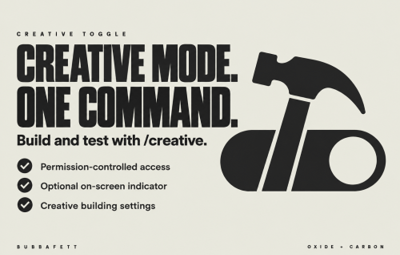
Creative mode, one command away.
Give authorised players a simple way to switch Rust's built-in creative mode on or off. Useful for build servers, testing, and server administration, this free plugin supports Oxide and Carbon and includes an optional on-screen indicator, console logging, and permission-controlled access.
Features
-
Personal creative toggle — enable or disable your creative mode with
/creative. - Permission-controlled access — choose which players or groups can use it.
- Separate settings permission — let trusted staff adjust the server's shared creative options.
- Optional on-screen indicator — show an icon when creative mode is enabled through the plugin.
- Customisable icon — change its image, colour, transparency, and position.
-
Optional confirmations and logging — show personal toggle messages and log
/creativeuse to the server console.
Important: Setup Required
This plugin toggles a player's creative mode. It does not automatically enable every creative feature.
First, choose which creative features your server allows. Players can then use /creative to switch their own creative mode on or off using those settings.
1. Disable Creative Mode for Everyone
Run this in your server console:
creative.allusers false
This allows creative mode to be controlled individually instead of being enabled for all players.
2. Choose Your Creative Features
Enable the options you want creative-mode players to use. This example enables all four:
creative.freebuild true
creative.freerepair true
creative.freeplacement true
creative.unlimitedio true
You do not need to enable every option. Set unwanted features to false.
| Setting | Purpose |
|---|---|
creative.freebuild
|
Enables free building and creative building-grade options. |
creative.freerepair
|
Enables resource-free repairs and bypasses the repair cooldown. |
creative.freeplacement
|
Relaxes placement restrictions when deploying objects. |
creative.unlimitedio
|
Enables expanded creative wiring options. |
These settings are shared across the server. They define the creative features available; they are not individual player preferences.
Add your chosen settings, including creative.allusers false, to your server's persistent configuration so they are applied after a restart.
3. Grant Player Access
Grant creativetoggle.use to the players or permission groups who should be able to toggle creative mode.
Only grant creativetoggle.convars to trusted staff who should be able to change the shared creative settings.
4. Use the Toggle
Type /creative in chat to enable your creative mode. Type it again to disable it.
Example: If free building is enabled but free placement is disabled, /creative does not turn free placement on. It changes your personal creative-mode state while leaving the server's feature settings unchanged.
Commands
Enter these commands in chat.
| Command | Description |
|---|---|
/creative
|
Toggle creative mode for yourself. |
/creativefreerepair
|
Toggle the server's creative.freerepair setting.
|
/creativefreebuild
|
Toggle the server's creative.freebuild setting.
|
/creativefreeplacement
|
Toggle the server's creative.freeplacement setting.
|
/creativeunlimitedio
|
Toggle the server's creative.unlimitedio setting.
|
Each command switches its current setting on or off.
Only /creative is a personal toggle. The other four commands change shared server settings and affect the creative features available to other users too.
Permissions
| Default Permission | Description |
|---|---|
creativetoggle.use
|
Allows the player to toggle their own creative mode with /creative.
|
creativetoggle.convars
|
Allows the player to change the shared creative repair, building, placement, and wiring settings through chat commands. |
Permission names can be changed in the plugin configuration.
Players only need creativetoggle.use to use the creative features you have already enabled. They do not need permission to change the server settings.
Configuration
| Setting | Description |
|---|---|
ConsoleLoggingEnabled
|
Log personal /creative toggles to the server console.
|
ChatMessageEnabled
|
Show enabled/disabled confirmations for /creative.
|
IconEnabled
|
Enable the on-screen creative-mode indicator. |
IconAnchorMin
|
Set the indicator's minimum screen anchor. |
IconAnchorMax
|
Set the indicator's maximum screen anchor. |
IconImageURL
|
Set the image used by the indicator. |
IconColor
|
Set the image colour and transparency using RGBA values. |
Toggle Creative Permission
|
Permission required for /creative.
|
Toggle ConVars Permission
|
Permission required for the four creative-setting commands. |
Default Configuration
{
  "ConsoleLoggingEnabled": true,
  "ChatMessageEnabled": true,
  "IconEnabled": true,
  "IconAnchorMin": "0.345 0.11",
  "IconAnchorMax": "0.375 0.16",
  "IconImageURL": "https://i.postimg.cc/nVvW4Smw/Creative-Mode.png",
  "IconColor": "1 1 1 0.3",
  "Toggle Creative Permission": "creativetoggle.use",
  "Toggle ConVars Permission": "creativetoggle.convars"
}
Reload the plugin after editing its configuration.
Rust's creative feature settings are configured separately through server convars, as explained in the setup section above.
Frequently Asked Questions
I enabled /creative. Why aren't all creative features available?
The command toggles your personal creative mode. The server owner must separately enable the desired creative features, such as creative.freebuild.
Why does everyone have creative mode?
Check that creative.allusers is set to false. Individual permission-controlled access requires this setting to be disabled.
Can players choose different creative settings?
The plugin lets players toggle their own creative mode, but the building, repair, placement, and wiring settings are shared across the server.
Can I toggle creative mode for another player?
No. /creative affects the player who runs it.
Does disabling chat messages silence every response?
No. ChatMessageEnabled controls the enabled/disabled confirmations for /creative. Permission-denied messages and responses from the creative-setting commands are still displayed.
Does unloading the plugin disable creative mode?
No. Unloading removes the plugin's on-screen indicator but does not automatically disable players' creative mode.
What if another plugin also uses /creative?
Resolve the command overlap before using both plugins together. Creative Toggle's command names are fixed; its configuration lets you change permission names.
Need more administration tools? Explore Admin Essentials.
Browse more plugins by Bubbafett