


About Clan Warfare
Overview
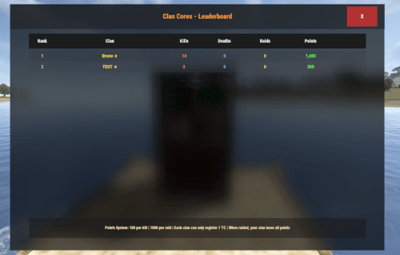
Clan Warfare is a clan tracking and leaderboard system for Rust servers that transforms clan warfare into a competitive, point-based experience. The plugin tracks kills, deaths, and TC raids across all clans, featuring a registration system where clans protect their Tool Cupboards, a dynamic GUI leaderboard, and an engaging points economy that rewards PvP dominance and successful raids.
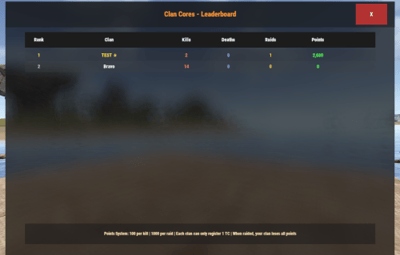
When a clan's registered TC is destroyed, they lose all points, and the raiding clan claims those points plus a raid bonus. This creates high-stakes territorial warfare where every TC matters and every raid can dramatically shift the leaderboard rankings.
Key Features
- TC Registration System: Each clan can register one Tool Cupboard as their "core" - their most valuable asset
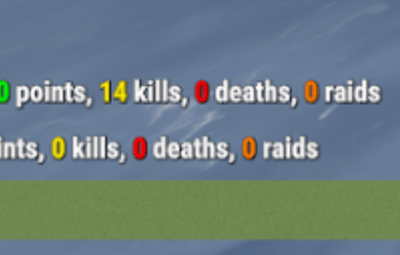
- Comprehensive Stat Tracking: Automatically tracks kills, deaths, and successful TC raids for every clan
-
Dynamic Points Economy:
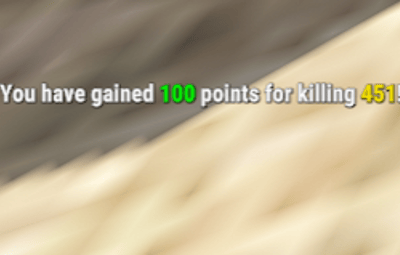
- Earn points for kills (configurable, default: 100 points)
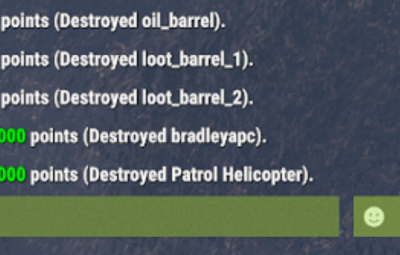
- Earn points for destroying key prefabs (configurable, e.g., helicopters: 2000 points)
- Earn massive points for raids (configurable base: 1000 points + all points from raided clan)
- Lose ALL points when your registered TC is destroyed
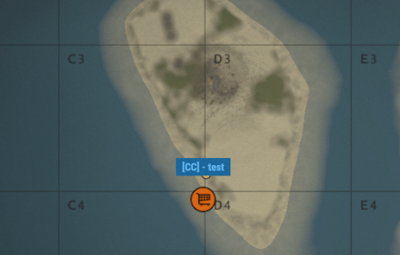
- Place map markers on registered TCs for easy identification
- Beautiful GUI Leaderboard: Interactive in-game leaderboard with real-time updates, color-coded rankings, and TC registration indicators
- Smart Caching System: High-performance caching for leaderboards and clan lookups reduces server load
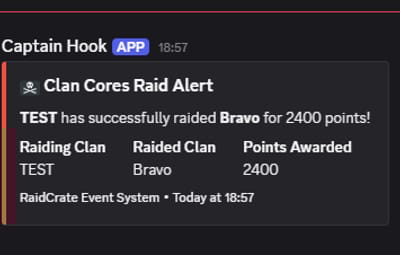
- Discord Integration: Optional webhook notifications for major events (kills, raids) with rich embeds
- Admin Tools: Comprehensive admin commands for managing clans, points, and TC registrations
- Auto-Save: Configurable auto-save system with dirty flag tracking ensures data integrity
- Clan Detection: Full integration with the Clans plugin for automatic clan identification
Config Example
- PointsPerKill: Points awarded for killing enemy clan members
- PointsPerRaid: Points awarded for successfully raiding an enemy clan's base
- PointsPerDestroyedPrefab: Points awarded for destroying specific prefabs (e.g., helicopters, barrels)
- HelicopterUseLastHit: If true, points for helicopter kills are awarded to the last player who damaged it
- AwardPointsOnPlayerKill: Toggle to enable/disable points for player kills
- LoseAllPointsOnRaid: Toggle to enable/disable losing all points upon being raided
- LeaderboardMaxEntries: Maximum number of entries to display on the leaderboard
- LeaderboardCacheTimeMinutes: Duration in minutes to cache the leaderboard data
- AutoSaveIntervalMinutes: Interval in minutes for auto-saving clan data
- TCDetectionRadius: Radius around tool cupboards to detect raids
- EnableDebugLogging: Toggle to enable/disable debug logging
- NotifyPlayersOnKills: Toggle to notify players when they earn points from kills
- NotifyPlayersOnRaids: Toggle to notify players when they earn points from raids
- EnableTCMapMarkers: Toggle to enable/disable map markers for registered tool-cupboards
- UseDiscordWebhooks: Toggle to enable/disable Discord webhook notifications
- DiscordWebhookURL: URL for the Discord webhook to send notifications to
{
    "HelicopterUseLastHit": true,
    "PointsPerKill": 100,
    "PointsPerRaid": 1000,
    "PointsPerDestroyedPrefab": {
        "patrolhelicopter": 2000,
        "bradleyapc": 3000,
        "loot_barrel_2": 3,
        "loot_barrel_1": 2,
        "oil_barrel": 1
    },
    "AwardPointsOnPlayerKill": true,
    "LoseAllPointsOnRaid": true,
    "LeaderboardMaxEntries": 15,
    "LeaderboardCacheTimeMinutes": 5,
    "AutoSaveIntervalMinutes": 10.0,
    "TCDetectionRadius": 10.0,
    "EnableDebugLogging": false,
    "NotifyPlayersOnKills": true,
    "NotifyPlayersOnRaids": true,
    "EnableTCMapMarkers": true,
    "UseDiscordWebhooks": false,
    "DiscordWebhookURL": "WEBHOOK_URL_HERE"
}
Commands
Player Commands
- /cw - Display help and available commands
- /cw register - Register the TC you're looking at (must be authorized)
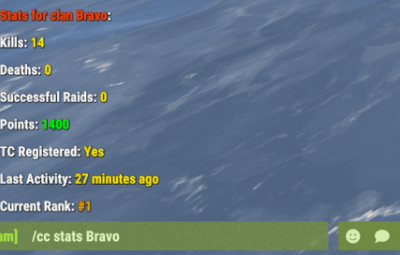
- /cw stats [clan] - View detailed stats for your clan or specified clan
- /cw top - View top 5 clans in chat
- /cw leaderboard - Open the interactive GUI leaderboard
Admin Commands (Requires clancores.admin permission)
- /cwadmin save - Force save all data immediately
- /cwadmin reload - Reload configuration from file
- /cwadmin resetcache - Clear leaderboard and clan caches
- /cwadmin resetclan <clan> - Completely reset a clan's stats and TC registration
- /cwadmin addpoints <clan> <amount> - Add or remove points from a clan
- /cwadmin removetc <clan> - Remove a clan's TC registration
Requirements
- Clans Plugin: Required for clan detection and integration
- Rust Server: with Oxide/uMod framework
Permissions
- clanwarfare.use - Allows players to use basic commands (granted by default)
- clanwarfare.admin - Required for admin commands and data management
Support & Customization
For support, feature requests, custom modifications, or help with advanced setup, feel free to contact me via private message.