
About Clan System | Discord Bot
Clan Module
The Clan Module adds a full clan management system to your
This module is designed to fit seamlessly into the template’s modular structure — just drop it into the `modules` folder and it’ll register automatically.
---
Features
- Create and manage clans with unique names and colors
- Invite users with accept/decline buttons
- Promote, demote, transfer ownership, and manage roles
- Built-in help command with usage info
---
Commands
/clan create <name>
Creates a new clan. The name must be unique and follow the configured length limits.
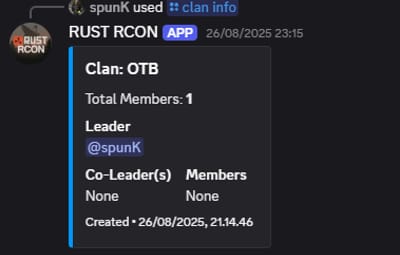
/clan info <name>
Displays detailed information about a clan — including its name, leader, members, role color, and member count.
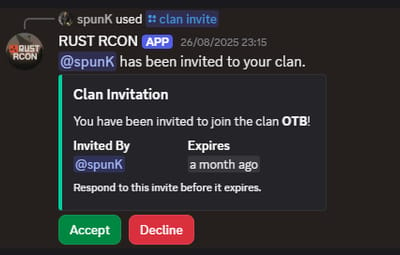
/clan invite <user>
Sends an invite message to the selected user with **Accept** and **Decline** buttons.
Invites expire automatically after a set time.
/clan accept (button)
Accepts a pending clan invite. The user is added to the clan and their role is updated automatically.
/clan decline (button)
Declines a pending invite and removes the invite entry.
/clan promote <user>
Promotes a clan member (member → co-leader → leader).
Promotion permissions depend on role hierarchy.
/clan demote <user>
Demotes a clan member one step down in the hierarchy.
/clan transfer <user>
Transfers clan ownership to another member.
*Leader-only command.*
/clan kick <user>
Removes a member from the clan.
*Leader and co-leader permissions required.*
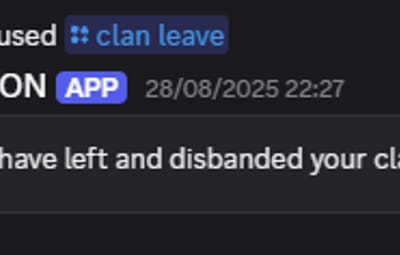
/clan leave
Leaves the current clan.
Leaders must transfer ownership or disband the clan before leaving.
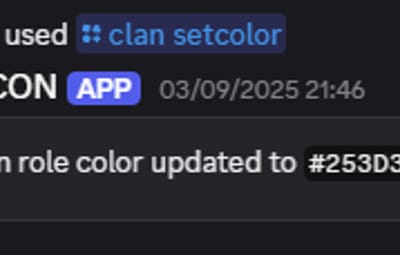
/clan setcolor <hex>
Changes the clan’s role color.
*Leader-only command.*
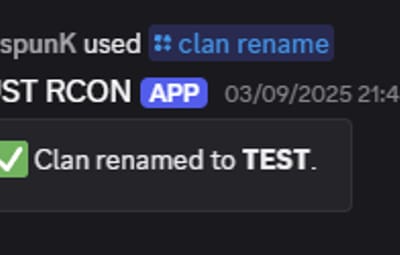
/clan rename <new_name>
Renames the clan.
*Leader-only; name must be unique.*
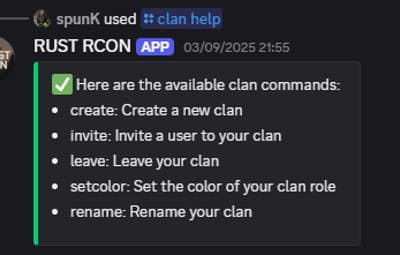
/clan help
Displays an embedded help menu with command descriptions and usage examples.
---
Installation
1. Download or clone the
---
Notes
- Make sure your bot has the **Manage Roles** permission for color and role updates.
- Customize settings (like name length or invite expiry) in the module’s config file.
- You can easily modify this module to fit other systems, such as guilds, factions, or teams.
---
*Made for the TypeScript Discord Bot Template — modular, simple, and extendable.*