

About Rust Store & KICK/Twitch Drops Updates Discord Bot
Introducing the Rust Store, Twitch Drops & Kick Drops Updates Discord Bot – your all-in-one solution for keeping your Rust community informed about the latest in-game items, exclusive Twitch and Kick Drops! This bot automatically checks for updates from the Rust item store, Twitch and Kick Drops, delivering them directly to your Discord channel. Perfect for Rust server communities, content creators, and enthusiasts who want to stay ahead of the game without manual tracking.
---
What This Bot Does
1. Rust Store Updates
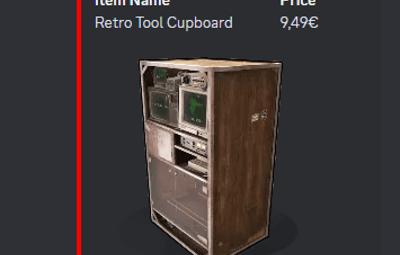
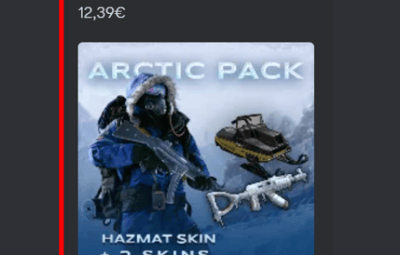
Automatically checks the Steam Rust store for the latest skins and items. The bot sends updates in a beautiful embed format, including:
- Item Name
- Price
- High-Quality Image
- Direct Purchase Link
2. Twitch & Kick Drops Notifications
Keeps track of Twitch and Kick Drops and notifies your community about:
- General Drops available on all Rust streams with the "Drops Enabled" tag.
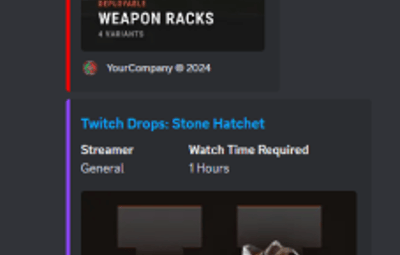
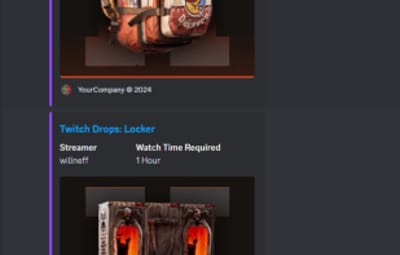
- Streamer-Specific Drops with details on the specific streamer to watch, the time required to earn the drop, and an image preview.
3. Multi-Server Support
Run a single bot instance that sends updates to multiple Discord servers simultaneously.
Each server has its own webhooks, embed customization, and per-platform enable/disable toggles — all configured in a single config.json file.
4. Fully Customizable
Each platform (Steam, Twitch, Kick) is configured independently per server, giving you full control over:
- Enable/disable each platform individually per server
- Separate webhook URLs for each platform
- Custom first-message text per platform (great for role pings)
- Colors, text labels, footer branding, and more
5. Efficient and Lightweight
Built for speed and reliability, the bot ensures no updates are missed, with a configurable global check interval to suit your community's needs. It only fetches data from platforms that at least one server has enabled.
Why Use This Bot?
1. Stay Updated Automatically
Never miss a Rust store, Twitch Drops, or Kick Drops update – the bot does all the tracking
for you.
2. Engage Your Community
Hype up your members with instant notifications about new skins, exclusive Twitch and Kick
Drops, and more.
3. Support for Twitch Drops
Ensure your community is informed about limited-time skins available through Twitch events, boosting engagement and excitement.
4. Easy to Configure
Whether you're running a local server, VPS, or hosting on Pterodactyl, the bot is simple to set up with clear configuration options.
Features
Rust Store Updates
Weekly updates about new items in the Rust store.
Twitch Drops Notifications
Real-time notifications about available general and streamer-specific Twitch Drops.
Kick Drops Notifications
Real-time notifications about available general and streamer-specific Kick Drops.
Multi-Server Support
Send updates to multiple Discord servers from a single instance.
Customizable Embeds
Easily adjust text fields, colors, and footer messages to align with your community's branding.
Database Flexibility
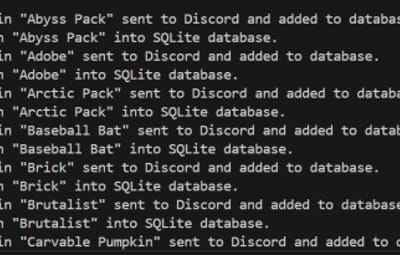
Use SQLite for smaller setups or MySQL for more complex environments.
Ideal Use Cases
- Rust Server Communities: Announce new items and keep your server members engaged.
- Rust Content Creators: Share weekly updates with fans and followers to keep them engaged with your community.
- Twitch & Kick Streamers: Integrate this bot to notify viewers about Twitch Drop items and make your streams the go-to place for exclusive updates.
---
Feel free to contact me on Discord: bxcas for any questions, customizations, or support!
Config File
The bot supports two config formats: single-server and multi-server.
If no servers array is found, it falls back to single-server mode automatically.
Single-Server Config (simple):
{
    "check_interval_minutes": 5,
    "embed": {
      "steam": {
        "enable": true,
        "webhook_url": "STEAM_WEBHOOK_URL_HERE",
        "firstTitle": "<@&ROLE_ID> New Steam skins available!",
        "title": "Steam Store",
        "title_field_name": "Nome",
        "price_field_name": "Price",
        "footer_text": "Server © 2025",
        "footer_icon_url": "https://yourwebsite.com/logo.png",
        "color": "FF0000"
      },
      "twitch": {
        "enable": true,
        "webhook_url": "TWITCH_WEBHOOK_URL_HERE",
        "firstTitle": "<@&ROLE_ID> New Twitch Drops available!",
        "title": "Twitch Drops",
        "streamer_field_name": "Streamer",
        "watch_time_field_name": "Watch time to receive",
        "footer_text": "Server © 2025",
        "footer_icon_url": "https://yourwebsite.com/logo.png",
        "color": "9146FF"
      },
      "kick": {
        "enable": true,
        "webhook_url": "KICK_WEBHOOK_URL_HERE",
        "firstTitle": "<@&ROLE_ID> New Kick Drops available!",
        "title": "Kick Drops",
        "streamer_field_name": "Streamer",
        "watch_time_field_name": "Watch time to receive",
        "footer_text": "RustPortugal © 2025",
        "footer_icon_url": "https://yourwebsite.com/logo.png",
        "color": "00E701"
      }
    },
    "database": {
      "type": "sqlite OR mysql",
      "mysql": {
        "host": "YOUR_MYSQL_HOST",
        "user": "YOUR_MYSQL_USER",
        "port": 3306,
        "password": "YOUR_MYSQL_PASSWORD",
        "database": "YOUR_MYSQL_DATABASE_NAME"
      }
    }
  }
Multi-Server Config:
 {
    "check_interval_minutes": 5,
    "servers": [
      {
        "id": "myserver",
        "name": "MyServer",
        "embed": {
          "steam": {
            "enable": true,
            "webhook_url": "STEAM_WEBHOOK_URL_HERE",
            "firstTitle": "<@&ROLE_ID> New Steam skins available!",
            "title": "Steam Store",
            "title_field_name": "Name",
            "price_field_name": "Price",
            "footer_text": "MyServer © 2025",
            "footer_icon_url": "https://yourwebsite.com/logo.png",
            "color": "FF0000"
          },
          "twitch": {
            "enable": true,
            "webhook_url": "TWITCH_WEBHOOK_URL_HERE",
            "firstTitle": "<@&ROLE_ID> New Twitch Drops available!",
            "title": "Twitch Drops",
            "streamer_field_name": "Streamer",
            "watch_time_field_name": "Watch time",
            "footer_text": "MyServer © 2025",
            "footer_icon_url": "https://yourwebsite.com/logo.png",
            "color": "9146FF"
          },
          "kick": {
            "enable": true,
            "webhook_url": "KICK_WEBHOOK_URL_HERE",
            "firstTitle": "<@&ROLE_ID> New Kick Drops available!",
            "title": "Kick Drops",
            "streamer_field_name": "Streamer",
            "watch_time_field_name": "Watch time",
            "footer_text": "MyServer © 2025",
            "footer_icon_url": "https://yourwebsite.com/logo.png",
            "color": "00E701"
          }
        }
      }
    ],
    "database": {
      "type": "sqlite or mysql",
      "mysql": {
        "host": "YOUR_MYSQL_HOST",
        "user": "YOUR_MYSQL_USER",
        "port": 3306,
        "password": "YOUR_MYSQL_PASSWORD",
        "database": "YOUR_MYSQL_DATABASE_NAME"
      }
    }
  }
General Settings
check_interval_minutes - Interval in minutes between each check for new Rust items. Example: 60 for every hour.
Server Settings (inside each server entry, or at root for single-server mode)
id – Unique identifier for the server (used in the database to track sent items).
name – Display name for the server (used in console logs).
Platform Settings (inside embed.steam, embed.twitch, embed.kick)
enable – true/false – Enable or disable this platform for this server.
webhook_url – Discord webhook URL for sending updates for this platform.
firstTitle – Text sent as message content with the first new item of each batch. Useful
for tagging roles (e.g. <@&ROLE_ID> New skins!). Leave empty ("") to disable.
title – The title prefix shown in the embed. Example: "Steam Store".
title_field_name – Label for the item name field. Example: "Nome".
price_field_name – Label for the item price field (Steam only). Example: "Preço".
streamer_field_name – Label for the streamer field (Twitch/Kick only). Example:
"Streamer".
watch_time_field_name – Label for the watch time field (Twitch/Kick only). Example:
"Watch Time Required".
footer_text – Text displayed in the embed footer. Example: "MyServer © 2025".
footer_icon_url – URL for the icon shown in the footer. Example:
"https://yourwebsite.com/logo.png".
color – Embed color in hexadecimal. Example: "FF0000" for red.
Database Settings
type - Type of database to use. Options are "sqlite" for local or "mysql" for remote storage.
MySQL Settings (Only if using "mysql")
host - Hostname or IP address of your MySQL database. Example: "localhost" or "123.45.67.89".
user - Username for accessing your MySQL database. Example: "root".
port - Port number for connecting to MySQL. Default: 3306.
password - Password for your MySQL database user. Example: "mysecretpassword".
database - Name of the specific MySQL database for storing item data. Example: "rust_store_data".
