

About Secure Staff Verification Bot
Secure Staff Verifications
For most rust servers, they use one discord server. And its not always easy keeping up adding roles to new staff, And having multiple servers
or organizations merged into one, this helps because not only can the staff apply for the appropriate permissions instead of getting the wrong ones
and maybe seeing something they shouldnt, An admin reviews it and confirms or denies their request if invited on accident, not a real staff member
or could just be trying to get permission to view the wrong servers logs.
Features
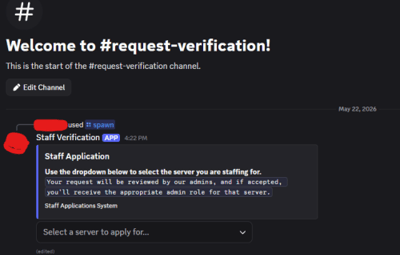
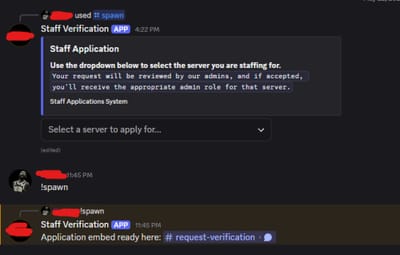
Posts one staff application embed in a configured channel via /spawn.
Keeps that same embed tracked across restarts (doesn’t keep spamming new ones).
If the tracked embed gets deleted, it logs: information not found like embed being deleted
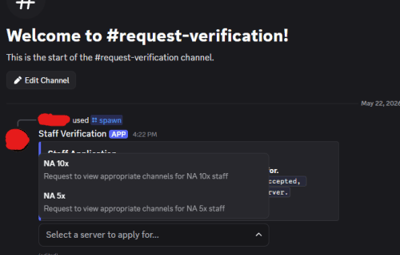
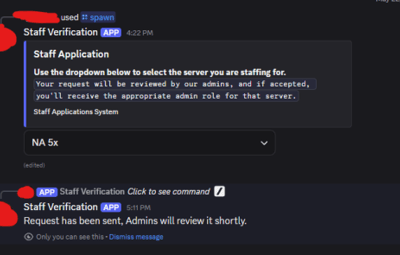
Uses a dropdown so users choose which server they are requesting access to view.
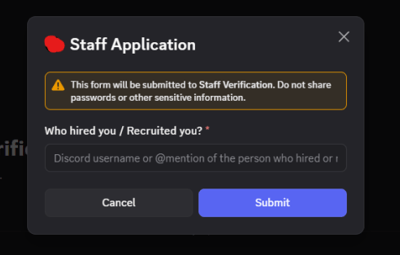
Opens a question box / discords feature a Modal of who hired/recruited the applicant.
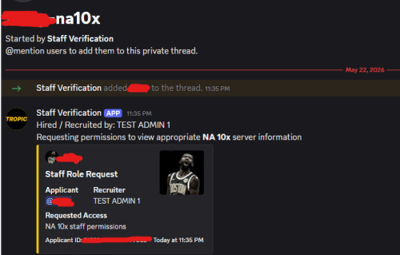
Creates a private thread for each request, named like username-server (with server slug support and name length cap).
Prevents duplicate requests: one open request per user at a time.
Stores request/thread state in JSON files so data survives bot restarts.
Lets admins review requests in-thread with: Accept / Decline
Close Now (enabled when request is decided)
On Accept, grants the mapped role for the selected request.
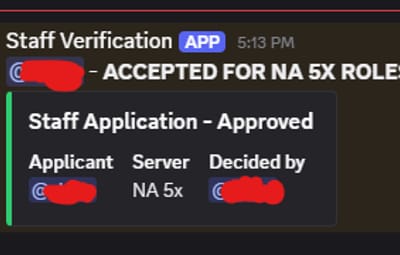
Sends decision logs to the log channel with applicant, server, decision, and admin who handled it.
After accept/decline, thread is set to auto-close in 5 minutes, or use the Close Now button to close it instantly.
Multi Org options, bot supports 2 servers!
Custom status message (playing, watching, etc) and a configurable message for its status ex: Managing Admins.
When request grabs role and gives to user it has a secondary role Ex: as you want to give them a verified role but also a role they requested it gives the requested and then the verified role.
In permission request it now shows users discord profile picture, advanced file database tickets.json - live tracking even through restarts.
Installing
In config.py, add your bot token to the fallback value, not the "BOT_TOKEN" text inside os.getenv(). "BOT_TOKEN" is only the environment variable name.
Replace "INSERT_BOT_TOKEN_HERE" with your actual bot token.
BOT_TOKEN = os.getenv("BOT_TOKEN") or "INSERT_BOT_TOKEN_HERE"