
Leaderboard




Popular Content
Showing content with the highest reputation since 03/05/2026 in Support Replies
-
Is this going to get updated? I have still not been able to use this since I bought it...4 points
-
Today a new version will be uploaded4 points
-
Need suport for the new storagebox dlc3 points
-
I’m very glad to hear that you are working on fixing it. If you also added selling for economy or for a custom item, that would be great!3 points
-
Skill Tree update: * Renamed STCanGainXP hook to CanGainXp. Returning non-null will override default behaviour.2 points
-
Its for forced wipe mate. Dont use it until forced wipe.2 points
-
Added in v.1.0.52 points
-
That is because skinner does not properly preserve the entity children while destroying it, if it was chest stacks issue then spray can skinning would also cause this, which it does not, because it properly preserves entity's children, that needs to be fixed on skinner side. I will soon push an update to allow proper skinning of the stacked boxes2 points
-
Good Morning, thanks for reaching out and the feedback I understand you want that players cannot use same title with same name. Thanks for the suggestion this makes much sense, i will add this in next update. (Ill add a new config like "AllowSamePrefixName" or so) Thanks2 points
-
Hi. Yes, unfortunately this sometimes happens after the update. I'm also thinking about a solution.2 points
-
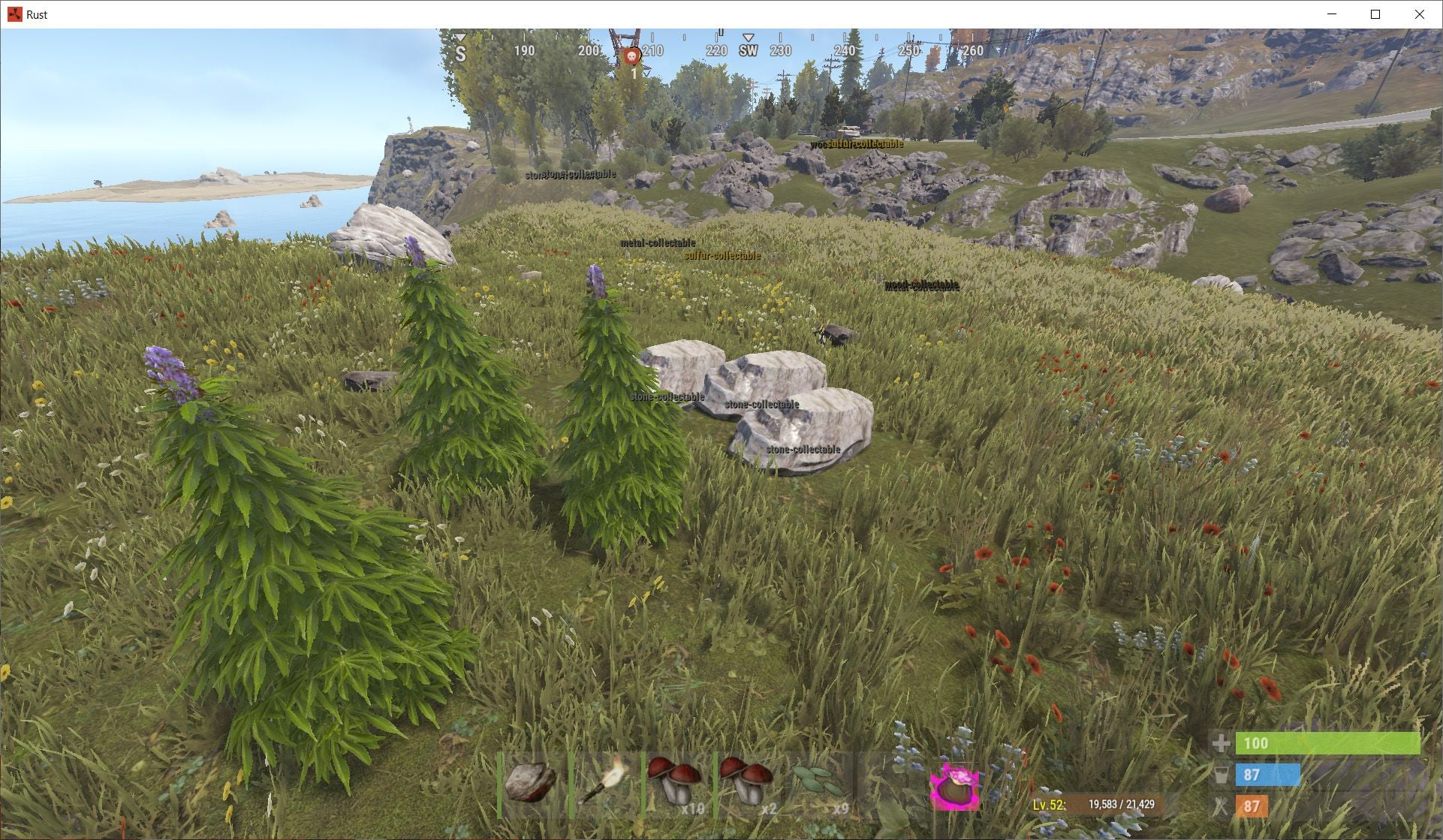
Hello. I’m experiencing an issue with the Forager skill (/forage) not showing wild plants. To make sure it wasn't caused by other plugins, I performed tests on a completely clean server. Test environment: Fresh Rust server installation Procedural map Only one plugin installed: SkillTree No other plugins at all Tested both Oxide and Carbon mod loaders Result is the same The /forage command works, but it only shows: stone collectibles metal collectibles wood collectibles Wild plants are not displayed, such as: hemp_collectable corn_collectable pumpkin_collectable wheat_collectable However, these entities do exist on the server. I confirmed this using the server command: entity.find_radius The command clearly lists entities like: hemp-collectable corn-collectable wheat-collectable But they are not detected by the forage ability. Could this be related to the recent Rust update that changed collectible entities? Thank you.
 2 points
 -
Scientist2 OilRig Scientists are unkillable until I unload EpicLoot Plugin. I went down a massive rabit hole of unloading plugins 1 by one all day to find the cause of my unkillable oil rig scientists. Several other server owners reported the same thing to me. Seems like EpicLoot is the cause. Please have a look into this2 points
-
Confirmed. Same problem in my server.2 points
-
Thank you for the great work and customer service!1 point
-
I'm looking into it, thanks Jim.1 point
-
This warning is expected behavior on a fresh wipe or when no player has earned a #1 title yet. Even though AddTitleHoldersToGroup is set to true in your PlayerRanks config, PlayerRanks only creates the permission groups (PVPKills, PVPDistance, etc.) at the moment it actually assigns a title holder to that group. Until at least one player earns a top spot in a category, the corresponding permission group simply doesn't exist yet.1 point
-
Hello @Luuxensorry we must be in opposite timezones I just woke up and I'll pop this into RustEdit and break the prefabs right away! Thanks for your patience I'll message again when the new version is uploaded mate!1 point
-
Now I understand what you're talking about. Unfortunately, it is not possible to dynamically change this parameter, and to expand these features, you need to review the plugin's UI.1 point
-
Hey, Sure, can add both hook and auth option check in next version.1 point
-
Hello, I sent you a test version via private message.1 point
-
Got it now, thank you !1 point
-
Thanks for the file, I'll add these items in 1 or 2 updates. For the skins, I create new ones, where there are skins with the same ID. As for the test, I can collect sulfur, metal, wood, etc. nodes without any problems. You just need to enable it in the configuration file: "Can Pick Up Entity. Default false": true,1 point
-
I knew I'd miss something hah! I saw the first two but forgot I had PersonalNPC. I just set this to false then reloaded your plugin again and all seems to be okay and I'm know only seeing single messages with no duplicates "Clear console of 'ownerPlayer is not player' spam?": false, Thanks for the help!1 point
-
Changed Status from Pending to Work in Progress1 point
-
Thanks for kind words. Update is live, in case You will use profile which uses custom images , make sure You have latest version of ImageLibrary plugin which is free. In case of any feedback, feel free to contact me, Thanks again and hope You will like it .1 point
-
Let me know if you find any more quirky things. Enjoy!1 point
-
I will give some tests soon1 point
-
Error while compiling ElectricFurnaceSpeed: Argument 1: cannot convert from 'method group' to 'System.Action' | Line: 119, Pos: 31 what does this mean and how can i fix it1 point
-
I haven't been able to verify it yet. My work schedule is at its peak until the day after tomorrow, so I'll check it after then.1 point
-
Having this issue on my server. Player tp to town and all the stacked boxes broke TWICE. I got very mad players.1 point
-
im just confused i tested it again for accuracy and my card pulled up without a problem only thing i can think possible is if your version is diffrent from my version or you didnt put in your api key or because its a test account it is not valid to read i will let it run on my test server for the night and see what happens also i removed the dead code emds some were from cf not liking old oxide version of doing plugins1 point
-
Ok understood! Thank you, I just found it and submitted it just incase1 point
-
Hi, the update did not change anything UI related. If the images fail to load that might be due to a firewall restriction. There is nothing that I can do about this on my end1 point
-
Changed Status from Pending to Fixed Changed Fixed In to 1.3.21 point
-
Plugin updated, Version 1.3.2 1) Added: New configuration property: Chat Prefix 2) Added: New configuration property: Enable Chat Messages 3) Added: New configuration property: Enable Toast Messages1 point
-
Will add to next release.1 point
-
Wrong Number of Version1 point
-
Could you add the new DLC boxes?1 point
-
Working on it1 point
-
I will when i get home from work thank1 point
-
Changed Status from Pending to Work in Progress1 point
-
already fixed in last update . download again1 point
-
Changed Status from Work in Progress to Fixed Changed Fixed In to 1.0.21 point
-
Failed compiling 'PortableRecycler.cs': 1. 'Pool' does not contain a definition for 'GetList' [CS0117] (PortableRecycler 20 line 435)1 point
-
If I have time later, I'll try it out on a subserver using just this prefab and plugin. The main server is up and running after the wipe and has players, so I think it would be difficult to place it again...so I'll try to move it using telekinesis or something. Normally, it's attached to the pillar where the button is located, right?1 point
-
Ahh bugger I see the issue. Will fix shortly.1 point
-
nevermind, i'm stupid.....didn't have a . between the item name. sorry for bothering you.1 point
-
Hello, Sorry, I didn’t see that in the release notes. My mistake. Thanks for the clarification and for the update.1 point
-
Hi, I'll do some tests with your configuration between today and tomorrow. Today I'm busy finishing up various issues that arise with every forced wipe. I'll update you soon.1 point
-
@Raul-Sorin Sorban1 point


.thumb.png.f676fcb4237b0d630285499251bcf88e.png)




.thumb.png.ccf8a947948c9eb1445ad21a7931247b.png)


.thumb.png.16648a7b8da319352a041a2ce1e5316b.png)


