
.thumb.png.fd415e6a279abcb86097c1d6ea9f77b2.png)
Depends on
Required for this file to work correctly.

Works with
Optional integrations and compatible files.

.thumb.gif.2d1b41b0ae0c1d0a34f2f55dc65983b5.gif)
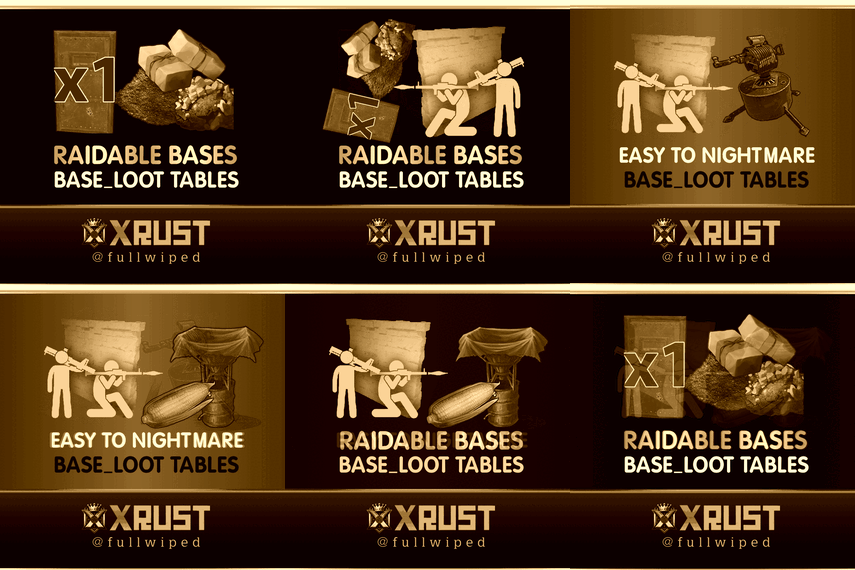
About Raidable Bases Loot Tables Pack (2X and Higher Servers)

To use this loot tables pack, you need to purchase the paid Raidable Bases plugin if you do not already own it:
https://codefling.com/plugins/raidable-bases
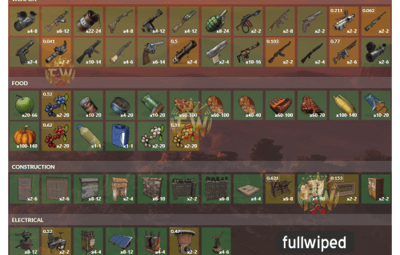
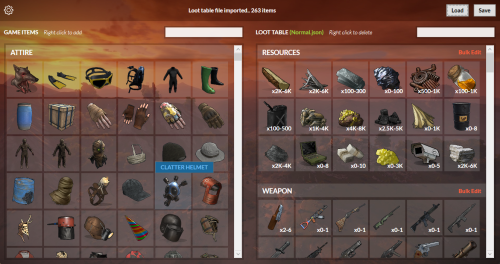
This Raidable Bases 2x+ Loot Tables (Easy to Nightmare) package includes:
- Easy Bases - Base_Loot (2x+ tables)
- Medium Bases - Base_Loot (2x+ tables)
- Hard Bases - Base_Loot (2x+ tables)
- Expert Bases - Base_Loot (2x+ tables)
- Nightmare Bases - Base_Loot (2x+ tables)
Beware: Our loot table package includes only the 5-tier loot tables within the Base_loot folder, ranging from easy to nightmare.
It does not include the loot tables from the Difficulty_Loot or Weekday_Loot folders.
INSTALLATION INSTRUCTIONS:
Extract the downloaded zip file using WinRAR. Then, move the files to the following location, ensuring a clean setup without any other files:
data/RaidableBases/Base_Loot
You need to place the five prepared .json files for Easy through Nightmare bases into the Base_Loot folder.
Important Note:
The number of items that spawn in crates is determined not by the loot table but by five different configs found in the data/RaidableBases/Profiles directory, using the code below.
For example, open Easy Bases.json inside the Profiles folder with Notepad, press CTRL+F, and search for "Amount Of Items To Spawn" In the example below, the spawn amount is set to 90.
You can adjust this number to your preference, either increasing or decreasing it. Keep in mind that changing this will affect the drop rates in the loot table.
These loot tables do not work like a BetterLoot or AlphaLoot system. They are more complex and may distribute loot based on higher loot rates, so it is difficult to predict the exact item drop rates. You may need to balance them yourself using the setting below.
"Amount Of Items To Spawn": 90,
You may also open the individual base profile files (e.g., Easy Bases.json, Medium Bases.json, Hard Bases.json, Expert Bases.json, Nightmare Bases.json) located in data/RaidableBases/Profiles and adjust the "Loot Amount Multiplier" to values such as 2.0 or 5.0. This will alter the existing loot balance. However, we recommend keeping this setting at 1.0, as changing it may disrupt the intended loot balance:
"Loot Amount Multiplier": 1.0

.thumb.png.293defe13cc780398e78dedf280952d5.png)




.thumb.gif.2d1b41b0ae0c1d0a34f2f55dc65983b5.gif)
.thumb.png.c0db57b36e2837e9cc8785f6236a82ed.png)



.thumb.png.52885d5cfa447ecc60ca6f142630da9a.png)