
The Real Butter's Wishlist
-
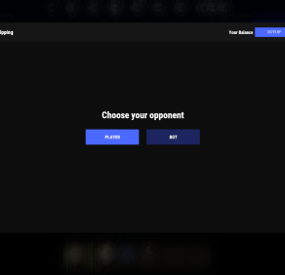
$19.95$11.95Coin Flipping
Adds a coin flipping mini game to your server. Players can try their luck by playing against both a bot and a real player.
Commands
flip - open interface
Permissions
coinflipping.use - open interface coinflipping.players - play against players coinflipping.npcs - play against npcs coinflipping.createroom - create a room
Config
{ "Commands": [ "flip" ], "Work with Notify?": true, "Economy": { "Type (Plugin/Item)": "Plugin", "Plugin name": "Economics", "Balance add hook": "Deposit", "Balance remove hook": "Withdraw", "Balance show hook": "Balance", "ShortName": "scrap", "Display Name (empty - default)": "", "Skin": 0 }, "Interface": { "Show coin in header?": true, "Coin Image": "https://i.imgur.com/GBVGvQa.png" }, "Values for Bot Game": [ 100, 200, 300 ], "Min Bet for Bot Game": 100, "Min Bet for Player Game": 100, "Permissions Settings": { "Opening the interface": "coinflipping.use", "Playing against players": "coinflipping.players", "Playing against NPCs": "coinflipping.npcs", "Creating a room": "coinflipping.createroom" } }
-
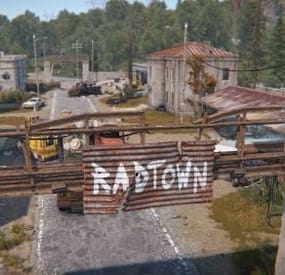
$15.00$13.50RadTown Puzzles
Adds a unique green and blue card puzzle to the Radtown that players can go into to get some extra loot.
{ "Green Room Spawns": { "Loot Information": [ { "LootContainer prefab to use": "assets/bundled/prefabs/radtown/crate_normal_2.prefab", "LootContainer respawn time after looted in minutes": 30, "Position of the LootContainer": { "x": 6.231558, "y": 0.6286445, "z": -14.76554 }, "Rotation of the LootContainer": { "x": 0.0, "y": 0.0, "z": 0.0 } }, { "LootContainer prefab to use": "assets/bundled/prefabs/radtown/crate_normal_2.prefab", "LootContainer respawn time after looted in minutes": 30, "Position of the LootContainer": { "x": -2.074273, "y": 0.6468282, "z": -18.84206 }, "Rotation of the LootContainer": { "x": 0.0, "y": 0.0, "z": 0.0 } }, { "LootContainer prefab to use": "assets/bundled/prefabs/radtown/foodbox.prefab", "LootContainer respawn time after looted in minutes": 30, "Position of the LootContainer": { "x": -4.595845, "y": 1.493383, "z": -16.61216 }, "Rotation of the LootContainer": { "x": 0.0, "y": 0.0, "z": 0.0 } } ] }, "Blue Room Spawns": { "Loot Information": [ { "LootContainer prefab to use": "assets/bundled/prefabs/radtown/crate_normal.prefab", "LootContainer respawn time after looted in minutes": 30, "Position of the LootContainer": { "x": 7.25617, "y": 4.363087, "z": -19.05 }, "Rotation of the LootContainer": { "x": 0.0, "y": 0.0, "z": 0.0 } }, { "LootContainer prefab to use": "assets/bundled/prefabs/radtown/crate_elite.prefab", "LootContainer respawn time after looted in minutes": 1, "Position of the LootContainer": { "x": 4.8, "y": 4.363087, "z": -14.74765 }, "Rotation of the LootContainer": { "x": 0.0, "y": 90.0, "z": 0.0 } } ] }, "Version": { "Major": 1, "Minor": 0, "Patch": 0 } }
-

$6.99
Photo Sender (Discord)
By the-bandit in Plugins
Your players will be able to publish images at any time on your discord server using the polaroid of the game and thus its location the name of the server on which the player will play.
Plugin language : EN , FR
Image format for sending: 854x480 (limited due to rust)
Type of format for sending: .png
Contents :
SendPhotoDiscord.cs Permissions oxide :
oxide.grant group default SendPhotoDiscord.use oxide.grant group vip SendPhotoDiscord.vip Permissions carbon:
carbon.grant group default SendPhotoDiscord.use carbon.grant group vip SendPhotoDiscord.vip
Install : rust\oxide\plugins\SendPhotoDiscord.cs
Config : rust\oxide\config\SendPhotoDiscord.json
{ "List Channel Discord (webHooks URL) Max (8) !": { "1": { "Url webHooks": "follow the tutorial", "Name": "Channel 1" }, "2": { "Url webHooks": "", "Name": "Channel 2" }, "3": { "Url webHooks": "", "Name": "Channel 3" } }, "Url avatar ( https://exemple.com/?id={SteamId} )": "", "Enable location": true, "Enable server name": true, "Enable map name": true, "Enable server ip": true, "Enable comments": true, "The minimum limit of letter to comment": 3, "Photo limit per player": 3, "How long should the player wait": 600, "Photo limit per VIP players": 1, "How long should the VIP player wait": 10, "Save photos to inventory": false, "The text ( Localization )": " > :triangular_flag_on_post: Location : **{PositionPlayerCordinat}** \n", "The text ( server name )": " > :mega: Server : **{NameServer}** \n", "The text ( map name )": " > :map: Map : **{NameMap}** \n", "The text ( server ip )": " > :desktop: Ip : **{IpServer}**:**{PortServer}** \n", "The text ( comment )": "\n {CommentairePhoto} " } Tutorial webHooks :
restart the plugin for any modification of the SendPhotoDiscord.json file
oxide.reload SendPhotoDiscord
-
$4.99
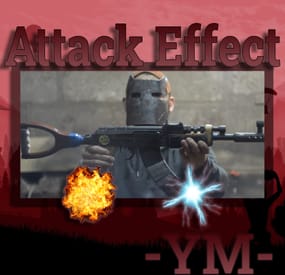
Attack Effect
By YaMang -w- in Plugins
Features:
Effect occurs when firing Chance Effect List: [EffectList]
have any ideas to add, I'll keep them in mind! 😄
📢Effect does not occur when ricocheting📢
Config:
{ "Effect Apply (skin = true, name = false)": true, "Activate NPC Gun Effect": false, "Effect Settings": { "Effect1": { "Hit Effect (null = notting)": [ "assets/prefabs/locks/keypad/effects/lock.code.shock.prefab" ], "Hit Effect Chance (1.0 = always-on)": 1, "Allow Skin List": [ "1234" ] }, "Effect2": { "Hit Effect (null = notting)": [ "assets/bundled/prefabs/fx/dig_effect.prefab" ], "Hit Effect Chance (1.0 = always-on)": 1, "Allow Skin List": [ "1234" ] }, "Effect3": { "Hit Effect (null = notting)": [ "assets/bundled/prefabs/fx/dig_effect.prefab" ], "Hit Effect Chance (1.0 = always-on)": 1, "Allow Skin List": [ "1234" ] } }, "Version": { "Major": 1, "Minor": 0, "Patch": 3 } } Exmple Config : [Config]
-

$25.00$22.50Monument Bradley
Version 2.0.0 New Bradley AI, Better custom path generation tool, Random road spawns,
Stock monument premade paths. Airfield, Trainyard, Dome, Powerplant, Harbor, Junkyard and WaterTreatment.
Spawn Bradly at some monuments.
You can create custom paths for custom monuments with the path tool.
Permissions needed monumentbradley.admin
Chat Commands.
Chat Command for path tool is /mb
Version 2.0.*
Version 1.0.0