
Paladin's Wishlist
-

$11.99
Resla Vehicles
By copcopekcro in Plugins
Who say that rust vehicles can go only on fuel ?
With this plugin you are able to give your vehicles Resla(Tesla)/Electric Engine !
Your vehicles can go fully on electric mode ,without needing lowgrade!
INFO :
With this plugin your vehicles can go normaly on electric and on fuel ...
So if you run out of el power you can still drive normaly with low grade .
If you have both on your vehicle , it will use first lowgrade then el power .
You dont need to have low grade in vehicle to drive if you have el power !!
HINTS :
This plugin supports all vehicles .
Very simple plugin , just mount vehicle on driver seat and your vehicle will get electric engine .
As soon you turn on your engine , electric power will be drained as you drive.
When vehicle is in TC range it will recharge , as soon vehicle leave TC range it will stop charging..
Vehicle need to be turned off to start recharging !
If you dont have any el power or lowgrade ,vehicle will be turned off .
Very wide config will allow you to manage lot of stuff.
What vehicles can have electric engine .
Charge amount , drain amount , max capacity per vehicle all can be adjusted in config..
You can enable installing battery on vehicle (you can change positions) ,its just visualy . Battery will be placed as soon player mounts driver seat .
There are effect/sounds in config , effect for low el power , for max charged power , for charging . All effects can be enabled/disabled and changed !
If you have effects ,you will be able to see some sparks when vehicle is recharging , you will get sounds when its done , or when you are on low el power !
PERMS :
reslavehicles.use - with this perm you will be able to add electric engine to vehicle
reslavehicles.hudedit - with this perm you will be able to use command for moving ICON
COMMAND :
/elicon - opens editor for moving ICON
ICON :
There is HUD where you can see how much el power you have on vehicle.. (can be disabled in config)
Icon is only visable when you are driver of vehicle .
You can change in game position of icon where ever you like. (if you have perm)
LANG FILE INCLUDED !
Best way to explain possibilities is true config :
CONFIG :
"Show Charge Capacity on mounted": true, ///// show message with capacity when you mount vehicle
"Show Charge Capacity on dismounted": false, ///// show message with capacity when you dismount vehicle
"Show Charge Refil Notify Always": false, ///// show message with refil capacity for your vehicles , where ever you are
"Show Charge Refil Notify only when Mounted": true, ///// show message with refil capacity for your vehicles , only when you are driver
"Notify each Refil Amount": 100.0, ///// if you have Always or Mounted true , each this amount you will get message
"Warning Low Electric": 100.0, ///// when will send message for low el power , and sound if enabled
"Enable Low Electric Warning Sound": true, ///// will you enable sound for low el power
"Low Electric Warning Sound (effect prefab)": "assets/prefabs/locks/keypad/effects/lock.code.denied.prefab", ///// sound for low el power
"Enable Fully Charged Sound": true, ///// will you enable sound for fully charged el power
"Fully Charged Sound (effect prefab)": "assets/prefabs/locks/keypad/effects/lock.code.updated.prefab", ///// what sound for fully charged el power
"Show Charge Effect (on battery)": true, ///// if enabled you will see on batery sparks (if you enabled battery)
"Show Charge Effect when no battery": false, ///// if enabled you will see on vehicle sparks
"Charging Effect (effect prefab)": "assets/prefabs/locks/keypad/effects/lock.code.shock.prefab", ///// sparks effect
"Show HUD Icon": true, ///// show HUD with el power capacity
"HUD Icon Default X": 606.0, ///// HUD postion (can be changed with command)
"HUD Icon Default Y": 84.0, ///// HUD postion (can be changed with command)
"Electric Vehicle List": [
{
"Enable this Vehicle": true, ///// YOU CAN ADD WHAT EVER VEHICLE TO CONFIG , if true then this vehicle can run on el power !
"Vehicle Prefab Path": "assets/content/vehicles/minicopter/minicopter.entity.prefab", ///// What vehicle ?
"Vehicle Display Name": "Miny", ///// Name what will be showed in chat
"Start Electric Capacity": 0.0, ///// Start capacity , when player mounts for first time vehicle
"Maximum Electric Capacity": 500.0, ///// Max Capacity of el power
"Electric Charging per sec": 1.0, ///// How much power vehicle will get each sec when its in TC range
"Electric Drain per sec": 2.0, ///// How much power vehicle will drain each sec when driving
"Place Battery": true, ///// Do you wanna add batter to vehicle
"Battery Positions": [
{
"X": 0.0,
"Y": 0.75,
"Z": -0.4, ///// Position of battery ,can be changed
"Rotation X": -5.0,
"Rotation Y": 180.0,
"Rotation Z": 0.0
}
]
},
-

$15.00
Animal Hunt Event
By copcopekcro in Plugins
Animal Hunt Event is a dynamic and customizable event system designed to engage players with thrilling hunting challenges. This plugin allows server administrators to create immersive hunting events where players compete against each other in specific zones, hunting dangerous animals for valuable rewards.
It can be used for PvE and PvP servers . You can even combine ,some events can be PvP some can be PvE . Its up to your needs !
Features :
Automated , Manual , Buyable Events:
Automated Scheduling: The plugin automatically schedules hunting events based on customizable time intervals, ensuring regular, exciting challenges for your players.
Manual Start: Admins can manually trigger events or players can purchase them, allowing for spontaneous fun whenever desired.
Buyable Events : Players can buy events with command in UI .. With differnet zones ,difficulties ,they chose !
Customizable Zones and Difficulties:
Multiple Spawn Zones: Define specific areas on the map where hunting events will take place. Each zone can have its own settings and difficulty levels.
Difficulty Settings: Create and assign different difficulty levels to each zone, with varying numbers and types of animals, ensuring the event suits both solo players and groups.
Rewards System:
Rewards: Winner rewards , kill rewards ,all configurable .
Claimable Rewards: After the event, players can claim their rewards using a simple command, ensuring they don’t miss out on their hard-earned loot.
Safe in and out from event:
Automatic Teleportation: Participants are automatically teleported to event zones and back to their original location, preserving their gameplay flow.
Chat Notifications: Players receive countdown notifications before being teleported, keeping them informed and ready for action.
Prevent Item Loss: The plugin ensures players do not lose their valuable items or backpacks during the event, enhancing the overall player experience.
User-Friendly UI:
Intuitive Kit Selection: Players can choose from a variety of kits before the event begins, each tailored for different playstyles and strategies.
Clear Event Feedback: Real-time UI feedback helps players stay informed about event status, rewards, and their performance.
Admin Controls:
Flexible Configurations: Easily configure event timing, locations, difficulty levels, rewards, and more through the comprehensive settings.
Permission-Based Commands: Secure your event commands with admin-only access, ensuring full control over the plugin’s features.
Command (all commands can be changed in config) :
Admin and Players = animalhunt - it show all commands in chat .
AdminCommands = starthunt - Start an animal hunt event.
endhunt - End an animal hunt event.
animalkit - Open the kit UI. (this is only for admins that you can check what you put in config about kits )
addanimalspawn - Add an animal spawn point.
addplayerspawn - Add a player spawn point.
wipeanimalspawns - Wipe animal spawn points.
wipeplayerspawns - Wipe player spawn points.
wiperewards - Wipe all pending rewards.
PlayerCommands = join - Join the animal hunt event.
leave - Leave the animal hunt event.
claimanimalrewards - Claim rewards.
buyanimalhunt - Openes Ui where player can buy event.
Perms :
animalhunt.admin - to be able to use admin commands.
animalhunt.buyevent - if you have this then you are able to buy events true UI for cost .
How to use it :
You will need plugins ,all are FREE:
ZoneManager ( https://umod.org/plugins/zone-manager ) , Image Library ( https://umod.org/plugins/image-library ) , AnimalSpawn ( https://codefling.com/extensions/animal-spawn ) .
One of currency plugins (ONLY CUSTOM CURRENCY IS PAID) :
CustomCurrency ( https://codefling.com/plugins/custom-currency ) , Economics ( https://umod.org/plugins/economics ) , ServerRewards ( https://umod.org/plugins/server-rewards ) .
When you have required plugins you can start making your animal hunt event .
You will need to make zones where event will happen , you can have more zones , with different options ,ONLY 1 EVENT PER TIME CAN BE ACTIVE !
Rest of explanation from config file :
"Enable Automatic Events": true, //// Will events automaticla start with that min max timer between events !
"Minimum time between events [sec.]": 1800.0,
"Maximum time between events [sec.]": 3600.0,
"Join Timer [sec.]": 300.0, //// Join timer is timer how long will players have to join event !
"Lobby Timer [sec.]": 60.0, //// Loby timer is when players are teleported to event zone ,how much time they will have to chose kit ,and maybe location where they will be !
"Preparation Time [sec.]": 10.0, //// Prep time is after loby time , players will get kits ,and prepare for battle , you dont need prep time ,you can put 0 if you like that way !
"Strip Corpses in Event": false, //// This will decide will corpses from dead player have loot(what they had from animalkits) ,so other player can loot them !
"Kit Cost Type [0-CustomCurrency, 1-Economics, 2-ServerRewards]": 0, //// Here you chose for what players will buy kits in event ,you can make free kits ofc!
"Spawn Locations": [
{
"Zone ID": "defaultZoneID", //// When you create zone with zone manager ,look there for zoneid ,and put it here !
"Zone Name": "SoloZone", //// This is name of zone what player will see in chat ,when there event starts ,or when they are buying event !
"Probability": 0.5, //// When you have more zones ,you can chose probability where automatic event will start based on chances !
"End Duration [sec.]": 300.0, //// This is time how long event in this zone will last !
"Respawnable Animals": true, //// Will animals respawn,so full duration time they will play , or when all animals are dead event is over !
"Minimum Players": 1, //// How much min players need to join event to event happens !
"Maximum Players": 1, //// How much max players can join event !
"Use Custom Animal Spawn Points": false, //// If false , it will be random spawn point in that zone ,if true then you will need to place those spawns with addanimalspawn
"Use Custom Player Spawn Points": false, //// If false , it will be random spawn point in that zone ,if true then you will need to place those spawns with addplayerspawn
"Buyable Event": true, //// Will this event be buyable !
"Use Global Cost": false, //// If you use global cost true ,all difficulties will cost that price !
"Event Cost": 300, //// That global cost if you use it !
"Cooldown [sec.]": 1200.0, //// How long player will not be able to buy that same zone event again !
"Difficulties": [
{
"Difficulty Level": "Easy", //// You can put what ever difficulty !
"Probability": 0.5, //// Chance to start that difficulty ,if you have more difficulties!
"Event Cost": 150, //// Cost for buying this difficulty if global cost false !
"Animal Profiles": [
{
"Profile Name": "EasyWolf", //// Chose profile what animal will spawn in event , you can put more profiles in one dificulty ,example wolf and bears !
"Amount": 10 //// How much of that profile animals will spawn ,if respawnable animals false ,when that 10 animals are dead event is over !
}
{
"Profile Name": "EasyBear", //// As you can here , we have wolf and bear in same difficulty !
"Amount": 5
}
]
}
]
},
"Animal Profiles": [ //// You can add more animal profiles !
{
"Profile Name": "EasyBear", //// that is name of profile what we used in difficulty in that zone !
"Kill Reward": { //// This is what player will get for each kill !
"Economy": "Item", //// You can use item and plugin (So type Item , or Plugin)
"PluginName": "", //// Here you need to type plugin name ( CustomCurrency, Economics, ServerRewards)
"Shortname": "scrap", //// If you use plugin you dont need shortname ,If you go item then chose what item will player get from kill !
"SkinID": 0, //// SkinId of that item ,if you wanna give some custom item maybe !
"DisplayName": "", //// If you put displayname player will get item with that DisplayName ,good for custom items !
"MaxAmount": 5, //// Min , max how much Amount of that item or currency will player get per kill !
"MinAmount": 1
},
"Animal Spawns": [ //// Here you edit your animals profile stats !
{
"Animal DisplayName": "EasyBear", //// Display name of animal !
"Prefab": "assets/rust.ai/agents/bear/bear.prefab", //// Chose animal based on prefab !
"Health": 400, //// I think i dont need to explain stats of animal !
"Chase Range": 30.0,
"Sense Range": 20.0,
"Listen Range": 10.0,
"Attack Range Multiplier": 1.0,
"Check Vision Cone": true,
"Vision Cone": 140.0,
"Hostile Targets Only": false,
"Attack Damage": 25.0,
"Attack Rate": 1.0,
"Turret Damage Scale": 1.0,
"Can Run Away Water": false,
"Can Sleep": false,
"Speed": 10.0,
"Memory Duration": 60.0
}
]
}, //// You can add more animal profiles !
{ ///// You can add more kits !
"Kit Name": "Sniper", //// name of kit !
"Image URL": "https://www.dropbox.com/scl/fi/tdntadioit4cm8mlpfira/rifle.bolt.png?rlkey=3o7j5mbxmp405o2otanieqjfq&st=bpazs6jq&dl=1", //// what image will kit use !
"Max Claim": 1, //// Max claims of that kit in one event !
"Cost Amount": 200, //// Cost of that kit ! It can be 0 so its free !
"Main": [
{
"Short Name": "ammo.pistol", ////Here you are adding items in Main Container !
"Amount": 30,
"Skin ID": 0,
"Mods": [],
"Ammo": 0
},
{
"Short Name": "ammo.rifle",
"Amount": 60,
"Skin ID": 0,
"Mods": [],
"Ammo": 0
}
],
"Wear": [ ////Here you are adding items in Wear Container !
{
"Short Name": "burlap.shirt",
"Amount": 1,
"Skin ID": 0,
"Mods": [],
"Ammo": 0
}
],
"Belt": [ ////Here you are adding items in Belt Container !
{
"Short Name": "rifle.bolt",
"Amount": 1,
"Skin ID": 0,
"Mods": [
"weapon.mod.8x.scope",
"weapon.mod.silencer"
],
"Ammo": 4
},
{
"Short Name": "pistol.prototype17",
"Amount": 1,
"Skin ID": 0,
"Mods": [],
"Ammo": 18
},
{
"Short Name": "knife.combat",
"Amount": 1,
"Skin ID": 0,
"Mods": [],
"Ammo": 0
},
{
"Short Name": "syringe.medical",
"Amount": 4,
"Skin ID": 0,
"Mods": [],
"Ammo": 0
},
{
"Short Name": "bandage",
"Amount": 8,
"Skin ID": 0,
"Mods": [],
"Ammo": 0
}
]
}, ///// You can add more kits !
"Total Winners": 3, //// how much there will be winners in event ! if you go 3 or some other number ,then make for all 3 places rewards!
"Winner Rewards": [
{
"Position": 1, //// this are rewards for first place !
"Rewards": [
{
"Economy": "Item", ////Again like in kill rewards , Item or Plugin !
"PluginName": "", //// If plugin ,then plugin name !
"Shortname": "rifle.ak",
"SkinID": 0,
"DisplayName": "",
"MaxAmount": 1,
"MinAmount": 1
},
{
"Economy": "Plugin",
"PluginName": "CustomCurrency",
"Shortname": "",
"SkinID": 0,
"DisplayName": "",
"MaxAmount": 200,
"MinAmount": 100
},
{
"Economy": "Plugin",
"PluginName": "Economics",
"Shortname": "",
"SkinID": 0,
"DisplayName": "",
"MaxAmount": 200,
"MinAmount": 100
}
]
},
{
"Position": 2, //// this are rewards for 2 place !
"Rewards": [
"Position": 3 //// this are rewards for 3 place ! ,,so add more if you put more winners !
"Rewards": [
"Commands": { //// You can change all commands in config !
"Start Hunt Command": "starthunt",
"End Hunt Command": "endhunt",
"Join Event Command": "join",
"Leave Event Command": "leave",
"Claim Rewards Command": "claimanimalrewards",
"Buy Event Command": "buyanimalhunt",
"Wipe Rewards Command": "wiperewards",
"Animal Kits": "animalkit",
"Add Animal Spawn Command": "addanimalspawn",
"Add Player Spawn Command": "addplayerspawn",
"Wipe Animal Spawns Command": "wipeanimalspawns",
"Wipe Player Spawns Command": "wipeplayerspawns",
"Show Commands Command": "animalhunt"
},
-
$9.99
The Cupboard
The Cupboard - is a powerful tool that every Rust server needs.
Rust gameplay is based on the opportunity to raid and take the loot but there is a problem that raiders usually destroy the tool cupboard and take the base under their control. This affects base owners and most of them leave from the server and you lose your online.
The Cupboard solves the problem
It provides many combinations for server owners to keep their lovely project PVP-based (or even PVP/PVE) and prevents losing online because of "base griefing”.
Example of usage (default):
TC can be destroyed by authorized players anytime TC can be destroyed by not authorized players during 24 hours after placement If a raider attacks a TC it will drop 90% of loot needed for the base upkeep and all the loot not needed for the upkeep This case allows the base owner to keep his base safe after 24 hours of the TC being placed and allows anti-raiders completely destroy a small base built by raiders as a spawn point near the base they are going to raid.
Default plugin setup improves the experience of players who do not want to lose their base during their gameplay on your server and keeps the opportunity for anti-raiding in a classic way (or allows players to destroy new structures around their base during next 24 hours).
Time preset can be adjusted according to your wishes.
The feature that allows dropping resources from the TC is very useful (even if the TC can not be destroyed). It allows your players to get the loot and reduce time left for the upkeep, and on the other hand it gives the opportunity for the base owners to have some time to fill it back with needed resources and to keep control under their base.
The Cupboard provides as many combinations as possible to control damage dealt to the TC. You even can control the rules of damage dealing for authorized players.
Your players can type in chat "/tc” and they will get full information about TC damage dealing rules and of course they can receive the same information while attacking the TC (or you can just remove any notifications using config).
Players will also receive in chat your TC damage rules after the TC being placed.
Commands
/tc Configuration
Config:{ "Plugin Settings": { "skipPlacementByAdmin": false, "removeNonExistentTCFromDB": true }, "Settings": { "canTakeDamageFromAuthedPlayers": true, "canTakeDamageFromAuthedPlayersAfterACertainTime": false, "canTakeDamageFromAuthedPlayersBeforeACertainTimeHasPassed": false, "amountOfMinutesForTimeModeForAuthedPlayers": 1440, "canTakeDamageFromNotAuthedPlayers": true, "canTakeDamageFromNotAuthedPlayersAfterACertainTime": false, "canTakeDamageFromNotAuthedPlayersBeforeACertainTimeHasPassed": true, "amountOfMinutesForTimeModeForNotAuthedPlayers": 1440, "dropLootOnHitByNotAuthedPlayer": true, "percentOfEachStackOfLootToKeep": 10, "dropLootNotNeededForUpkeepOnHitByNotAuthedPlayer": true, "sendNotificationsWhenDamageProhibited": true, "sendDetailedNotificationsWithTimeInfo": true, "convertMinutesToHoursForNotifications": true, "canFoundationUnderCupboardTakeDamage" : true }, "Loot": { "StoneStackQty": 1000, "WoodStackQty": 1000, "MetalFragmentsStackQty": 1000, "HighQualityMetalStackQty": 100 } }
Config explanation
Plugin settings
skipPlacementByAdmin - set it to "true" if you want to skip this plugin logic for a TC placed by an admin (for example if you are using CopyPaste etc.)
removeNonExistentTCFromDB - if set to "true" will remove all non-existent entities(TC) in the world from the database on server/plugin load (useful after the server wipe, you do not need to clean the data file yourself)
Damage control for authorized players
canTakeDamageFromAuthedPlayers - if set to "true” allows damage to the TC provided by authorized players
Time modes (requires dropLootOnHitByAuthedPlayer to be "true”)
canTakeDamageFromAuthedPlayersAfterACertainTime - if set to "true” allows damage (made by authorized players) to the TC only after a certain time after the TC being placed. canTakeDamageFromAuthedPlayersBeforeACertainTimeHasPassed - if set to "true” allows damage (made by authorized players) during a certain time after the TC being placed (after the timer ends damage will be prohibited). * you need to choice canTakeDamageFromAuthedPlayersAfterACertainTime OR canTakeDamageFromAuthedPlayersBeforeACertainTimeHasPassed (only one presset works at a time). Or you can turn both off. amountOfMinutesForTimeModeForAuthedPlayers - controls the amount of minutes for the chosen time mode for authorized players.
Damage control for not authorized players
canTakeDamageFromNotAuthedPlayers - if set to "true” allows damage to the TC provided by not authorized players
Time modes (requires dropLootOnHitByNotAuthedPlayer to be "true”)
canTakeDamageFromNotAuthedPlayersAfterACertainTime - if set to "true” allows damage (made by not authorized players) to the TC only after a certain time after the TC being placed. canTakeDamageFromNotAuthedPlayersBeforeACertainTimeHasPassed - if set to "true” allows damage (made by not authorized players) during a certain time after the TC being placed (after the timer ends damage will be prohibited). * you need to choice canTakeDamageFromNotAuthedPlayersAfterACertainTime OR canTakeDamageFromNotAuthedPlayersBeforeACertainTimeHasPassed (only one presset works at a time). Or you can turn both off. amountOfMinutesForTimeModeForNotAuthedPlayers - controls the amount of minutes for the chosen time mode for not authorized players.
Other options
dropLootOnHitByNotAuthedPlayer - if set to "true” and the TC being attacked it will drop some resources. percentOfEachStackOfLootToKeep - if set to "10” the TC will drop on the ground 90% of each stack of resources needed for the base upkeep dropLootNotNeededForUpkeepOnHitByNotAuthedPlayer - if set to "true” the TC will drop on the ground 100% of each stack of resources not needed for the base upkeep. sendNotificationsWhenDamageProhibited - if set to "true” will send notifications for the TC attacker about damage prohibition. sendDetailedNotificationsWithTimeInfo - if set to "true” will send detailed notifications for the TC attacker about damage prohibition with time values convertMinutesToHoursForNotifications - if set to "true” will convert minutes to hours (for example if you have southands of minutes for your time values) and it also affects messages that players receive. sendNotificationOnTCPlacement - if set to "true” will send your TC damage rules (based on your setup) to the player in the chat after the TC being placed.
Loot quantity setup
Adjust these values if your server has modified values for the max stack quantity of each time of resources the TC can store.
Config has values for resources needed for the base upkeep only:
StoneStackQty - 1000 of Stone (default) WoodStackQty - 1000 of Wood (default) MetalFragmentsStackQty - 1000 of Metal Fragments (default) HighQualityMetalStackQty - 100 of High Quality Metal (default)
-
$9.99
Tiered Electricity
Tiered Electricity allows players with permission to be granted increased power output and other properties from all available electricity power source entities in the game:
Small Battery Medium Battery Large Battery Solar Panels Wind Turbines Fuel Generators Test Generators Simply grant permissions to players and all their electric power sources will inherit the property of that Tier immediately, as set in the config.
Works excellently with any Shop/Reward Shop that can issue commands and/or permissions.
There are 3 basic Tiers which will probably suit most people, but server owners can create as many tiers as they like by cloning an existing tier in the config and editing to suit, the number of tiers is infinite!
PLEASE NOTE:
Due to limitations within the game, the modified power output and will not be displayed on the UI panel. Only the maximum default values can be displayed. But the output will be modified and you will see this modified value when using the wire tool when you take the output and connect it to the input of a IO Entity.
Quantum Batteries:
There is also an option to enable Quantum Batteries for players with permission. All batteries owned/placed by a player with this permission will have infinite power!
NOTE: Tier order in the config is IMPORTANT. The lowest tier must be at the top of the list in the config, with the highest tier at the bottom. If you don't do this, f players are in more than one group with multiple permissions for this plugin, the values may be undesirable!
PERMISSIONS DO NOT STACK.
Permissions:
tieredelectricity.admin (needed for the reload command) tieredelectricity.quantum (all players batteries will be quantum type) tieredelectricity.tier1 tieredelectricity..tier2 tieredelectricity..tier3 etc (Permissions will be set for each tier you create and will be named after the tier name in the config.)
Commands (prefix with / for use in chat):
reload <batteries|solar|turbine|fuelgen|testgen|all> Note: Reloading can cause heavy load, depending on how many IOEntities are on the map, high pop will obviously be higher load. You can mitigate this by only reloading the config you need to if you have made changes, without reloading the whole plugin or all types.
Config is very easy with clear instructions and Rust default values available, but very customisable.
Default Config:
-
$20.00
Water Treatment Showdown Event
By Yac Vaguer in Plugins
Water Treatment Showdown Event
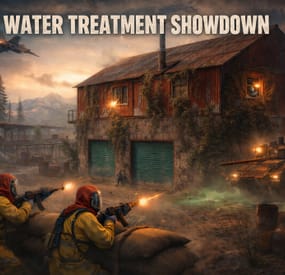
Operation Cobalt Siege. A timed fight over the Water Treatment Plant that ends with the monument getting nuked, whether your players got out or not.
Runs on Oxide and Carbon.
What actually happens on your server
Every two hours by default, the plugin announces unusual activity at Water Treatment. Two minutes later the monument turns hostile.
Cobalt guards take up positions across the yard. Snipers with scoped M39s hold the high ground. A Bradley APC starts its patrol route. Zombies fill the main building, and if you leave the setting on, the building takes a visible explosion on spawn and the sprinklers kick in. SAM sites cover the airspace so nobody solves this from a minicopter.
The loot is military crates, elite crates and one hackable crate. Starting the hack is the point of no return: the noise calls in a patrol helicopter, and now your players are fighting a Bradley, a heli and whatever NPCs are left, all at once, on a clock.
Four minutes after somebody loots the hackable crate, an F15 comes in and drops the nuke. If nobody finishes in time, the event's own timer does it instead. Either way the monument gets hit with an MLRS barrage and then sits irradiated for five minutes. Anyone still inside picking up loose loot takes rads for it.
That last part is the reason I keep the event on my own server. The evacuation window turns a won fight into a decision, and players get greedy.
Difficulty tiers
One config field, four presets: Easy, Normal, Hard, Nightmare.
The tier multiplies NPC count, NPC health, NPC damage, Bradley HP and every reward payout by the same number (0.75, 1.0, 1.35, 1.75). Normal is 1.0, so an existing config behaves exactly as it did before tiers existed.
The tier is frozen when an event starts. If you reload config mid-event to change it, the running event finishes on the numbers it spawned with, and the new tier applies to the next one.
PVE support
Two options, and you pick one. Never both.
PveMode by KpucTaJl is the fuller integration (Recommended).
SimplePVESphere is the lighter option. A sphere, an owner, done.
If both are configured, PveMode wins and SimplePVESphere is ignored. The plugin logs which one it picked.
Leave both off and the event is straight PvP over a shared monument, which is what most vanilla-ish servers want.
Rewards
Economics, ServerRewards RP and SkillTree XP. You can run all three at once if that's your setup.
Each backend gets its own payout table with four entries: looting the hackable crate, destroying the Bradley, downing the patrol helicopter, killing an NPC. The difficulty tier scales all of them. Everything is disabled by default, so installing the plugin does not quietly start printing currency.
Loot control
Works with AlphaLoot and CustomLoot. Pick one.
AlphaLoot needs nothing configured on this side. Leave every "Use Custom loot plugin?" key false and it fills the event's crates from the profile matching each crate prefab, exactly as it does everywhere else on your map. One gotcha worth knowing: the elite crate's prefab lives under underwater_labs/, so its AlphaLoot profile is underwater_labs/crate_elite, not crate_elite. Edit the wrong one and you'll swear the event is ignoring you.
If you want the event paying differently from the rest of the world, point a crate at a prefab nothing else on your map spawns and give that prefab its own AlphaLoot profile. AlphaLoot matches on prefab, so sharing one means sharing the table.
Turning CustomLoot on while AlphaLoot is installed does not blend the two. CustomLoot wins and AlphaLoot's work is discarded with no error in the log.
Every crate type and every NPC type takes a CustomLoot profile name if you want your own tables. Guards, snipers, zombies, military crates, elite crates and the hackable crate each have their own slot, so you can hand-tune the hackable crate and leave the rest on Rust defaults.
The hackable crate also takes an optional bonus item: a shortname, an amount, a skin ID, a display name and a drop chance. Added on top of whatever table produced the rest of the crate. This is how you seed a custom skin or a server-specific item as the reward for finishing the event.
NPC tuning
Guards and snipers each have a full settings block: name, health, roam range, chase range, sense range, attack range multiplier, target memory duration, damage scale, aim cone scale, vision cone and whether it's checked at all, movement speed, radio chatter on or off, stationary or roaming, and corpse removal.
Loadouts are explicit. Clothing and belt items by shortname, with skin IDs, weapon mods and ammo type. Defaults ship the guards in road sign armour with a flashlight LR300 and an F1, and the snipers with a 16x scoped M39. Kit plugin support is there too, though it costs performance and the config says so.
Zombies get a count and a loot profile.
Bradley and the helicopter
The Bradley has its own health, the number of crates it drops, whether the crate fire keeps burning, whether gibs stick around, and its coax bullet damage. It patrols a waypoint route rather than sitting still.
The patrol helicopter is the newest addition. It spawns when the hackable crate hack starts, not on a timer, so it always lands on top of the fight rather than in a quiet moment. Count, health and crate drops are configurable, and you can turn it off entirely if your player base is small.
Notifications
Chat or GUIAnnouncements, chosen in config. Chat messages take a prefix, prefix colour and size, body colour and size, and a Steam icon ID.
There's also a Discord webhook for the event log, off by default.
Commands
Chat, requires watertreatmentevent.admin:
/wtestart starts the event now /wtestop stops a running event and re-arms the automatic schedule /wte.admin opens the admin panel Console, requires the permission or server admin:
wtestart [steamID] starts the event. The optional Steam ID pre-assigns event ownership to an online player, which is useful for testing PVE rules without having to shoot your way to ownership first wtestop wte.admin wte.nuke skips straight to the finale on a running event. This is the fastest way to check that your radiation and cleanup settings behave, without waiting out a full forty minute cycle wte.selfcheck Permission
watertreatmentevent.admin
For plugin developers
Two hooks fire:
void OnWaterTreatmentEventStart(Vector3 center, float radius) void OnWaterTreatmentEventEnded(Vector3 center, float radius) Both carry the event centre and the configured zone radius, so a leaderboard or a zone plugin can react without having to guess where the monument is.
Two API methods:
bool IsWaterTreatmentEventActive() void ResetWaterTreatmentEventInterval() ResetWaterTreatmentEventInterval restarts the countdown to the next automatic event, which event manager plugins use to stagger events so two don't fire at once.
Configuration you'll probably touch first
"Event Start every [sec]": 7200.0, "Duration of the event [sec]": 2400.0, "Run the event ONLY manually with the commands": false, "Warning time before the Event Spawn [sec]": 120.0, "Time after player loot the hackable crate to end the event and drop the nukes [sec]": 240.0, "Difficulty Tier (Easy, Normal, Hard, Nightmare)": "Normal", "Radius of the event zone in meters (PVE sphere and map marker)": 120.0, "Add Radiation when the F15 drop the nuke": true, "How long the radiation stays in the event area after the nuke [sec]": 300.0, "Clean the area of other NPCs before the event starts": false That last one is worth knowing about if you run BotReSpawn or BetterNpc. Turn it on and anything inside the event zone that this plugin did not spawn gets removed just before the event's own NPCs arrive, along with leftover NPC corpses and loot bags. Player corpses and player backpacks are never touched. It's off by default because most servers don't need it.