
Jedchado's Wishlist
-
$9.99
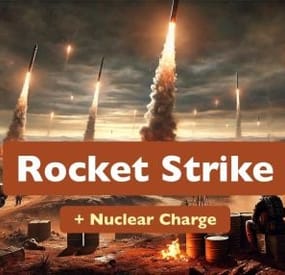
Rocket Strike
Rocket Strike - the ultimate event that allows you to create missile strikes anywhere on the map, in any quantity, any radius and with all possible settings. A unique feature is the creation of nuclear charges that create radiation zones after the explosion.
New UPDATE 1.1.0 brings customisable Nuclear Strikes
Watch the video from the new update on YouTube
The following types of rockets are supported: regular, fire, high-speed, MLRS.
The configuration file allows you to manage all aspects of the event:
- projectile type for a missile strike
- random projectiles
- explosion radius
- number of missiles in launch
- nuclear charge
- nuclear charge strength
- radius and duration of the radiation zone
- event frequency
- markers on map
- marker on map after explosion (different color)
- sound siren
- notifications in chat (for all or for nearby players)
- damage multipliers
- loot after explosion
- since v.1.1.0 you can adjust projectiles size
Permissions
Requires: rocketstrike.rs
Chat commands
/rs call (/rs - alias) - takes your position as the center point for launching rockets and using the "Default" preset
/rs onme takes your position as the center point for launching rockets and using the "OnMe" preset
/rs start - event start (the rocket strike will not start immediately, it will be scheduled according to the configuration settings)
/rs stop - stops the event if it was started and scheduled
/rs nb - drops Nuclear Bomb on your position
Configuration
Event settings
"EventSettings": { "autoStart": false, // automatically schedule an event to run after the plugin is installed "startAtRandomTime": true, "randomTimeRangeFrom": 120, // minutes "randomTimeRangeUpTo": 180, // minutes "repeatTimeInterval": 45, // minutes "rocketsLaunchPreset": "Default", // selected launch preset "randomRocketsLaunchPresets": false }
Presets
1 preset in the example below:
"LaunchPresets": { "Default": { "soundAlarm": true, // play sound alarm on launch start "soundAlarmDuration": 11, // seconds "chatNotifications": true, // notify players "chatNotificationsForNeardbyPlayersOnly": false, // notify only nearby players "showMapMarker": true, // show markers on the map (both: red and orange) "mapMarkerLootingStageDuration": 10, // duration in minutes for the orange marker "noDamage": false, // turns damage off "dropLoot": true, // allows to control loot drop "dropLootMultiplier": 1.0, // multiplier for the loot amount dropped by each projectile "maxRadius": 350, // rocket launch zone max radius "minRadius": 250, // rocket launch zone min radius "maxRocketsAmount": 12, // max 12 rockets in one launch "minRocketsAmount": 7, // min 7 rockets in one launch "maxDuration": 120, // seconds "minDuration": 60, // seconds "damageMultiplier": 1.0, // global damage multiplier that affects each projectile "projectiles": [ "NuclearMLRSRocket" // projectile type ] } }
Projectiles configuration
1 projectile in the example below:
"Projectiles": { "NuclearMLRSRocket": { // name used in a launch presset "damageMultiplier": 3.0, // projectile damage multiplier for each damage type "explosionRadius": 45, // meters "minExplosionRadius": 25, // meters, minimum radius "gravityModifier": 0, // affects projectile velocity "velocity": 35, // projectile velocity "nuclearCharge": true, // if "true” a nuclear charge will be added to the projectile "nuclearZoneRadius": 50, // meters, radiation zone radius after the explosion "nuclearZoneRadiationAmount": 55, // radiation damage in the zone per second "nuclearZoneDuration": 5, // minutes "prefab": "ammo.rocket.mlrs", // game object used for this projectile "additionalDamageTypes": [ // additional damage type { "type": "Radiation", // types list is available in the plugin file "damage": 1000 } ], "itemOnLootDropSpot": "assets/content/structures/excavator/prefabs/diesel_collectable.prefab", // spawns this item on each explosion spot "dropLootList": [ // list of loot to spawn { "item": "metal.fragments", "min": 500, "max": 1000 }, { "item": "sulfur", "min": 300, "max": 1000 }, { "item": "lowgradefuel", "min": 250, "max": 500 }, { "item": "charcoal", "min": 500, "max": 1000 }, { "item": "explosives", "min": 3, "max": 12 } ] }}
-

$4.00
Battle Messages
By JackMachine in Plugins
BattleMessages - Transform Your Patrol Heli Fights with Custom Alerts!
BattleMessages brings your in-game battles to life with fully customizable, dynamic messages triggered by your interactions with the fearsome Patrol Helicopter. Every intense moment—from the first daring shot to the final takedown—is announced to the whole server in style, making every encounter feel epic. Whether you’re chasing down the heli or becoming its latest victim, BattleMessages amplifies the tension and excitement with immersive alerts.
What Makes BattleMessages Special?
Dynamic Messaging:
Each event triggers a different message, keeping the action unpredictable and engaging.
Whether you’re the one shooting the heli first, or watching it turn players into smoldering heaps, the plugin makes sure your server knows who’s making moves.
Customizable Content:
Don’t like the default messages? No problem. You can fully customize all messages in the plugin’s configuration files.
Switch languages (English and French included), or rewrite messages entirely to match your server’s vibe and humor.
Craft the perfect narrative for your in-game world!
Player Recognition:
Every time a player interacts with the heli, their name is featured in the broadcasted messages, adding personal stakes to every encounter.
Get your players hooked by making every victory or defeat part of the community story.
Easy Customization – Your Server, Your Style
With BattleMessages, you have complete control over how the plugin communicates. Changing the messages is as easy as editing a language file.
Go into the oxide/lang/ folder and customize the json files to your liking—change the text, the color codes, or even the language! Whether you want serious, humorous, or downright chaotic alerts, it’s all up to you.
- #patrol
- #patrolhelicopter
- (and 3 more)
-
$25.00
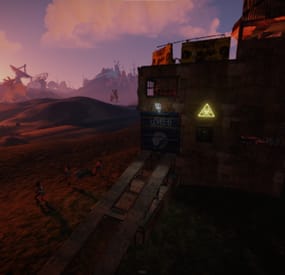
Cobalt Laboratory
A very interesting auto event for your server. Down with the boring old radioactive house.
Features:
Construction
- You can make any building
- The building position is level, the house will not hang in the air or spawn in the same place
Bots
- Bots turn on lights and laser sights at night, and cut them out in the morning
- It is possible to dress the NPC as you want it, as well as give them all random weapons
- You can also adjust the loot and health level of the NPC
Radiation
- It is possible to turn on radiation in the event area
Map
- It is possible to display the event on maps
Other possibilities
- There is sending notifications to the discord
- You can change any message in the lang file
- You can multiply the loot by the day of the wipe, the loot will get higher every day the wipe
- Detailed setting of everything.
- UI notifications
The plugin was tested for a month and a half, many problems were fixed. But if something is found, I will fix it! I am also ready to accept your suggestions, Any!
Sorry, but the video is in Russian
Commands:
/cl start /stop - Start / stop the event ahead of schedule (For administrators) /cl.items add - add loot to the box with prizes, then be sure to adjust the odds in the config (From your inventory) /cl.items reset Replace all old loot in the box with a new one (From your inventory) /cl.botitems add "NAME" - add the loot that will be in the bot, then you must definitely adjust the odds in the config (From your inventory) /cl.botitems reset "NAME" - completely change the old loot in the bot to the new one
Config:
{ "Setting up and stopping an event": { "The minimum number of players to start an event": 0, "Time before the start of the event (Minimum in seconds)": 3000, "Time before the start of the event (Maximum in seconds)": 7200, "Time until the event is deleted if no one opens the box (Seconds)": 900, "The time until the event is deleted after the box is unlocked": 300, "Create a PVP zone within the radius of the event? (Requires TruePVE)": false, "Do you use a dome ?": false, "Transparency of the dome (the smaller the number, the more transparent it is. The values should be no more than 5)": 3 }, "Configuring notifications": { "Discord WebHook (If you do not need discord notifications, leave the field blank)": "", "Enable UI Notifications?": true, "Auto hide UI notifications?": true, "How long after the show will it hide? (sec)": 15.0, "UI window background color": "0.8 0.28 0.2 0.8", "UI Close Button Color": "0.6784314 0.254902 0.1843137 0.8" }, "Setting up radiation in the event area": { "Turn on radiation?": true, "Number of radiation particles": 20, "Radius of the affected area (No more than the radius of detection of players)": 20 }, "Event display on maps": { "Mark the event on the G card (Requires FREE https://umod.org/plugins/marker-manager)": true, "Text for map G": "Cobalt lab", "Marker color (without #)": "f3ecad", "Outline color (without #)": "ff3535" }, "Setting up buildings for the event (Copypaste) and NPCs": { "Spawn buildings. (If more than 1 then random is selected)": [ { "Setting the height of the building (Required in the setting if you want to place your building)": 0, "The names of the file in the folder `/oxide/data/copypaste` with your building": "HouseCobalt", "Copter spawn chance (if present in a building)": 50, "NPCs setting": [ { "Minimum": 3, "Maximum": 7, "Will they spawn as help after hacking locked crate?": true, "Number of NPCs (Help)": 3, "NPCs setting": { "Name": "Cobalt Defense", "Health": 230.0, "Roam Range": 35.0, "Chase Range": 10.0, "Attack Range Multiplier": 3.0, "Sense Range": 50.0, "Target Memory Duration [sec.]": 40.0, "Scale damage": 2.0, "Aim Cone Scale": 1.0, "Detect the target only in the NPC's viewing vision cone? [true/false]": false, "Vision Cone": 135.0, "Speed": 8.0, "Disable radio effects? [true/false]": false, "Is this a stationary NPC? [true/false]": false, "Remove a corpse after death? (it is recommended to use the true value to improve performance) [true/false]": false, "Wear items": [ { "ShortName": "roadsign.kilt", "SkinID (0 - default)": 1121447954 }, { "ShortName": "burlap.shirt", "SkinID (0 - default)": 2076298726 }, { "ShortName": "shoes.boots", "SkinID (0 - default)": 0 }, { "ShortName": "roadsign.gloves", "SkinID (0 - default)": 0 }, { "ShortName": "burlap.trousers", "SkinID (0 - default)": 2076292007 }, { "ShortName": "metal.facemask", "SkinID (0 - default)": 835028125 } ], "Belt items": [ { "ShortName": "rifle.lr300", "Amount": 1, "SkinID (0 - default)": 1837473292, "Mods": [ "weapon.mod.flashlight" ] }, { "ShortName": "pistol.semiauto", "Amount": 1, "SkinID (0 - default)": 1557105240, "Mods": [] }, { "ShortName": "syringe.medical", "Amount": 10, "SkinID (0 - default)": 0, "Mods": [] }, { "ShortName": "grenade.smoke", "Amount": 3, "SkinID (0 - default)": 0, "Mods": [] } ], "Kit": "" }, "Which loot table should the plugin use? (0 - default; 1 - own; 2 - AlphaLoot;": 1, "Own loot table (if the loot table type is 1)": { "Minimum numbers of items": 1, "Maximum numbers of items": 1, "Use minimum and maximum values? [true/false]": true, "List of items": [ { "ShortName": "scrap", "Minimum": 5, "Maximum": 10, "Chance [0.0-100.0]": 50.0, "Is this a blueprint? [true/false]": false, "SkinID (0 - default)": 0, "Name (empty - default)": "", "Multiply the amount of the item by the number of days since the beginning of the wipe (on the 3rd day, the loot will be 3 times more)": false }, { "ShortName": "supply.signal", "Minimum": 1, "Maximum": 1, "Chance [0.0-100.0]": 20.0, "Is this a blueprint? [true/false]": false, "SkinID (0 - default)": 0, "Name (empty - default)": "", "Multiply the amount of the item by the number of days since the beginning of the wipe (on the 3rd day, the loot will be 3 times more)": false }, { "ShortName": "syringe.medical", "Minimum": 1, "Maximum": 2, "Chance [0.0-100.0]": 70.0, "Is this a blueprint? [true/false]": false, "SkinID (0 - default)": 0, "Name (empty - default)": "", "Multiply the amount of the item by the number of days since the beginning of the wipe (on the 3rd day, the loot will be 3 times more)": false } ] } }, { "Minimum": 1, "Maximum": 3, "Will they spawn as help after hacking locked crate?": false, "Number of NPCs (Help)": 0, "NPCs setting": { "Name": "Cobalt Guard", "Health": 150.0, "Roam Range": 30.0, "Chase Range": 90.0, "Attack Range Multiplier": 2.0, "Sense Range": 50.0, "Target Memory Duration [sec.]": 30.0, "Scale damage": 1.0, "Aim Cone Scale": 1.0, "Detect the target only in the NPC's viewing vision cone? [true/false]": false, "Vision Cone": 135.0, "Speed": 7.0, "Disable radio effects? [true/false]": true, "Is this a stationary NPC? [true/false]": false, "Remove a corpse after death? (it is recommended to use the true value to improve performance) [true/false]": false, "Wear items": [ { "ShortName": "roadsign.kilt", "SkinID (0 - default)": 1121447954 }, { "ShortName": "burlap.shirt", "SkinID (0 - default)": 2076298726 }, { "ShortName": "shoes.boots", "SkinID (0 - default)": 0 }, { "ShortName": "roadsign.gloves", "SkinID (0 - default)": 0 }, { "ShortName": "burlap.trousers", "SkinID (0 - default)": 2076292007 }, { "ShortName": "metal.facemask", "SkinID (0 - default)": 835028125 } ], "Belt items": [ { "ShortName": "rifle.lr300", "Amount": 1, "SkinID (0 - default)": 1837473292, "Mods": [ "weapon.mod.flashlight" ] }, { "ShortName": "pistol.semiauto", "Amount": 1, "SkinID (0 - default)": 1557105240, "Mods": [] }, { "ShortName": "syringe.medical", "Amount": 10, "SkinID (0 - default)": 0, "Mods": [] }, { "ShortName": "grenade.f1", "Amount": 3, "SkinID (0 - default)": 0, "Mods": [] } ], "Kit": "" }, "Which loot table should the plugin use? (0 - default; 1 - own; 2 - AlphaLoot;": 1, "Own loot table (if the loot table type is 1)": { "Minimum numbers of items": 1, "Maximum numbers of items": 1, "Use minimum and maximum values? [true/false]": true, "List of items": [ { "ShortName": "scrap", "Minimum": 5, "Maximum": 10, "Chance [0.0-100.0]": 50.0, "Is this a blueprint? [true/false]": false, "SkinID (0 - default)": 0, "Name (empty - default)": "", "Multiply the amount of the item by the number of days since the beginning of the wipe (on the 3rd day, the loot will be 3 times more)": false }, { "ShortName": "supply.signal", "Minimum": 1, "Maximum": 1, "Chance [0.0-100.0]": 20.0, "Is this a blueprint? [true/false]": false, "SkinID (0 - default)": 0, "Name (empty - default)": "", "Multiply the amount of the item by the number of days since the beginning of the wipe (on the 3rd day, the loot will be 3 times more)": false }, { "ShortName": "syringe.medical", "Minimum": 1, "Maximum": 2, "Chance [0.0-100.0]": 70.0, "Is this a blueprint? [true/false]": false, "SkinID (0 - default)": 0, "Name (empty - default)": "", "Multiply the amount of the item by the number of days since the beginning of the wipe (on the 3rd day, the loot will be 3 times more)": false } ] } } ] } ] }, "Customizing the box": { "Time to unlock the Crates [sec.]": 900.0, "Which loot table should the plugin use? (0 - default; 1 - own; 2 - AlphaLoot; 3 - EcoLootUI;": 0, "Own loot table (if the loot table type is 1)": { "Minimum numbers of items": 0, "Maximum numbers of items": 0, "Use minimum and maximum values? [true/false]": false, "List of items": [ { "ShortName": "pistol.python", "Minimum": 1, "Maximum": 1, "Chance [0.0-100.0]": 60.0, "Is this a blueprint? [true/false]": false, "SkinID (0 - default)": 0, "Name (empty - default)": "", "Multiply the amount of the item by the number of days since the beginning of the wipe (on the 3rd day, the loot will be 3 times more)": false }, { "ShortName": "multiplegrenadelauncher", "Minimum": 1, "Maximum": 1, "Chance [0.0-100.0]": 15.0, "Is this a blueprint? [true/false]": false, "SkinID (0 - default)": 0, "Name (empty - default)": "", "Multiply the amount of the item by the number of days since the beginning of the wipe (on the 3rd day, the loot will be 3 times more)": false }, { "ShortName": "sulfur", "Minimum": 500, "Maximum": 800, "Chance [0.0-100.0]": 40.0, "Is this a blueprint? [true/false]": false, "SkinID (0 - default)": 0, "Name (empty - default)": "", "Multiply the amount of the item by the number of days since the beginning of the wipe (on the 3rd day, the loot will be 3 times more)": false }, { "ShortName": "wall.external.high.ice", "Minimum": 1, "Maximum": 5, "Chance [0.0-100.0]": 75.0, "Is this a blueprint? [true/false]": false, "SkinID (0 - default)": 0, "Name (empty - default)": "", "Multiply the amount of the item by the number of days since the beginning of the wipe (on the 3rd day, the loot will be 3 times more)": false } ] }, "Turn on the alarm when breaking into a locked box ?": true }, "Reward in the form of a team to the player who 1 opened the cargo": { "List of commands that are executed in the console (%STEAMID% - the player who looted the box)": [], "Messages that the player will receive (Here you can write about what the player received)": "" }, "Setting up the selection of positions for spawn (For experienced users)": { "Allow spawn on the roads ?": true, "Allow spawn on rivers ?": true, "Radius of monument detection": 40.0, "Detection radius of the tool cupboard (Building Block)": 90.0 } }
- #radhouse
- #radiation
- (and 10 more)
-
$30.00
Triangulation
Welcome to a new arctic event where players will need to brave the arctic biome to deal with packs of aggressive feral animals!
Description
The event begins with a chat warning explaining that scientists studying the arctic area of the island have been attacked by vicious animals and need to quickly be evacuated. Since leaving in such a hurry, they left their drilling rig behind, which extracts a lot of profitable resources, currently the location of the rig is not known. Players are able to find and use this rig, since it is left unguarded, but first they have to find it's location. The team left behind three signal receivers at different locations on the island. The player needs to scan each of them sequentially. This won't be as easy as it sounds, utilizing the signal receivers seems to be a big part of what is aggravating the packs of animals nearby that led to the attack. The animals seem so crazed by the signal receivers running that they will attack and try to destroy them when the players use them to triangulate the location of the drilling rig. Players should protect the receivers if they have any hopes to retrieve the location of the rig, they will need to use all three receivers to find it. The rig will need quite a few batteries to run, players should loot these after running each scan. To incentivize keeping these scanners running, loot is provided with each successful scan of the area. The more health each scanner has upon completing the scan the more batteries will be received as a reward. The more batteries are in the rig, the longer it will run and the richer the reward will be in the end.
In the plugin configuration you can change almost anything you can think of, the loot in each location, the signal receivers and drillig rig parameters, timers, attack waves, animal configuration, and almost any customization you can think of will be found in the config file. Put on some warm clothing and head out to meet the new challenge!
Dependencies Required
AnimalSpawn
Dependencies (optional, not required)
TruePVE GUI Announcements Notify Discord Messages NTeleportation Economics Server Rewards IQEconomic XPerience
Chat commands (only for administrators)
/tstart - start the event
/tstop - end the event
Console commands (RCON only)
tstart - start the event
tstop - end the event
Plugin Config
en - example of plugin configuration in English ru - example of plugin configuration in Russian
Hooks
void OnTriangulationStart() – called when the event starts
void OnTriangulationEnd() – called when the event ends
void OnTriangulationWinner(ulong winnerId) – called at the end of the event, where the winnerId is the player who did more actions to complete the event
void OnTriangulationReceiverSpawn(Vector3 pos, float radius) - called when the signal receiver spawn on the map
void OnTriangulationDrillSpawn(Vector3 pos, float radius) - called when the drilling rig spawn on the map
My Discord: kpuctajl
Join the Mad Mappers Discord here!
Check out more of my work here!
- #event
- #facepunch
- (and 17 more)
-
$15.09
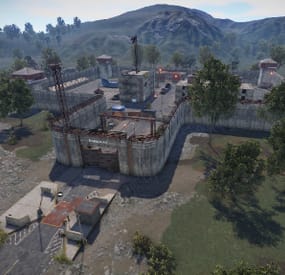
Barracks
The barracks offers a lot of loot. This can be found in many rooms, command center,
lounge and in the hangas. A bradley is driving on the inner road and soldiers are guarding the area.
Prefabs: 2424
Please note:
Download the prefab files and place them in RustEdit/CustomPrefabs directory of RustEdit.
The prefabs can be accessed in the custom section of prefab browser. To use sinlge letters, the prefab has to be broken by selecting it (once placed) and using the "break prefab" function.
Important: I don't use "prevent building sphere/cubes" in any of my prefabs, also no monument markers are set. These need to be added by yourself.
If the NPCs are not wanted, press the H key (overview of all prefabs) and delete them from the prefab.
Questions and suggestions:
If you have any problems you can contact me via
Katalaner - Discord: https://discord.gg/e2vrPszZFX
Katalaner Webseite: http://katalaner.de
Rustgame Infoseite: http://webarte.de
Youtube: https://www.youtube.com/channel/UC_5P_wAFKl5bdndkDEQDK4g
PVE Urlaub Rust Server - Discord: https://discord.gg/75u3fJwPQw