Jump to content

OxideBro

Creator
  • Posts

    34
  • Joined

  • Last visited

Everything posted by OxideBro

  1. OxideBro

    License

    Changed Status from Pending to Fixed Changed Fixed In to 1.0.0
  2. Version 1.0.0

    12 downloads

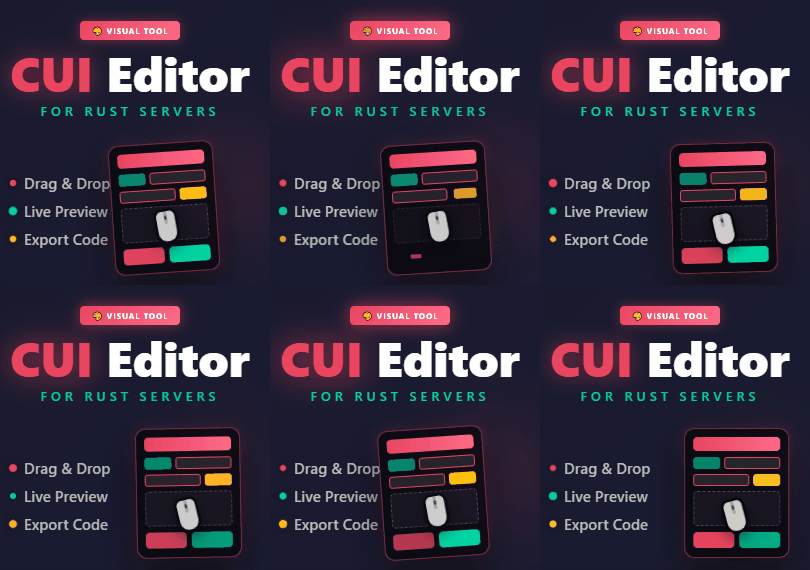
    Rust CUI Editor Visual Interface Designer for Rust Stop writing UI code blindly. Design your CUI interfaces visually and export ready-to-use code in seconds. What is this? Rust CUI Editor is a desktop application for creating Rust game UI (CUI) interfaces using a visual drag-and-drop editor. Instead of writing dozens of lines of CuiHelper code and constantly reloading your plugin to see the result, you design everything visually and get clean, working code instantly. Elements Panel Image (URL/sprite) Label (with outline) Button InputField ScrollView NeedsCursor NeedsKeyboard Layout Horizontal Layout Group Vertical Layout Group Grid Layout Group Content Size Fitter Visual Drag elements on canvas Resize with 8 handles Multi-selection Marquee select Anchor/offset system Alignment Left / Center / Right Top / Middle / Bottom Stretch to parent Match Width/Height Distribute evenly Guides, Grid & Smart Snapping ► Draggable guides from rulers ► Customizable grid with snap ► Smart guides — auto-snap to edges ► Distance indicators while dragging Multiple Backgrounds Preview your UI on actual game screenshots: Game view Inventory Loot container Crafting Map Transparent Export Formats Generate ready-to-use code in three formats: C# (CuiHelper) container.Add(new CuiPanel { RectTransform = { AnchorMin = "0.3 0.3", AnchorMax = "0.7 0.7" }, Image = { Color = "0.1 0.1 0.1 0.9" } }, "Overlay", "MyPanel"); JSON [{ "name":"MyPanel", "parent":"Overlay", "components":[...] }] Full Plugin Complete .cs file with: • using statements • class definition • all UI code Import Existing Code Already have CUI code? Import it! ► Paste JSON array ► Paste C# CuiHelper code ► Paste from PSD files ► Paste from SVG files The editor parses your code and recreates all elements for visual editing. Project Management ► Save/Load project files ► Multiple tabs for different projects ► Recent projects with thumbnails ► Per-project settings Property Editor Full control over every element property: ► Position (anchors + offsets) ► Colors with Rust format (0-1 RGBA) ► Fonts and text alignment ► Sprite/material selection ► Outline settings ► Fade in/out animations ► Button commands ► Input field parameters ► ScrollView settings Element Hierarchy ► Layer-based structure (Overlay, Hud, HudMenu) ► Parent-child relationships ► Drag & drop reordering ► Visibility toggle ► Lock elements ► Rename with double-click Additional Tools Measure Tool measure distances on canvas Style Picker copy style between elements Sprite Library browse Rust sprites Color Picker Rust format preview Quality of Life ► Unlimited Undo/Redo ► Copy/Paste/Duplicate elements ► Copy Style / Paste Style ► Keyboard shortcuts for everything ► Multiple resolution presets ► Zoom and pan navigation ► Fit to window ► Dark theme ► English and Russian localization ► Auto-update notifications System Requirements ► Windows 10/11 ► .NET 8.0 Runtime (included) Installation 1. Download and extract 2. Run RustCUIEditor.exe 3. Start creating! Support Questions or issues? Contact me via CodeFling messages. More Screenshots & Demos
    $39.99
  3. OxideBro

    Please Help

    Changed Fixed In to 2.0.04
  4. OxideBro

    Please Help

    Changed Status from Pending to Not a Bug
  5. OxideBro

    Please Help

    Hello, thank you for your feedback. I'm very sorry that you encountered a problem, but I'm glad that you were able to solve it yourself.
  6. OxideBro

    WORKS GREAT NOW

    Changed Status from Pending to Not a Bug Changed Fixed In to 1.0.2
  7. OxideBro

    WORKS GREAT NOW

    Hello, the plugin doesn't have any commands; it uses a regular drone and modifies it. You need to add them to loot/crafting.
  8. OxideBro

    There is no argument

    Changed Status from Pending to Fixed Changed Fixed In to 1.1.02
  9. OxideBro

    There is no argument

    Please write to me in discord @oxidebro
  10. OxideBro

    There is no argument

    Please send me the configuration
  11. OxideBro

    There is no argument

    Hello, do you have a problem now?
  12. Changed Status from Pending to No Response
  13. OxideBro

    Problem with Vanish

    Changed Status from No Response to Not a Bug
  14. OxideBro

    Problem with Vanish

    Changed Status from Pending to No Response
  15. OxideBro

    Problem with Vanish

    In Vanish you need to disable the NoClip function, it is in the configuration
  16. Hello, I apologize for such a long answer. Is your question relevant? Please provide details
  17. OxideBro

    does not work

    Changed Status from Pending to Not a Bug
  18. Updated
  19. It is possible but there may be problems with the language file.
  20. Version 1.0.1

    387 downloads

    Minicopter Storage - The plugin adds a small customizable storage to all minicopters. All storages are stored after server restart. The plugin does not consume many server resources. #Configuration: { "Storage Prefab": "assets/prefabs/deployable/hot air balloon/subents/hab_storage.prefab", "Panel Name": "generic_resizable", "Inventory Capacity": 10, "Configuration version": { "Major": 1, "Minor": 0, "Patch": 0 } }
    Free
  21. Updated
  22. I'm already working on an update to make it work more universally with the same items but with different skins.
  23. Version 1.2.1

    16 downloads

    CustomItemsRecycler for Oxide – transform your Rust server’s recycling system! Ability to recycle any items, with support for skinned items. Full customization of recycling on your server. # Key Features Fully Configurable Yields Define per-item output amounts, skins, and names via a simple JSON config. Support for both resources and blueprints—mix and match however you like. Custom Shortnames & Display Names Use standard Rust item names or override them with your own text to fit server lore and branding. Blueprint Support Turn recycled items into usable blueprints automatically, or keep them as tradable resources—perfect for modded crafting loops. Skin Integration Assign any SkinID to recycled items, letting you reward players with rare or event-specific cosmetic drops. # Configuration: { "Item settings": [ { "Item ShortName": "diesel_barrel", "Item SkinID": 0, "How many items are processed in one run (maximum—if you set 10, it will process 10 at a time)": 2, "Custom item name in UI": "Custom Item Name", "Output item settings (per processed item)": [ { "ShortName": "lowgradefuel", "Amount": 150, "SkinID": 0, "Custom name on creation (leave empty to use the default item name)": "", "IsBlueprint": false }, { "ShortName": "metal.fragments", "Amount": 100, "SkinID": 0, "Custom name on creation (leave empty to use the default item name)": "", "IsBlueprint": false } ] }, { "Item ShortName": "computerstation", "Item SkinID": 0, "How many items are processed in one run (maximum—if you set 10, it will process 10 at a time)": 1, "Custom item name in UI": "", "Output item settings (per processed item)": [ { "ShortName": "wood", "Amount": 500, "SkinID": 0, "Custom name on creation (leave empty to use the default item name)": "", "IsBlueprint": false }, { "ShortName": "metal.fragments", "Amount": 100, "SkinID": 0, "Custom name on creation (leave empty to use the default item name)": "", "IsBlueprint": false } ] }, { "Item ShortName": "glue", "Item SkinID": 0, "How many items are processed in one run (maximum—if you set 10, it will process 10 at a time)": 1, "Custom item name in UI": "", "Output item settings (per processed item)": [ { "ShortName": "lowgradefuel", "Amount": 10, "SkinID": 0, "Custom name on creation (leave empty to use the default item name)": "", "IsBlueprint": false } ] }, { "Item ShortName": "crude.oil", "Item SkinID": 0, "How many items are processed in one run (maximum—if you set 10, it will process 10 at a time)": 1, "Custom item name in UI": "", "Output item settings (per processed item)": [ { "ShortName": "lowgradefuel", "Amount": 20, "SkinID": 0, "Custom name on creation (leave empty to use the default item name)": "", "IsBlueprint": false } ] }, { "Item ShortName": "horsedung", "Item SkinID": 0, "How many items are processed in one run (maximum—if you set 10, it will process 10 at a time)": 1, "Custom item name in UI": "", "Output item settings (per processed item)": [ { "ShortName": "scrap", "Amount": 1, "SkinID": 0, "Custom name on creation (leave empty to use the default item name)": "", "IsBlueprint": false } ] } ], "Configuration version": { "Major": 1, "Minor": 2, "Patch": 1 } } # Lang RU/EN: { "UI.TITLE": "Custom item recycling information" }
    $9.99
  24. Version 1.1.02

    9 downloads

    HiddenSlotsLottery gives your players a chance to win items by opening hidden “slots” in a simple, engaging format. #Features: Base Draw: each player gets up to N attempts per day to open slots and claim prizes. Oxide/Carbon supported Support for permissions and their settings from the config. Super Game: landing a “Super Slot” triggers a bonus round where you must match three identical items to win exclusive rewards. Daily Limits: configure maximum opens and refreshes per day to control participation. Full Customization: define your prize list in JSON — set short names, quantities, SkinIDs, custom images, and even execute extra commands (e.g. grant VIP, issue permissions). ImageLibrary Integration: use standard item renders or your own PNG icons for a unique look. Sleek CUI Interface #Configuration: { "(Default) Maximum number of opens": 5, "(Default) Maximum number of refreshes": 3, "Setting Permission": { "dailylottery.vip": { "Maximum number of opens": 7, "Maximum number of refreshes": 4 }, "dailylottery.elite": { "Maximum number of opens": 10, "Maximum number of refreshes": 5 } }, "Chat command to open menu": "lot", "Using ImageLibrary for images": false, "Possible items for drop": [ { "Item description": { "Item short name": "axe.salvaged", "Quantity": 1, "Item SkinID": 0, "Additional image": "", "Additional command (%STEAMID%)": "" }, "Super game": true }, { "Item description": { "Item short name": "coffeecan.helmet", "Quantity": 1, "Item SkinID": 0, "Additional image": "", "Additional command (%STEAMID%)": "" }, "Super game": false }, { "Item description": { "Item short name": "attire.hide.vest", "Quantity": 1, "Item SkinID": 0, "Additional image": "", "Additional command (%STEAMID%)": "" }, "Super game": false }, { "Item description": { "Item short name": "hat.candle", "Quantity": 1, "Item SkinID": 0, "Additional image": "", "Additional command (%STEAMID%)": "" }, "Super game": false }, { "Item description": { "Item short name": "electrical.memorycell", "Quantity": 1, "Item SkinID": 0, "Additional image": "", "Additional command (%STEAMID%)": "" }, "Super game": true }, { "Item description": { "Item short name": "weapon.mod.oilfiltersilencer", "Quantity": 1, "Item SkinID": 0, "Additional image": "", "Additional command (%STEAMID%)": "" }, "Super game": true }, { "Item description": { "Item short name": "woodarmor.gloves", "Quantity": 1, "Item SkinID": 0, "Additional image": "", "Additional command (%STEAMID%)": "" }, "Super game": true }, { "Item description": { "Item short name": "electric.timer", "Quantity": 1, "Item SkinID": 0, "Additional image": "", "Additional command (%STEAMID%)": "" }, "Super game": false }, { "Item description": { "Item short name": "rocket.launcher", "Quantity": 1, "Item SkinID": 0, "Additional image": "", "Additional command (%STEAMID%)": "" }, "Super game": false }, { "Item description": { "Item short name": "torch", "Quantity": 1, "Item SkinID": 0, "Additional image": "", "Additional command (%STEAMID%)": "" }, "Super game": false }, { "Item description": { "Item short name": "longsword", "Quantity": 1, "Item SkinID": 0, "Additional image": "", "Additional command (%STEAMID%)": "" }, "Super game": false }, { "Item description": { "Item short name": "tool.binoculars", "Quantity": 1, "Item SkinID": 0, "Additional image": "", "Additional command (%STEAMID%)": "" }, "Super game": true }, { "Item description": { "Item short name": "ballista.static", "Quantity": 1, "Item SkinID": 0, "Additional image": "", "Additional command (%STEAMID%)": "" }, "Super game": false }, { "Item description": { "Item short name": "mask.balaclava", "Quantity": 1, "Item SkinID": 0, "Additional image": "", "Additional command (%STEAMID%)": "" }, "Super game": false }, { "Item description": { "Item short name": "flameturret", "Quantity": 1, "Item SkinID": 0, "Additional image": "", "Additional command (%STEAMID%)": "" }, "Super game": false }, ], "Configuration version": { "Major": 1, "Minor": 0, "Patch": 0 } } #LANG RU/ENG: { "UI.Title": "Daily Lottery", "UI.ItemList.Description": "List of possible prizes—remember that to obtain a unique item (marked in red), you must win the Super Game!", "UI.RightMenu.Description": "Select an item, attempts {0}/{1}\nIf a rare item is dropped, you will play the Super Game! Good luck!", "UI.Button.Refresh": "Refresh {0}/{1}", "UI.Inventory.Button": "Inventory", "UI.Inventory.Back": "Back", "UI.Inventory.Title": "Your inventory", "UI.SuperGame.Start": "You’ve entered the Super Game; you need to find three matching items! If you fail, you won’t receive anything!", "UI.Attempts.Over": "<size=24><b>YOU HAVE USED ALL YOUR ATTEMPTS</b></size>\n<size=20>COME BACK TOMORROW</size>" } #API: bool IsReadyLotOpen(BasePlayer player) - Checking if the player has the ability to open slots
    $15.49
  25. OxideBro

    Fails to load ESP

    Changed Fixed In to 2.0.01
2.2m

Downloads

Total number of downloads.

10.2k

Customers

Total customers served.

147.5k

Files Sold

Total number of files sold.

3.1m

Payments Processed

Total payments processed.

×
×
  • Create New...

Important Information

We have placed cookies on your device to help make this website better. You can adjust your cookie settings, otherwise we'll assume you're okay to continue.