
.gif.953391bcc7a1bf59be4f2318c9b6d691.gif)

ThePitereq
-
Posts
2,054 -
Joined
-
Last visited
-
Days Won
7
Content Type
Profiles
Warranty Claims
Downloads
Forums
Store
Services
Downloads Plus Support
DOWNLOADS EXTRA
Reels
Everything posted by ThePitereq
-
 Will push update today, soryr for waiting. if you want them in your config you need to wipe the config and generate new one and copy the fields from new one as it won;t generate into previously crerated configs.
 -
Seems like your bot doesnt have acces to take player roles, or the role that shoudl the bot take is above any role, that bot has.
-
It seems you have enabled waystone for power_sub_small_1 Search for that in main config, it must be enabled , just disable it and everything should be fine
-
Check the 2.0.1, it should fix your issue.
-
Just found an issue, when implementing API long-time after implementing shop it broke the currency check. Will release fix in a few minutes.
-
Changed Status from Pending to Closed
-
Answered on other support request. From V2 plugin needs CarbonAliases.
-
Changed Status from Pending to Closed
-
Changed Status from Pending to Closed
-
They should be assigned to some kind of monument, check main config for any weird enabled waystones and/or huge offsets.
-
Hey, everything works as it should, new lines, colours and text sizes. Make sure you edit it in language file. if you still have problems feel free to send your language file.
-
Version 1.0.6
251 downloads
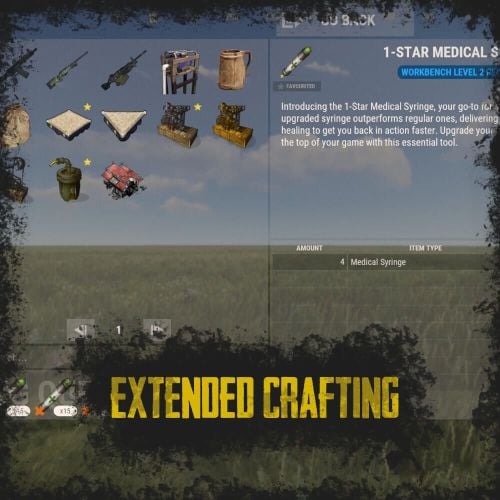
RUST Plugin Test Server TEST MY PLUGINS THERE! connect play.thepitereq.ovh:28050 Extended Crafting creates another look-like RUST Crafting menu where you can create an infinite amount of custom crafting recipes. It fully supports custom item creation and a few additional systems like daily crafts, cooldowns and support for crafting plugins. Almost exact RUST UI design with few required add-ons (new features, rust UI limitations) Fully customizable layout, categories and items. Written with performance in mind. Mark your favorite crafts. Sectional UI updates and live UI updates (crafting queue, time, etc.) Support for crafting speed-up plugins. (ZLevelsRemastered, SkillTree) Ability to enable Status display. (Requires Simple Status Plugin) Crafting cooldowns, daily limits, and per-wipe limits. Huge possibilities with permission configuration for VIP players. extendedcrafting.admin - Gives admin options. Few options still need to be enabled in config in order to use them, like GIVE option. There are more permissions possible, but they are modified and created by user, so won't list them here. All user commands are configurable on top of the config. By default, it's /craft. Run Commands On Craft You can create crafts that run the CONSOLE command when they are finished. Here you can find a full list of variables that can be added there. {userId} - Will be replaced with steamId of user. {userName} - Will be replaced with nickname of user. {userPosX} - Coordinate X of user. {userPosY} - Coordinate Y of user. {userPosZ} - Coordinate Z of user. void OnCustomItemCraft(BasePlayer player, string category, string itemKey, int craftAmount) Configuration from the video preview. Contains many craft recipes that require plugins that are paid, or unavailable. Recommend using only the test/preview configuration. ExtendedCrafting.json { "Commands": [ "c", "craft" ], "UI And Command Delay Between Actions (performance option, in seconds)": 0.1, "Clear Wipe Cooldowns On Wipe": true, "Enable Crafting Statistics": true, "Drop Queued Crafting Items To Ground On Death": true, "Format Crafting Time To Minutes (will round values)": false, "Enable Admin Give (click recipe with SPRINT button, required permission extendedcrafting.admin)": true, "Enable Logging": true, "Enable Crafting Status Indicator (Requires SimpleStatus Plugin)": false, "New Day Check Interval (in seconds, used for per-day limits, 0 to disable)": 600, "Max Queued Craftings": 10, "Workbench Bonus Higher By 1 Than Required Time Multiplier (0 to disable)": 0.5, "Workbench Bonus Higher By 2 Than Required Time Multiplier (0 to disable)": 0.25, "Workbench Bonus Higher By 3 Than Required Time Multiplier (0 to disable)": 0.0, "Used Craft Time Divider Plugin (see website documentation for plugin IDs, 0 to disable)": 0, "Skill Tree Bonuses - Enable Craft Speed": false, "Skill Tree Bonuses - Enable Craft Duplicate": false, "Crafting Time Multiplier Modify Permissions (for all craftings, from best to worst)": { "extendedcrafting.crafttime.admin": 0.1, "extendedcrafting.crafttime.vip": 0.5 }, "Max Craft Amount Per Task": 100000, "WARNING! Categories can't have spaces in their names!": "Each category name have their translation in language file in /lang/en/ExtendedCrafting.json!", "Craftings - Categories and Items": { "FirstTestCat": { "Icon - Item Shortname or URL or Sprite Directory": "", "Icon - Use Normalized Colour And Style (For Shortname and URL)": true, "Required Permission": "", "Crafting Time Multiplier Modify Permissions (for whole category, from best to worst)": { "extendedcrafting.crafttime.test.1": 0.25, "extendedcrafting.crafttime.test.2": 0.75 }, "Display Blacklist Permissions (need to have all)": [ "extendedcrafting.hideme.test.1", "extendedcrafting.hideme.test.2" ], "WARNING! Item recipe key values must be unique and have no spaces!": "They are only key values for config and better performance. They are not visible anywhere!", "Item Recipes": { "TestItem_1": { "Item Details": { "Shortname": "metal.refined", "Skin ID": 0, "Amount": 2, "Custom Name": "" }, "Commands Ran On Craft": [ "say Player {userName} crafted test item!", "say Player {userName} crafted item and his ID is {userId}." ], "Craft Requirements": { "Disable Craft Plugin Time Bonus": false, "Workbench Level Required": 1, "Crafting Time (in seconds, 0 - insta-craft)": 5, "Crafting Cooldown (in seconds, 0 - disable cooldown)": 0.0, "Max Craft Amount Per Task Override (0 to disable)": 0, "Crafting Time Modify Permissions (per crafting recipe, from best to worst)": {}, "Max Daily Crafts (0 to disable)": 0, "Max Daily Crafts Permissions (per crafting recipe, from best to worst)": {}, "Max Per-Wipe Crafts (0 to disable)": 0, "Max Per-Wipe Crafts Permissions (per crafting recipe, from best to worst)": {}, "Required Items (max 8 visible)": [ { "Shortname": "gunpowder", "Skin ID": 0, "Amount": 10, "Custom Name": "" }, { "Shortname": "wood", "Skin ID": 0, "Amount": 1, "Custom Name": "" }, { "Shortname": "metal.fragments", "Skin ID": 0, "Amount": 1, "Custom Name": "" }, { "Shortname": "sulfur.ore", "Skin ID": 0, "Amount": 5, "Custom Name": "" } ] }, "Custom Icon URL": "", "Required Permission": "", "Blacklist Permission": "", "Display As Locked With Missing Permission": true }, "TestItem_2": { "Item Details": { "Shortname": "halloween.lootbag.large", "Skin ID": 0, "Amount": 1, "Custom Name": "Ultra Lootbag" }, "Commands Ran On Craft": [], "Craft Requirements": { "Disable Craft Plugin Time Bonus": false, "Workbench Level Required": 1, "Crafting Time (in seconds, 0 - insta-craft)": 5, "Crafting Cooldown (in seconds, 0 - disable cooldown)": 0.0, "Max Craft Amount Per Task Override (0 to disable)": 0, "Crafting Time Modify Permissions (per crafting recipe, from best to worst)": {}, "Max Daily Crafts (0 to disable)": 0, "Max Daily Crafts Permissions (per crafting recipe, from best to worst)": {}, "Max Per-Wipe Crafts (0 to disable)": 0, "Max Per-Wipe Crafts Permissions (per crafting recipe, from best to worst)": {}, "Required Items (max 8 visible)": [ { "Shortname": "metal.refined", "Skin ID": 0, "Amount": 50, "Custom Name": "" }, { "Shortname": "techparts", "Skin ID": 0, "Amount": 3, "Custom Name": "" }, { "Shortname": "cloth", "Skin ID": 0, "Amount": 100, "Custom Name": "" } ] }, "Custom Icon URL": "", "Required Permission": "", "Blacklist Permission": "", "Display As Locked With Missing Permission": true } } }, "SecondTestCat": { "Icon - Item Shortname or URL or Sprite Directory": "", "Icon - Use Normalized Colour And Style (For Shortname and URL)": true, "Required Permission": "", "Crafting Time Multiplier Modify Permissions (for whole category, from best to worst)": {}, "Display Blacklist Permissions (need to have all)": [], "WARNING! Item recipe key values must be unique and have no spaces!": "They are only key values for config and better performance. They are not visible anywhere!", "Item Recipes": { "AnotherItem_1": { "Item Details": { "Shortname": "wood", "Skin ID": 0, "Amount": 1000, "Custom Name": "" }, "Commands Ran On Craft": [], "Craft Requirements": { "Disable Craft Plugin Time Bonus": false, "Workbench Level Required": 3, "Crafting Time (in seconds, 0 - insta-craft)": 60, "Crafting Cooldown (in seconds, 0 - disable cooldown)": 0.0, "Max Craft Amount Per Task Override (0 to disable)": 0, "Crafting Time Modify Permissions (per crafting recipe, from best to worst)": {}, "Max Daily Crafts (0 to disable)": 0, "Max Daily Crafts Permissions (per crafting recipe, from best to worst)": {}, "Max Per-Wipe Crafts (0 to disable)": 0, "Max Per-Wipe Crafts Permissions (per crafting recipe, from best to worst)": {}, "Required Items (max 8 visible)": [ { "Shortname": "charcoal", "Skin ID": 0, "Amount": 1000, "Custom Name": "" } ] }, "Custom Icon URL": "", "Required Permission": "", "Blacklist Permission": "", "Display As Locked With Missing Permission": true }, "AnotherItem_2": { "Item Details": { "Shortname": "lmg.m249", "Skin ID": 0, "Amount": 1, "Custom Name": "" }, "Commands Ran On Craft": [], "Craft Requirements": { "Disable Craft Plugin Time Bonus": false, "Workbench Level Required": 3, "Crafting Time (in seconds, 0 - insta-craft)": 180, "Crafting Cooldown (in seconds, 0 - disable cooldown)": 0.0, "Max Craft Amount Per Task Override (0 to disable)": 0, "Crafting Time Modify Permissions (per crafting recipe, from best to worst)": {}, "Max Daily Crafts (0 to disable)": 0, "Max Daily Crafts Permissions (per crafting recipe, from best to worst)": {}, "Max Per-Wipe Crafts (0 to disable)": 0, "Max Per-Wipe Crafts Permissions (per crafting recipe, from best to worst)": {}, "Required Items (max 8 visible)": [ { "Shortname": "metal.refined", "Skin ID": 0, "Amount": 500, "Custom Name": "" }, { "Shortname": "techparts", "Skin ID": 0, "Amount": 20, "Custom Name": "" }, { "Shortname": "scrap", "Skin ID": 0, "Amount": 5000, "Custom Name": "" } ] }, "Custom Icon URL": "", "Required Permission": "", "Blacklist Permission": "", "Display As Locked With Missing Permission": true } } } } }$25.00 -
It must ne something wrong with your data, you've probably manually edited and something went wrong.
-
Oh, okay these ones. I forgot about them, I'llbe available in few days, so if you can wait i'll update it later on. You can also add them manually by yourself if you need it fast.
-
I can't add them to existing configs, If you need them generate new config and they will be there, or take configuration from plugin page.
-
 Hey. I hope i'll release it this week.
 -
Try by manually moving extension into the directory, maybe your host blacklist dropbox or something.
-
yeah, update Carbon Aliases, it will fix your issue. Content can be edited in language file.
-
Hey! Please update carobn aliases, there was some issue with that.
-
Changed Status from Pending to No Response
-

error Failed to call hook 'HelpChatCommand' on plugin 'HelpUI v2.0.0'
ThePitereq replied to guanist's Support Report in Support
Changed Status from Pending to Closed Changed Fixed In to 1.0.1 -
error Failed to call hook 'HelpChatCommand' on plugin 'HelpUI v2.0.0'
ThePitereq replied to guanist's Support Report in Support
Should be fixes now, sorry for waiting i was not in home. -
Changed Fixed In to 1.1.1
-
Changed Status from Pending to Closed
-
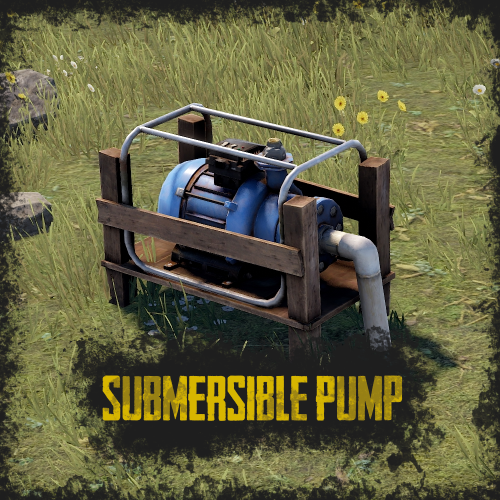
givepump <userId>
