-
Posts
245 -
Joined
-
Last visited
Content Type
Profiles
Warranty Claims
Downloads
Forums
Store
Services
Downloads Plus Support
DOWNLOADS EXTRA
Everything posted by Budapeshter
-
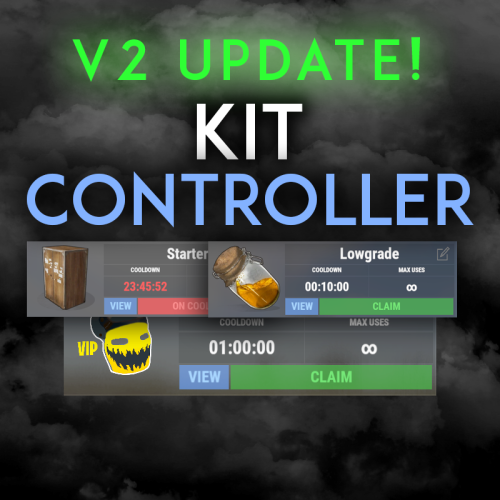 the problem is easily solved, I spent 20 minutes while I studied the logic of the work and fixed the bug in the plugin. It will take 5-10 minutes for the author to fix and upload the new version. But only when, I can't say.
 -
Autokits is not working. I create a kit set, prescribe a permission, configure everything in the config file, and that's it, items are not issued after respawn { "Kit Commands": [ "kit", "kits" ], "Clear player data on server wipe": true, "Panel Image": "https://media.discordapp.net/attachments/670451699063980083/1168614887342211154/KCBanner.png", "Kit placeholder image": "https://media.discordapp.net/attachments/670451699063980083/1161063417411543130/KitPlaceholder.png", "Use auto kits": true, "(No Escape) Can't redeem kits on combat blocked": false, "(No Escape) Can't redeem kits on raid blocked": false, "Auto kits (kitname: permissionForAutokit)": { "SPAWN": "kitcontroller.default" }, "Kit cooldowns on wipe (kitname: cooldown in seconds)": { "KitName": 3600.0 } }
-
 Hi. It has been more than a month, there is still no update. I would like to see a fully working version of the plugin already
 -
Great, I'll be waiting
-
The problem has not gone away with the new version of the plugin. If a player in the VIP group saves his set, then he will switch to the Default group, then he will continue to use the VIP set without having permission to do so, until the set is manually deleted by him
-
The player has a standard default set that is displayed. But he has set 1 installed, which installed it when he had access to the VIP group. After removing the permission for the VIP group, the player continues to respawn with the VIP kit. The screenshot shows that the player has only the default permission. What will be the solution?
-
but at the moment I have the latest version and the problem remains
-
Will you fix the problem described above? If so, when?
-
Confirm. If the VIP runs out, the player will still receive a VIP set. This needs to be fixed as the plugin is not fully usable
-
 Apologize. There was a mistake, an extra character. Download it again
 -
Hi. I don't have a compilation error. Write to me in Discord Budapester
-
You can hide the container by specifying Hud instead of Overlay. But then you won't be able to use the panel
-
I took into account your wishes and added the necessary function
-
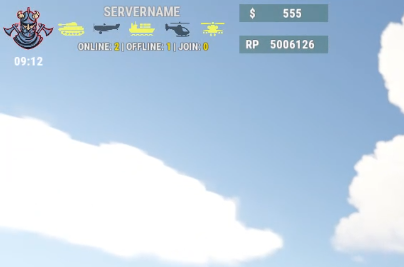 RGB
RGB -
0.4 0.25 0.65 0.4 0.25 0.65 0.90
-
But how do I add a new set for a VIP group at the moment, for example?
-
I found where the admin tools are. I suggest you make a detailed video or description of how to add new permission groups for players. So far I can't say that your plugin is clear, it is most likely very confusing It is not clear how to work with LoadoutOptions
- 64 comments
-
- 1
-

-
- #loadout
- #controller
- (and 5 more)
-
I don't see admin tools.
-
I gave this permission to the ADMIN group , but the menu never appeared . I am in the admin group loadoutcontroller.default - for what?
-
Where can I get permissions?
-
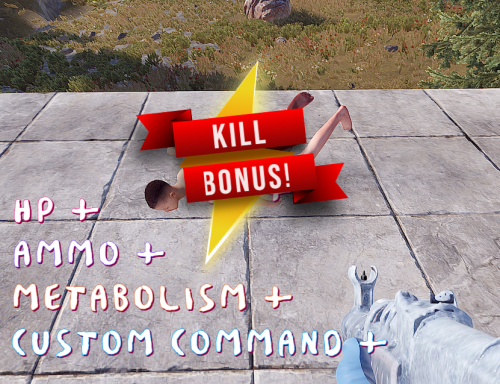 Thanks for the update I'm already testing. 1. If you disable "Is HP recovery enabled?": false, and other functions, then the name is displayed in the chat without a bonus (in the screenshot), in theory, the disabled value should not be displayed in the chat at all. 2. ow many ClanEvery X Kill Player commands is triggered only once, then only output to the chat ClanEveryXKill I uploaded the screenshots, I think it will be clearer this way
 -
The plugin is good, I just needed a similar one. There are small wishes 1. Add the opportunity to issue a bonus from the list randomly. That is, you write a list of 5 commands, and one or 2 or 3 commands are executed randomly. 2. Add a function so that every five kills (example) a bonus is issued, so as not to specify a specific value for issuing a bonus. 3. If "Is HP recovery enabled?": false, then remove the output message about it from the chat. At the moment it will output 0.
-
Hi. You can delete the text between the two red lines in the configuration file
-
I can do it in the next update
-
Version 1.8.5
297 downloads
Support for up to 18 command buttons, with standard configuration. Change the button background color, button text, button color! When adding or removing buttons, they are automatically positioned in the center of the screen! Convenient configuration, you just need to add a new button, write the name and command! Choose any color for the background of the button, change the color of the name to your taste! You can also hide the panel for the player with the /FAST command and open it as well (everything is saved in the plugin's date file) Permission SvFastMenu.use issue to a group or player to display the command bar { "AnchorMax_Main": "0.6125930 0.01822916", "AnchorMin_Main": "0.3696925 0.001302288", "Buttons": [ { "ButtonName": "UP", "ColorButton": "0.24 0.29 0.15 0.9", "ColorText": "1 1 1 0.89", "Command": "/up 4", "Permission": "" }, { "ButtonName": "TURRET", "ColorButton": "0.24 0.29 0.15 0.9", "ColorText": "1 1 1 0.89", "Command": "/turret", "Permission": "" }, { "ButtonName": "LSAVE", "ColorButton": "0.24 0.29 0.15 0.9", "ColorText": "1 1 1 0.89", "Command": "/load save", "Permission": "" }, { "ButtonName": "NOMINI", "ColorButton": "0.24 0.29 0.15 0.9", "ColorText": "1 1 1 0.89", "Command": "/nomini", "Permission": "SvFastMenu.default" }, { "ButtonName": "MINI", "ColorButton": "0.24 0.29 0.15 0.9", "ColorText": "1 1 1 0.89", "Command": "/mymini", "Permission": "" } ], "ChatTag": "SVFAST", "FontName": "robotocondensed-bold.ttf", "FontSize": 10, "Overlay": "Overlay" }$5.00