ZIm
-
Posts
25 -
Joined
-
Last visited
Content Type
Profiles
Warranty Claims
Downloads
Forums
Store
Services
Downloads Plus Support
DOWNLOADS EXTRA
Reels
Everything posted by ZIm
-
The cause is a change in ShopFront's accept flags in the new build. Vendor accept still sets Flags.Reserved1, but customer accept now sets Flags.Reserved3 (with Reserved4 set once both sides have accepted). Reserved2 is no longer used at all, and SubmitClicked has been removed from ShopFront. TraderShopFront.TradeCompleted() still checks Reserved2: if (vendorPlayer == null || customerPlayer == null || !HasFlag(Flags.Reserved1) || !HasFlag(Flags.Reserved2)) goto exit; so every trade takes the exit path — items are returned and nothing is swapped. Checking Reserved3 (or Reserved4 as the both-accepted marker) instead of Reserved2 should restore it. The SubmitClicked branch in OnRpcMessage (rpc 172945471u) is now dead code and can be removed. Minor secondary issue: /trade <name> throws a NullReferenceException in Trade_Command (offset 0x00737) when the target player is mid-respawn or reconnecting — a null check on the resolved player would cover it.
-
Root cause: Trader's item-swap (line 2116) only runs if the trade carries both confirm flags — Reserved1 and Reserved2, vanilla's "both sides ticked accept" markers. Since the Sep-3 wipe/update, those flags aren't being set the way the plugin expects, so when the trade "completes" it hits a silent goto exit — no swap, no error, and no log line. The proof is decisive: the Trader log's last successful trade is 19 August — every trade since the wipe has silently exited. Same disease as today's composter bug: a plugin hooking vanilla code that Facepunch changed underneath it.
-
Basements 1.0.8 is still broken though, and worse: it now has 5 BaseEntity SetFlag calls compared to 3 in 1.0.7 This is not fixed.... Oxide not carbon.
-
Basements 1.0.8 is still broken though, and worse: it now has 5 BaseEntity SetFlag calls compared to 3 in 1.0.7 This is not fixed.... Oxide not carbon.
-
Version 1.0.0
48 downloads
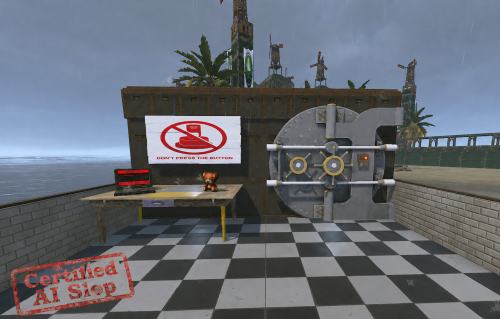
In the perpetually evolving landscape of survival-multiplayer infrastructure, few quotidian interactions remain as lamentably underexplored as the humble portal traversal event. TimedDoorVault endeavors — nay, aspires — to holistically revolutionize this heretofore neglected paradigm by seamlessly metamorphosing your pedestrian armored door into a resplendent, monolithically imposing bank vault aperture, leveraging exclusively Facepunch's own preexisting asset corpus to guarantee a zero-download, friction-agnostic client experience. But we didn't stop there. We delved deeper. Through the judicious deployment of a single, elegantly ergonomic chat invocation (/vaultdoor), your quotidian entryway undergoes an instantaneous ontological transmutation — its cryptographic locking apparatus migrating in situ with unimpaired combinatorial integrity and undiminished authorization provenance. A subsequent incantation (/doortrigger) transubstantiates any wall-mounted Smart Alarm into a bespoke cybernetic infiltration terminal, whereupon the depression of a solitary utilization key precipitates a meticulously choreographed, acoustically punctuated countdown crescendo, culminating in the majestic, pneumatically evocative egress of the vault portal itself — before autonomously reconstituting its secured disposition after a configurably ephemeral interval of accessibility. Synergistic feature constellation: Bidirectional door transmutation with lossless lock migration Alarm-to-terminal metempsychosis via proprietary carrier-item methodology Granularly parameterizable temporal thresholds (crack duration, aperture persistence, relocking determinism) Chromatically differentiated countdown visualizations — luxuriating in AdvancedStatus integration whilst gracefully degrading to autochthonous interface elements Catastrophe-resilient deadline perdurability (your vault shall never languish agape) Event-mode democratization flag, empowering the entire player collective to participate in the kleptomaniacal festivities Licensing paradigm: There is none. This intellectual artifact is bequeathed unto the commons, unencumbered by juridical apparatus. Server proprietors are unreservedly emancipated to adjust, amend, bowdlerize, cannibalize, or otherwise reconfigure every constituent line as their operational exigencies dictate. Full disclosure: this plugin was authored by an artificial intelligence over the course of a single evening, under the supervision of a human whose principal contribution was saying "no, make that red." It may constitute AI slop — but it is functional AI slop, it is documented AI slop, and it is gratis AI slop. Judge it by the code. VaultDoors_compressed.mp4Free -
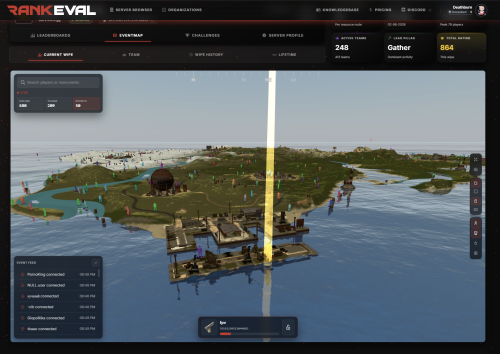 One of the best Leader boards to use! Integrates very well!
-
- 1
-

-
- #statistics
- #rankings
- (and 6 more)
-
 Very Simple to install, love how simple it is to use!
- 2 comments
-
- 1
-
-
- #anticheat
- #moderation
- (and 15 more)
-
Why close? this still has not been fixed?
-
One thing to action for Jun-4: CatapultSeat v1.0.2 throws a NullReferenceException on the new build staging
-
Version 2.4.4
203 downloads
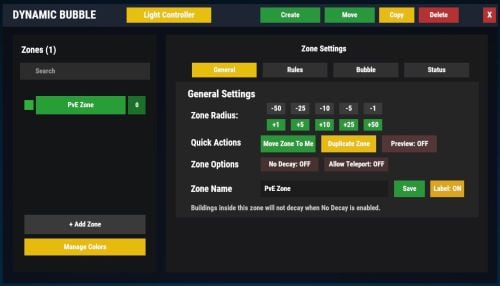
Dynamic Bubble Zone Map - allows Rust server owners to easily create Bubble safe zones with visible map bubbles, custom markers, and automatic player detection. Zones can be created and managed directly in-game, making it simple to build safe areas like spawn hubs, trading posts, monuments, or community towns without editing configuration files. The plugin focuses on performance, clarity, and ease of use, ensuring players always know when they are inside protected zones. Features Dynamic Bubble Zone Create Bubble zones anywhere on the map with customizable radius and automatic player detection. Perfect for: Safe spawn areas Trading hubs Community towns Event arenas Protected monuments Map Visualization Every zone automatically appears on the Rust map with: Radius bubbles showing the protected area Custom map markers Clear visual boundaries for players Players can instantly identify safe zones directly from the map. Player Detection The plugin automatically detects when players: Enter a Bubbled zone Leave a Bubbled zone This allows servers to trigger: Notifications Bubble status indicators Integration with other plugins Advanced Status Integration Supports Advanced Status, allowing servers to show a Bubble indicator when players are inside protected zones. This improves player awareness and prevents confusion around Bubble rules. In-Game Admin UI Admins can manage zones directly in game. No config editing required. Admins can: Create zones Adjust zone radius Remove zones View existing zones This makes managing safe areas extremely quick and easy. Persistent Data Storage All zones are automatically saved and restored after server restarts. No progress is lost. Lightweight & Optimized Designed for high performance even on large servers. The plugin uses efficient tracking methods to minimize overhead and maintain smooth gameplay. Example Use Cases This plugin is ideal for servers that want: Spawn protection zones Trading areas Safe monuments Event arenas Community towns Starter villages Permissions dynamicbubblecontroller.admin Commands Only one needed. /bubble - for the bubble /light - for the Everlasting LightsFree -
Of coarse bud, ping me a link
-
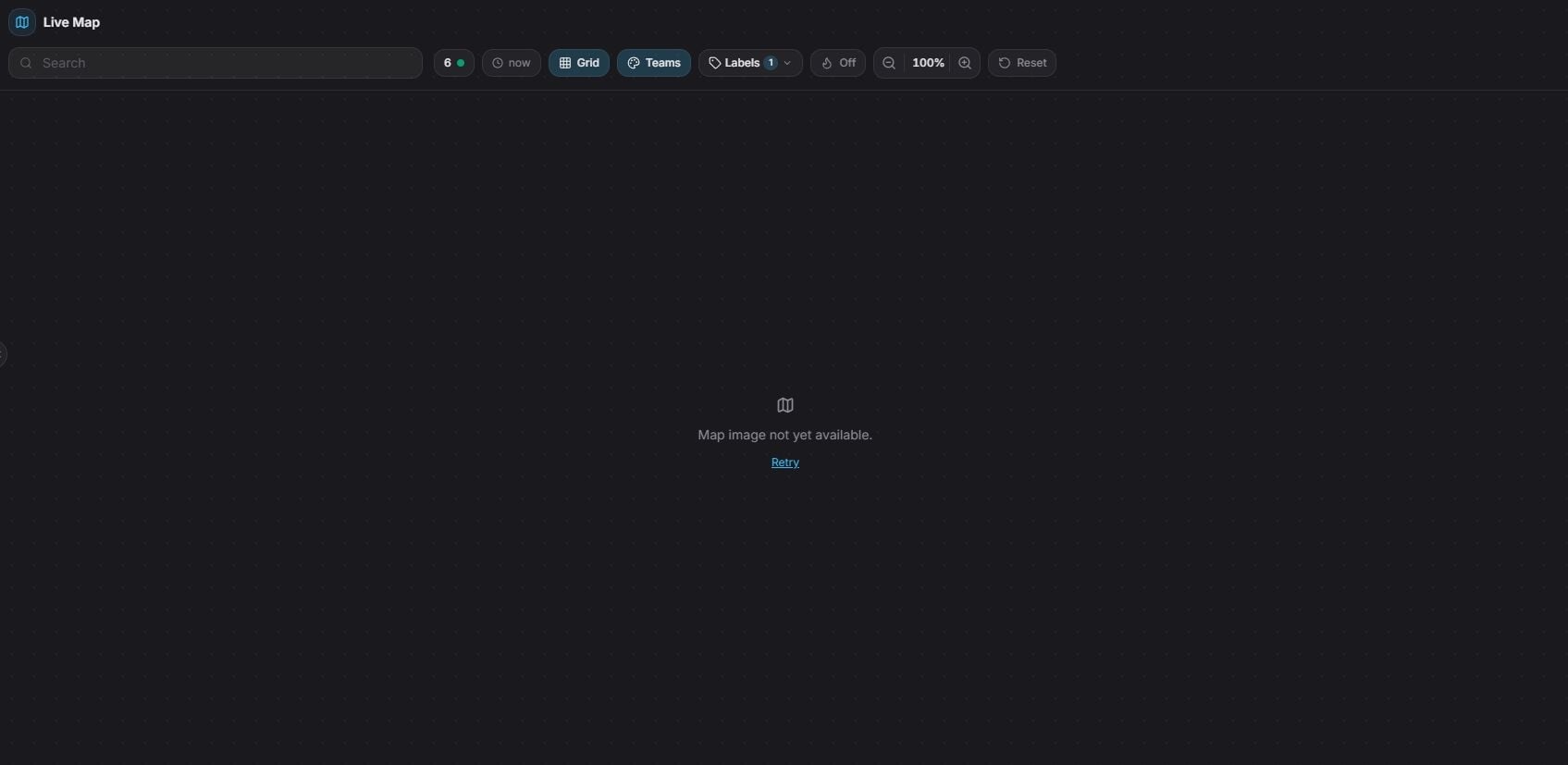
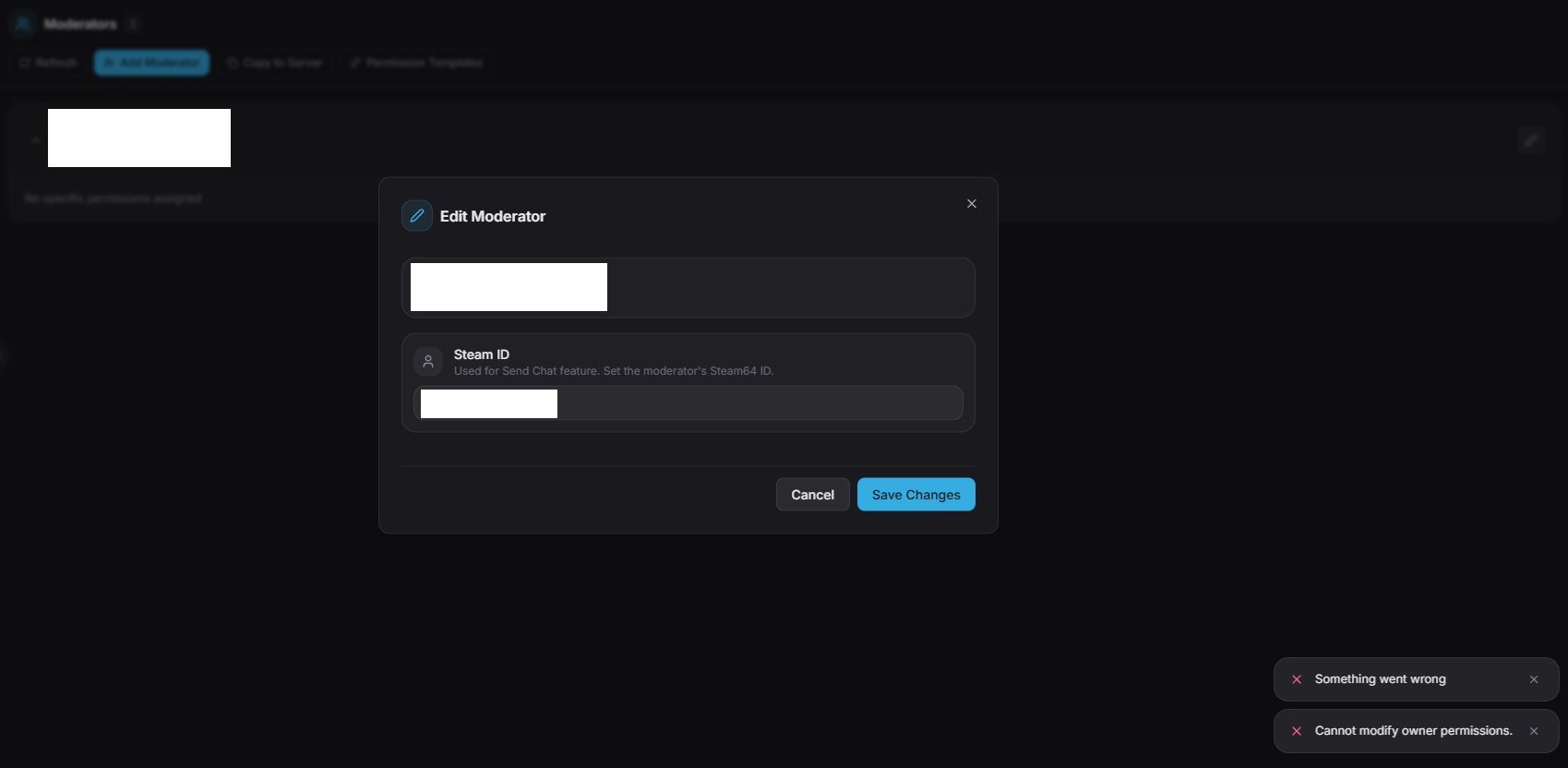
Hi bud. Working brilliant at the moment, just a couple of bugs, it will not let me assign my own steam ID64 to talk from the console in chat? attached a couple to explain what I mean. Also, fantastic that the Live map is implemented! so good to see progression. But, its not loading? Maybe a restart required to implement? Other than that?! where'd the feck it the mobile app we all need!

-
Learn to code, replace with var tcs = new List<BuildingPrivlidge>();
-
Hi bud, Unsure if your aware, pushed the new update to the server we have running today. Brilliant mod, and does work, but with this new Update you've pushed its killing the CPU usage, I have pulled this addon and its now stable, can you make it that we can down load the old version? Thanks p.s not a dig, brilliant mod, just teething issues! keep up the good work! you got this!