

Works with
Optional integrations and compatible files.

About Dynamic Bubble Controller
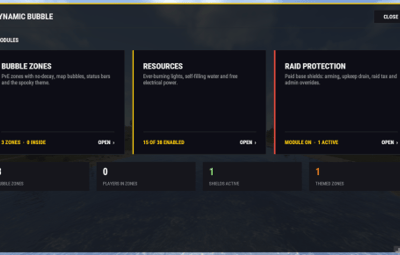
PvE bubble zones on a PvP server, with live map circles, plus optional raid-protection shields bought at the TC, themed shield bubbles, a /mybase player panel, everlasting lights, an electrical output override and automatic water refill. Everything is managed in-game, with no config editing.
4.0.0 is a big update. Raid shields are off by default, so upgrading from 2.x changes nothing until you turn them on.
Features
PvE bubble zones
-
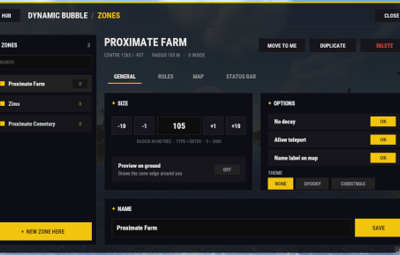
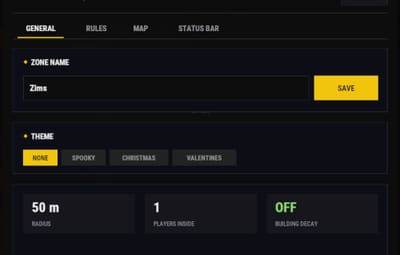
Create zones anywhere: from the admin panel, or drop a map marker with
/bubbleplaceand a bubble appears there. - Set the radius, colour and name of each zone, with live preview.
- Zones show on the map as filled circles, re-sent to late joiners so a bubble is never missing from anyone's map.
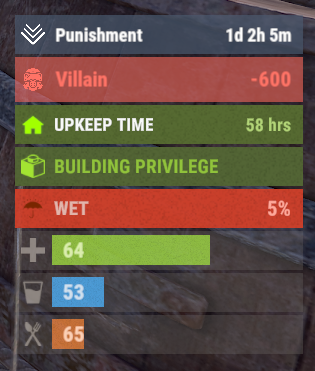
- Enter/leave notifications and an Advanced Status bubble indicator.
- Zones are saved and survive restarts.
Raid-protection shields (optional module)
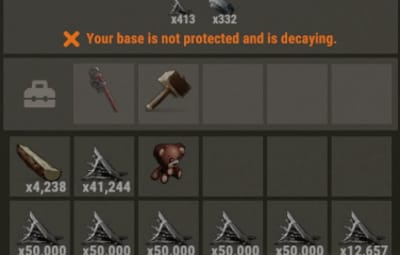
- Players switch on protection from a tab in their Tool Cupboard: it arms over a delay, then the base can't be raided.
- Upkeep-style cost: resources drain per building block per hour, escalating the longer a shield stays up.
- Choose your economy: a scrap engage fee plus hourly scrap, or key-item mode, where a chosen item (a Pookie Bear by default) must sit in the TC. Remove it and the shield drops.
- Raid-tax and recent-combat rules stop shields being used mid-fight.
- Every shield gets a shield bubble on the map; the owner picks its colour.
- An Advanced Status bar shows Unprotected / Engaging / Protected and time remaining.
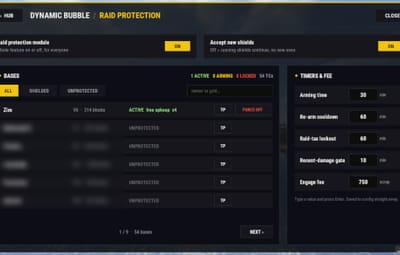
- The admin Raid tab lists every shield, with search, filters, force on/off and teleport.
-
A master switch turns the whole feature off with nothing visible to players:
pvezonemap.raid.module on|off.
Themes
- Spooky, Christmas and Valentines themes for zones and shield bubbles (sky/fog mood plus themed props), per zone or as the default for shield bubbles.
/mybase player panel
- Base owners inside their own bubble manage their zone's rules themselves.
Everlight
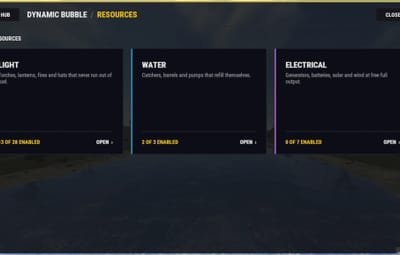
- Lights that never run out of fuel (torches, lanterns, campfires, furnaces, BBQs, sky lanterns and more), per item type.
Electrical override
- Solar panels and wind turbines give maximum output; batteries and generators can be topped up. Per type.
Water refill
- Water barrels and catchers fill themselves automatically. Per type.
Admin panel
-
One
/bubblehub with tabs for Zones, Raid, Everlight, Electrical and Water.
Commands
-
/bubble(admin): opens the admin hub -
/bubbleplace(admin): drop a map marker to create a bubble there -
/light(admin): opens the Everlight tab -
/spooky on|off|status(admin): spooky theme controls -
/mybase(players): manage the rules of your own bubble -
/raid(players): your shield status -
Console:
pvezonemap.raid.module on|off,pvezonemap.raid.find <steamid>,pvezonemap.raid.settimers
Permissions
-
dynamicbubblecontroller.admin: admin panel and commands -
dynamicbubblecontroller.raid.use: can engage raid protection (auto-granted to everyone when the module is on; can be turned off) -
dynamicbubblecontroller.raid.instant: no arming delay (staff) -
dynamicbubblecontroller.raid.free: no fees or upkeep on shields this player engages (staff) -
dynamicbubblecontroller.raid.deny: blocks a player from using shields -
dynamicbubblecontroller.light.*,.electrical.*,.water.*: per-type module permissions
Dependencies
- Advanced Status (optional): the on-screen status bars. Everything else works without it.
- TruePVE (optional, recommended): PvE rules inside bubbles.
- NoEscape and Raidable Bases are optional; the plugin works with them if installed.
- Zone Manager is not needed.
Upgrading from 2.x
Drop in the new .cs and reload. Zones and config carry over; the new modules start off or at safe defaults. Turn on what you want in /bubble or the config.