Jump to content

Whispers88

Curator
  • Posts

    839
  • Joined

  • Days Won

    19

Everything posted by Whispers88

  1. Whispers88

    OGSplitter

    Yes but the wood stack may be a little off.
  2. Whispers88

    OGSplitter

    Hey Dan dm me on discord @Whispers88#0007 or make a support ticket and ill try and sort you out.
  3. Whispers88

    OGSplitter

    Thanks I sent you a DM
  4. Changed Status from Pending to Work in Progress Changed Fixed In to Next Version
  5. Changed Status from Pending to Closed Changed Fixed In to 1.0.6
  6. Whispers88

    Remelting speed add

    Changed Status from Pending to Closed Changed Fixed In to 1.0.6
  7. Whispers88

    Remelting speed add

    Thanks, I have just updated the plugin so that you can edit smelting speeds from the config. I have also updated it so it will unload more "cleanly".
  8. Whispers88

    OGFurnace

    Thanks for the feed back. I have added config options for smelt speed
  9. Whispers88

    OGFurnace

    Just Added this feature thanks for the suggestion
  10. Load the plug-in and then go to oxide/config in your server directory the config file to edit should already be there.
  11. You load the plug-in and then edit that in the config json. You don’t change the .cs file
  12. Whispers88

    OGSplitter

    Thanks Ill have an update for this soon!

  13. Have you tried skinner?
  14. Whispers88

    OGFurnace

    I think you already have it but if not OGSplitter is the best option at the moment
  15. Whispers88

    OGSplitter

    Hey Light, happy to look into possible automatic splitting. It works with quicksmelt how ever the wood required might be slightly off, I'll run some tests.
  16. Whispers88

    OGSplitter

    Thanks, I have posted an update for this.
  17. Version 1.1.3

    349 downloads

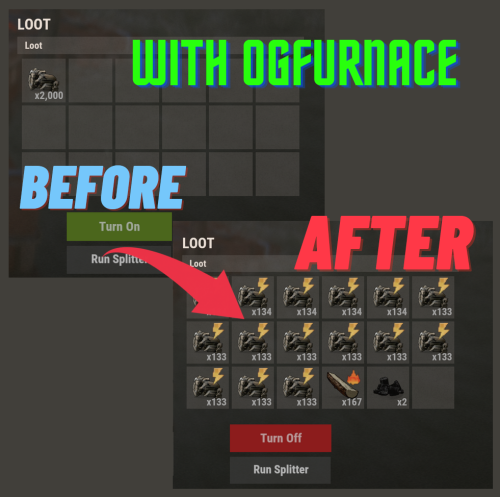
    OGSplitter is for the OCD, Slack or Hardcore rust players. It gives you the ability to quickly sort your furnace with both the new UI system and also with OGfurnace. Features: Easily split ore stacks and sorts oven Customizable UI Auto add required fuel Compatible with OGFurnace and the new UI system Permissions and Commands: Assign ogsplitter.use to allow use of the splitter functionality. Config: { "UI Button Splitter Button Min Position": "0.65 0.01", "UI Button Splitter Button Max Position": "0.73 0.06", "UI Button Splitter Button Font Size": 16, "UI Button Splitter Button Text": "Run Splitter", "UI Button Splitter Button Color": "0.5 0.5 0.5 0.3", "UI Button Splitter Text Color": "0.8 0.8 0.8 0.75" } Get Updates!
    $7.00
  18. Whispers88

    OGFurnace

    I'll get in contact with the owner of Furnace levels for permission. In terms of permission based slots. IF a furnace is placed by someone with a certain permission you want it to use their slot amount? and other people without the permission can still use that furnace with those slots ? OR do you want slots to be locked for users who dont have permissions?
  19. Whispers88

    OGFurnace

    Version 1.1.1

    324 downloads

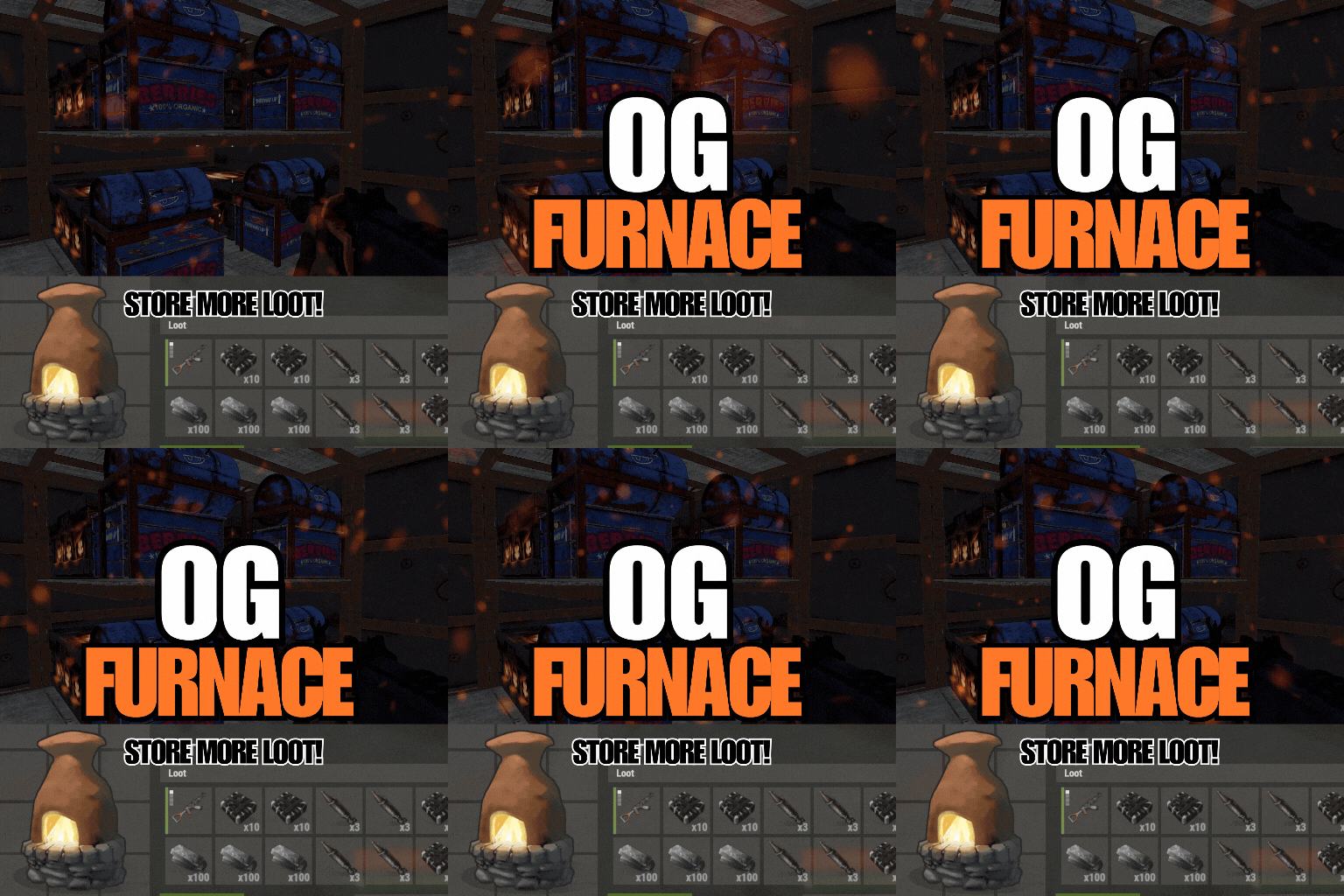
    OGFurnace brings back the original rust furnace interface. This gives a player primary control over how they want to utilize their furnace slots! Features: Includes smelting and cooking speed/output config options Compatible with OGSplitter, FurnaceLevels, QuickSmelt & PowerSmelt Store and cooking multiple stacks of wood for your coal farm Custom capacities (permissions based) Customize your loot room with furnace storage Customize and upgrade the amount of slots for your ovens! Accessible splitter API! Permissions and Commands: Custom permissions can be set using the custom capacities options in the config. This will allow players to place furnaces with slot amounts according to their permissions. Config: { "Configure oven capacity": { "bbq.static": 12, "bbq.static_hidden": 12, "campfire_static": 5, "furnace_static": 18, "hobobarrel_static": 5, "small_refinery_static": 6, "bbq.campermodule": 12, "bbq.deployed": 12, "campfire": 5, "fireplace.deployed": 5, "furnace": 6, "furnace.large": 18, "jackolantern.angry": 1, "jackolantern.happy": 1, "lantern.deployed": 1, "refinery_small_deployed": 6, "tunalight.deployed": 1, "chineselantern.deployed": 1, "carvable.pumpkin": 1, "cursedcauldron.deployed": 5, "skull_fire_pit": 5, "hobobarrel.deployed": 5 }, "Show oven toggle UI": true, "UI Button Toggle Min Position": "0.65 0.07", "UI Button Toggle Max Position": "0.73 0.12", "UI Button Toggle Font Size": 17, "Configure cookable items": { "hq.metal.ore": { "cooktime": 10.0, "amountToBecome": 1 }, "metal.ore": { "cooktime": 5.0, "amountToBecome": 1 }, "sulfur.ore": { "cooktime": 2.5, "amountToBecome": 1 }, "fish.cooked": { "cooktime": 30.0, "amountToBecome": 1 }...... "Configure burnable items": { "lowgradefuel": { "byproductAmount": 1, "byproductChance": 0.0, "fuelAmount": 150.0 }, "wood": { "byproductAmount": 2, "byproductChance": 0.0, "fuelAmount": 20.0 } }, "Custom Capacity (Set custom capacities per furnace via permission-name : capacities)": { "customPerm1": { "bbq.static": 12, "bbq.static_hidden": 12, "campfire_static": 5, "furnace_static": 18, "hobobarrel_static": 5, "small_refinery_static": 6, "bbq.campermodule": 12, "bbq.deployed": 12, "campfire": 5, "fireplace.deployed": 5, "furnace": 6, "furnace.large": 18, "jackolantern.angry": 1, "jackolantern.happy": 1, "lantern.deployed": 1, "refinery_small_deployed": 6, "tunalight.deployed": 1, "chineselantern.deployed": 1, "carvable.pumpkin": 1, "cursedcauldron.deployed": 5, "skull_fire_pit": 5, "hobobarrel.deployed": 5 } } }
    $7.00
  20. Whispers88

    Skinner

    Version 3.1.6

    12,581 downloads

    Premium Item Skinning · Oxide + Carbon SKINNER v3.1.6 Skin every item like it’s worth keeping — 60x faster, 200x leaner. The unrivalled no.1 performance skinning plugin. Skin any item in the game with a unique skinbox — live skinning, auto skinning, and skin sets. The numbers, not the noise Measured, not marketed Skinner 2.0 delivers unrivalled efficiency. In standard testing versus the closest performing plugin, runtime was 60x faster and memory use 200x more efficient. What’s new in 3.0 Skinner 3.0 is here — a full visual overhaul with dynamic, permission-based UI menus. ✓Visual overhaul with dynamic, permission-based UI menus ✓Automatic skin filtering and dev modes for the new TOS ✓Permission-based skin sets ✓Team-share skins ✓Auto-unlock owned skins Features Everything skinner does Live skinning Skin items in place without moving them. Auto import Automatically import and use all game-approved skins. Skin sets Create a variety of skin sets for any item. Skin requests Players request skins; admins approve them in game. Auto skins Apply selected skins to every item that enters your inventory. Team share Skin your whole team’s inventory from your own sets. See it running Live demo Live-skin any item in your inventory. Skin deployables you’re looking at. Commands Every command Skin menu /skin /s, /skinbox, /sb Live-skin any item in your inventory by picking a skin. /skincraft /sc Build skin sets used by the auto, team, and base commands. /skinitem /si, /skindeployed, /sd Skin a deployable you are looking at. Args: 1, 2 or 3 to use a skin set. Automatic /skincon /scon Skin every item in the container you are looking at. Args: 1/2/3 (optional). /skininv /sinv Skin every item in your inventory. Args: 1/2/3 (optional). /skinauto /sauto Auto-skin every item as it enters your inventory. Args: 1/2/3 (optional). /skinteam /st Skin your inventory and your team’s. Args: 1/2/3. Use /skinteam toggle to opt in or out. /skinbase /skinbuilding Skin all deployables in your base. Args: item filter, e.g. /skinbase sleepingbag. /skinall /sa Skin all items in every container in your base. Args: shortname, e.g. /skinall rifle.ak. /skinset /ss Set your currently selected skin set. Import & requests /skinimport /sip Import a custom workshop skin. Args: WorkshopID, e.g. /skinimport 2397648701. /colimport /cip Import a workshop collection. Args: Collection ID, e.g. /colimport 2921147807. /skinrequest /sr Request a skin be added — shows in the requests box. Args: WorkshopID. /skinrequests /srs Open the approval box. Try = copy the item, Approve = add the skin, Deny = remove it. Permissions Grant exactly what you want Player skinner.default /skin skinner.items /skinitem skinner.craft /skincraft skinner.skinauto /skinauto skinner.skincon /skincon skinner.skininv /skininv skinner.skinbase /skinbase skinner.skinteam /skinteam skinner.skinall /skinall skinner.skinrequest /skinrequest Admin skinner.import Enables /skinimport, /colimport, and /skinrequests. skinner.bypassauth Skips the building-auth check when using /skinitem. skinner.permskintry Enables Try in /skinrequests. Trying a skin copies the item — admins only. Auto-assigned skinner.skinautotoggled A player disables skinauto. skinner.skinteamblock A player opts out of team skins. Cooldowns Grant skinner.<command><seconds> (e.g. skinner.default30) to enforce the cooldowns set in the config. No cooldown permission = no cooldown. If a player has several, the shortest wins. Importing skins Five ways to add skins Via config Add workshop IDs to the Imported Skins List; reload and shortnames/display names auto-populate. Via collections Add whole workshop collection IDs; every skin imports automatically on load. Via commands /skinimport <WorkshopID> and /colimport <CollectionID> from chat, the F1 console, or RCON. Via skin requests Players /skinrequest; admins Try/Approve/Deny in the requests box. Requests log to a Discord webhook. From other plugins Convert data from SkinBox, xSkins, and SkinController with the SkinDataConverter tool, then paste into the config. Get the converter → Configuration Tune every behaviour { "Auto import approved skins": true, "Remove player data after inactivity (days)": 14, "Apply names of skins to skinned items": true, "Add Search Bar UI": true, "Override spraycan behaviour": false, "Use spraycan effect when holding spraycan and skinning deployables": true, "Blacklisted Skins (skinID)": [], "Blacklisted Items (itemID)": [], "Import Skin collections (steam workshop ID)": [], "Imported Skins List": { "861142659": {}, "2617744110": {} } } Developer API Hook into Skinner A small, stable surface for reading the cached skin data and resolving redirect items from your own plugin. //Get all cached skins public Dictionary<int, List<ulong>> GetAllCachedSkins() => _cachedSkins; //Check if a skin is a redirect item public bool IsRedirectID(ulong uID) => HasMask(uID); //Convert a redirect ID to its item ID public int RedirectIDtoItemID(ulong uID) => (int)UnsetMask(uID); //Get the list of skins for an item public List<ulong>? GetSkinsItemList(int itemid) { _cachedSkins.TryGetValue(itemid, out List<ulong>? cachedSkins); return cachedSkins; } Watch See Skinner in action http://youtu.be/ewKlNILTwv8 Skin every item like it’s worth keeping. The unrivaled no.1 performance skinbox for Rust — 60x faster, 200x leaner. Oxide + Carbon. Join the Discord → Skinner v3.1.6 · by Whispers88 · Oxide + Carbon · 5/5 from 50 reviews · 69 versions · on Codefling since March 2022
    $24.99
  21. Version 1.0.6

    3,512 downloads

    This plugin modifies Rust's network system to use a more performant circular version. Using this on maximum settings with lower network distance offers an extreme performance boost over vanilla settings, and it has allowed huge server networks to push an extra 100 server pop on wipe with minimal lag. It's not a catch-all solution, but it works well for network lag with almost no downside. This also can marginally improve client FPS in some situations, as less entities are sent to clients. This method of optimization is being given out for free. If this helped your network reach higher pop, please consider supporting what I do on Patreon: https://www.patreon.com/vicerust This Plugin Uses Harmony This plugin uses Harmony patching which is a library built into Rust for modifying game functions. Since it is packaged as an Oxide plugin though, it needs Oxide's sandbox disabled to be able to do real modding. Oxide's sandbox tries to block certain functions to make it a bit harder to run malicious code, but it also blocks developers from doing any actual modding outside of Oxide. The sandbox is pointless as it isn't secure at all, which is why sites like CodeFling review plugins for security to make sure what you download isn't a virus. If you download a plugin from somewhere without moderation (CF, Lone, or uMod are all fine), it's not safe unless you verify it yourself---even with the sandbox on. You can read more on how to disable the sandbox here. How Does This Work? This quite literally just cuts the corners off the network distance grid. Vanilla Rust uses a square with radius 8 for "far" view distance, and 4 for "high priority" distance. This evens it out so that you will see the same distance in all directions, and cuts down 20% on networking costs at the same view distance. However, anecdotes from server owners show that nobody will notice if this is lower, so by default this plugin sets the far view distance to 6, which yields massive improvements over vanilla---around 52% lower networking costs.. Feel free to change the default Rust convars for network distance even lower, as this plugin will respect them: Net.visibilityRadiusFarOverride 5 Net.visibilityRadiusNearOverride 3 Defaults are 8 and 4 respectively. Unloading the plugin will disable the circular distance effect, but you will need to set the visibility radius back manually.
    Free
  22. thats because its currently made for client/player console not web/rcon. I can add that in the next update if you want.
  23. permission Skinner.import — allows use of the /skinimport command this is a chat and console command
  24. Whispers88

    Stacking

    Changed Status from Pending to Closed Changed Fixed In to 1.1.5
  25. Whispers88

    Stacking

    I just added stacking in 1.1.5

About Us

Codefling is the largest marketplace for plugins, maps, tools, and more, making it easy for customers to discover new content and for creators to monetize their work.

Downloads
2.7m
Total downloads
Customers
11.6k
Customers served
Files Sold
165.1k
Total sales
Payments
3.6m
Processed total
×
×
  • Create New...

Important Information

We have placed cookies on your device to help make this website better. You can adjust your cookie settings, otherwise we'll assume you're okay to continue.