-
Posts
599 -
Joined
-
Last visited
-
Days Won
8
Content Type
Profiles
Warranty Claims
Downloads
Forums
Store
Services
Downloads Plus Support
DOWNLOADS EXTRA
Reels
Everything posted by Brad Copp
-
 Hi bigchenny, can you tell me more, or show me the problem ?
 -
Hi BaluDog, did the new URLs work for you?
-
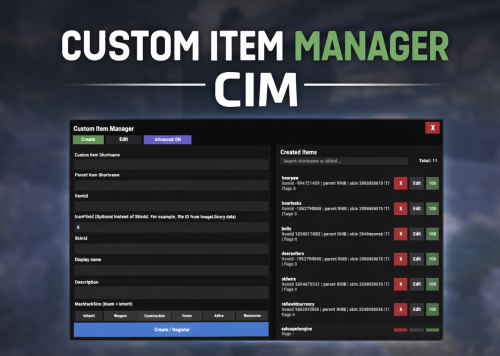
Hi Stormo, the limit is the vending machine. The player owned vending machines only see the vanilla items when choosing items. You can put the item in an NPC vending machine using custom vending setup, but it will not display the correct item (it will maybe sell the custom item, but display the parent item. Not sure if the sale will be corret, not tested) Using other sale/trade methods such as ShoppyStock or trade plugin, no problem, it should work just like vanilla items
-
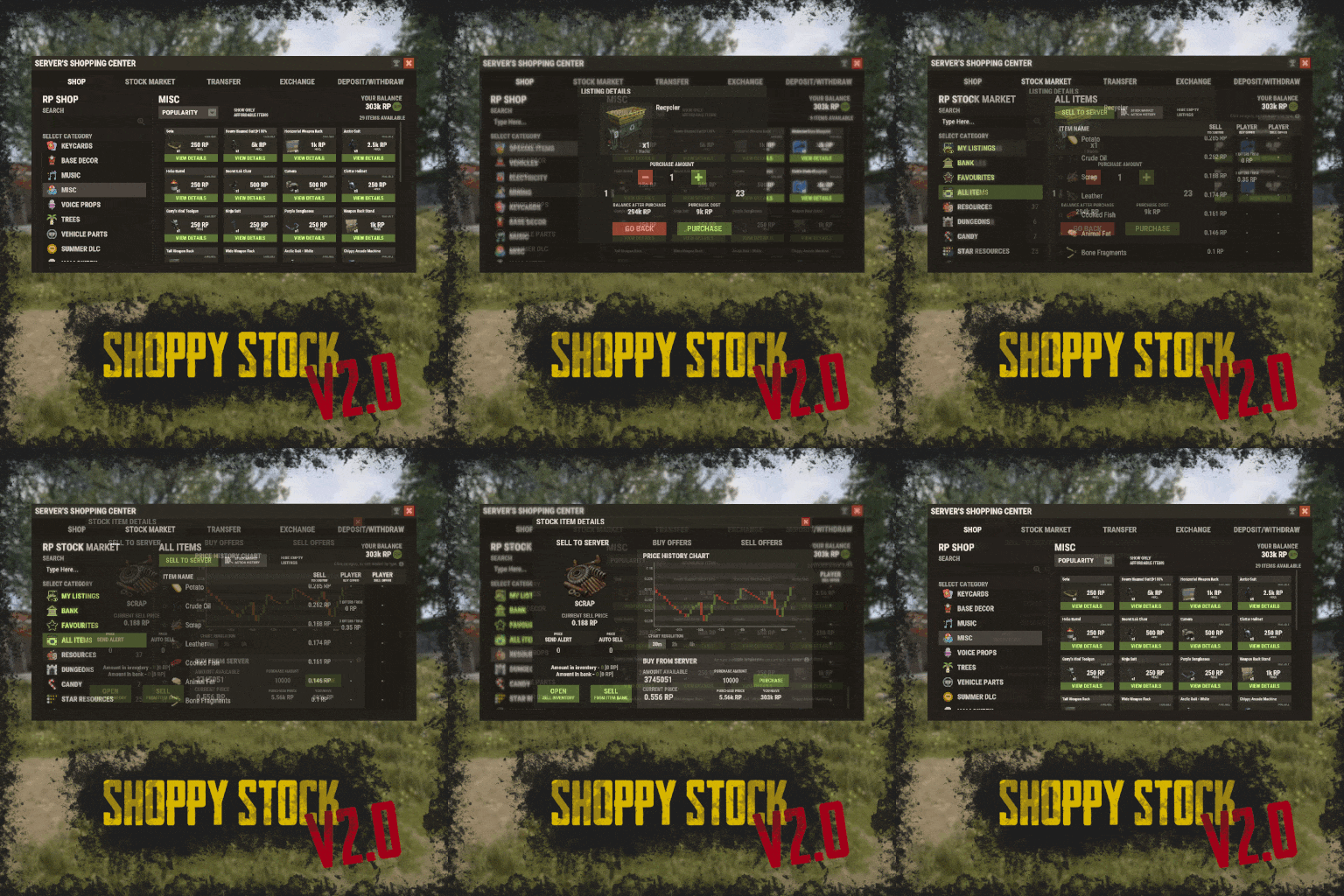 @ZA_Machete make sure you have karuzavehicleitemmanager installed. you can give vehicle items for yourself, example /givevehicleitem littlebird here's a sample from my config in shoppy stock shop (for littlebird) "box.wooden.large-3591733142": { "Console Commands Ran On Purchase (if set, ignores item)": [], "Item Shortname": "box.wooden.large", "Item Skin ID": 3591733142, "Item Amount": 1, "Custom Item Name": "Littlebird", "Shop Display Name": "Littlebird", "Is Blueprint": false, "Player Blueprint Ownership Required": false, "Player Skin Ownership Required": false, "Icon URL/RUST Path/Skin ID (for command listings)": "", "Price": 750.0, "Price Per Purchase Multiplier": 1.0, "Multiply Price Per Daily (true) Or Per Wipe (false) Purchases": true, "Show Description Field (generates line in language file)": false, "Discount Permissions (permission: discountedPrice)": {}, "Disable Discount": false, "Required Permission To Display": "", "Display Blacklist Permission": "", "Count Limits For Whole Server (not per player)": false, "Daily Buy Max": 0, "Daily Buy Permissions (permission: limit)": {}, "Wipe Buy Max": 0, "Wipe Buy Permissions (permission: limit)": {}, "Limit Mass Purchase To One": false, "Cooldown Between Purchases (in seconds, 0 to disable)": 0.0, "Cooldown Permissions (permission: time)": {}, "Offer Roll - Weight (chance)": 1 },
 -
How are you adding it to the shop? I use the vehicles in the shop, using the item option. Player receives vehicle item, and can spawn it wherever they want.
-

what did you use to make the ogg files?
Brad Copp replied to hairybeanstalk's Support Report in Support
Hi @hairybeanstalk I used this to convert the original files. Everything kept default except the audio channel which needs to be mono https://audio.online-convert.com/convert-to-ogg -
Version 1.0.1
28 downloads
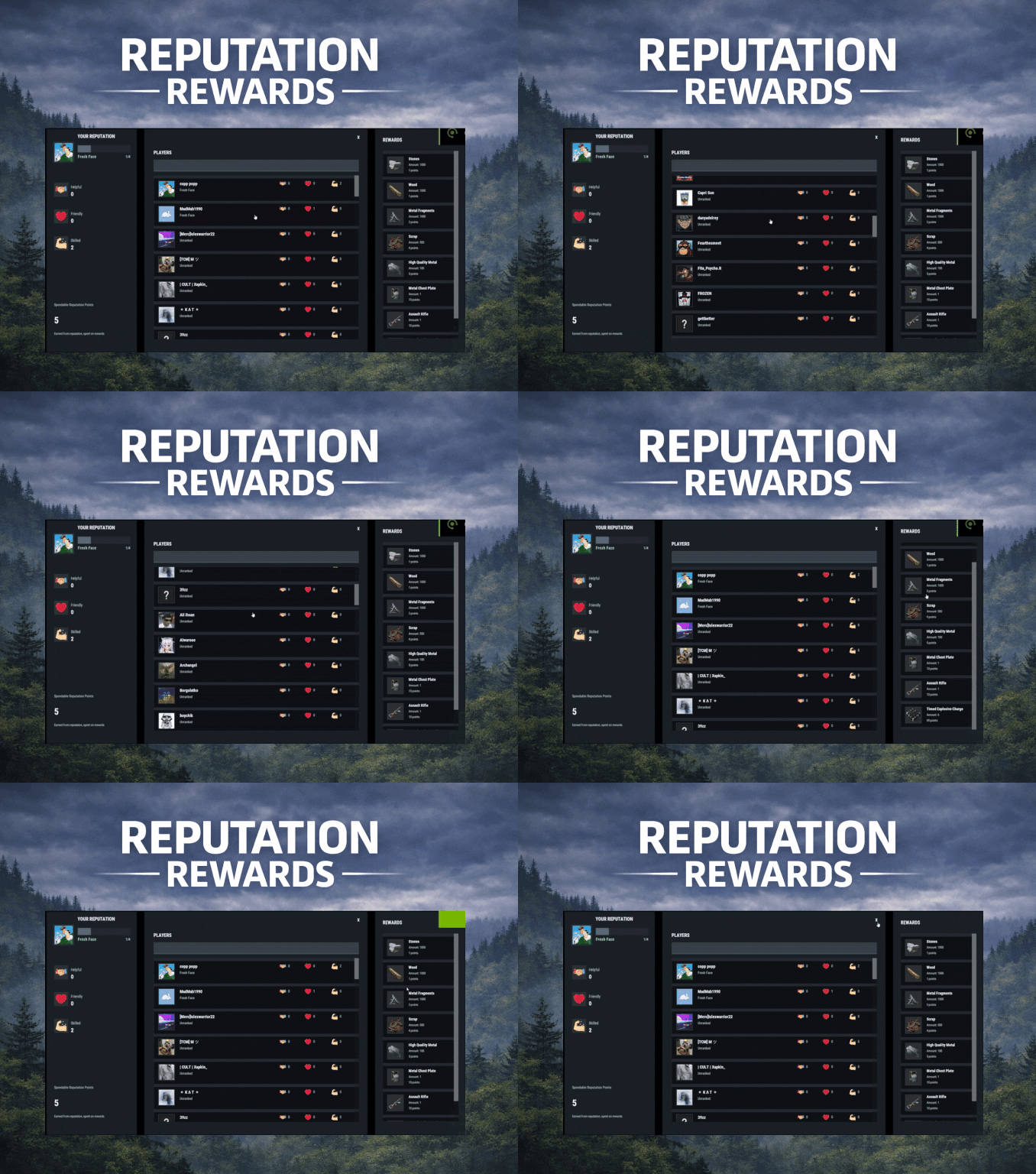
ReputationRewards is built to encourage positive community behaviors by adding an in-game reputation system to your Rust server with a clean 3-column UI, built-in reward shop, and rank progression. Players can reward each other for being Helpful, Friendly, or Skilled, earning spendable reputation points that can be redeemed instantly for configured items. As players gain reputation, they climb ranks and can trigger configurable server commands on rank-up for additional rewards or other triggers (kits, mail, permissions, VIP perks, etc.). Key features In-game UI One command opens a polished reputation interface. Three-column layout: Your Reputation (rep totals, rank, progress bar, spendable points) Players List (searchable, sorted by total rep) Built in Rewards Shop Three reputation categories Helpful Friendly Skilled These can easily be renamed to something else via the Lang files. Anti-abuse limits (configurable) Per-target cooldown: limit how often someone can rep the same player. Total giving limit per window: cap how many reps a player can give during a configurable time window (default 24h). Spendable reputation points Configurable points awarded to: The target (for receiving rep) The giver (for giving rep) Points are spent in the built in reward shop. Built-in reward shop Configure any Rust item shortname + amount + optional skin + optional custom display name. Players select quantity and see the total cost before purchase. Rank system with automatic rewards Define unlimited ranks with a required total reputation threshold. Run server commands on rank-up (supports placeholders like %steamid%). Compatible with all plugins that can trigger a console command against a player, such as my Mail System Visual feedback FX plays when rep is received. FX plays on rank-up to make progression feel rewarding. Integrations BetterChat: If you wish to display player's reputation rank next to their chat name ImageLibrary (recommended): for image loading reliability. Configuration highlights Set cooldown time per target player Set total give limit window (seconds) + max reps per window Configure how many spendable points are earned per rep (giver and target) Configure wipe behavior on new save (rep/rank and/or spendable points) Define ranks and rank-up commands Define reward shop items and pricing Customize UI colors + icon URLs __________________________________ Commands (configurable): /rep or /reputation - Opens the reputation UI __________________________________ Sample/Default Config: { "Commands to open UI": [ "rep", "reputation" ], "How often can a player give rep to the same player": 86400, "How often to reset player's total rep give limit": 86400, "Max reputation gives per total window (per player)": 5, "Spendable points awarded to TARGET per rep received": 2, "Spendable points awarded to GIVER per rep given": 1, "Wipe reputation + rank on new save?": false, "Wipe spendable points on new save?": false, "Ranks / Levels": [ { "Rank Name": "Fresh Face", "Points Required (total rep)": 1, "Commands On Reach (optional)": [ "mail.send %steamid% \"Rank Up: Fresh Face!\" \"Welcome to the community! Here are some starting supplies to help you settle in.\" -img 0 -item wood 1000 0 -item stones 1000 0" ] }, { "Rank Name": "Promising Sapling", "Points Required (total rep)": 5, "Commands On Reach (optional)": [ "mail.send %steamid% \"Rank Up: Promising Sapling!\" \"You're showing great potential! Here are some resources to help you grow.\" -img 0 -item sulfur.ore 1000 0 -item metal.ore 1000 0" ] }, { "Rank Name": "Positive Force", "Points Required (total rep)": 10, "Commands On Reach (optional)": [ "mail.send %steamid% \"Rank Up: Positive Force!\" \"Your positive impact is being felt! Here are some refined materials for your efforts.\" -img 0 -item sulfur 1000 0 -item metal.fragments 1000 0" ] }, { "Rank Name": "Reliable Member", "Points Required (total rep)": 20, "Commands On Reach (optional)": [ "mail.send %steamid% \"Rank Up: Reliable Member!\" \"Your reliability has been noticed! Here are some higher quality materials for your continued contributions.\" -img 0 -item hq.metal.ore 1000 0 -item lowgradefuel 1000 0" ] }, { "Rank Name": "Community Pillar", "Points Required (total rep)": 35, "Commands On Reach (optional)": [ "mail.send %steamid% \"Rank Up: Community Pillar!\" \"You've become a pillar of our community! Here are some valuable processed materials.\" -img 0 -item metal.refined 1000 0 -item charcoal 1000 0" ] }, { "Rank Name": "Guiding Presence", "Points Required (total rep)": 55, "Commands On Reach (optional)": [ "mail.send %steamid% \"Rank Up: Guiding Presence!\" \"Your guidance helps others find their way! Here are materials for advanced crafting.\" -img 0 -item scrap 1000 0 -item gunpowder 1000 0" ] }, { "Rank Name": "Foundation Stone", "Points Required (total rep)": 80, "Commands On Reach (optional)": [ "mail.send %steamid% \"Rank Up: Foundation Stone!\" \"You are a foundational part of our community! Here are some advanced munitions for your dedication.\" -img 0 -item ammo.rifle.hv 500 0 -item ammo.rifle.explosive 500 0" ] }, { "Rank Name": "The Beloved", "Points Required (total rep)": 110, "Commands On Reach (optional)": [ "mail.send %steamid% \"Rank Up: The Beloved!\" \"You are the heart and soul of our community! Here are powerful munitions for a true leader.\" -img 0 -item ammo.rocket.basic 12 0 -item ammo.rocket.hv 12 0" ] } ], "Enable Title In BetterChat (optional, requires BetterChat)": false, "BetterChat Title Format ({0} will place the rank name)": "<color=yellow>{0}</color>", "Rewards": [ { "Shortname": "wood", "Amount": 1000, "SkinId": 0, "DisplayName (blank = default)": "", "Cost (points)": 1 }, { "Shortname": "stones", "Amount": 1000, "SkinId": 0, "DisplayName (blank = default)": "", "Cost (points)": 1 }, { "Shortname": "metal.fragments", "Amount": 1000, "SkinId": 0, "DisplayName (blank = default)": "", "Cost (points)": 3 }, { "Shortname": "metal.refined", "Amount": 100, "SkinId": 0, "DisplayName (blank = default)": "", "Cost (points)": 5 }, { "Shortname": "scrap", "Amount": 500, "SkinId": 0, "DisplayName (blank = default)": "", "Cost (points)": 4 }, { "Shortname": "rifle.ak", "Amount": 1, "SkinId": 0, "DisplayName (blank = default)": "", "Cost (points)": 10 }, { "Shortname": "metal.plate.torso", "Amount": 1, "SkinId": 0, "DisplayName (blank = default)": "", "Cost (points)": 10 }, { "Shortname": "explosive.timed", "Amount": 6, "SkinId": 0, "DisplayName (blank = default)": "", "Cost (points)": 40 } ], "Colors": { "Overlay Background (dim)": "0 0 0 0.35", "Main Panel Background": "0.12 0.14 0.16 0.95", "Inner Panel Background": "0.15 0.17 0.20 0.96", "Modal Frame (border)": "0.06 0.07 0.08 0.98", "Modal Background": "0.10 0.12 0.14 0.995", "Row Background": "0.10 0.12 0.14 0.92", "Row Hover Background": "0.16 0.18 0.21 0.95", "Row Pressed Background": "0.14 0.16 0.19 0.95", "Row Border": "0.06 0.07 0.08 0.98", "Text - Title": "0.95 0.96 0.97 1", "Text - Main": "0.88 0.90 0.92 1", "Text - Sub": "0.72 0.76 0.80 1", "Text - Dark": "0.10 0.10 0.10 1", "Button Background": "0.28 0.32 0.36 1", "Button Hover Background": "0.34 0.39 0.44 1", "Button Pressed Background": "0.31 0.35 0.40 1", "Accent Button Background": "0.36 0.40 0.46 1", "Input Field Background": "0.22 0.25 0.29 1", "Input Field Border Strip": "0.55 0.58 0.62 0.25", "Avatar Backing Plate/Border": "0.18 0.20 0.22 0.98", "Rank Progress Fill Color": "0.36 0.40 0.46 1", "Rank Title Text Color": "0.55 0.90 0.70 1", "Scrollbar Handle": "0.45 0.46 0.47 0.95", "Scrollbar Track": "0.10 0.10 0.10 0.35", "Scrollbar Highlight": "0.55 0.56 0.57 0.98", "Scrollbar Pressed": "0.62 0.63 0.64 0.98", "Positive Text Accent": "0.55 0.90 0.70 1", "Negative Text Accent": "0.90 0.55 0.55 1" }, "Images": { "Helpful Icon URL": "https://i.ibb.co/Y7CFpTLV/handshake.png", "Friendly Icon URL": "https://i.ibb.co/7dsJFVN5/heart-1.png", "Skilled Icon URL": "https://i.ibb.co/3QTJJgt/muscle.png" }, "Use ImageLibrary (recommended)": true }$14.99 -
 Compatibility added to
 -
it might not play on the first kill for each tape. get a few kills in as the download happens when its needed iirc
-
@BaluDog Gaming Lets try fresh. Unload everything, delete the ogg files, try my config with new URLs: { "Enabled: ": true, "Chance for NPC to become wounded: ": 100.0, "Wounded timer: ": 20.0, "Chance to die after wounded timer: ": 25, "Do not allow looting of wounded NPC: ": true, "NPC Prefab paths to exclude: ": [ "assets/prefabs/clothes/halloween.scarecrow/scarecrow.prefab", "assets/prefabs/npc/scarecrow/scarecrow.prefab" ], "Exclude NPC where their displayname contains: ": [ "Marauder", "Pirate", "Scarecrow", "scarecrow_dungeon", "Zombie", "Murderer" ], "Boombox Prefab Path: ": "assets/prefabs/voiceaudio/boombox/boombox.deployed.prefab", "Wounded Sounds URLs: ": [ "http://188.34.198.3/files/ogg/pain1.ogg", "http://188.34.198.3/files/ogg/pain2.ogg", "http://188.34.198.3/files/ogg/pain3.ogg", "http://188.34.198.3/files/ogg/pain4.ogg", "http://188.34.198.3/files/ogg/pain5.ogg", "http://188.34.198.3/files/ogg/pain6.ogg" ], "Enable Debug Messages: ": false }
-
I think drop box is being toxic Let's try differently, unload both plugins (WoundedNPC and TapeLibrary, and overwrite entire /data/ogg @BaluDog Gaming data.zip
-
Changed Status from Pending to Work in Progress Changed Fixed In to Next Version
-
Hi @BaluDog Gaming Thanks for bringing this up If longpain1 was downloaded to the ogg data folder, please delete it and replace with attached will review and update the URL if needed asap longpain1 (2).zip
-
Way to call the local ogg files instead of calling out to dropbox every second?
Brad Copp replied to Rust Admin's Support Report in Support
Changed Status from Pending to Closed -
Hi tikomatura, I hope you are well This was written independently of any other plugin. It may or may not have the same or similar functionality, i've not seen the plugin so cannot confirm what/if there is a difference. This one's been around for some time now even before listing on CF. I can only say it works and like my other plugins still actively supported and improved where possible.
-
Yeah definitely looking for dropped item, not for containers test - drop an item on the floor, use /pnpc loot-all ignoring containers
-
No change on my side, he's still running somwhere trying to find a dropped item i think
-
Version 2.0.0
66 downloads
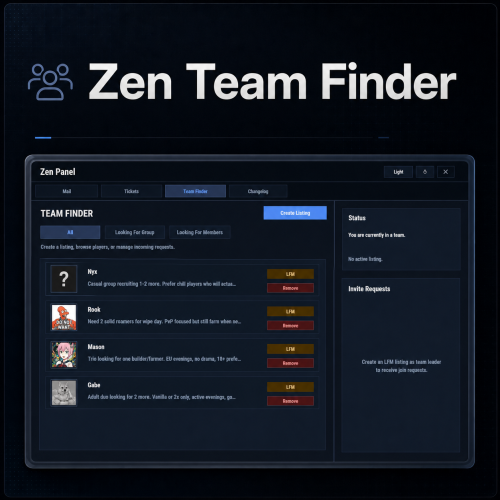
Zen Team Finder adds a clean, in-game Looking For Group / Looking For Members system to your Rust server. Players can post LFG listings when they’re solo, and team leaders can post LFM listings to recruit. Everything runs through an intuitive UI: browse listings, open player request details, invite, request to join, and manage incoming requests, all without needing repetitive lfg chat spam. Zen Team Finder run on the free dependency Zen Panel Key Features LFG + LFM Listings LFG (Looking for Group): solo players post a listing with a description. These listings are public and team leaders can easily invite players. LFM (Looking for Members): team leaders post a listing tied to their current team. Solo players can submit an invite request along with a short description. Simple UI Workflow Full UI with a main listings panel + side panel for invite request management. Filters: All / LFG / LFM Click a listing to view: Player name + avatar Listing type tag (LFG/LFM) Full description Invite & Request System LFG listings: team leaders can directly send a team invite. LFM listings: solo players can request an invite to join that team. Optional request note (short message) included with join requests. Built-In Safety Rules / Cleanups Players can’t request invites if they’re already in a team. Players can’t be invited/request if they already have a pending Rust team invite. If a player joins a team, their other pending join requests are cleaned up automatically Invalid LFM listings (disbanded teams) are auto-removed when detected. When team leader changes, the listing ownership is moved to new leader. Reminders & Notifications Audible invites reminders for: Players with pending team invites Leaders with pending join requests Configurable reminder interval. Chat message when a LFG/LFM request is posted. Editable UI customize theme via the ZenPanel config. Localization All UI content neatly arranged in the lang file, allowing for easy translation. ________________________________________________________________ Permissions zenteamfinder.admin - Required to run clear commands and remove other player's listings. Chat Commands /lfg - Opens the Party Finder. This command can be changed, and multiple commands added within the config file. /lfg.clear - Admin command to clear ALL LFG listings /lfm.clear - Admin command to clear ALL LFMlistings ________________________________________________________________ Default config is created and should meet the needs of most servers.$12.99 -
Changed Status from Pending to Closed
-
No problem, anytime
-
Sorry, i was supposed to give you the .cs NewJoinCommand.cs
-
Hello @massa2a You would need a plugin which sends a command when a player joins for the first time. You can use the attached plugin. Example command to put in the config: mail.send %SteamID% \"Welcome!\" \"Welcome to the server!\n\n This is a mail system used to message online and offline players and for admins to share important information, changes or updates during the wipe\n\nWe hope you have a great time\" -item ammo.pistol.hv 100 0 \"\" -img 1 Will send a message with an attachment of 100 hv pistol ammo (no skin, no custom display name) and using the 2nd image from your list of images