
☜Марат☞
-
Posts
146 -
Joined
-
Last visited
-
Days Won
6
Content Type
Profiles
Warranty Claims
Downloads
Forums
Store
Services
Downloads Plus Support
DOWNLOADS EXTRA
Everything posted by ☜Марат☞
-
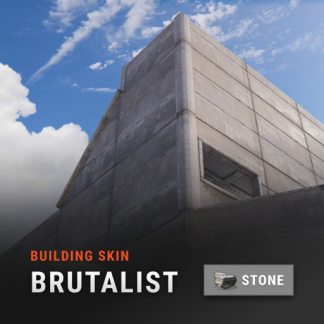 it has nothing to do with my plugin
 -
remove the plugin. then delete date file and config file and load plugin
-
try unloading the plugin and deleting the date file
-
This plugin is designed for this and not to buy DLS. If the developers of the game banned servers for providing access to paid items in the game, then most of the servers would already be banned
-
try unloading the plugin and deleting the date file
-
You need to be more patient. This is a free plugin and I do it in my free time.
-
remove the auto-upgrade plugin that you are using or replace it with the one that is fixed for updating with dls
-
unload the plugin and delete the config file
-
change the desired skin in the menu and use the command / bskin all
-
I don't quite understand what you mean
-
It's a problem on the imgur side. place the image on any image hosting that works for you and replace the image in the config
-
skins are disabled by default (unless you enable them in the config). And if you bought a dlc then you don't need to use this plugin.
-
it's just old text that I forgot to update. You can still change the skin for adobe and shipping container
-
you can upload them here
-
this is how the default skin is applied even for those who bought the dlc. you need to change the colors with the Spray Can
-
the skin will be applied automatically depending on the type of building block.
-
this is a conflict with another plugin. how exactly do you update the build and what happens at that moment? which building grade plugin are you using?
-
I kind of explained it in the description. If you have Adobe skin enabled, the skin will be applied when upgrading or using commands. If it is disabled, the skin will be reset when upgrading or using commands, and constructions will be made of stone.
-
Yes, I will change it in the next update.
-
you can change the name of the command in the plugin to the one you need.
-
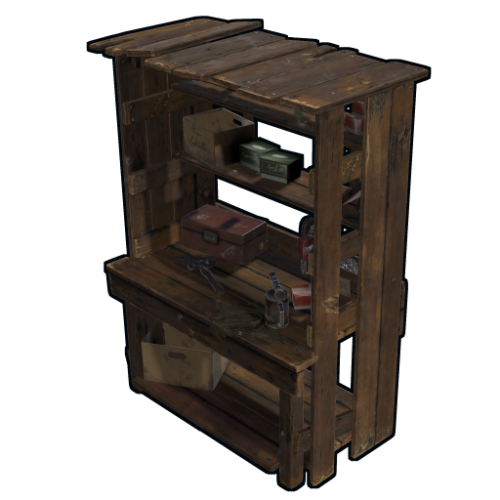
Version 1.0.4
815 downloads
Removes the tech tree from workbenches, replacing it with the research table menu. hardcoreworkbench.use - Allows the player to use the workbench menu Information Use workbench menu - use the standard workbench menu to open the research table. Remove need for workbench - removes the need for a workbench when crafting items. Time to research item - changes the research time of the item. Add vehicles parts vending machine - Add a vending machine for vehicle parts in the Outpost. Use permission to open workbench - Use permission to open workbench menu. Configuration { "Use workbench menu | Use the workbench menu": true, "Remove need for workbench | Remove need for workbench in the workbench": false, "Time to research item | Time to research item": 10.0, "Add vehicles parts vending machine | Add vehicles parts vending machine": true, "Use permission open workbench | Open workbench with the following permissions": false }Free- 9 comments
- 1 review
-
- 3
-

-
- #techtree
- #workbench
- (and 1 more)
-
.thumb.png.144bf0e8de79ab4c3f2404ebe745437b.png) the plugin already has a print of this you can add print in hook OnPlayerAttack. find the line 308 if ( closestEnt == null || obj == null ) return; and insert under it if (player.IsAdmin) Print(obj, player);
the plugin already has a print of this you can add print in hook OnPlayerAttack. find the line 308 if ( closestEnt == null || obj == null ) return; and insert under it if (player.IsAdmin) Print(obj, player); -
use rocket_payload for this. Example: "PrefabFilter": "rocket_payload",