Jump to content

2 Screenshots

  • 83k
  • 4.6k
  • 98.83 kB
  • Update details
    v1.3.1
    Released
    Download size98.83 kB
    Total versions21
    Time between versions 9 days
    Typical update pace About every 45 days
    Freshness 16 days ago

This area is for discussion and questions. Please use the support area for reporting issues or getting help.

Recommended Comments


HunterZ

Posted (edited)

(removed, please use official update)

Edited by HunterZ
Drophix

Posted

is there a way for it to just show the status instead of status with the username?

Pavla Spišáková

Posted

Hi, I have a problem, when a player attacks a base, it doesn't show him that you are a base under protection. Chat notifications don't work. I have everything enabled, so I don't know.

  • Like 1
RustyB

Posted

Same issue here.
The raid protection is working but the plugin doesn't display public message anymore.

Messages still appear when you enter the admin command to check status.
So it's like hitting an entity doesn't trigger the chat message anymore

HunterZ

Posted

7 hours ago, RustyB said:

Same issue here.
The raid protection is working but the plugin doesn't display public message anymore.

Messages still appear when you enter the admin command to check status.
So it's like hitting an entity doesn't trigger the chat message anymore

Yeah I noticed that toasts don't work, so I enabled the codelock sound for now.

I've been meaning to take a look at the code but haven't gotten around to it yet.

HunterZ

Posted

Here is an unofficial fix for the toasts. You will need to apply it in a different place depending on whether you're using Carbon or Oxide, because for some reason Edwin maintains two entirely separate copies of the code in the .cs file

                static System.Action ShowGameTipAction(BasePlayer player, string msg)
                {
                    return () =>
                    {
                        // if (player is not null)
                        //     player.SendConsoleCommand(COMMAND_SHOWGAMETIP, msg);
                        if (player) player.SendConsoleCommand(
                            "gametip.showtoast", 1, msg, string.Empty, false);
                    };
                }

If you don't like the toast banner being red, change the 1 to a 0 (normal blue toast) or a 3 (short blue toast).

kokobeware

Posted

On 1/30/2026 at 4:16 PM, HunterZ said:

Here is an unofficial fix for the toasts. You will need to apply it in a different place depending on whether you're using Carbon or Oxide, because for some reason Edwin maintains two entirely separate copies of the code in the .cs file

                static System.Action ShowGameTipAction(BasePlayer player, string msg)
                {
                    return () =>
                    {
                        // if (player is not null)
                        //     player.SendConsoleCommand(COMMAND_SHOWGAMETIP, msg);
                        if (player) player.SendConsoleCommand(
                            "gametip.showtoast", 1, msg, string.Empty, false);
                    };
                }

If you don't like the toast banner being red, change the 1 to a 0 (normal blue toast) or a 3 (short blue toast).

Can you confirm that the protection is still working? I had a whole bunch of issues with this plugin, that why I stop using it. I've switch to RaidProtection (a paid plugin from codefling), but the pluging make my server crash or give us a lot of log spike.. it's not great lol. 

HunterZ

Posted

2 hours ago, kokobeware said:

Can you confirm that the protection is still working? I had a whole bunch of issues with this plugin, that why I stop using it. I've switch to RaidProtection (a paid plugin from codefling), but the pluging make my server crash or give us a lot of log spike.. it's not great lol. 

Yes, someone on my server spent all their boom trying to raid an offline neighbor the other day and didn't get anywhere lol

  • Love 1
HunterZ

Posted (edited)

Got in touch with Edwin and he says he doesn't have time to maintain this, so he gave me co-maintainer. I've released 1.2.0 to try to address some issues. Please open or add to support tickets if you encounter any issues with this version.

Edited by HunterZ
  • Love 3
DUROCRUSTSERVERS

Posted

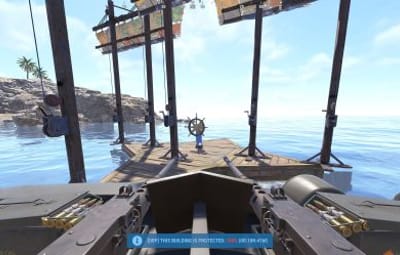
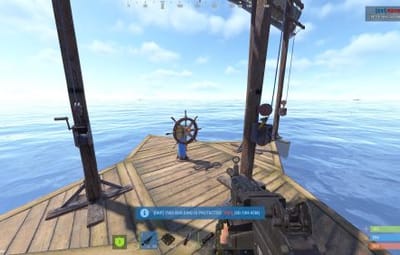
Can you add raid protection on the new boats? 

HunterZ

Posted

22 hours ago, DUROCRUSTSERVERS said:

Can you add raid protection on the new boats? 

I already did, back in version 1.2.0 on Feb 13. You just need to ensure you're on the latest version, and enable boat protection in the config file.

Spike25

Posted (edited)

I'm currently having issues when it where the player has 100% protection, but I can still damage the base. I'm on 1.3.1. Are there issues with Hardcore mode?
image.png.f553e95bf24754a133597afa5831634c.png
do I need to run orp.update.permission? I tried running this command and I get nothing?

I'm also appending my config file if anybody sees something I missed?

OfflineRaidProtection.json

Edited by Spike25
HunterZ

Posted (edited)

12 hours ago, Spike25 said:

I'm currently having issues when it where the player has 100% protection, but I can still damage the base. I'm on 1.3.1. Are there issues with Hardcore mode?
image.png.f553e95bf24754a133597afa5831634c.png
do I need to run orp.update.permission? I tried running this command and I get nothing?

I'm also appending my config file if anybody sees something I missed?

OfflineRaidProtection.json 19.5 kB · 0 downloads

Not sure how the plugin performs in hardcore mode, but I can't think of why it should be a problem.

Regarding permissions: I've never used that command; on my server I gave the default player group the protect permission instead. I'm not sure what the permission does - maybe gives ever individual player the permission, which seems messy?

What kind of damage are you doing, and how do you know it's damaging the base?

Also, what specifically are you damaging?

Do the server logs show any hook conflict warnings?

Edited by HunterZ
Spike25

Posted

"I gave the default player group the protect permission instead"
I don't think I'm setting permisisons anywhere, where do I set the "default player group"? I also dont think that command does anything. I cant see anything happening in console logs.

"What kind of damage are you doing, and how do you know it's damaging the base?"
I'm using jackhammer or rifle shots on stone/metal wall, doors and foundations and see the health is dropping.

"Do the server logs show any hook conflict warnings?"
I will check that this afternoon. I haven't noticed anything in console logs, will check the oxide logs as well.

Do I need to run "orp.fill.onlinetimes" periodically or is that done automatically?

HunterZ

Posted (edited)

You definitely need to give people the protection permission one way or another. You need to be familiar with how to assign plugin permissions via Carbon/Oxide - Carbon has a built-in GUI, and there's a Permissions Manager GUI plugin on here for Oxide (or Carbon if you don't like Carbon's GUI I guess).

The fill online times feature only needs to be used once immediately after plugin install, to tell the plugin to use the current time as a starting point for players that logged off before it was installed. The plugin will track connects and disconnects while it is running.

Edited by HunterZ
Spike25

Posted

Ok, thank you, I will look into that. Till now I only use plugins that I guess don't need permissions or have some things by default. I'm currently doing everything through terminal (not that I hate GUIs but didn't need them by now XD)

I'll get back at you with the results

HunterZ

Posted

48 minutes ago, Spike25 said:

Ok, thank you, I will look into that. Till now I only use plugins that I guess don't need permissions or have some things by default. I'm currently doing everything through terminal (not that I hate GUIs but didn't need them by now XD)

I'll get back at you with the results

It's also possible to manage carbon/oxide permissions via console commands, but personally I hate it. Check carbon/oxide documentation for details. Probably you want to assign ORP's protection permission to the default group, which carbon/oxide automatically assigns to all players.

Create an account or sign in to comment

You need to be a member in order to leave a comment

Create an account

Sign up for a new account in our community. It's easy!

Register a new account

Sign in

Already have an account? Sign in here.

Sign In Now
  • Like 9

User Feedback

2.3m

Downloads

Total number of downloads.

10.6k

Customers

Total customers served.

153k

Files Sold

Total number of files sold.

3.3m

Payments Processed

Total payments processed.

×
×
  • Create New...

Important Information

We have placed cookies on your device to help make this website better. You can adjust your cookie settings, otherwise we'll assume you're okay to continue.