Works with
Optional integrations and compatible files.


About Dungeon Events
Step through a portal into a generated dungeon, fight NPCs, bosses, animals and auto turrets, and loot the rewards you configure.
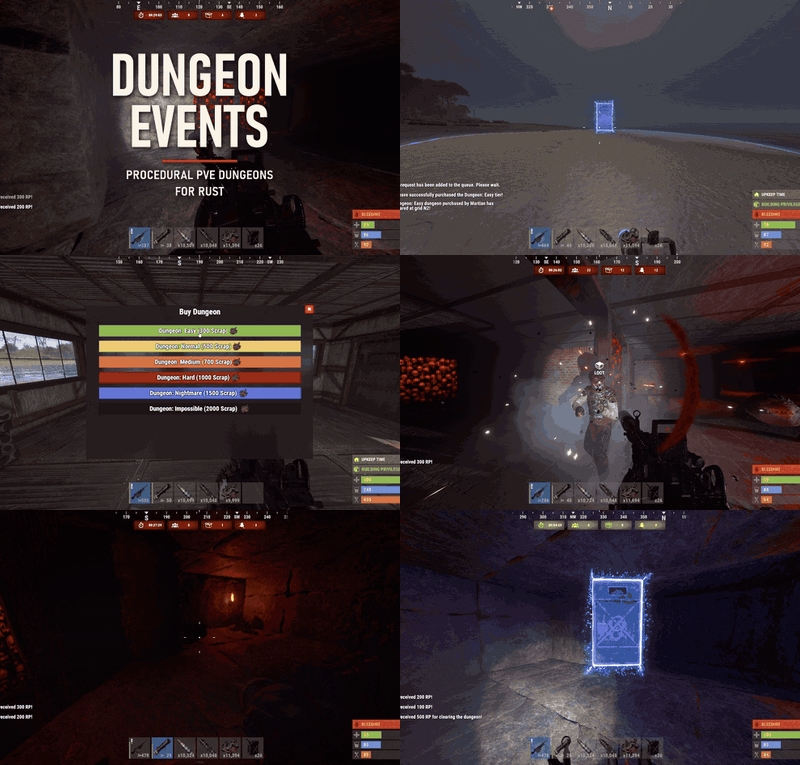
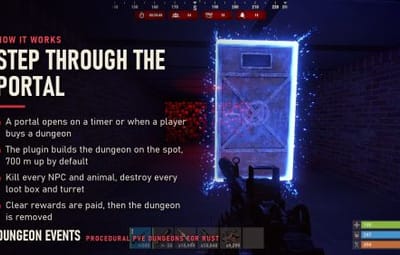
Dungeon Events adds repeatable PvE dungeons to Rust. A portal opens on the map, on a timer or when a player buys one, and leads into a dungeon the plugin builds on the spot. Inside, players fight through rooms of armed NPCs, bosses, animals and auto turrets, then loot boxes and corpses filled from your own loot tables.
The plugin generates every layout itself. You do not build bases, prepare CopyPaste files or install NpcSpawn: choose a tier, and the plugin places the portal, builds the rooms and corridors and spawns the defenders. Every new dungeon gets a new layout.
Six tiers are included, from Easy to Impossible. Each tier has its own size, construction style, enemies, loot files, price, limits and rewards, and you can edit them, remove them or add your own.
A dungeon belongs to the first player who enters it, or to the player who bought it. By default only the owner, their Rust teammates and their friends can follow them in, so a group can run it together without strangers walking in behind them.
How a dungeon works
-
A dungeon is requested by the automatic timer, by a player through
/buydungeon, or by an admin command. Requests wait in a queue and are built one at a time. - The plugin picks a portal location away from blocked terrain, nearby entities, other portals, ZoneManager zones, Duelist arenas and Raidable Bases or Abandoned Bases events, or uses one of the portal locations you saved.
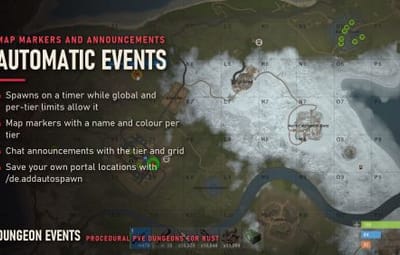
- It builds the dungeon in batches, 700 m up by default, then spawns the NPCs, bosses, animals, turrets and loot boxes. A map marker and a chat announcement show the tier and grid.
- Players walk through the portal into the entrance room. Enemies cannot hurt players standing in the entrance, and players cannot shoot from it.
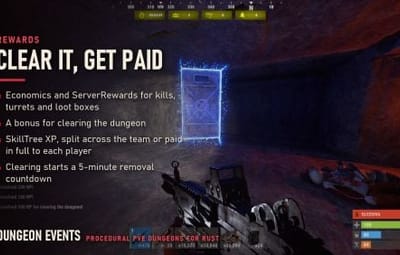
- The dungeon is cleared when every NPC, boss and animal is dead and every loot box and turret is destroyed. The red wall lamps turn green, the remaining doors are removed, clear rewards are paid and a 5-minute removal countdown starts, with reminders in chat.
- Once the countdown ends and no players remain inside, the dungeon and its portal are removed. Uncleared dungeons expire too: 30 minutes after spawning if nobody entered, or 30 minutes after the first player entered.
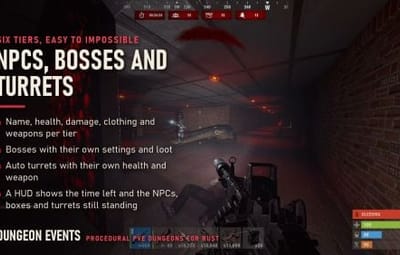
While inside, players see a HUD with the time left and the number of NPCs, loot boxes and turrets still standing.
Included tiers
| Tier | Construction | Rooms | Room size | Buy cost | NPCs | Bosses | Animals | Turrets | Loot boxes |
|---|---|---|---|---|---|---|---|---|---|
| Easy | Classic | 1 | 5 | 300 scrap | 7 | 1 | 4 | 5 | 5 |
| Normal | Legacy | 2 | 5 | 500 scrap | 14 | 2 | 6 | 10 | 10 |
| Medium | Brick | 3 | 5 | 700 scrap | 21 | 5 | 8 | 15 | 15 |
| Hard | Classic | 4 | 5 | 1,000 scrap | 26 | 5 | 8 | 20 | 25 |
| Nightmare | Armored | 5 | 5 | 1,500 scrap | 31 | 10 | 8 | 25 | 30 |
| Impossible | Armored | 6 | 6 | 2,000 scrap | 5 | 30 | 12 | 20 | 25 |
Default enemies
| Tier | NPC | NPC health | NPC damage | NPC weapon | Boss health | Boss weapon | Turret health | Turret weapon |
|---|---|---|---|---|---|---|---|---|
| Easy | Wild Scavenger | 100 | 0.5x | Revolver | 1,000 | AK-47 with flashlight | 300 | Revolver |
| Normal | Battle Forager | 150 | 0.8x | Custom SMG | 1,500 | M249 | 400 | Revolver |
| Medium | Crimson Raider | 200 | 1.1x | Semi-Automatic Rifle | 2,000 | M249 | 600 | AK-47 |
| Hard | Elite Outlaw | 250 | 1.3x | AK-47 | 3,000 | M249 | 800 | AK-47 |
| Nightmare | Nightmare Hunter | 300 | 1.5x | M249 | 5,000 | M249 | 1,000 | AK-47 |
| Impossible | Impossible Hunter | 300 | 1.5x | M249 | 5,000 | M249 | 1,500 | AK-47 |
Bosses deal 1.5x damage on every tier. NPCs and bosses wear skinned clothing sets.
Every tier can also require a permission, unlock a set number of minutes after a wipe, enable or disable automatic spawning and purchases separately, and cap how many of its dungeons are active at once (2 automatic and 2 purchased by default).
Dungeon construction
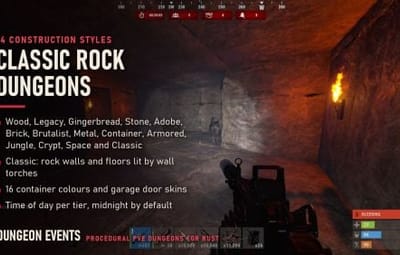
Each tier picks one of 14 construction options: Wood, Legacy, Gingerbread, Stone, Adobe, Brick, Brutalist, Metal, Container, Armored, Jungle, Crypt, Space and Classic. Container dungeons take any of 16 colours, and garage doors take a skin ID.
Classic dungeons use a separate generator. Walls and floors are made of rock formations, and wall torches replace the red lamps.
- Rooms per dungeon from 1 to 6 and room size from 5 to 10.
- Dungeon height: up to 700 m above ground, at terrain level, or underground. Underground dungeons skip footprints that overlap water.
- Red wall lamps with configurable spacing, switching to green when the dungeon is cleared.
- Optional doors and frames for the entrance room and for the inner rooms, each of which can close again when no players remain inside.
- Time of day per tier: players inside see the hour you set, midnight by default, or the server time.
- Dungeon walls and floors cannot be damaged. Garage doors can only be damaged by players.
Enemies
NPCs and bosses
- Name, health, damage scale, clothing with skins, and belt items with amounts, skins and weapon attachments.
- Bosses have their own settings and their own loot file.
- NPCs stay within 30 m of their spawn point, and after 2 seconds of shooting they step sideways. Both values can be changed, and the sidestep can be disabled.
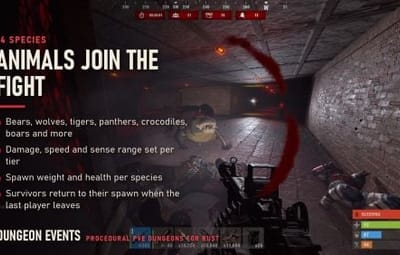
- When the last player inside dies or leaves, surviving NPCs and animals return to their spawn points.
Animals
14 species: boar, wolf, stag, chicken, panther, tiger, crocodile, bear, bull, cow, female and male calf, sheep and lamb. Each tier sets their damage, movement speed, sense range and maximum distance from spawn, and each species has its own toggle, spawn weight and health. Animal corpses disappear after a second, so they cannot be harvested.
Auto turrets
Health and weapon per tier.
Loot
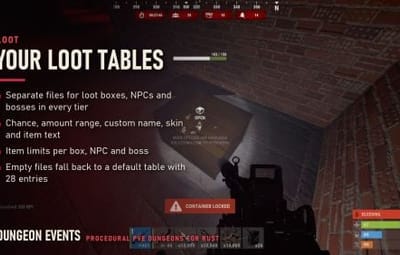
Every tier has three loot files in oxide/data/DungeonEvents/<Tier>:
| File | Used for |
|---|---|
lootbox.json
|
Loot boxes |
npc_loot.json
|
NPC corpses |
boss_loot.json
|
Boss corpses |
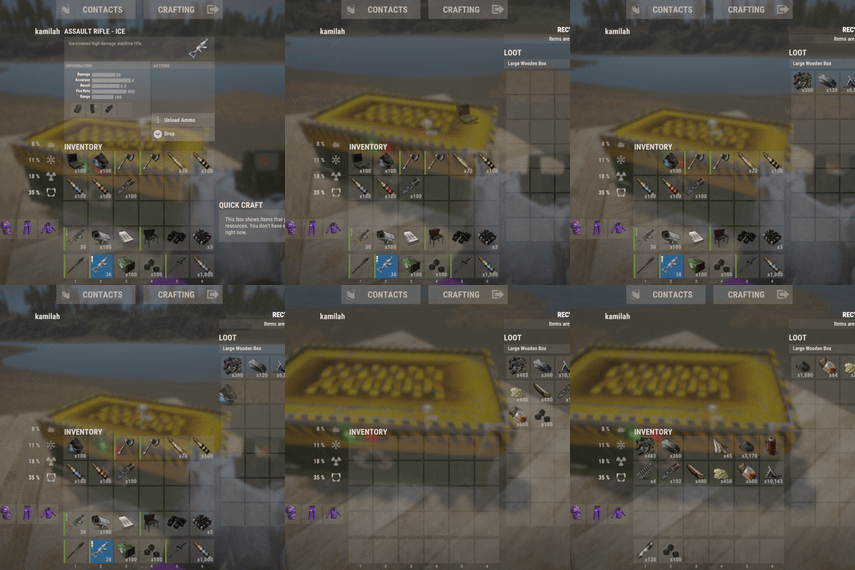
- Each entry has a shortname, inclusion chance, minimum and maximum amount, custom name, skin ID, item text and armor insert slots.
- Each tier limits the number of items per loot box, per NPC and per boss.
-
An empty loot file falls back to
Default_Loot.json, which is created with 28 entries on first load. - The loot box prefab and skin are set per tier. The default is a skinned wooden box.
Rewards
All rewards are optional and set per tier.
| Source | Economics | ServerRewards | SkillTree XP |
|---|---|---|---|
| NPC kill | 300 | 300 | |
| Boss kill | 300 | 300 | |
| Animal kill | 300 | 300 | |
| Turret destroyed | 200 | 200 | |
| Loot box destroyed | 100 | 100 | |
| Dungeon cleared | 500 | 500 | 500 |
Clear rewards go to the dungeon owner, or to the players inside when the owner is offline. SkillTree XP can be shared with the owner's team, either split between them or paid in full to each player.
Purchases
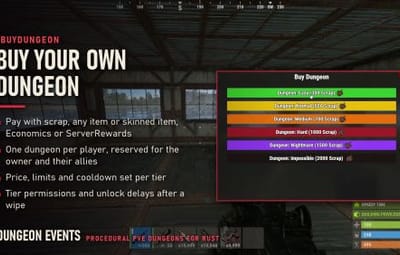
/buydungeon opens a menu with every tier the player can buy and its price. /buydungeon <tier> buys one directly.
- Pay with an item (scrap by default, or any item by shortname with an optional skin ID, so a custom currency item works), Economics balance or ServerRewards points.
- A player can own one dungeon at a time. With the ownership lock on, it is reserved for them and their allies.
- After clearing a dungeon, the owner waits 10 minutes before buying that tier again. Each tier can set its own cooldown.
- Global limits of 6 active purchased dungeons and 6 active automatic dungeons, on top of the per-tier limits.
-
Players with
dungeonevents.freebuy without paying, and players withdungeonevents.bypasscooldownignore the cooldown. -
Admins can switch purchases off and on in-game with
/de.toggle. - The purchase announcement can be shown to everyone or only to the buyer.
Automatic events and portals
Automatic spawning is off by default. When enabled, a dungeon is spawned every 120 seconds (configurable) while the global and per-tier limits allow it.
-
Custom portal locations. Stand where you want a portal and save the spot with
/de.addautospawnor/de.addbuyspawn. Automatic and purchased dungeons keep separate lists, and each can fall back to a random location when all saved spots are taken. - Map markers. Name, colour and radius per tier, with separate toggles for automatic and purchased dungeons.
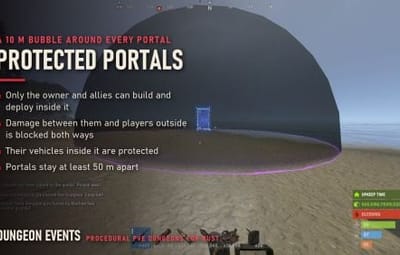
- Portal spacing. Portals stay at least 50 m apart.
- Portal protection bubble. A 10 m area around each portal, with an optional visible sphere. The owner and allies can build and deploy inside it while others cannot, damage between them and players outside is blocked both ways, and their vehicles inside it are protected.
Rules inside a dungeon
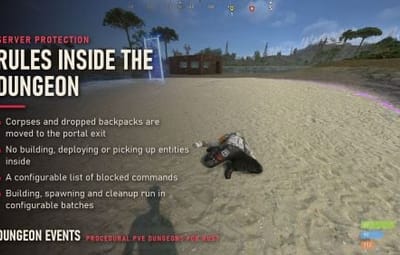
- Players who die are taken outside the portal, and their corpse and dropped backpack are moved to the portal exit.
- Players who die inside do not drop their active item, and their backpack is not dropped (configurable). Both rules step aside when RestoreUponDeath is loaded.
- Players cannot build, deploy or pick up entities.
-
A configurable list of chat and console commands is blocked (
/remove,/tpaandremove.toggleby default). -
Raid-block plugins that use
CanRaidBlockdo not block players inside a dungeon. - Underground dungeons do not trigger the "inside terrain" anti-hack check.
Server workload
Building, entity spawning, cleanup and portal location searches all run in batches. Each step has its own batch size and delay between batches, and automatic spawning waits 15 seconds after a cleanup finishes before it starts the next dungeon.
Installation
-
Put
DungeonEvents.csinoxide/plugins. The configuration, the tier loot folders andDefault_Loot.jsonare created on first load. -
Give players access:
oxide.grant group default dungeonevents.buyandoxide.grant group default dungeonevents.enter. -
Review
oxide/config/DungeonEvents.json, mainly the payment method, the tiers, automatic spawning and the dungeon height, then run/de.reloadconfig.
Warning
Lock dungeon for first player is enabled by default. While it is on, players need dungeonevents.enter to go through a dungeon portal.
Integrations
None are required. Dungeon generation, NPCs, the purchase menu and item payments are built in.
| Plugin | Use |
|---|---|
| Economics | Purchase currency and rewards |
| ServerRewards | Purchase currency and rewards |
| SkillTree | XP for clearing a dungeon |
| Friends | Lets friends of the owner enter |
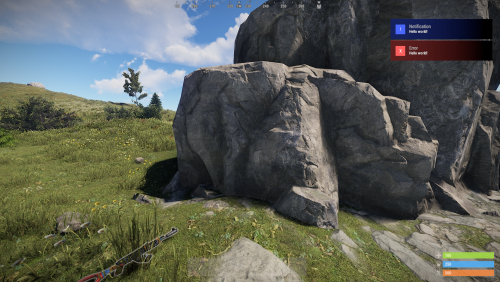
| Notify | Shows messages through Notify instead of the built-in toasts |
| NightVision | Sets the player's time of day (noon by default) when they leave a dungeon |
| ZoneManager | Portals never spawn inside its zones |
| Duelist | Portals never spawn inside its arenas |
| Raidable Bases | Portals never spawn inside its event areas |
| Abandoned Bases | Portals never spawn inside its event areas |
| RestoreUponDeath | The item and backpack drop rules step aside |
| Backpacks | Backpacks cannot be dropped inside a dungeon |
Developer hooks
void OnDungeonSpawn(ulong ownerId, Vector3 portalPosition, string grid, string tierName) // ownerId is 0 when the dungeon has no owner
void OnDungeonWin(ulong winnerId, string mapName)
void OnDungeonDespawn(ulong ownerId, Vector3 portalPosition, string grid, string tierName)
Permissions
| Permission | Description |
|---|---|
dungeonevents.buy
|
Open the purchase menu and buy dungeons |
dungeonevents.enter
|
Enter dungeons while Lock dungeon for first player is enabled |
dungeonevents.free
|
Buy dungeons without paying |
dungeonevents.bypasscooldown
|
Ignore the purchase cooldown |
dungeonevents.admin
|
Buy and enter any dungeon, access every tier, and count as an ally in every portal bubble |
dungeonevents.<tier>
|
Access a tier that has Require Permission enabled, for example dungeonevents.hard
|
Commands
Every command name can be changed in the configuration.
Players (chat)
| Command | Description |
|---|---|
/buydungeon
|
Open the purchase menu |
/buydungeon <tier>
|
Buy a dungeon of that tier |
/removedungeon
|
Remove the dungeon you own |
Admins (chat)
| Command | Description |
|---|---|
/createdungeon <tier>
|
Spawn a dungeon of that tier without paying |
/dungeons
|
List active dungeons |
/de.removenearest
|
Remove the dungeon whose portal or structure is within 10 m |
/removeinactivedungeons
|
Remove dungeons that already meet their removal conditions |
/removealldungeons
|
Remove every active dungeon |
/forceremovealldungeons
|
Remove every entity the plugin created |
/de.addautospawn
|
Save your position as a portal location for automatic dungeons |
/de.addbuyspawn
|
Save your position as a portal location for purchased dungeons |
/de.removespawn <auto|buy> [radius]
|
Remove the nearest saved portal location (5 m radius by default) |
/de.listspawns
|
List saved portal locations |
/de.toggle
|
Turn purchases on or off |
/de.reloadconfig
|
Reload the configuration |
Admin chat commands are available to server admins.
Console and RCON
| Command | Description |
|---|---|
buydungeon <tier> <steamID>
|
Buy a dungeon for a player, charging that player |
spawnrandomdungeon
|
Spawn a dungeon of the automatic tier with the fewest active dungeons |
spawnfixeddungeon <tier> [steamID]
|
Spawn a dungeon of that tier, locked to the player when a SteamID is given |
dungeons
|
List active dungeons |
de.reloadconfig
|
Reload the configuration |
Players can also run buydungeon from their own console, for example from a key bind, but only admins can buy for someone else.
Languages
Messages are included in English, Brazilian Portuguese, German, Spanish and Russian, and every message can be edited in the language files.
Data files
| Path | Contents |
|---|---|
oxide/config/DungeonEvents.json
|
Main configuration and tiers |
oxide/data/DungeonEvents/Default_Loot.json
|
Fallback loot table |
oxide/data/DungeonEvents/<Tier>/lootbox.json
|
Loot box loot for the tier |
oxide/data/DungeonEvents/<Tier>/npc_loot.json
|
NPC loot for the tier |
oxide/data/DungeonEvents/<Tier>/boss_loot.json
|
Boss loot for the tier |