Jump to content

Building Skins 2.0.10

   (12 reviews)
Message added by Raul-Sorin Sorban,

Originally developed by https://codefling.com/☜марат☞, now maintained by @kaysharp

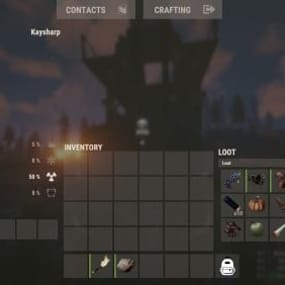
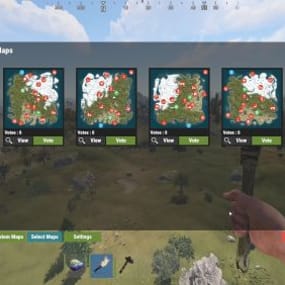
15 Screenshots

  • 269.7k
  • 20k
  • 58.51 kB

This area is for discussion and questions. Please use the support area for reporting issues or getting help.

Recommended Comments


Thunderchile

Posted

5 hours ago, Sapnu said:

just add this to the config  where the settings are for stone . {
  "Title": "Jungle",
  "Url": "https://www.dropbox.com/scl/fi/08cde6j2b6zeaqidgnboe/jungle1.png?rlkey=f7weizefuw4f3qmdihrogs7r9&st=td1uhk3q&dl=1",
  "SkinId": 10326
}


Works a treat!!!!!! Thanks so much and have a great weekend!

  • Like 2
BenDer

Posted (edited)

added "Jungle" and automatic configuration update because previously only the config version was updated without making changes with new skins)BuildingSkins.cs

Edited by BenDer
  • Like 3
Friedl

Posted (edited)

Hi,

anyone got that Error too after using /bskin? I can open the interface and choose a Skin, make apply and then this Error is on my Screen.

Only at Buildingskin.spacer.png


Edited by Friedl
  • Like 1
punchinelli

Posted

Yes - I am getting same error.

On 8/31/2025 at 3:19 AM, Friedl said:

Hi,

anyone got that Error too after using /bskin? I can open the interface and choose a Skin, make apply and then this Error is on my Screen.

Only at Buildingskin.spacer.png


punchinelli

Posted

On 8/31/2025 at 3:19 AM, Friedl said:

Hi,

anyone got that Error too after using /bskin? I can open the interface and choose a Skin, make apply and then this Error is on my Screen.

Only at Buildingskin.spacer.png


I was able to fix this by removing the reference to "mission_objective_complete.prefab" in the CS file.  Use with caution, but it fixed the problem.  I think it was simply trying to play the "mission complete" audio file when choosing a skin, and couldn't find it because the path changed or something.  Just delete the path in between the quotes, so it's left with just "".

  • Like 1
Friedl

Posted

On 10/19/2025 at 7:55 PM, punchinelli said:

I was able to fix this by removing the reference to "mission_objective_complete.prefab" in the CS file.  Use with caution, but it fixed the problem.  I think it was simply trying to play the "mission complete" audio file when choosing a skin, and couldn't find it because the path changed or something.  Just delete the path in between the quotes, so it's left with just "".

Worked for me. Thx Pal 😌

DeltaEremita

Posted

I've heard it that Facepunch have new policy, that cannot got us problem?

TheEye

Posted

On 10/19/2025 at 1:55 PM, punchinelli said:

I was able to fix this by removing the reference to "mission_objective_complete.prefab" in the CS file.  Use with caution, but it fixed the problem.  I think it was simply trying to play the "mission complete" audio file when choosing a skin, and couldn't find it because the path changed or something.  Just delete the path in between the quotes, so it's left with just "".

Sorry to reach out to you but I do not quite understand. Where it is. And what exactly I remove. What Line are you referring to sir? Is it Line #368?

And is this the area/line that you refer to?

 SoundEffect(player, "assets/prefabs/missions/effects/mission_objective_complete.prefab");

And how should this look when I complete this Line?

Like this?  SoundEffect(player, "");  I am not like you guys that understand coding and programs. So any help would sure be appreciated. Thank you.

Create an account or sign in to comment

You need to be a member in order to leave a comment

Create an account

Sign up for a new account in our community. It's easy!

Register a new account

Sign in

Already have an account? Sign in here.

Sign In Now
  • Like 18
  • Love 14

User Feedback

2.1m

Downloads

Total number of downloads.

10k

Customers

Total customers served.

145.4k

Files Sold

Total number of files sold.

3.1m

Payments Processed

Total payments processed.

×
×
  • Create New...

Important Information

We have placed cookies on your device to help make this website better. You can adjust your cookie settings, otherwise we'll assume you're okay to continue.