



About Animal Rush Event
AnimalRush Event
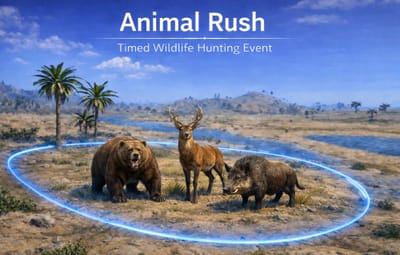
Create intense wildlife hotspot events where dangerous Rust animals gather in a temporary hunting zone, attracting players to compete for the highest kill count.
AnimalRush spawns a timed event area where animals appear inside a visible sphere. Players must enter the zone and hunt the wildlife while competing against other players for leaderboard rewards before the event ends.
The plugin is designed to be lightweight, configurable, and compatible
Features:
Dynamic Hunting Events
AnimalRush periodically spawns a hunting hotspot somewhere on the map.
When the event begins:
- A random valid location is selected
- A visible sphere marker appears
- Animals spawn inside the zone
- Players receive an event announcement
- A leaderboard tracks player kills
- Players compete to become the top hunter
The event ends when the timer expires or when all animals are killed.
Configurable Animal Categories:
AnimalRush uses a zone category system allowing server owners to define different types of hunting events.
Examples include:
- Predator Events (wolves, bears, tigers)
-
Mixed Wildlife Hunts
Each category can configure:
- Event radius
- Animal spawn counts
- Animal types
- Event duration
- Sphere color
- Announcement messages
Smart Spawn Location Validation:
AnimalRush uses multiple validation checks to ensure events spawn in fair and playable areas.
Spawn validation includes:
- Terrain slope checks
- Water and ocean prevention
- Monument avoidance
- Road and railway avoidance
- Dome area terrain sampling
- Minimum spacing between animals
This ensures animals spawn in accessible and balanced locations.
Leaderboard Kill Tracking:
During the event players compete to hunt the most animals.
The plugin tracks:
- Player kill counts
- Real-time leaderboard UI
- Top hunter of the event
At the end of the event the top player can receive configurable rewards.
Claimable Reward System:
AnimalRush includes a reward ticket system allowing players to claim rewards later.
Features include:
- Multiple rewards per win
- Item rewards with skins
- Custom item names and text
- Command rewards (Economics, ServerRewards, etc.)
- Offline reward storage
- Claim command support
Visual Event Indicators:
AnimalRush provides several visual elements to help players locate the event.
These include:
- Sphere event marker
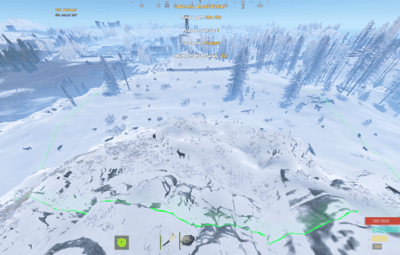
- Event UI panel
- Live leaderboard display
- Countdown timer
- Remaining animal counter
Animal Leash System:
Animals spawned during the event remain inside the event area.
The leash system:
- Prevents animals from roaming across the map
- Pulls animals back toward the event center
- Supports both Gen1 and Gen2 Rust AI animals
Cross-Event Protection:
AnimalRush can detect and avoid overlapping with other events.
Currently supported integrations:
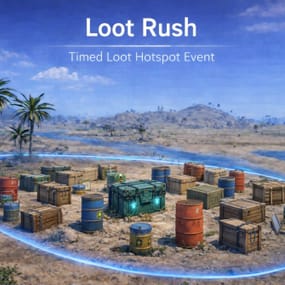
- LootRush
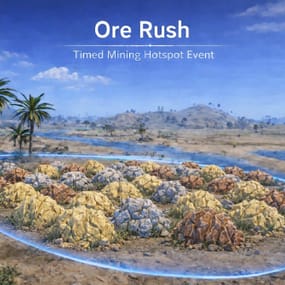
- OreRush
This prevents multiple events from spawning in the same location.
Example Configuration
{
  "Chat": {
    "Use Prefix": true,
    "Prefix": "<color=#89CFF0>[AnimalRush Event]</color> ",
    "Channel (0=Global)": 0,
    "Icon SteamId": 76561198888888888
  },
  "Event": {
    "Only Command Start Event": false,
    "Minimum Players to Start Event": 1,
    "Event Minimum Interval (seconds)": 3600,
    "Event Maximum Interval (seconds)": 7200,
    "Event Duration Seconds": 1200,
    "End Event When All Animals Are Dead": true,
    "Delay Before Event Ends When All Animals Are Dead (seconds)": 120.0,
    "Reminder Before Event Ends When All Animals Are Dead (seconds)": 30.0,
    "Allow Event To Spawn Near Monuments/Roads/Rails": false,
    "Minimum Distance From Monuments (meters) used When AllowEventToSpawnNearMonumentsRoadsRails = false": 75.0
  },
  "Announcements": {
    "Broadcast Start/End Messages": true,
    "Event Start Message": "<color=#ffd479>Animal Rush Event Started!</color>\n<color=white>An animal hotspot has appeared somewhere on the map.\nCheck your map for the marker!</color>",
    "Event End Message": "<color=#ffd479>Animal Rush Event</color> <color=white>has ended.</color>",
    "Play Start Notification Sound": true,
    "Start Sound FX #1 (empty = disabled)": "assets/bundled/prefabs/fx/invite_notice.prefab",
    "Start Sound FX #2 (empty = disabled)": "assets/bundled/prefabs/fx/item_unlock.prefab"
  },
  "Announcement Option 2": {
    "Enabled (Announcement Option 2)": false,
    "Warn When X Minutes Left (0 = disabled)": 10,
    "Start Message Header (RichText)": "<color=#ffd479>Animal Rush Event Started!</color>",
    "Animal List Header (RichText)": "<color=white>Possible Animals:</color>",
    "Start Message Footer (RichText)": "<color=white>Enter the zone and hunt or survive before the event disappears!</color>",
    "Warning Message (use {minutes})": "<color=#ffd479>Animal Rush</color>: <color=white>{minutes} minutes left!</color>",
    "End Message Header (RichText)": "<color=#ffd479>Animal Rush</color> ended!",
    "End Summary Message (use {category} and {count})": "<color=white>Category:</color> <color=#ffd479>{category}</color>\n<color=white>Animals Remaining:</color> <color=#ffd479>{count}</color>",
    "Play Start Notification Sound": true,
    "Start Sound FX #1 (empty = disabled)": "assets/bundled/prefabs/fx/invite_notice.prefab",
    "Start Sound FX #2 (empty = disabled)": "assets/bundled/prefabs/fx/item_unlock.prefab"
  },
  "UI": {
    "Show UI": true,
    "UI Update Interval Seconds": 1.0,
    "UI Use Handwriting Font": true,
    "UI Proximity Mode (only show when near dome)": false,
    "UI Proximity Range (meters)": 350.0,
    "Title": {
      "Enabled": true,
      "Text": "<color=#ffd479>Animal Rush Event</color>",
      "Anchor Min (x y)": "0.35 0.96",
      "Anchor Max (x y)": "0.65 0.99",
      "Font Size": 19
    },
    "Time": {
      "Enabled": true,
      "Text": "Time Left: <color=#ffd479>{time}</color>",
      "Anchor Min (x y)": "0.35 0.91",
      "Anchor Max (x y)": "0.65 0.95",
      "Font Size": 16
    },
    "Players Inside": {
      "Enabled": true,
      "Text": "Players Inside: <color=#ffd479>{0}</color>",
      "Anchor Min (x y)": "0.35 0.86",
      "Anchor Max (x y)": "0.65 0.90",
      "Font Size": 16
    },
    "Category": {
      "Enabled": true,
      "Text": "Category: <color=#ffd479>{category}</color>",
      "Anchor Min (x y)": "0.35 0.81",
      "Anchor Max (x y)": "0.65 0.85",
      "Font Size": 16
    },
    "Animals Remaining": {
      "Enabled": true,
      "Text": "Animals Remaining: <color=#ffd479>{count}</color>",
      "Anchor Min (x y)": "0.35 0.76",
      "Anchor Max (x y)": "0.65 0.80",
      "Font Size": 16
    }
  },
  "Leaderboard": {
    "Enable Stats Tracking": true,
    "Show Top Killers Count": 5,
    "Leaderboard Anchor Min (x y)": "0.18 0.68",
    "Leaderboard Anchor Max (x y)": "0.42 0.97",
    "Leaderboard Font Size": 12
  },
  "Top Killer Rewards": {
    "Reward Top Killer Player (claimable)": true,
    "Claim Command": "animalclaim",
    "Notify On Join If Unclaimed": true,
    "Notify Message": "<color=#ffd479>[AnimalRush]</color> You have <color=#55ff55>{0}</color> unclaimed rewards. Type <color=#ffd479>/{1}</color> to claim.",
    "Granted Message": "<color=#ffd479>[AnimalRush]</color> You earned a reward claim! Type <color=#ffd479>/{0}</color> to claim.",
    "Rewards": [
      {
        "Item Shortname (empty = none)": "supply.signal",
        "Skin ID": 0,
        "Amount": 1,
        "Name (optional)": "",
        "Text (optional)": "",
        "Commands": [
          "rp add {steamid} 10000"
        ]
      }
    ]
  },
  "Map Marker": {
    "Map Marker Enabled": true,
    "Map Marker Message": "ANIMAL RUSH EVENT",
    "Map Marker Radius (0.05 - 1.0)": 0.25,
    "Map Marker Alpha (0-1)": 0.7,
    "Map Marker Colour 1 (hex)": "#050505",
    "Map Marker Colour 2 (hex)": "#e5ff00"
  },
  "Default Sphere": {
    "Fallback Sphere Prefab Key blue/green/purple/red": "blue",
    "Fallback Sphere Radius (yards)": 70.0,
    "Sphere Visual Scale Multiplier (2.0 = matches radius)": 2.0,
    "Sphere Lerp Speed": 60.0
  },
  "Spawn Validation": {
    "Minimum Animal Spacing (meters)": 6.0,
    "Prevent animal spawning on water": true,
    "Maximum Terrain Slope Degrees": 22.0,
    "Dome Area Sample Count": 36,
    "Maximum Bad Sample Fraction (0-1)": 0.25,
    "Per Animal Spawn Attempts Multiplier": 30
  },
  "Animal Leash": {
    "Enabled": true,
    "Check Interval Seconds": 1.0,
    "Passive Buffer Meters": 4.0,
    "Aggressive Buffer Meters": 12.0,
    "Aggressive Max Outside Seconds": 6.0,
    "Soft Return Cooldown Seconds": 2.0,
    "Hard Return Cooldown Seconds": 5.0,
    "Hard Return Extra Distance Meters": 18.0,
    "Home Snap Radius Meters": 4.0,
    "Block Gen1 Retarget Outside Bounds": true,
    "Use Gen2 Target Reset On Hard Return": true,
    "Prevent Event Animals From Attacking Each Other": true
  },
  "Debug": {
    "Enabled": false
  }
}
AnimalRush also uses two data files:
- Allowed animal prefabs list
- Zone category configuration
These allow server owners to fully customize event behavior.
Commands:
Admin Commands:
- /animalrush start
- Starts the event at a random valid location.
- -------------------------------------------------------
- /animalrush starthere
- Starts the event at the admin’s position.
Player Commands
- /animalclaim
- Claim earned AnimalRush rewards.
Plugins by Duff
Discord: https://discord.gg/2KBPH7hXb7








.thumb.png.4e98ae710e5cbd49292252861c5078f5.png)