
Leaderboard




Popular Content
Showing content with the highest reputation since 03/29/2026 in Files
-
Version 1.0.0
3 downloads
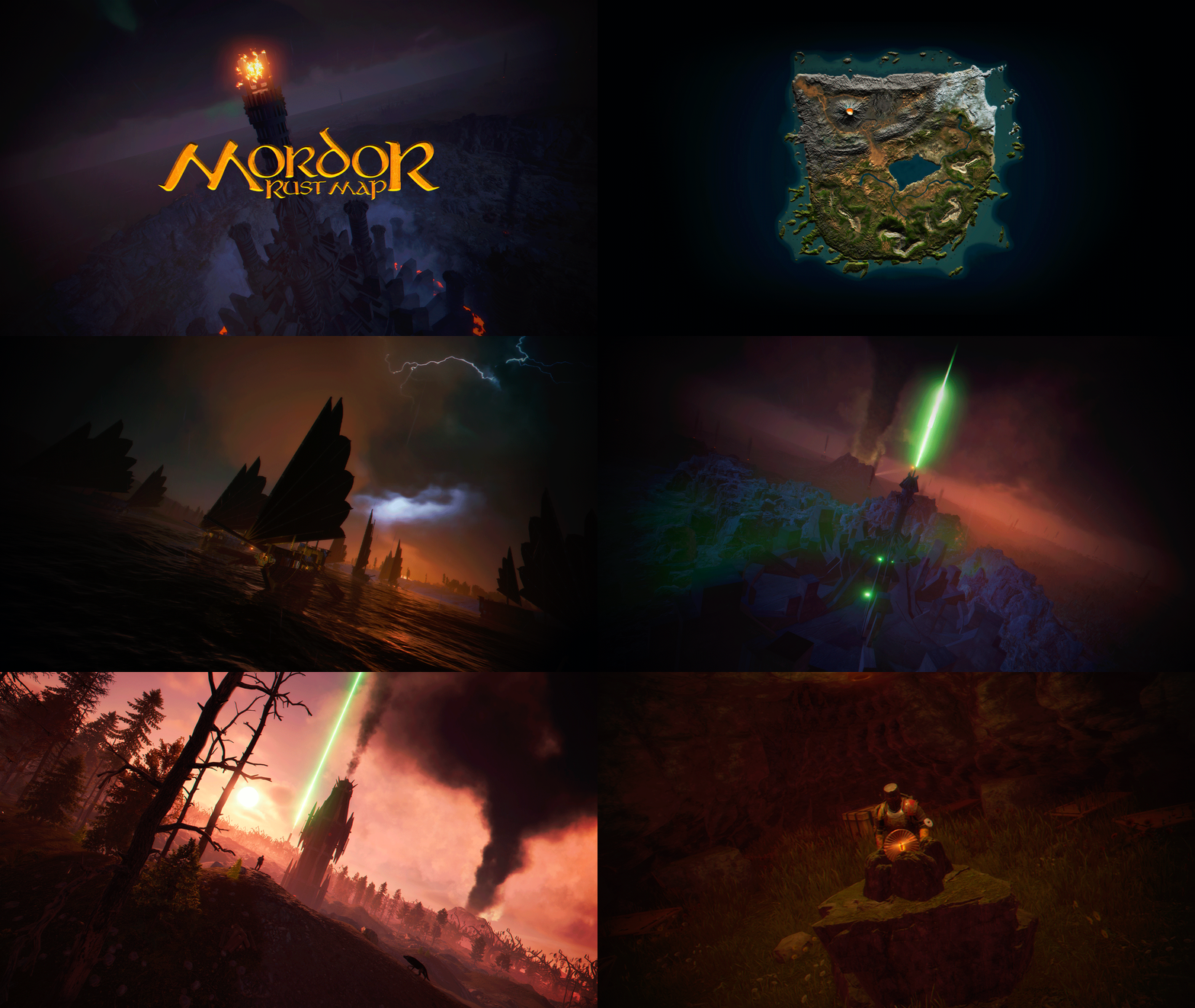
MORDOR is a medieval world designed and based on The Lord of the Rings saga. It features rocky and volcanic terrain, as well as flat areas for building. The Mordor map contains large custom-built construction zones, including a massive fortress with a vast flat area. This fortress is situated atop a cliff, which is guarded and surrounded by multiple flat construction zones for players. Two enormous flat areas have been provided for the Raidable Bases plugin; construction in these areas is blocked for players. FEATURES Size: 4000. Objects: 107076. Map protection plugin included. The map can be edited: Yes. PLAYER RESPAWN Players spawn in towers; these towers are scattered throughout the map and contain custom recyclers, workbenches, furnaces, a refinery, and a chimney. If you want players to spawn in the classic beach areas, you can edit the Mordor map using Rustedit by removing the “Spawn Point” volume. THE LOOT On the Mordor map, we’ve decided to set up the loot system a bit differently. We’ve created two loot tables: one is based on all the primitive-medieval items provided by Rust, while the second table contains resources and weapons. These chests feature a wooden design, and we’ve also included the classic medicine and food chests. The Loot table files have been provided so you can edit them to suit your needs. ELECTRICITY AND PUZZLES Mordor is a map for players seeking a medieval style; there is no electricity on this map, nor does it include any puzzles involving electricity or security cards (Green Card, Blue Card, Red Card). This map contains location-based puzzles and parkour-style puzzles with traps and drops into the void. In Mordor, there are no markers for monument locations; Mordor is designed so that players explore and discover on their own places that will remind them of The Lord of the Rings saga. THE NPCS The NPC spawning system consists of two free plugins. One plugin spawns the NPCs, while the other plugin provides them with clothing, loot, and weapons. You can edit or modify the appearance or content of the NPCs to suit your needs. THE MONUMENTS Players must explore the map to find each Monument; Monuments are located both on the surface and beneath the map. List of Monuments: Towers. Dock. Black Ships. Lumberjack Huts. Orc Fortresses. Allied Fortress with a construction zone. Multiple construction zones. Orc Camps. Orc Villages. Caves. Caves with construction zones. Maze. Giant Arena Zone: This zone is designed for two events: “Death Match” and “Last Man Standing”. It is fully configured and ready for use; the Mordor map contains the configuration files for all necessary plugins. Torrech Ungol, the lair of the spider Shelob. Morgul Mines, stronghold of the Witch-King. The Black Gate. Barad-dûr, the great tower of the Eye of Sauron. Orodruin, Mount Doom, the volcano where Sauron’s Ring was destroyed. Secret locations. OFFICIAL MONUMENTS - Does not contain any Official Monuments. IMAGES FOR FLAGS • Flags of Gondor and Mordor included. TIPS • Set your server to Primitive mode. • Use a plugin to control the weather and create a spooky atmosphere with clouds, thunder, and a dark sky. • Have fun SUPPORT: https://discord.badgyver.com$49.905 points -
Version 1.0.0
8 downloads
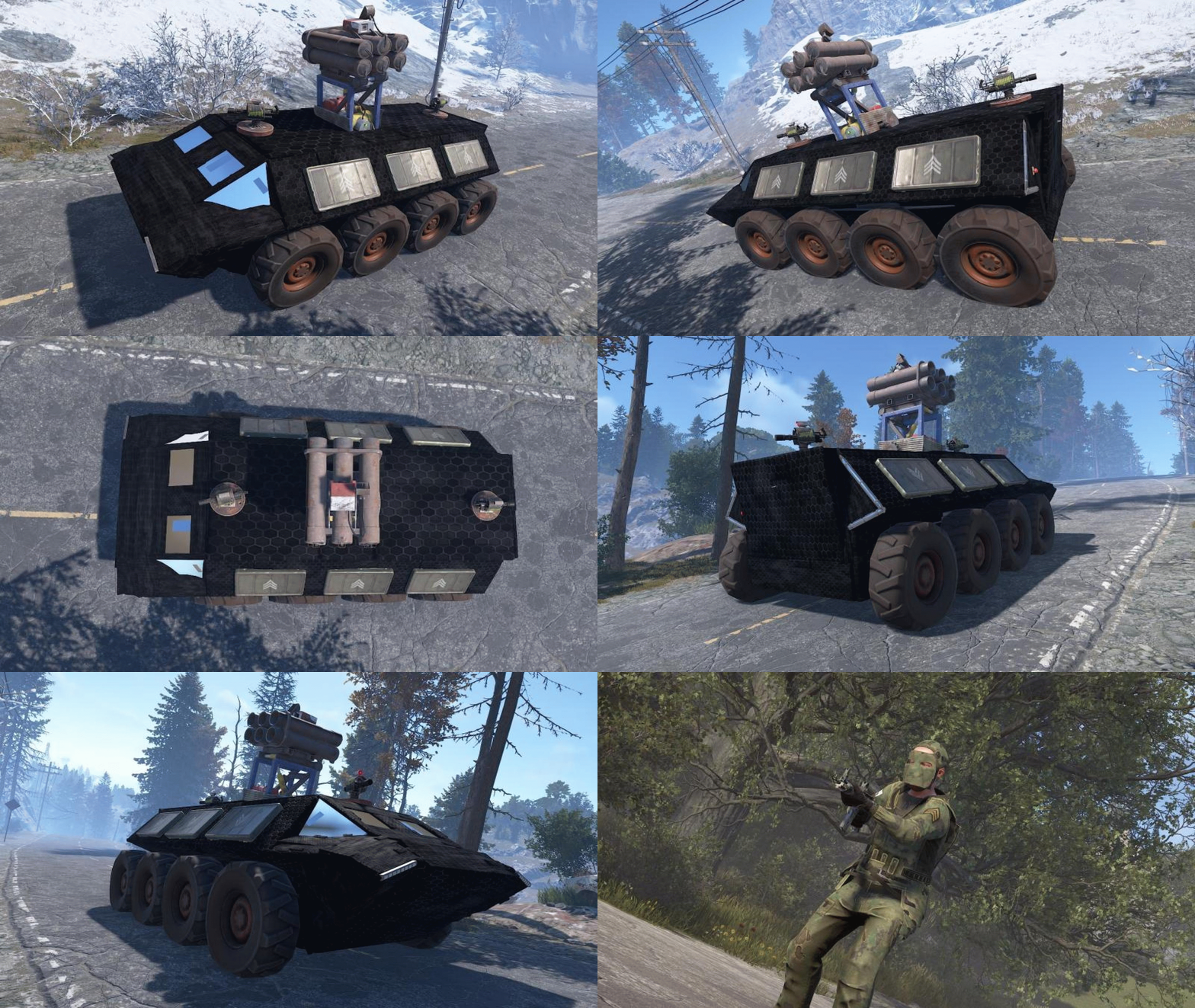
First off all, thank you for getting to this page. I wanted to create some cool configs for convoy using the Karuza Vehicles, so i did. If you dont have the Karuza part of things you can still enjoy my NPC and Crate Presets! And now to the important part What's included: Custom Sam Site config Custom Turret config Custom NPC config Custom Crate presets Vehicle settings you need to adjust on your Dashboard Vehicle implementation for convoy Config for the Ares T comes with 2 Turrets, 1 Sam Site, 6 Elite Crates and 12 NPC's. Installation instructions are included in the ZIP file.Free3 points -

Version 1.0.0
9 downloads
VOLCANO ISLAND – 4500K CREATIVE RUST MAP Volcano Island is a visually beautiful and fun to explore, builder-friendly 4500k Rust map loaded with every major monument and 50+ custom build spots marked with an "X". Designed for smooth performance, focusing on extreme low entity counts for a lag free experience, creative freedom, and competitive gameplay. Your players will NEVER run out of places to build on this Map! What Makes It Special 50+ Custom Build Zones marked with an "X" on the Map!!! The most buildable location for any Map of mine yet! Fully connected train tracks + underground rails for fast travel and tactical control Endless Custom Buildable areas/Caves/Rock Formations that players will love! Beautiful Volcano Mountains and Valleys players can Build on Diverse terrain: forests, deserts, coasts, cliffs, valleys & plateaus Perfect for solos, clans, builders, and high-pop servers. Low-prefab, FPS-friendly buildables: Custom caves Underwater Locations to build a base Hidden structures Unique build pockets Works with all Popular Events Plugins like Convoy, ArmoredTrain, Raidable Bases, Sputnik, Airfield Event and many more! All Facepunch Monuments Included Launch Site • Military Tunnels • Military Base • Silo • Airfield • Power Plant • Water Treatment • Trainyard • Harbors • Outpost • Excavator • Large Oil Rig • Small Oil Rig • Arctic Base • Junkyard • Sphere Tank • Satellite Dish • Ferry Terminal • Sewer Branch • Abandoned Supermarket • Oxum's Gas Station • Mining Outpost • Lighthouse • Bandit Camp • Fishing Village • Large Barn • Underwater Labs • Stone Quarry • Sulfur Quarry • HQM Quarry • Underwater Labs • Abandoned Cabins • Jungle Ziggurat • Jungle Ruins • Caves • Ranch — and more. Map Info Size: 4500k Prefabs: ~10,281 Support Discord: Dymize_$29.993 points -
Version 1.0.0
4 downloads
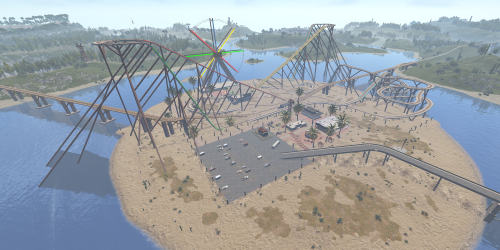
Welcome to ThemePark Island An expansive and meticulously crafted custom map for Rust, brought to you by the combined efforts of Silent Creations and Explosive Shart. This map blends high-octane thrill-seeking with gritty, urban survival. Whether you’re riding a functional coaster or navigating the trap-filled halls of a medical center, ThemePark Island offers a fresh gameplay loop for PVP and PVE servers alike. Featured Custom Monuments The Theme Park The crown jewel of the island. This isn't just a static monument—it features a fully functional, custom-coded rollercoaster. Scale the heights for a view of the island before diving into the chaos below. Loot: High-density loot spawns throughout the park. Puzzles: Includes both Green and Blue keycard puzzle rooms. The 2 Gorges Dam A massive, custom-built architectural marvel. The dam dominates the landscape, offering scenic vistas and deep, dark secrets. Underground Puzzles: Navigate multiple puzzle rooms hidden deep within the structure. Tactical Depth: Perfect for long-range engagements or sneaky subterranean looting. Black Rock City A sprawling urban center that feels like a lived-in wasteland. Black Rock Medical Center: Enter at your own risk. This landmark is rigged with traps, multiple puzzles, and enough loot to supply an entire clan. Custom Car Dealership: A unique urban addition for those looking to secure high-tier parts. Pine Bluff A smaller, dense city center for quick skirmishes and essential supplies. Interiors: Explore a replica McDonald’s and a completely custom Supermarket. Puzzles: Features multiple puzzles and heavy loot concentrations. Mills Trailer Park An eerie, abandoned residential area. Puzzles: Features 2x Green Card puzzles and 1x Blue Card puzzle, making it a high-value stop for progression. Additional Points of Interest 7-Eleven: That’s right—a faithful replica of the iconic convenience store for all your raiding snack needs. Fuel Depot: An abandoned facility located in the snow biome, featuring a working Pumpjack and a Green Card puzzle. Rose Hill Development: An unfinished construction site offering unique verticality and parkour opportunities. Green Houses: Small botanical structures perfect for picking up plants and quick loot. Map Size 4500 Prefab Count #39057 Facepunch Monuments ThemePark Island includes a full suite of classic monuments to ensure a balanced Rust experience: Tier 3: Launch Site, Arctic Research, Large Oil Rig, Small Oil Rig, Military Tunnel, Giant Excavator. Tier 2: Airfield, Trainyard, Ferry Terminal, Rad Town, Jungle Ziggurat, Large/Small Harbor. Tier 1: & Utilities: Bandit Camp, 3x Mining Outpost, 3x Oxums, Lighthouse, Supermarket, Large Barn, Ranch, Abandoned Cabins, Fishing Villages, 3x Water Well. Resources: Stone, HQM, and Sulfur Quarries. Acknowledgements A massive thank you to those who helped bring this project to life: Substrata: For the incredible work on the custom rollercoaster plugin. Milky: For the stellar work on the promotional video. MrLiquid & the Luffy Map Testing Team: For their dedication to polishing and balancing the map. For any Assistance or questions Please contact me on Discord @ https://discord.gg/HNhPTPZVmd$49.902 points -

Version 1.0.1
1 download
Water Wheel Bot lets players hire an NPC worker that physically mounts their water wheel and turns it for them, generating electricity on autopilot. Choose between Walk and Run modes to balance power output vs. stamina drain, pick a rental duration, and pay with your server's economy. The worker stands beside the wheel as an interactive NPC, talk to them to hire, hit the wheel with a hammer to check status, or feed them food to keep their stamina up. [ ! ] PLEASE KEEP IN MIND THAT CERTAIN SERVER HOSTS DO NOT ALLOW YOU [ ! ] [ ! ] TO IMPORT FILES/DLLS, WHICH THIS PLUGIN REQUIRES YOU TO [ ! ] INCLUDED DLL EXTENSIONS REQUIRED VIDEO PREVIEW HERE How It Works Place a Water Wheel and connect it to your electrical system Hit it with a Hammer to open the hire menu (you'll need the permission waterwheelbot.use to access this UI) Select a mode (Walk or Run) and a rental duration Confirm the hire : the NPC mounts the wheel and starts generating power Monitor status via the proximity HUD or full management panel Feed the worker food to keep stamina up and maintain power output Dismiss early for a pro-rated refund, or let the shift expire naturally Main Features NPC Worker System : A fully clothed NPC spawns beside the water wheel, mounts it when hired, and physically operates it for the rental duration Walk & Run Modes : Walk mode produces less power but drains stamina slowly; Run mode produces full power at higher stamina cost and rental price Configurable Rental Durations : Default options from 30 minutes to 24 hours, fully customizable with per-tier pricing Stamina System : Workers lose stamina over time. Below the low threshold, power output scales down. At zero stamina, power stops completely Feed Your Worker : Use food from your inventory to restore stamina. Each food item has a configurable restore value (apples, cooked meat, chocolate, canned food, etc.) Proximity HUD : A compact animated status bar appears when you're near an active water wheel, showing time remaining, stamina, and power output Full Status Panel : Detailed management UI with mode toggle, feed button, dismiss button, and live power/stamina/time bars Multiple Interaction Methods: Talk to the NPC to hire or check status Hit the water wheel with a hammer Try to mount an occupied wheel Animated UI : Smooth slide-in/fade animations Economy Integration : Supports Scrap, Economics, ServerRewards, IQEconomic, ShoppyStock, and BankSystem Pro-Rated Refunds : Dismiss a worker early and receive a partial refund based on remaining time (configurable refund rate) Persist Across Restarts : Active bots, stamina, mode, and expiration all saved and restored on server restart Customizable Bot Appearance : Configure clothing items and skins for the worker NPC Fully Configurable UI Colors : 15+ color settings for complete theme control Permissions Config$14.991 point -

Version 1.0.0
4 downloads
Description FileWatcher monitors your server’s config and lang JSON files and automatically reloads the affected plugin when changes are detected. This is aimed at faster iteration while developing or tuning plugins — edit JSON, save, and the plugin reloads itself. Features Config + Lang monitoring - Watches oxide/config/*.json - Watches oxide/lang/**.json (including subfolders) Safe reload behavior - Debounce (1s): prevents multiple reloads while a file is still being written - Reload cooldown (20s): prevents reload loops and spam - Ignore list: exclude specific plugins from being reloaded - Always ignores FileWatcher itself Stability - If the watcher throws errors, it auto-restarts itself after 5 seconds Debug mode - Optional debug output for watcher init, file changes, cooldown/debounce decisions, etc. Commands /fwstatus Shows watcher status (Config/Lang on/off) and ignored count. Admin only. Permissions No Oxide permission is used. Access is gated by player.IsAdmin. Config { "Watch config folder": true, "Watch lang folder": true, "Ignored plugins": [ "PermissionManager" // This is an example. ], "Debug mode": false } load, run, enjoy$3.551 point -
Version 2.3.0
332 downloads
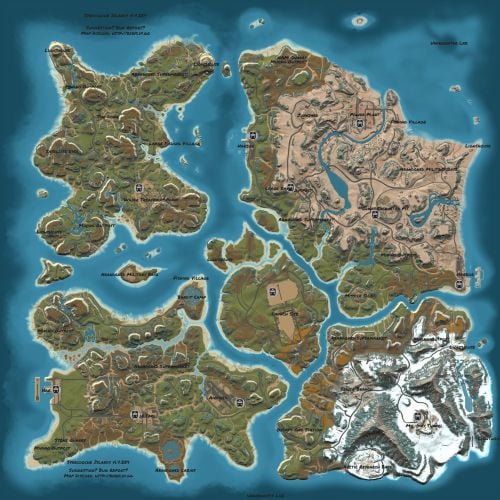
Welcome to SYNECDOCHE! Synecdoche (noun) Sin-eck-doh-key: A figure of speech in which a part is made to represent the whole. Crafted over the course of years, this map offers something extraordinarily rare in this community. Custom monuments are amazing and fun to explore! I've seen so much hard work go into them and people have made some really cool stuff. However, custom monuments are only a small part of the level design in Rust. A Map Focused on Detail, no matter where you are: But who would be insane enough to do such a thing? And how would it be possible? A 4k Rust map is 16 square kilometers. To make this feel like a real place, and give each space the attention to detail it needs demands thousands of hours working with consistent standards. This is why almost all of the maps aside from a handful on these sites will choose to use some form of procedural generation, and what makes synecdoche so uncommon. Every square meter was hand crafted with care, to make a place that feels alive and fantastical. it's what makes the map feel so beautiful. Still Not Convinced? Well, here's some of the feedback we've gotten from the community! Where Reality Meets Fantasy Each and every spot on the map was precisely manicured to feel unique and significant. Every rock has its purpose, and every nook and cranny was deliberately sculpted to inspire exploration. There are no locations on the map that were forgotten or left behind. Each location plays its part to represent the world as a whole. Information and Specifics: This map includes only vanilla monuments and can be run under the community tab. It does not require any 3rd party dependencies, not even the RustEdit Oxide DLL. However, you will need to place the included Harmony mod in you harmony folder to prevent Cargoship from leaving the map while it docks at the northern harbor. Size: 4096 x 4096 Entity Count: ~68,000 Prefab Count: ~16,000 Can Edit: True Required Plugins: Block CargoShip Egress (Included with Map Download) Monuments Junkyard Trainyard Outpost Bandit Camp Fishing Village (X3) Missile Silo Arctic Research Base Military Base (X2) Airfield Water Treatment Plant Sewer Branch (X2) Satellite Dish The Dome Harbor (X3) Military Tunnel Launch Site Power Plant Mining outpost (X7) Oxum's Gas Station Supermarket (X3) Lighthouse (X5) Abandoned Cabins Oil Rigs (large and small) Caves Underground train system Aboveground train system Underwater Labs (X2) Featured Videos:$69.691 point -

Version 0.1.8
1,161 downloads
Useful plugin for managing temporary permissions, temporary groups and temporary permissions for groups. This is done through chat commands, built-in Oxide commands, and API methods. Note: The dates is in UTC format. The ability to grant players temporary permissions by specifying either the number of seconds, an exact expiration date or until the wipe occurs; The ability to add players to temporary groups by specifying either the number of seconds, an exact expiration date or until the wipe occurs; The ability to grant groups temporary permissions by specifying either the number of seconds, an exact expiration date or until the wipe occurs; The ability to revoke temporary permissions from players and groups prematurely; The ability to remove players from groups prematurely; The ability to perform all the above actions using existing and familiar console commands(e.g., o.grant), simply by adding the number of seconds, the expiration date or the word "wipe" at the end; The ability to perform all the above actions using a chat command (by default /tperm); The ability to perform all the above actions using API methods; The ability to remove all temporary permissions and groups upon wipe detection. temporarypermissions.admin - Grants access to the admin command(by default /tperm). { "Chat command": "myperm", "Chat admin command": "tperm", "Is it worth enabling GameTips for messages?": true, "List of language keys for creating language files": [ "en" ], "Is it worth saving logs to a file?": true, "Is it worth using console logging?": true, "Interval in seconds for expiration check": 1.0, "Interval in seconds for checking the presence of temporary permissions and temporary groups. A value of 0 disables the check": 600.0, "Is it worth restoring removed temporary permissions and temporary groups if the timer hasn't expired? There are cases where removal cannot be tracked in the usual way": true, "Is it worth revoking temporary permissions and temporary groups when unloading the plugin, without removing them from the data file?": true, "Is it worth revoking temporary permissions and temporary groups that haven't expired yet upon detecting a wipe?": false, "Custom wipe date(detected only during initialization). Only required if you're experiencing issues with the Wipe ID. Leave empty to use the Wipe ID. Example: 2025-06-25 13:00": "", "Wipe ID": null, "Version": { "Major": 0, "Minor": 1, "Patch": 8 } } EN: { "CmdAdmin": "Available admin commands:\n\n<color=#D1CBCB>/tperm</color> <color=#D1AB9A>grant user *nameOrId* realpve.vip wipe</color> - Grants or extends the specified permission for the specified player until the end of the current wipe\n<color=#D1CBCB>/tperm</color> <color=#D1AB9A>grant user *nameOrId* realpve.vip *intValue* *boolValue*(optional)</color> - Grants or extends the specified permission for the specified player for the given number of seconds\n<color=#D1CBCB>/tperm</color> <color=#D1AB9A>grant user *nameOrId* realpve.vip *expirationDate* *assignmentDate*(optional)</color> - Grants or extends the specified permission for the specified player until the given date\n<color=#D1CBCB>/tperm</color> <color=#D1AB9A>grant group *groupName* realpve.vip wipe</color> - Grants or extends the specified permission for the specified group until the end of the current wipe\n<color=#D1CBCB>/tperm</color> <color=#D1AB9A>grant group *groupName* realpve.vip *intValue* *boolValue*(optional)</color> - Grants or extends the specified permission for the specified group for the given number of seconds\n<color=#D1CBCB>/tperm</color> <color=#D1AB9A>grant group *groupName* realpve.vip *expirationDate* *assignmentDate*(optional)</color> - Grants or extends the specified permission for the specified group until the given date\n<color=#D1CBCB>/tperm</color> <color=#D1AB9A>revoke user *nameOrId* realpve.vip</color> - Revokes the specified permission from the specified player\n<color=#D1CBCB>/tperm</color> <color=#D1AB9A>revoke group *groupName* realpve.vip</color> - Revokes the specified permission from the specified group\n<color=#D1CBCB>/tperm</color> <color=#D1AB9A>add *nameOrId* *groupName* wipe</color> - Adds or extends the specified player's membership in the specified group until the end of the current wipe\n<color=#D1CBCB>/tperm</color> <color=#D1AB9A>add *nameOrId* *groupName* *intValue* *boolValue*(optional)</color> - Adds or extends the specified player's membership in the specified group for the given number of seconds\n<color=#D1CBCB>/tperm</color> <color=#D1AB9A>add *nameOrId* *groupName* *expirationDate* *assignmentDate*(optional)</color> - Adds or extends the specified player's membership in the specified group until the given date\n<color=#D1CBCB>/tperm</color> <color=#D1AB9A>remove *nameOrId* *groupName*</color> - Removes the specified player from the specified group\n<color=#D1CBCB>/tperm</color> <color=#D1AB9A>wipe *wipeDate*</color> - Set a custom wipe date. Used in case of issues with the Wipe ID. Format: yyyy-MM-dd HH:mm\n<color=#D1CBCB>/tperm</color> <color=#D1AB9A>wipe reset</color> - Reset the custom wipe date\n\n<color=#D1CBCB>Optional values:</color>\n*boolValue* - If false(default) and an existing permission or group membership has not expired, the specified time will be added to the existing time. Otherwise, including when true, the specified time will be counted from the current time\n*assignmentDate* - If the assignment date is not specified and there is no existing permission or group membership, the assignment date will be set to the current time. If the assignment date is specified, it will be applied regardless of existing permissions or group memberships\n\n--------------------------------------------------", "CmdPermissionNotFound": "Permission '{0}' not found!", "CmdPlayerNotFound": "Player '{0}' not found! You must provide the player's name or ID.", "CmdMultiplePlayers": "Multiple players found for '{0}': {1}", "CmdGroupNotFound": "Group '{0}' not found!", "CmdGrantWrongFormat": "Incorrect command format! Example: /tperm grant user/group *nameOrId* realpve.vip *secondsOrDateTime*", "CmdRevokeWrongFormat": "Incorrect command format! Example: /tperm revoke user/group *nameOrId* realpve.vip", "CmdUserGroupWrongFormat": "Incorrect command format! Example: /tperm group add/remove *nameOrId* *groupName*", "CmdUserGranted": "Permission '{0}' granted to player '{1}'.", "CmdGroupGranted": "Permission '{0}' granted to group '{1}'.", "CmdUserGroupAdded": "Player '{0}' has been added to group '{1}'.", "CmdUserRevoked": "Permission '{0}' has been revoked for player '{1}'.", "CmdGroupRevoked": "Permission '{0}' has been revoked for group '{1}'.", "CmdUserGroupRemoved": "Player '{0}' has been removed from group '{1}'.", "CmdWipeNew": "New wipe date successfully set to '{0}'. The wipe will take effect only after the plugin is loaded following this date.", "CmdWipeReset": "The custom wipe date has been reset. The wipe is now determined by the Wipe ID.", "CmdWipeFailed": "The specified date '{0}' has an invalid format(yyyy-MM-dd HH:mm) or has already passed. Example: '{1}'.", "CmdCheckNoActive": "You have no active temporary permissions or temporary groups!", "CmdCheckTargetNoActive": "Player '{0}' has no active temporary permissions or temporary groups!", "CmdCheckPermissions": "<color=#D1AB9A>You have {0} temporary permissions(time in UTC):</color>\n{1}", "CmdCheckGroups": "<color=#D1AB9A>You have {0} temporary groups(time in UTC):</color>\n{1}", "CmdCheckTargetPermissions": "<color=#D1AB9A>Player '{2}' has {0} temporary permissions(time in UTC):</color>\n{1}", "CmdCheckTargetGroups": "<color=#D1AB9A>Player '{2}' has {0} temporary groups(time in UTC):</color>\n{1}", "CmdCheckFormatPermissions": "'{0}' - {1}({2})", "CmdCheckFormatGroups": "'{0}' - {1}({2})", "CmdUntilWipe": "Until Wipe" } RU: { "CmdAdmin": "Доступные админ команды:\n\n<color=#D1CBCB>/tperm</color> <color=#D1AB9A>grant user *имяИлиАйди* realpve.vip wipe</color> - Выдать или продлить указанный пермишен указанному игроку до конца текущего вайпа\n<color=#D1CBCB>/tperm</color> <color=#D1AB9A>grant user *имяИлиАйди* realpve.vip *числовоеЗначение* *булевоеЗначение*(опционально)</color> - Выдать или продлить указанный пермишен указанному игроку на указанное количество секунд\n<color=#D1CBCB>/tperm</color> <color=#D1AB9A>grant user *имяИлиАйди* realpve.vip *датаИстечения* *датаНазначения*(опционально)</color> - Выдать или продлить указанный пермишен указанному игроку до указанной даты\n<color=#D1CBCB>/tperm</color> <color=#D1AB9A>grant group *имяГруппы* realpve.vip wipe</color> - Выдать или продлить указанный пермишен указанной группе до конца текущего вайпа\n<color=#D1CBCB>/tperm</color> <color=#D1AB9A>grant group *имяГруппы* realpve.vip *числовоеЗначение* *булевоеЗначение*(опционально)</color> - Выдать или продлить указанный пермишен указанной группе на указанное количество секунд\n<color=#D1CBCB>/tperm</color> <color=#D1AB9A>grant group *имяГруппы* realpve.vip *датаИстечения* *датаНазначения*(опционально)</color> - Выдать или продлить указанный пермишен указанной группе до указанной даты\n<color=#D1CBCB>/tperm</color> <color=#D1AB9A>revoke user *имяИлиАйди* realpve.vip</color> - Снять указанный пермишен у указанного игрока\n<color=#D1CBCB>/tperm</color> <color=#D1AB9A>revoke group *имяГруппы* realpve.vip</color> - Снять указанный пермишен у указанной группы\n<color=#D1CBCB>/tperm</color> <color=#D1AB9A>add *имяИлиАйди* *имяГруппы* wipe</color> - Добавить или продлить пребывание в указанной группе указанному игроку до конца текущего вайпа\n<color=#D1CBCB>/tperm</color> <color=#D1AB9A>add *имяИлиАйди* *имяГруппы* *числовоеЗначение* *булевоеЗначение*(опционально)</color> - Добавить или продлить пребывание в указанной группе указанному игроку на указанное количество секунд\n<color=#D1CBCB>/tperm</color> <color=#D1AB9A>add *имяИлиАйди* *имяГруппы* *датаИстечения* *датаНазначения*(опционально)</color> - Добавить или продлить пребывание в указанной группе указанному игроку до указанной даты\n<color=#D1CBCB>/tperm</color> <color=#D1AB9A>remove *имяИлиАйди* *имяГруппы*</color> - Отменить пребывание в указанной группе указанному игроку\n<color=#D1CBCB>/tperm</color> <color=#D1AB9A>wipe *датаВайпа*</color> - Установка кастомной даты вайпа. Используется при проблемах с Wipe ID. Формат: yyyy-MM-dd HH:mm\n<color=#D1CBCB>/tperm</color> <color=#D1AB9A>wipe reset</color> - Сброс кастомной даты вайпа\n\n<color=#D1CBCB>Опциональные значения:</color>\n*булевоеЗначение* - Если false(по умолчанию) и существующий пермишен или группа не истекли, указанное время будет добавлено к существующему времени. В противном случае, в т.ч. при true, указанное время будет отсчитываться от текущего времени\n*датаНазначения* - Если дата назначения не указана и нет существующего пермишена или группы, дата назначения будет равна текущей. Если дата назначения указана, то вне зависимости от существования пермишенов или групп, присвоится указанная дата\n\n--------------------------------------------------", "CmdPermissionNotFound": "Пермишен '{0}' не найден!", "CmdPlayerNotFound": "Игрок '{0}' не найден! Вы должны указать имя или ID игрока.", "CmdMultiplePlayers": "По значению '{0}' найдено несколько игроков: {1}", "CmdGroupNotFound": "Группа '{0}' не найдена!", "CmdGrantWrongFormat": "Не верный формат команды! Пример: /tperm grant user/group *имяИлиАйди* realpve.vip *секундыИлиДата*", "CmdRevokeWrongFormat": "Не верный формат команды! Пример: /tperm revoke user/group *имяИлиАйди* realpve.vip", "CmdUserGroupWrongFormat": "Не верный формат команды! Пример: /tperm group add/remove *имяИлиАйди* *имяГруппы*", "CmdUserGranted": "Пермишен '{0}' выдан игроку '{1}'.", "CmdGroupGranted": "Пермишен '{0}' выдан группе '{1}'.", "CmdUserGroupAdded": "Игрок '{0}' был добавлен в группу '{1}'.", "CmdUserRevoked": "Пермишен '{0}' был удален для игрока '{1}'.", "CmdGroupRevoked": "Пермишен '{0}' был удален для группы '{1}'.", "CmdUserGroupRemoved": "Игрок '{0}' был удален из группы '{1}'.", "CmdWipeNew": "Новая дата вайпа успешно установлена на '{0}'. Вайп вступит в силу только при загрузке плагина после этой даты.", "CmdWipeReset": "Кастомная дата вайпа была сброшена. Вайп снова определяется по Wipe ID.", "CmdWipeFailed": "Указанная дата '{0}' имеет неверный формат(yyyy-MM-dd HH:mm) или уже прошла. Пример: '{1}'.", "CmdCheckFormatGroups": "'{0}' - {1}({2})", "CmdCheckNoActive": "У вас нет активных временных пермишенов или временных групп!", "CmdCheckTargetNoActive": "У игрока '{0}' нет активных временных пермишенов или временных групп!", "CmdCheckPermissions": "<color=#D1AB9A>У вас есть {0} временных пермишенов(время по UTC):</color>\n{1}", "CmdCheckGroups": "<color=#D1AB9A>У вас есть {0} временных групп(время по UTC):</color>\n{1}", "CmdCheckTargetPermissions": "<color=#D1AB9A>У игрока '{2}' есть {0} временных пермишенов(время по UTC):</color>\n{1}", "CmdCheckTargetGroups": "<color=#D1AB9A>У игрока '{2}' есть {0} временных групп(время по UTC):</color>\n{1}", "CmdCheckFormatPermissions": "'{0}' - {1}({2})", "CmdUntilWipe": "До вайпа" } /myperm - Displays a list of all your temporary permissions and temporary groups; /myperm *NameOrId* - Displays a list of all temporary permissions and temporary groups of the specified player. Permission "temporarypermissions.admin" required. Admin commands(/tperm). Permission "temporarypermissions.admin" required: grant - Grants a temporary permission to a player or group. user *NameOrId* realpve.vip wipe - Grants a temporary permission to a player until the next wipe by specifying the player's name or Id, the permission name and the word "wipe"; *NameOrId* realpve.vip 3600 true/false - Grants a temporary permission to a player by specifying the player's name or Id, the permission name, the number of seconds and true/false(optional). If false(default) and an existing permission has not expired, the specified time will be added to the existing time. Otherwise, including when true, the specified time will be counted from the current time; *NameOrId* realpve.vip "2024-08-19 17:57" "2024-08-19 16:57" - Grants a temporary permission to a player by specifying the player's name or Id, the permission name, the expiration date and the assigned date(optional). If the assignment date is not specified and there is no existing permission, the assignment date will be set to the current time. If the assignment date is specified, it will be applied regardless of existing permissions. group *GroupName* realpve.vip wipe - Grants a temporary permission to a group until the next wipe by specifying the group's name, the permission name and the word "wipe"; *GroupName* realpve.vip 3600 true/false - Grants a temporary permission to a group by specifying the group's name, the permission name, the number of seconds, and true/false(optional). If false(default) and an existing group membership has not expired, the specified time will be added to the existing time. Otherwise, including when true, the specified time will be counted from the current time; *GroupName* realpve.vip "2024-08-19 17:57" "2024-08-19 16:57" - Grants a temporary permission to a group by specifying the group's name, the permission name, the expiration date and the assigned date(optional). If the assignment date is not specified and there is no existing group membership, the assignment date will be set to the current time. If the assignment date is specified, it will be applied regardless of existing group memberships. revoke - Revokes a temporary permission from a player or group. user *NameOrId* realpve.vip - Revokes a temporary permission from a player by specifying the player's name or Id and the permission name; group *GroupName* realpve.vip - Revokes a temporary permission from a group by specifying the group's name and the permission name. add - Temporary addition of a player to a group. *NameOrId* *GroupName* wipe - Temporary addition of a player to a group until the next wipe by specifying the player's name or Id, the group name and the word "wipe"; *NameOrId* *GroupName* 3600 true/false - Temporary addition of a player to a group by specifying the player's name or Id, the group name, the number of seconds, and true/false(optional). If true, the specified seconds will count from the current moment, otherwise(default), they will be added to the existing time; *NameOrId* *GroupName* "2024-08-19 17:57" "2024-08-19 16:57" - Temporary addition of a player to a group by specifying the player's name or Id, the group name, the expiration date and the assigned date(optional). If not specified, the assigned date will default to the current date, otherwise, it will be set to the provided date. remove *NameOrId* *GroupName* - Removal of a player from a temporary group by specifying the player's name or Id and the group name. wipe - Setting a custom wipe date. Used if you're experiencing issues with using the Wipe ID. *wipeDate* - Set a custom wipe date(yyyy-MM-dd HH:mm). Used in case of issues with the Wipe ID; reset - Reset the custom wipe date. Example: /tperm grant user iiiaka realpve.vip wipe /tperm grant user iiiaka realpve.vip 3600 true /tperm grant user iiiaka realpve.vip "2024-08-19 17:57" "2024-08-19 16:57" /tperm wipe "2025-06-25 13:00" Note: To access the commands, the player must be an admin(console or owner) or have the temporarypermissions.admin permission. P.S. Templates for the commands above can also be used with existing console commands. For example: o.grant user iiiaka realpve.vip 3600 true All developer documentation can be found in the Docs section.Free1 point -
Version 1.0.3
32 downloads
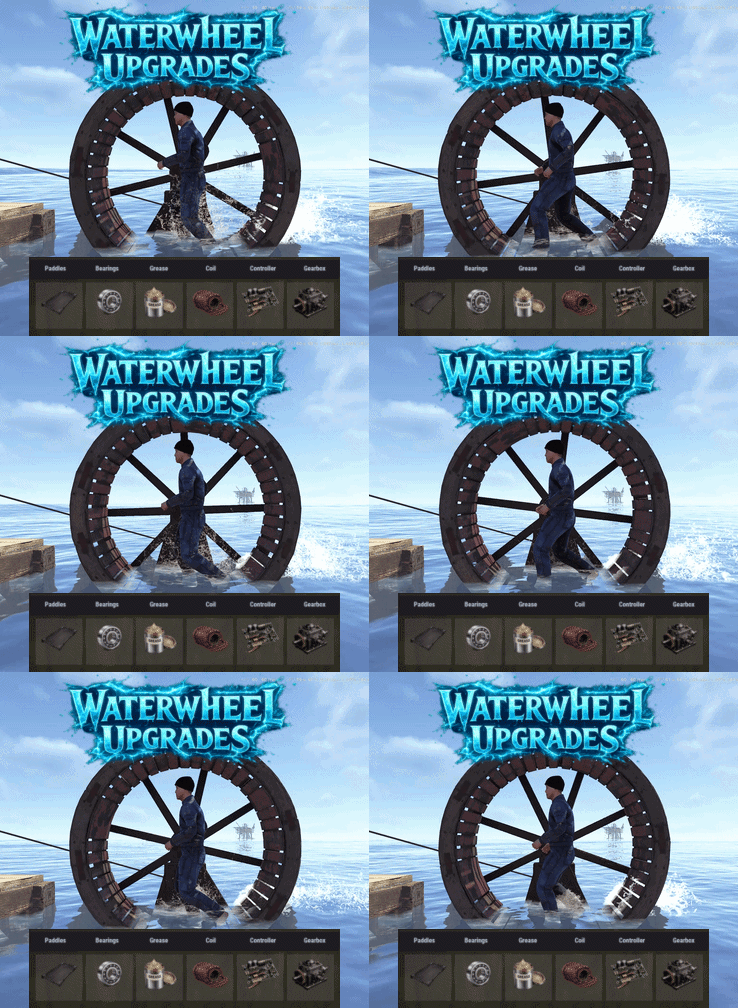
Water Wheel Upgrades adds a part based upgrade system to the new electrical waterwheels, allowing it's performance to be improved. Each part type has 3 tiers. Players can open an upgrade interface by right clicking on the wheel while holding a hammer, install custom parts by dragging them into specific slots, and improve both in-water and manual wheel performance through a simple interface. Each upgrade part affects the wheel’s stats, allowing you to tune in water output, manual output, efficiency, movement behavior, and metabolism costs. Parts are matched to their proper module slots, upgrades are saved per wheel, and all changes are applied directly to the entity in a lightweight, persistent system. The plugin also includes optional loot crate support, letting you control whether upgrade parts can appear in loot containers and set per container drop chances for each tier. Alternatively the parts can be added to any of your existing systems such as shops or crafting plugins. The upgrade parts are all configured in the config, with unique icons and stats, allowing you to quickly deploy this functionality to yourt server. As with most of my content, localization is possible with a default English lang file being included. The part shortname and skins are all pre-configured but can be modified, or replaced with items from my Custom Item Manager Permissions: waterwheelupgrades.use - Allows players to open and use the waterwheel upgrade interface. waterwheelupgrades.admin - Allows access to the admin part giving command. Commands: /wwpart - Admin chat command to give yourself all of the available parts for testing or adding to shops. Optionally can specify amount if you need more than one of each. Pre-Configured Parts: Paddles Bearings Grease Coil Controller Gearbox Default Config:$17.991 point -
.thumb.png.29172107bdd9ecc88fd15ccdd48ab0d8.png)
Version 1.0.0
67 downloads
2x BetterLoot Loottable The 2x BetterLoot config offers the perfect balance between vanilla progression and boosted excitement, and fight for loot. Key Features Balanced Boost Roughly 2x the normal loot, perfect for servers that want faster progression without going full high-rate. Cleaner Tables Low-value “trash” items are removed, ensuring every container has useful gear. Flexible Gameplay Ideal for weekend raids, small-group PvP, or lightly boosted community servers. Modern Items Supported Includes Minigun, Military Flamethrower, and Backpack with balanced drop rates. Balanced Gameplay Keeps Rust’s survival feel intact while speeding up early and mid-game gearing. Note: Made specifically for the BetterLoot plugin. - Setup: Place the config file into your BetterLoot config folder and restart the server that’s all you need. Access Our Other Loottables With These Links: 5x - 3x - 10x { "crate": "locked_crate", "items": { "rifle.ak": { "Min": 1, "Max": 1 }, "rocket.launcher": { "Min": 1, "Max": 1 }, "explosive.timed": { "Min": 1, "Max": 1 }, "explosives": { "Min": 3, "Max": 3 }, "metal.refined": { "Min": 45, "Max": 95 }, "techparts": { "Min": 6, "Max": 12 }, "autoturret": { "Min": 3, "Max": 3 }, "electric.battery.rechargable.large": { "Min": 1, "Max": 1 } } }$5.981 point -
Version 1.2.7
255 downloads
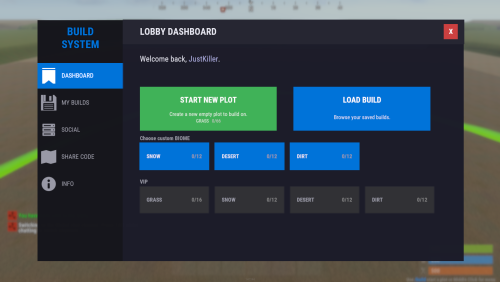
Complete Build System / Sandbox System 1.2.5 A premium all-in-one creative sandbox system for Rust build servers. Personal and VIP build plots for monetization and tiered access Built-in save/load system with share codes and native BuildSaves backend Guest system with permissions for collaborative building Basic symmetry tools, modern UI, and optimized build workflow Designed for serious build servers, practice servers, and creative communities Live Test: client.connect 46.224.9.69:25015 Core Features - Personal build plots with automatic plot assignment - Normal and VIP plots with separate radius and entity limits - Plot categories and biome-based plot layouts - Central lobby with teleport flow and optional respawn handling - Optional randomized plot allocation - Plot domes, map markers, radius control, and sound isolation - Custom build kits for every player plot - Included functional custom build map for a ready-to-run creative environment Save / Load / Share System - Native `BuildSaves` backend built directly for BuildSystem - No longer relies on CopyPaste as the active save/load dependency - Save unlimited builds per player - Load saved builds directly into your plot - Rename and delete saves - Category-aware last save loading for better biome/category continuity - Share code generation and importing - Guest restrictions enforced during save/load actions - Faster load validation through stored entity metadata - Safer queued save handling - Improved shutdown and unload protection so plots save more reliably - Legacy CopyPaste saves can be migrated with: `buildsaves.migrate` Guest & Collaboration System - Invite players to your plot - Request access to another player's plot - Accept or decline requests - Granular guest permissions: - Build - Remove - Demolish - Craft - Save copy - Guests can be moved cleanly back to lobby when needed - Better synchronization with `/leave`, disconnect cleanup, and plot ownership flow Creative Build Environment - Full creative building workflow - Free building and repairing - Blueprint unlock support - Noclip / fly support - God mode support - Optional off-plot restrictions - Blacklisted item support - Vehicle spawn whitelisting - Per-player vehicle limits - Built-in hammer remove support - Auto-upgrade support - Mass-upgrade support - One-click power on/off support for IO entities - Virtual item refresh support for reliable creative inventories - Safe spawn logic and improved off-plot behavior Limits, Protection & Automation - Separate normal and VIP entity limits - Live entity counting - Optional entity limit HUD - Build cost calculation - Upkeep calculation - Plot radius damage restriction - Auto-save interval support - Spawned entity auto-cleanup in lobby, plots, and outside managed areas - Player-owned and server/plugin-owned cleanup controls - Improved restart and disconnect cleanup behavior Plot Symmetry / Mirror Building - Optional symmetry building system via `BuildMirror` - Plot-based symmetry with hammer-selected pivot points - Multiple symmetry modes - Visual guide rendering - Limit-aware mirrored placement - Safer placement rejection when mirrored placement is invalid - Designed for faster, cleaner base prototyping Modern UI - Full Nexus-style graphical interface - Lobby UI and build menu workflow - Save/load/share management through UI - Guest management through UI - Tools and server info tabs - Keyboard shortcut support - Localized text system - Optional middle-click menu opening - Configurable footer text and layout Included Custom Build Map Includes a functional custom build map designed specifically for creative build servers. What the map provides: - Organized plot layout - Central lobby area - Space for normal and VIP plots - Cleaner server launch experience - Ready-to-use build-focused environment - Better structure for high-pop creative or practice servers Included Modules - `BuildConfig.cs` - central configuration provider - `BuildCore.cs` - player flow, plot lifecycle, connect/leave handling - `BuildPlots.cs` - lobby, plots, domes, markers, categories, teleport handling - `BuildIO.cs` - save/load/share orchestration - `BuildSaves.cs` - native save/load backend and legacy migration - `BuildGuests.cs` - guest requests, invites, permissions, guest flow - `BuildOptions.cs` - creative perks, restrictions, upgrades, god/fly, spawn controls - `BuildCosts.cs` - build and upkeep calculations - `BuildMirror.cs` - symmetry / mirror building - `BuildUI.cs` - graphical interface - `BuildLang.cs` - localization system Permissions - `buildcore.vip` - VIP plot size and VIP entity limit access - `buildplots.freeroam` - allows freer off-plot movement behavior - `buildplots.lobbyexit` - allows using the build menu flow from outside normal managed areas Migration Older installations that used CopyPaste-based saves can migrate to the new built-in save system with: `buildsaves.migrate` This makes upgrading older servers much easier while moving to the new native BuildSaves backend. Player Chat Commands - `/build` Open the lobby UI or build menu depending on where the player is. - `/leave` Leave the current plot. - Guests return to lobby - Plot owners save, clear, delete their active plot session, then return to lobby - `/invite <player>` Invite another player to join your plot as a guest. - `/request <player>` Request to join another player's plot. - `/accept <player>` Accept a pending request or invite. - `/decline <player>` Decline a pending request or invite. - `/noclip` - `/fly` - `/f` Toggle noclip/fly, depending on plot/off-plot restrictions. - `/god` - `/g` Toggle god mode, depending on plot/off-plot restrictions. Player Console Commands - `build` Console version of `/build`. - `leave` Console version of `/leave`. - `request <player>` Console version of `/request`. - `buildcost` Console version of `/buildcost`. - `fly` Console version of noclip/fly toggle. - `god` Console version of god mode toggle. Server Owner / Admin Command - `buildsaves.migrate [overwrite] [deleteOld]` Migrate legacy CopyPaste save files into the new BuildSaves format. - `overwrite` = optional true/false - `deleteOld` = optional true/false Example: `buildsaves.migrate` Config Explanation - `Server Settings - Name` Server name field in config. Currently mostly informational and not a major gameplay switch. - `Lobby Settings - Spawn Position` The world position for the lobby center and where players are teleported when sent to lobby. - `Lobby Settings - Radius` The size of the lobby area. Also affects lobby zone checks, dome size, and marker area. - `Plot Settings - Default Radius` Radius used for normal player plots. - `Plot Settings - VIP Radius` Radius used for VIP plots. - `Plot Settings - Randomize Plot Location` If true, players get a random free plot slot instead of the first available slot. - `CoolDown Settings - Share Code (Minutes)` How long a player must wait before generating another share code. - `Links - Discord` Discord link shown in the UI/server info section. - `Links - Website` Website link shown in the UI/server info section. - `Off Plot Settings - Allow F1 Spawn` Controls whether players can use allowed spawn/give behavior outside their own plots. - `Off Plot Settings - Force NoClip` Controls whether noclip/fly is allowed outside plots unless freer permissions apply. - `Off Plot Settings - Force GodMode` Controls whether god mode is allowed outside plots unless freer permissions apply. - `Lobby Settings - Force Teleport on Connect` If true, players are automatically sent to the lobby when they connect. - `Lobby Settings - Clear Inventory on Spawn` If true, inventory is cleared when players are placed into the lobby. - `Lobby Settings - Respawn in Lobby without Plot` If true, players without a valid active/guest plot respawn in the lobby. - `Map Markers - Enable` Enables map markers for lobby/plots. - `Plot Settings - Custom Kit Items` Items automatically given to players when entering a plot. In your example, players receive: - planner in belt slot 5 - hammer in belt slot 4 - `Allowed Entities - F1 Spawn` Whitelist of prefabs allowed through the plugin's F1/entity spawn behavior. Anything not listed is blocked. - `Item Settings - Blacklisted Items` Items blocked from the creative build environment. In your example: - `supply.signal` - `grenade.smoke` - `Vehicle Settings - Max per Player` Maximum number of spawned vehicles each player can own through the system. - `Plot Settings - Limit Damage to Radius` Restricts damage interactions to the plot radius so players cannot affect things outside their area. - `Entity Limits - Normal Max Entities` Max entity count for normal players. - `Entity Limits - VIP Max Entities` Max entity count for VIP players. - `Dome Settings - Lobby Color` Visual dome color for the lobby. - `Dome Settings - Lobby Intensity` Number/intensity of dome visuals in lobby. Higher values create a stronger effect. - `Dome Settings - Plot Color` Visual dome color for plots. - `Dome Settings - Plot Intensity` Number/intensity of dome visuals for plots. - `Plot Settings - Sound Isolation` Helps isolate plot audio/effects so players mainly receive sounds from the relevant managed area. - `UI Settings - Show Limit HUD` Shows or hides the HUD that displays entity/vehicle limits. - `UI Settings - Enable Middle Click` Lets players open the menu with middle mouse click. - `Compatibility - Disable Grade Control (for BuildTools compatibility)` Disables the plugin's built-in grade control features so it does not conflict with BuildTools or similar systems. - `Compatibility - Enable Built-in Hammer Remove (R)` Enables the built-in hammer reload/remove behavior. - `Plot Settings - Hammer Remove Distance` Max distance for hammer-based removal checks. - `Plot Settings - Auto-Save Interval Seconds (min time between auto-saves per player)` Minimum delay between automatic saves for a player's dirty plot. - `UI Settings - Footer Text Align` Screen alignment for footer text. - `UI Settings - Footer Anchor Min` Lower anchor position for the footer UI panel. - `UI Settings - Footer Anchor Max` Upper anchor position for the footer UI panel. - `UI Settings - Footer Text Color (R G B A)` Footer text color and transparency. - `UI Settings - Footer Font Size` Footer text size. - `Spawned Entities - Auto-Remove In Lobby` Enables cleanup of eligible spawned entities in the lobby. - `Spawned Entities - Auto-Remove Inside Plots` Enables cleanup of eligible spawned entities inside plots. - `Spawned Entities - Auto-Remove Outside Plots` Enables cleanup of eligible spawned entities outside managed zones. - `Spawned Entities - Apply Auto-Remove To Player-Owned` Apply cleanup rules to player-owned spawned entities. - `Spawned Entities - Apply Auto-Remove To Server/Plugin-Owned` Apply cleanup rules to server/plugin-owned entities too. - `Plot Symmetry - Enabled` Master switch for the symmetry / mirror building system. - `Plugin Version` Internal config version entry used for config migration/bookkeeping. Developer hooks for compatibility - `CanBuildSystemKillEntity` Lets other plugins prevent BuildSystem from deleting or killing a specific entity during cleanup, removal, or plot clearing actions. - `CanBuildSystemHammerRemoveEntity` Lets other plugins block the built-in hammer remove system before an entity is removed. Example: object CanBuildSystemKillEntity(BaseEntity entity) { if (entity == null) return null; if (entity.ShortPrefabName == "autoturret_deployed") return false; // block BuildSystem from removing it return null; // allow normal BuildSystem behavior } object CanBuildSystemHammerRemoveEntity(BaseEntity entity) { if (entity == null) return null; if (entity.ShortPrefabName == "wall.frame.shopfront") return false; // prevent hammer remove for this entity return null; // allow normal BuildSystem behavior }$99.991 point -

Version 2.0.0
2 downloads
Restricts looting of player corpses to teammates only. Permissions teamloot.bypass Configuration { "Show warning message" : true, "Warning popup time (seconds)": 5 } Localization { "WarningMessage" = "You do not have permission to loot this player!" }$2.501 point -

Version 0.1.1
8 downloads
Help your players skip the genetics grind with Auto Breeder — a smart planter that crossbreeds and propagates plant clones to achieve perfect genetics, all on its own. Features: Automated Crossbreeding • Set a target gene combination (Y, G, H, W, X) and the AutoBreeder will calculate the best crossbreeding recipe automatically. • Supports multi-generation recipes — creates intermediate clones when needed to reach the desired result. • Automatically plants seeds and takes clones. • Shows real-time status: calculating recipes, planting, cloning, waiting for growth and etc. Score-Based Breeding • Alternatively, crossbreed by genes quality score instead of exact gene targets. • Gene scoring: Y, G = 1 point; H = 0.5 points; W, X = 0. Max score is 6. • Set a minimum quality threshold and the AutoBreeder selects the best possible recipe from available clones. Clone Propagation • Select any clone from your storage and AutoBreeder will begin propagation. • Browse clones in a scrollable GUI — sorted by gene quality, showing genes and amount of clones. • Ideal for filling your farm with perfect genetics for further use. GUI & Notifications • Easy to use GUI panel opens when you loot the planter — select seeds, toggle modes, adjust targets. • Floating 3D text above the planter shows current mode and status in real time. • Chat notifications keep you informed — both 3D text and chat messages can be disabled or enabled. Fully Configurable • Make multiple AutoBreeder presets with separate permissions and settings. • Configure work interval, water update interval, storage scan radius, and more. • Set max AutoBreeder amount per player, enable/disable pickup, and toggle ideal plants conditions. • Automatic water saturation can keep plants in ideal conditions. See It in Action! Watch The Video Configuration: { "Auto Breeders setup": { "autobreeder.default": { "The name of the AutoBreeder to be selected through the command when spawning": "default", "Item": { "Item name": "Auto Breeder", "Item skin": 3693280509 }, "Keep ideal water amount in planter?": true, "Keep ideal conditions for plants in planter?": true, "Enable chat messages by default": true, "Enable 3D text by default": true, "Work interval (seconds)": 3.0, "Storage rescan interval (seconds)": 60.0, "Water update interval (seconds, if keep ideal water amount in planter enabled)": 10.0, "Storage scan radius": 30.0, "Max AutoBreeders per player (0 = unlimited)": 0, "Allow picking up": true } } }$14.901 point -
![More information about "Automatic Plugin Release/Update Notifier [Discord]"](https://codefling.com/uploads/monthly_2026_04/plugin_psd.thumb.png.222de065126a73f2faeec770b889420c.png)
Version 1.0.2
18 downloads
Automatically track your new plugin releases and your plugin updates on Codefling and receive Discord notifications via webhook. (Using Codefling Public DB API) This Node.js service continuously monitors an author’s Codefling database and posts clean, well-formatted embed messages whenever something changes - no manual discord messages required anymore. It’s probably most interesting for creators, but if you want to keep up with releases or updates from a specific plugin author, you’ll find it useful too. Features Automatic new plugin release notifications by a specific plugin author. Automatic plugin update notifications on every version change by a specific plugin author Smart first-run detection (no notification spam on initial startup) Persistent version tracking Webhook-only (no Discord bot token needed) Requirements Node.js 18+ npm Discord webhook URL HowTo Use Download ZIP Extract ZIP Go into the folder (DiscordBot) and open CMD, GitBash whatever to install some dependencies 1: npm install express axios node-cron 2: npm install -g pm2 (If you dont want to use pm2 you can ignore step 2 and 3 and use "node server.js" instead) 3: pm2 start server.js --name codefling-watcher If you run server.js for the first time, another file is being created "settings.json", open it, adjust it to your needs and run server.js again. DONE! Settings { "PLUGIN_AUTHOR": "xNullPointer95", "DISCORD_USERNAME": "Team X - Assistant", "AVATAR_URL": "https://cdn.discordapp.com/app-icons/1425608886030700736/c7b9cdb2545db330bfc0572256863151.png?size=512", "CRON_TIMER": "*/2 * * * *", "WEBHOOK_URL": "", "ShowChangelog": true, "ShowDownloadButton": true, "ShowViewFileButton": true }$7.991 point -
Version 2.1.5
96 downloads
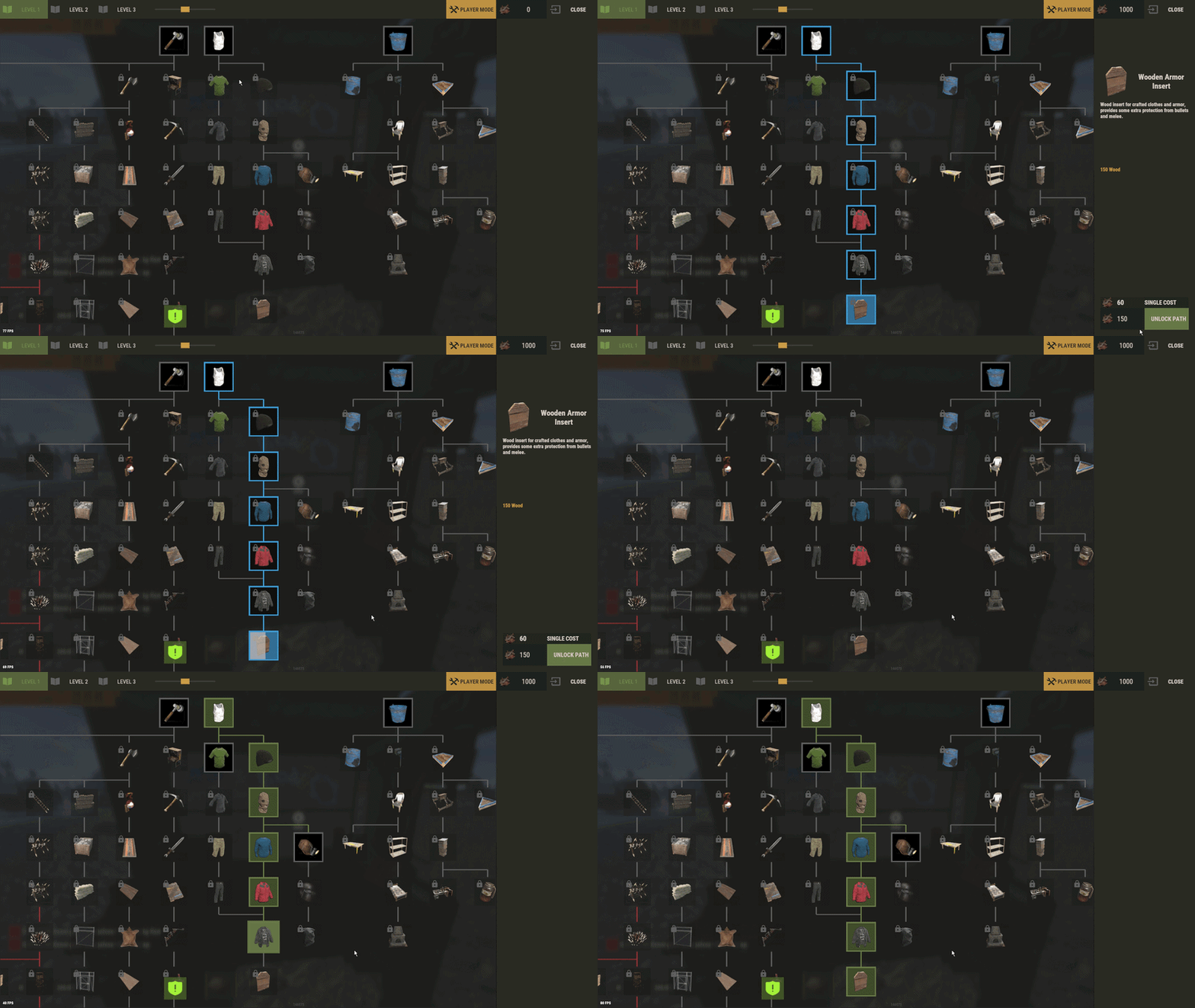
The plugin has been revamped. Customize the Techtree however you like. It will replace the vanilla one by default, but this option can be changed in the configuration. You have two options: Replace the vanilla tech tree and customize it. Keep the vanilla tech tree and create a completely customized tech tree. Feature TechTree customizable TechTree by Workbenchlevel Multiple rewards (ChatCommand / ConsoleCommand / Economics) Item custom support Reward if tree is all unlocked (in datafiles) No command to open Automatic replace the vanilla tree or press the Use key R on the Workbench to open Multilingual support CUI Editor CUI Editor Permissions techtree.use // Grants permission to use the tech tree techtree.unlock.free // Grants permission to unlock everything for free techtree.unlock.instant // Grants permission to bypass unlock time techtree.unlock.path // Grants permission to unlock the entire branch up to the unlocked node Information Default vanilla tree are created on plugin load Automatic import of new nodes added by Facepunch Vanilla blueprints are managed directly by the plugin. To manage custom blueprints, please use the available APIs. If you want to remove a vanilla node from your TechTree, you must first backlist it, otherwise it will be automatically added back the next time the plugin is reloaded. An option is available for this. I recommend modifying the tree only when players are not using it to avoid synchronization issues. General Settings { "Settings": { "Wipe Player Data at Wipe": true, "Time For Unlock Node": 1.0, "Selected Theme": "Default", "Use Permissions ?": false, "Use Economics ?": false, "Replace tree vanilla ? Open with [R] if false": true } } Techtree Data ID: ID of the node. Vanilla ID: default ID for facepunch Parent: List of parent node required to unlock this node. Image URL or Item: Image used, via URL or in-game item (ID/Skin). Type: Type of Image (URL or Item). Value: Url (string) if URL or ItemID and SkinID if Item. Grid Position: Node position on the grid (x, y). Player Info: information displayed on the UI Name: In-game name for this node. Lang: Dictionary for multilingual support Description: Short description of the node. Lang: Dictionary for multilingual support Price: Cost to unlock this node. Curency: Resource needed to pay the price (ID/Skin). ItemID SkinID Rewards: List of rewards obtained after unlocking. Type: Type of reward (ChatCommand, ConsoleCommand or Economics). Value: Value or command associated with the reward (string). "TechTree": [ { "ID": 40046421, "Vanilla ID": 84, "Parent": [ 1865581242 ], "Image URL or Item": { "Type": "Item", "Value": { "Item ID": 2090395347, "Skin ID": 0 } }, "Grid Position": { "x": 3.5, "y": 6.5 }, "Player Info": { "Ingame Name": { "Lang": {} }, "Description": { "Lang": {} } }, "Price": 30, "Curency": { "Item ID": -932201673, "Skin ID": 0 }, "Rewards": [ { "Type": "ChatCommand", "Value": "say Congratulations!" }, { "Type": "ConsoleCommand", "Value": "c.grant user playerID perm.use" }, { "Type": "Economics", "Value": "6500" } ] }, ], "Extra": { "Reward On All Node Unlocked": [ { "Type": "ChatCommand", "Value": "say Congratulations, you all unlocked!" }, { "Type": "Economics", "Value": "20000" } ] } Image configuration exemple With URL : "Image URL or Item": { "Type": "Url", "Value": "https://imgur.com/SRGgaKX.png" }, With ITEM : "Image URL or Item": { "Type": "Item", "Value": { "Item ID": -1966748496, "Skin ID": 0 } }, Lang { "CLOSE": "Close", "EDITMODE": "Edit mode", "PLAYERMODE": "Player mode", "SAVE": "Save", "ADD": "Add", "REMOVE": "Remove", "MODIFY": "Modify", "CANCEL": "Cancel", "CONFIRM": "Confirm", "SELECT": "Select", "NONE": "None", "GRIDSETTING": "Grid Setting", "NOTAVAILABLE": "Not yet available", "TOTALREQUIRED": "Total required", "OPEN": "[R] OPEN", "Workbench_1": "LEVEL 1", "Workbench_2": "LEVEL 2", "Workbench_3": "LEVEL 3", "Engineering": "ENGINEERING", "NO PERM": "You don't have permission.", "EXCLUDE": "Exclude from vanilla sync", "EXCLUDED_NODES": "Excluded Nodes", "NO_EXCLUDED_NODES": "No excluded nodes", "EXCLUDE_RESTORED": "{0} nodes restored", "EXCLUDE_ADDED": "{0} nodes excluded", "EXCLUDE_ALL": "Exclude All", "CLEAR_ALL": "Clear All", "DELETE_ALL_NODES": "Delete All Nodes", "UPDATE_GRID": "Update Grid", "NODES_DELETED": "{0} nodes deleted", "RESET_TO_VANILLA": "Reset to Vanilla", "ARE_YOU_SURE": "Are you sure ?", "DISABLE_FUTURE_IMPORTS": "Disable future vanilla imports", "FUTURE_IMPORTS_DISABLED": "Future vanilla imports are now disabled", "FUTURE_IMPORTS_ENABLED": "Future vanilla imports are now enabled", "OPEN_BUTTON": "Open tech tree", "SAVING_APPLY_TOOLTIP": "Saving apply", "RESET_VANILLA_TOOLTIP": "Tech tree reset to vanilla defaults", "EXCLUDE_TOOLTIP": "Excludes this vanilla node from automatic imports. Useful for permanently removing a vanilla node from your tech tree.", "REWARD_TOOLTIP": "Use the “playerID” tag in your command if you need to specify a player. ex: c.grant user playerID perm.use.", "LANG_TOOLTIP": "“Default” will use the default text for the item; otherwise, the added language will be used.", "DISABLE_IMPORTS_TOOLTIP": "Prevents any new vanilla nodes from being automatically imported. Useful for freezing the configuration or preventing Facepunch updates.", } Api (Dictionary<string, object>) API_GetPlayerData(BasePlayer player) // Return key "workbench" and Dictionary value { string, List<int> } (bool) API_SetPlayerData(BasePlayer player, Dictionary<string, object> apiData) // Return bool (bool) API_ClearPlayerWorkbenchData(BasePlayer player, Workbench workbench) // Return bool (bool) API_ClearPlayerData(BasePlayer player) // Return bool Hook // Called before a tech tree node is unlocked. private object OnNodeUnlock(Workbench workbench, Dictionary<string, object> node, BasePlayer player) { Puts("OnNodeUnlock has been called!"); return null; } // Called before a tech tree node is unlocked. private object OnNodeUnlock(BasePlayer player, Dictionary<string, object> node, Dictionary<string, object> treeData) { Puts("OnNodeUnlock has been called!"); return null; } // Called when a tech tree node is unlocked. private void OnNodeUnlocked(Workbench workbench, Dictionary<string, object> node, BasePlayer player) { Puts("OnNodeUnlocked has been called!"); } // Called when a tech tree node is unlocked. // Same behavior as OnNodeUnlocked but returns the list of notes directly. private void OnPathNodeUnlocked(Workbench workbench, List<object> nodes, BasePlayer player) { Puts("OnPathNodeUnlocked has been called!"); } Api and Hook Doc Dictionary<string, object> node: "id" : int "vanillaId" : int? "price" : int "parents" : List<int> "isVanilla" : bool "currency" : Dictionary<string, object> => "itemId" : int "skinId" : ulong Dictionary<string, object> treeData: "workbench" : Workbench "nodes" : List<Dictionary<string, object>> Dictionary<string, object> playerData: "workbench" : Dictionary<string, object> "Workbench_1" : List<int> "Workbench_2" : List<int> "Workbench_3" : List<int> "Engineering" : List<int> ########### Dictionary<string, object> API_GetPlayerData(BasePlayer player) return: { "workbench" : { "Workbench_1" : [123, 456, 789], "Workbench_2" : [111, 222], "Workbench_3" : [], "Engineering" : [333] } } Usage: [PluginReference] Plugin TechTree; var playerData = TechTree?.Call("API_GetPlayerData", player) as Dictionary<string, object>; ########### bool API_SetPlayerData(BasePlayer player, Dictionary<string, object> apiData) return: bool usage: var data = TechTree?.Call("API_GetPlayerData", player) as Dictionary<string, object>; var workbench = data["workbench"] as Dictionary<string, object>; workbench["Workbench_1"] = new List<object> { 123, 456 }; workbench["Engineering"] = new List<object>(); bool success = (bool)TechTree?.Call("API_SetPlayerData", player, data); Contact Send me a private message on Codefling Send me a message on Discord: gd.kenni$14.991 point -
Version V1
1 download
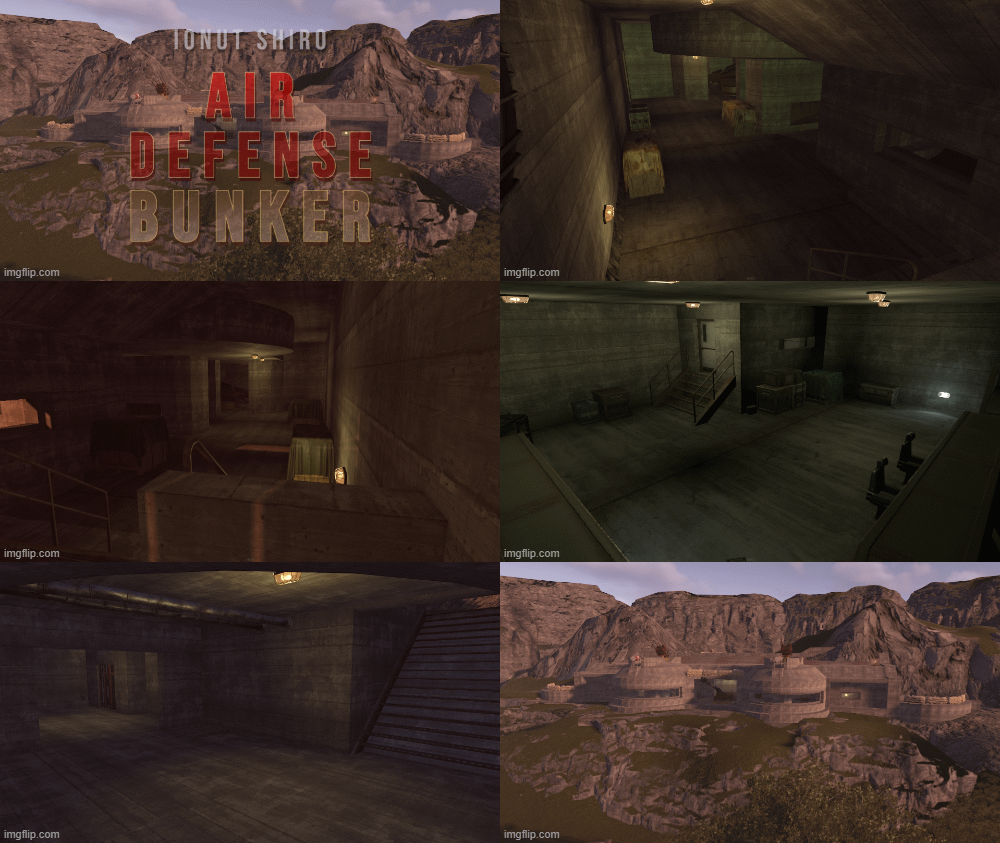
A medium sized bunker whose air defense unfortunately leaves something to be desired, but there is loot and NPCs! Prefabs count: 1107 With Splat: Grass, Dirt and Rock Topology: Field and Forest(in Background) Heights: Flat ground and the Hill 1x Recycler Static 1x Repairbench Contains: Loot: 2x Crate Elite 4x Crate Normal 2 2x Dm Tier2 Lootbox 1x Dm C4 2x Ammo Crate 4x Barrel Spawner 1x Diesel Barrel Spawner 2x Crate Tools NPCs: 1x Heavy Scientist 2x Scientist CcTV: ADBunker1 ADBunker2 ADBunker3$5.001 point -
Version 1.0.0
2 downloads
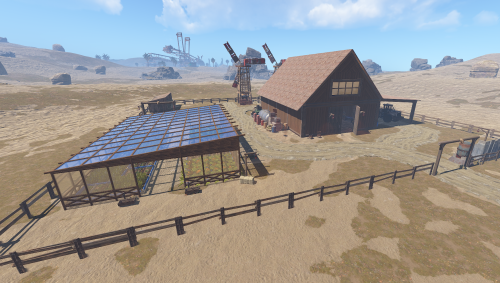
A blessing in the dry desert. Where the sun burns relentlessly and life barely exists, a mysterious monument rises from the sand. For many, it is more than just a relic — it is hope. Deep inside, there is a green door. Unremarkable, almost out of place, yet full of meaning. Those who open it find not only shelter from the heat, but also valuable loot: forgotten treasures, rare resources, and items that can ensure survival. If you have any questions or problems do not hesitate to contact me. Discord: Akuma#8079$9.991 point -
Version 1.0.6
23 downloads
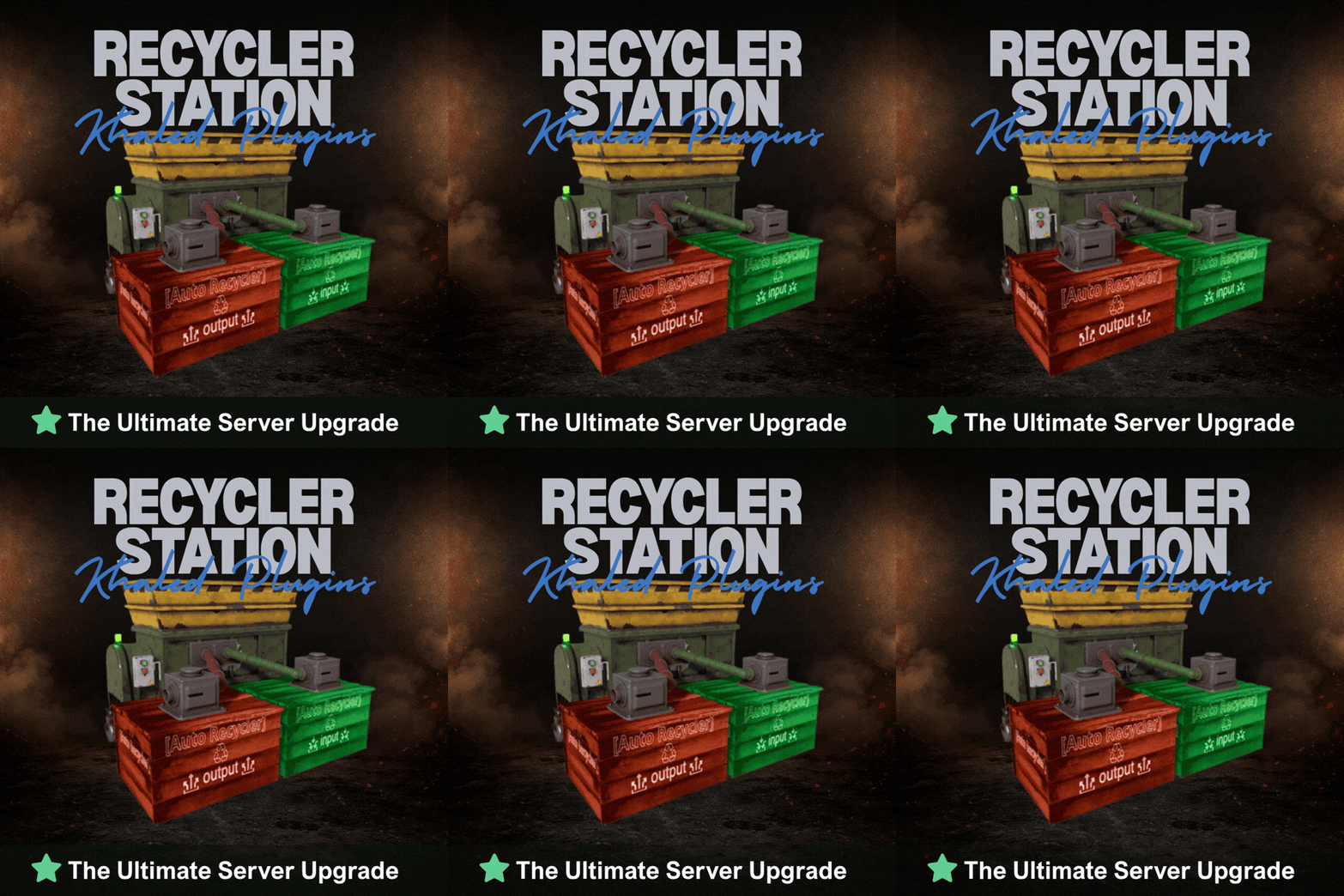
Recycler Station adds a deployable recycling station that allows players to recycle items directly from their base The station uses a simple system with two containers: INPUT - where players place recyclable items OUTPUT - where all recycled resources are automatically moved Items placed in the INPUT box are processed automatically by the recycler, creating a smooth and hands-free recycling workflow The system is designed to feel natural in Rust while improving convenience for players and server owners - Features - Dedicated INPUT and OUTPUT boxes - Safe pause handling when OUTPUT is blocked or full - Protected station parts - Tool Cupboard range and authorization checks - Purchase support for Resources, Economics, or ServerRewards - EN and RU language support - Permissions - recyclerstation.use - Commands - /rs buy - /rs help - Admin Commands - /rs give <player> [amount] - /rs remove - Config { "Debug": false, "UseVanillaSpeed": true, "CustomSpeedMultiplier": 1.0, "OutputResumeDelaySeconds": 8.0, "Purchase": { "Enabled": true, "UseResources": true, "UseEconomics": false, "UseServerRewards": false, "MaxPurchasesPerPlayer": 100, "ResourcesCost": [ { "Shortname": "scrap", "Amount": 500 }, { "Shortname": "metal.fragments", "Amount": 5000 }, { "Shortname": "metal.refined", "Amount": 50 }, { "Shortname": "gears", "Amount": 10 } ], "EconomicsCost": 2500.0, "ServerRewardsCost": 800 } } Need Support :$19.991 point -
Version 2.5.0
302 downloads
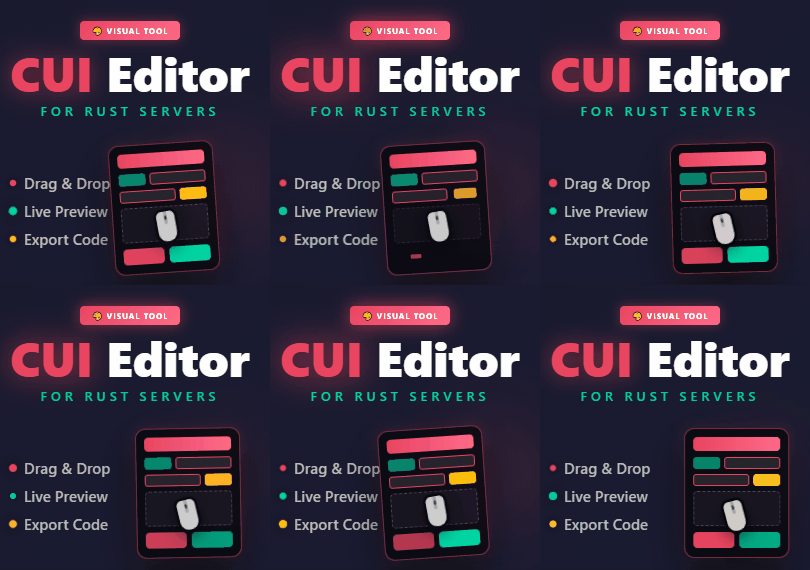
Rust CUI Editor Visual Interface Designer for Rust Stop writing UI code blindly. Design your CUI interfaces visually and export ready-to-use code in seconds. What is this? Rust CUI Editor is a desktop application for creating Rust game UI (CUI) interfaces using a visual drag-and-drop editor. Instead of writing dozens of lines of CuiHelper code and constantly reloading your plugin to see the result, you design everything visually and get clean, working code instantly. Video demonstration Elements Panel Image (URL/sprite) Label (with outline) Button InputField ScrollView Countdown Draggable Slot NeedsCursor / NeedsKeyboard Layout Horizontal Layout Group Vertical Layout Group Grid Layout Group Content Size Fitter LayoutElement Visual Drag elements on canvas Resize with 8 handles Multi-selection Marquee select Anchor/offset system Element rotation Inline text editing Element locking Alignment Left / Center / Right Top / Middle / Bottom Stretch to parent Match Width/Height Distribute evenly Find & Replace Search and replace element properties across the entire project at once. No need to click through each element manually. ► Search by text content, color value, sprite, or material ► Filter results by element type ► Replace single matches or all at once ► Full undo support for bulk replacements Inspect Element Dedicated inspection window for any selected element. Shows all properties in structured form alongside the raw CUI JSON output. ► All component properties in one place ► Raw CUI JSON with one-click copy ► Useful for debugging and quick exports ► Opens with shortcut or right-click menu Snapshots Save named project states at any point and restore them without losing your current work. Snapshots are completely separate from undo history. ► Create named snapshots before risky changes ► Restore any snapshot at any time — current work is preserved ► Stored in a .snapshots folder next to the project file ► Independent from undo/redo stack Wrap in Parent You've built a header with a label and a close button, then realize you forgot to add a background panel behind them. Select all elements, right-click, Wrap in Parent — done. Nothing moves. ► Works with any selection of elements ► New parent is sized to the bounding box of the selection ► All anchors recalculate automatically ► Wrap into Panel, Button, Image, or ScrollView Themes Dark Theme Default dark interface. Easy on the eyes during long sessions. Light Theme Full light mode across all panels, dialogs, and overlays. Toggle in settings. Plugin Import Load CUI elements directly from an existing .cs plugin source file. The parser reconstructs the full element tree for visual editing. ► Parses CuiHelper and CuiElementContainer patterns ► Resolves local variables and string constants ► Handles loops and repeated element generation ► Substitutes lang message references with preview text ► Works on any Oxide/Carbon plugin file Built-in Reference A built-in help system with searchable articles covering the entire CUI system. No need to leave the editor to look something up. ► Articles for every element type and property ► Covers layers, ScrollView, blur materials, anchors, offsets, fonts ► Shortcut reference with all editor hotkeys ► Live demo canvas inside each article ► One-click "Add to project" from any example Performance Rewrite Canvas GPU rendering Scene bitmap cache Static layer cache SKPicture cache SKPaint pooling (50+ allocs/frame saved) Text layout cache Typeface cache Pan without full re-render Element Tree Debounced rebuild on rapid changes Bulk update batching Fast flat selection cache O(n) ThumbnailBrush cache Detach() memory leak fixed Color Picker Real-time updates while dragging Only the affected element redraws No full scene invalidation Live Preview See your UI exactly as it appears in-game, right inside the editor. Every element is fully rendered with correct Rust scaling, colors, sprites, and fonts. No need to reload your plugin to check the result. Rendering Panels & Images Labels with fonts Rich Text support Sprite tinting FadeIn / FadeOut Interactive Button hover & press ScrollView with inertia Elastic bounce Auto-hiding scrollbars Live Countdown Drag & Drop Draggable elements Slot filter matching MoveToAnchor snap Element swapping KeepOnTop z-order Tools Element Inspector Grid overlay Outlines view Auto-sync with editor Screenshot to PNG All CuiDraggableComponent properties are supported in preview: LimitToParent, MaxDistance, AllowSwapping, DropAnywhere, DragAlpha, ParentPadding, ParentLimitIndex, AnchorOffset, and more. ► Pick up Draggable elements and drop them into Slots ► Filter matching ensures only compatible elements snap ► Swap elements between occupied slots ► Inspector overlay shows element info on hover (shortcut: I) ► Grid and outline overlays for layout debugging (G / O) ► Background selector: dark, light, or any game screenshot ► Auto-sync keeps preview updated as you edit ► Export preview as PNG screenshot (S) Smart Hook Generation When your project uses Draggable or Slot elements, the export automatically generates ready-to-use hook methods with proper logic: ► OnCuiDraggableDrag with if/switch blocks for each draggable ► OnCuiDraggableDropped with switch by slot name ► Comments with accepted elements and filter values ► Works in both Snippet and Plugin export modes Developer Tools Professional plugin development toolkit with four dedicated tabs: Plugin Settings Author & version Chat/console commands Auto-show hooks Permissions list Plugin references Generate Unload Lang System Multi-language support Visual translation table Per-element lang keys lang.GetMessage() export Canvas preview ImageLibrary Image key/URL table Per-element ImageLib key GetImage() helper Auto OnServerInitialized Auto plugin reference Templates Reusable code templates Custom method generation Placeholder system Per-project settings Localization System Full multi-language support for your plugins. Assign lang keys to any text element, manage translations visually, and export with automatic lang.GetMessage() calls. ► Add unlimited languages (en, ru, de, fr, etc.) ► Visual translation table - edit all strings in one place ► Toggle between raw text and lang key per element ► Canvas shows resolved translations in real-time ► Exported code includes full LoadDefaultMessages with all languages ImageLibrary Integration Manage image assets directly in the editor. Define image keys and URLs, assign them to elements, and get clean export code with automatic ImageLibrary loading. ► Image key/URL table in Dev Tools ► ImageLib Key property on Image elements ► Export generates GetImage() helper method ► Plugin export auto-adds OnServerInitialized with image loading ► Automatic [PluginReference] ImageLibrary in export Syntax Highlighting ► C# syntax highlighting in Export window ► JSON syntax highlighting in Export window ► Color-coded keywords, strings, numbers, comments ► Optimized for large code blocks SVG Design Import Import your designs directly from professional design tools: Figma export to SVG and import Illustrator Adobe AI/SVG support Inkscape free vector editor Any SVG standard format ► Automatic source detection optimizes parsing for each tool ► Smart layer hierarchy preservation ► Automatic element type detection (btn_, lbl_, img_, panel_) ► Correct parent-child coordinate conversion Figma Plugin & Tools New "Tools" folder included with the editor: ► CuiHelper Plugin for Figma - export designs directly to C# code ► Sample SVG designs - ready-to-import examples for testing and learning ► Documentation - setup guide for Figma plugin Smart Resize Mode Default Mode Resize by changing Anchor values Perfect for responsive layouts that scale with screen size Shift + Resize Resize by changing Offset values Perfect for pixel-perfect positioning Orange handles indicate active mode Inline Text Editing ► Double-click any text element to edit it directly on canvas ► No need to switch to the property panel, just click and type ► Press Enter or click outside to confirm changes Guides, Grid & Smart Snapping ► Draggable guides from rulers ► Customizable grid with snap ► Smart guides - auto-snap to edges ► Distance indicators while dragging Multiple Backgrounds Preview your UI on actual game screenshots: Game view Inventory Loot container Crafting Map Transparent Export Formats Generate ready-to-use code in three formats: C# (CuiHelper) container.Add(new CuiPanel { RectTransform = { AnchorMin = "0.3 0.3", AnchorMax = "0.7 0.7" }, Image = { Color = "0.1 0.1 0.1 0.9" } }, "Overlay", "MyPanel"); JSON [{ "name":"MyPanel", "parent":"Overlay", "components":[...] }] Full Plugin Complete .cs file with: • using statements • class definition • commands & permissions • Lang & ImageLib integration • all UI code Import Existing Code Already have CUI code? Import it! ► Paste JSON array ► Paste C# CuiHelper code ► Import from PSD files ► Import from SVG files (Figma, Illustrator, Inkscape) ► Import from .cs plugin source files The editor parses your code and recreates all elements for visual editing. Project Management ► Save/Load project files ► Multiple tabs for different projects ► Recent projects with thumbnails ► Per-project settings ► Close confirmation for unsaved changes Property Editor Full control over every element property: ► Position (anchors + offsets) ► Colors with Rust format (0-1 RGBA) ► Fonts and text alignment ► Sprite/material selection ► Outline settings ► Fade in/out animations ► Button commands ► Input field parameters ► ScrollView settings ► Rotation and pivot point Element Hierarchy ► Layer-based structure (Overlay, Hud, HudMenu) ► Parent-child relationships ► Drag & drop reordering ► Visibility toggle ► Lock elements to prevent accidental edits ► Rename with double-click ► Hover a tree node to highlight it on canvas Additional Tools Measure Tool measure distances on canvas Style Picker copy style between elements Sprite Library browse Rust sprites Color Picker Rust format preview Quality of Life ► Unlimited undo/redo ► Copy/paste/duplicate elements ► Copy/paste style ► Keyboard shortcuts for everything ► Multiple preset resolutions ► Smooth multiplicative zoom ► Auto-fit canvas to window ► Dark and light themes ► English & Russian localization ► Automatic update notifications System Requirements ► Windows 10/11 ► .NET 8.0 Runtime (bundled) Installation 1. Download and extract the archive 2. Run RustCUIEditor.exe 3. Start creating! Questions or support issues? Contact me via CodeFling messages.$39.991 point -
Version 1.1.0
22 downloads
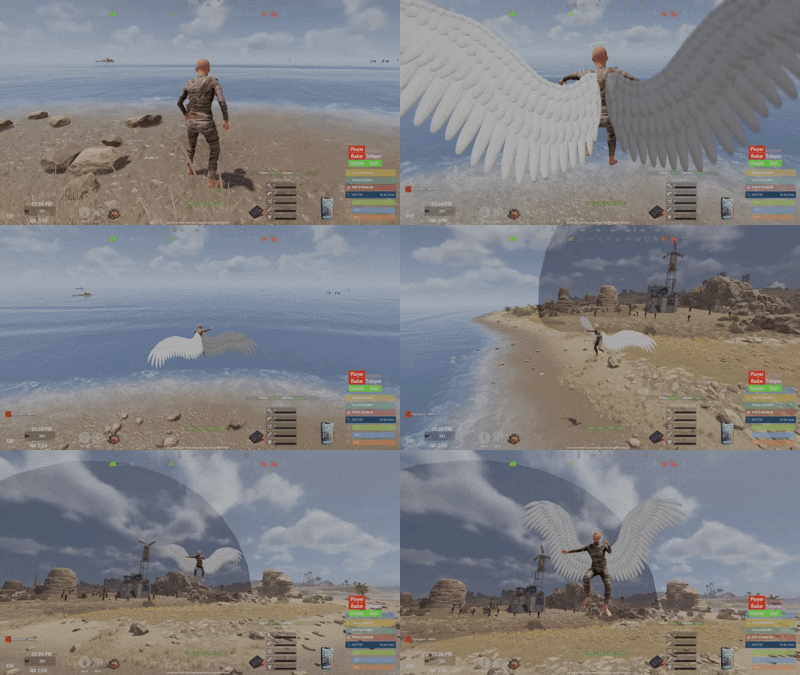
DISCLAIMER THIS PLUGIN HAVE BEEN MADE USING BOTH THE KNOWLEDGE OF A DEVOLOPER AND IA ASSITANCE/GENERATION. in respect of CODEFLING AI plugins filteration and clients protection, the purshase option has been removed . the plugin will still be maintained and updated as long as it exists on the platform. thank you for understanding. Say goodbye to the boring /noclip command. Wings NoClip reimagines the classic noclip experience into something visual, immersive, and fun, built specifically for server admins. Put on your wings, lift off, and touch the clouds. This is noclip —> evolved. Features Automatic NoClip Activation Equipping wings automatically enables noclip Removing wings automatically disables noclip No extra commands, no confusion Smooth flapping animations with optional sound effects Designed to feel powerful, not clunky 🪽 Available Wings (More Coming Soon) Currently included wings (sourced from the free Workshop): White Wings Black Wings Fairy Wings This is only the beginning Many more exclusive, custom-made wings will be added in future updates . How It Works Make sure you are NOT already in noclip Equip wings → noclip activates automatically Remove wings → noclip disables automatically To avoid conflicts, do not toggle if you are already noclipping. Keybind Support (Recommended) You can bind wing activation to a key for instant use: bind F4 chat.say "/wings white" Press F4 to toggle your wings on/off. Forget /noclip — fly instead. Permissions wings.use — Allows admins to use wings Commands /wings — Open the wings GUI Direct equip (no GUI): /wings white /wings black /wings fairy Configuration (Performance Tuned) Adjust these values based on your server’s CPU & FPS "FlapTickSeconds": 0.0007, // Tick rate for wing flapping (lower = smoother, more CPU usage) "FlapSpeed": 200, // Flapping speed (balance with tick rate for smooth visuals) "EnableFlapping": true, // Enable or disable wing flapping "EnableFlapSound": true, // Enable or disable flap sound "FlapSoundInterval": 1.0 // Number of flap sounds per second while flying.$15.001 point -
Version 1.0.11
299 downloads
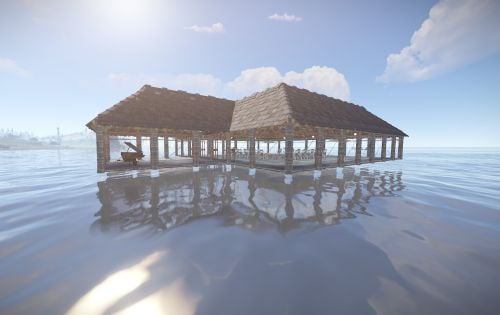
Fishing contest is a an event plugin that spawns an arena in the ocean for players to compete at. Players must catch the most of a certain type of fish that the contest randomly selects to win. The arena is spawned using the CopyPaste plugin. You can create your own arena, but there are requirements (see the video). The plugin is highly configurable, allowing you to select if players keep what they catch, adjust drop rates for caskets for participants, modify the fishing rod tensile strength, and what fish the competition requires the players to catch. EpicLoot - Integrates a list of enhanced fishing attire into the rewards list. NightVision - Locks the players time to day while at the event. FishingTreasure - Allows for the drop rates of fishing caskets to be changed for players at the event. fishingcontest.admin - required to manually start and stop the event. joinfc - Joins the fishing contest. leavefc - Leaves the fishing contest. startfc - Manually starts the fishing contest. endfc - Manually ends the fishing contest.$15.001 point -
Version 1.0.1
3,516 downloads
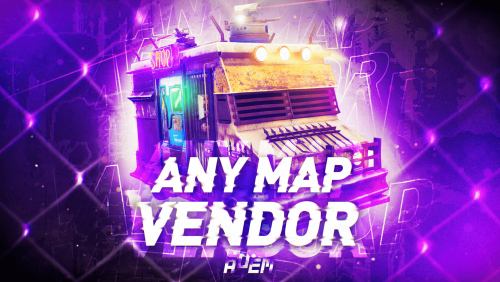
Allows the vendor to travel any maps, including those without ring roads. The map can be either custom or procedural. The vendor can drive on both country roads and paved roads. Chat commands (admin only) /vendorspawn - spawns a vendor /vendorroadblock - the vendor will not spawn on the road where you are standing (clear the Blocked roads section of config when you change maps) Console commands (RCON only) vendorspawn - spawns a vendor Plugin Config en – example of plugin configuration in English Check out the rest of my work: Adem's Codefling Library You can reach out to me in Discord: Adem's Discord Profile Join the Mad Mappers Discord!Free1 point -
.thumb.png.f82bb7c39a29bb22bea87b11e2d79d5b.png)
Version 1.0.3
133 downloads
70 zombie / horror kits Data file all kits have been put on hide. Weapons include bloody clothes to scare the players, the kits are different from each other. Can be used with Zombie Horde BotReSpawn horde addloadout "1" "2" "3" "4" "5" "6" "7" "8" "9" "10" "11" "12" "13" "14" "15" "16" "17" "18" "19" "20" "21" "22" "23" "24" "25" "26" "27" "28" "29" "30" "31" "32" "33" "3" "35" "36" "37" "38" "39" "40" "41" "42" "43" "44" "45" "46" "47" "48" "49" "50" "51" "52" "53" "54" "55" "56" "57" "58" "59" "60" "61" "62" "63" "64" "65" "66" "67" "68" "69" "70" "71" "72" "73" "74" "75" "76" "77" "78" "79" "80" "81" "82" "83" "84" "85" "86" "87" "88" "89" "90" "91" "92" "93" "94" "95" "96" "97" "98" "99" "100"$11.981 point


.thumb.png.f676fcb4237b0d630285499251bcf88e.png)


