
Raul-Sorin Sorban's Wishlist
-
$20.00
Hotbars
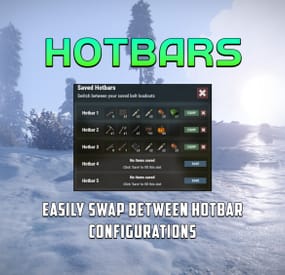
Hotbars is a Rust plugin that lets users create multiple MMO-style hotbars they can switch between on the fly either with chat commands, key binds or a GUI interface. Users can configure up to 5 bars to switch between. If the items are lost, the items are removed from the hobar when the user switches or recalls the hotbar.
Permissions
hotbars.use - Required for use. hotbars.(1-5) - Limits the amount of hotbars a player/group can have. Example: hotbars.3
Commands
/hotbar - Will print a list of availible commands. /hotbar list - Alternative method to open GUI interface. /hotbar close - Alternative method to close GUI interface. /hotbar save - Alternative method to save a hotbar. /hotbar delete 1-5 - Alternative method to delete a saved hotbar. /hotbar 1-5 - Alternative method to switch between hotbars.
Config
OnlyUsableItems (Default: true) - Prevents un-usable items from being saved into a hotbar, like resources, etc.. RestoreHotbarOnDeath (Default: false) - Restores the hotbar on respawn after a player dies. ToggleButtonContainerBounds - Configure the placement of the GUI hotbar button. ToggleButtonImageBounds - Configure the placement of the GUI hotbar button icon. ToggleButtonBounds - Configure the placement of the GUI hotbar button texture layer. ToggleButtonColor - Configure the color of the GUI hotbar button. ToggleButtonBackgroundColor - Configure the background color of the GUI hotbar button. ToggleButtonOpacity - Configure the opacity of the GUI hotbar button. ToggleButtonBackgroundOpacity - Configure the background opacity of the GUI hotbar button. HotbarContainerBounds - Configure the placement of the hotbar menu.
Preview