
DeutscherRitterPlatz's Wishlist
-
$4.99
Loot Breaker
Overview:
This plugin adds an additional twist to PVP within monuments by giving items within player inventories a chance to perma break on death meaning the looter might not
get that shiny gun they were hoping to get. Each monument has a tier structure and the tiers break chance % can be modified to suit your playstyle , or if there are certain
items you dont want to be apart of the item table you can add them to the white list.
# Note - This will only affect items that have a condition/durability bar.
Newly Added: Configurable option to set the Loot Breaker to the entire map rather than just Monuments!
White listed:
- Option to set up a white list that disregards items placed into list that have a condition (shortnames).
Chat Command:
- "/breakitems" - Test the plugin by breaking every item in your inventory that has a condition.
Permissions:
- "lootbreaker.exempt" - Use this permission if you want exemption from the plugin.
Config Access:
- The break chance is by % , changing these numbers below will set a new % rate for that monument tier.
- Ability to set the monuments register size, currently set at 100m
- #loot
- #durability
- (and 2 more)
-
$45.00
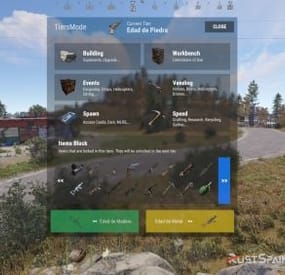
Tiers Mode
Rust / Server Plugins
TiersMode
Tier-Based ProgressionRust Plugin
A new stage. New possibilities. Your wipe, at your pace.
Create a staged progression system for your Rust server. Decide when players can access building grades, items, events, vendors and vehicles, and adjust crafting and gathering as the wipe progresses.
4 default tiers
Add and customize your own stages
Per-tier rules
Building, events, access and rates
In-game editing
Manage blocked items with /tier edit
01 / Video demo
See TiersMode in action
Watch the video demo for a look at TiersMode.
Watch on YouTube
02 / Progression
Set the pace of your wipe
Add a tier-based game mode to an existing modded server or build a new server around staged progression. TiersMode generates four tiers by default, and you can create additional stages and configure each one independently.
Give every tier its own name, icon URL and color. Set stage duration in minutes: 60 for one hour, or 1,440 for one day. Customize what becomes available as your server moves through the tiers. 03 / Player information
Keep players informed as the server progresses
On-screen counter. Display the current tier and the time remaining until the next stage. Tier information window. Enable or disable the information screen and control whether players can view upcoming tiers. Configurable modal alerts. Notify players about restrictions, tier changes and events such as airdrops, Cargo Ship arrivals or Oil Rig respawns. Custom announcements. Send a server-wide modal message with /tieralert. Chat messages. Configure alert notifications and a welcome message explaining the game mode. Discord announcements. Announce wipe starts and tier changes using the Discord Messages plugin. Server title. Optionally update the server title using the configured tier placeholder. 04 / Building & workbenches
Control building progression and research
Tool cupboard limits. Set a maximum number of cupboards per player or allow unlimited placement. Cupboard destruction alerts. Optionally notify the server when a player destroys another player's tool cupboard. Building grades. Set the maximum upgrade level allowed in each tier. Workbench research. Allow or block research through workbenches by tier. Workbench placement. Allow all workbenches, block placement, or permit only the workbenches specified for that stage. 05 / Events & trading
Decide when major events and services become available
Server events
Enable or disable Cargo Ship, Oil Rig, Chinook, Patrol Helicopter, Airdrop and Bradley APC events for each tier.
Vendors and public trading
Control helicopter, boat and horse vendors, drone use and public monument vending machines.
06 / Spawns & vehicles
Unlock cards and vehicles stage by stage
Keycard spawns. Choose which access cards can spawn in each tier. Start with green cards and introduce blue and red cards later. Car spawns. Choose which modular car sizes can appear around the map, or disable car spawns for a tier. Vehicle access. Allow or block MLRS, Workcart and Locomotive use independently. 07 / Rates & gathering
Match crafting and resource rates to each tier
Configure crafting speed, research time and recycling time independently for each stage. Keep vanilla values or adjust the pace as progression advances.
The integrated gather system supports Dispenser Gather, Dispenser Bonus, Collectible Pickup, Growable Gathered, Survey Gather, Quarry Gather and Excavator Gather.
Use one gather system for these rates: disable TiersMode's gather system if another gather plugin controls them, or remove the overlapping plugin before enabling the integrated system.
08 / Restrictions & automation
Edit blocked items in game and run commands per tier
Use /tier edit to manage the items blocked by each stage through the administrative interface, without manually searching for their names in the configuration.
Block crafting of items restricted in the current tier. Prevent placement of specified deployables when the player lacks building privilege. Run your configured server commands when a tier loads, including on tier changes and server restarts. Use tier commands to enable or disable other plugins, trigger their events, or apply your own stage-specific server setup.
09 / Commands
Player and administrator commands
Command Purpose /tier Open the tier information window when enabled. /tier edit Open the blocked-item editor. Requires tiersmode.admin. /tieralert textmsg Send a custom modal alert to online players. Requires tiersmode.admin. 10 / Permissions
Fine-tune access and bypass permissions
Permission Purpose tiersmode.admin Access the tier editor and custom alert command. Assign to administrators only. tiersmode.bypass.use_workcart Bypass the Workcart use restriction. tiersmode.bypass.use_locomotive Bypass the Locomotive use restriction. tiersmode.bypass.use_mlrs Bypass the MLRS use restriction. tiersmode.bypass.limit_cupboard Bypass the tool cupboard limit. tiersmode.bypass.block_items Bypass item restrictions. tiersmode.bypass.block_place_no_building Bypass specified deployable restrictions without building privilege. tiersmode.bypass.upgrade Bypass the maximum building upgrade level. tiersmode.bypass.block_place_all_workbench Bypass workbench placement restrictions. tiersmode.bypass.block_research Bypass workbench research restrictions. tiersmode.bypass.block_vending_helis Bypass helicopter vendor restrictions. tiersmode.bypass.block_vending_boat Bypass boat vendor restrictions. tiersmode.bypass.block_vending_horses Bypass horse vendor restrictions. tiersmode.instant_research Instant research. tiersmode.alerts.block Disable alerts for the player. tiersmode.instant_recycler Instant recycling. 11 / Default configuration
Four tiers to use as your starting point
This example uses four stages: Wood Age, Stone Age, Metal Age and Explosive Age. Each lasts 1,440 minutes, with progressively higher building grades and different events, rates and restrictions. Tier names in the configuration are customizable and appear in Spanish in this example.
Adjust the server title, image URLs, Discord webhook placeholder and server commands for your own setup. Discord announcements require the Discord Messages plugin when enabled.
{ "Automatic Server Title": { "Enabled Auto Changue": true, "Base title to modify": "RustSpain.com | Tiers Mode ({0})" }, "GUI Config": { "On-Screen GUI Counter": true, "Counter Config": { "Color Title": "1.0 1.0 1.0 0.70", "Color Subtitle": "1.0 1.0 1.0 0.70", "Color Button": "0.46 0.46 0.46 0.49", "Show Icon/Color": true, "Show Button Info": true }, "Enabled Alert Modal": true, "Modal Config": { "Duration Show": 10.0, "Color Title": "1.0 1.0 1.0 0.70", "Color Description": "1.0 1.0 1.0 0.70", "Sound Alert": true, "Prefab Sound": "assets/prefabs/tools/pager/effects/beep.prefab" }, "Enabled Alert Modal Changue Tier": true, "Modal Changue Config": { "Duration Show": 15.0, "Color Title": "1.0 1.0 1.0 0.70", "Color Description": "1.0 1.0 1.0 0.70", "Sound Alert": true, "Prefab Sound": "assets/bundled/prefabs/fx/item_unlock.prefab" }, "Enabled Alert Modal Events": true, "Modal Events Config": { "Duration Show": 15.0, "Color Title": "1.0 1.0 1.0 0.70", "Color Description": "1.0 1.0 1.0 0.70", "Sound Alert": true, "Prefab Sound": "assets/prefabs/tools/pager/effects/vibrate.prefab" }, "Enabled Custom Alert Modal": true, "Modal Custom Config": { "Duration Show": 15.0, "Color Title": "1.0 1.0 1.0 0.70", "Color Description": "1.0 1.0 1.0 0.70", "Sound Alert": true, "Prefab Sound": "assets/prefabs/tools/pager/effects/vibrate.prefab" }, "Windows Info Config": { "Show GUI Info Window on Enter": true, "Show GUI Info use Command": true, "Show Previous Tier Button": true, "Show Next Tier Button": true, "Color Title": "1.00 1.00 1.00 1.00", "Color Text": "0.90 0.90 0.90 1.00", "Color Header Info": "0.0 0.0 0.0 1.0", "Color Button Close": "0.20 0.20 0.20 0.80" } }, "Messages": { "Enabled Chat": true, "Enabled Welcome Chat": true, "Use Discord Message Plugin": true, "Webhook Channel Announcement Change of Stag": "Put here your Webhook of the Channel where you want to announce the changes of Tiers." }, "Tiers": [ { "Tier Name": "Edad de Madera", "Tier Icon URL": "https://img.rustspain.com/tiers/1.png", "Tier Color": "0.17 0.75 0.42 0.50", "Duration of the tier in Minutes": 1440, "Cupboards": { "Limit Maximum Placed Cupboards": true, "Maximum Cupboards per player": 3, "Global Alert for Destruction of Cupboard": false, "Config Destruction Alert": { "Show Name of the player who destroyed it in the info": true, "Show Position in info": true }, "Maximum Upgrade Level (1 = Wood, 2 = Stones, 3 = Metal, 4 = HQ)": 1 }, "Workbench": { "Allow research from Workbench": false, "Allow Place All Workbench": false, "Allow placing only the following workbenches": [ "assets/prefabs/deployable/tier 1 workbench/workbench1.deployed.prefab" ] }, "Events": { "Cargoship": false, "Oil Rig": false, "Chinook": false, "Patrol Helicopter": true, "Airdrop": true, "Bradley APC": false }, "Sellers": { "Helicopter Sale": false, "Boat Sales": false, "Horse Sales": false, "Use of Drones": false, "Use of Public Vending Machine (Rads)": false }, "Spawn": { "Spawn Cards": [ "keycard_green_pickup" ], "Spawn Vehicles (Cars)": [], "Use Vehicle MLRS": false, "Use Vehicle Workcart": true, "Use Vehicle Locomotive": true }, "Speed": { "Crafting Rate (1.0 = Vanilla | 0.0 = Instant)": 1.0, "Research Seconds (10.0 = Vanilla | 0.0 = Instant)": 10.0, "Recycler Seconds (5.0 = Vanilla | 0.0 = Instant)": 5.0, "Gather System (If you use another plugin for the Gather disable this or remove the other one)": false, "Gather Config (Setting 0.0 will disable this option and it will work as vanilla)": { "DispenserGather": 0.0, "DispenserBonus": 1.0, "CollectiblePickup": 0.0, "GrowableGathered": 0.0, "SurveyGather": 0.0, "QuarryGather": 0.0, "ExcavatorGather": 0.0 } }, "Lists": { "Items lock Craft": true, "Items lock": [ "shotgun.waterpipe", "shotgun.pump", "pistol.semiauto", "pistol.revolver", "rifle.semiauto", "maxhealthtea", "radiationresisttea", "healingtea", "ammo.rifle", "ammo.shotgun.fire", "ammo.shotgun", "ammo.shotgun.slug" ], "Deployable lock without Building Permissions": false, "Items lock without Building Permissions": { "trap.bear": "assets/prefabs/deployable/bear trap/beartrap.prefab", "trap.landmine": "assets/prefabs/deployable/landmine/landmine.prefab" }, "Server Commands": [ "o.unload Backpack", "o.unload TheStorm" ] } }, { "Tier Name": "Edad de Piedra", "Tier Icon URL": "https://img.rustspain.com/tiers/2.png", "Tier Color": "0.06 0.58 0.86 0.50", "Duration of the tier in Minutes": 1440, "Cupboards": { "Limit Maximum Placed Cupboards": true, "Maximum Cupboards per player": 5, "Global Alert for Destruction of Cupboard": false, "Config Destruction Alert": { "Show Name of the player who destroyed it in the info": true, "Show Position in info": true }, "Maximum Upgrade Level (1 = Wood, 2 = Stones, 3 = Metal, 4 = HQ)": 2 }, "Workbench": { "Allow research from Workbench": false, "Allow Place All Workbench": false, "Allow placing only the following workbenches": [ "assets/prefabs/deployable/tier 1 workbench/workbench1.deployed.prefab" ] }, "Events": { "Cargoship": true, "Oil Rig": false, "Chinook": true, "Patrol Helicopter": true, "Airdrop": true, "Bradley APC": false }, "Sellers": { "Helicopter Sale": false, "Boat Sales": true, "Horse Sales": true, "Use of Drones": false, "Use of Public Vending Machine (Rads)": false }, "Spawn": { "Spawn Cards": [ "keycard_green_pickup", "keycard_blue_pickup" ], "Spawn Vehicles (Cars)": [ "2module_car_spawned.entity" ], "Use Vehicle MLRS": false, "Use Vehicle Workcart": false, "Use Vehicle Locomotive": false }, "Speed": { "Crafting Rate (1.0 = Vanilla | 0.0 = Instant)": 0.6, "Research Seconds (10.0 = Vanilla | 0.0 = Instant)": 8.0, "Recycler Seconds (5.0 = Vanilla | 0.0 = Instant)": 4.0, "Gather System (If you use another plugin for the Gather disable this or remove the other one)": true, "Gather Config (Setting 0.0 will disable this option and it will work as vanilla)": { "DispenserGather": 1.5, "DispenserBonus": 1.5, "CollectiblePickup": 1.5, "GrowableGathered": 1.5, "SurveyGather": 1.5, "QuarryGather": 1.5, "ExcavatorGather": 1.5 } }, "Lists": { "Items lock Craft": true, "Items lock": [ "weapon.mod.8x.scope", "rifle.bolt", "hmlmg", "pistol.python", "smg.thompson", "shotgun.double", "roadsign.gloves", "roadsign.kilt", "hazmatsuit.arcticsuit", "explosives", "submarine.torpedo.straight", "ammo.rocket.basic", "ammo.rocket.hv", "ammo.rifle.incendiary", "ammo.pistol.fire", "ammo.rocket.fire", "ammo.rifle.hv", "ammo.pistol.hv" ], "Deployable lock without Building Permissions": true, "Items lock without Building Permissions": { "trap.bear": "assets/prefabs/deployable/bear trap/beartrap.prefab", "trap.landmine": "assets/prefabs/deployable/landmine/landmine.prefab" }, "Server Commands": [ "o.unload Backpack", "o.unload TheStorm" ] } }, { "Tier Name": "Edad de Metal", "Tier Icon URL": "https://img.rustspain.com/tiers/3.png", "Tier Color": "0.87 0.75 0.05 0.50", "Duration of the tier in Minutes": 1440, "Cupboards": { "Limit Maximum Placed Cupboards": false, "Maximum Cupboards per player": 5, "Global Alert for Destruction of Cupboard": false, "Config Destruction Alert": { "Show Name of the player who destroyed it in the info": true, "Show Position in info": true }, "Maximum Upgrade Level (1 = Wood, 2 = Stones, 3 = Metal, 4 = HQ)": 3 }, "Workbench": { "Allow research from Workbench": false, "Allow Place All Workbench": false, "Allow placing only the following workbenches": [ "assets/prefabs/deployable/tier 1 workbench/workbench1.deployed.prefab", "assets/prefabs/deployable/tier 2 workbench/workbench2.deployed.prefab" ] }, "Events": { "Cargoship": true, "Oil Rig": true, "Chinook": true, "Patrol Helicopter": true, "Airdrop": true, "Bradley APC": true }, "Sellers": { "Helicopter Sale": true, "Boat Sales": true, "Horse Sales": true, "Use of Drones": false, "Use of Public Vending Machine (Rads)": true }, "Spawn": { "Spawn Cards": [ "keycard_green_pickup", "keycard_blue_pickup", "keycard_red_pickup" ], "Spawn Vehicles (Cars)": [ "2module_car_spawned.entity", "3module_car_spawned.entity", "4module_car_spawned.entity" ], "Use Vehicle MLRS": false, "Use Vehicle Workcart": false, "Use Vehicle Locomotive": false }, "Speed": { "Crafting Rate (1.0 = Vanilla | 0.0 = Instant)": 0.3, "Research Seconds (10.0 = Vanilla | 0.0 = Instant)": 6.0, "Recycler Seconds (5.0 = Vanilla | 0.0 = Instant)": 3.0, "Gather System (If you use another plugin for the Gather disable this or remove the other one)": true, "Gather Config (Setting 0.0 will disable this option and it will work as vanilla)": { "DispenserGather": 2.0, "DispenserBonus": 2.0, "CollectiblePickup": 2.0, "GrowableGathered": 2.0, "SurveyGather": 2.0, "QuarryGather": 2.0, "ExcavatorGather": 2.0 } }, "Lists": { "Items lock Craft": true, "Items lock": [ "rifle.l96", "lmg.m249", "multiplegrenadelauncher", "pistol.m92", "shotgun.spas12", "rifle.m39", "explosive.timed", "weapon.mod.muzzlebrake", "weapon.mod.muzzleboost", "chainsaw", "jackhammer", "weapon.mod.extendedmags", "ammo.rocket.mlrs", "ammo.grenadelauncher.he", "ammo.grenadelauncher.buckshot", "ammo.grenadelauncher.smoke", "ammo.rifle.explosive" ], "Deployable lock without Building Permissions": false, "Items lock without Building Permissions": { "trap.bear": "assets/prefabs/deployable/bear trap/beartrap.prefab", "trap.landmine": "assets/prefabs/deployable/landmine/landmine.prefab" }, "Server Commands": [ "o.load Backpack", "o.unload TheStorm" ] } }, { "Tier Name": "Edad Explosiva", "Tier Icon URL": "https://img.rustspain.com/tiers/4.png", "Tier Color": "0.80 0.26 0.13 0.50", "Duration of the tier in Minutes": 1440, "Cupboards": { "Limit Maximum Placed Cupboards": false, "Maximum Cupboards per player": 5, "Global Alert for Destruction of Cupboard": false, "Config Destruction Alert": { "Show Name of the player who destroyed it in the info": true, "Show Position in info": true }, "Maximum Upgrade Level (1 = Wood, 2 = Stones, 3 = Metal, 4 = HQ)": 4 }, "Workbench": { "Allow research from Workbench": true, "Allow Place All Workbench": true, "Allow placing only the following workbenches": [ "assets/prefabs/deployable/tier 1 workbench/workbench1.deployed.prefab", "assets/prefabs/deployable/tier 2 workbench/workbench2.deployed.prefab", "assets/prefabs/deployable/tier 3 workbench/workbench3.deployed.prefab" ] }, "Events": { "Cargoship": true, "Oil Rig": true, "Chinook": true, "Patrol Helicopter": true, "Airdrop": true, "Bradley APC": true }, "Sellers": { "Helicopter Sale": true, "Boat Sales": true, "Horse Sales": true, "Use of Drones": true, "Use of Public Vending Machine (Rads)": true }, "Spawn": { "Spawn Cards": [ "keycard_green_pickup", "keycard_blue_pickup", "keycard_red_pickup" ], "Spawn Vehicles (Cars)": [ "2module_car_spawned.entity", "3module_car_spawned.entity", "4module_car_spawned.entity" ], "Use Vehicle MLRS": true, "Use Vehicle Workcart": false, "Use Vehicle Locomotive": false }, "Speed": { "Crafting Rate (1.0 = Vanilla | 0.0 = Instant)": 0.0, "Research Seconds (10.0 = Vanilla | 0.0 = Instant)": 4.0, "Recycler Seconds (5.0 = Vanilla | 0.0 = Instant)": 2.0, "Gather System (If you use another plugin for the Gather disable this or remove the other one)": true, "Gather Config (Setting 0.0 will disable this option and it will work as vanilla)": { "DispenserGather": 3.0, "DispenserBonus": 3.0, "CollectiblePickup": 3.0, "GrowableGathered": 3.0, "SurveyGather": 3.0, "QuarryGather": 3.0, "ExcavatorGather": 3.0 } }, "Lists": { "Items lock Craft": true, "Items lock": [], "Deployable lock without Building Permissions": true, "Items lock without Building Permissions": { "trap.bear": "assets/prefabs/deployable/bear trap/beartrap.prefab", "trap.landmine": "assets/prefabs/deployable/landmine/landmine.prefab", "water.catcher.large": "assets/prefabs/deployable/water catcher/water_catcher_large.prefab", "water.catcher.small": "assets/prefabs/deployable/water catcher/water_catcher_small.prefab" }, "Server Commands": [] } } ] } 12 / Language & support
Make the game mode fit your community
Language files are generated in English by default. A Spanish translation is available on request.
For questions, problems, suggestions or help with your setup, contact ninco90 on Discord.
A custom configuration service is also available for an additional fee if you would like the game mode configured around your server's preferences.
Give every stage of your wipe its own rules
Start with the four default tiers, adjust the timing and unlocks, and build a progression experience around your community.
-

$14.99
DropBags
By Whispers88 in Plugins
Drop Bags tracks items dropped into the rust world. When there are high-volume drops, they are combined into a single "drop bag.” This method enhances performance by streamlining the handling of item drops and reducing item physics.
Stop server stalls and freezing from item spam Works on craft spam, dropped item spam, gutted shark spam and horse dung! Light weight and easy to use Easy config
DropBags uses one light weight hook to track dropped items. Dependent on how many items are dropped in a given radius those items get placed into a drop bag. This stops mass item spam effecting your server performance.
{ "Area Size - How far away items can be moved into a container": 7, "Max drops before moving items to container": 36, "Time to wait before moving items": 5.0, "Vischeck - checks items are visable before moving to container": true, "Calculate despawntime from drop bag items": true, "Reset dropbag despawn time on loot": false, "Override drop bag despawn time (seconds), 0 = false": 0.0 }
- #dropbags
- #drop bags
- (and 26 more)
-

$19.99
Global Event
Global Event plugins allows you to create custom goals for players to achieve like gathering resources or items and kill specific entities. Each player that contributes towards the event will receive the rewards you list. Comes with HUD UI and interactive UI (preview below) for players to view details about the event, goals, rewards, and more..
This plugin was originally created for the XPerience Addon. I have chosen to recreate it as a separate plugin for others to use that don't want the XPerience Addon plugin and remake it to be more customizable.
NOTE: If using the XPerience Addon you must disable the Global Event Feature!
Discord
Join our community discord for fast support and future updates. We have several channels where you can get help, offer suggestions, see what's coming in future updates, and more. Our discord is the fastest way to get the help and info you need! http://discord.rustlevels.com/
Features:
Create kill goals for different entities Create item goals for items or resources (wood, ores, scrap, weapons, and more..) Give Rewards to players that participate (XP, Items, Economics, Server Rewards, Per player Commands, Global Commands) Awards all players that contribute to the event Global Event deposit box for event contributions (obtained by chat command or give button in UI panel) Option to restrict getting a global event box by permission Option to set max number of global event boxes allowed per player Option to show chat notifications when contributions are made and goals are reached Global Event HUD option to show all goals Option to auto reset global event after x amount of hours from completion Option to destroy all global event boxes on event completion Global Event UI with details and statistics for the event and per player Chat Commands: (can change in settings)
/ge - opens Global Event Ui /gestart - starts/resets the global event /gebox - give a global event box to the player
- #event
- #gathering
- (and 1 more)
-
$9.99
Buried Crates
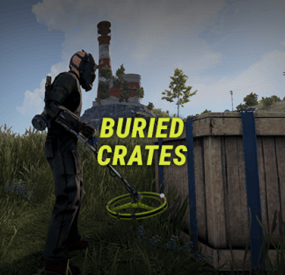
Buried Crates makes it possible to find crates while using a metal detector. This makes metal detectors worth using at any stage of the game.
FEATURES
Custom Metal Detector: Can naturally spawn inside world crates (Tools Crate, Military, Normal, Labs, etc.) with customizable spawn chances. Map Pings: As player scanning gets closer they get a pinged exact location making the process less exhausting. Scarecrow Encounters: Digging up buried loot has a configurable chance to spawn a scarecrow. Custom Crates & Weights: Define which crates and barrels can be dug up, complete with individual weighted probabilities. Hacking & Despawn Control: Configurable hack timers for locked crates and despawn timers for dug-up crates.
COMMANDS
/givedetector <player or steamid> (or in server console) - Gives the custom metal detector to the specified player. (Requires permission buriedcrates.admin)
SUPPORTED CRATES/BARRELS
PERMISSIONS & SPAWN PROBABILITY
In config you can define permissions and chance % of a crate spawning for each permission (if a crate doesn't spawn, vanilla loot items works like normal).
Crate types to be spawned uses a weight system, the higher the weight, the higher chance that crate type will be the one to spawn.
Default permissions: you can change or add to them in config
buriedcrates.default - 25% chance of finding a crate buriedcrates.vip1 - 50% chance of finding a crate buriedcrates.vip2 - 80% chance of finding a crate
CONFIG
{ "General settings": { "Metal detector pings": { "Enabled": true, "Ping trigger distance": 3.0, "Ping duration in seconds": 15.0 }, "Locked crate hack seconds": 60, "Dug up crate despawn in seconds": 900, "Scarecrow spawn chance (%)": 20.0, "Scarecrow despawn in seconds (0 = never)": 300, "Log dug up crates in console": false }, "Custom metal detector": { "Skin ID": 3801704557, "Custom item name": "Buried Crates Detector", "Require for crate spawning": true, "Require for map pings": true, "Spawn in loot crates": { "Enabled": true, "Crates spawn chances (%)": { "Basic Crate": 2.0, "Tools Crate": 10.0, "Normal Crate": 3.5, "Military Crate": 4.0, "Underwater Labs Normal Crate 1": 3.5, "Underwater Labs Normal Crate 2": 3.5 } } }, "Permissions": { "default": { "Crate spawn chance (%)": 100.0, "Crates weights": { "Basic Crate": 5, "Foodbox": 5, "Vehicle Parts Crate": 5, "Tier 2 Components Crate": 5, "Tier 3 Components Crate": 5, "Normal Crate": 15, "Normal Crate - Food": 5, "Normal Crate - Medical": 5, "Tools Crate": 15, "Underwater Labs Normal Crate 1": 5, "Underwater Labs Normal Crate 2": 5, "Military Crate": 3, "Elite Crate": 3, "Elite Crate - Bradley": 2, "Elite Crate - Heli": 2, "Locked Crate": 0, "Supply Drop": 1, "Yellow Loot Barrel": 5, "Blue Loot Barrel": 5, "Oil Barrel": 5, "Giftbox": 5, "Present Drop": 0 } }, "vip1": { "Crate spawn chance (%)": 100.0, "Crates weights": { "Basic Crate": 0, "Foodbox": 5, "Vehicle Parts Crate": 5, "Tier 2 Components Crate": 5, "Tier 3 Components Crate": 5, "Normal Crate": 15, "Normal Crate - Food": 5, "Normal Crate - Medical": 5, "Tools Crate": 15, "Underwater Labs Normal Crate 1": 5, "Underwater Labs Normal Crate 2": 5, "Military Crate": 3, "Elite Crate": 3, "Elite Crate - Bradley": 2, "Elite Crate - Heli": 2, "Locked Crate": 1, "Supply Drop": 1, "Yellow Loot Barrel": 5, "Blue Loot Barrel": 5, "Oil Barrel": 5, "Giftbox": 5, "Present Drop": 1 } }, "vip2": { "Crate spawn chance (%)": 100.0, "Crates weights": { "Basic Crate": 0, "Foodbox": 0, "Vehicle Parts Crate": 0, "Tier 2 Components Crate": 0, "Tier 3 Components Crate": 5, "Normal Crate": 10, "Normal Crate - Food": 0, "Normal Crate - Medical": 0, "Tools Crate": 10, "Underwater Labs Normal Crate 1": 5, "Underwater Labs Normal Crate 2": 5, "Military Crate": 5, "Elite Crate": 5, "Elite Crate - Bradley": 3, "Elite Crate - Heli": 3, "Locked Crate": 1, "Supply Drop": 1, "Yellow Loot Barrel": 5, "Blue Loot Barrel": 5, "Oil Barrel": 5, "Giftbox": 5, "Present Drop": 1 } } }, "Version": { "Major": 1, "Minor": 1, "Patch": 0 } }- #metal detector
- #detector
- (and 6 more)