-
Posts
63 -
Joined
-
Last visited
Content Type
Profiles
Warranty Claims
Downloads
Forums
Store
Services
Downloads Plus Support
DOWNLOADS EXTRA
Everything posted by jakman76
-
Changed Status from Pending to Work in Progress Changed Fixed In to Next Version
-
Hi, sorry to hear - let me take a look. I'm a bit busy till Thursday, but will get back to you before the weekend.
-
 thank you MD. have not working on this for some time until last week. Will check your inputs an might release another update.
 -
Thanks for the report- been out for the the last week - will update tonight. jakman76
-
Finally added naming to the official version.
-
 I had those issues before with different prefabs using elevators. I wished I had a 100% answer. For me the issue happened when I changed the map between wipes. Seems like RUSTEDIT is creating the elevator descriptions (and others like keycards) at first initialization of the map, likely in the sav file. Maybe the update did something in your case. But since I leave my maps untouched between wipes, I haven't seen the problem.
 -
Hi FlintMonkey, I'm glad you like the prefab. I use it on my own server "1976" (51.195.237.3:28015) I have the server up to date with Halloween on. No issues with the elevator. Did you modify the map since you started the first time? Do you have the RUST-Edit extension up to date? I think there was an update Sep4.
-
Hi PPlank, thanks a lot for taking the time to comment. For wipes with the same map you can run /busstopinit and then replace the config file with the old one afterwards. But I get your point - its still a manual process. (I'm changing maps every month/wipe on my server, that's why I never ran into the issue). Your suggestions are worth exploring - I also thought about detecting the wipe and back-populating the seats based on the config file. Give me a bit to find a good option and thanks for using the plugin. Jak
-
Working on a minor update to add language support and to disarm before port. Some people port to places like outpost with their weapons drawn and get killed on arrival. Coming soon.
-
Version 1.0.0
938 downloads
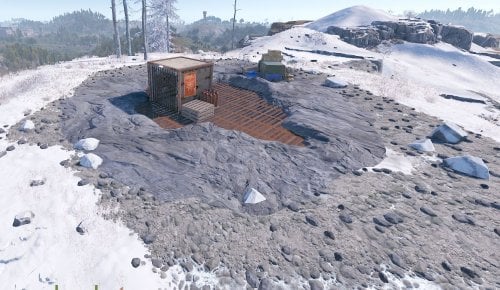
Dual cave with elevator access. Smart switch at the bottom to deactivate the elevator. Furnace and refinery in side-cave. Needs Rustedit running on server for the elevator to work. Easy to use standalone prefab with no terrain, splat or alpha map. See the second half of the video for instructions.Free -
Thank you!
-
Economics now supported.
-
NoEscape support is now available. Option to choose "currency" added as well. Thanks for your suggestions.
-
Zoreeno, thanks a lot for your feedback, really appreciate it. The cost is shown right now, but I will add option for any item. Economy/reward on my radar, but a bit further out.
-
Just checked NoEscape - will add support before next Rust update (4/7).
-
Hi, thanks for asking. Currently not, but I have this on my list for the next release.
-
Version 0.17.0
494 downloads
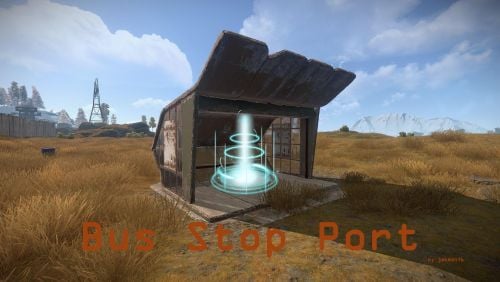
Are you looking for a light way of teleportation? No desire to allow everywhere and personal home teleports? With BusStopPort you can turn your Rust Bus Stops into a transport system. Features: Just sit down and select destination No chat commands needed for use Charge items for travel (configure type and quantity) Support for Economics as currency Configure Port-From/To for every Stop Configure Bus Stop Names New: Simple cooldown timer - default 0s Maximum of 56 (4x14) "Travel To" Stops Automatic Initialization of existing Bus Stops Automatic BusStop labelling after closest monument. NoEscape - Combat Block support Quick support & open to suggestions Configure menu transparency No Build Zone option Installation: See video below. Chat Commands: /busstopinit will add seating to all Bus Stops on the map and create the BusStopPort.json (admin only). /busstopremove will remove all seats and clean out the config file (admin only). /busstopcooldownreset will reset all pending cooldowns (admin only). Console Commands: busstop.init will add seating to all Bus Stops on the map and create the BusStopPort.json. busstop.remove will remove all seats and clean out the config file. Permissions: busstopport.admin to use /busstopinit, /busstopremove and /busstopcooldownreset busstopport.use to use the teleport Video:$9.99