.png.1f497f4bd86a1d950bfa04433bf1154b.png)
.png.f3916080c38687274c595087ff575fe7.png)
-
Posts
40 -
Joined
-
Last visited
-
Days Won
1
Content Type
Profiles
Warranty Claims
Downloads
Forums
Store
Services
Downloads Plus Support
DOWNLOADS EXTRA
Reels
Everything posted by SavageBuilder
-
Changed Status from Pending to Fixed Changed Fixed In to 2.0.0
-
.thumb.png.cd61e0af4e7220df08c8f8d8e114f09d.png)
Version 1.0.0
12 downloads
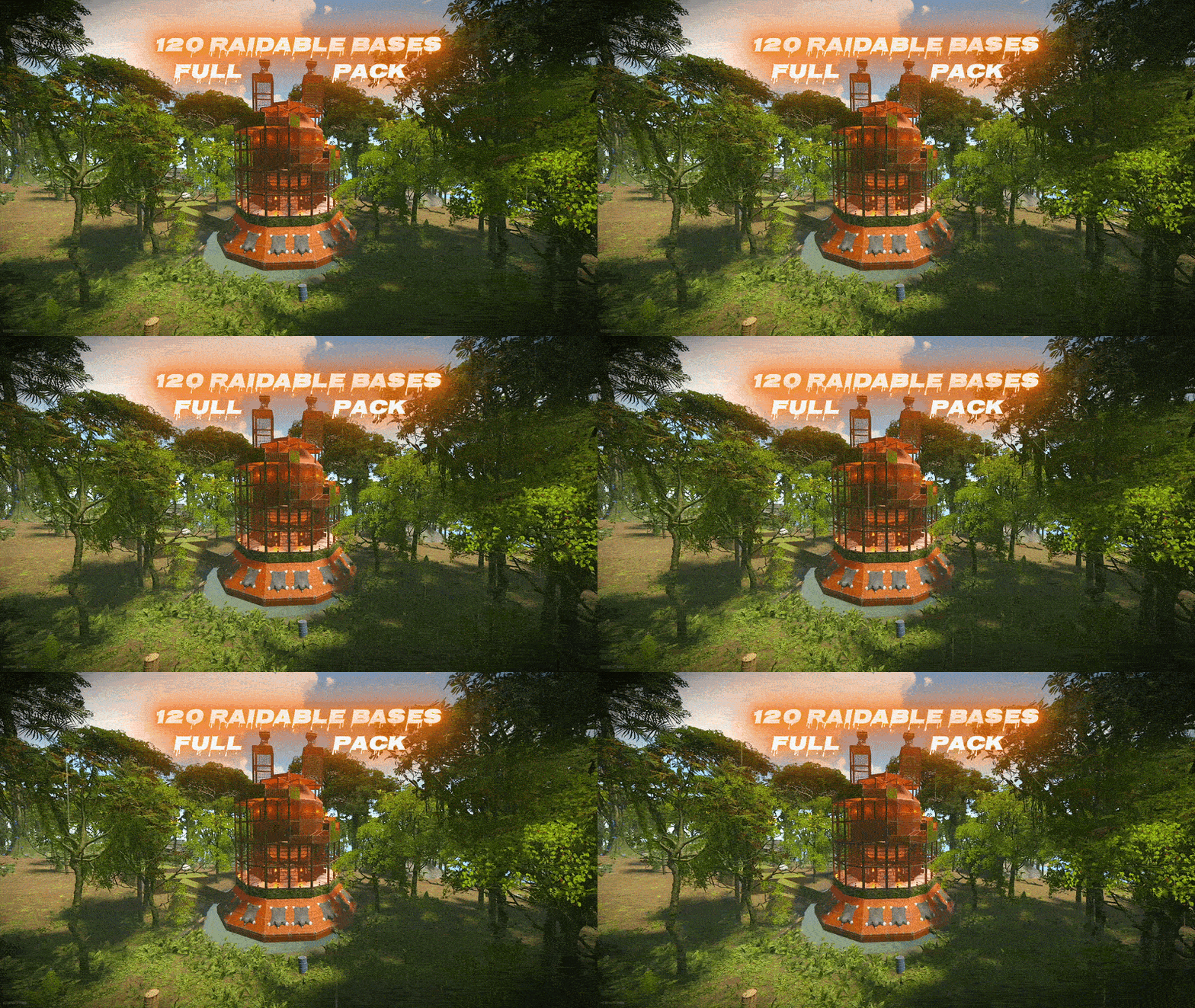
Ready to level up your server’s raiding experience? This premium pack contains 120 unique, handcrafted, high quality raidable bases divided into 5 distinct difficulty tiers (Easy, Medium, Hard, Expert, and Nightmare). Every base was built manually in-game, saved with CopyPaste, and tested on a live server. The Easy and Medium bases are bigger and more challenging than usual, and 44 of the bases come in a festive Christmas style. Everything is 100% Plug & Play — no setup or editing required! What Makes This Pack Unique: 120 Custom Bases: Includes 35 Easy, 30 Medium, 30 Hard, 15 Expert, and 10 Nightmare bases. Complete Loot Table Set: A fully balanced loot table for every tier, tuned so each difficulty rewards properly without breaking your server’s economy. Bigger Easy & Medium Tiers: Around 280 and 340 entities each with real defences — far more challenging than the usual small starter raids. Fully Defended & Clever Layouts: Built with auto turrets, shotgun traps, flame turrets, SAM sites, land mines, and tesla coils. Some bases feature hidden traps crafted with EditTool so raiders can’t easily spot every defense. Visual Variety & Heavy Challenge: Higher tiers utilize mostly Metal and HQM building grades along with custom skinned blocks and deployables. 44 bases come in a festive Christmas style. Paste-Tested: All 120 base files were checked and corrected one by one, so nothing collapses or goes missing when a base spawns. Plug & Play Setup: Pre-configured profiles and main plugin settings included. Just copy, paste, and reload! Important! - In case that you are buying this pack to update your server, contact me, and after buying the pack I can rename the bases special for you, and will send the updated profiles so you won’t lose any time. How to Install (Step-by-Step): Setting this up on your server takes less than 2 minutes: Base Files: Extract all .json files from all subfolders (copypaste/Easy/, Medium/, etc.) and place them directly into oxide/data/copypaste/. (Do not copy subfolders, only the files inside them!) Loot Tables: Copy all 5 .json files from Difficulty_Loot/ into oxide/data/RaidableBases/Difficulty_Loot/. Default Loot: Replace oxide/data/RaidableBases/Default_Loot.json with the empty one included. The plugin mixes this file into every difficulty, so emptying it keeps the loot exactly as balanced. (Optional, but recommended!) Profiles: Copy all files from Profiles/ into oxide/data/RaidableBases/Profiles/. Plugin Config (Optional): If you want to use the included custom config, copy config/RaidableBases.json into oxide/config/. (Note: This will overwrite your existing config!) Reload: Run o.reload RaidableBases in your server console. Requirements: This pack requires an Oxide/uMod Rust server with the paid RaidableBases plugin (by nivex) and the CopyPaste plugin installed. The bases work well. The only thing is that a few of them have lower stability by design, so "stability": "false" needs to be set in the profile’s CopyPaste Options — otherwise those parts can drop after pasting. It’s already set that way in all the profiles that come with the pack, so there’s nothing to do on your side. IMPORTANT: Remove Stone Walls (Enclosures): By default, the plugin spawns a giant stone wall around bases. To remove it: Open oxide/config/RaidableBases/Profiles/Easy.json Find the "Arena Walls" section and change "Enabled" to false: "Arena Walls": { "Enabled": false, ... } Run command: rb.reload in console. Loot Hints (enabled by default): Players type /rb hint and the containers that still hold loot are drawn for them — very useful on the big Hard, Expert and Nightmare bases. To turn it off: "Loot Hints": { "Enabled (/rb hint)": false, "Required Loot Percentage To See Loot Left": 85.0, ... } In Case that you feel that it's too much loot: Open oxide/config/RaidableBases/Profiles/Easy.json or any tother Difficulty "Amount Of Items To Spawn": 120, Change the Amount Of Items to a lower number. Modifying Base Despawn Timers: If you want to change how long a base stays on the map before disappearing, find these lines under "Raid Management" in config: "Minutes Until Despawn After Looting (min: 1)": 15, "Minutes Until Despawn After Inactive (0 = disabled)": 45 Controlling Automatically Maintained Events: It's spawning 6 bases at every 30 mins - 1h 30 mins, randomly. Easy & Medium got higher chances to spawn. Takes 30 seconds per base to spawn so it's not going to make the server to lag. "Always Maintain Max Events": true, "Max Maintained Events": 6 NPCs: Default is 1+1 on Easy up to 3+3 on Nightmare. Raise these for a harder fight: "NPCs": { "Enabled": true, "Amount Of Scientists To Spawn": 2, "Minimum Amount Of Scientists To Spawn": 2, "Amount Of Murderers To Spawn": 2, "Minimum Amount Of Murderers To Spawn": 2, ... } Auto-Cooking & Sorting (Furnace & Base Sorting): If you want to know how the pack automatically moves resources or food into the right containers when a base spawns, look for these options under "Raid Management" in config: "Move Cookables Into Ovens": true, "Move Food Into BBQ Or Fridge": true, "Move Resources Into Tool Cupboard": true, "Move Items Into Lockers": true Turning Lights and Furnaces On Automatically: "Turn Lights On At Night": true, "Turn Lights On Indefinitely": true, "Furnace Starting Fuel": 1000 Automatic Chat Announcements: If you want the entire server to know when a new raid has appeared on the map, look for "Event Messages" in config: "Announce Buy Base Messages": false, "Show Opened Message For PVE Bases": true, "Show Opened Message For PVP Bases": true Manual Base Registration (Console Commands) If you already have existing bases and do not want to overwrite your profiles, run these commands in your server console (F1 or RCON) to add all 120 bases manually, then run o.reload RaidableBases: (Important! - In case that you are buying this pack to update your server, contact me, and after buying the pack I can rename the bases special for you, and will send the updated profiles so you won’t lose any time.) rb.config add "Easy Bases" Easy easy1 easy2 easy3 easy4 easy5 easy6 easy7 easy8 easy9 easy10 rb.config add "Easy Bases" easy11 easy12 easy13 easy14 easy15 easy16 easy17 easy18 easy19 easy20 rb.config add "Easy Bases" easy21 easy22 easy23 easy24 easy25 easy26 easy27 easy28 easy29 easy30 rb.config add "Easy Bases" easy31 easy32 easy33 easy34 easy35 rb.config add "Medium Bases" Medium medium1 medium2 medium3 medium4 medium5 medium6 medium7 medium8 medium9 medium10 rb.config add "Medium Bases" medium11 medium12 medium13 medium14 medium15 medium16 medium17 medium18 medium19 medium20 rb.config add "Medium Bases" medium21 medium22 medium23 medium24 medium25 medium26 medium27 medium28 medium29 medium30 rb.config add "Hard Bases" Hard hard1 hard2 hard3 hard4 hard5 hard6 hard7 hard8 hard9 hard10 rb.config add "Hard Bases" hard11 hard12 hard13 hard14 hard15 hard16 hard17 hard18 hard19 hard20 rb.config add "Hard Bases" hard21 hard22 hard23 hard24 hard25 hard26 hard27 hard28 hard29 hard30 rb.config add "Expert Bases" Expert expert1 expert2 expert3 expert4 expert5 expert6 expert7 expert8 expert9 expert10 rb.config add "Expert Bases" expert11 expert12 expert13 expert14 expert15 rb.config add "Nightmare Bases" Nightmare nightmare1 nightmare2 nightmare3 nightmare4 nightmare5 nightmare6 nightmare7 nightmare8 nightmare9 nightmare10 Optimized NPCs The number of NPCs is fully optimized for each difficulty tier — from 1 scientist and 1 murderer on Easy up to 3 and 3 on Nightmare. You can find and tweak these balanced guard configurations inside the Profiles/ folder. A Note From Me Hello and welcome! I’ve put my heart and countless hours into creating Raidable Bases Pack 3. Everything was built by me from scratch on my online server. I am incredibly proud of this project — especially the bigger, more challenging Easy and Medium tiers, and the festive Christmas-style builds. In case that you want to see few of my bases by urself, contact me and I will join on my public server and will spawn some of them, the ip: 148.251.177.248:28020 Why only $25? A pack with 120 custom, fully tested bases easily goes for more on the market. But as a former server owner myself, I know how hard and expensive it is to find high-quality setups that don’t break the bank. I wanted to keep it at a fair, accessible price while giving you top-tier quality for your server! Support the Work If you love this pack, please consider leaving a 5-star review! Your feedback means the world to me and motivates me to keep building and improving future packs. Thank you for your support, and happy raiding!$25.00 -
.thumb.gif.24f68eb9bce2fc6b78a8bbb722cc5f6e.gif) You need the premium version for it to work without any problems. In case that you want another loot pack give me a private message and I will do it for you!
You need the premium version for it to work without any problems. In case that you want another loot pack give me a private message and I will do it for you! -
Changed Status from Pending to Fixed Changed Fixed In to 1.0.4
-
MP7_Vanilla_Loot_210.zip in case that you need any more help, write me a private message.
-
Yeah, no problem. Just tell me the amount the loot you want. And if you want I can turn on some settings for hard up to nightmare so the boxes gonna have more loot inside. What about the amount of boom inside ?
-
Yeah, they took it off, thats why I updated the loot pack. So in case that someone needs a version with lower amount of loot contact me. Same offer for anyone else reading: if you need a vanilla or low-rate version of the loot tables, just DM me and I'll put one together for you personally. The loot pack was did on preferences, and on the way it was on one server i have played before, so I was motivated to do it by myself and did how I thought that its gonna be good. :DDDD. But I am willing to help everyone so if someone need a version of the loot pack with lower amounts of loot contact me!
-
Research paper is actually a real item that still exists in Rust — it's used at a Research Table. But you're right that it doesn't belong there, so I've replaced it in the updated version with proper basic and advanced blueprint fragments, scaled per difficulty. About the amount of loot — not a problem at all. I'm open to helping everyone, so if you run a vanilla server or x2, or anything where you need less loot, just contact me in private and I'll send you a modified loot pack. Same goes for anything else you want changed — reach out and I'll sort it for you. On the fields you asked about: "name": null — this is an optional custom display name for the item. Null just means it uses the item's normal in-game name. Nothing is wrong with it. "amount": 2 and "amountMin": 1 — max and min. The plugin picks a random number between the two, so in this case you get either 1 or 2. "probability": 1.0 — 100% chance for that item to be picked for the base. "blueprint": false — the item spawns as the item itself rather than as its blueprint. "stacksize": -1 — uses the server's default stack size for that item.
-
I updated the profiles and the loot pack, so download the new version and just override the profiles and difficulty loot, in case that you need some help, give me a private message, and I will help you!
-
Changed Status from Pending to Fixed Changed Fixed In to 1.0.3
-
Take a look now, download the new pack and take the new pofiles and put them on the old ones. The new got +1 npsc per level, and I updated the radius of the walls too, because of that the npc couldnt spawn. Take a look and in case that you will want more npcs, write me and I will edit them special for you with the number u want.
-
Give me few minutes and I will update the pack.
-
Let me take a look.
-
Yeah, i have build em on a flat place, on my own building server, in case that you wanna see some of them, give me a private message, and i can spawn some bases for you to see.
-
Error when loading raidable bases plugin
SavageBuilder replied to Officer Diggler's Support Report in Support
Changed Status from Pending to Fixed Changed Fixed In to 1.0.1 -
Error when loading raidable bases plugin
SavageBuilder replied to Officer Diggler's Support Report in Support
That’s exactly how it should look! All five difficulties are loading their own loot tables now, and the Medium error is gone. That was the whole issue. You should now get proper random spawns across all tiers instead of everything coming out as Easy. Enjoy the pack, and if anything else comes up just message me! -
Error when loading raidable bases plugin
SavageBuilder replied to Officer Diggler's Support Report in Support
Exactly! No need to run rb.config remove or anything else. Just copy the 5 files from the pack's Profiles/ folder into oxide/data/RaidableBases/Profiles/ and overwrite the existing ones, then run o.reload RaidableBases. The new files completely replace the old ones, so whatever the commands created gets wiped out automatically. One small tip: if any profile files got created with different names than mine (for example if the plugin auto-corrected something), delete those leftover files first so you don't end up with duplicates. You should only have these 5 in the folder: Easy Bases.json Medium Bases.json Hard Bases.json Expert Bases.json Nightmare Bases.json After the reload you should see a loot line for all five difficulties in console instead of just Easy. Let me know! -
Error when loading raidable bases plugin
SavageBuilder replied to Officer Diggler's Support Report in Support
Hey! I tested the pack again on my own server and everything spawns correctly and randomly across all 5 difficulties, so the files themselves are fine. The problem is that you used the rb.config add commands instead of installing the included Profiles folder. Those commands create profiles WITHOUT a difficulty set, and the plugin ignores any profile with a blank difficulty. That's why only Easy works for you and why you get the "Difficulty Medium does not exist in any of the profiles" message. Fix: 1. Copy all 5 files from the Profiles/ folder in the pack into oxide/data/RaidableBases/Profiles/ (overwrite what's there) 2. Run: o.reload RaidableBases Those profiles already have all 300 bases assigned to the correct difficulty, so you don't need the rb.config add commands at all. Also, if you already have other base packs installed and the file names are clashing, or if you renamed my bases to fit your setup, just let me know. I can rename all 300 bases to whatever naming scheme you want and send you clean profiles that match, so everything drops in without conflicts. No problem at all. I just tested it and workes perfectly fine, i can rename all the files for you and give u the updated profiles so it will work without any problems, just tell me if you got other bases pack on ur server, and if u did everything right from the Readme.
-
Error when loading raidable bases plugin
SavageBuilder replied to Officer Diggler's Support Report in Support
okay, let me see, I am going to solve it out, give me few minutes. -
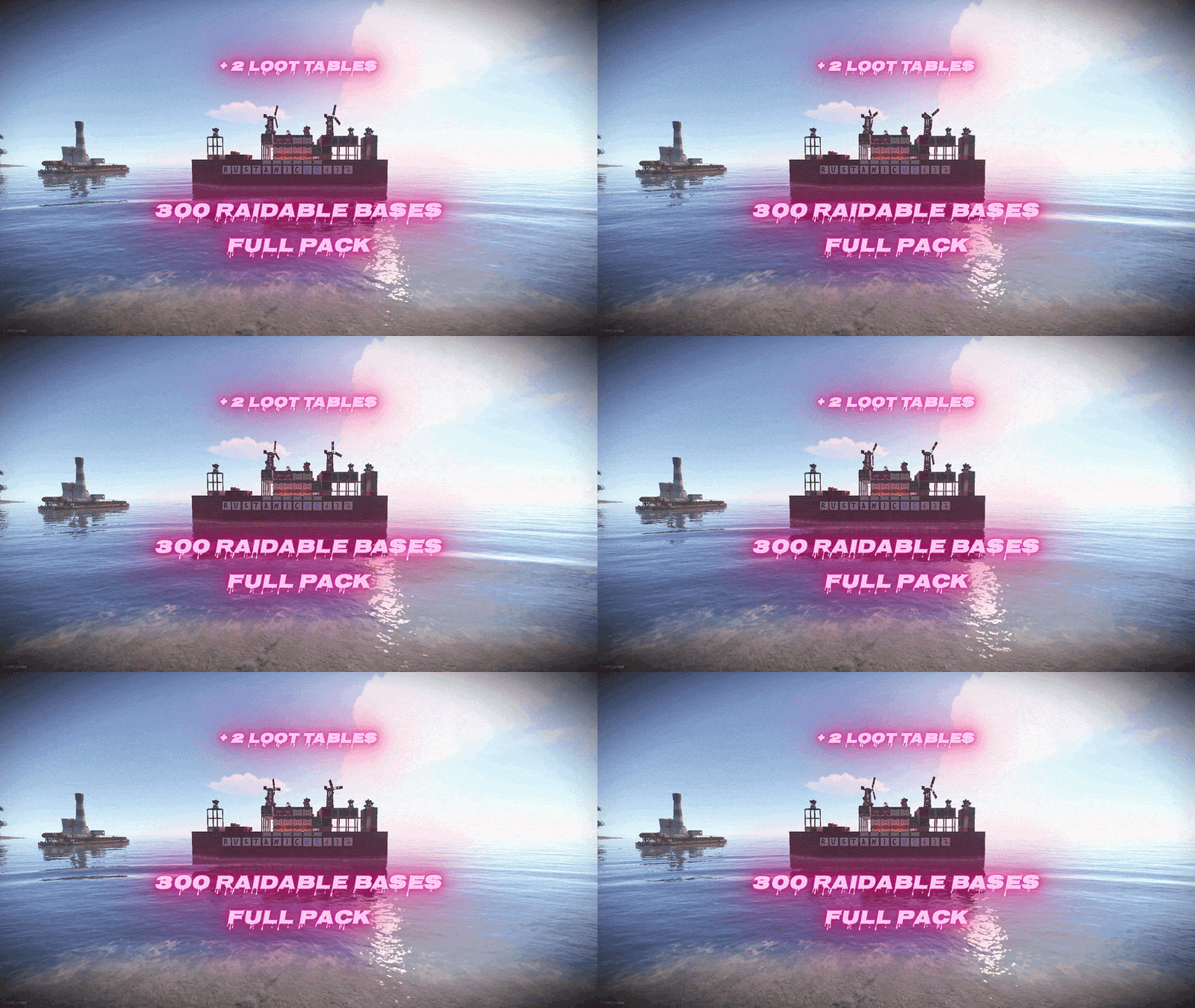 Hello, all this bases are new, its a brand new pack, that I made after the 210 one :3 In case that you wanna see some of the bases before buying the pack, write me a private message, cuz I got an online server where I built em, and I can show you some bases.
 -
Version 1.0.4
70 downloads
Ready to level up your server's raiding experience? This premium pack contains 300 unique, handcrafted raidable bases divided into 5 distinct difficulty tiers (Easy, Medium, Hard, Expert, and Nightmare). Every base was built manually in-game, saved with CopyPaste, and tested on a live server. Everything is 100% Plug & Play — no setup or editing required! What Makes This Pack Unique: 300 Custom Bases: Includes 100 Easy, 100 Medium, 40 Hard, 30 Expert, and 30 Nightmare bases. 2 Complete Loot Table Sets: Choose between Difficulty_Loot (higher amounts for modded/high-rate servers) or Difficulty_Loot2 (lower amounts for vanilla-style servers). Fully Defended & Clever Layouts: Built with auto turrets, shotgun traps, flame turrets, SAM sites, land mines, and tesla coils. Some bases feature hidden traps crafted with EditTool so raiders can't easily spot every defense. Visual Variety & Heavy Challenge: Higher tiers utilize mostly Metal and HQM building grades along with custom skinned blocks and deployables. Plug & Play Setup: Pre-configured profiles and main plugin settings included. Just copy, paste, and reload! Important! - In case that you are buying this pack to update your server, contact me, and after buying the pack I can rename the bases special for you, and will send the updated profiles so you won't lose any time. How to Install (Step-by-Step): Setting this up on your server takes less than 2 minutes: Base Files: Extract all .json files from all subfolders (copypaste/Easy/, Medium/, etc.) and place them directly into oxide/data/copypaste/. (Do not copy subfolders, only the files inside them!) Loot Tables: Pick ONE of the loot folders (Difficulty_Loot/ for higher rewards or Difficulty_Loot2/ for lower rewards). Copy all 5 .json files into oxide/data/RaidableBases/Difficulty_Loot/. (Do not copy both!) Profiles: Copy all files from Profiles/ into oxide/data/RaidableBases/Profiles/. Plugin Config (Optional): If you want to use the included custom config, copy config/RaidableBases.json into oxide/config/. (Note: This will overwrite your existing config!) Reload: Run o.reload RaidableBases in your server console. Requirements: This pack requires an Oxide/uMod Rust server with the paid RaidableBases plugin (by nivex) and the CopyPaste plugin installed. IMPORTANT: Remove Stone Walls (Enclosures): By default, the plugin spawns a giant stone wall around bases. To remove it: Open oxide/config/RaidableBases/Profiles/Easy.json Find the "Arena Walls" section and change "Enabled" to false: "Arena Walls": { "Enabled": false, ... } Run command: rb.reload in console. In Case that you feel that it's too much loot: Open oxide/config/RaidableBases/Profiles/Easy.json or any tother Difficulty "Amount Of Items To Spawn": 45, A tip from me, I would rather put a little bit more loot in the profiles, so the players wil have a better gameplay. Change the Amount Of Items to a lower number. Modifying Base Despawn Timers: If you want to change how long a base stays on the map before disappearing, find these lines under "Raid Management" in config: "Minutes Until Despawn After Looting (min: 1)": 15, "Minutes Until Despawn After Inactive (0 = disabled)": 45 Controlling Automatically Maintained Events: It's spawning 6 bases at every 30 mins - 1h 30 mins, randomly. Easy & Medium got higher chances to spawn. Takes 30 seconds per base to spawn so it's not going to make the server to lag. "Always Maintain Max Events": true, "Max Maintained Events": 6 Auto-Cooking & Sorting (Furnace & Base Sorting): If you want to know how the pack automatically moves resources or food into the right containers when a base spawns, look for these options under "Raid Management" in config: "Move Cookables Into Ovens": true, "Move Food Into BBQ Or Fridge": true, "Move Resources Into Tool Cupboard": true, "Move Items Into Lockers": true Turning Lights and Furnaces On Automatically: "Turn Lights On At Night": true, "Turn Lights On Indefinitely": true, "Furnace Starting Fuel": 1000 Automatic Chat Announcements: If you want the entire server to know when a new raid has appeared on the map, look for "Event Messages" in config: "Announce Buy Base Messages": false, "Show Opened Message For PVE Bases": true, "Show Opened Message For PVP Bases": true Manual Base Registration (Console Commands) If you already have existing bases and do not want to overwrite your profiles, run these commands in your server console (F1 or RCON) to add all 300 bases manually, then run o.reload RaidableBases: (Important! - In case that you are buying this pack to update your server, contact me, and after buying the pack I can rename the bases special for you, and will send the updated profiles so you won't lose any time.) rb.config add "Easy Bases" easy1 easy2 easy3 easy4 easy5 easy6 easy7 easy8 easy9 easy10 rb.config add "Easy Bases" easy11 easy12 easy13 easy14 easy15 easy16 easy17 easy18 easy19 easy20 rb.config add "Easy Bases" easy21 easy22 easy23 easy24 easy25 easy26 easy27 easy28 easy29 easy30 rb.config add "Easy Bases" easy31 easy32 easy33 easy34 easy35 easy36 easy37 easy38 easy39 easy40 rb.config add "Easy Bases" easy41 easy42 easy43 easy44 easy45 easy46 easy47 easy48 easy49 easy50 rb.config add "Easy Bases" easy51 easy52 easy53 easy54 easy55 easy56 easy57 easy58 easy59 easy60 rb.config add "Easy Bases" easy61 easy62 easy63 easy64 easy65 easy66 easy67 easy68 easy69 easy70 rb.config add "Easy Bases" easy71 easy72 easy73 easy74 easy75 easy76 easy77 easy78 easy79 easy80 rb.config add "Easy Bases" easy81 easy82 easy83 easy84 easy85 easy86 easy87 easy88 easy89 easy90 rb.config add "Easy Bases" easy91 easy92 easy93 easy94 easy95 easy96 easy97 easy98 easy99 easy100 rb.config add "Medium Bases" medium1 medium2 medium3 medium4 medium5 medium6 medium7 medium8 medium9 medium10 rb.config add "Medium Bases" medium11 medium12 medium13 medium14 medium15 medium16 medium17 medium18 medium19 medium20 rb.config add "Medium Bases" medium21 medium22 medium23 medium24 medium25 medium26 medium27 medium28 medium29 medium30 rb.config add "Medium Bases" medium31 medium32 medium33 medium34 medium35 medium36 medium37 medium38 medium39 medium40 rb.config add "Medium Bases" medium41 medium42 medium43 medium44 medium45 medium46 medium47 medium48 medium49 medium50 rb.config add "Medium Bases" medium51 medium52 medium53 medium54 medium55 medium56 medium57 medium58 medium59 medium60 rb.config add "Medium Bases" medium61 medium62 medium63 medium64 medium65 medium66 medium67 medium68 medium69 medium70 rb.config add "Medium Bases" medium71 medium72 medium73 medium74 medium75 medium76 medium77 medium78 medium79 medium80 rb.config add "Medium Bases" medium81 medium82 medium83 medium84 medium85 medium86 medium87 medium88 medium89 medium90 rb.config add "Medium Bases" medium91 medium92 medium93 medium94 medium95 medium96 medium97 medium98 medium99 medium100 rb.config add "Hard Bases" hard1 hard2 hard3 hard4 hard5 hard6 hard7 hard8 hard9 hard10 rb.config add "Hard Bases" hard11 hard12 hard13 hard14 hard15 hard16 hard17 hard18 hard19 hard20 rb.config add "Hard Bases" hard21 hard22 hard23 hard24 hard25 hard26 hard27 hard28 hard29 hard30 rb.config add "Hard Bases" hard31 hard32 hard33 hard34 hard35 hard36 hard37 hard38 hard39 hard40 rb.config add "Expert Bases" expert1 expert2 expert3 expert4 expert5 expert6 expert7 expert8 expert9 expert10 rb.config add "Expert Bases" expert11 expert12 expert13 expert14 expert15 expert16 expert17 expert18 expert19 expert20 rb.config add "Expert Bases" expert21 expert22 expert23 expert24 expert25 expert26 expert27 expert28 expert29 expert30 rb.config add "Nightmare Bases" nightmare1 nightmare2 nightmare3 nightmare4 nightmare5 nightmare6 nightmare7 nightmare8 nightmare9 nightmare10 rb.config add "Nightmare Bases" nightmare11 nightmare12 nightmare13 nightmare14 nightmare15 nightmare16 nightmare17 nightmare18 nightmare19 nightmare20 rb.config add "Nightmare Bases" nightmare21 nightmare22 nightmare23 nightmare24 nightmare25 nightmare26 nightmare27 nightmare28 nightmare29 nightmare30 You will see photos only with 10 bases per Difficulty, beacause I am aware of people stealing my designs. In the pack you will se a file named: RaidableBases_Testing_cfg (this is another config for the pack, that makes the bases to spawn without any cooldown, while the main configuration in the pack makes the bases to spawn between 30 min up to 1h 30 mins) Optimized NPCs The number of NPCs is fully optimized for each difficulty tier. You can find and tweak these balanced guard configurations inside the Profiles/ folder A Note From Me Hello and welcome! I’ve put my heart and countless hours into creating Raidable Bases Pack 2. Everything was built by me from scratch on my online server. I am incredibly proud of this project, especially the dual-loot table options designed to fit any server economy seamlessly. In case that you want to see few of my bases by urself, contact me and I will join on my public server and will spawn some of them, the ip: 148.251.177.248:28020 . Why only $60? A massive pack with 300 custom bases and dual loot tables easily goes for $100+ on the market. But as a former server owner myself, I know how hard and expensive it is to find high-quality setups that don't break the bank. I wanted to keep it at a fair, accessible price while giving you top-tier quality for your server! Support the Work If you love this pack, please consider leaving a 5-star review! Your feedback means the world to me and motivates me to keep building and improving future packs. Thank you for your support, and happy raiding!$60.00 -
Version 1.0.4
223 downloads
Ready to level up your server's raiding experience? This premium pack contains 210 unique, handcrafted raidable bases divided into 5 distinct difficulty tiers (Easy, Medium, Hard, Expert, and Nightmare). Each tier comes with its own custom, balanced loot tables —the bigger the challenge, the better the reward! Everything is 100% Plug & Play. You don’t need to spend hours editing configurations; just copy, paste, and you're good to go! What makes this pack unique: Easy & Medium Bases: Built to be starter-friendly, utilizing a massive variety of awesome skins to make your server look incredibly alive and high-quality. Hard, Expert & Nightmare Bases: Features complex layouts, multiple entrances, clever trap placements, and a heavy challenge loaded with top-tier rewards. Plug & Play Setup: Comes with everything pre-configured—loot tables, difficulty profiles, and the main plugin settings are all included. No setup required! How to Install (Step-by-Step) As detailed in the README.txt.txt file, setting this up on your server takes less than 2 minutes: Base Files: Extract all .json files from the copypaste/ folders and place them directly into: oxide/data/copypaste/ (Do not copy the subfolders, only the files inside them!) Loot Tables: Copy all files from Difficulty_Loot/ into: oxide/data/RaidableBases/Difficulty_Loot/ Profiles: Copy all files from Profiles/ into: oxide/data/RaidableBases/Profiles/ Plugin Config (Optional): If you want to use the included custom config, copy RaidableBases.json from the config/ folder into: oxide/config/ (Note: This will overwrite your existing config!) Reload: Run o.reload RaidableBases in your server console. Note: This pack requires the paid Raidable Bases plugin (by nivex) and the CopyPaste plugin installed on an Oxide/uMod Rust server. IMPORTANT: Remove Stone Walls (Enclosures): By default, the plugin spawns a giant stone wall around bases. To remove it: Open oxide/config/RaidableBases/Profiles/Easy.json Find the "Arena Walls" section and change "Enabled" to false: "Arena Walls": { "Enabled": false, ... } Run command: rb.reload in console. In Case that you feel that it's too much loot: Open oxide/config/RaidableBases/Profiles/Easy.json or any tother Difficulty "Amount Of Items To Spawn": 45, Change the Amount Of Items to a lower number. Modifying Base Despawn Timers: If you want to change how long a base stays on the map before disappearing, find these lines under "Raid Management" in config: "Minutes Until Despawn After Looting (min: 1)": 15, "Minutes Until Despawn After Inactive (0 = disabled)": 45 Controlling Automatically Maintained Events: It's spawning 6 bases at every 30 mins - 1h 30 mins, randomly. Easy & Medium got higher chances to spawn. Takes 30 seconds per base to spawn so it's not going to make the server to lag. "Always Maintain Max Events": true, "Max Maintained Events": 6 Auto-Cooking & Sorting (Furnace & Base Sorting): If you want to know how the pack automatically moves resources or food into the right containers when a base spawns, look for these options under "Raid Management" in config: "Move Cookables Into Ovens": true, "Move Food Into BBQ Or Fridge": true, "Move Resources Into Tool Cupboard": true, "Move Items Into Lockers": true Turning Lights and Furnaces On Automatically: "Turn Lights On At Night": true, "Turn Lights On Indefinitely": true, "Furnace Starting Fuel": 1000 Automatic Chat Announcements: If you want the entire server to know when a new raid has appeared on the map, look for "Event Messages" in config: "Announce Buy Base Messages": false, "Show Opened Message For PVE Bases": true, "Show Opened Message For PVP Bases": true If you already have other bases installed and don't want to use the included Profiles, you can register all 210 bases directly into your difficulty profiles by running the commands below in your server console (F1 or RCON). After pasting all commands, reload the plugin with o.reload RaidableBases. rb.config add "Easy Bases" easy1 easy2 easy3 easy4 easy5 easy6 easy7 easy8 easy9 easy10 rb.config add "Easy Bases" easy11 easy12 easy13 easy14 easy15 easy16 easy17 easy18 easy19 easy20 rb.config add "Easy Bases" easy21 easy22 easy23 easy24 easy25 easy26 easy27 easy28 easy29 easy30 rb.config add "Easy Bases" easy31 easy32 easy33 easy34 easy35 easy36 easy37 easy38 easy39 easy40 rb.config add "Easy Bases" easy41 easy42 easy43 easy44 easy45 easy46 easy47 easy48 easy49 easy50 rb.config add "Easy Bases" easy51 easy52 easy53 easy54 easy55 easy56 easy57 easy58 easy59 easy60 rb.config add "Medium Bases" medium1 medium2 medium3 medium4 medium5 medium6 medium7 medium8 medium9 medium10 rb.config add "Medium Bases" medium11 medium12 medium13 medium14 medium15 medium16 medium17 medium18 medium19 medium20 rb.config add "Medium Bases" medium21 medium22 medium23 medium24 medium25 medium26 medium27 medium28 medium29 medium30 rb.config add "Medium Bases" medium31 medium32 medium33 medium34 medium35 medium36 medium37 medium38 medium39 medium40 rb.config add "Medium Bases" medium41 medium42 medium43 medium44 medium45 medium46 medium47 medium48 medium49 medium50 rb.config add "Medium Bases" medium51 medium52 medium53 medium54 medium55 medium56 medium57 medium58 medium59 medium60 rb.config add "Hard Bases" hard1 hard2 hard3 hard4 hard5 hard6 hard7 hard8 hard9 hard10 rb.config add "Hard Bases" hard11 hard12 hard13 hard14 hard15 hard16 hard17 hard18 hard19 hard20 rb.config add "Hard Bases" hard21 hard22 hard23 hard24 hard25 hard26 hard27 hard28 hard29 hard30 rb.config add "Expert Bases" expert1 expert2 expert3 expert4 expert5 expert6 expert7 expert8 expert9 expert10 rb.config add "Expert Bases" expert11 expert12 expert13 expert14 expert15 expert16 expert17 expert18 expert19 expert20 rb.config add "Expert Bases" expert21 expert22 expert23 expert24 expert25 expert26 expert27 expert28 expert29 expert30 rb.config add "Nightmare Bases" nightmare1 nightmare2 nightmare3 nightmare4 nightmare5 nightmare6 nightmare7 nightmare8 nightmare9 nightmare10 rb.config add "Nightmare Bases" nightmare11 nightmare12 nightmare13 nightmare14 nightmare15 nightmare16 nightmare17 nightmare18 nightmare19 nightmare20 rb.config add "Nightmare Bases" nightmare21 nightmare22 nightmare23 nightmare24 nightmare25 nightmare26 nightmare27 nightmare28 nightmare29 nightmare30 You will see photos only with 5 bases per Difficulty, beacause I am aware of people stealing my designs. In the pack you will se a file named: RaidableBases_Testing_cfg (this is another config for the pack, that makes the bases to spawn without any cooldown, while the main configuration in the pack makes the bases to spawn between 30 min up to 1h 30 mins) Optimized NPCs The number of NPCs is fully optimized for each difficulty tier. You can find and tweak these balanced guard configurations inside the Profiles/ folder! A Note From Me Hello and welcome! I’ve put my heart and countless hours into creating this professional, 100% plug-and-play pack. Everything was built by me from absolute scratch on my local server. I am incredibly proud of it, especially the loot tables—honestly, you won't find a better-balanced reward system out there! Why only $30? A massive pack like this usually costs around $70–$80. But as a former server owner myself, I know how hard and expensive it is to find high-quality setups that don't break the bank. I wanted to give back and support the Rust community with a top-tier pack at an affordable price. Support the Work If you love this pack, please consider leaving a 5-star review! Your feedback means the world to me and motivates me to keep building and improving the configurations for you! Thank you for your support, and happy raiding!$30.00 -
![More information about "Ultimate Raidable Bases Loot Tables | 4 Styles [Classic / Enhanced / x5 / x10] (1.0.1)"](https://codefling.com/uploads/monthly_2026_06/Best.thumb.png.5fb880a492e1195d4c5ef9cdfac3ada6.png)
Version 1.2.0
46 downloads
A premium plug-and-play loot configuration pack for the Raidable Bases plugin, featuring 20 fully balanced JSON files divided into 5 difficulty tiers and 4 unique server styles (Classic, Enhanced, x5, and x10). This package offers complete progression scaling and total Facepunch TOS compliance to instantly elevate your server's raiding economy. Warning: To use this loot tables pack, you need to purchase the paid Raidable Bases plugin if you do not already own it. Note: This package contains only the loot table files (Base_Loot), meticulously configured from scratch. It does not include pre-built bases. All details regarding contents and installation can also be found inside the included README.txt file. Regular Updates! The File contains only the loot tables! Not the raidable bases. KEY FEATURES & STYLES This package includes 20 fully configured, plug-and-play JSON files designed exclusively for the Base_Loot folder, structured into 4 distinct server styles: 01_Classic_Loot – Balanced high-yield vanilla progression (Ideal for 1x–2x servers). 02_Enhanced_Loot – 40% resource boost and zero junk/filler items (No eokas, bows, or basic clothes). 03_Multiplier_x5 – Exact Classic item listings with stackable resources and ammo multiplied by exactly 5x. 04_Multiplier_x10 – Massive high-rate setups with resource drops multiplied by exactly 10x. 100% Facepunch TOS Compliant: Every single entry uses "skin": 0 (no workshop skins) and contains zero DLC items. Fully safe for Official and Community servers. PACKAGE CONTENTS Includes the 5 difficulty tiers across all 4 styles matching your file structure: Easy / Medium / Hard / Expert / Nightmare (Base_Loot JSON tables) Note: This package configures only the Base_Loot folder. It does not include Difficulty_Loot or Weekday_Loot. QUICK INSTALLATION Extract the downloaded .zip file. Choose ONE style folder that fits your server rate. Copy the 5 JSON files and drop them directly into your server's empty directory: /serverfiles/oxide/data/RaidableBases/Base_Loot/ Type o.reload RaidableBases in your server console / RCON to apply changes. CRITICAL PROFILE TUNING Native Stack Compatibility All items in this pack inherit your server's default or custom stack limits naturally: "stacksize": -1 Item Spawn Quantities The number of items that pull from these tables into raid crates is determined by your profile configs (inside /RaidableBases/Profiles/), not the loot table itself. Open your profile and edit: "Amount Of Items To Spawn": 100 Global Multipliers I highly recommend keeping this setting at 1.0 if you are using the pre-multiplied x5 or x10 configuration files to preserve your server's economy balance: "Loot Amount Multiplier": 1.0 In case that you need some help with the installation you can write me a message by Joining or my profile or by writing me on discord: https://discord.gg/RD9QgxPYXh$5.00 -
Issue with missing monument loot (Dome/Sphere, barrels, etc.) in 3x Setup
SavageBuilder posted A Support Report in Support
I recently purchased your "3X Server Setup Full Complete" pack, and the configurations are great for the tier 3 loot crates. However, I’m running into a major issue with several vanilla monuments on procedural maps. Monuments like The Dome (Sphere) are completely empty—no crates or barrels are spawning there at all. Additionally, red fuel barrels (oil barrels) and standard roadside barrels aren't spawning across the map either. After checking the LootTables.json file inside oxide/data/BetterLoot, it seems that standard prefabs (like crate_normal, crate_normal_2, crate_elite, and oil_barrel) are completely missing from the table definitions, which causes the plugin to block them from spawning entirely. Since I bought this as a full, complete setup, could you please provide an updated LootTables.json file that includes all Rust monuments and barrels configured correctly at 3x? I want to keep the great custom loot tables you created, but I need the entire map to be active and populated. Barrels, and other crates dont give an x3 loot at all, saw maybe a difference on elite boxes maybe it gave a better loot and thats it. Can you give me a hadn with that please? Thank you! -
The stone walls are a default feature of the plugin, not the base itself. Here is how you can disable them: Locate the Profile: Go to your server FTP and navigate to: oxide/config/RaidableBases/Profiles/ Open the Config: Open the Easy.json file (or the specific difficulty file you are using). Change the Setting: Search for the section called "Zone Settings". Find the following line: "Spawns Enclosure": true Change it to: "Spawns Enclosure": false Save & Reload: Save the file and type the following command in your server console: rb.reload Note: If you want to keep the walls but make them weaker, you can leave the setting as true and change "Enclosure Material" from "Stone" to "Wood". However, for a clean look with only the base, setting it to false is the best option.