

-
Posts
154 -
Joined
Content Type
Profiles
Warranty Claims
Downloads
Forums
Store
Services
Downloads Plus Support
DOWNLOADS EXTRA
Reels
Everything posted by ZH3LL
-
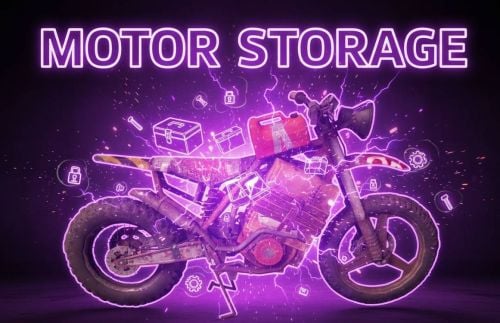
Version 1.0.3
8 downloads
Add storages for your Motorbikes and Pedaltrike, upgrade your Bikes. You can add easily configurable storages to Motorcycles and PedalTrikes. Config { "Enable plugin?": true, "Spawned storages count for Motorbike: (0-2) / 0 = disable": 2, "Spawned storages count for Motorbike Sidecar: (0-2) / 0 = disable": 2, "Spawned storages count for Pedaltrike: (0-2) / 0 = disable": 2, "Need permission to spawn? (spawn only bike owners = true | global spawn = false)": false } Permissions MotorStorageZ.Use I guarantee the functionality of the plugin as described. However, I cannot take responsibility for conflicts or issues arising from incompatibility with third-party plugins or themes. Please take this into account before purchasing. I will list all known compatibility details in the product description.$5.00 -
Version 1.0.9
10 downloads
Notify players of upcoming TC decays. How does it work? The server calculates the TC decay time and writes it in a list. It sends the notification according to the conditions specified in the configuration. In-game notifications can be turned off per Tc. It only applies to those TCs where there is an owner! Features: – player notification ingame if online – Discord notifications: ( 1 upcoming decay, 2 ongoing decay, 3 destroyed TCs ) with map positions and registered names - Decay calculation is done by Rust if you build or are near it! In the absence of these, there is no calculation, no notification! Sends 1 message after each calculation, at the specified time and place! - Decay calculation is done by Rust if you build or are near it! - In the absence of these, there is no calculation, no notification! - Sends 1 message after each calculation, at the specified time and place! Config { "Discord webhook (empty = disable)": "", "CheckInterval (second)": 60.0, "Enable chat message to players?": false, "Enable player names in message": true, "Discord warning timer (under decay hour / 0 = disable)": 24, "Discord maintitle": "TC Info", "Discord title (destroyed TC)": "Destroyed Tool cupboards", "Discord title (decayTC)": "Decaying Tool cupboards", "Discord title (close to decay time message)": "Decaying TC in {time} hours", "Discord embed hex color": "#ff00ff", "Enable turn on / off decay message in TC?": true, "Discord image": "" } Language: 31 file I guarantee the functionality of the plugin as described. However, I cannot take responsibility for conflicts or issues arising from incompatibility with third-party plugins or themes. Please take this into account before purchasing. I will list all known compatibility details in the product description.$10.00 -
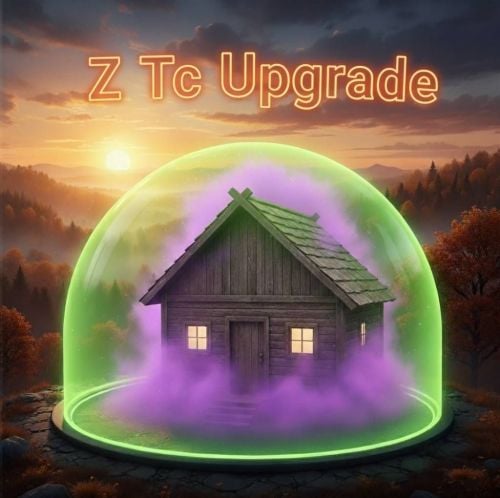
Version 1.1.6
16 downloads
Creating a Tool cupboard zone within which entity limits can be easily configured and keep players away. Great for PVE and PVP servers. Tc Upgrade - Easy to use in-game with /ztc command - The entities that can be freely placed outside the zone can be configured, and they can be limited inside the zone - Entity limits can be configured based on permissions - The permissions within this limits depend on the owner of the Tool Cupboard - The zone can be turned off and on in the TC (only the owner) - If the zone is active, only authorized players can enter! (if there is no authorized player, anyone can enter) - Zone color / size can be configured - The zone also disappears when the TC is destroyed - It is not possible to build beyond the boundary of the zone, only if it has been built in advance (you can see it in the YouTube video) - The /ztc command can be used if you (with ztc.admin privileges) are viewing the object - Entities can be grouped in the config for limiting - RaidableBase skipping option Config { "TC zone radius": 15.0, zone size "TC zone color (0 None, 1 Blue, 2 Cyan, 3 Green, 4 Purple, 5 Magenta, 6 Red, 7 Yellow)": 7, zone color "TC zone dome darkness (0 =disabled || max 15)": 10, "[RaidableBases] Radius in RaidableBases for Skip / Disable plugin (0 = disable)": 100.0, "Enable players to enter TC ZONE where not authorized in TC?": false, "Kill entitys near TC border after spawned?": false, if true entityes will destroy if tc placed "Destroy all limited entity in zone after TC destroyed?": true, if true all limited entitys will destroy with TC (It is important that the limits cannot be avoided) "Can turn on off in TC the zone colored border?": true, if false then all tc get zone || if true set the permission group in next config line, zone create if owner turn off "Zone border color ON/OFF group list (only this groups can use)": [ groups can turn on off zones in tc if 'Can turn off in TC' config true "Vip" ], "Permissions": { "Default": { "buildingprivlidge": 3, "PlanterBox": 4, "hitchtrough.deployed": 5 }, "Vip": { "buildingprivlidge": 5, "PlanterBox": 8, "hitchtrough.deployed": 10 } }, "Free build entity out of zone ( no need TC zone)": [ list all entity what can build out of zone. If entity set here the limits will off if configured same entity in permissions "sleepingbag_leather_deployed", "gates.external.high.stone", "wall.external.high.wood", "wall.external.high.stone", "graveyardfence", "gates.external.high.wood", "wall.external.high.ice", "icewall", "wall", "vendingmachine.deployed", "floor", "block.stair.ushape", "door.hinged.wood", "ramp", "roof" ], "Prefab Groups": { Limit groups "buildingprivlidge": [ "cupboard.tool.shockbyte.deployed", "cupboard.tool.deployed", "cupboard.tool.retro.deployed" ], "PlanterBox": [ "planter.large.deployed", "planter.small.deployed", "minecart.planter.deployed", "railroadplanter.deployed", "bathtub.planter.deployed" ] } } Chat command /zct can use if have ZTcUpgrade.Admin permission /ztc add (look entity) Add entity to Free build entity out of zone ( no need TC zone) LIST /ztc del (look entity) Delete entity from Free build entity out of zone ( no need TC zone) LIST /ztc (groupname) (limit) (look entity) Ecample: /ztc Vip 10 = add to Vip group with 10 limit || if limit = -1 -> delete entity limit from group match upper and lower case in config permissions groupname Language: 31 file Permissions ZTcUpgrade.Admin + configured permnission groupnames example Default Vip I guarantee the functionality of the plugin as described. However, I cannot take responsibility for conflicts or issues arising from incompatibility with third-party plugins or themes. Please take this into account before purchasing. I will list all known compatibility details in the product description.$20.00 -
 Not yet tested with this plugin.
 -
If enabled monument teleport gates in config, it will generate new portals every wipe in listed monuments.
-
Version 1.0.3
27 downloads
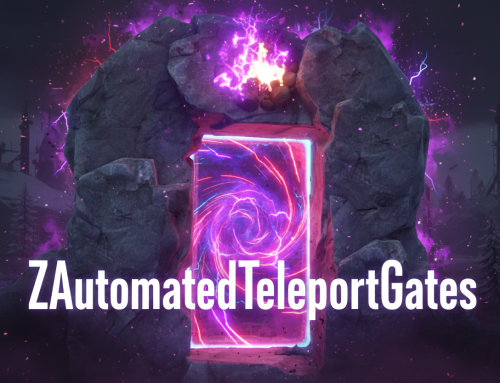
ZAutomatedTeleportGates - Detailed Plugin Description The ZAutomatedTeleportGates is a versatile Rust plugin that adds a new dimension to server navigation and travel. It enables players to move quickly and efficiently across the map using predefined teleport gates (or a modern UI), employing various cost models. Whether you're looking for fast travel between monuments or connections between custom locations, this plugin provides the solution. Key Features: Flexible Operation Modes: - Physical Gates: Place actual, interactive gates in the world through which players can enter the teleportation system. Ideal for servers with a unique atmosphere. - UI-based Teleportation: If you prefer not to use physical gates, players can simply type a chat command to access an intuitive user interface to select their destination. Customizable Cost System: Selectable Currencies: - Scrap: The default setting, a cornerstone of the Rust economy. - ServerRewards (RP): Compatible with the popular ServerRewards plugin, allowing players to use in-game points. - Economics ($): Integration with the Economics plugin if your server uses a more realistic monetary system. - Distance-Based Pricing: You can configure the teleportation cost to increase proportionally with the distance traveled (e.g., X Scrap per 100 meters). Easy Administration and Management: - Simple Gate Addition: Admins can easily place new gates on the map, assigning a name and cost to them. - Overwrite/Update Gates: If a gate name already exists, the admin command automatically updates its data (primarily the cost), eliminating the need for manual configuration editing. - Full Reset: With a single command, all placed (or configured) gates can be deleted and regenerated based on the default monument settings. - Individual Gate Removal: Specific gates can be removed by their index. Automatic Monument Support: The plugin can be pre-configured to provide default teleport gates for popular Rust monuments, with custom enabling and cost settings. Installation and Setup: Place the ZAutomatedTeleportGates.cs file into your /oxide/plugins folder. Restart your server or load the plugin (o.load ZAutomatedTeleportGates). This will generate the ZAutomatedTeleportGates.json configuration file in the /oxide/config folder. Edit the configuration file according to your needs (e.g., Mode, Cost Settings, TeleportDistance). Grant permissions to players as required (see below). Commands: /gate - Configurable -> Description: Opens the teleportation user interface. Permission: ZAutomatedTeleportGates.Use (or admin privileges) Example: /gate /addteleportgate {Name} {Cost} Description: Adds a new teleport gate at the current admin's position. If the Name already exists in the configuration, its data (primarily the Cost) will be updated. Permission: ZAutomatedTeleportGates.Admin Example: /addteleportgate "MyCustomTeleport" 250 Important: If the name contains spaces, enclose it in quotes (e.g., /addteleportgate "Secret Base" 100). /resetteleportgates Description: Deletes all placed (or configured) gates and regenerates them based on the monument settings defined in the configuration. Permission: ZAutomatedTeleportGates.Admin Example: /resetteleportgates ZAutomatedTeleportGatesAdminRemove {index} (Console command) Description: Removes a specific gate based on its index. The index is typically shown when listing gates. Permission: No permission required when run from console; player requires admin privileges. Example: ZAutomatedTeleportGatesAdminRemove 5 (removes the gate with index 5) Permissions: ZAutomatedTeleportGates.Admin: Required to use the /addteleportgate, /resetteleportgates, and ZAutomatedTeleportGatesAdminRemove commands. Granting: oxide.grant user <steamid> ZAutomatedTeleportGates.Admin ZAutomatedTeleportGates.Use: Required to use the /gate command and to teleport through physical gates. Granting: oxide.grant user <steamid> ZAutomatedTeleportGates.Use ZAutomatedTeleportGates.FreeUse: Players with this permission can teleport for free, with no cost deducted. Granting: oxide.grant user <steamid> ZAutomatedTeleportGates.FreeUse Configuration (ZAutomatedTeleportGates.json): { "Mode": false, // true = UI only (chat command), false = physical gates also spawn "Player Teleport Height (next to gate)": 2.0, "2 Way Player Teleport? (Both Side?)": false, "Chat Command": "gate", // The chat command that opens the UI "Cost Settings": { "CostType": 0, // 0 = Custom Item, 1 = ServerRewards, 2 = Economics "Custom Item Shortname": "scrap" // Only relevant if Custom Item (CostType: 0) is selected }, "TeleportDistance": 0, // If > 0, cost will be distance-based (X cost / 100m) "AutomatedGates": { // Settings for monuments and custom gates "Abandoned Military Base": { "Enabled": true, "Cost": 100 }, "Abandoned Supermarket": { "Enabled": true, "Cost": 50 }, // ... additional monuments and custom gates (added via /addteleportgate command) "MyCustomTeleport": { "Enabled": true, "Cost": 250 } } } I guarantee the functionality of the plugin as described. However, I cannot take responsibility for conflicts or issues arising from incompatibility with third-party plugins or themes. Please take this into account before purchasing. I will list all known compatibility details in the product description.$20.00 -
Version 1.1.2
11 downloads
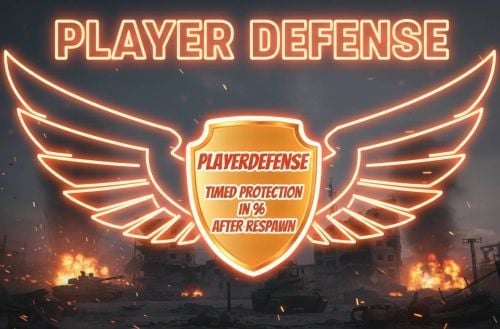
Player death protection as a percentage for a specified period of time. Player Defense RUST plugin preview After respawn, the player is protected for the specified time (in the config) to collect himself. However, if you attack an NPC or a Trap (depending on the setting in the config), the protection turns off. Detailed properties: - Default and VIP permission - Customizable UI (ON/OFF and position) - Respawn message - Suicide block - Added defend-effect (On/off in config) - Added defend remover, if you attack player or NPC (in config) Config { "[DEFAULT]Protection time in sec": 80, "[DEFAULT]Damage protection in percent (1-100)": 95, "[VIP]Protection time in sec": 180, "[VIP]Damage protection in percent (1-100)": 100, "Block suicide?": true, "Send information after respawn?": true, "Enable UI?": true, "UI position (Y)": 300.0, "Enable defend effectt?": true, "Add starter protection for new players? ( 0=disable 0<(second)) // need PlayerDefense.default or VIP permission": 3600, "Remove Defense when attack Player?": true, "Remove Defense when attack NPC?": true, "Remove Defense when attack Traps? (AutoTurret, SamSite, Guntrap, FlameTurret)": true, "Remove Defense when attack AttackHelicopters?": true, "Remove Defense when attack BradleyAPC?": true } Language: 31 file Permissions PlayerDefense.vip I guarantee the functionality of the plugin as described. However, I cannot take responsibility for conflicts or issues arising from incompatibility with third-party plugins or themes. Please take this into account before purchasing. I will list all known compatibility details in the product description.$15.00 -
Version 2.1.7
39 downloads
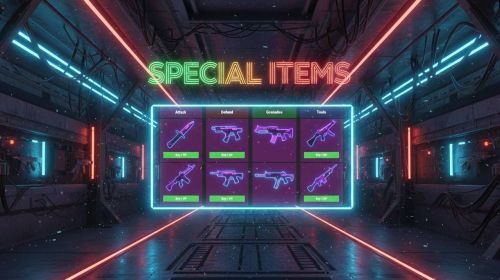
With this plugin you can sell and put to loot containers the special items for players. Boost your server with special weapons, clothing, grenades, and tools. All devices can be customized in the config. It can be added to the Shop, with the itemID and skinID. Added spawn Special Items to Loot container after spawn. Config { "Command_and_General_Settings": { "Command": "sishop", "Cost_Type__1_Scrap__2_Economics__3_ServerRewards": 1, "VIP_Cost_Multiplier__1_0__default__0_5__50_": 0.5, "Can_Attack_Other_Players_Entities_": false, "UI_Size__default__1_": 1.0 }, "Weapons": { "_1_hit_npc_Knife": { "Cost__0_disable": 1, "Damage_Multiplier": 1, "Loot_Chance_Percent__0_disable": 1, "Loot_Amount": 1 }, "SMG": { "Cost__0_disable": 1, "Damage_Multiplier": 2, "Loot_Chance_Percent__0_disable": 1, "Loot_Amount": 1 }, "Semi_automatic": { "Cost__0_disable": 1, "Damage_Multiplier": 2, "Loot_Chance_Percent__0_disable": 1, "Loot_Amount": 1 }, "MP5": { "Cost__0_disable": 1, "Damage_Multiplier": 2, "Loot_Chance_Percent__0_disable": 1, "Loot_Amount": 1 }, "LR300": { "Cost__0_disable": 1, "Damage_Multiplier": 2, "Loot_Chance_Percent__0_disable": 1, "Loot_Amount": 1 }, "M39": { "Cost__0_disable": 1, "Damage_Multiplier": 2, "Loot_Chance_Percent__0_disable": 1, "Loot_Amount": 1 }, "AK47": { "Cost__0_disable": 1, "Damage_Multiplier": 3, "Loot_Chance_Percent__0_disable": 0, "Loot_Amount": 0 }, "m249": { "Cost__0_disable": 1, "Damage_Multiplier": 3, "Loot_Chance_Percent__0_disable": 0, "Loot_Amount": 0 } }, "Armor": { "Facemask": { "Cost__0_disable": 1, "Damage_Absorption_Percent": 25, "Loot_Chance_Percent__0_disable": 1, "Loot_Amount": 1 }, "Chest_Plate": { "Cost__0_disable": 1, "Damage_Absorption_Percent": 25, "Loot_Chance_Percent__0_disable": 1, "Loot_Amount": 1 }, "Kilt": { "Cost__0_disable": 1, "Damage_Absorption_Percent": 25, "Loot_Chance_Percent__0_disable": 1, "Loot_Amount": 1 }, "Boots": { "Cost__0_disable": 1, "Damage_Reflection_Percent": 10, "Loot_Chance_Percent__0_disable": 1, "Loot_Amount": 1 }, "Gloves": { "Cost__0_disable": 1, "Damage_Reflection_Percent": 10, "Loot_Chance_Percent__0_disable": 1, "Loot_Amount": 1 }, "TShirt": { "Cost__0_disable": 1, "Damage_Reflection_Percent": 10, "Loot_Chance_Percent__0_disable": 1, "Loot_Amount": 1 }, "Pants": { "Cost__0_disable": 1, "Damage_Reflection_Percent": 10, "Loot_Chance_Percent__0_disable": 1, "Loot_Amount": 1 }, "Animal_Gloves": { "Cost__0_disable": 1, "Damage_to_Healing_Conversion_Percent": 10, "Loot_Chance_Percent__0_disable": 0, "Loot_Amount": 0 } }, "Grenades": { "Trap_Grenade": { "Cost__0_disable": 1, "Radius": 4.0, "Loot_Chance_Percent__0_disable": 1, "Loot_Amount": 1 }, "Wall_grenade": { "Cost__0_disable": 1, "Radius": 4.0, "Loot_Chance_Percent__0_disable": 1, "Loot_Amount": 1 }, "Door_grenade": { "Cost__0_disable": 1, "Radius": 3.0, "Loot_Chance_Percent__0_disable": 1, "Loot_Amount": 1 }, "Tank_grenade": { "Cost__0_disable": 1, "Radius": 10.0, "Loot_Chance_Percent__0_disable": 1, "Loot_Amount": 1 }, "Cluster_grenade": { "Cost__0_disable": 1, "Radius": 15.0, "Spawn_Grenades_Amount": 20, "Loot_Chance_Percent__0_disable": 1, "Loot_Amount": 1 }, "Spawn_landmines_grenade": { "Cost__0_disable": 1, "Radius": 20.0, "Spawn_Mines_Amount": 10, "Loot_Chance_Percent__0_disable": 1, "Loot_Amount": 1 }, "Basic_rocket_grenade": { "Cost__0_disable": 1, "Radius": 30.0, "Spawn_Rockets_Amount": 25, "Loot_Chance_Percent__0_disable": 0, "Loot_Amount": 0 }, "MLRS_grenade": { "Cost__0_disable": 1, "Radius": 40.0, "Spawn_Rockets_Amount": 35, "Loot_Chance_Percent__0_disable": 0, "Loot_Amount": 0 } }, "Utility_Tools": { "Repair_hammer": { "Cost__0_disable": 1, "Repair_Radius": 20.0, "Loot_Chance_Percent__0_disable": 0, "Loot_Amount": 0 }, "Remover_hammer": { "Cost__0_disable": 1, "Loot_Chance_Percent__0_disable": 0, "Loot_Amount": 0 } }, "Gathering_Tools": { "Golden_hatchet": { "Cost__0_disable": 1, "Gather_Multiplier": 2, "Loot_Chance_Percent__0_disable": 1, "Loot_Amount": 1 }, "Golden_icepick": { "Cost__0_disable": 1, "Gather_Multiplier": 2, "Loot_Chance_Percent__0_disable": 1, "Loot_Amount": 1 }, "Diamond_hatchet": { "Cost__0_disable": 1, "Gather_Multiplier": 4, "Loot_Chance_Percent__0_disable": 0, "Loot_Amount": 0 }, "Diamond_icepick": { "Cost__0_disable": 1, "Gather_Multiplier": 4, "Loot_Chance_Percent__0_disable": 0, "Loot_Amount": 0 }, "Rubin_hatchet": { "Cost__0_disable": 1, "Gather_Multiplier": 8, "Loot_Chance_Percent__0_disable": 0, "Loot_Amount": 0 }, "Rubin_icepick": { "Cost__0_disable": 1, "Gather_Multiplier": 8, "Loot_Chance_Percent__0_disable": 0, "Loot_Amount": 0 } }, "Lootcontainer_Settings": { "Custom_Spawn_Shortnames": [ "bradley_crate", "heli_crate", "codelockedhackablecrate" ] } } Language: 31 file Permissions SpecialItemsZ.use //player can open ui SpecialItemsZ.vip SpecialItemsZ.freebuy Required plugin: Imagelibrary.cs Usable plugin: ServerRewards.cs, Economics.cs I guarantee the functionality of the plugin as described. However, I cannot take responsibility for conflicts or issues arising from incompatibility with third-party plugins or themes. Please take this into account before purchasing. I will list all known compatibility details in the product description.$15.00 -
Version 1.1.2
10 downloads
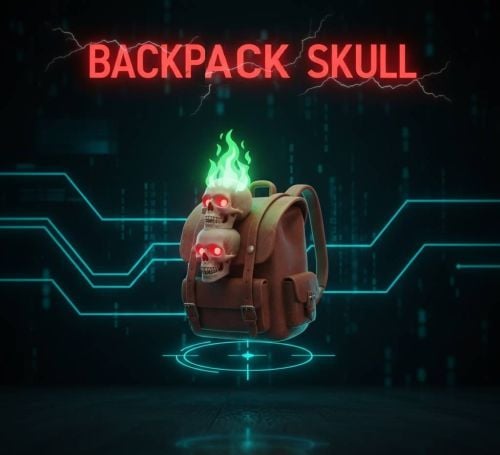
Use a skull spear and a torch to indicate the position of the backpacks to the players! Features: - Timed torch appearance - Prohibition zone: Tool Cupboard radius set in config - Enable / Disable Npc Backpacks The spear does not hinder growth, vehicles drive through it smoothly, no torch can be picked up. Makes it easier to find backpacks, even in the dark! Config { "PrivilegeZoneRadius": 20.0, // No burning spears will spawn within this zone. "TimeDelay": 20.0, "EnableScientistSkull": true "SkullFlameRadiusSpawn": 3.0 // It searches for a new flame in this radius if one goes out. } I guarantee the functionality of the plugin as described. However, I cannot take responsibility for conflicts or issues arising from incompatibility with third-party plugins or themes. Please take this into account before purchasing. I will list all known compatibility details in the product description.$8.00 -

Version 1.0.3
7 downloads
Add a colorable zone to the Mining Quarry and Pump Jack so that no one can access it. You don't have to mess with locks and worry about someone accessing your Mining Quarry and Pump Jack, it's simply protected by the zone. Features – 7 different zone color – set zone size – enable Team enter in config Config { "Quarry zone radius": 12.0, "Quarry zone color (0 None, 1 Blue, 2 Cyan, 3 Green, 4 Purple, 5 Magenta, 6 Red, 7 Yellow)": 1, "Enable enter Team Member?": true } Language: 31 file I guarantee the functionality of the plugin as described. However, I cannot take responsibility for conflicts or issues arising from incompatibility with third-party plugins or themes. Please take this into account before purchasing. I will list all known compatibility details in the product description.$10.00 -
Version 1.0.0
6 downloads
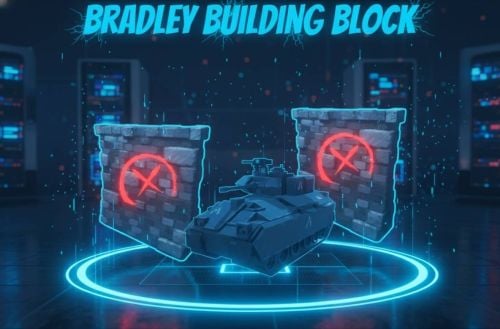
Bradley Building Block This plugin disables building around the Bradley APC! Useful especially on PVE servers, it prohibits all players from placing walls and other objects or placing bases in the radius specified in the configuration! Config { "NoBuild zone range around BradleyAPC": 30.0 } { "NoBuild zone range around BradleyAPC": 30.0 } Language: 31 file I guarantee the functionality of the plugin as described. However, I cannot take responsibility for conflicts or issues arising from incompatibility with third-party plugins or themes. Please take this into account before purchasing. I will list all known compatibility details in the product description.$3.00 -
 Hello, after wipe will appear with admin chat command, where you use. Cost system great idea, but now i havent time to do. I think i can add in few months.
 -
Version 1.3.6
15 downloads
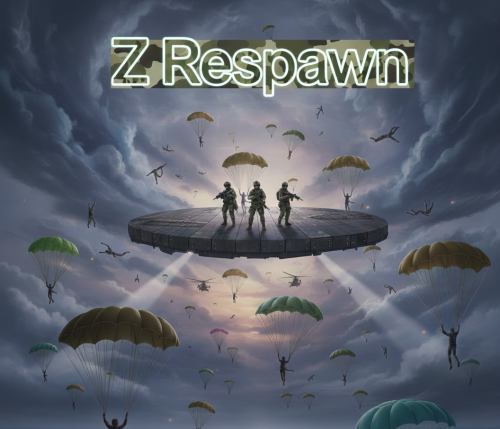
Players can even revive in the air, from where they can go almost anywhere with a parachute. Review: - Create a custom position even in the air with a parachute, custom mini monument. - You can keep the default respawn button by adding +1 button to the respawn screen - Custom position after Wipe - Custom monument: blocking commands in config || blocking construction || preventing damage - Added flyhack protection - Option to create parachute and Custom monument in config. - Custom respawn position can be changed with the command specified in the config. Config { "[Respawn Position] Enable custom position? (true = custom position || false = monument position)": true, "[Custom Position Command] set custom position ingame": "zrespawn", "[Custom Position] reset position after wipe?": true, "[Custom Position Button] 1 = custom button || 2 = custom + default button || 3 = default button": 1, "[Custom Position] ingame (set with ingame Command)": { "x": 180.687164, "y": 573.204956, "z": 286.81778 }, "[Custom Position] Blocked commands list:": [ "backpack", "remove" ], "[Monument Position] Monument name (if 'Enable custom position? = false')": "compound", "[Monument Position] (if 'Enable custom position? = false')": { "x": 15.0, "y": 2.0, "z": 30.0 }, "[Custom Position Parachute] Add Parachute after respawn?": true, "[Custom Position Entity spawn] Spawn entity if plugin loaded? (useful if custom spawn point in the air)": true, "[TABLE] Spawn info table?": true, "[TABLE] font color": "gold", "[TABLE] background color": "gray", "[TABLE] font size": 16, "[TABLE] Text ( n = new line)": "text" } Chat command /zrespawn (default -> set in config) 31 Language file Permissions ZRespawn.admin I guarantee the functionality of the plugin as described. However, I cannot take responsibility for conflicts or issues arising from incompatibility with third-party plugins or themes. Please take this into account before purchasing. I will list all known compatibility details in the product description.$12.00 -
Version 1.0.1
8 downloads
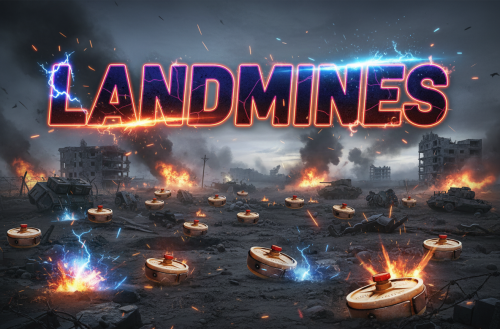
LandMines is a Rust plugin that automatically spawns landmines in response to key in-game events like defeating Bradley APCs and Patrol Helicopters, offering a customizable, strategically challenging experience for players. What is LandMines plugin? LandMines is a plugin for Rust that automatically sets up landmines in specific scenarios during the game. It’s meant to add an extra layer of strategy and surprise in the game. Main Features: Auto Landmine Spawn: - Spawns landmines when you take down key enemies like Bradley APCs and Patrol Helicopters. - You can set how far from the enemy’s defeat spot these mines will appear. - Control Over Mine Numbers: - Choose how many mines pop up, so you can decide how dangerous an area becomes. Adjustable Mine Damage: - Boost or reduce the damage of each mine to fit how tough you want the game to be. - Optional Smoke and Locked Crafte Feature: - Mines can come with smoke and Locked Crate for extra confusion and challenge. Smart Mine Placement: Mines are placed in a way that makes sense on the game map, avoiding weird or impossible locations. Easy Setup: Simple settings in a config file make it easy to customize. Comes with a default setup to get you started quickly. How It Works: When you defeat a Bradley APC or Patrol Helicopter (if you choose to set it up this way), mines will automatically appear around that area. The plugin makes sure mines land in spots that make sense and ramp up the game’s intensity based on your settings. Config { "Spawn landmine after Bradley kill?": false, "Spawn landmine after patrol helicopter kill?": false, "Spawn radius?": 20, "Mines amount": 10, "Spawn smoke": false, "Landmine damage multiplier (global)": 1, "Spawn CodeLockedcrate after kill Bradley?": false, "Spawn CodeLockedcrate after kill Patrolhelicopter?": false } LandMines is a straightforward, fun addition for Rust servers. It brings a new tactical edge to the game, letting server owners ramp up the action with automated landmines that respond to in-game events. I guarantee the functionality of the plugin as described. However, I cannot take responsibility for conflicts or issues arising from incompatibility with third-party plugins or themes. Please take this into account before purchasing. I will list all known compatibility details in the product description.$5.00 -

Version 1.0.1
12 downloads
ZButtons is a Rust plugin that allows server administrators to place custom, clickable buttons directly onto the players' User Interface (UI). These buttons execute commands, can be tied to specific permissions, and are fully configurable through an in-game Admin UI or the configuration file. ZButtons is a versatile Rust plugin designed for the easy creation, customization, and management of server-side User Interface (CUI) buttons. The plugin's core function is to provide interactive, screen-resident shortcuts for players to execute common commands, such as teleporting, opening a shop, or enabling night vision. Features and Functionality: - Button Customization (Config & Admin UI): - Positioning: Buttons can be anchored to one of the 9 predefined screen positions (TopLeft, BottomCenter, etc.). - Dimensions: Precise UI coordinates (MinX/Y, MaxX/Y, based on pixel offsets) allow for fine-tuning the button's size and placement. - Graphics: Configure a background color (RGBA format), a background image link, and a separate icon link (with ImageLibrary support for preloading). - Text: Define the displayed text (which can also be a language file key), its size, and horizontal alignment (Left, Center, Right). - Gradient Text: The button text can be given a color gradient using a starting and ending HEX color for a more professional and dynamic look. Permission Control: - Each button can be optionally linked to an Oxide permission. If a player lacks the specified permission (ZButtons.YourPermission), the button will not be displayed to them. - Access to the administrative features is restricted by the ZButtons.Admin permission. - In-Game Administration Editor (UI): - Admins can open the graphical, in-game editor using the /zbuttons chat command. - Button Selection: Clicking on any visible button automatically loads its configuration into the editor. - Live Editing: The editor allows modification of all button properties (command, permissions, colors, image links, size, position). - Management: Functions are available to add a new default button or delete an existing one. - All changes are saved directly to the plugin configuration file. Command Execution: - Buttons execute the chat command specified in the configuration (e.g., chat.say /nv), allowing seamless integration with other plugins (like Home or Shop systems). - Persistence and Event Handling: - Buttons are automatically displayed when players connect to the server (OnPlayerConnected) and when they finish sleeping (OnPlayerSleepEnded). - Buttons are automatically destroyed on player death (OnPlayerDeath) and disconnection (OnPlayerDisconnected) to ensure a clean UI state. - ZButtons is the ideal solution for servers looking to add clean, quickly accessible, and professional-looking UI elements to enhance the player experience. Command: need ZButtons.Admin permission and in chat /zbuttons If add Permission in Admin UI panel, need reload plugin to register permission. I guarantee the functionality of the plugin as described. However, I cannot take responsibility for conflicts or issues arising from incompatibility with third-party plugins or themes. Please take this into account before purchasing. I will list all known compatibility details in the product description.$18.00 -
 This is an interesting question, and the answer is right there in front of you. You just have to read it the description.
 -
Version 2.0.9
51 downloads
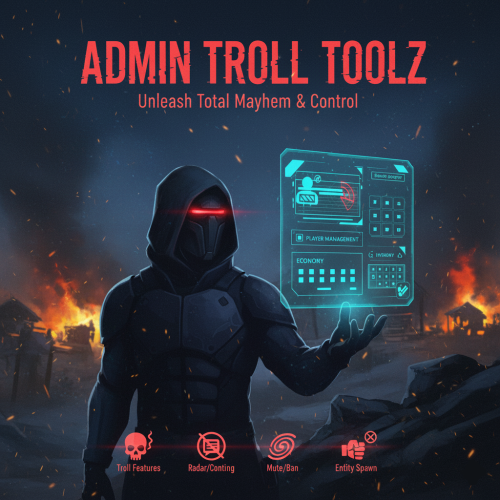
AdminTrollToolZ: Revolutionize Your Rust Server Administration AdminTrollToolZ is the definitive, feature-rich Oxide plugin designed to give server administrators unprecedented control and flexibility over their Rust environment. Stop juggling multiple commands and plugins—get everything you need in one powerful, easy-to-use User Interface (UI). Key Features & Functionality: - Comprehensive Player Management: - Detailed Player Profiles: View all critical player info: Bans, last chat messages, recent commands, country, and past names. - Real-time Inventory Control: View, clear, or drop a player's inventory and backpack contents instantly (requires Backpacks plugin). - Player Status Modification: Freeze/Unfreeze movement (requires Freeze plugin), grant God Mode (Invulnerable), modify Metabolism (health, hydration, calories), and instantly grant or clear all Blueprints. - Rule Enforcement: Kick, Ban, Mute/Unmute players directly from the UI, with configurable ban durations. Implement a Warning System with in-game chat and Discord notifications. Server & Plugin Control: - Dynamic Convar Management: Search and modify virtually any server Convar setting on the fly. - Plugin Management: Easily Reload or Unload other Oxide plugins without console access. - Team Control: Effortlessly manage player teams—add/remove members, change team leaders. - Wipe Management: Includes integrated functionality for handling data wipes and timers (via WipeZ plugin). Advanced Admin Tools: - Admin Radar: Toggle visibility for online/sleeper players, boxes, turrets, TCs, loot, NPCs, and more. - Entity Spawning: Spawn specified entities near a target player. - Troll/Fun Features: Drop the item a player is holding, apply various Effects, or change the server time (Turn Day/Night - requires NightVision plugin). Economy & Rewards Integration: - Full support for Economics, ServerRewards, and SkillTree (requires respective plugins) to easily add, subtract, or clear player currency/skill values. - Kits Support: Quickly add configured kits to target players (requires Kits plugin). AdminTrollToolZ is built for performance and reliability, ensuring that all features work seamlessly. It features automatic Player Data (PD) saving and a utility to clear old PD files, keeping your server clean. Upgrade your administrative capabilities today and keep your community safe, managed, and engaged! Config: { "Kick player if have VAC BAN?": false, "Kick message (VAC BAN)": "You cannot enter if you have a VAC ban!", "Kick player if have GAME BAN?": false, "Kick message (GAME BAN)": "You cannot enter if you have a GAME ban!", "Your API KEY": "", "Time zone difference hours (+)": 0, "Log commands?": true, "Ban time in hour:": 4, "Contact: (BAN / KICK message)": "Discord link", "Enable Economic.cs plugin?": true, "Enable ServerRewards.cs plugin?": true, "Enable SkillTree.cs plugin?": true, "Enable Backpacks.cs plugin?": true, "Enable Freeze.cs plugin?": true, "Enable NightVision.cs plugin?": true, "Enable RaidableBases s plugin?": true, "RaidableBases banned permission name?": "raidablebases.banned", "Enable Kits.cs plugin?": true, "Kit chat command": "kit", "Kit names (list)": [], "Discord (logs) Hook (empty = disable)": "", "Discord (logs) embed hex color": "#ff00ff", "Discord (player connect) Hook (empty = disable)": "", "Discord (player connect) Show Vac/Game ban in message?": true, "Discord (player connect) embed hex color": "#00ff00", "Discord (player connect) text": "Connected", "Discord (player disconnect) Hook (empty = disable)": "", "Discord (player disconnect) embed hex color": "#ff0000", "Discord (player disconnect) text": "Disconnected", "Discord (player name change) Hook (empty = disable)": "", "Discord (player name change) embed hex color": "#ffff00", "Discord (player name change) text": "Disply name changed", "Discord (global chat) Hook (empty = disable)": "", "Discord (global chat) embed hex color": "#ffffff", "Discord (player team chat) Hook (empty = disable)": "", "Discord (player team chat) embed hex color": "#00ff00", "Discord (/pm chat) Hook (empty = disable)": "", "Discord (/pm) embed hex color": "#ffffff", "Discord (Server online) Hook (empty = disable)": "", "Discord (Server online) embed hex color": "#00ff00", "Discord (Server online) title": "Server online!", "Discord (Server online) text": "Come and join!\nIP: (your ip and port)", "Discord (Server offline) Hook (empty = disable)": "", "Discord (Server offline) embed hex color": "#ff0000", "Discord (Server offline) title": "Server offline!", "Discord (Server offline) text": "Please allow time for the system to start! Sorry for any inconvenience!", "Discord (Server online) image": "", "Discord (Server offline) image": "", "Player names blacklist": [ "name 1", "name 2", "name 3" ], "Does the player get kicked out if the name is on the 'Player names blacklist'?": false, "(Chat word) blacklist": [ "word 1", "word 2", "word 3" ], "Discord (Chat blacklist messages) Hook (empty = disable)": "", "Discord (Chat word) embed hex color": "#ff0000", "Discord (WIPE) Hook (empty = disable)": "", "Discord (WIPE) embed hex color": "#ff4488", "Discord (WIPE) text": "The map has been wiped!\nNew map size: {size}\nAvailable monuments:\n{list}", "Country auto-ban": false, "Country auto-ban LIST: ": [], "[WIPE Whitelist] Only those with IDs on the list can join until they are unlocked with the command after Wipe": false, "[WIPE Whitelist] unlock command": "canjoin", "[WIPE Whitelist] players id": [ "900000000000", "900000000001", "900000000002" ], "[WIPE Whitelist] Discord hook, where you notify the players": "", "[WIPE Whitelist] Discord message embed color in hex": "#ffff00", "[WIPE Whitelist] Discord message to players (Can't join)": "The server has started and its preparation has begun! We will notify you when you can join! We ask for your patience, and you can join soon!", "[WIPE Whitelist] Discord message to players (Can join)": "The server has opened for connection! We wish you a good game!", "[WIPE Whitelist] Kick message": "You can join soon!", "[Player REPORT] Discord hook, where send player report": "", "[Player REPORT] Discord player report embed color in hex": "#ff0000", "[Player DATA] Delete player data file if older than (days)": 60 } Chat command /adminz /zedit (change entity variables what you look) /zedith (change entity variables what in your hand) /zeditp (change entity variables your player character) These should only be used by experts, as they can cause server crashes! Language: 31 file Permissions - AdminTrollToolZ.Can.OpenUI - AdminTrollToolZ.MarkerTeleport - AdminTrollToolZ.Voice.Disable - AdminTrollToolZ.Use.All - AdminTrollToolZ.Use.SpawnEntity - AdminTrollToolZ.Use.Metabolism - AdminTrollToolZ.BlockAllCommands //you cannot use AdminTrollTool commands on these players - AdminTrollToolZ.Use.Spectate - AdminTrollToolZ.Use.KickPlayer - AdminTrollToolZ.Use.BanPlayer - AdminTrollToolZ.Use.Effects - AdminTrollToolZ.Use.Teleport - AdminTrollToolZ.Use.MuteFromChat - AdminTrollToolZ.Use.ViewPlayerInv - AdminTrollToolZ.Use.Blueprint - AdminTrollToolZ.Use.Damage - AdminTrollToolZ.Use.Godmode - AdminTrollToolZ.Use.Build - AdminTrollToolZ.Use.DropWeaponInhand - AdminTrollToolZ.Use.Freeze - AdminTrollToolZ.Use.ViewBackpack - AdminTrollToolZ.Use.Economics - AdminTrollToolZ.Use.ServerRewards - AdminTrollToolZ.Use.SkillTree - AdminTrollToolZ.Use.BlockRaidbases - AdminTrollToolZ.Use.Nightvision - AdminTrollToolZ.Use.ADDKIT - AdminTrollToolZ.PLAYER.GODMODE.ON //only use this permission with AdminTrollTool UI ("Invulnerable on") - AdminTrollToolZ.PLAYER.DAMAGE.OFF //only use this permission with AdminTrollTool UI ("Damage off") - AdminTrollToolZ.PLAYER.BUILD.BLOCK //only use this permission with AdminTrollTool UI ("Construction blocking") Build-in Discord embed sender – Server online / offline / wiped – Player Chat: blacklist worlds + warning (in.game + discord) – Player name change – all AdminTrollToolZ log (discord + log directory) Logs all activity + Discord sender option in config! Used plugins: * Economics * ServerRewards * SkillTree * Backpacks * Freeze * NightVision * RaidableBases * Kits * WipeZ I guarantee the functionality of the plugin as described. However, I cannot take responsibility for conflicts or issues arising from incompatibility with third-party plugins or themes. Please take this into account before purchasing. I will list all known compatibility details in the product description.$30.00 -
Version 1.2.0
63 downloads
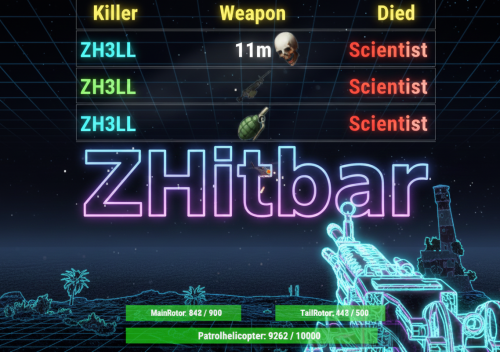
ZHitbar is an Oxide/uMod plugin for Rust servers designed to enhance the combat experience with two core features: Hitbar System: When you deal damage to an entity (player, animal, vehicle, or building block), a visual health bar appears on your screen showing the target's current and maximum health. Notably, it can also display the health of specific weak spots (rotors) for the Patrol Helicopter. Death Log: A sleek, customizable death message feed at the top of the screen. It displays the attacker, the victim, the weapon icon, and the kill distance. Detailed Configuration Description The configuration is divided into two primary sections: Death Messages and the Hitbar. 1. Death Messages (Top Screen Log) - This section controls the kill feed appearing at the top of the player's screen. - Enable Death messages in top of screen?: Globally toggles the death message display. - Show Weapon icon?: If set to true, displays the icon of the item used for the kill. - Maximum number of rows to display: Limits the number of simultaneous messages shown (default: 10). - How long to show in seconds?: Sets the visibility duration for each message (default: 15s). - Minimum Kill distance to appear in lines: Distance in meters above which the range is displayed; set to 0 to disable. - Filtering Options: Toggle notifications for specific death types, including Animals, Tanks (Bradley), Patrol Helicopters, Traps, Drones, and Vehicles. Colors & Text: - Attacker name HEX color: The color of the killer's name (e.g., #00ff00 for green). - Sacrifice name HEX color: The color of the victim's name (e.g., #ff0000 for red). - Text size: Adjusts the font size of the log entries. 2. Hitbar (Health Indicator) - This section defines how and when the health bar is displayed upon dealing damage. - Enable hitbar?: Globally toggles the health bar feature. - Enable hitbar if player's owned entity get damage?: If false, the bar won't show when hitting your own structures or items. - Entity Type Filters: Choose whether to show the bar when attacking Building Blocks, Animals, Traps, or other Players. - Show attacked Entity name in bar?: Displays the name of the target (e.g., "Bear" or "Part of base") above the health bar. - String HEX start color: Sets the starting color for the entity name's gradient. - How long to show in seconds?: Duration the bar remains visible after the last hit (default: 10s). 3. UI Positioning - Both modules allow for precise screen placement using X and Y offset coordinates. - MessagesPosition: Determines the location of the kill feed (typically top-right). - HitbarPosition: Determines the location of the health bar (typically bottom-center). Required Permissions To use these features, players or groups must be granted the following Oxide permissions: PermissionDescription ZHitbar.Message.Enable -> Allows the player to see the death messages feed. ZHitbar.HitBar.Enable -> Allows the player to see the health bar when dealing damage. I guarantee the functionality of the plugin as described. However, I cannot take responsibility for conflicts or issues arising from incompatibility with third-party plugins or themes. Please take this into account before purchasing. I will list all known compatibility details in the product description.$15.00 -
 Bug Fixed and uploaded in 2.0.1 version
- 8 comments
-
- 1
-

-
- #christmas
- #tree
- (and 1 more)
-
Hi! Could you send me your config?
-
Version 3.1.3
18 downloads
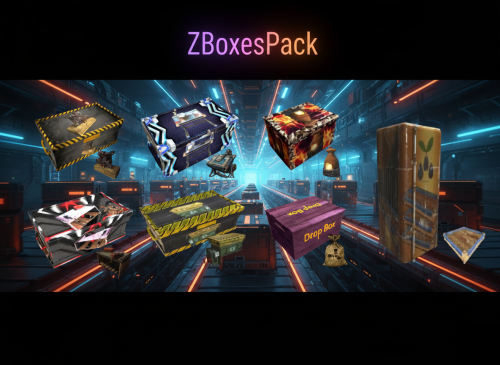
Z Boxes Pack Plugin Transform your containers into smart containers, saving time and making it easier to automate your database. With this plugin, you can make the player’s development faster and automate player’s base easier. Additional features can be purchased for boxes, thus facilitating and speeding up development. - Recycler Box – instant recycling items + Blacklist in config - Mining quarry in Box – mining resources - Research Box – instant blueprint creator + Blacklist in config - Repair Box – full repair items + Blacklist in config - Dropped items collection Box – collecting dropped items - Furnace Box – instant smelting - Fridge Farm – instant exchange of cores Config { "Cost type: (write itemID or 2=Economics or 3=ServerRewards)": -932201673, "Cost item SKIN (if Cost type not 2 or 3)": 0, "Economics": "$", /UI cost display "ServerRewards": "SR", /UI cost display "[PLUGIN] Cost for InstantRecyclerBox (0 = disable):": 5000, "[PLUGIN] Cost for MiningQuarryBox (0 = disable):": 8000, "[PLUGIN] Cost for ResearchBox (0 = disable):": 4000, "[PLUGIN] Cost for RepairBox (0 = disable):": 4000, "[PLUGIN] Cost for FurnaceZBOX (0 = disable):": 5000, "[PLUGIN] Cost for DroppedItemBoxCollector (0 = disable):": 3000, "[PLUGIN] Cost for FridgeFarmZ (0 = disable):": 5000, "[PLUGIN] Selling price (back to normal box) / (0 = disable)": 1000, "[DropBox] Message When open Dropped item Box Collector?": true, "[DropBox] Collect radius:": 3.0, / auto pickup radius max 15.0 "[Fridge] Default multiplier output": 1, "[Fridge] VIP multiplier output": 2, "[RecyclerBox] Blacklisted skinID": [ / no recycling this items 3084640228, 3090732154, 3137708597, 3144201633, 3171493217, 3247770012, 3252660967 ], "[RecyclerBox] Blacklisted itemID": [ -778367295, -2069578888 ], "[RecyclerBox] Recycling item multiplier: [shortname, multiplier]": [ / recycled item output multiplier "riflebody,10", "smgbody,10", "semibody,10" ], "[RepairBox] VIP Repair cost/item": 200, "[RepairBox] Default Repair cost/item": 500, "[RepairBox] Cost item ID (-932201673 = scrap)": -932201673, "[RepairBox] Send message when open the box?": true, "[RepairBox] Blacklisted item shortname": [ / disabled repair item list "lmg.m249", "rifle.l96" ], "[ResearchBox] VIP Research cost/item scrap multiplier / defaul= 1.0": 0.5, "[ResearchBox] Send message when open the box?": true, "[ResearchBox] Blacklisted item shortname": [ / disabled research item list "lmg.m249", "rifle.l96" ], "[QuarryBox] Quarry item adding time (secounds)": 300.0, "[QuarryBox] VIP multiplier": 5, "[QuarryBox] Quarry Item List": [ / Mining item list { "ShortName(Item)": "stones", "Amount(Item)": 5, "SkinID(Item)": 0 }, { "ShortName(Item)": "sulfur.ore", "Amount(Item)": 3, "SkinID(Item)": 0 }, { "ShortName(Item)": "sulfur", "Amount(Item)": 0, "SkinID(Item)": 0 }, { "ShortName(Item)": "lowgradefuel", "Amount(Item)": 0, "SkinID(Item)": 0 }, { "ShortName(Item)": "crude.oil", "Amount(Item)": 1, "SkinID(Item)": 0 }, { "ShortName(Item)": "metal.refined", "Amount(Item)": 0, "SkinID(Item)": 0 }, { "ShortName(Item)": "hq.metal.ore", "Amount(Item)": 2, "SkinID(Item)": 0 }, { "ShortName(Item)": "metal.fragments", "Amount(Item)": 0, "SkinID(Item)": 0 }, { "ShortName(Item)": "metal.ore", "Amount(Item)": 5, "SkinID(Item)": 0 } ], "[QuarryBox] Quarry Fuel amount to cost / item adding time (fuel)): (0 = disabled)": 1, "[QuarryBox] Quarry FUEL ITEM ID: (1568388703 = diesel barrel) (-946369541 = low grade fuel)": -946369541, "[QuarryBox] Quarry VIP +Item List": [ / VIP mining item list { "ShortName(Item)": "scrap", "Amount(Item)": 5, "SkinID(Item)": 0 } ], "[QuarryBox] Send message when open the box?": true, "[FurnaceBox] Smelt every second:)": 60.0, "[FurnaceBox] Stack size /smelting)": 500, "[FurnaceBox] VIP need wood?": false, "[FurnaceBox] VIP can smelting crude oil?": true, "[FurnaceBox] Default output muliplier": 1, "[FurnaceBox] VIP output muliplier?": 2, "[FurnaceBox] Send message when open the box?": true } Language: 31 file Permissions ZBoxesPack.CanUse ZBoxesPack.Enable.DropBox.Category.Select ZBoxesPack.FreeBuy ZBoxesPack.VIP ZBoxesPack.NoNeedFuelQuarryBox shortname, skinID : - Repair box: box.wooden.large, 3144201633 - Fridge farm: fridge, 3252660967 - Drop box: box.wooden, 3247770012 - Furnace box: box.wooden, 3171493217 - Research box: box.wooden.large, 3137708597 - Mining quarry box: box.wooden.large, 3090732154 - Recycler box: box.wooden.large, 3084640228 I guarantee the functionality of the plugin as described. However, I cannot take responsibility for conflicts or issues arising from incompatibility with third-party plugins or themes. Please take this into account before purchasing. I will list all known compatibility details in the product description.$40.00 -
Changed Status from Pending to Work in Progress Changed Fixed In to Next Version