
-
Posts
13 -
Joined
-
Last visited
Content Type
Profiles
Warranty Claims
Downloads
Forums
Store
Services
Downloads Plus Support
DOWNLOADS EXTRA
Reels
Everything posted by RustWerkz
-
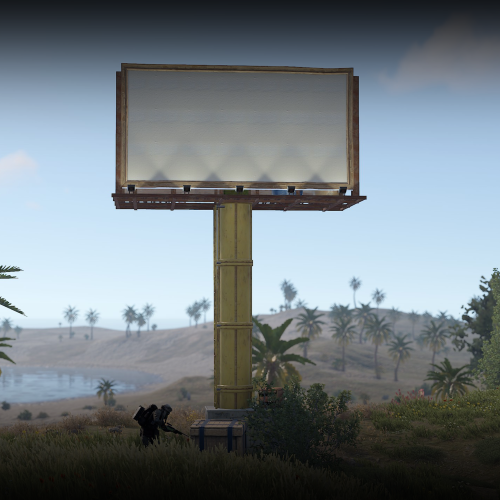 My apologies for the late reply - The billboard size should reflect 1024 x 512 pixels for any SIL Images uploaded.
 -
 This looks AWESOME!
 -
Changed Status from Pending to Fixed Changed Fixed In to 1.2.0
-
Changed Status from Pending to Fixed Changed Fixed In to 1.2.0
-
Unfortunately, no. RustEdit doesn't work in this way - potentially a great idea to bring up to the team who are developing RustEdit. However, might take a while they still haven't responded to me since Early May about the Terrain Brushes or Topology Brushes being broken.
-
Yes, you will have to use noclip in order to push behind the "invisible collider" until you see where it says "paint sign" then stay still and do the /sil command. The best fix for this would be to have a "static" object - however RUST does not have a static game item that can be painted / used with SIL
-
The asset should be fixed now - I added an invisible collider to prevent from player pick up. You'll now be able to use a plugin like "SignArtist" with the /sil command to paste the image onto the sign, but you'll need to be in noclip to get behind the collider. Please let me know if you have any issues!
-
Hi, my apologies - I realize the boards themselves are set to the wrong asset in RustEdit, this will be changed ASAP and be sent to you as a new file that will be a permanent placement that players will not be able to pick-up. Thank you for letting me know this!
-
My apologies for the delay - this is used in RustEdit as a “prefab” and drag-and-dropped into a custom map that you create and later upload to the server. Then, once you are in your server - you can use a plugin like SIL to allocate an image for sponsorship and lock it into place! Let me know if I can help with anything else!
-
Version 1.2.0
39 downloads
RustWerkz - Billboard This is a great asset that can be placed wherever you'd like to advertise for your Server. Can be "broken" in RustEdit to adjust individual pieces. Great for a combat addition for cover / ambushing enemies. *Compatible w/ World 2.0 & Jungle Update* Use a plugin like "SignArtist" with the command "/sil url" to apply the image to the sign. *note* you will have to be in noclip and clip into the collider until you see "paint sign" pop up and then use the /sil command! Please message me with any requests or inquires.$5.00 -
With the ASSETS folder loaded, I am also getting this error when I input "/sym ui"... UPDATE: The plugin isn't even working. Based on the install guide you have provided - The plugin is not functional, none of the "/sym (type)" commands are actually doing anything when trying to place.
-
I might not be much of any help with this... however, I found an awesome tool that allows you to create GUI elements and size them. Play around with it and experiment with the location using MIN and MAX on Anchor values. google - rust-cui.surge.sh It was created by a Rust Youtuber named SURGE!
-
This may be a little late... Search in your WelcomePanel.json (config file) for: "offset_container": { "Color": "0 0 0 0", "Material": "assets/icons/iconmaterial.mat", "Image": "https://i.ibb.co/377xRQ5/BARE-X1000000-WP-Background-RETRO.png", I create mine in Photoshop, then upload to "imgbb" and use the direct link that you can copy and replace the link inside of the "image" text line. Do a reload on the plugin, then boom!