-
Posts
33 -
Joined
-
Last visited
Content Type
Profiles
Warranty Claims
Downloads
Forums
Store
Support
DOWNLOADS EXTRA
Services
Everything posted by hionet.com
-
Inquiry Regarding the Reported Issue and a Feature Request
hionet.com replied to Kobani's Support Request in Support
I could try and add this feature in the next update, but you will have to test it, could you add me on discord hionet.com and I will send you the new version for testing before publishing it. -
Version 1.0.0
5 downloads
CustomUAV allows you to turn specific RF Transmitters into configurable scanning UAV. By applying a specific Skin ID to an RF Transmitter, it becomes a specialized scanner that can detect players, NPCs, ores, or loot. Features Custom Scanners: Create unlimited unique UAVs defined by their Skin ID. Visual Feedback: Optional F15 jet flyovers and UI ping markers (Crosshair, Loot box, etc.). Configurable Targets: Scan for any entity by its "Short Prefab Name" (e.g., player, boar, sulfur-ore, item_drop). Cooldowns & Limits: Set usage cooldowns or make items "consumable" (destroy after use). Commands /giveuav - Prints a list of all available UAVs defined in your config. /giveuav <player> <uav name> - Gives the target player the specific RF Transmitter item required to trigger that UAV. Permissions customuav.give — Required to use the admin give command. customuav.use — Required to use any UAV. Custom Permissions: You can define specific permissions for each UAV in the config (e.g., customuav.vip). Configuration The configuration is handled in CustomUAV.json. Each entry in the Transmitters list creates a new UAV. The plugin identifies them using the SkinId. Global Settings: Debug: Enables console logs to see what the UAV is detecting. ChatFeedback: Toggles chat messages for the user. UAV Settings: SkinId: The Workshop Skin ID of the RF Transmitter item. EntityPrefabs: A list of short prefab names to scan for. PingType: The icon style (Hostile, Loot, Dollar, GoTo). SpawnJet: Toggle the visual jet flyover. Configuration Example { "Debug": false, "ChatFeedback": true, "Broadcasters": [ { "Name": "Loot UAV", "SkinId": 3635869496, "Description": "Scans for dropped loot", "Permission": "customuav.loot", "SpawnJet": false, "PingType": "Loot", "DestroyAfterUse": false, "ScanRadius": 300.0, "PingDuration": 8.0, "CooldownSeconds": 30.0, "EntityPrefabs": [ "item_drop", "player_backpack", "corpse" ] } ] }$11.99 -
Inquiry Regarding the Reported Issue and a Feature Request
hionet.com replied to Kobani's Support Request in Support
Changed Status from Pending to Fixed Changed Fixed In to 1.1.3 -
Inquiry Regarding the Reported Issue and a Feature Request
hionet.com replied to Kobani's Support Request in Support
I have checked again and seems like the steam id is not showing anymore in the chat (is just in console logs), can you confirm this? Thank you Michael! -
Inquiry Regarding the Reported Issue and a Feature Request
hionet.com replied to Kobani's Support Request in Support
That is the filename sended to the player in chat by CopyPaste plugin, I will see what I can do without altering the CopyPaste plugin, so is not from my BuildSystem and I can't use playernames in the save system because if 2 players will have the same name it will cause exploits. About thw kit request I will push an update tomorrow -
Inquiry Regarding the Reported Issue and a Feature Request
hionet.com replied to Kobani's Support Request in Support
do you mean this message "The structure was successfully copied as BuildSystem_76561198995337459_test111111" ? -
Inquiry Regarding the Reported Issue and a Feature Request
hionet.com replied to Kobani's Support Request in Support
Hi Michael, Thank you! About the problems you are encountering, I am not aware of "2. Is it planned to display the Steam name in chat instead of the SteamID?", do you use Oxide or Carbon? "1. Is there already an estimate on when the reported issue with building skins will be resolved?" - this was fixed in 1.1.2 version, I am not aware of other bugs regarding this -
Thanks for asking — and no worries at all. At the moment I don’t have a fixed public roadmap or specific “next features” I can promise. Right now my focus is on polishing and improving the current feature set: stability, performance, usability, and overall quality. That said, I do actively listen to feedback. If there are strong requests from server owners (and they make sense for the sandbox’s direction), I’m open to adding new functionality later — I just prefer to avoid committing to features or dates until I’m sure they can be delivered properly. If you tell me what features you feel are “missing” compared to the other sandboxes you’re looking at, I can honestly tell you whether: it’s already possible via configuration / existing tools, it’s something I’m likely to consider, or it’s outside the scope of this project. The sandbox is modular and currently consists of 9 plugins (same version series), each with a clear role: BuildConfig – central config provider BuildLang – centralized localization/messages BuildPlots – lobby/plots, zones/colliders, domes, markers BuildCore – player flow (/build, /leave, safe teleport/init) BuildUI – the in-game UI BuildOptions – creative privileges + command restrictions + tools BuildIO – saving/loading/renaming/deleting/share codes (integrates with CopyPaste) BuildGuests – guest invites/requests/permissions BuildCosts – build + upkeep cost calculation display Overall the plugins are pretty light when idle — there’s no heavy background load. The main resource hit is during actions like save/load/paste (or mass tools), and BuildIO is optimized for that (queued operations, per-player locks, fast limit checks) to avoid lag spikes. For the server itself, I recommend a modern 4–8 core CPU, plus an SSD/NVMe and at least ~12–16GB RAM
-
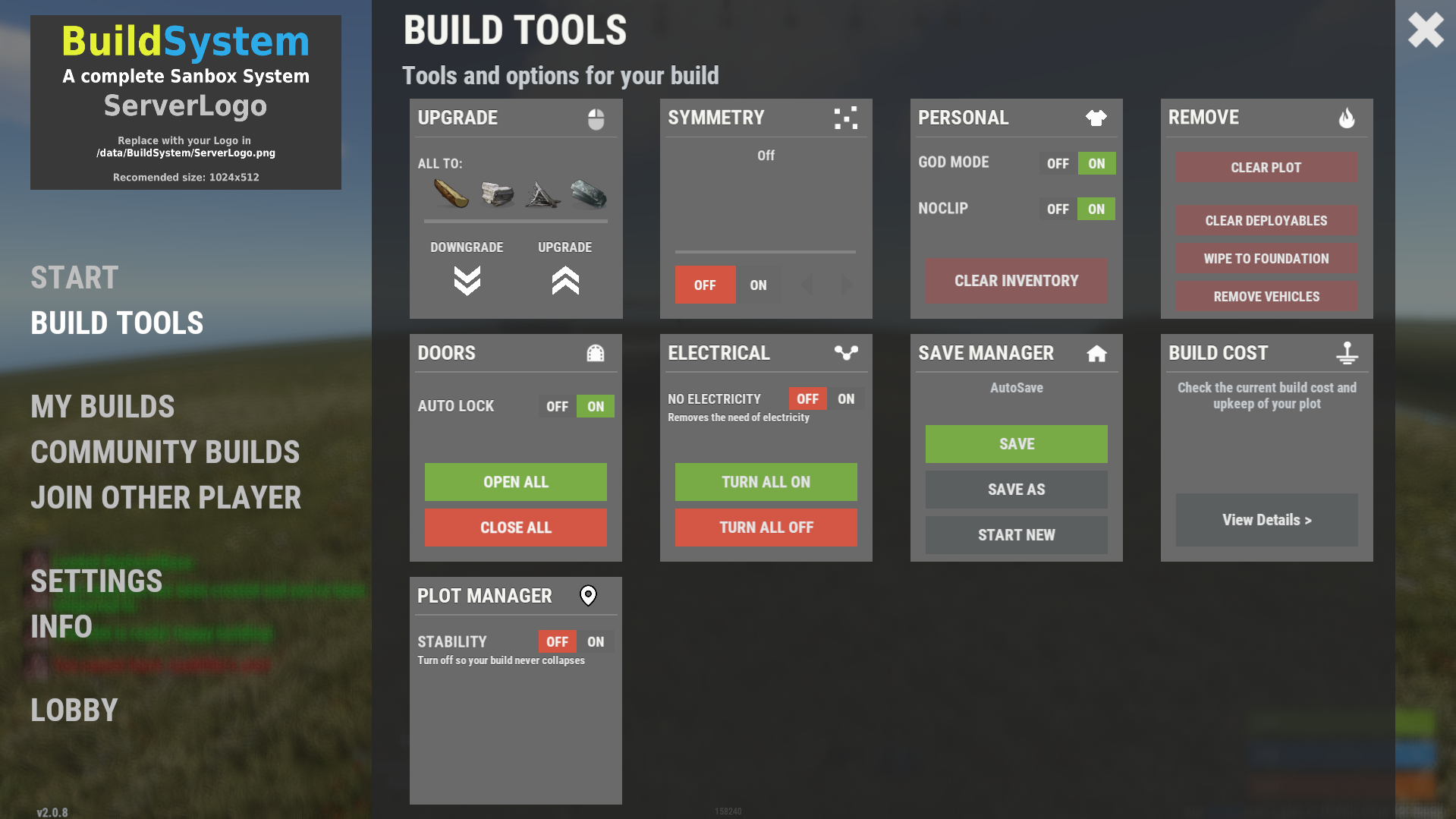
There are some commands already like /fly , /f , /noclip , /god , /g that toggle the noclip and fly. Also there are default KEYs like F for toggle fly mode, R (with a hammer in hand) to REMOVE an entity, MIDDLE CLICK to open the UI also admin console commands like "ent kill", "noclip", "god 1", "spawn" through F1 spawn items and vehicles will work just fine I am not sure what are you trying to achive with theese commands in UI, it will be even harder for players to open the UI, navigate down to the Custom Commads and then click on the UI button since they can just use hammer in hand and press R to remove or press F to fly.
-
Changed Status from Pending to Not a Bug
-
Hi @MrLiquid, Yes, you can use any map you want as long as you change the lobby location in the config file and also define all your plots in /data/BuildSystem/ZoneLocations.json OR it will be a new update soon and this file will be split in more files for custom biomes. (check the image). If you have any other questions feel free to contact me.
-
Contact me on discord if you have any other problems: hionet.com
-
Changed Status from Work in Progress to Fixed Changed Fixed In to 1.0.2b
-
Do a map wipe and use the latest plugins, also meka sure you change the plot locations for each building plot
-
I have fixed the restriction and I am still working to get a fix for CopyPaste null error
-
Ok, I will post a fix soon, seem like even if you add a limit to vehicles in config the limit can be bypased, a player should not be able to spawn more than allowed (5 entities by default)
-
Changed Status from Pending to Work in Progress
-
I am working on a fix for CopyPaste error. Also why you have 5000 rowboats?
-
Hello RoggerRab, For sure I will add more features for this system, for the moment you can remove using `ent kill` like admins if you are inside your building plot. ent kill Also don't forget you can test the system live, search in the server list for Build System Demo | by hionet.com or connect directly to 46.224.9.69:25015
-
Version 1.1.6
125 downloads
Complete Build System A complete creative build sandbox system for Rust servers, designed for build servers, practice servers, and creative communities. This plugin provides isolated player plots, lobby management, save/load systems, guest permissions, modern UI, entity limits, and creative perks — all tightly integrated into one optimized build ecosystem. Preview / Test Server client.connect 46.224.9.69:25015 Core Features Lobby & Plot Management Central lobby zone with configurable spawn, radius, and dome Automatic plot assignment Normal & VIP plots with separate limits Plot categories by type & biome Optional randomized plot placement Plot radius visualization & map markers Custom dome colors & intensity Creative Build Environment Full creative mode Free building & repairing Instant crafting & blueprint unlocks Locked daytime environment Automatic noclip handling Optional off-plot restrictions Build Saving & Loading System Save unlimited builds per player Load last-used or selected saves Rename & delete saves Import/export builds using share codes Share code cooldowns & expiration Guest restrictions fully enforced Safe CopyPaste queue system (prevents crashes) Guest & Friends System Invite or request guests to plots Permission-based guest access: Build Remove Demolish Craft Save copies Guest permissions synced & cached Automatic cleanup on disconnect Entity Limits & Build Costs Live entity count tracking Separate Normal / VIP entity limits Build cost & upkeep calculation Optional limit HUD Optional damage restriction to plot radius Modern Graphical UI Clean Nexus-style UI Sidebar navigation Tabs for: Dashboard My Builds Tools Guests Share Codes Server Info Keyboard shortcuts Fully localized text system Included Plugin Modules This is a full system, not a single plugin: BuildCore.cs – Player flow, teleport, lifecycle BuildPlots.cs – Plot zones, domes, markers BuildIO.cs – Save, load, import, share codes BuildGuests.cs – Guest permissions & invites BuildOptions.cs – Creative perks & controls BuildCosts.cs – Build cost & upkeep system BuildUI.cs – Complete graphical interface BuildLang.cs – Localization BuildConfig.cs – Central configuration All modules are designed to work together seamlessly. Included Custom Build Map Includes a ready-to-use custom build map, designed specifically for creative build servers. ✔ What’s Included Custom build-focused map layout Pre-designed plot grid structure Central lobby area Optimized spacing for: Normal plots VIP plots Guest collaboration Clean, organized layout for large build servers This allows you to: ✔ Launch instantly ✔ Avoid map setup headaches ✔ Provide a professional build environment out of the box Permissions buildcore.vip – VIP plots & higher limits buildplots.freeroam – Free roam outside plots Dependencies CopyPaste (required)$99.99 -
GetRecyclerSpeed works just for StaticRecyclerSpeeds, you should revert back the function to private void StartRecycling(Recycler recycler, BasePlayer player) { recycler.CancelInvoke(nameof(recycler.RecycleThink)); var recycleSpeed = cfg.DefaultSpeed; foreach (var permSpeed in cfg.PermissionSpeeds) if (permission.UserHasPermission(player.UserIDString, permSpeed.Key)) { recycleSpeed = permSpeed.Value; break; } timer.Once(0.1f, () => recycler.InvokeRepeating(recycler.RecycleThink, recycleSpeed - 0.1f, recycleSpeed)); }
- 25 comments
-
- 25 comments