Jump to content

hionet.com

Creator
  • Posts

    25
  • Joined

  • Last visited

Everything posted by hionet.com

  1. Thanks for asking — and no worries at all. At the moment I don’t have a fixed public roadmap or specific “next features” I can promise. Right now my focus is on polishing and improving the current feature set: stability, performance, usability, and overall quality. That said, I do actively listen to feedback. If there are strong requests from server owners (and they make sense for the sandbox’s direction), I’m open to adding new functionality later — I just prefer to avoid committing to features or dates until I’m sure they can be delivered properly. If you tell me what features you feel are “missing” compared to the other sandboxes you’re looking at, I can honestly tell you whether: it’s already possible via configuration / existing tools, it’s something I’m likely to consider, or it’s outside the scope of this project. The sandbox is modular and currently consists of 9 plugins (same version series), each with a clear role: BuildConfig – central config provider BuildLang – centralized localization/messages BuildPlots – lobby/plots, zones/colliders, domes, markers BuildCore – player flow (/build, /leave, safe teleport/init) BuildUI – the in-game UI BuildOptions – creative privileges + command restrictions + tools BuildIO – saving/loading/renaming/deleting/share codes (integrates with CopyPaste) BuildGuests – guest invites/requests/permissions BuildCosts – build + upkeep cost calculation display Overall the plugins are pretty light when idle — there’s no heavy background load. The main resource hit is during actions like save/load/paste (or mass tools), and BuildIO is optimized for that (queued operations, per-player locks, fast limit checks) to avoid lag spikes. For the server itself, I recommend a modern 4–8 core CPU, plus an SSD/NVMe and at least ~12–16GB RAM
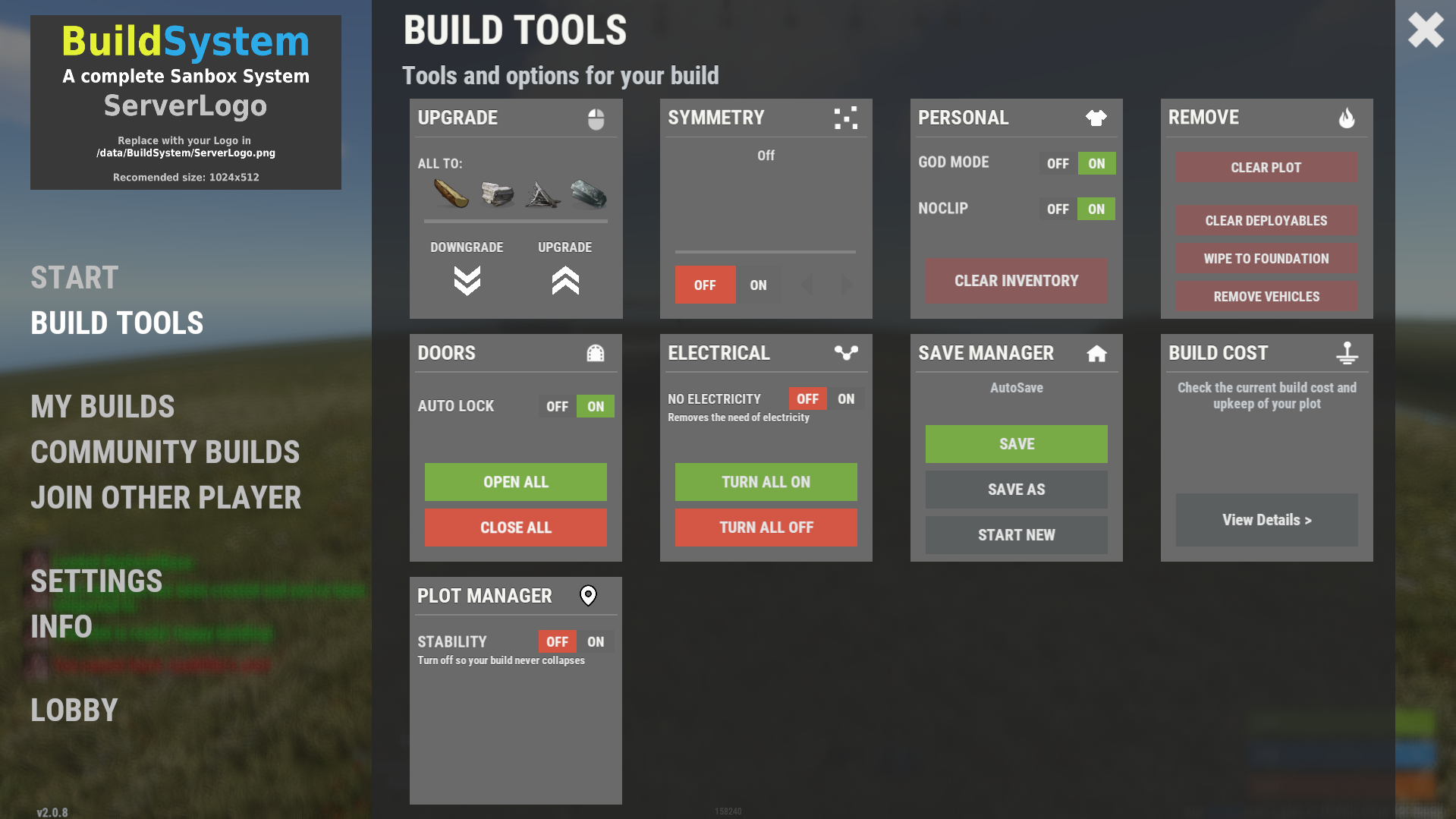
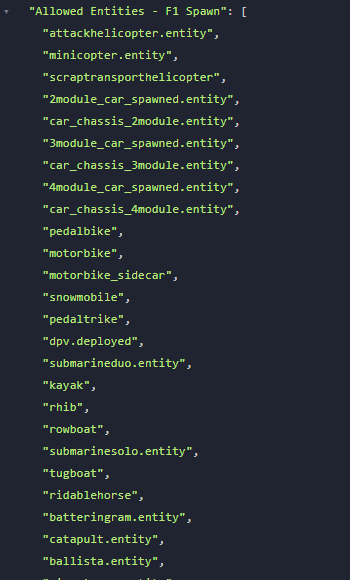
  2. There are some commands already like /fly , /f , /noclip , /god , /g that toggle the noclip and fly. Also there are default KEYs like F for toggle fly mode, R (with a hammer in hand) to REMOVE an entity, MIDDLE CLICK to open the UI also admin console commands like "ent kill", "noclip", "god 1", "spawn" through F1 spawn items and vehicles will work just fine I am not sure what are you trying to achive with theese commands in UI, it will be even harder for players to open the UI, navigate down to the Custom Commads and then click on the UI button since they can just use hammer in hand and press R to remove or press F to fly.
  3. What kind of buttons and like where? In the main UI or on the screen? Also about the chat steamid I am not aware of this, but I will check to see if it is because of my plugins or some weird glitch, in any case I will fix it
  4. Thank you for reporting this, I will have a fix asap
  5. hionet.com

    Can I use

    Changed Status from Pending to Not a Bug
  6. hionet.com

    Can I use

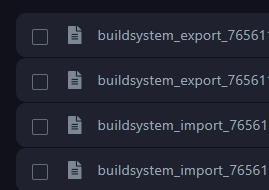
    Hi @MrLiquid, Yes, you can use any map you want as long as you change the lobby location in the config file and also define all your plots in /data/BuildSystem/ZoneLocations.json OR it will be a new update soon and this file will be split in more files for custom biomes. (check the image). If you have any other questions feel free to contact me.
  7. hionet.com

    help

    Contact me on discord if you have any other problems: hionet.com
  8. hionet.com

    help

    Changed Status from Work in Progress to Fixed Changed Fixed In to 1.0.2b
  9. hionet.com

    help

    fixed
  10. hionet.com

    help

    Do a map wipe and use the latest plugins, also meka sure you change the plot locations for each building plot
  11. hionet.com

    help

    I have fixed the restriction and I am still working to get a fix for CopyPaste null error
  12. hionet.com

    help

    Ok, I will post a fix soon, seem like even if you add a limit to vehicles in config the limit can be bypased, a player should not be able to spawn more than allowed (5 entities by default)
  13. hionet.com

    help

    Changed Status from Pending to Work in Progress
  14. hionet.com

    help

    I am working on a fix for CopyPaste error. Also why you have 5000 rowboats?
  15. Hello RoggerRab, For sure I will add more features for this system, for the moment you can remove using `ent kill` like admins if you are inside your building plot. ent kill Also don't forget you can test the system live, search in the server list for Build System Demo | by hionet.com or connect directly to 46.224.9.69:25015
  16. Version 1.1.2

    81 downloads

    Build System / Sandbox System Bring creative freedom to your Rust server with the Build System / Sandbox System — a complete, plug-and-play sandbox environment where players can claim plots, build safely, save creations, and share builds instantly. Perfect for build servers, creative testing, or community events. Live Test Server: client.connect 46.224.9.69:25015 Media Installation & Showcase Video: https://youtu.be/7T2zbUWKuo8 Requirements CopyPaste (Required) Oxide/uMod or Carbon Framework Features Claimable Plot System – Players can own individual build zones. Build With Friends – Invite friends to your plot and collaborate. Autosave System – Automatically saves builds between sessions. Sharecodes – Save, share, and load builds with one command. CopyPaste Integration (Required) – Reliable structure saving/loading. Configurable Lobby Spawn – Easily changed via config file. Editable Map Included – Upload to mapstr.gg or edit in RustEdit. Fully Customizable – Change plot layout, lobby, and map zones. User-Friendly UI – Clean build menu for both players and admins. Map & Customization • Included map file: BuildMap.map — uploadable to mapstr.gg or editable in RustEdit. • Change lobby spawn position in: oxide/config/BuildConfig.json • Modify plot coordinates in: oxide/data/BuildSystem/ZoneLocations.json • Startup arguments included in: BuildSystem/Server StartUP Arguments.txt Notes Fully customizable map and data setup Supports any map or layout Perfect for creative servers, build events, and testing environments Includes example startup arguments for quick deployment Ready to deploy. Easy to configure. Fully customizable.
    $99.99
  17. GetRecyclerSpeed works just for StaticRecyclerSpeeds, you should revert back the function to private void StartRecycling(Recycler recycler, BasePlayer player) { recycler.CancelInvoke(nameof(recycler.RecycleThink)); var recycleSpeed = cfg.DefaultSpeed; foreach (var permSpeed in cfg.PermissionSpeeds) if (permission.UserHasPermission(player.UserIDString, permSpeed.Key)) { recycleSpeed = permSpeed.Value; break; } timer.Once(0.1f, () => recycler.InvokeRepeating(recycler.RecycleThink, recycleSpeed - 0.1f, recycleSpeed)); }
  18. cfg.PermissionSpeeds never used, so in order to have VIP custom speed try to edit the StaticRecyclerSpeeds and use thoose perms for vip until the dev update it
  19. Hi, set this line to true: from: [JsonProperty("Store data in MySQL instead of data files")] public bool UseMySql = false; to: [JsonProperty("Store data in MySQL instead of data files")] public bool UseMySql = true;
  20. Hi, Will this plugin Block PVP/Raiding on PVE timer? Or block raiding on PVP timer?
2.1m

Downloads

Total number of downloads.

10k

Customers

Total customers served.

145.6k

Files Sold

Total number of files sold.

3.1m

Payments Processed

Total payments processed.

×
×
  • Create New...

Important Information

We have placed cookies on your device to help make this website better. You can adjust your cookie settings, otherwise we'll assume you're okay to continue.