
GOO_
-
Posts
88 -
Joined
-
Last visited
-
Days Won
3
Content Type
Profiles
Warranty Claims
Downloads
Forums
Store
Services
Downloads Plus Support
DOWNLOADS EXTRA
Reels
Support Center
Everything posted by GOO_
-
Please contact me on discord and we will fix this issue together. https://discord.gg/EQNPBxdjRu
-
Changed Status from Pending to Work in Progress Changed Fixed In to 1.7.7
-
Ill take a look.
-
Changed Status from Pending to Can't Reproduce
-

random server freeze when players get killed or F1 kill
GOO_ replied to oldmenrust's Support Report in Support
Changed Status from Pending to Can't Reproduce -
 I guess that is a matter of perspective. From what I'm told by users it is not expensive. You can also restrict how many tokens your plugins use in the API call. Honestly gpt-4o is so cheap i didn't even consider the costs recently. Anyway, I'll be updating RustGPT to also use Groq which is free at the moment.
 -
I'll be updating RustGPT to use this as a dependency soon. Also a few other plugins I am developing (eventually) will use this. However if you want to get started you can easily make your own version of RustGPT to get a better understanding of how the tech works. There is ample documentation on the platform.openai.com site. You can also message me on discord if you need help. https://discord.gg/EQNPBxdjRu
-
Version 2.2.0
320 downloads
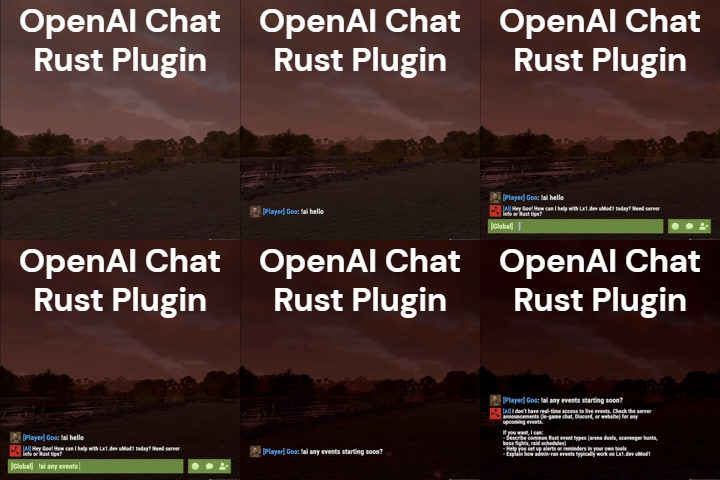
AI assistant plugin for Rust game servers using the OpenAI Responses API. Players can ask questions in-game via a chat command (default: !ai) and receive AI-generated responses. Supports conversation context, a custom knowledge base for server-specific documents, multi-tier rate limiting, and optional integrations like Discord webhooks and BetterChat. Full Documentation Here Features Chat command trigger Conversation context Knowledge base (vector store) Customizable personalities Prompt injection filtering Message chunking Chat / Bot Configurable command prefix Global Chat Bot mode BetterChat integration Custom response colors Personality presets Team chat monitoring Rate Limits Per-player cooldowns Requests per minute cap Daily token budgets Per-player token limits Persistent usage tracking Integrations Discord webhook logging Optional web search Death Notes support Developer hooks API Reasoning model support Knowledge base made easy Use the Rust Server Knowledge Generator to build knowledge files for your server. Fill out a form (server info, wipe schedule, rules, commands, FAQ, etc.), use the AI Assistant or Quick Server Lookup (BattleMetrics), then either deploy to an OpenAI vector store from the site or download a .zip and sync from your server with openai.kb sync. See How It Works for the full guide. Commands and plugins In the Commands form section you can search and add plugins (from the default catalog or your own), add chat commands, and contribute commands for plugins. These feed into commands.txt for the knowledge base. Free AI Knowledge GeneratorFree -
Changed Status from Work in Progress to Closed
-
It's an error from openAi. Check your API key.
-
Changed Status from Pending to Work in Progress Changed Fixed In to Next Version
-
Changed Status from Pending to Closed
-
I'm updating the plugin tonight but I can't make any promises of the death commentary working with multiple plugins. After this update Ill try and work in fixes for popular plugins that have zombies and special turrets, etc.
-
I will be updating the plugin tonight.
-
Changed Status from Pending to Closed
-
Changed Status from Pending to Closed
-
Changed Status from Pending to Closed
-
Changed Status from Pending to Closed
-
Changed Status from Pending to Closed
-
Changed Status from Pending to Closed
-
Changed Status from Pending to Closed Changed Fixed In to 1.7.6